
Inspiration
My wife and I were trying to decide on a name for our baby girl. We wanted to consider names from our family history. Existing genealogical software seemed to focus on the tree structure, and required a lot of clicking around to find what we wanted. We just wanted a list of names, and to learn about the people who the names belonged to.
We undertook to build something that focused just on the names, stories, and pictures of ancestors. We also worked to make it as simple as possible, so that anybody could understand it, even if they don't have experience with family history software.
Beyond wanting to find family history names for ourselves, I believe that knowing our ancestors is important. I hope that this simple tool will help to open the door to family history for those who haven't done any genealogical research before. Whether the parents-to-be end up choosing a name from their family history or not, they will come away knowing more about themselves and each other.
What it does
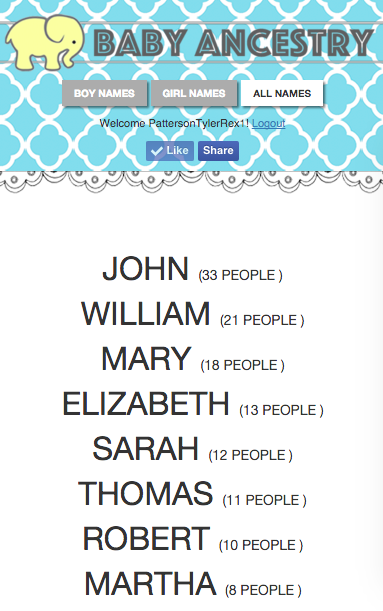
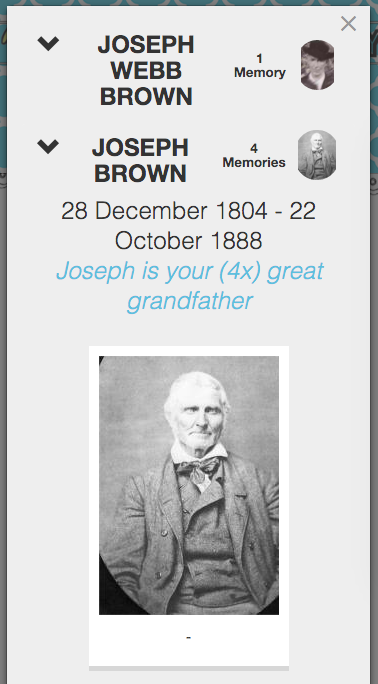
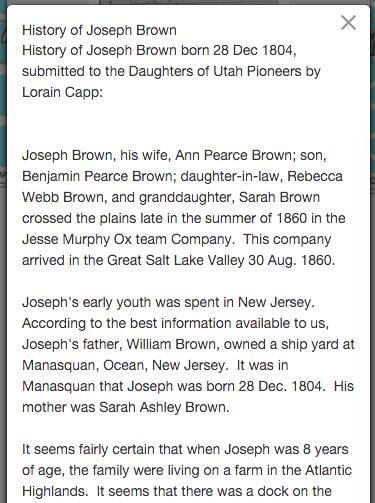
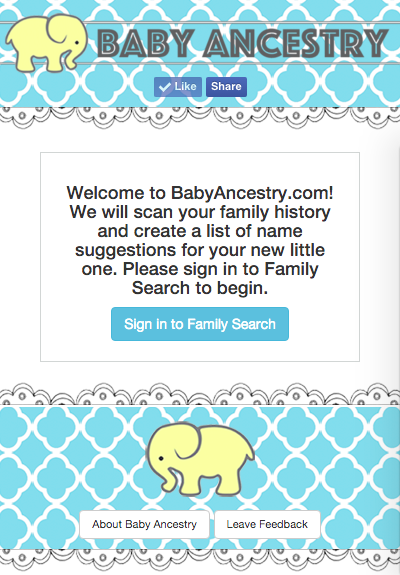
After signing in to FamilySearch, Baby Ancestry scans 8 generations back and displays a list of your ancestor's names. You can choose to show boy names, girl names, or both. When you click on a name, it pops up a list of the people who that name belongs to. You can click on a person to see the pictures and stories that are linked to that person. Pictures and stories can be expanded directly in the app. We also provide convenient links to view the meaning of the name in BehindTheName.com, and a link to the person in FamilySearch in case you want to learn more. The app works both on a computer, and on a mobile device.
How we built it
We knew from the beginning that we wanted this to be really easy to use, and to focus on the names and the people behind them. But nailing down the user interface actually took us several tries. One of our failed attempts was to display a card for every ancestor, which included the ancestor's picture on the card. But we decided we didn't like that because it didn't focus enough on the names, and common names would end up with multiple cards.
We finally realized that we wanted to show each name only once on the main screen, so that a parent-to-be can quickly scan the list for names they like - just like a book of baby name suggestions. Once we knew that, the rest of the user interface fell into place. Katie Hulett (a fantastic artist from K Hulett Photography) designed the graphical look. I am a programmer, and I hired several other programmers using ODesk and similar remote-work services.
Challenges we ran into
It seems obvious in hindsight, but nailing down a user interface that was simple to use but effective has been harder than I thought!
Another challenge was the time and financial commitment. There were a few occasions when I felt overwhelmed by other commitments and almost gave up. I'm glad we didn't quit!
Finally, I wanted to clarify the way in which I feel that this app satisfies the "social" requirement. While there is a "Share" and "Like" button for Facebook, I think the app is inherently social because the parents-to-be will look at each other's family history together. And if they do end up giving a family-history name to their baby, their child will always have a special connection to that ancestor. We have additional ideas to make it more social, see Whats next for Baby Ancestry below.
Accomplishments that we're proud of
There are still some rough edges, but it works!
What we learned
Nail down the user interface sooner. We could have saved a lot of time if we hadn't built a few versions that didn't work.
What's next for Baby Ancestry
1: Make it more social!
One idea is to give people the option to share their ancestors or name suggestions with others, or to create name suggestions for others. Imagine if a person could find the ancestors for their friend/child/sibling who is expecting a baby, and share those results directly with them. This could help bring family history to more people who wouldn't know how to get a FamilySearch account themselves. Of course there are privacy considerations that must be resolved first, such as ensuring that only deceased persons can be shared, and ensuring that all FamilySearch policies are followed.

Log in or sign up for Devpost to join the conversation.