Inspiration
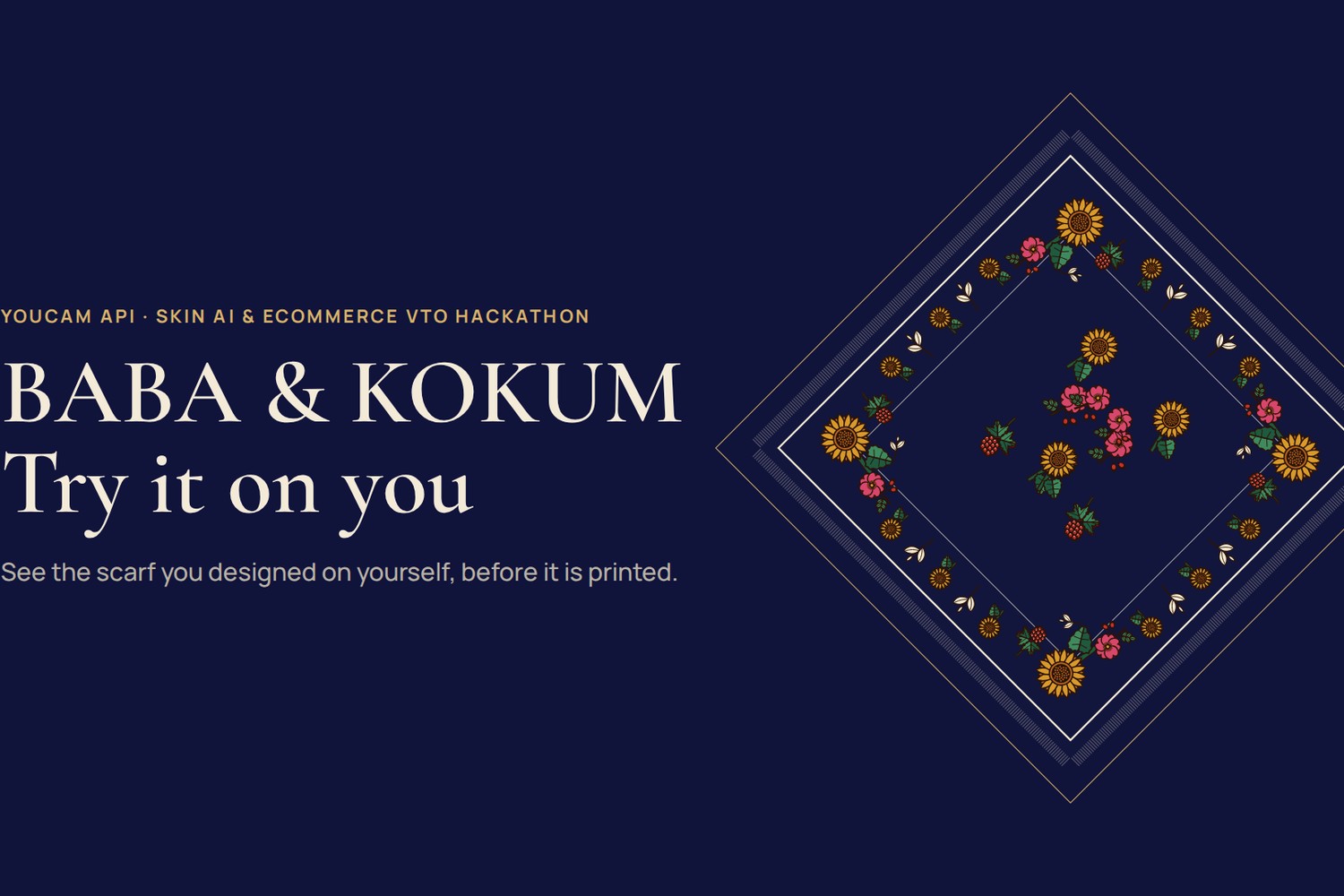
BABA & KOKUM is a scarf journey built for UAFest, Ottawa's Ukrainian festival. A visitor opens flowers by learning one true thing about each, composes a printed floral kerchief (a khustka) on a 70 × 70 cm square, names it, and leaves with a print-ready file and a stable scarf ID.
The weak moment comes right before printing. The design was made a minute ago, so no product photo of it exists anywhere, and a one-off print cannot be sent back. Our old answer was «Preview it tied»: the print on a drawn figure. It showed the cloth and said nothing about the person who would wear it. Made-to-order textiles share this problem with every print-on-demand shop: the buyer commits blind.
What it does
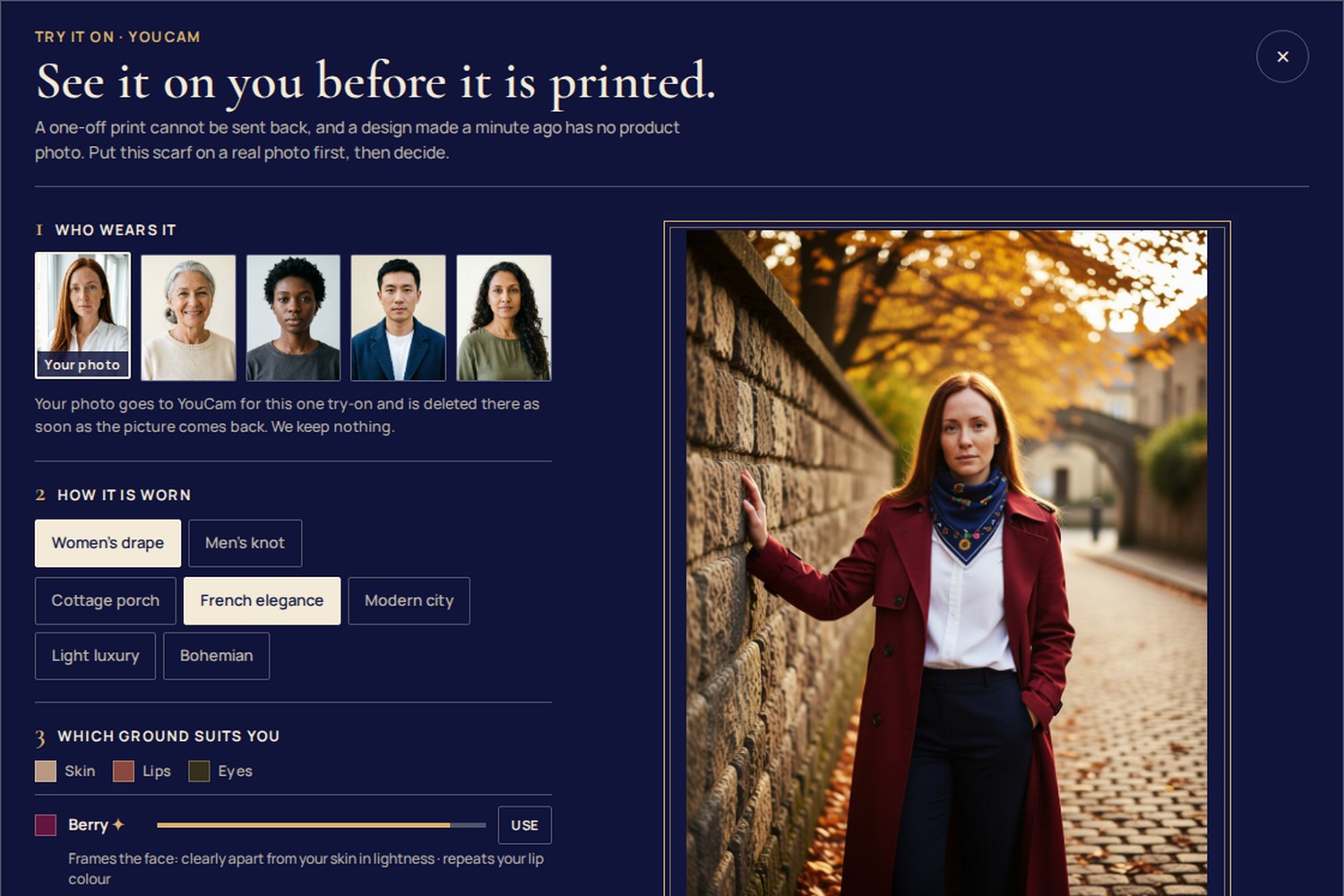
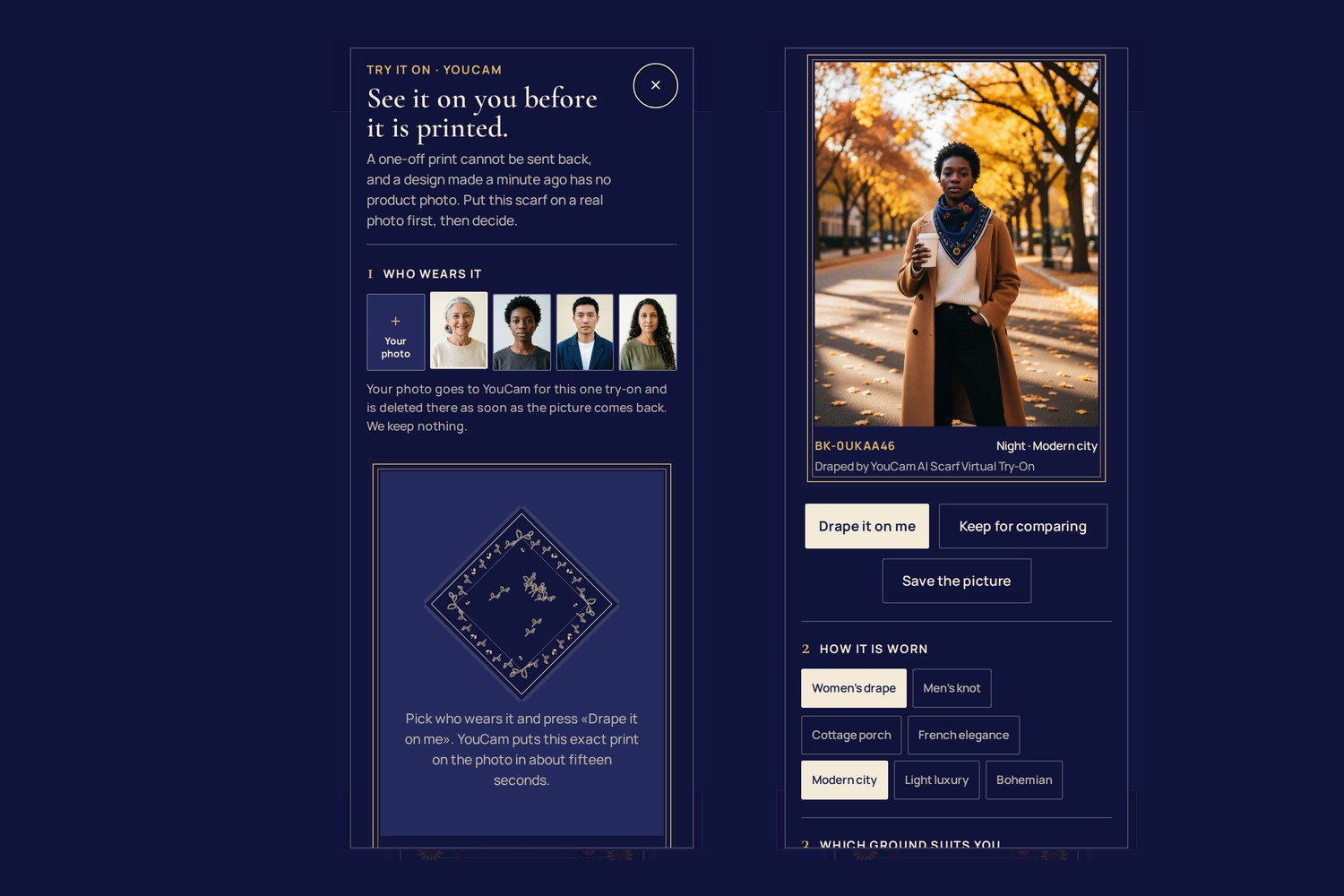
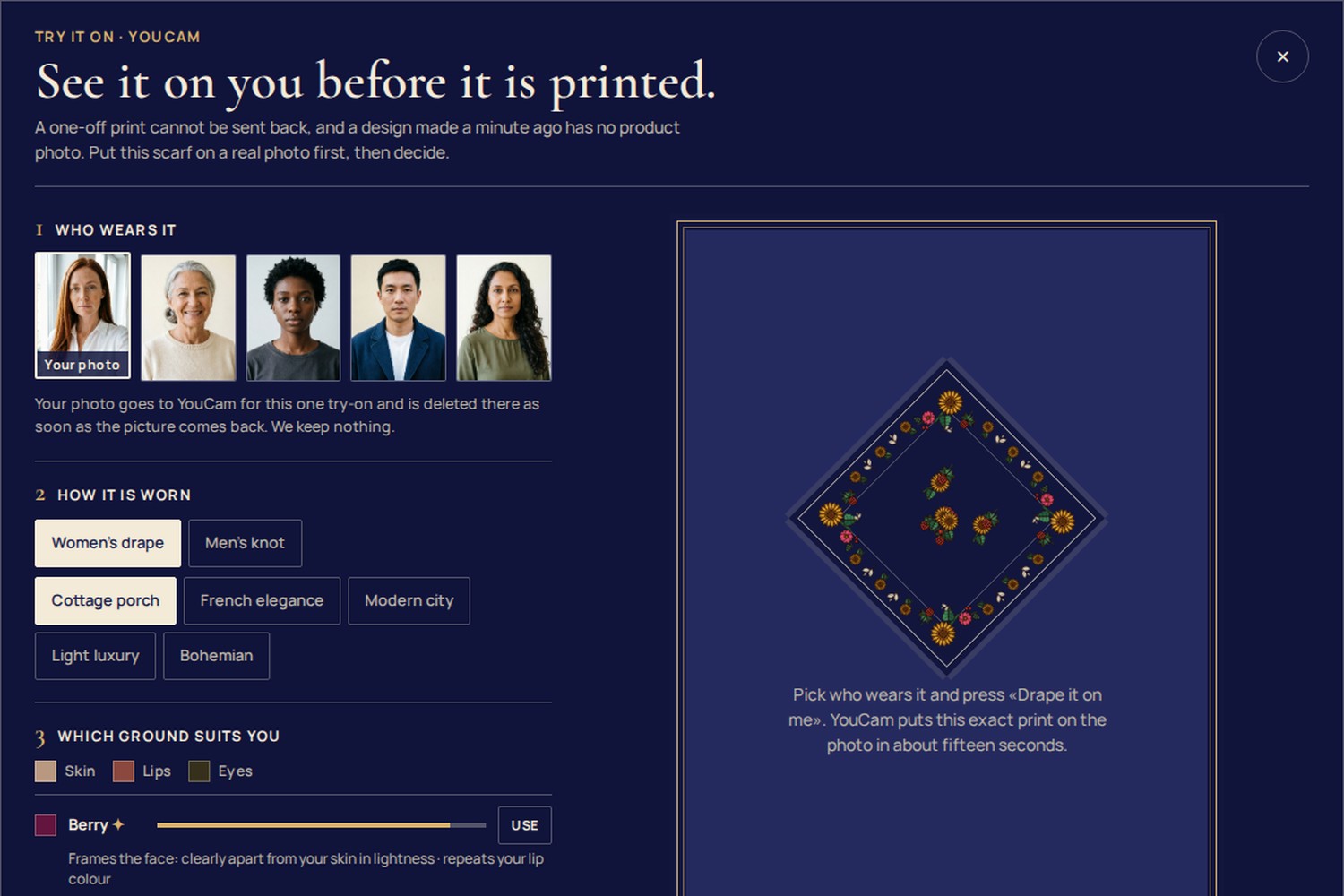
Try it on you puts this exact design on a real photo before anything is printed.
- Who wears it. Your own photo, or one of four sitters for anyone who would rather not upload one.
- How it is worn. Women's drape or men's knot, and one of five scene styles.
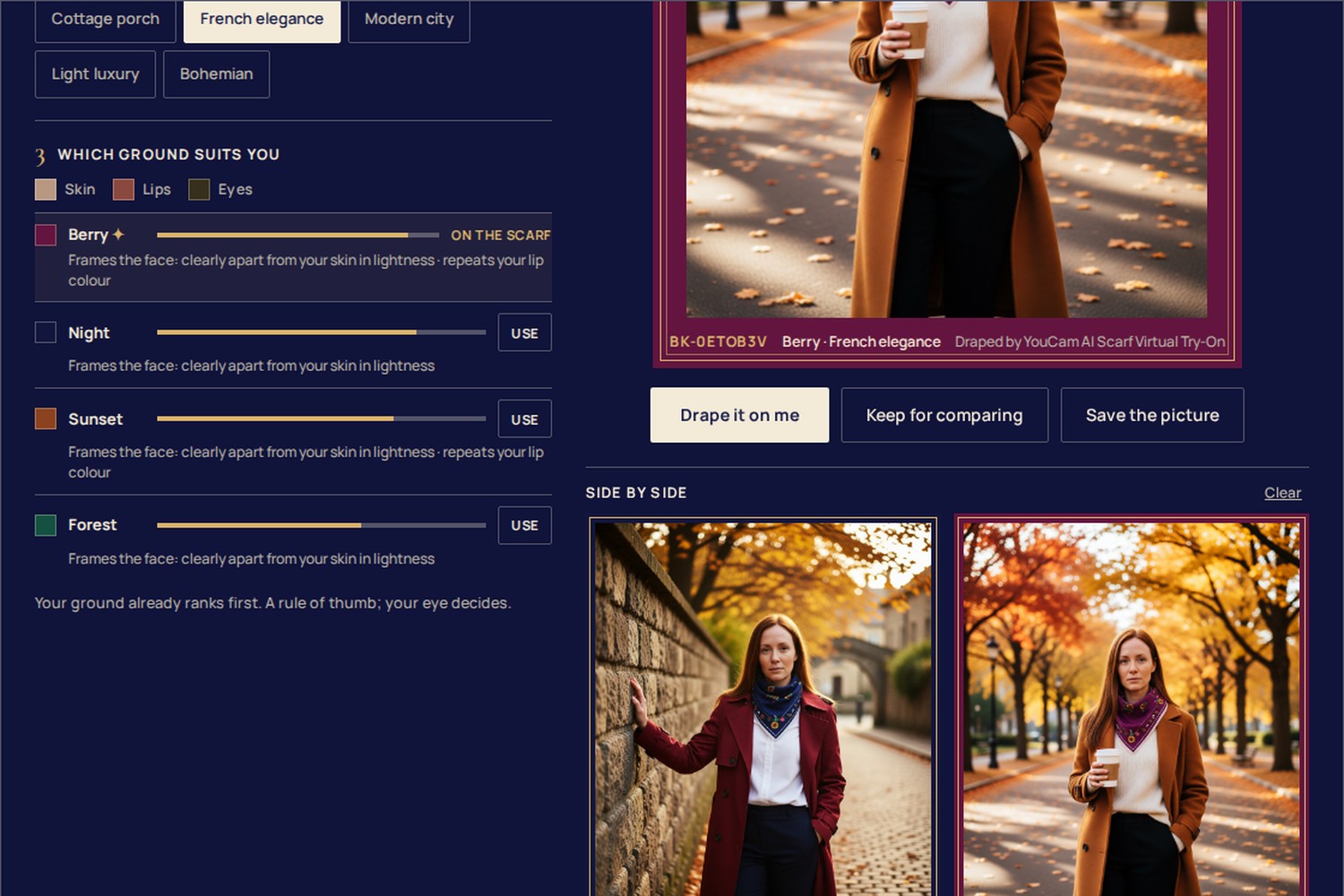
- Which ground suits you. YouCam's AI Facial Color Tones Analyzer reads skin, lip and eye colours. The four printable grounds are ranked by two plain rules, written next to each result: a ground well apart from the skin in lightness frames the face; a ground near the lips in hue repeats a colour the face already carries. One tap switches the scarf.
- Drape it on me. The design is rendered as a product image and sent with the photo to YouCam's AI Scarf Virtual Try-On. While YouCam works, the flat square folds into a kerchief and the real request stages tick. The result hangs in a mirror framed in the scarf's own ground colour.
- Side by side. Keep a result, switch the ground, drape again, and compare the two. Print this one sets that ground and opens the print handoff with the scarf ID.
English and Ukrainian, phone and desktop. The festival kiosk mode hides the feature, because a shared tablet is no place for anyone's photo.
How we built it
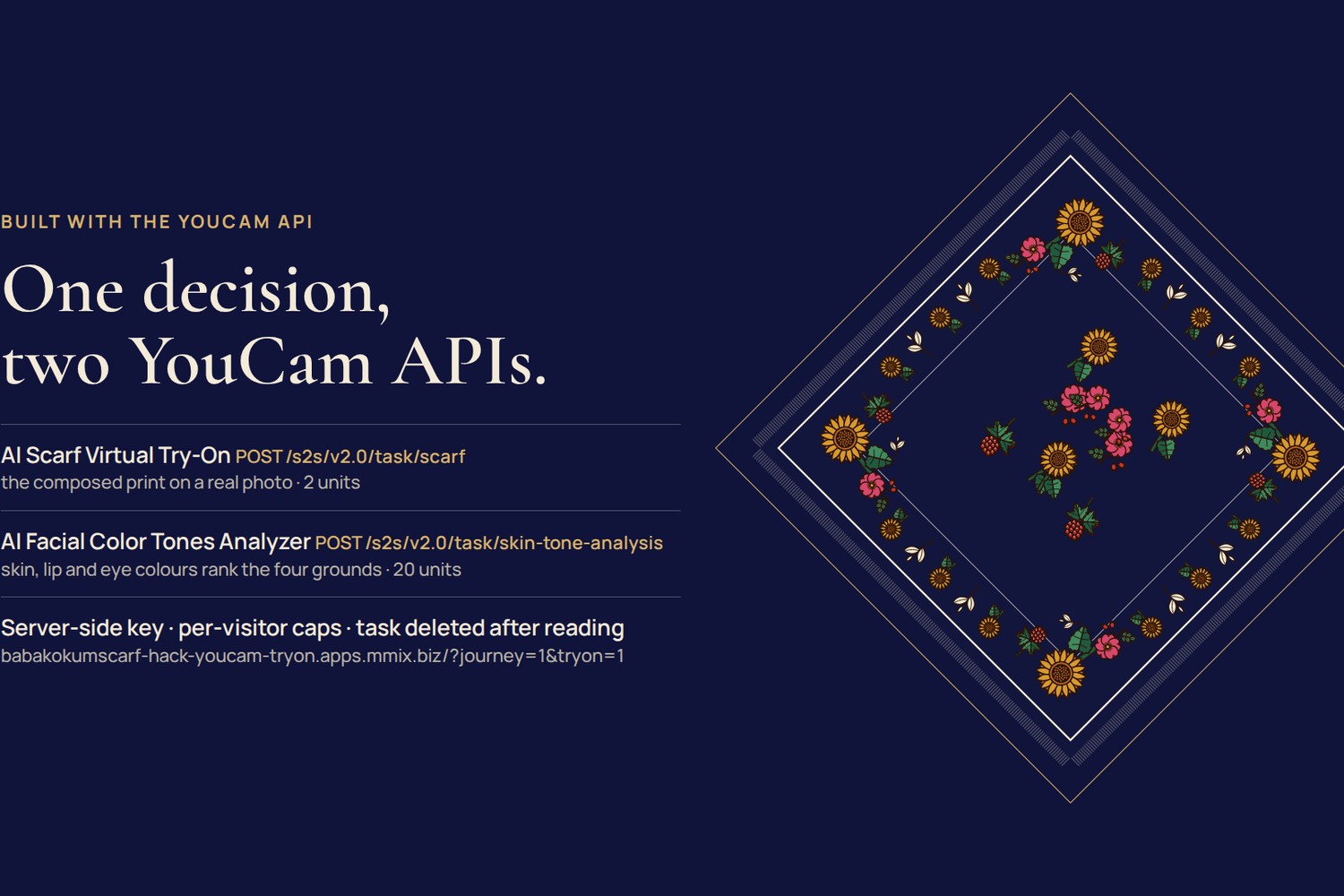
- YouCam AI Scarf Virtual Try-On (
/s2s/v2.0/task/scarf, 2 units) with the File API: the visitor's photo or a sitter as the source, our rendered scarf as the reference. - YouCam AI Facial Color Tones Analyzer (
/s2s/v2.0/task/skin-tone-analysis, 20 units) on a face crop cut in the browser (the analyzer wants the face across most of the frame). - YouCam AI Image Generator V2 made the four sitter portraits; their colours were read once and shipped as data, so the demo never pays twice for the same sitter.
- The page turns the app's own vector scarf (
scarfSvg) into a 1024 px product image on a canvas: the square on its point, on unbleached cotton. In our first side-by-side test the diamond carried more of the pattern onto the wearer than a flat square. - A small server route holds the key. It validates images by type and magic bytes, starts the task, answers polls only for its own tasks, deletes the YouCam task as soon as the result is read, caps spending per visitor and per day, and never touches a reserve of units, so the demo keeps working through judging.
- Vanilla JS, no build step, no dependencies; OKLab colour maths for the ranking; Node tests for the rules and the API refusals; a screenshot loop at 390 and 1440 px for the design.
Challenges we ran into
- The colour analyzer returned a fixed «Blonde» for every short-haired or tied-back sitter, so hair is left out of the ranking instead of feeding it a wrong colour.
- The app's service worker cached every GET, which froze the result poll on «running». API answers now bypass it.
- Privacy had to be proven, not promised: after
task/deletethe result URL answers 404 within a second and the task id disappears within 20 seconds. Only then did we write «deleted there» on the screen.
Accomplishments that we're proud of
The cloth in the try-on is the visitor's own design, a few seconds old, and it reads as that design: sunflowers, wild roses and the kaima border come through. The ranking explains itself in one line, and the side-by-side comparison turns a guess into a choice.
What we learned
Virtual try-on matters most where no photo can exist yet. Generative try-on also places the person in a scene, so we present it as a fitting mirror for the print and the colour, while folds and scale remain the model's.
What's next
Attach the chosen try-on picture to the print brief, and use it as the order preview when the first community print run happens. No scarf has been printed yet and no run is scheduled; the app says so on its Reveal screen.
What changed during the Submission Period
Everything listed above was built on 15 October 2026. The repository has two commits: the app before the hackathon, then this work; git diff HEAD~1 shows the whole change.
Built With
- canvas
- css3
- html5
- javascript
- node.js
- perfect-corp
- playwright
- youcam-api

Log in or sign up for Devpost to join the conversation.