
Inspiration
we #love minecraft & we #love 3D-printing… but solidworks is too darn hard…
What it does
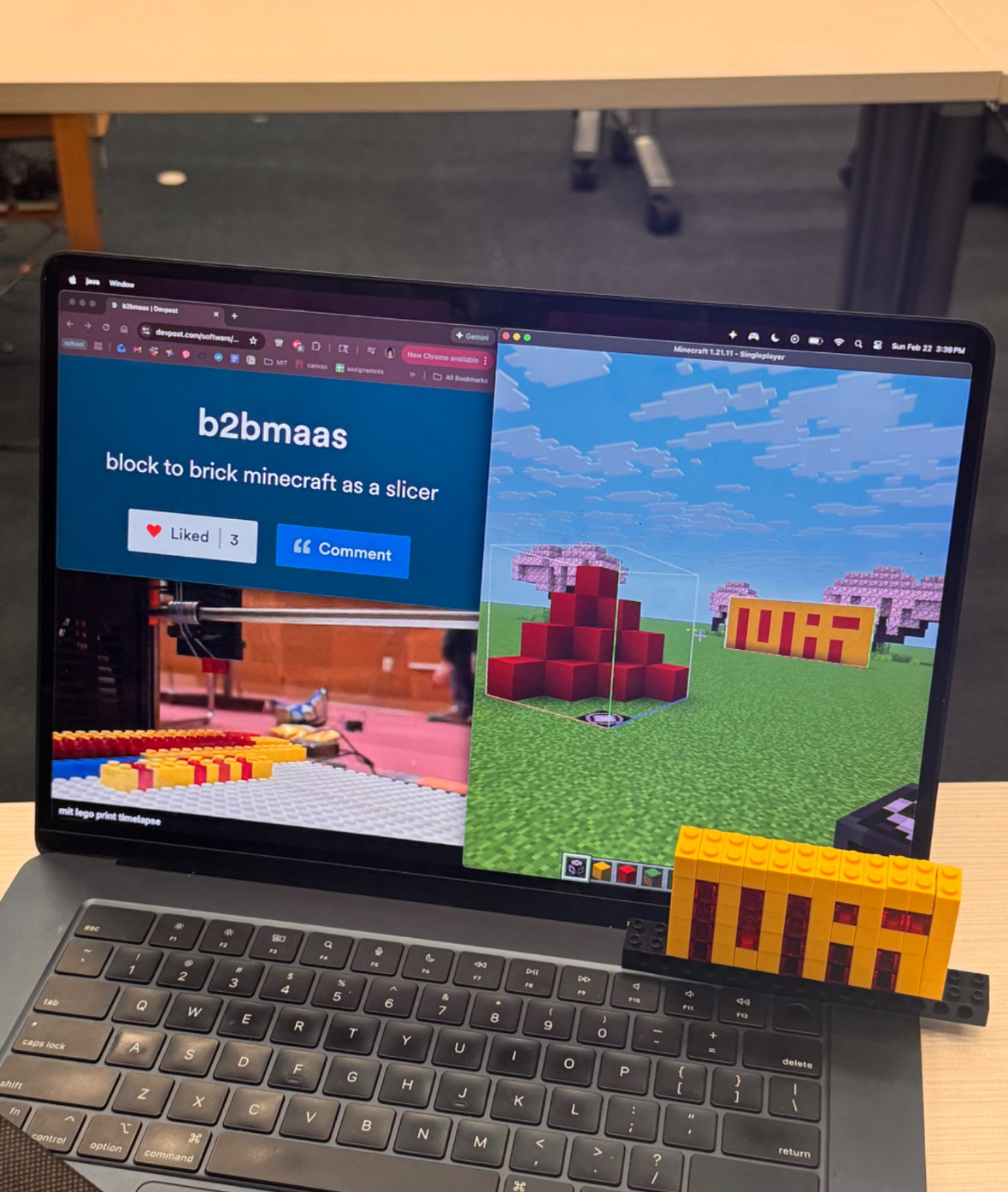
Our project takes 3D builds in Minecraft and slices them into G-code. The G-code can then be uploaded to a 3D-printer and used to recreate that same build using Legos in real life! The design can be any size within 16 x 25 x 15 studs, meaning our project can support up to 6,000 Minecraft blocks/Legos!
How we built it
We first created a build in Minecraft (our first few hours of the Make-athon totally wasn’t spent fooling around in Minecraft creative mode…). We then used structure blocks to export the build as a .nbt file (a file type for storing Minecraft block data).
On the software side of things, we built a Python script to slice Minecraft’s generated .nbt into G-code compatible with a semi-broken Prusa MK3, which we made sure we could restore back into its former glory. Once we had the G-code, we used a Prusa G-code viewer to run our code and make sure everything was alllll good.
Simultaneously, we disassembled the Prusa and machined a custom plate to attach a resin-printed mount to pick up the legos, using a set screw to mount a lego to the printer and used the bottom of that lego to pick up other legos as a perfect fit.
We attached a lego built plate to the bottom of the Prusa, and fit it to the size of the Prusa’s build plate. From there, we built two rails on the left side of the buildplate, which were two different colored lego types, so that new legos could be pushed up and be grabbed by the printer.
Then we calibrated the printer to set the origin as the location of the lego dispenser. With the code moving legos in multiples of 8mm (the dimension of one stud), it would successfully pick up and place legos over the studs. We had to calibrate the z height by hand to ensure the printer could fully place the legos, as the limit switch was broken.
Challenges we ran into
One of the most difficult parts of this project was calibrating the printer to the exact size and location of the Legos. Traditionally, when using CNC machines, an exact protocol is established to set the x, y, and z coordinates down to a fraction of a millimeter. However, without this precision, it was difficult to manually determine the offsets for our feeder locations and placement locations, but not impossible! Since code doesn’t translate to real life perfectly. :(
Additionally, initially, the blocks weren’t sticking to the build plate when being placed. After trying to prototype and design mechanisms to release the blocks, we realized it’d be much simpler to carve out the “holder block” and give it a looser fit. This allowed the block being placed to consistently be dropped.
Accomplishments that we're proud of
Our original goal was to create a system that worked for only 2D designs at first (because of physical limitations such as block size and color and build overhangs), but with a bit of trial, error, and dedication, we were able to push our project to accept 3D as well! Our system can now detect air and leave an empty gap wherever is needed.
We also used the printer’s extruder motor and last-minute crafted a rack and pinion system to automatically feed blocks into the pickup place, which we also planned to have as a future implementation. But you know what they say; the future is now!
What we learned
We learned a LOT about 3D-printers and a LOT about G-code and the extent to which you can modify technology. We shouldn’t be afraid to use what we got and iterate upon them to create fun and cool projects!
What's next for b2bmaas
There are a couple ways we could improve this project. First of all, it would make a big difference to have an automatic Lego sorter and feeder. This would allow full prints to take place without reloading the Legos. We would also like to implement an overhang feature, putting clear legos down as support for floating blocks. This would make use of our third new feature, more colors. By adding more lego brick options, we could implement supports while also increasing our color pallet.
Built With
- 3dprinter
- gcode
- lego
- python


Log in or sign up for Devpost to join the conversation.