-
-
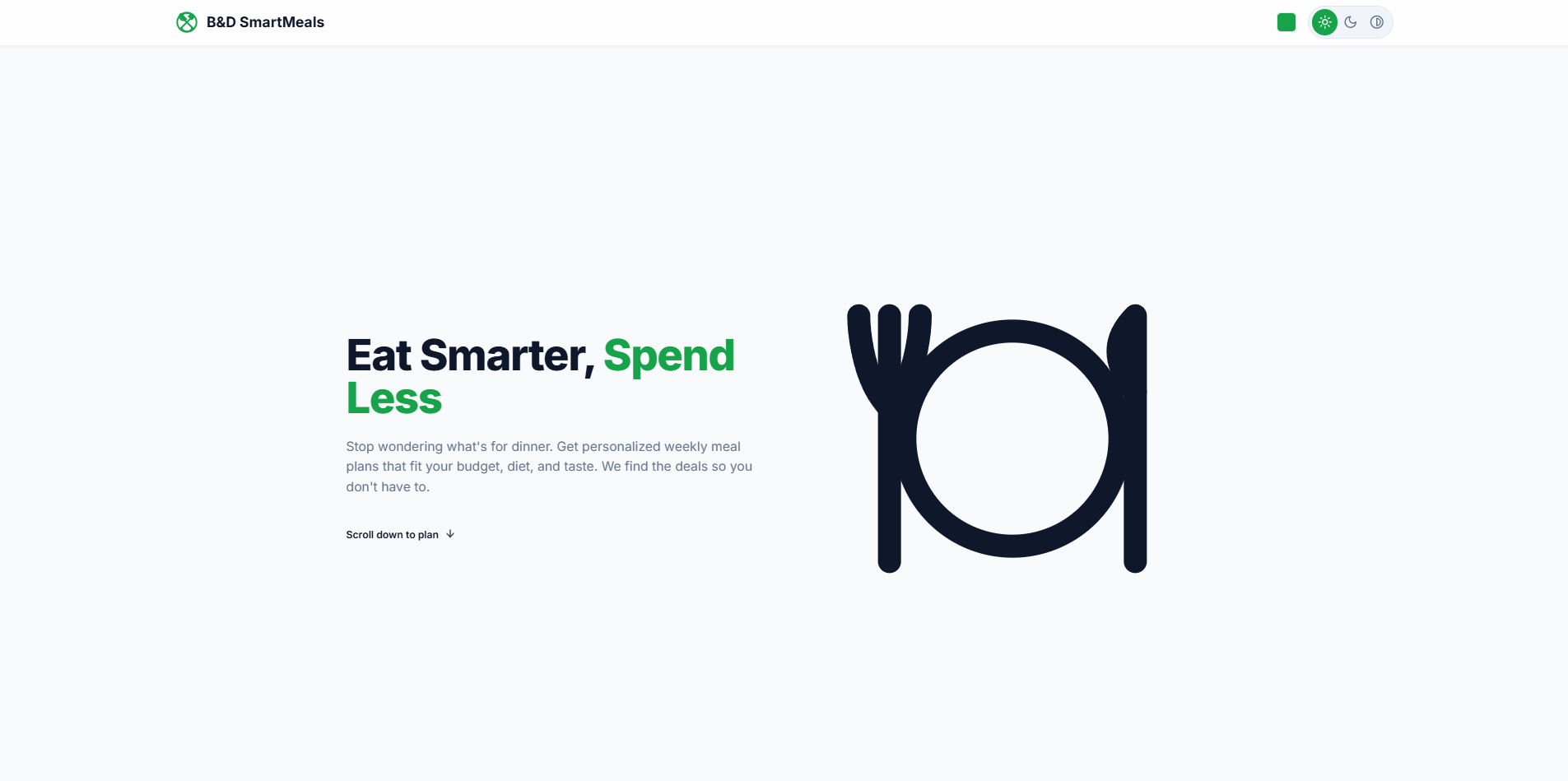
Homepage
-
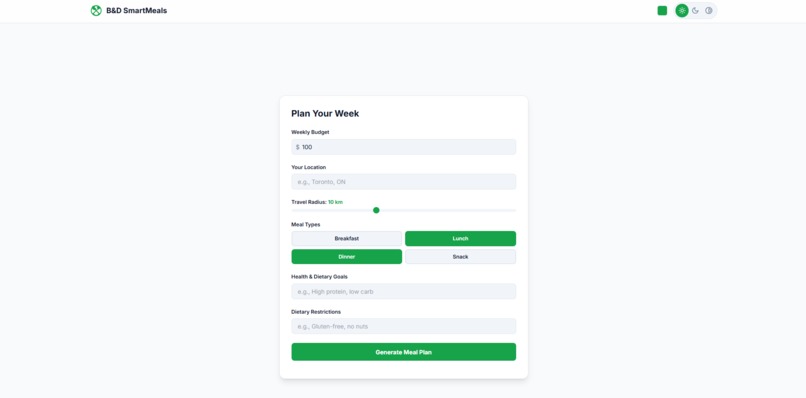
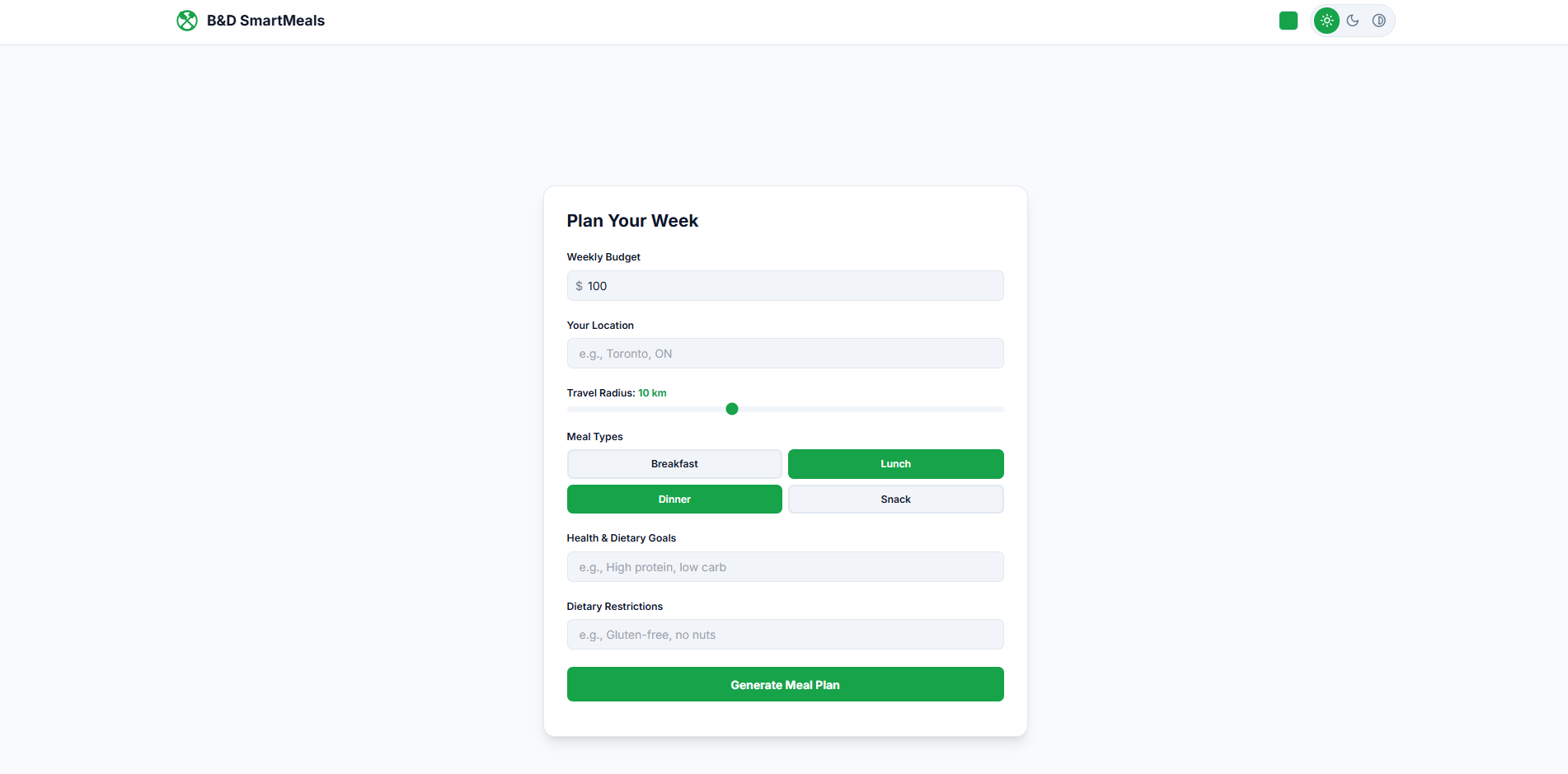
Weekly Planner
-
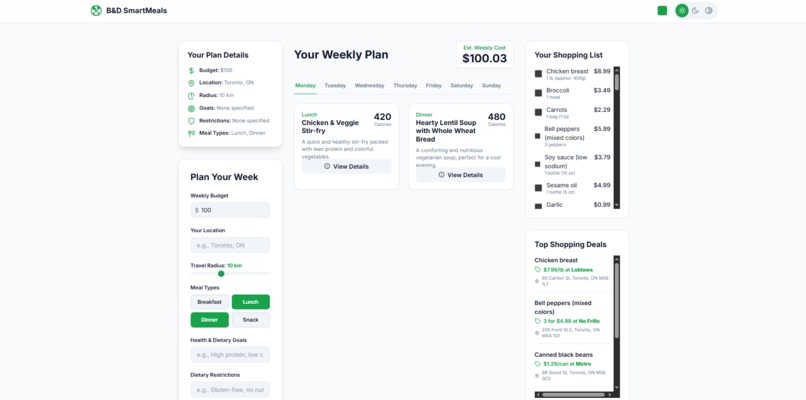
Generated Meal Plan
-
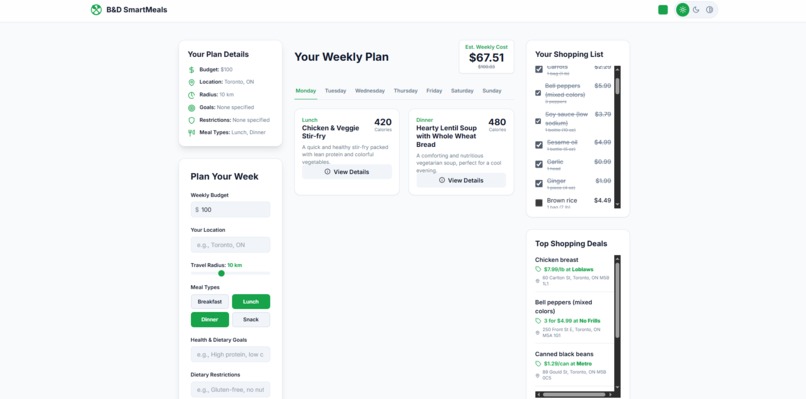
Shopping List
-
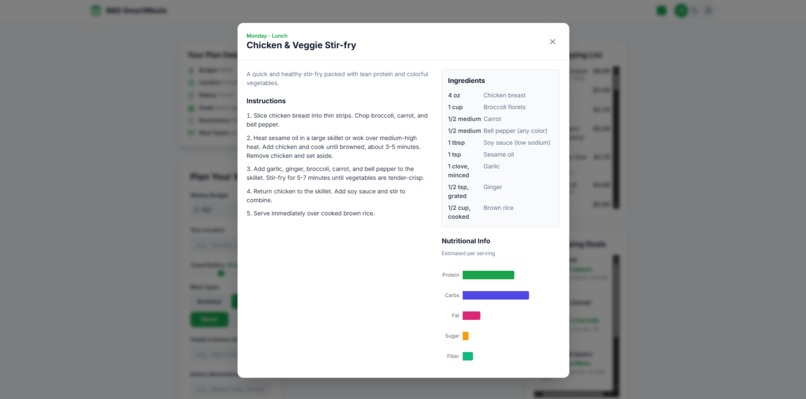
Recipes/Nutrition/Ingredients for each Meal
-
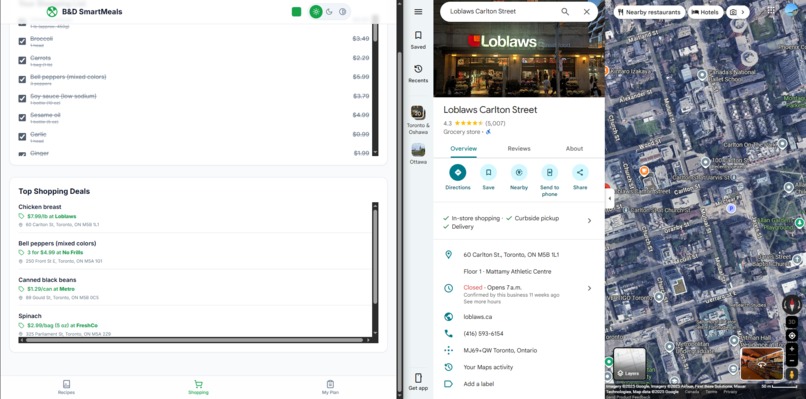
Top Deals and Google Maps
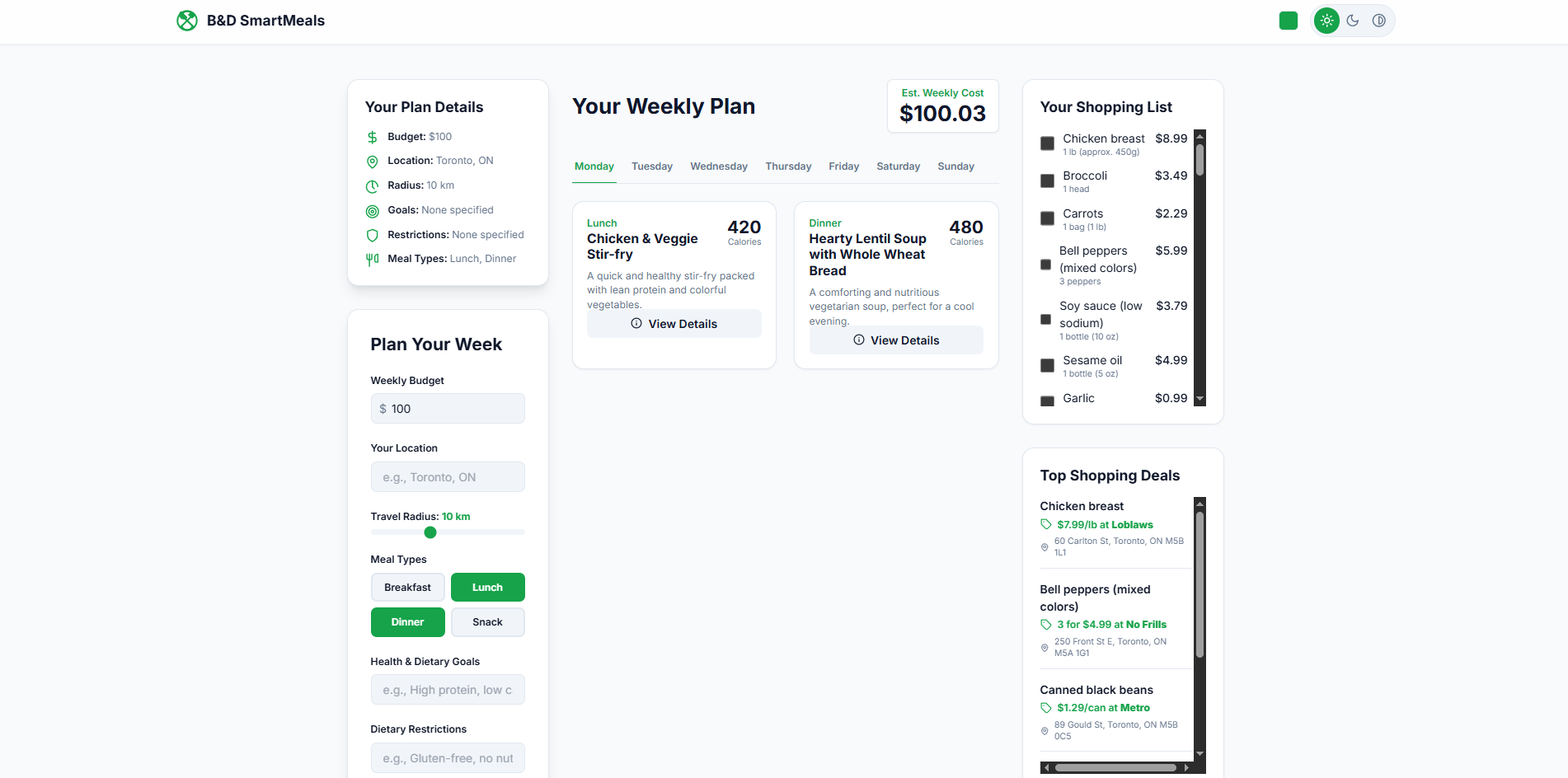
B&D SmartMeals was created to help post-secondary students and other consumers manage their food budgets while maintaining their dietary and fitness goals. Many students, balancing full-time studies and part-time jobs, struggle to find time to plan meals or look for grocery deals, often leading to overspending or food waste. Our app solves this by allowing users to enter their dietary restrictions, goals, and budget to generate affordable meal plans that reuse ingredients to minimize waste. It also suggests nearby stores offering deals and links directly to their locations on Google Maps for easy access.
** Functionality/How it works ** The key features of our product consisted of users being able to input data such as: 1) Weekly budget for meal plans 2) Location/Travel Radius to locate the closest possible grocery stores 3) Meal Types to better schedule what meals to eat 4) Health & Dietary Goals for users get a meal plan that'll work towards their goals 5) Dietary restrictions to get responses that'll cater to their needs
Once all the data was set, the user can then click the "Generate Meal Plans" and our app would locate grocery stores or other business that are offering discounts near the user on food items. With that information, our app would then recommend recipes based off those products to make it much more budget friendly.
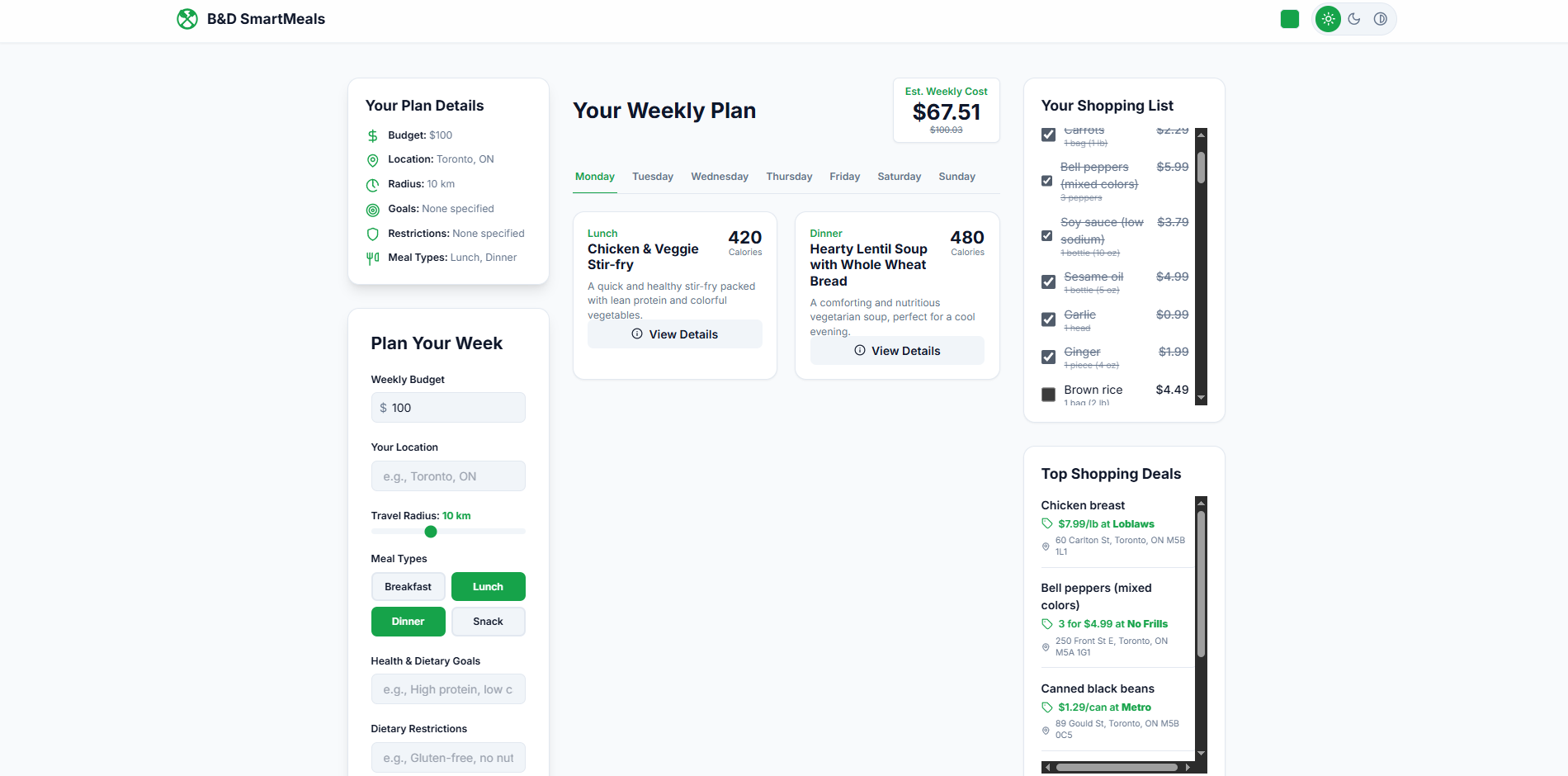
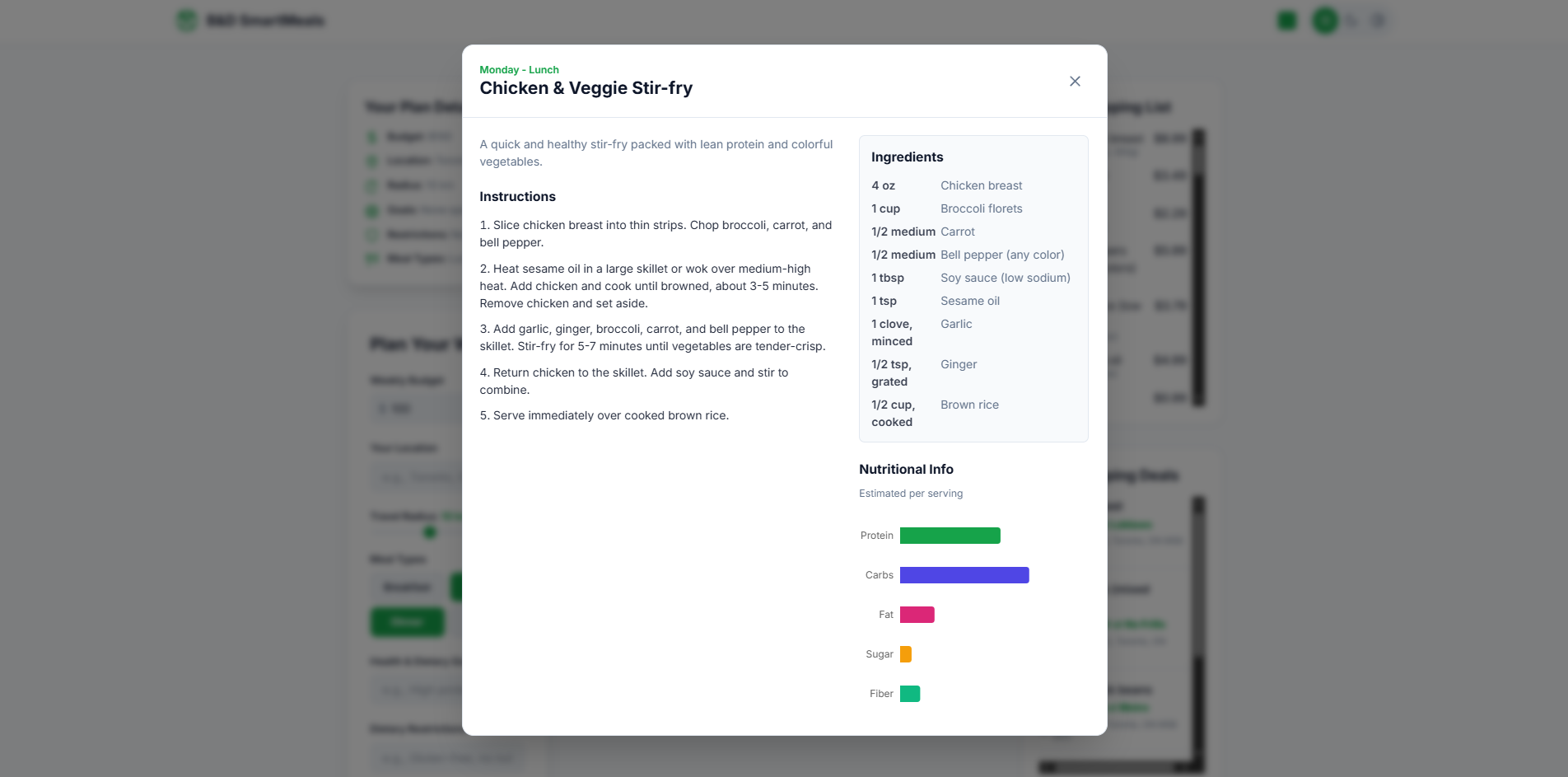
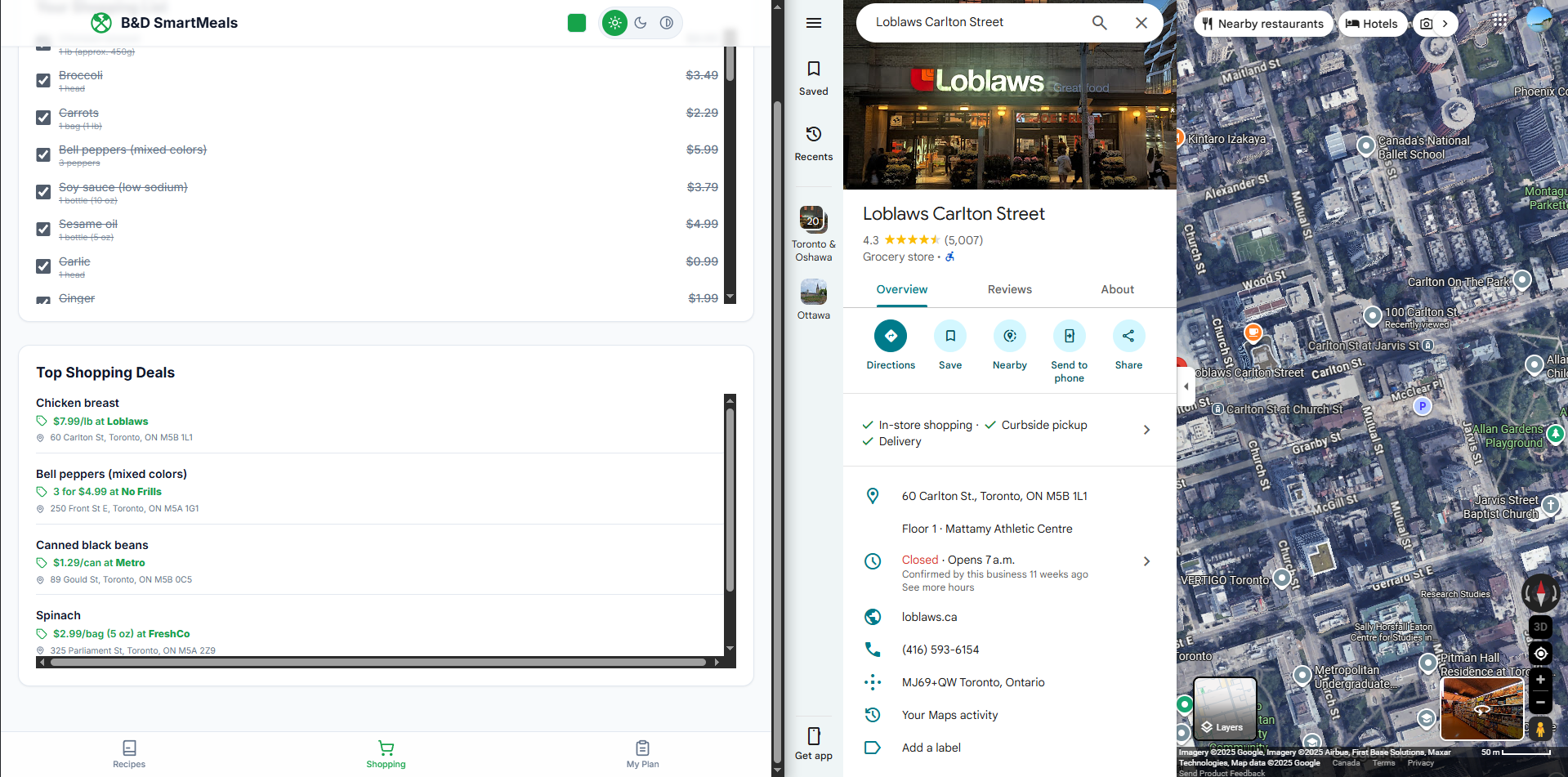
Once the meal plan is generated a page will pop-up with information such as: Your Plan Details - showcases the data you've inserted Plan Your Week - A prompt for if you'd like to generate a new plan Your Weekly Plan - The main box that shows the meal plan generated for the user. There you can see what meals you can make throughout the week, for each meal you can click on the "View Details" box to expand the information. There you can see instructions on how to make the meal recommended to you, along with a box with the listed ingredients and another box with nutrition the meal provides. Your Shopping List - A list of ingredients that is required from the user in order to carry out the meal plan. In case the user already owns a mentioned ingredient and to reduce potential food from repurchasing already owned groceries, it is also a checklist where if it's selected, the cost will be deducted from the "Est. Weekly Cost" box. Top Shopping Deals - This lists the specific deals offered on food items, it shows the store that's having the discount along with a clickable link that'll redirect the user to a google maps page with the address.
** Startup/Development ** Going into this competition my group had little experience with backend development, we found ourselves struggling on what stack we'd like to go with. There were many options, at times it felt overwhelming, feeling that we had to learn many different technologies front and back in order to bring our idea to life.
Luckily, throughout the development of this app we utilized Google AI Studios, being able to rely on Google Gemini API and all their AI features/capabilities significantly helped us get the ball rolling in the initial setup. Our project works as single page application. For the frontend we used TypeScript to reduce runtime and React for the UI library, allowing us to build an interactive UI where users can input their data to feed into the API.
Once the app was set to our satisfaction, then came to the deployment. Google AI Studios made the process easy, deploying our project to Google Cloud. Then we used the GoDaddy promotional code provided by MLH to register a free domain (bdsmartmeals.health). Afterwards it was a matter to setting up the DNS records to link our project to an established URL.
** Challenges ** A major problem that kept occurring was the address associated with the stores and their discounts were inaccurate. Most of the time it'll show the store to be several blocks away from where it was actually located. However, after implementing stricter restraints/conditions it significantly improved the accuracy of the listed addresses.
Another challenge we faced was on mobile; whenever we'd try to generate a meal plan it would timeout. Luckily it was a quick fix, we simply shortened the amount of discounts listed at a time. Before it would generate/locate about ten different locations with deals. This would cause the API to take too long to generate a response, resulting in a timeout every time. However, after shortening it to five entries at time, it significantly improved the processing time and successfully worked on mobile devices.
** Key Takeaway ** AI is truly commendable, we were fortunate to have the power of Google AI Studios to push the boundaries and do a lot of the heavy lifting, allowing us to think freely and implement as many ideas as we wanted. All without being restricted on the man-power it would take to initialize the nitty-gritty backend processes, focusing more on the quality.
Built With
- css
- gemini-api
- go-daddy
- google-cloud
- google-maps
- html5
- json
- react
- recharts
- tailwind
- typescript


Log in or sign up for Devpost to join the conversation.