-
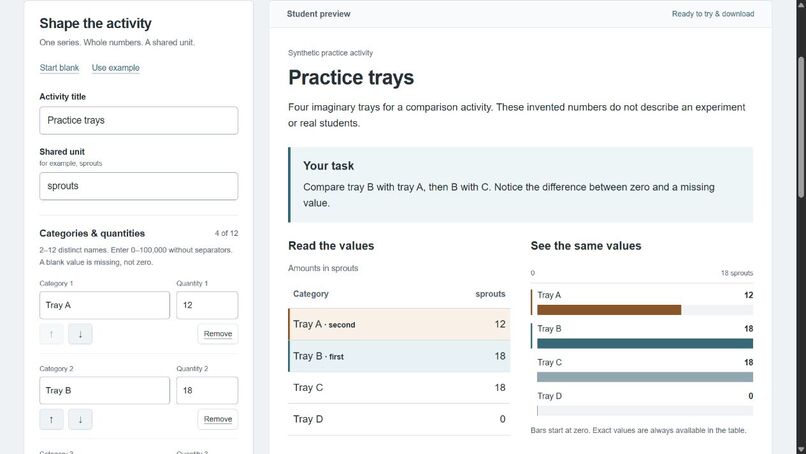
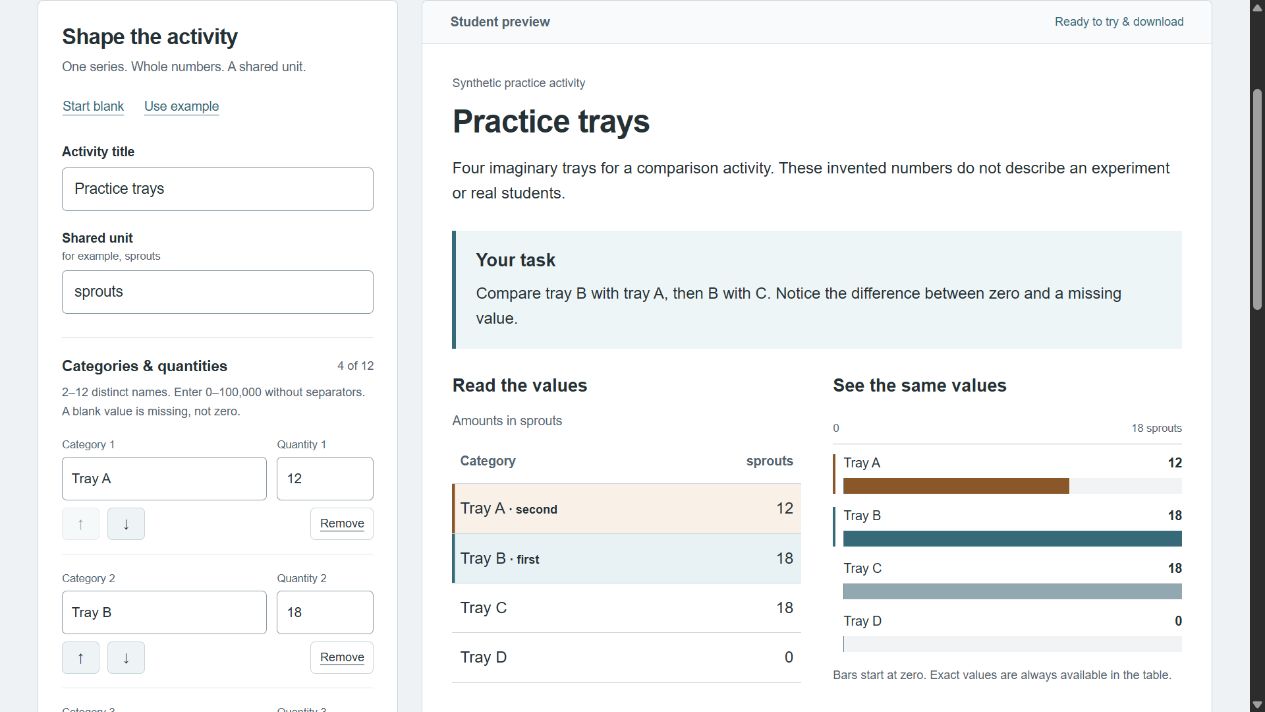
Synthetic practice trays: the same 12, 18, 18 and 0 quantities appear in the editor, table and chart. Missing values stay missing.
-
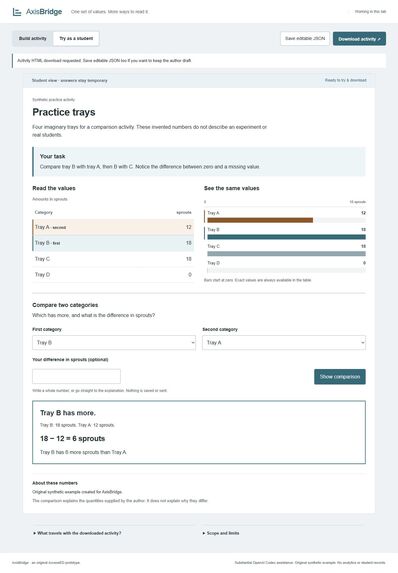
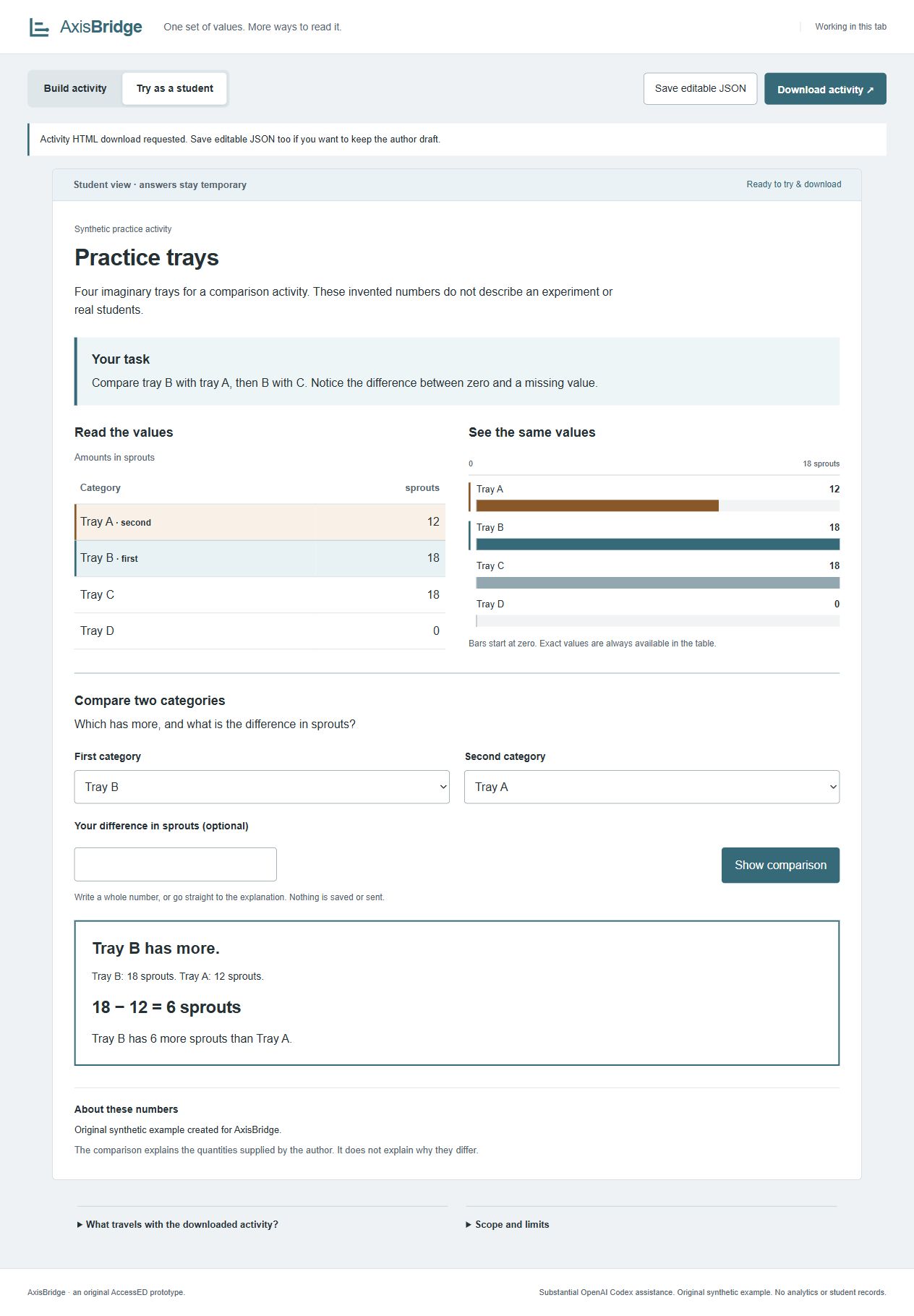
Student view: Tray B minus Tray A is 18 - 12 = 6 sprouts. Equal values also work. Synthetic demonstration, not a classroom study.
AxisBridge
The problem
A static bar-chart image can make a simple classroom question depend on reading the picture: which category has more, and how many more? The same task should also have readable values and an explicit calculation.
AxisBridge is a small authoring tool for that task. An author enters values they are allowed to share, then prepares an activity with a visible table, a horizontal chart and keyboard-operated category selection. It does not extract numbers from images.
A concrete before and after
The example is entirely synthetic: four practice trays contain 12, 18, 18 and 0 sprouts.
Consider those values supplied only as a static chart. In AxisBridge, the student can read all four values in the table, select Tray B and Tray A, and reveal 18 − 12 = 6 sprouts, with text identifying which tray has more. Selecting B and C gives 18 − 18 = 0, with an equality explanation. Tray D stays an explicit zero; a missing author value never silently becomes zero.
The student may try an answer first or go directly to the explanation. Changing the pair or the activity clears an answer that no longer belongs to the question. No student name, grade or answer record is collected.
What was built
The author editor supports one series of 2–12 distinct categories, whole-number quantities from 0 to 100,000, a shared unit, context, learning prompt and source statement. The table, chart and comparison use the same validated data.
A valid activity can be downloaded as self-contained HTML. The file includes initial table/context markup, styles and encapsulated comparison code, with no external resources. A separate versioned JSON workbook preserves the editable draft, including unfinished fields. Invalid imports leave current work intact; replacing a draft requires an in-app confirmation.
The editor uses HTML, CSS and vanilla JavaScript. Node.js provides a loopback-only development server and the test runner. There is no backend, external model API or runtime package dependency.
The engineering challenge
The central challenge was keeping every representation and export consistent while preserving unfinished work. A blank quantity is a valid part of an author draft but cannot become a student activity. Zero, equal values and reordered categories must retain their meaning.
Stable category IDs separate identity from row order. Shared validation bounds import and export. Embedded JSON is escaped for its script context, and user text is rendered as text rather than executable markup. Practice answers are deliberately excluded from both author JSON and distributed HTML.
What was checked
- 8 automated tests passed, covering arithmetic, missing values, zero/equality/extreme cases, structural validation, Unicode and malicious-looking text, shared file limits, export packaging and server boundaries.
- Real browser checks covered keyboard comparison, response invalidation, error focus, cancellation, reordering, actual downloads and valid/invalid/incomplete JSON imports.
- Browser viewport checks at 390 pixels in author mode and 320 pixels in student mode found no document-wide horizontal overflow; comparison remained functional.
- A separate reviewing agent checked 132 ordered category pairs and the renderer/export invariants. This is agent review, not testing with learners.
- The final example HTML downloaded through the real button was 15,021 bytes and matched the generated file exactly.
Limits and next steps
Direct opening of the downloaded HTML through file:// and operation with networking disabled remain unverified. Static packaging and the working HTTP preview do not establish that missing standalone-browser test.
No real screen-reader session, teacher/student study or learning-outcome measurement has been completed. The prototype is not an accessibility certification, a causal explanation of the data or a guarantee of learning improvement. The author remains responsible for accurate values and permission to share them.
A plain table and written subtraction already solve part of this problem, and general chart tools also offer accessible representations. AxisBridge's specific contribution is a repeatable comparison activity that can be packaged as a file. The next useful checks are standalone-browser verification, real assistive-technology testing and feedback from teachers and students.
Credits
Substantial OpenAI Codex assistance produced the implementation, tests, synthetic example, documentation and agent review. No human implementation contribution or classroom experience is invented. The author/student activity and export are new for AxisBridge; the local static-server approach was adapted from earlier Six-Ball Review infrastructure.
The code and original synthetic example are MIT-licensed. No third-party artwork, downloaded fonts or private student data are included. Full provenance and validation details are in the repository's CREDITS and VALIDATION files.

Log in or sign up for Devpost to join the conversation.