-
-
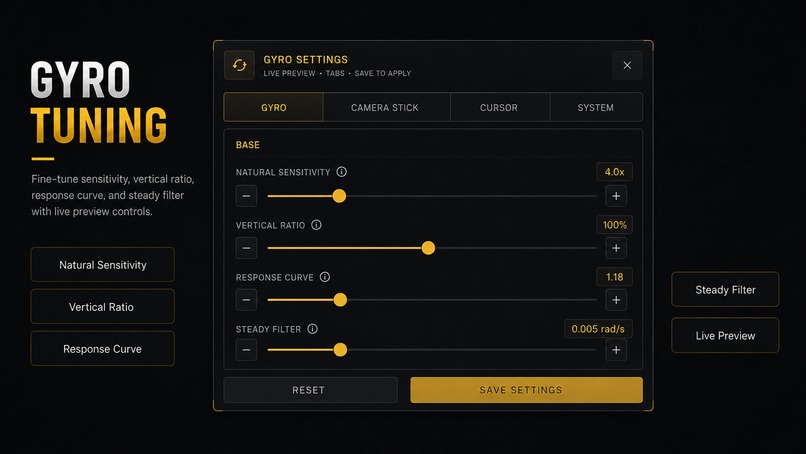
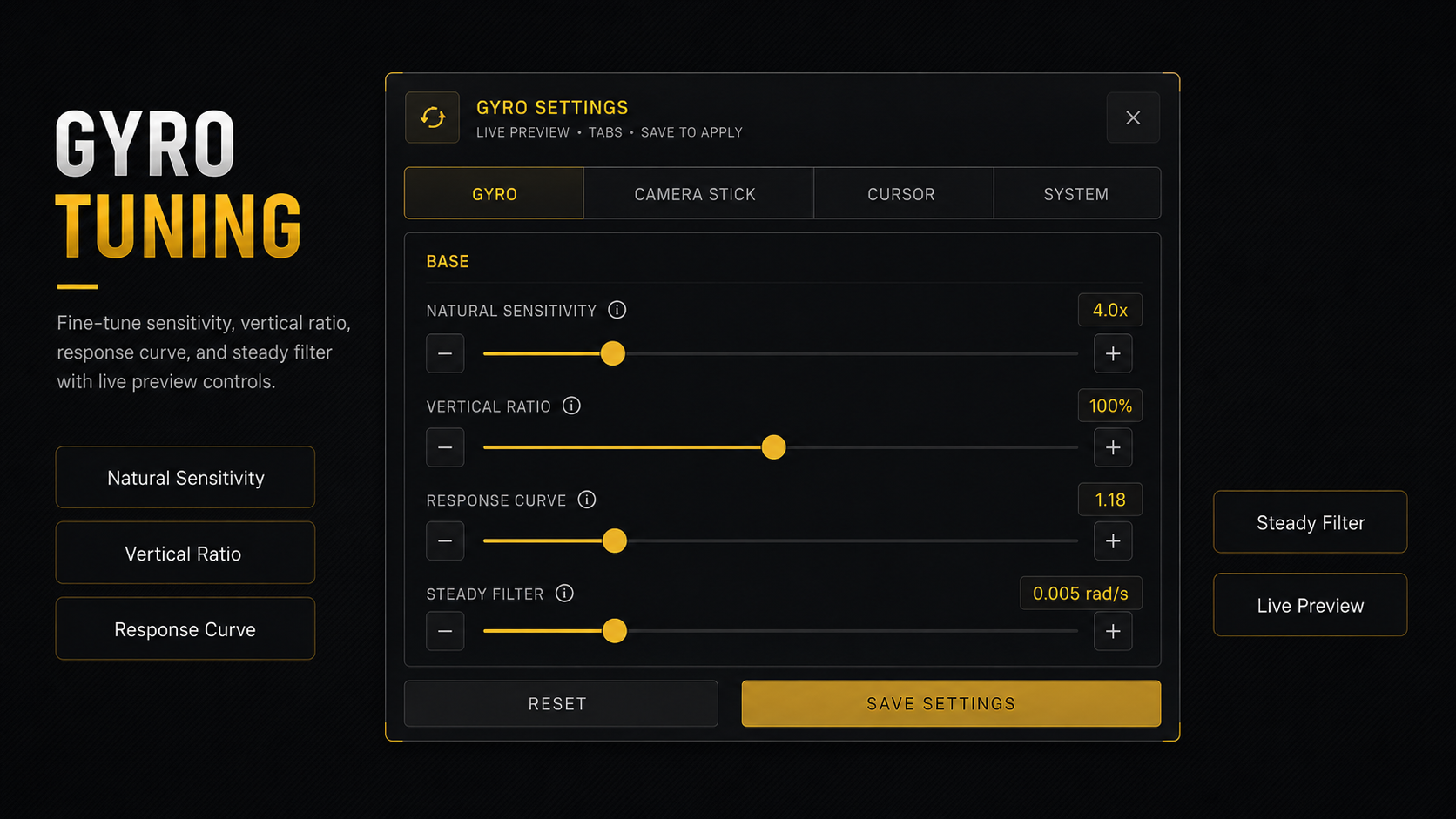
Tune gyro sensitivity, vertical ratio, response curve, and filtering with responsive preview controls.
-
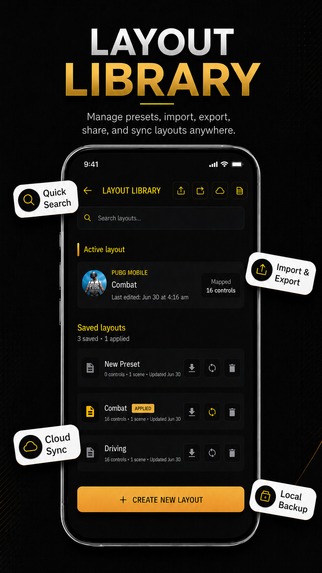
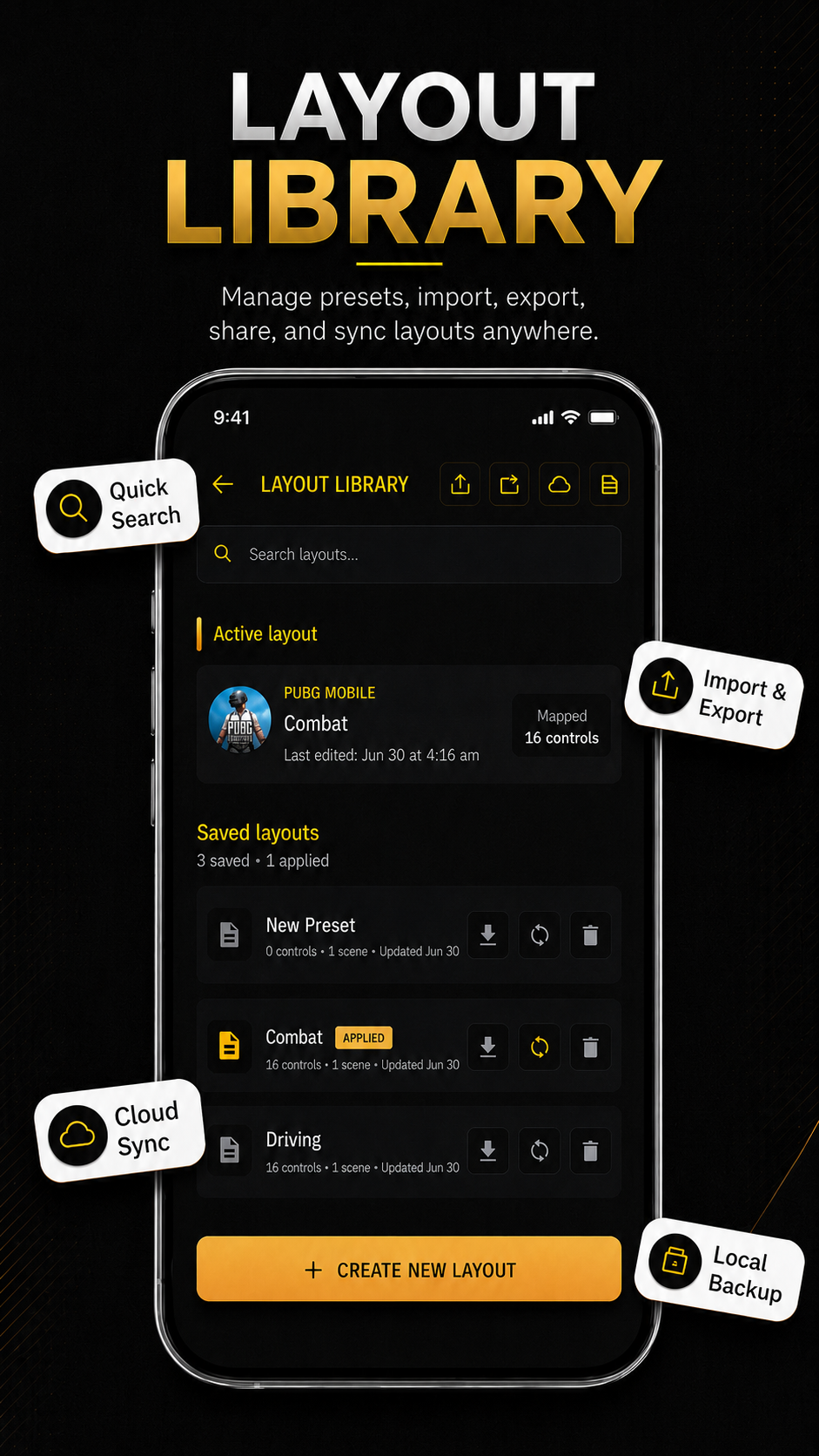
Create, import, export, and manage reusable controller layouts for different games and play styles.
-
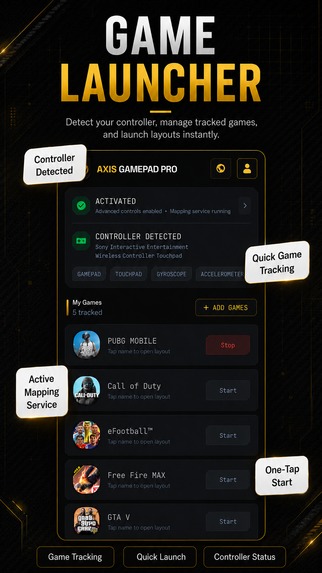
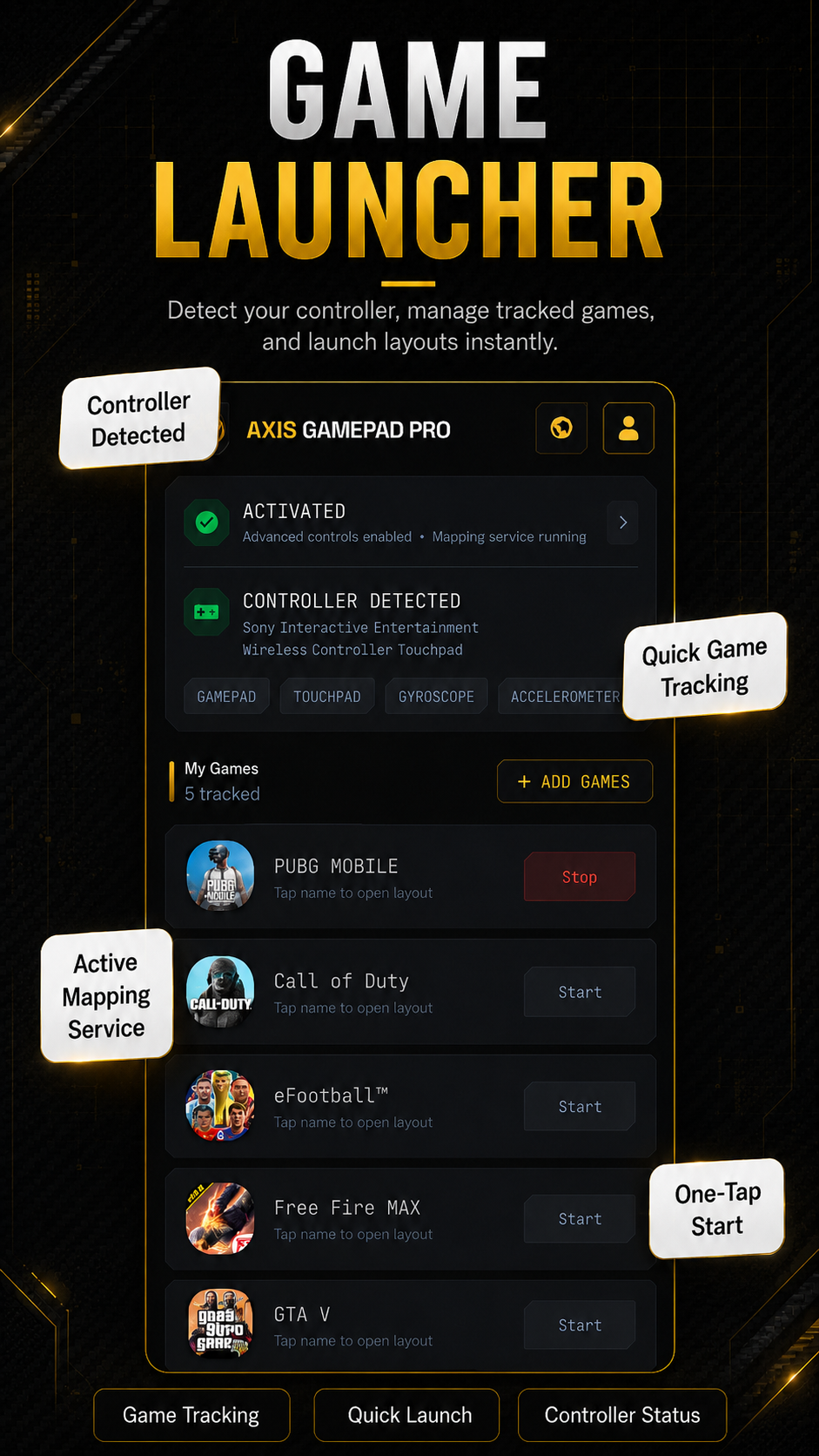
Detect your controller, manage tracked games, and launch saved mappings from one convenient screen.
-
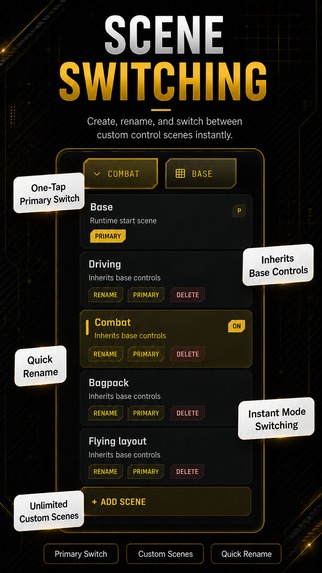
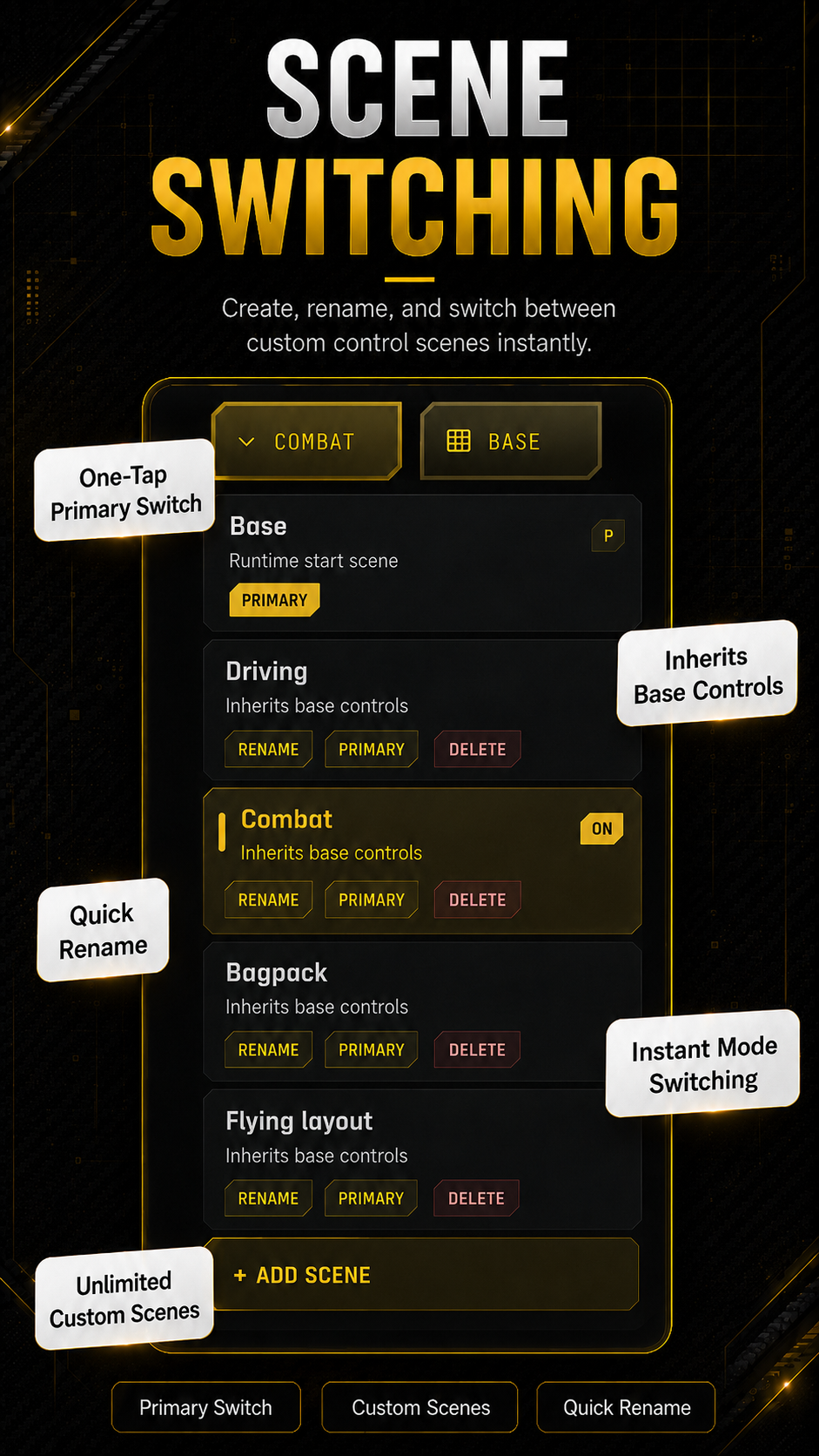
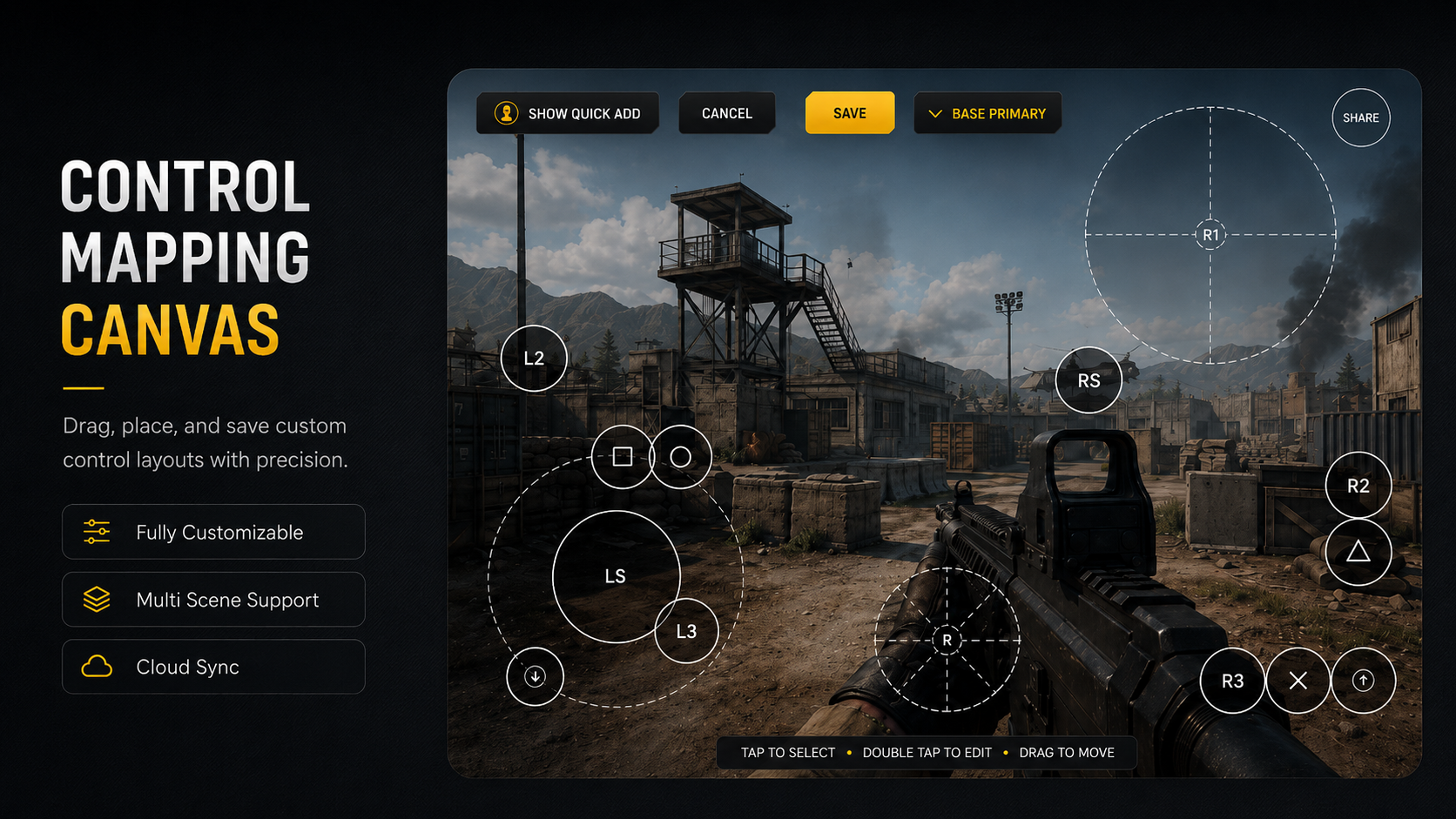
Create up to 16 scenes and switch control layouts instantly for different gameplay situations.
-
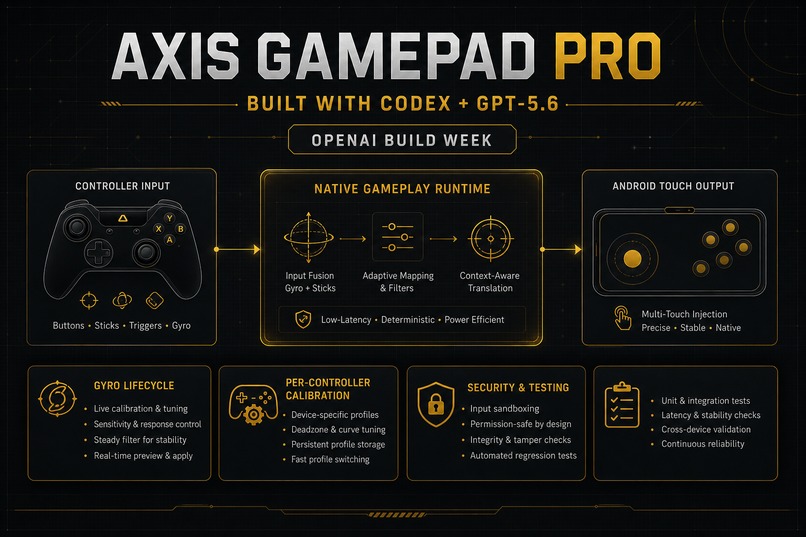
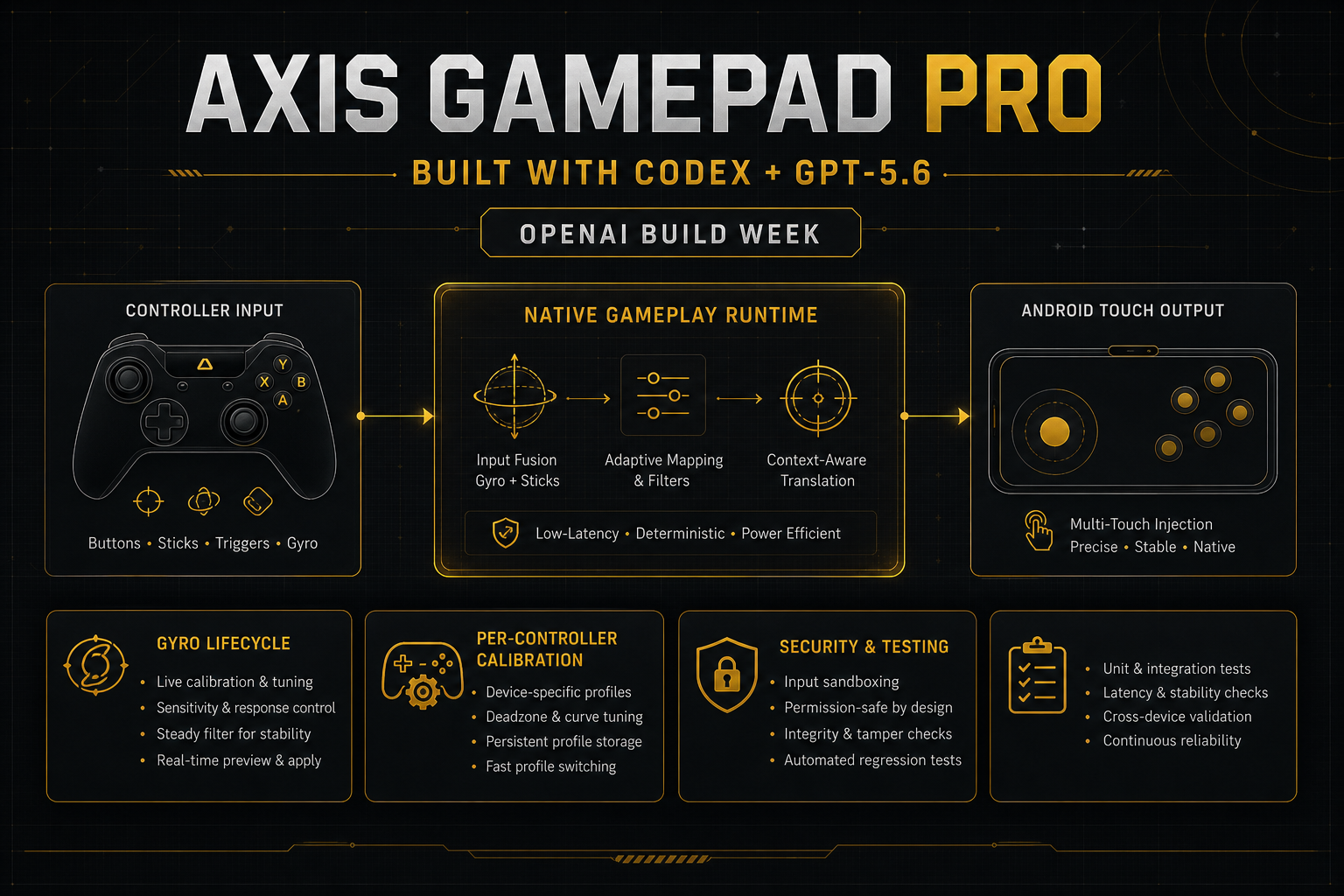
Built with Codex + GPT-5.6: native gameplay runtime, gyro lifecycle, calibration, security, and automated testing.
-
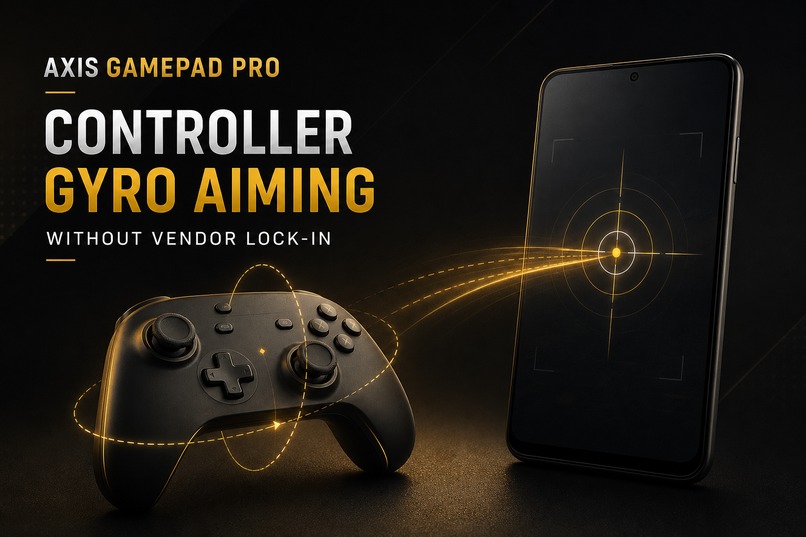
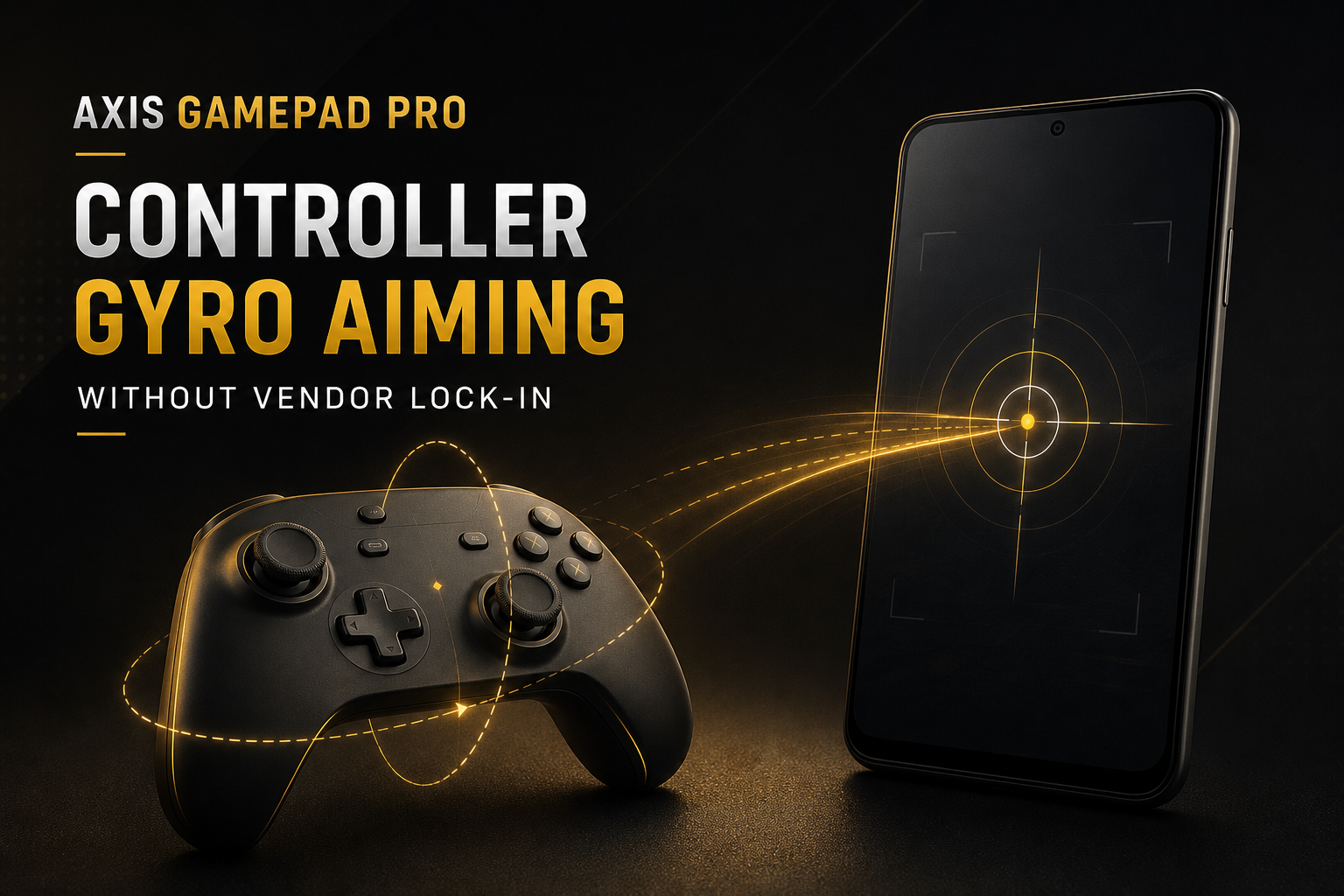
Turn a compatible controller’s gyroscope into precise Android touch aiming—without vendor lock-in.
-
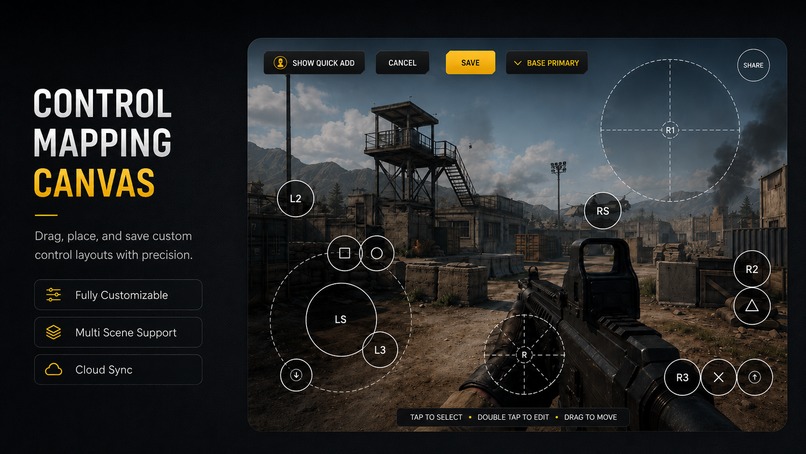
Drag and place controller inputs on the visual canvas, then save precise multi-scene touch layouts.
Inspiration
Axis Gamepad Pro began with one simple question:
Why should precise gyro aiming on Android be limited to one controller brand?
I owned an affordable local gamepad whose gyroscope could be detected by Android. I saw that Flydigi could turn controller motion into accurate in-game aiming, but people using other compatible controllers did not have the same freedom. That made me ask: if the hardware exposes gyro data, why should the experience remain locked to one vendor?
I had never built an Android application before. I am a product-focused “vibe coder”: I understand the experience I want, test it on real hardware, and make the product decisions, but I did not begin this journey knowing Kotlin, C++, JNI, Android services, or low-level input systems.
Four months ago, I started researching how Android controllers, gyroscopes, touch injection, input devices, and game mapping work. With Codex as my engineering partner, that question gradually became Axis Gamepad Pro.
What it does
Axis Gamepad Pro turns the gyroscope inside a compatible physical gamepad into precise motion aiming for Android games.
Instead of requiring users to purchase one particular controller brand, the app is designed to work with compatible gamepads that expose their gyro data through Android’s input system. The motion comes from the controller, not the phone.
Users can:
- Map controller buttons and sticks to touchscreen controls.
- Use controller gyro for camera aiming.
- Calibrate gyro behavior for individual controllers.
- Create multiple mapping scenes for different gameplay situations.
- Configure advanced controls such as tap-and-hold, swipe actions, wheel selection, MOBA aiming, macros, and Free Look.
- Continue playing through native touch injection, with a fallback transport when required by the Android device.
To the best of my knowledge, Axis Gamepad Pro is the first Android project focused on bringing this kind of vendor-independent controller-gyro mapping to broadly compatible gamepads rather than keeping it inside a single hardware ecosystem.
How we built it
Axis Gamepad Pro combines a Kotlin and Jetpack Compose Android interface with a performance-sensitive native C++ runtime.
The user interface handles mapping, calibration, profiles, scenes, subscriptions, and setup. The native runtime reads controller and gyro events, performs high-frequency motion processing, coordinates buttons and sticks, and produces touchscreen input with minimal delay. The project also includes privileged Android service integration, native touch routing, runtime security controls, automated tests, and real-device validation.
I built the project in close collaboration with Codex. I provided the product vision, gameplay feel, constraints, bug reports, and real-device feedback. Codex helped me:
- Research unfamiliar Android and Linux input concepts.
- Trace behavior across Kotlin, JNI, C++, services, and native input devices.
- Implement complete production code rather than isolated examples.
- Write and run native and Android tests.
- Analyze ADB logs, runtime state, and performance traces.
- Challenge unsafe architectural decisions.
- Rebuild systems when testing showed that an approach was too expensive or unreliable.
Codex did not simply generate a one-time prototype. It became an engineering workflow: inspect the live code, form a hypothesis, implement a focused change, compile it, test it, install it, collect device evidence, and improve it again.
What we added during OpenAI Build Week
Axis Gamepad Pro existed before Build Week, so I used Codex with GPT-5.6 to meaningfully extend and harden the project during the submission period.
From July 14–17, the repository records 21 dated commits. The most important Build Week work includes:
- Completing the migration of high-frequency gameplay ownership into the native runtime.
- Hardening the gyro-camera lifecycle and real-touch pause/resume behavior.
- Building production-oriented per-controller gyro calibration.
- Hardening native tap-and-hold button behavior.
- Strengthening runtime capability verification and security boundaries.
- Expanding native tests and clean-build CI validation.
These changes transformed the existing project from a working prototype architecture into a much more coherent, efficient, testable, and release-oriented system.
Challenges we ran into
The first challenge was financial. I could not solve the problem by purchasing every premium controller or hiring an Android engineering team. I had to learn, research, build, and test with the hardware available to me.
The second challenge was my lack of traditional development experience. Android input mapping crosses many difficult boundaries: permissions, foreground services, Kotlin, JNI, native C++, Linux EVDEV devices, gyro calibration, touch injection, controller differences, and device-specific Android behavior.
The hardest technical challenge was performance. Earlier versions worked, but some architectures caused double-digit CPU usage and unnecessary background activity. I completed major parts of the application more than once, only to discover that the runtime design was too heavy.
Instead of accepting that result, I went deeper. With Codex and other research tools, I learned how Android schedules work, how polling and callbacks affect CPU usage, and why high-frequency input should have one clear owner. We moved gameplay decisions into a lean native runtime, eliminated competing hot paths, and repeatedly tested the result on a real device. In our target-device measurements, the runtime now remains in the low single digits and can approach roughly 1% per core during representative operation.
Accomplishments that we're proud of
My proudest accomplishment is that Axis Gamepad Pro is real.
This is not a mock-up or a generated landing page. It is an installable Android application with a native runtime, a complete mapping experience, security boundaries, automated tests, and extensive real-device validation.
Major controller, stick, gyro, calibration, touch, lifecycle, and special-mapping paths have been exercised on physical Android hardware over USB and Bluetooth. The application is now approaching release.
I am also proud that my first Android project grew into a serious multi-module codebase. I began without knowing what Android application code looked like. Today, I can direct a complex engineering workflow, understand architectural tradeoffs, reproduce runtime bugs, examine device evidence, and make informed product decisions with an AI engineering partner.
What we learned
I learned that building software is not primarily about producing code. It is about asking the right question, defining the correct behavior, testing assumptions, and being willing to rebuild something when the evidence shows that the architecture is wrong.
I learned about Android services, controller input, native C++, JNI, CPU profiling, security, CI, testing, product design, and release preparation.
Most importantly, I learned how a person without a conventional programming background can still take ownership of a complex technical product. Codex gave me engineering leverage, but I still had to supply the vision, make decisions, test the experience, reject weak solutions, and keep the project moving.
What's next for Axis Gamepad Pro
The next step is launching Axis Gamepad Pro and learning from real users.
After release, I want to:
- Expand the verified controller compatibility catalog.
- Make calibration and first-time setup even simpler.
- Improve diagnostics for unusual Android devices and controllers.
- Continue reducing battery and performance overhead.
- Respond quickly to user-reported gameplay issues.
- Build a community around open controller choice on Android.
The long-term goal is ambitious: to create a credible, controller-independent alternative to vendor-locked Android mapping ecosystems and give players the freedom to use the hardware they already own.

Log in or sign up for Devpost to join the conversation.