-
-
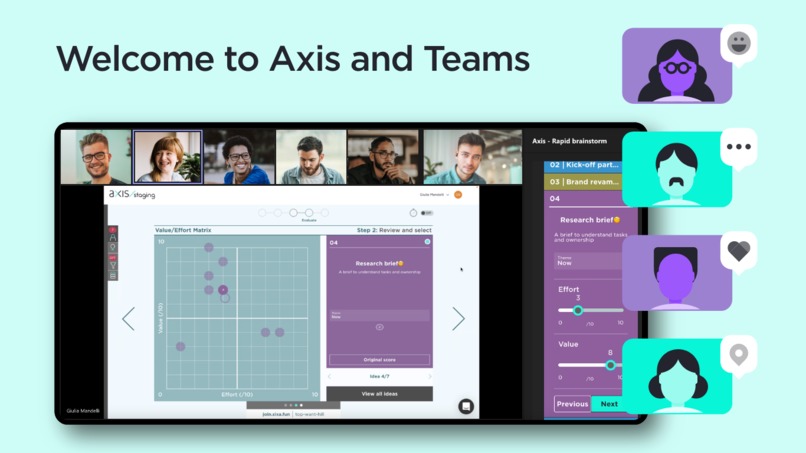
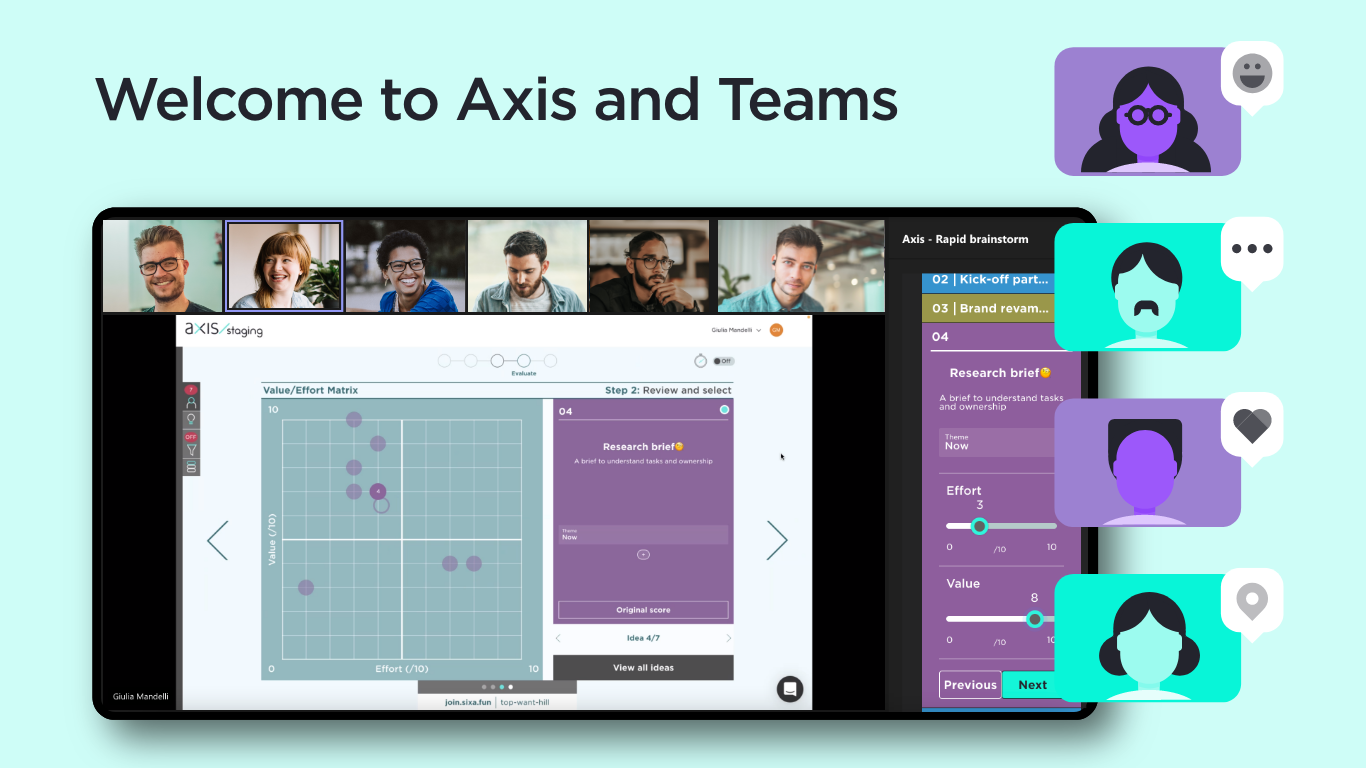
Axis collaboration snapshot
-
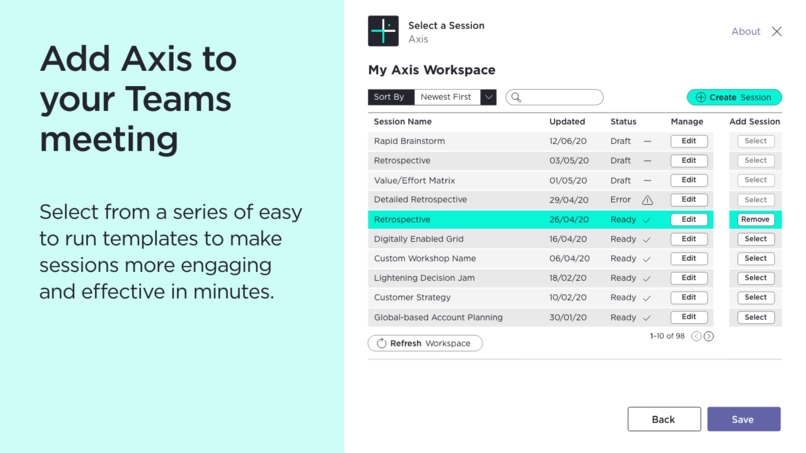
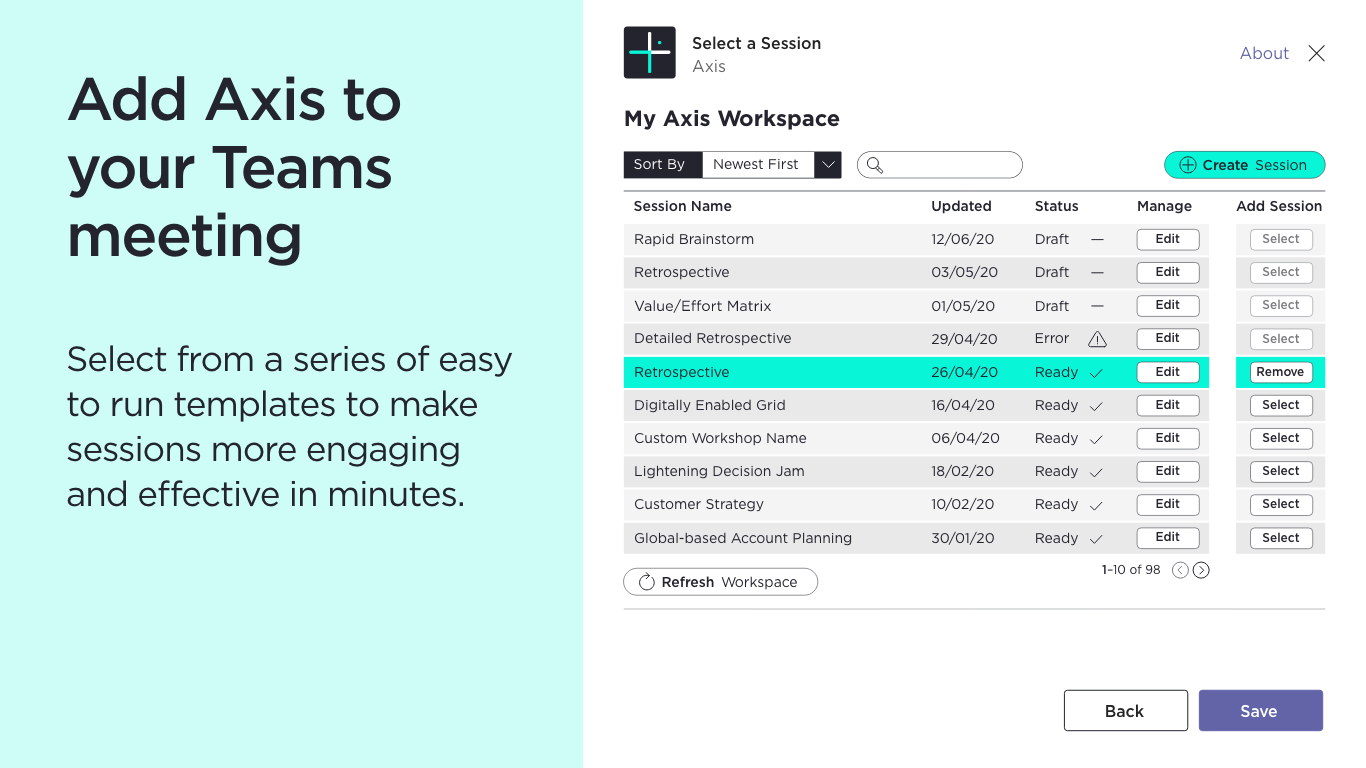
Axis sessions list - zoom in
-
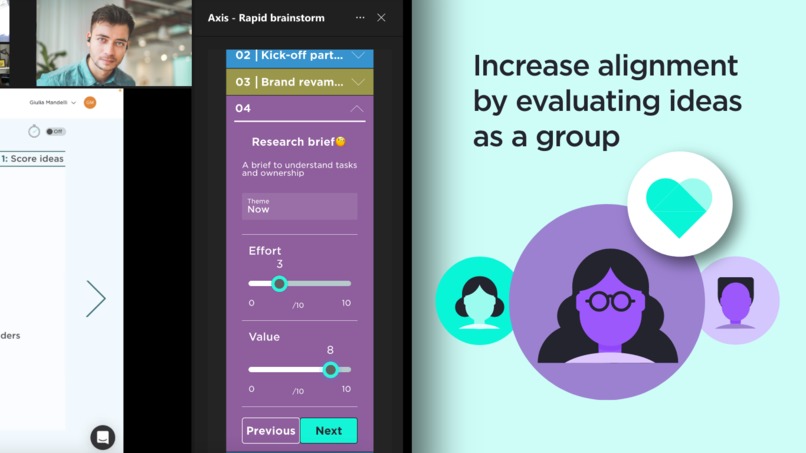
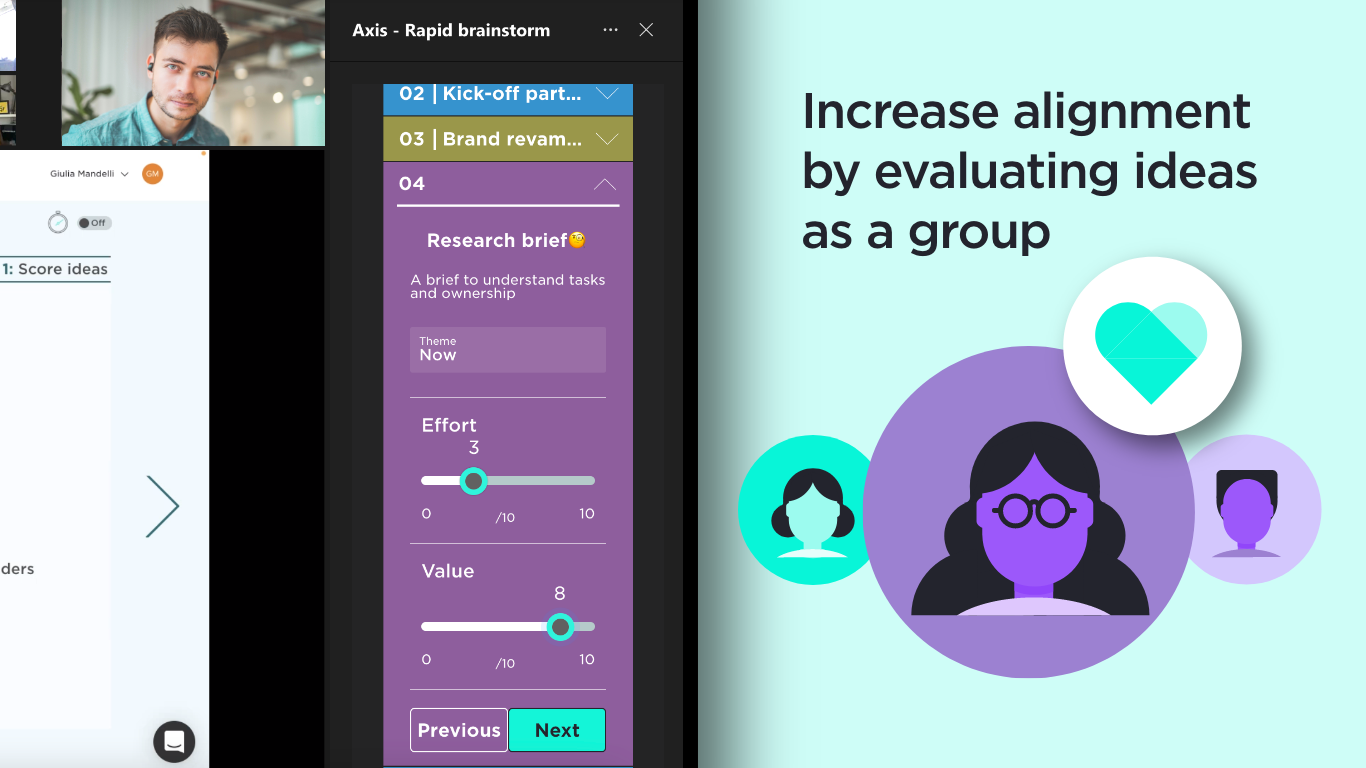
Scoring ideas - zoom in
-
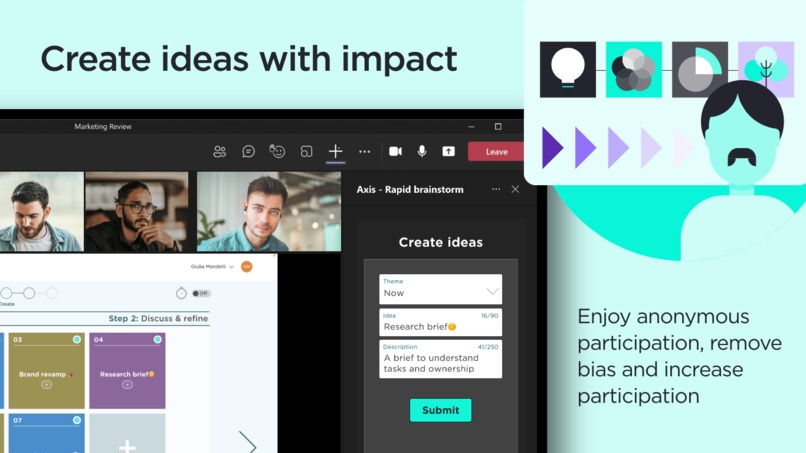
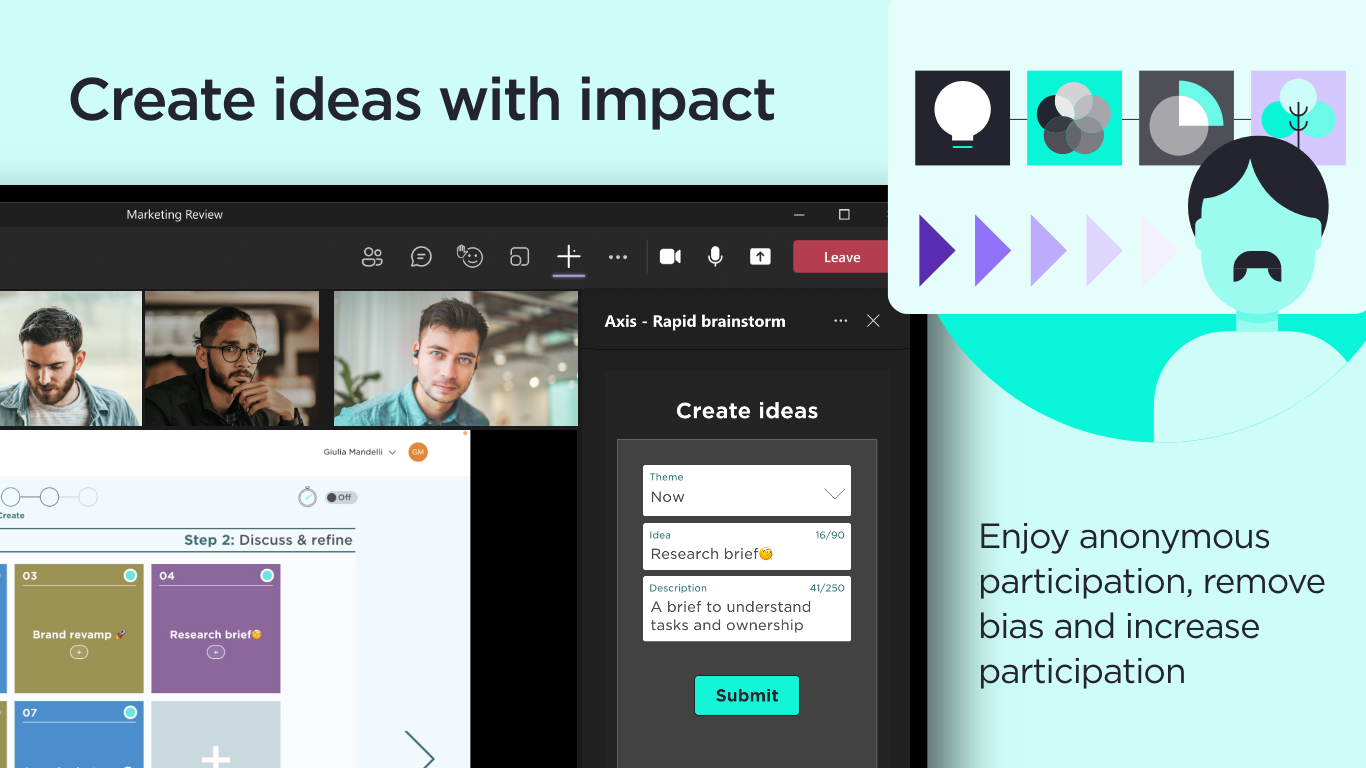
Creating ideas - zoom in
Inspiration
Hybrid work is here to stay. But workplaces are not maximizing the return on time invested in meetings. Research highlights how only 50% of meeting time is effective, well-used, and engaging. And collaboration often has an inclusion problem, with implicit bias and discrimination hindering good ideas.
Our team has provided a new approach to meetings through the creation of a digital collaboration tool called Axis. Founded on the belief that every meeting should have a purpose and end with a plan, and everyone should be given the ability to participate with anonymity, Axis allows more meaningful and engaging sessions, and creates a culture of inclusive collaboration across organizations.
Simply put, Axis allows users to host or participate in a digital session, making every meeting a valuable one.
- Facilitators can configure a structured set of activities to form a session or pick a ready-to-use session from the many existing templates on offer, then run the meeting to allow ideas to be generated, grouped, and prioritised, increasing productivity and harnessing valuable insights.
- Participants can join and engage either remotely or in-person, anonymously sharing, ideating and evaluating inputs, ensuring the best possible and measurable outcomes are always collectively agreed upon.
The Axis integration for Microsoft Teams allows every user on MS Teams to make collaboration sessions more effective, inclusive and engaging by seamlessly leveraging the Axis app on every MS Teams meeting, revolutionizing the way people work together.
What it does
More creativity & better decisions: the Axis apps allow MS Teams meeting participants to collaborate in a structured session. Using the activities available in the right-hand panel (pre-configured by the facilitator/host), meeting participants can collaborate by submitting ideas, grouping them, prioritizing them and assigning next steps.
Hear every voice: participants are able to submit their ideas and participate anonymously, so that problematic dynamics, such as group thinking or authority bias, can be removed from the collaborative space.
Bigger impact in less time: the integration allows users to access pre-made templates to run different types of workshops and collaborative sessions, such as quick brainstorming, retrospective, account planning, and many others, in just a couple of clicks.
Time-saving: the integration bot will allow the host to download an export of the collaborative session directly from MS Teams, saving time in write-ups by accessing a full report of the meeting.
How we built it
1) Understand the requirements: we first got familiar with and conducted research about MS Teams, its use cases and user flows, and with the requirements detailed in the Teams App publishing guidelines.
2) Define a Minimum Viable Product: we then defined the functionalities that would enable users to access better collaborative tools across the Teams app. We selected and wireframed the most impactful features to include in this first version of the app, by focusing on the core collaborative moment within the Teams app - the live meeting.
3) Scope technical solutions: we investigated how to actually build the app based on the requirements; we focused on authenticating users, letting users select and launch a pre-configured collaborative session on Axis, connecting all participants to the session to actually participate and collaborate, and run the session smoothly on MS Teams.
4) Design new components: next we transformed the wireframes into high-fidelity designs by leveraging our existing design system in combination with the Microsoft UX/UI toolkit, to create an interface within our app that would match the look and feel of Teams.
5) Build: we proceeded to build and test the app in development, staging and production environments. Due to meeting extensions in teams only being accessible via the electron application, we had to learn about electron and the associated developer tooling. Through the use of the telepresence package, we were able to proxy into our existing development cluster, allowing us to have a single static endpoint for development that reflected the changes on our local machines externally in real-time, which helped reduce development cycles.
We designed and built a microservice to handle our connections to the GraphAPI backend. We implemented it in NodeJS using Typescript. We opted for a restful pattern to sit at the interface layer; it allowed our developers working on the front end to have implied knowledge of the API without knowing everything about the service via piggybacking off REST standards.
Inside the microservice, we introduced a permissions system to request different scopes via Azure depending on the role inside the team's application; this allowed us always to use the minimum required scopes for each task. For example, a meeting organizer requires permission to change the meeting event, whereas participants only need to fetch their names for visual purposes. It is also customizable to accommodate enterprise users with stricter security policies.
6) Submit: we submitted the app and went through a series of feedback iterations to adjust the remaining details with the helpful support of the Microsoft app validation team.
Challenges we ran into
Capacity: Due to having a small team, we had to be careful with our time and future maintenance requirements from developing a new application. Using federated development techniques we were able to create a bespoke Teams application, with a smaller footprint by leveraging existing application code.
User authentication: in order to provide a seamless authentication and login flow for both our existing web application and the new Teams add-in, we have scoped different solutions to then implement Azure AD as the identity provider for the app.
Enterprise Users: As some organizations may have different AzureAD setups with stricter security policies, we can't guarantee specific scopes will always be available. We have a customizable authorization system and automatic fallback procedures to ensure we offer a satisfactory user experience, regardless of users' security policies.
Development cycle times: due to only being able to test the application inside electron, the use of telepresence helped us view our changes while ensuring all security contexts were met.
Dark version: to comply with Microsoft guidelines and to provide a more seamless user experience in the Meetings interface, we have built a dark version of our product (which previously existed in light mode only).
Silent authentication: Unfortunately, our existing application authentication provider doesn’t offer support for the new silent authentication flow by Microsoft. We managed to find a novel solution, using our authentication system but forwarding to Microsoft login as the provider. This reduces the flow of having to login repeatedly if they’ve already authenticated into a Microsoft account.
Accomplishments that we're proud of
Unlocking organizations' potential for better collaboration: our templates and activities give any team the toolkit to run collaboration sessions that are more effective, inclusive and efficient.
Provide value to users who've been asking for such integration: as many of Axis’ existing users already are on MS Teams, we have satisfied their request and given them a new way to leverage both platforms.
Quick and effective internal turnaround to build the first version: we gave ourselves the objective of ideating, building and releasing the app end-to-end in 4 weeks. Thanks to everyone's effort and great collaboration, we managed to accomplish the goal.
Enhance the design of our app with the dark version: thanks to the requirements for MS Teams, we have enhanced our design system by releasing a dark version of the app
A new GraphAPI microservice with a restful pattern, allowing us to quickly build new features in the future, at scale.
What we learned
Keep collaboration at heart to define the MVP scope: in order to build the first version of this integration we had to make choices about which features to include and how to make them available. Our compass for decision-making has been collaboration. By selecting those experiences and flows that maximize the impact on collaboration we have identified the core functionalities of the app.
Don't give up, just workaround: given the limitations faced with Auth0, we have found alternative solutions by deep diving into AzureAD from setting it up to work with our authentication system.
Leverage Azure products and API offerings: to build a better and more efficient app we have deepened our knowledge of the different solutions within the Azure suite and the API available.
What's next for Axis
Enable more collaboration: we are looking forward to releasing more templates and activities on our app, to make Teams meetings more engaging, inclusive and effective - e.g. affinity mapping activities, ice-breaking activities, and planning activities.
Leverage more MS Teams functionalities: there are many features of MS Team that we could further integrate our app with - e.g. an organizer running sessions entirely from Teams using the shared meeting stage, or collaborating on configuring a session from channels and chats.
Monetisation: we are looking forward to enabling the SaaS offer and making it easier for users and enterprises to purchase a license and manage it directly from Teams.

Log in or sign up for Devpost to join the conversation.