Inspiration
Presenting still means standing next to a laptop. You click through slides, reach for the trackpad to point at a chart, and turn to the screen whenever someone asks a question. The slide is the thing you're talking about, but you can't touch it. We wanted to step away from the laptop and work with the content directly: pick up a chart, move it aside, ask it a question out loud, and have the answer appear next to it. We built it around the Vexo band, which already sits on the presenter's wrist and has a motion sensor and a microphone.
What it does
Axis turns a webcam and a Vexo wristband into the controls for a live presentation.
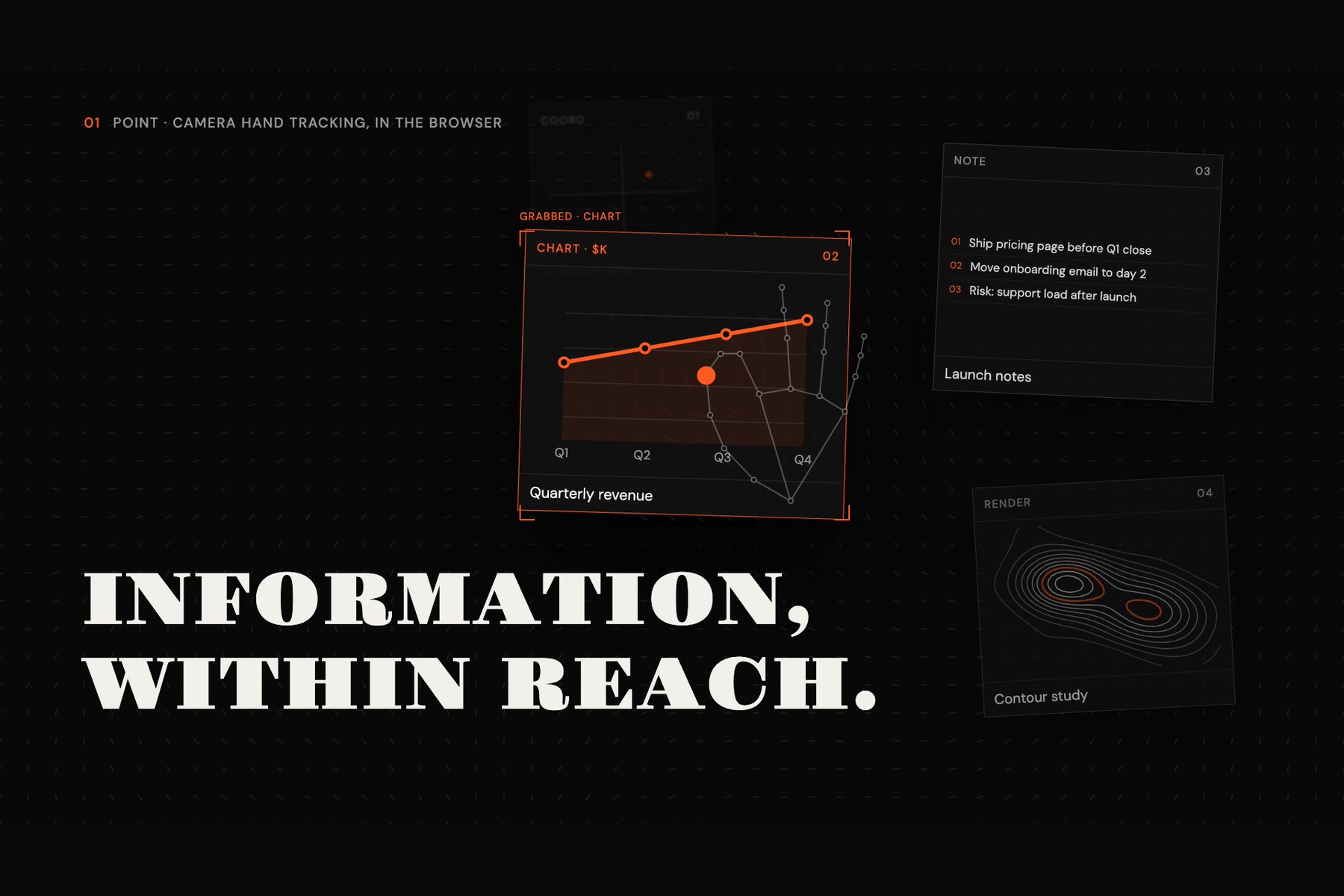
- Grab and move content with your hand. The webcam tracks your hand. Steer a cursor with your open palm, close your hand on a card to pick it up, and open it to let go.
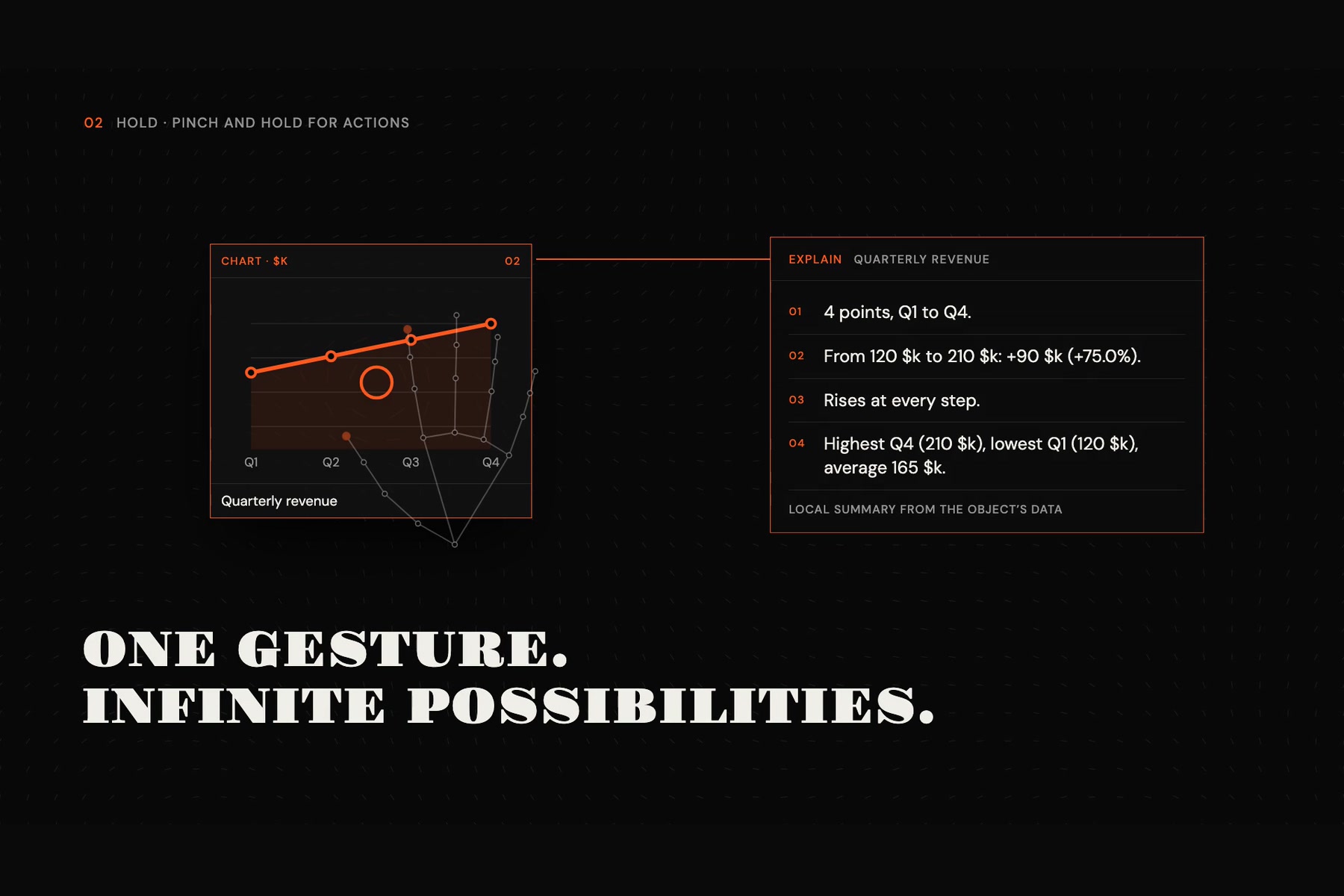
- Hold to open an action menu. Hold a card still for about half a second and a ring menu opens with three actions, Explain, Remember and Voice. You pick one by twisting your wrist, which the band's gyroscope measures, then open your hand to confirm.
- Explain summarises the card from its own data. You can then ask follow-up questions, and an AI agent built on Google Gemini answers. It can draw charts or interactive graphs, or work through the maths, and you can drop what it makes onto the slide.
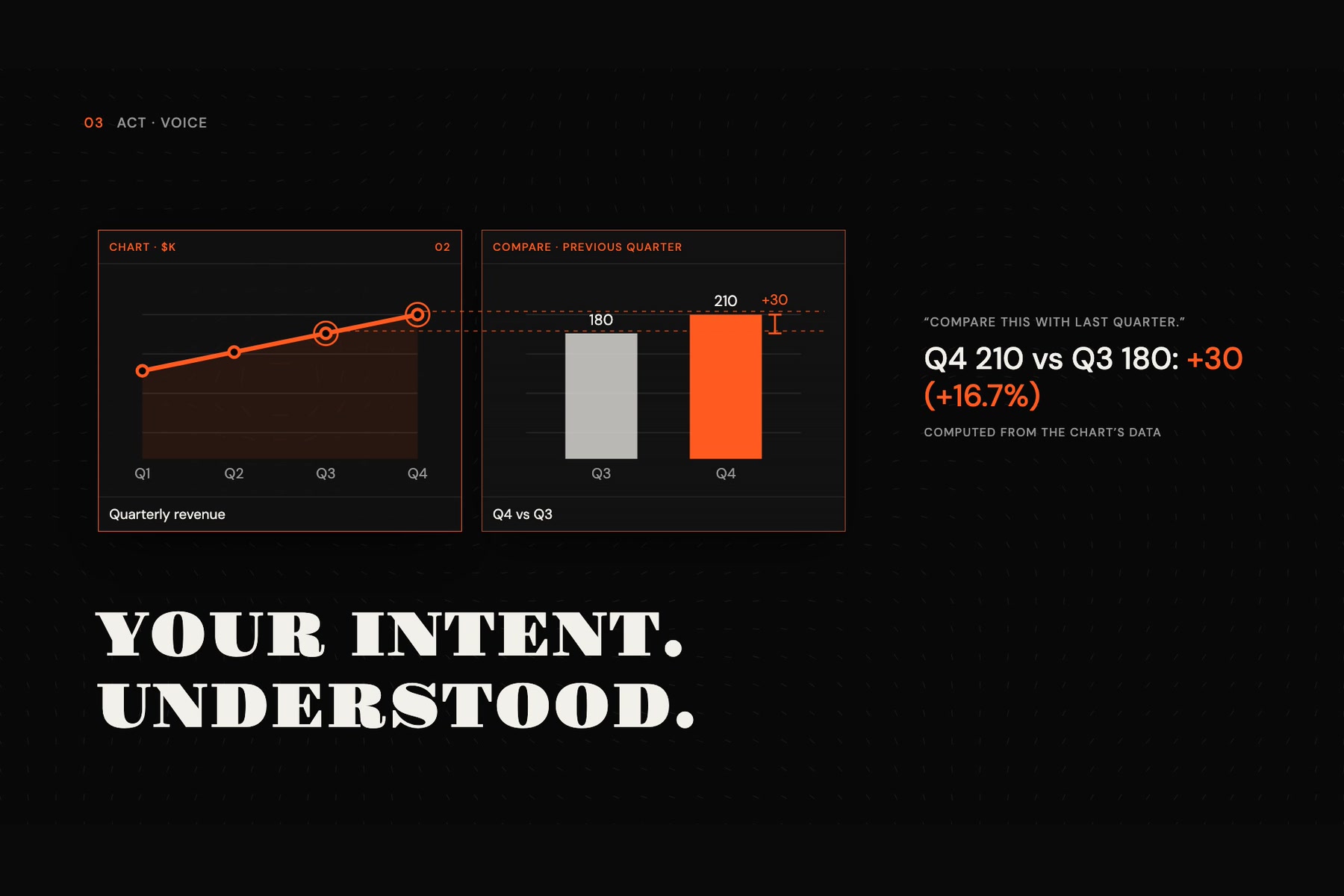
- Voice records the band's own microphone. Gemini writes down what you said and answers it in the context of whatever you're pointing at.
- Remember saves the card to the band's onboard storage, so a summary of it stays on your wrist.
The mouse and keyboard work as fallbacks, and a "pretend band" mode lets you try every feature without hardware. We also built a seven-scene interactive pitch that runs on the same engine, a product site, and a launch film.
How we built it
- Web app. React, TypeScript and Vite. Everything runs in Chrome on the presenter's laptop.
- Hand tracking. MediaPipe's HandLandmarker finds the hand in the camera image. On top of it we wrote:
- gesture detection (grasp, pinch, point, open palm);
- filtering to steady the cursor;
- a calibration step that maps your comfortable range of hand movement onto the whole screen;
- an interaction state machine for hover, grab, drag, release, cancel and lost tracking.
- Vexo band. We used the Vexo Open kit's JavaScript library over Web Bluetooth or USB.
- The band only reports raw rotation speeds, so we turn them into a wrist angle ourselves. A short calibration (hold still, then twist like a doorknob) tells us which axis is the twist and how much the sensor drifts.
- The microphone streams compressed audio packets. We decode them in the browser, package the speech as a WAV file and send it to Gemini.
- AI. Gemini does the transcription and answers, and drives the Explain agent. The agent works in a loop and can call tools: Desmos graphs, charts, reading other cards on the slide, and Python run in Google's sandbox. All Gemini calls go through a small server running on the laptop, so the API key never reaches the web page.
- Tests. 155 automated tests cover gestures, calibration, sensor fusion, the menu logic and the AI endpoints. They run without a camera, a band or a key.
Challenges we ran into
- Turning a raw gyroscope into a wrist dial. The band has no orientation output, only rotation speed. Adding that up over time drifts, so we measure the drift during a still hold. We also learn the twist axis per band and only track the angle while the menu is open.
- Telling a drag from a hold. A hand is never perfectly still. We had to tune how still "holding" is and how long it lasts, so the menu opens when you mean it to and doesn't interrupt a drag.
- Cursor jitter. Closing your fingers shifts the points we were tracking, so the cursor jumped whenever you grabbed something. We made the cursor follow the wrist during a grab and added several layers of smoothing.
- Keeping keys safe in a browser app. Putting an AI key in the web page would expose it. We moved every model call into a local server that reads the key from a file git ignores, and tells the page only whether a key exists.
- Shared hardware. A band accepts only one Bluetooth connection at a time, and other teams' bands were in the same room. Our code only connects to our own band, and checks its number after connecting.
- Silence. When we sent Gemini a recording with no speech in it, it sometimes made up words. We now skip recordings that contain no speech.
Accomplishments that we're proud of
- The whole flow works from start to finish: point, hold, twist, speak, and an answer appears next to the right card, with the band's own microphone and motion sensor.
- Nothing is faked on screen. Simulated input is always labelled as simulated, and the app says what is about to be sent to Google before it sends it.
- Every feature has a fallback: mouse, keyboard, or the pretend band. A demo never depends on perfect lighting or a charged band.
- Our pitch runs on Axis itself, live, rather than as a recorded video.
What we learned
- Most of the difficulty in gesture interfaces is in the edge cases: lost tracking, a hand that's almost closed, a band that disconnects mid-gesture. Building explicit states for each of them mattered more than any single algorithm.
- Wearable sensors are more useful when combined with a camera. The camera says where you are pointing; the band says what you mean, through a twist or your voice.
- Moving AI calls behind a small local server made the app safer, and it was also simpler to build on.
What's next for Axis
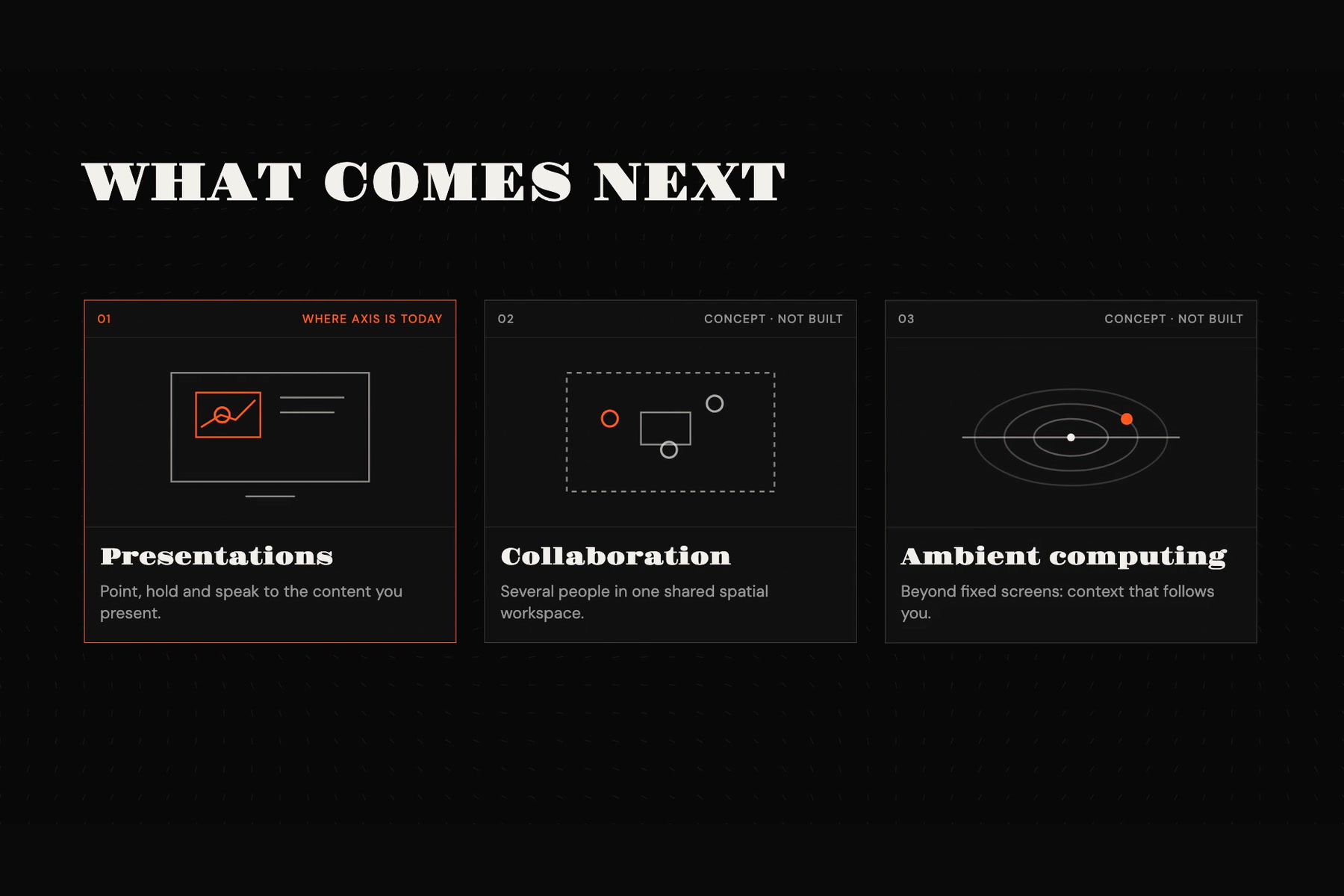
- Whiteboards. Our teammates' branch already tracks a marker on a physical whiteboard with the band, and detects knocks on the board as input. We want to merge that in, so the same gestures work on a real board.
- Bands without a camera. With the band's accelerometer, the cursor could work with no camera at all, and many people in a room could interact at once.
- AR glasses. The same pick-up, ask and remember gestures, applied to content floating around you.
- Classrooms. A teacher who never needs to go back to the laptop.
Built With
- accelerometer
- artificial-intelligence
- computer-vision
- css3
- gesture-recognition
- hand-tracking
- html5
- human-computer-interaction
- javascript
- large-language-models
- mediapipe
- mediapipe-hands
- react
- sensor-fusion
- spatial-computing
- typescript
- vexo
- vite
- voice-recognition
- wearable-technology
- webrtc
