-
-
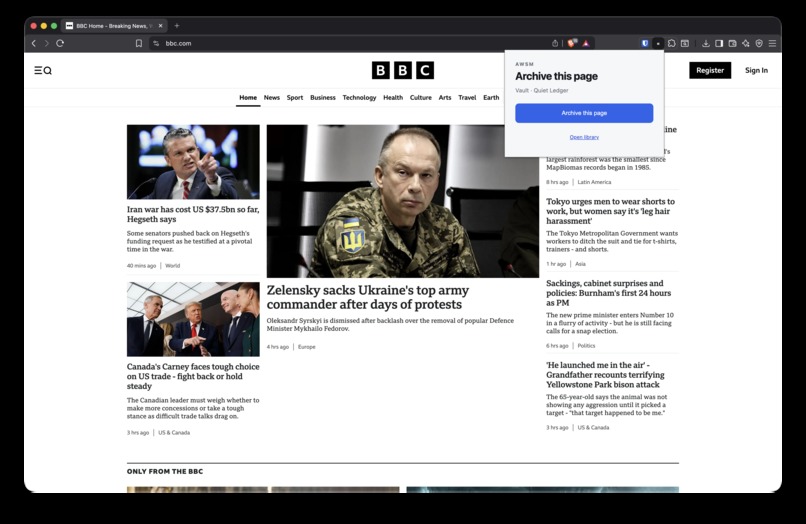
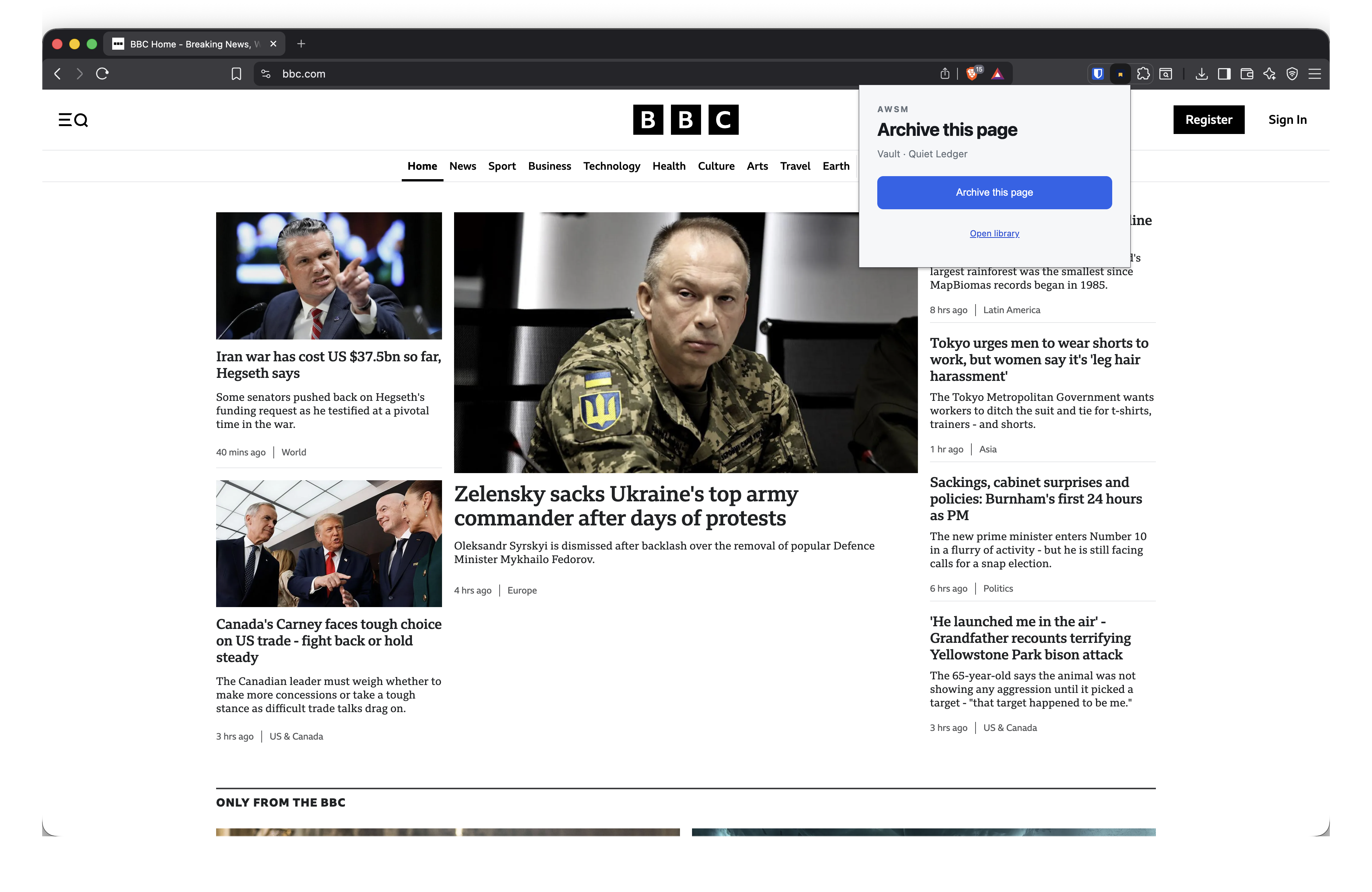
You start a capture via a Chrome extension
-
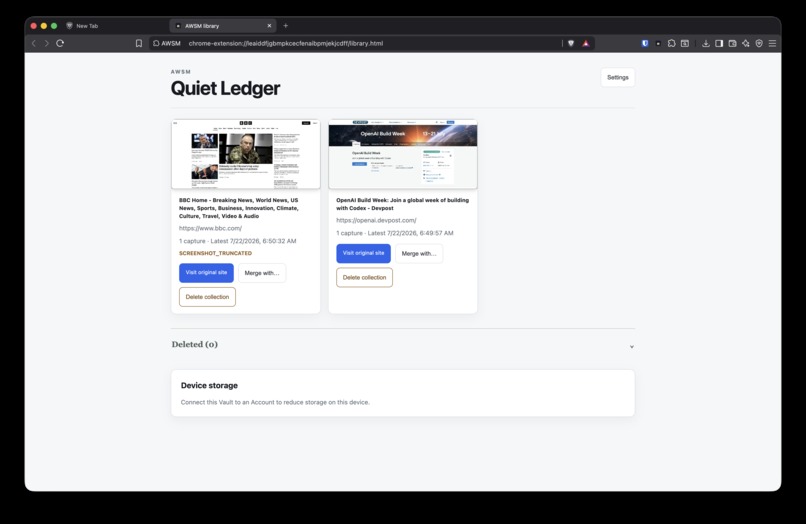
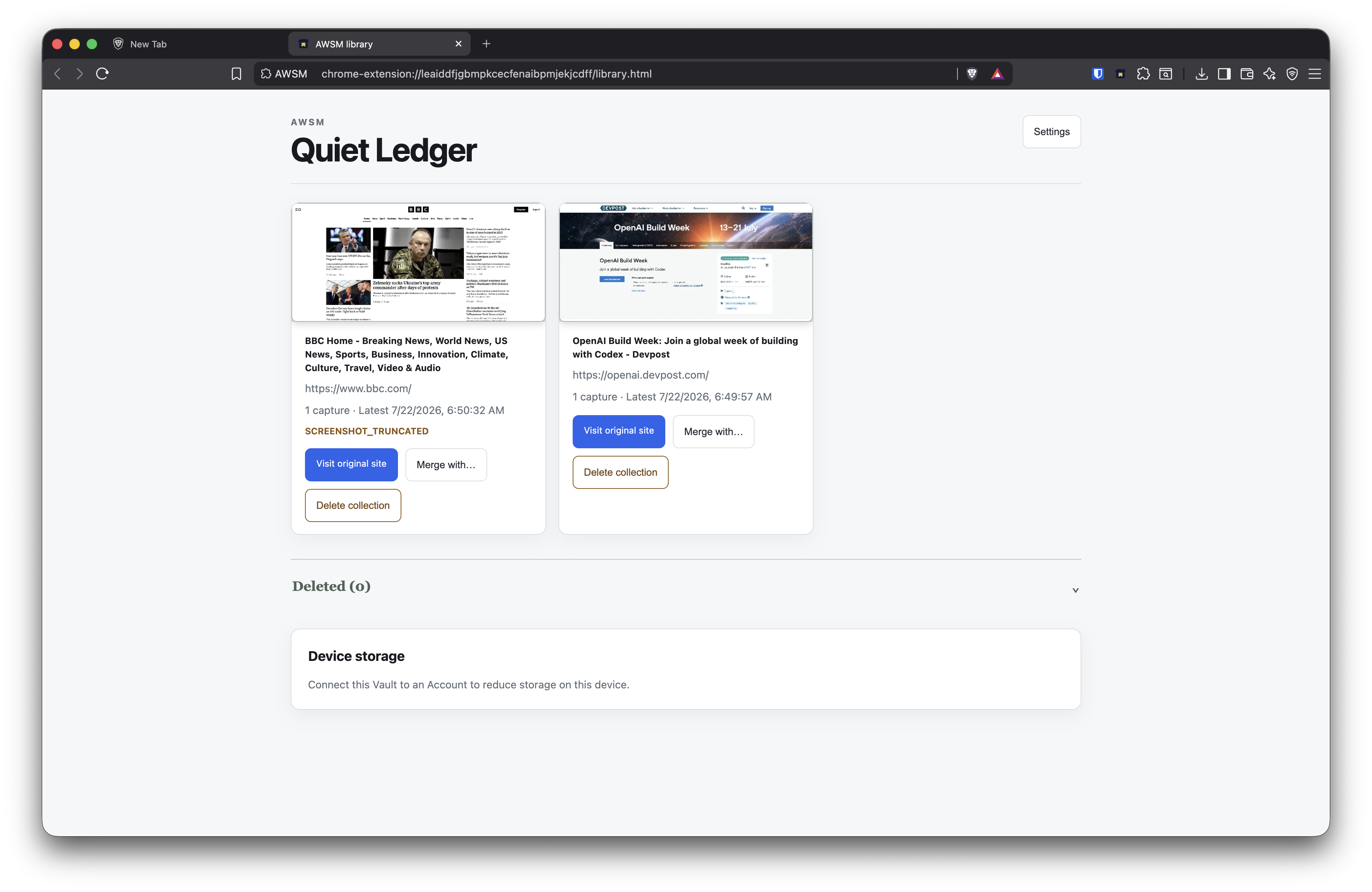
The library can show all of the pages you've captured so far
-
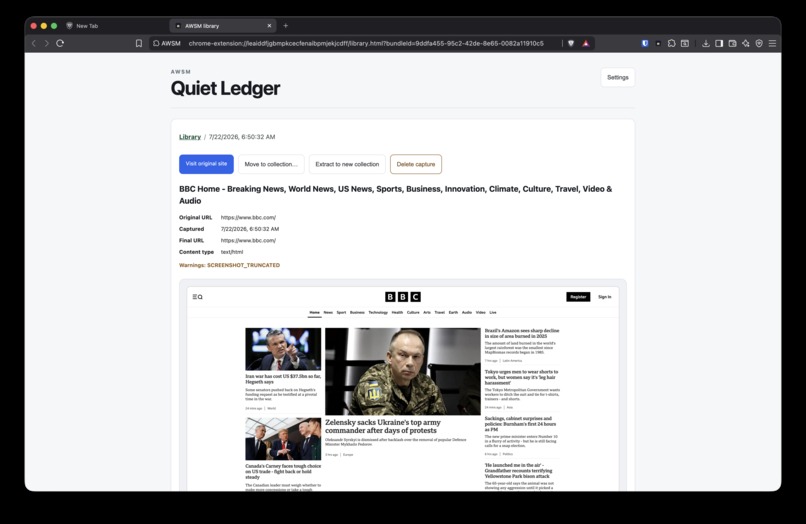
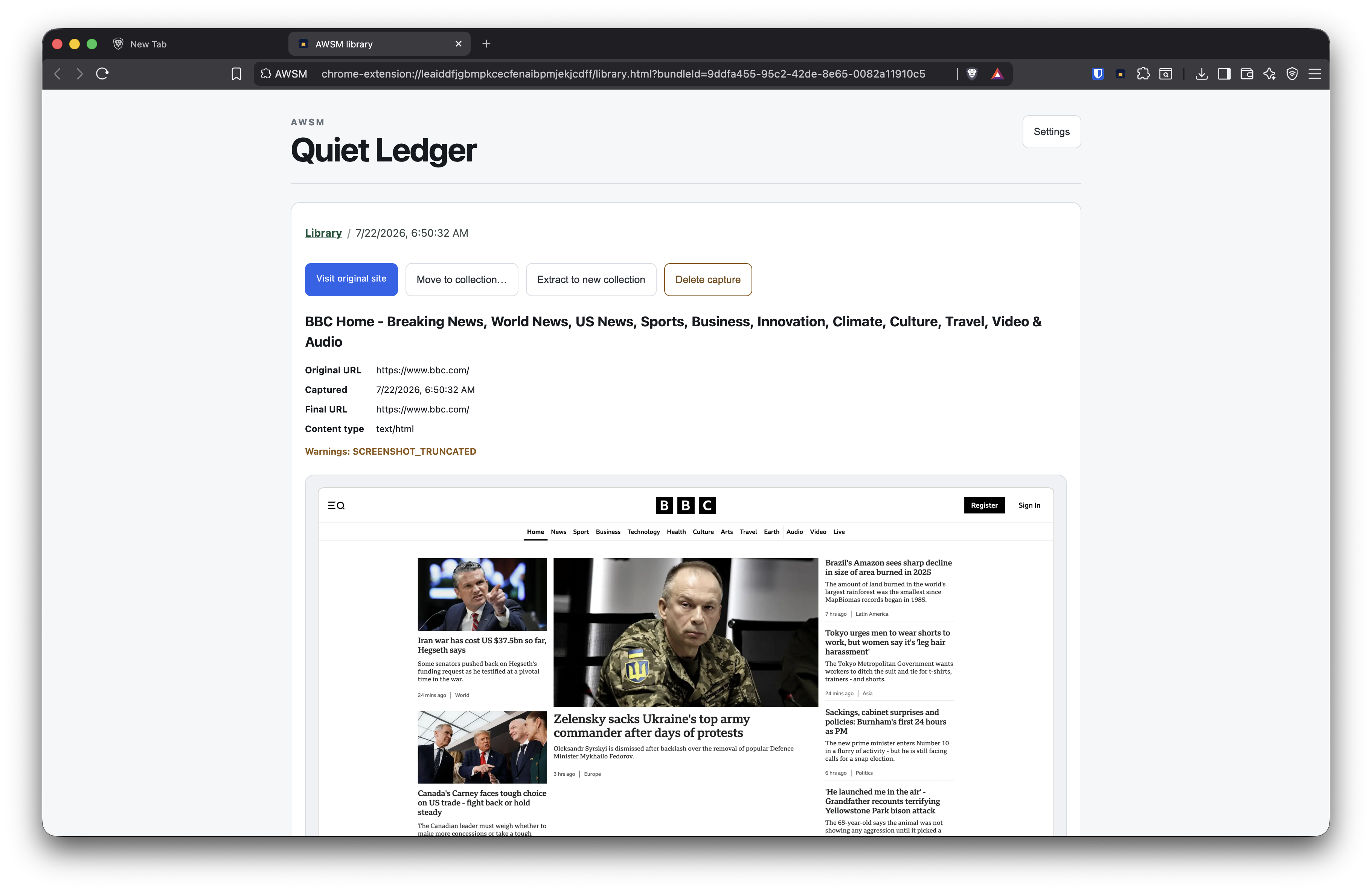
Each item has a screenshot and various other artifacts saved locally
-
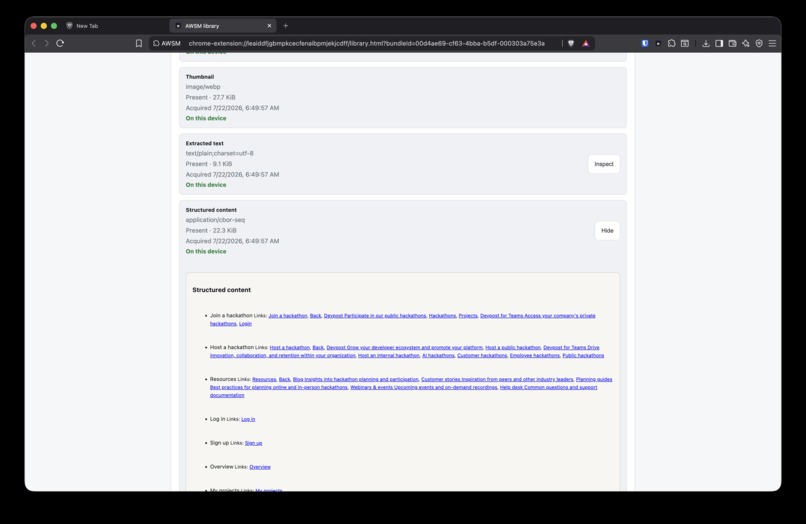
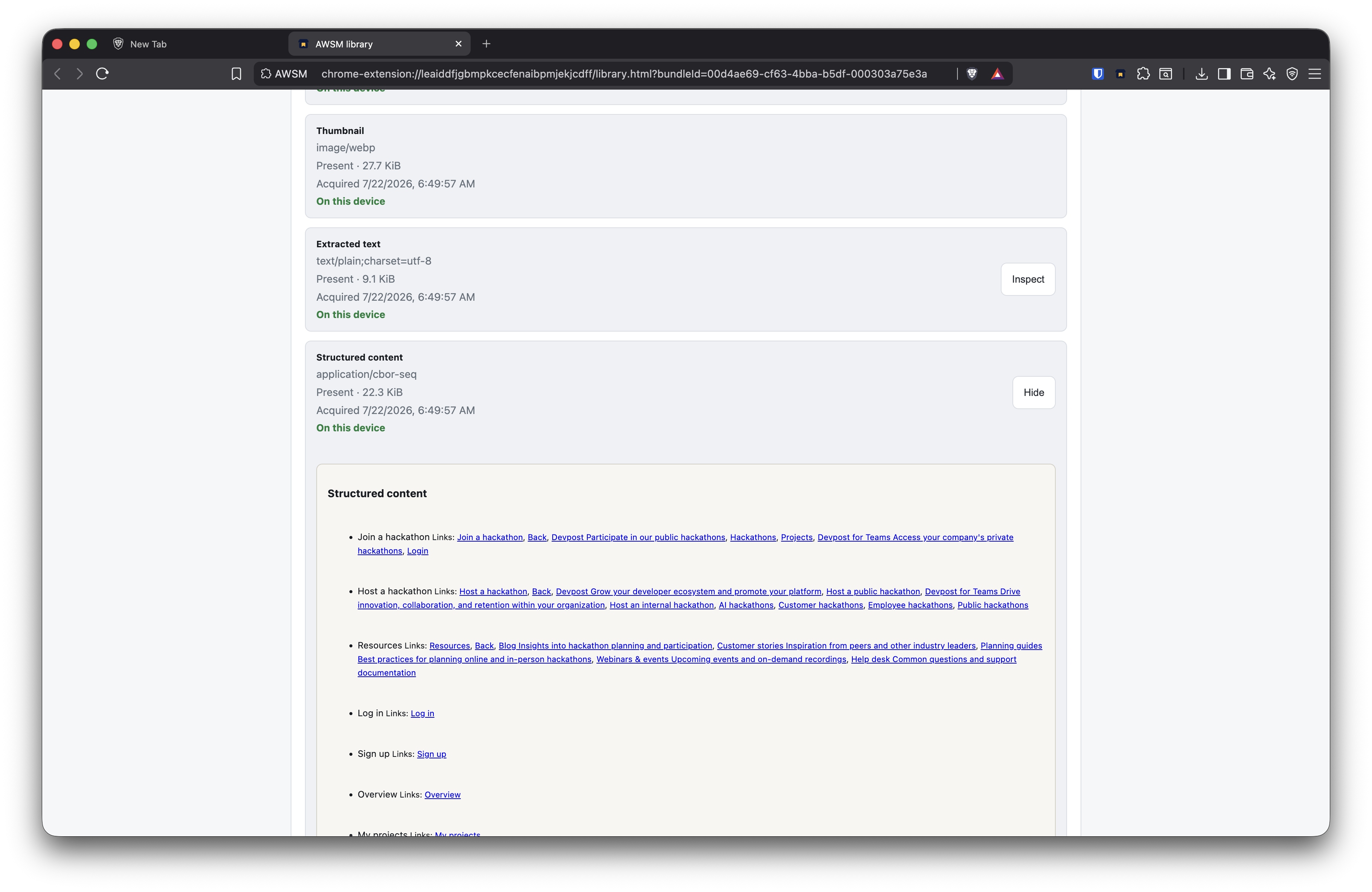
We also capture structured text for future use (e.g. semantic search or ai summaries)
Inspiration
I used to use Evernote and Pocket every day, but two things have always bothered me.
my archive depended on someone else’s servers. A provider could shut down, change direction, or restrict access to content I thought I had saved.
I never really felt comfortable clipping sensitive pages like banking or financial information especially when doing so meant sending that stuff to a third party.
I don’t want to depend on a third party to preserve my data. I want control over the things I save, and that's the theme for this project.
What it does
The Chrome extension captures a webpage directly in the browser and preserves several artifacts:
- MHTML
- A full-page screenshot
- A thumbnail
- Extracted text
- Structured document content
Captures are encrypted and stored locally in a Vault. The Library lets users browse Captures, preview screenshots, inspect extracted text and structure, and download the original MHTML.
AWSM also supports multiple Vaults, Collections, deletion and restoration, encrypted Vault Export and Import, and optional synchronization between devices, plus some basic library management like collections.
When synchronization is enabled, the Coordination Server stores encrypted data. It does not receive plaintext archive content. That means it's zero knowledge and the server is not able to know what you've captured.
How we built it
I provided the product direction, privacy principles, and ongoing review. GPT-5.6 in ChatGPT and Codex supported the project throughout its development.
I used GPT-5.6 to help me plan the initial idea into product requirements, architectural boundaries, specifications, implementation plans, and acceptance criteria.
Then I used Codex to help me build the project end to end:
- A Chrome extension and local-first user interface
- The platform-independent Runtime
- Encrypted browser-local persistence
- MHTML, screenshot, text, and structure capture
- Vault and Collection management
- Encrypted Export and Import
- The Rails Coordination Server
- Account authentication and encrypted synchronization
- Unit, browser-integration, and packaged-extension end-to-end tests
- Failure-injection and multi-device synchronization tests
- Responsive and accessible UI refinement
- Documentation, packaging, releases, and CI/CD
Challenges we ran into
- Tokens :D Fortunately the multiple resets helped a lot with the quotas
- Synchronization is a pain. Especially coordinating and resolving stale and disconnected clients that have their own histories. I think bulk of the polish went here.
- I'm not a good video editor so getting the demo video was a bit of a challenge
- Knowing where to stop. You always want to do that one extra thing, but it's a choice between that or polishing what's there.
Accomplishments that we're proud of
- I've been stewing at this idea for months and the build week finally gave me the kick to get this rolling.
- I've learned a lot more about Codex and how to work with it (goal, side chats, and plan mode especially)
What we learned
- Browser storage is a lot better and works well compared to when I first tried it. Full web-based application with storage is something I'd like to work with in the future.
- /goal is great! A lot of the app was coded while I was literally sleeping. I can give it a plan and a goal and it will just chug away, and I'll wake up either the goal achieved for me to test, or the quota is depleted :P
What's next for AWSM: Archive What Should Matter
- Possibly get production over the line and have awsm.foo host a few accounts and get some paying customers
- Add some more library management, tagging, some AI generation like summaries or semantic search. The database is in the browser so there's not really a lot of scaling involved. Plus since the data stored is opaque, data-privacy is less of a concern due to the intentional zero knowledge design.


Log in or sign up for Devpost to join the conversation.