-
-
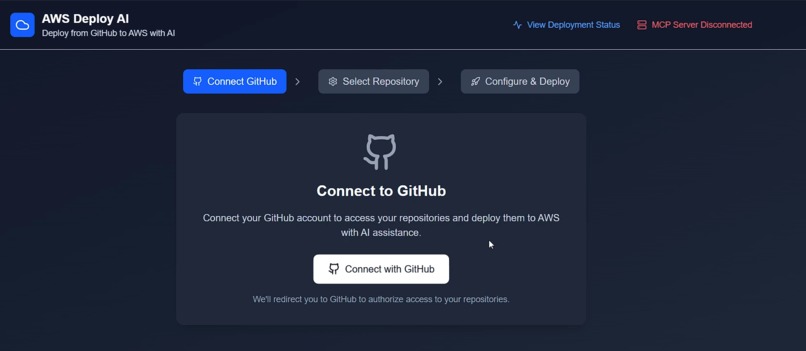
Home Screen
-
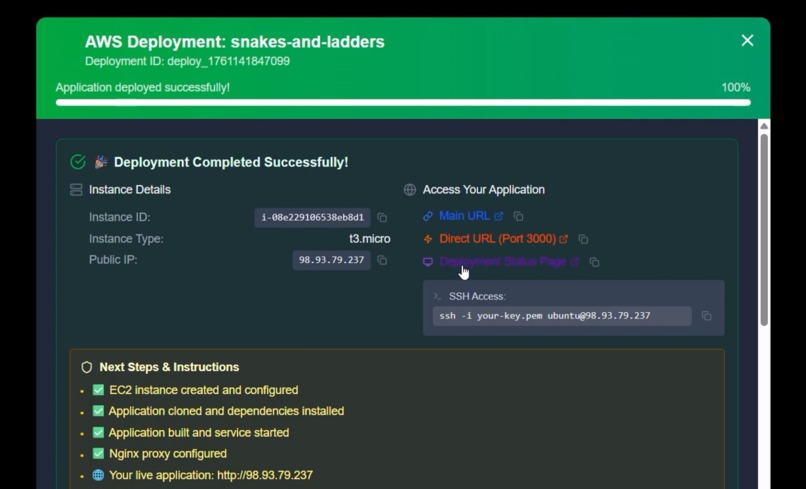
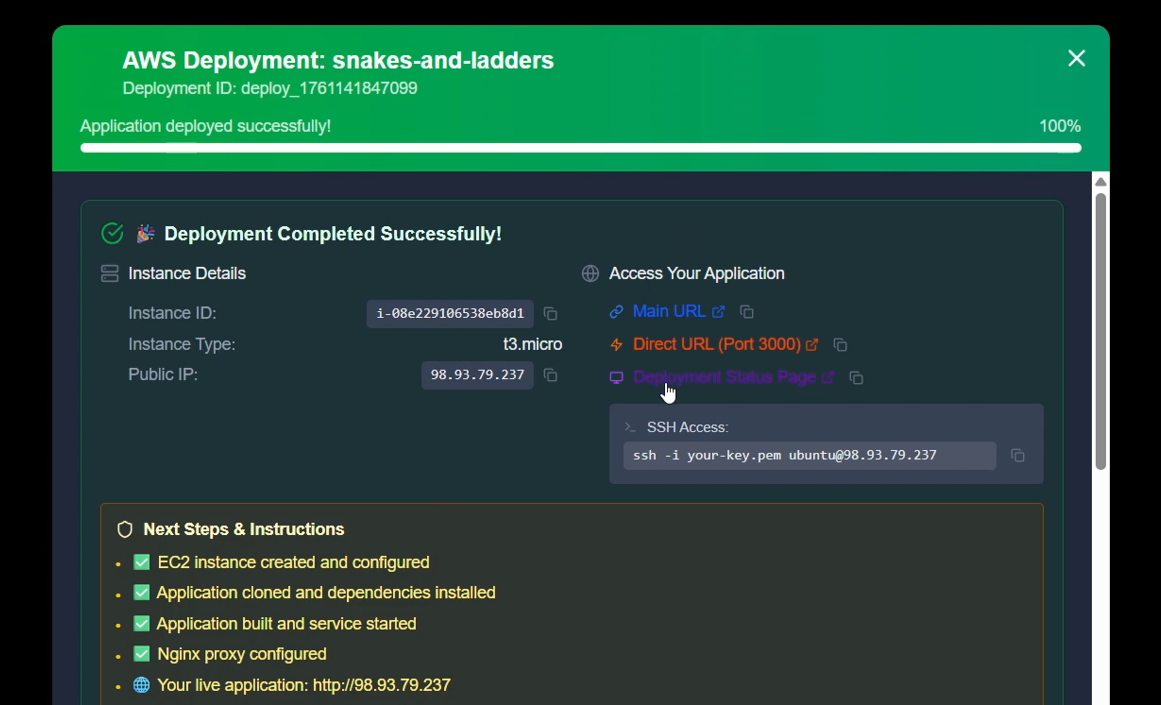
Hosted Project
-
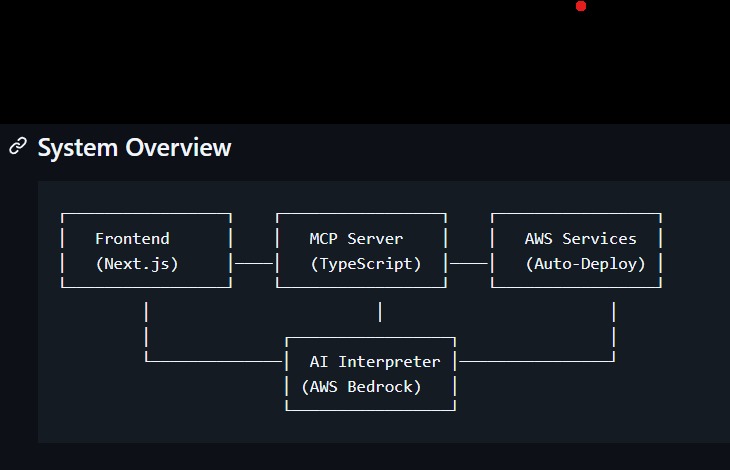
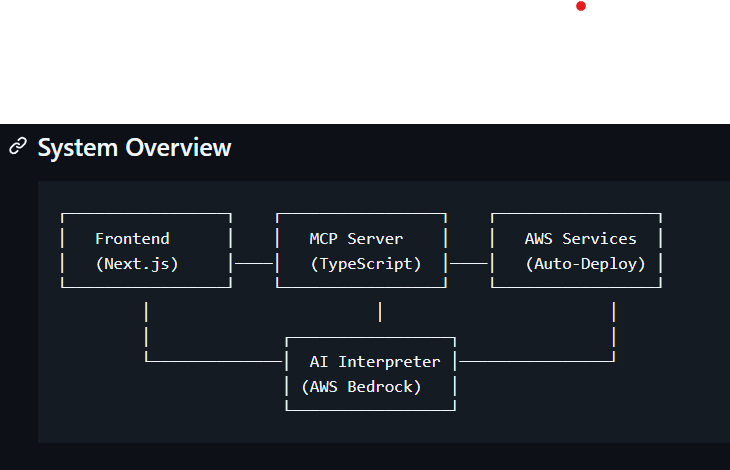
System Architecture
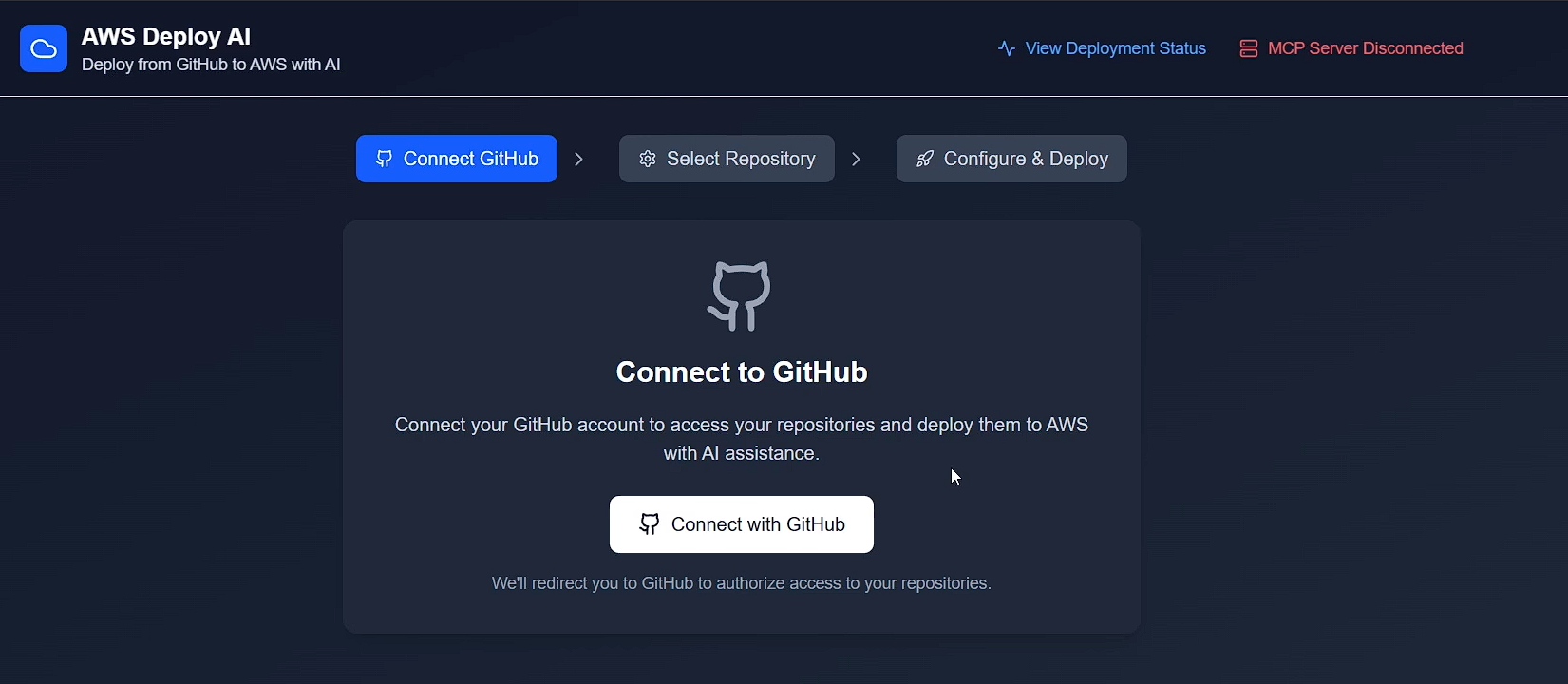
AWS‑AI‑Deploy
Inspiration
Deploying to AWS is powerful but intimidating for most developers. During previous hackathons, we noticed participants struggling with EC2 setup, IAM roles, SSH access, and Nginx configuration just to launch a simple frontend app. That friction inspired us to build AWS‑AI‑Deploy, a platform where anyone can deploy a full web project on AWS just by describing it in plain English — no DevOps background required.
What it does
AWS‑AI‑Deploy is an AI‑powered deployment assistant that turns natural‑language prompts into fully configured AWS environments.
Users can:
- Select a Git repository (React, Next.js, Vite, or static site)
- Receive an AI‑generated deployment plan and cost estimate
- Approve and provide AWS credentials securely
- Watch the system spin up EC2, configure Nginx, install dependencies, and host their app automatically
In minutes, an application is live on the internet — with logs, health checks, and PM2 process monitoring built in.
How we built it
We combined multiple technologies and AWS services into a unified workflow:
- Frontend (Next.js + Tailwind CSS) — handles prompts, cost previews, and deployment status
- MCP Server (Node.js + TypeScript) — interprets natural‑language commands and orchestrates AWS actions
- AWS SDK + EC2 + IAM + Nginx + PM2 — provisions, configures, and serves the deployed application
- AI Integration — prompt understanding via an LLM that maps user intent to infrastructure automation
- PostgreSQL (via Prisma in a shared monorepo) — stores deployment history, logs, and runtime metrics
- Nginx proxy automation — routes traffic from port 80 to 3000 for app access
The full flow — plan → build → deploy → live — is orchestrated entirely through the MCP server with full visibility.
Challenges we ran into
- IAM & permissions: granting precise EC2 access for automation while staying secure
- PM2 persistence: ensuring deployments auto‑start after system restarts
- Dynamic project detection: determining if a repo uses Vite, Next.js, or vanilla React and building accordingly
- Error recovery: handling failed builds gracefully while preserving logs
Accomplishments that we're proud of
- Created true one‑prompt AWS hosting with AI‑driven orchestration
- Achieved automated EC2 provisioning, Nginx proxying, SSL setup, and PM2 persistence
- Built a real‑time dashboard tracking deployment history, costs, and health
- Enabled multi‑framework support (React, Vite, and Next.js) with zero config
- Delivered a seamless demo that deploys any GitHub repo to a live server in minutes
What we learned
- How to transform plain English into executable cloud commands using the MCP protocol
- Hands‑on experience with AWS SDK automation and cost optimization
- Building resilient backend pipelines using TypeScript, PM2, and Nginx
- Benefits of using monorepo architecture with shared Prisma models
What's next for AWS‑AI‑Deploy
- Add multi‑region and auto‑scaling support
- Integrate custom domains with automated SSL via ACM
- Introduce team collaboration and project dashboards
- Provide real‑time AWS cost analytics with Cost Explorer APIs
- Launch as a SaaS platform with usage tiers and GitHub OAuth
- Open‑source the MCP orchestration core for community builders
Built With
- amazon-web-services
- aws-certificate-manager
- aws-cloudfront
- aws-lambda
- aws-route-53
- bedrock
- docker
- javascript
- mcp
- next.js
- nginx
- openai-api-integration
- postgresql
- prisma
- react
- tailwind-css
- typescript

Log in or sign up for Devpost to join the conversation.