-
-
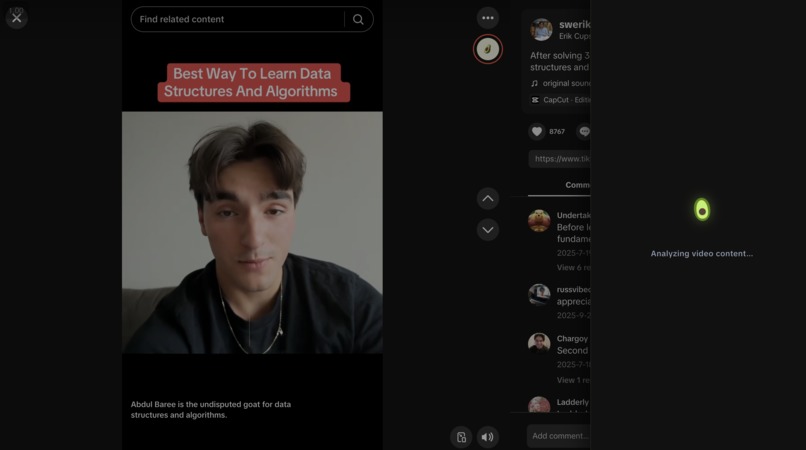
Loading Screen For Video Analysis
-

Example of a Non-Reliable Video
-
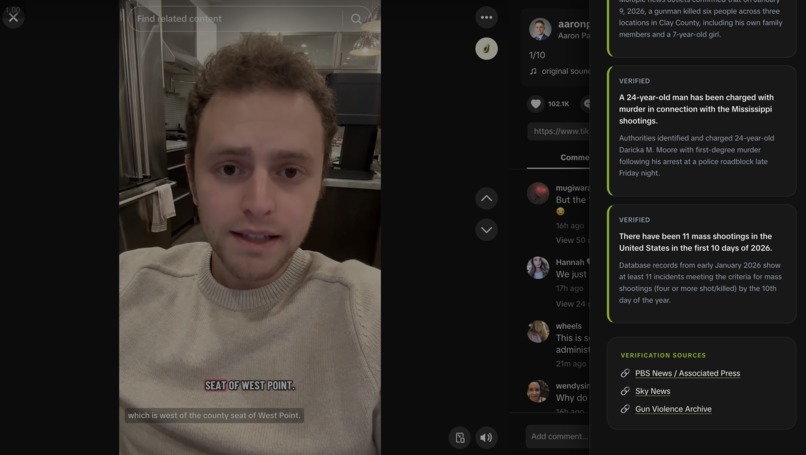
Summary of Main Video Claims and Source Links
-
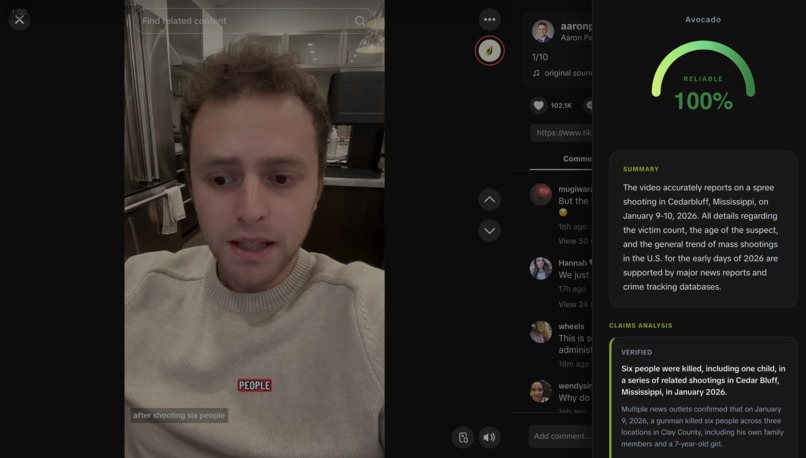
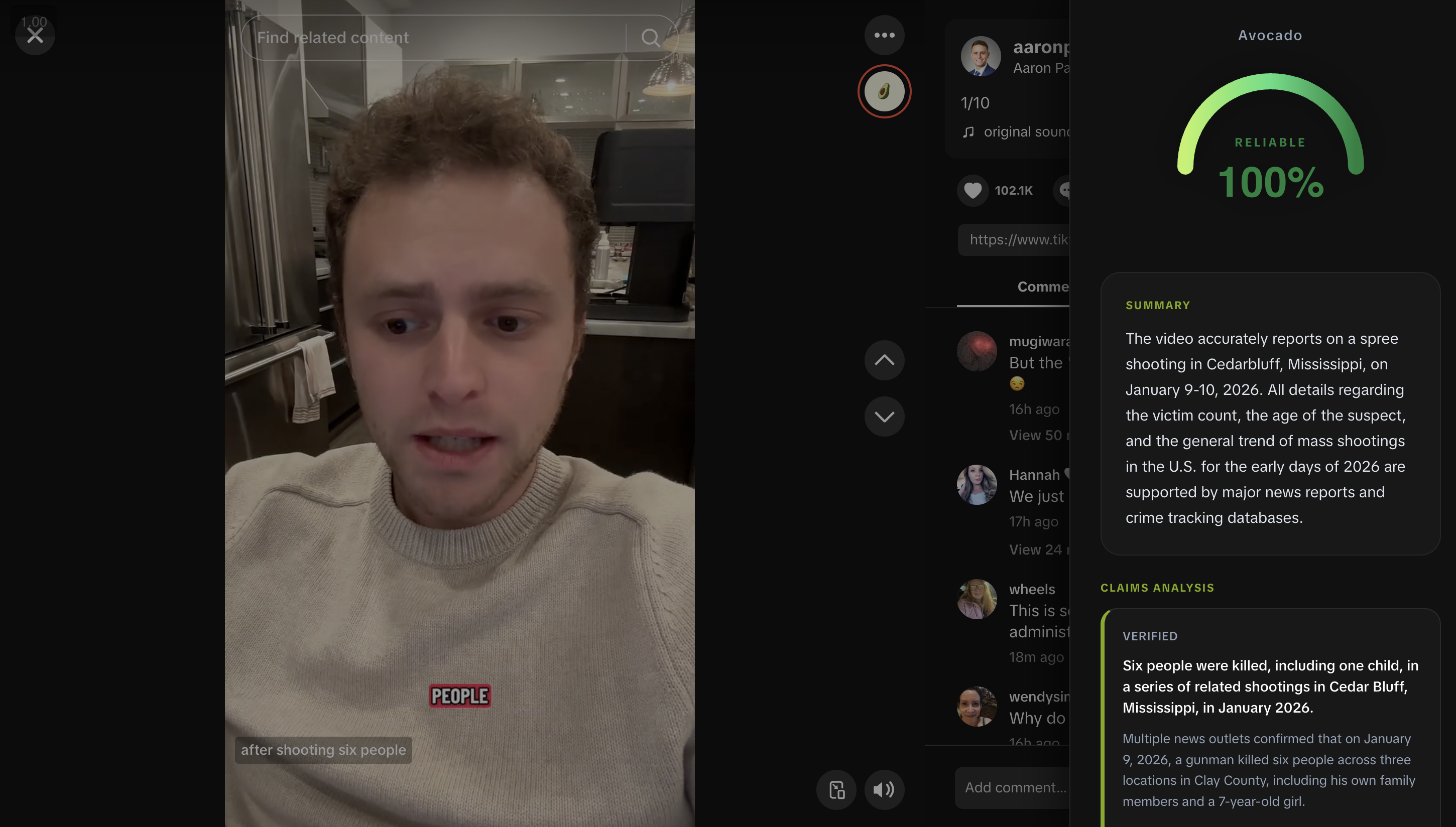
Example of a Reliable Video
-

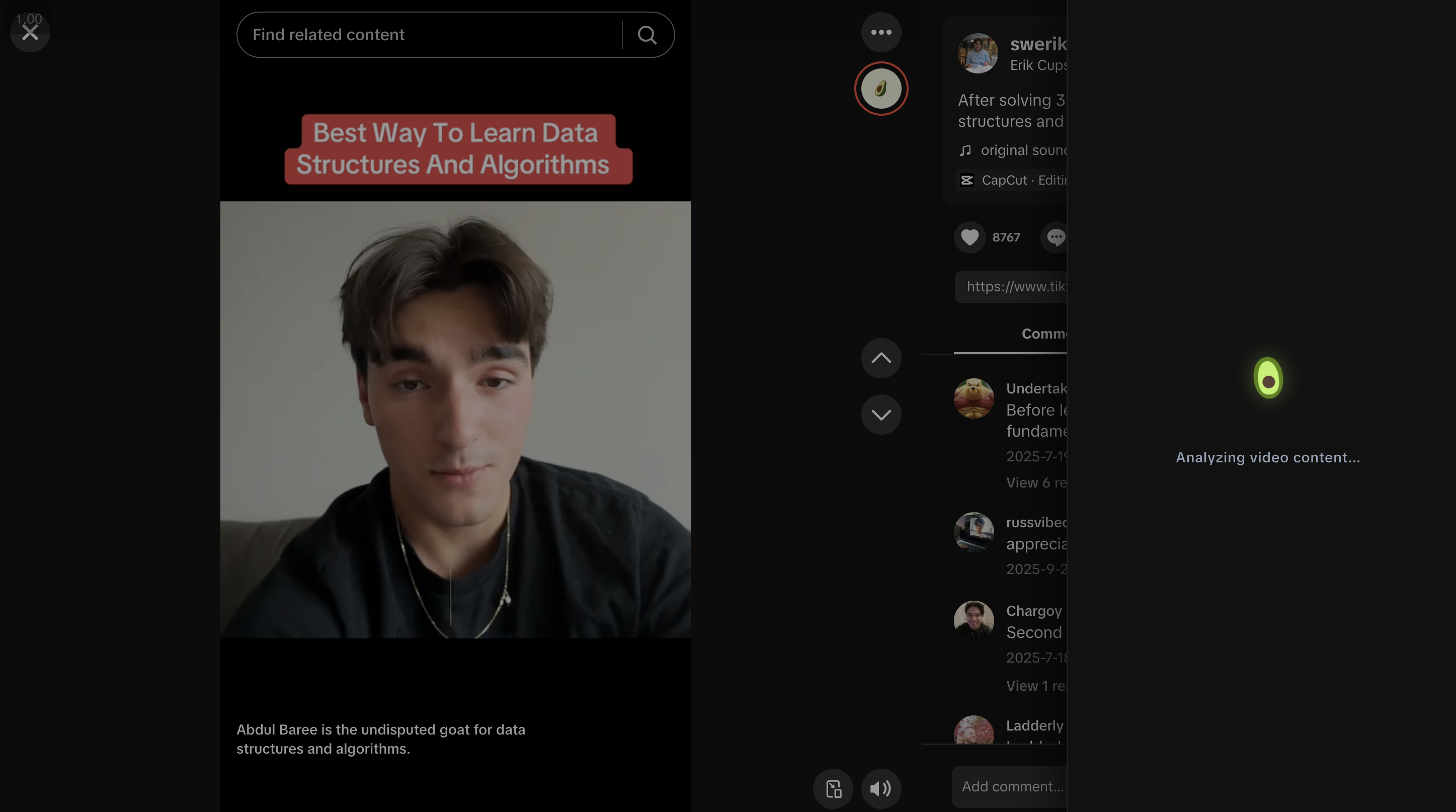
Avocado Fact Check Button Seamlessly Integrated into TikTok UI



Inspiration
Misinformation is one of the biggest problems of our digital age, and short-form video platforms like TikTok help it spread quickly. We noticed that while many younger users have built some instincts for spotting questionable content, older generations are often more vulnerable to misleading videos that feel polished and persuasive.
We wanted to build something that helps anyone verify what they are watching without interrupting their browsing flow. That idea became Avocado: a fact-checking tool that is as simple as pressing a button.
What it does
Avocado is a Chrome extension that adds a “Fact Check” button directly into the TikTok interface. With one click, users get:
- A credibility score, shown with a speedometer-style gauge
- A breakdown of the video’s claims
- Clear flags and concerns, such as missing sources, sensational framing, or misleading statistics
- Verification sources that link to trusted references
The experience is quick, lightweight, and built to give users enough context to decide what to believe.
How we built it
Avocado uses a simple two-part architecture:
| Component | Technology |
|---|---|
| Frontend | Chrome Extension (Manifest V3) using vanilla JavaScript and CSS |
| Backend | Python FastAPI server with async processing |
| AI Engine | Google Gemini Flash 1.5 via OpenRouter API |
| Scraping | Supadata API for TikTok transcripts and metadata |
The extension injects UI elements into TikTok, grabs the current video URL, and sends it to our backend. The backend pulls the transcript and metadata, runs the content through Gemini, and returns a structured fact-check result that the extension displays in real time.
Challenges we ran into
- API rate limiting: Supadata and OpenRouter both enforce rate limits, so we added caching and request throttling to stay reliable under heavier use.
- TikTok’s dynamic DOM: TikTok updates the page constantly as you scroll, which made button injection unreliable at first. We used
MutationObserverand tighter DOM targeting to keep it stable. - Duplicate API calls: Rapid clicking could trigger multiple requests, so we added a guard that locks the button while a fact-check is running.
- Cross-origin issues: Connecting the extension to our backend required careful CORS setup and consistent request handling.
Accomplishments we’re proud of
- Built a working end-to-end pipeline from video detection to AI analysis in a weekend
- Designed a clean, intuitive UI, including a custom credibility gauge and claim cards
- Integrated Google Gemini to produce nuanced, context-aware feedback
- Made the tool easy for non-technical users, with older viewers in mind
What we learned
- How to build Manifest V3 Chrome extensions, including content scripts and side panels
- How challenging it can be to work with dynamic, modern web interfaces
- How to integrate LLMs into real applications, with caching, error handling, and sane defaults
- Why UX matters in misinformation tools: if it is not frictionless, people will not use it
What’s next for Avocado
- Multi-platform support: Expand to Instagram Reels, YouTube Shorts, and X videos
- Better prompting: Improve prompts to reduce false positives and strengthen evidence links
- User history and trends: Let users track credibility results over time
- More browsers: Port to Firefox and Safari
- Multilingual support: Fact-check videos in more languages
- Mobile companion: Bring Avocado to mobile browsing workflows


Log in or sign up for Devpost to join the conversation.