-
-
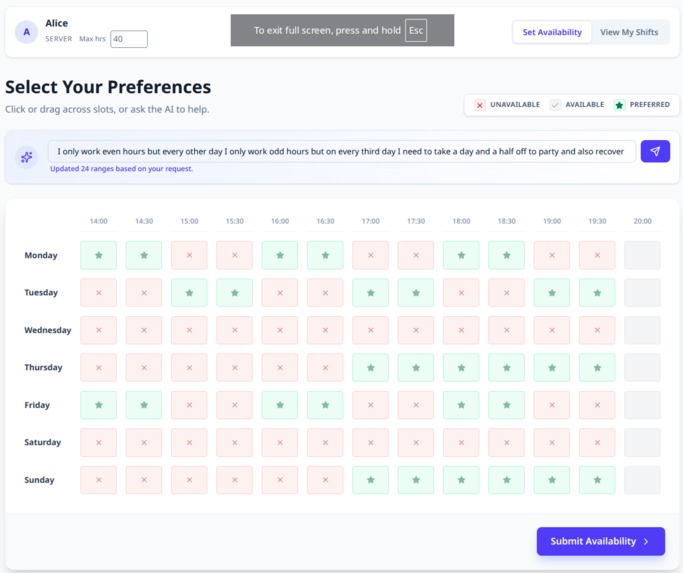
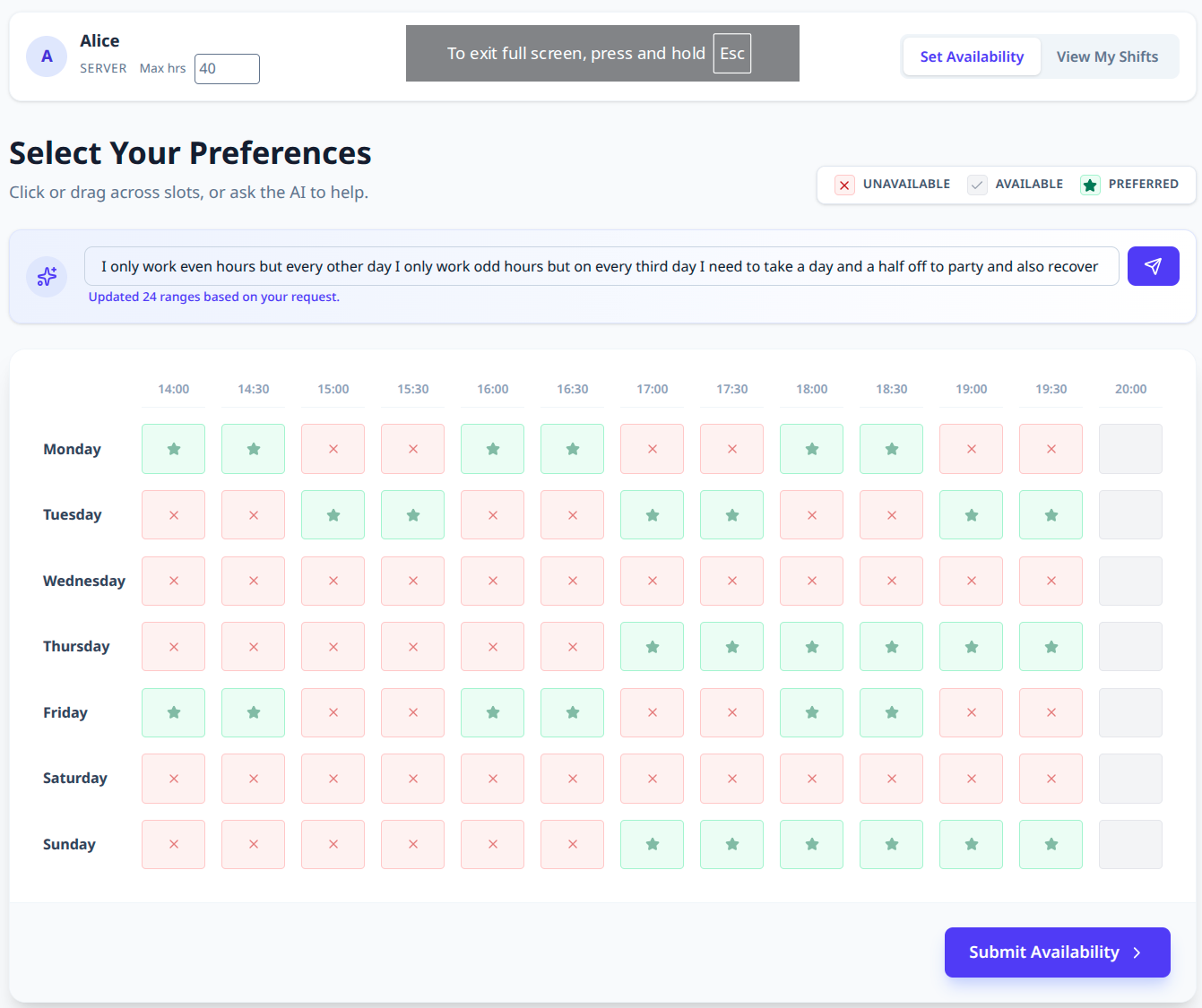
Employee setting shift preference using AI prompt bar
-
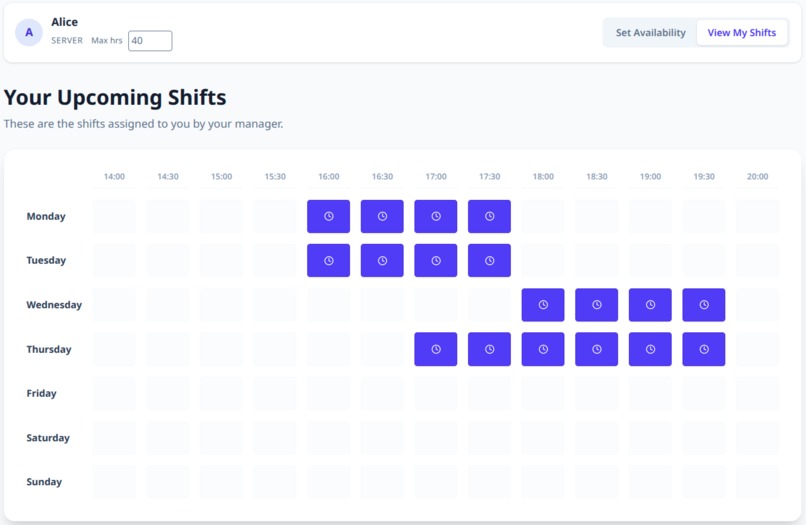
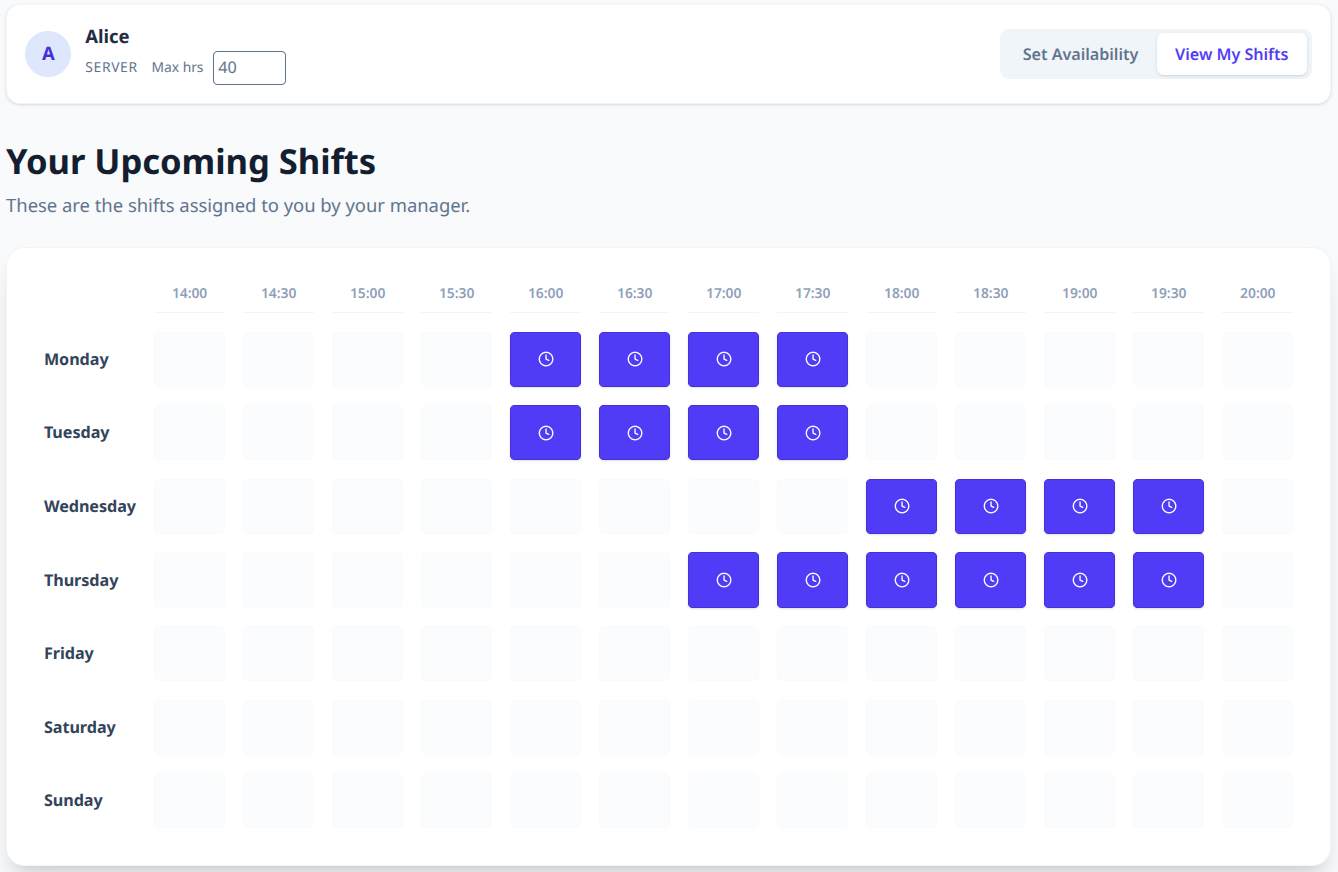
Employee view of their shift schedule
-
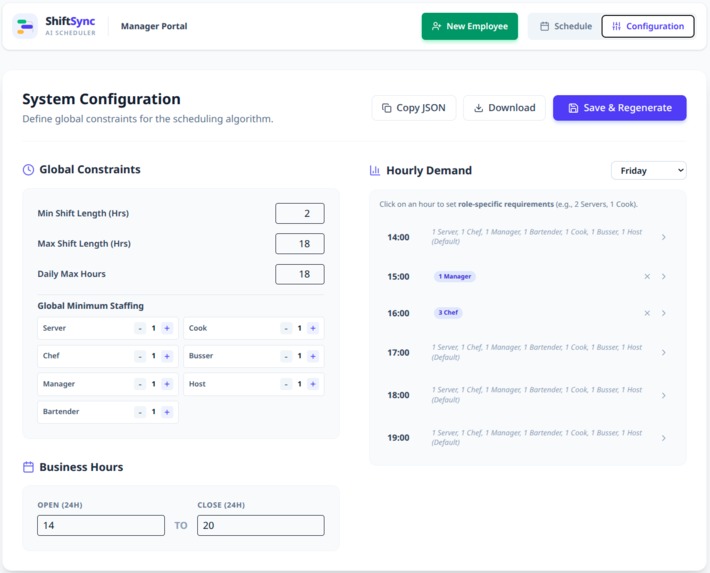
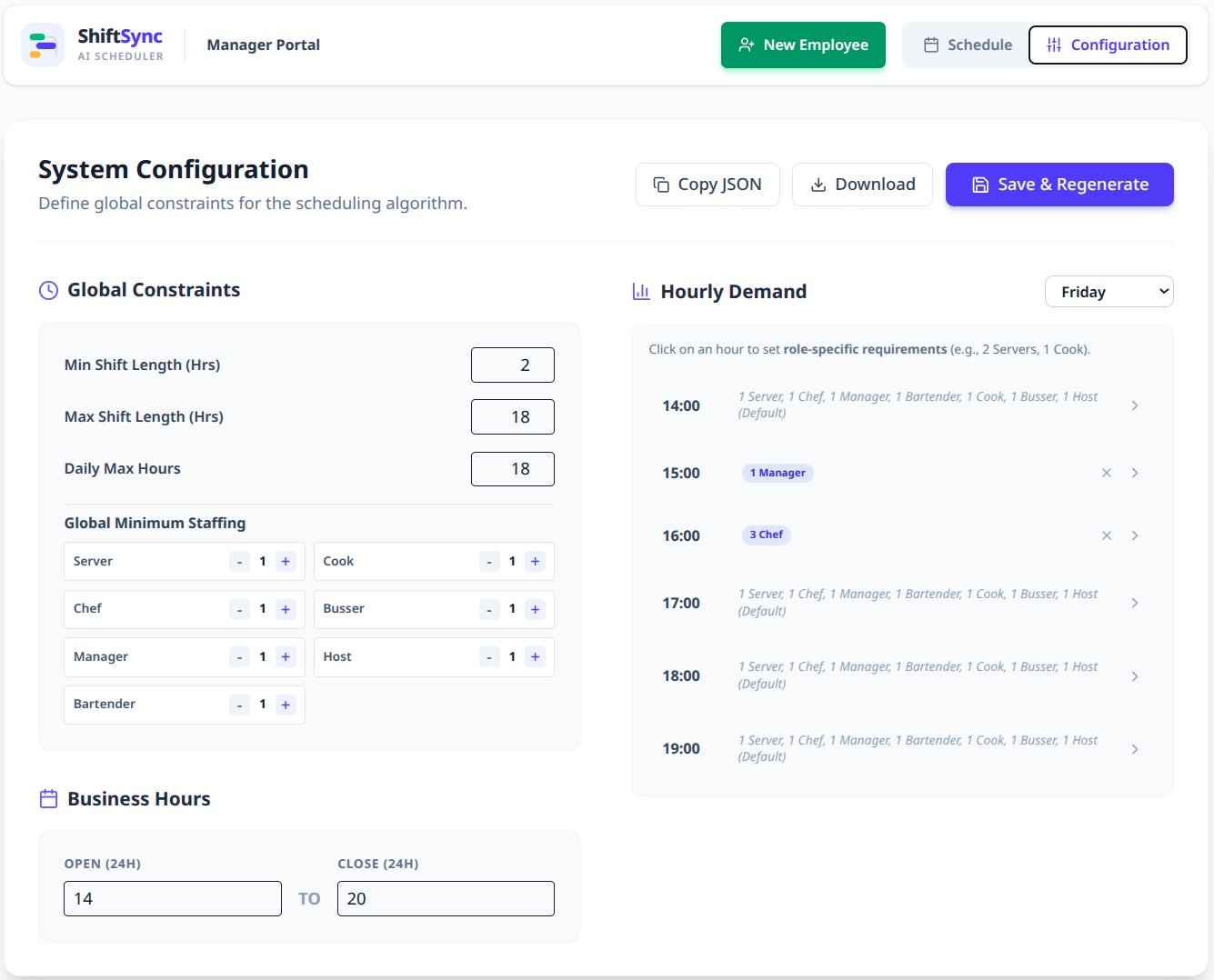
Parameters for managers including minimum shift length, maximum shift length, staffing requirements, etc
-
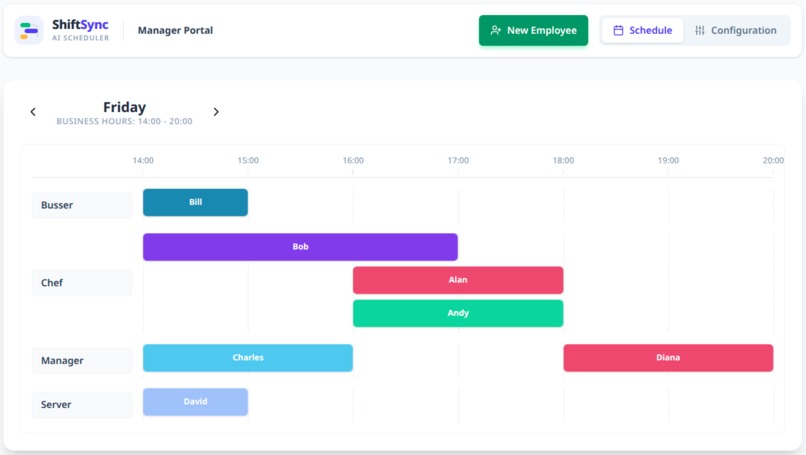
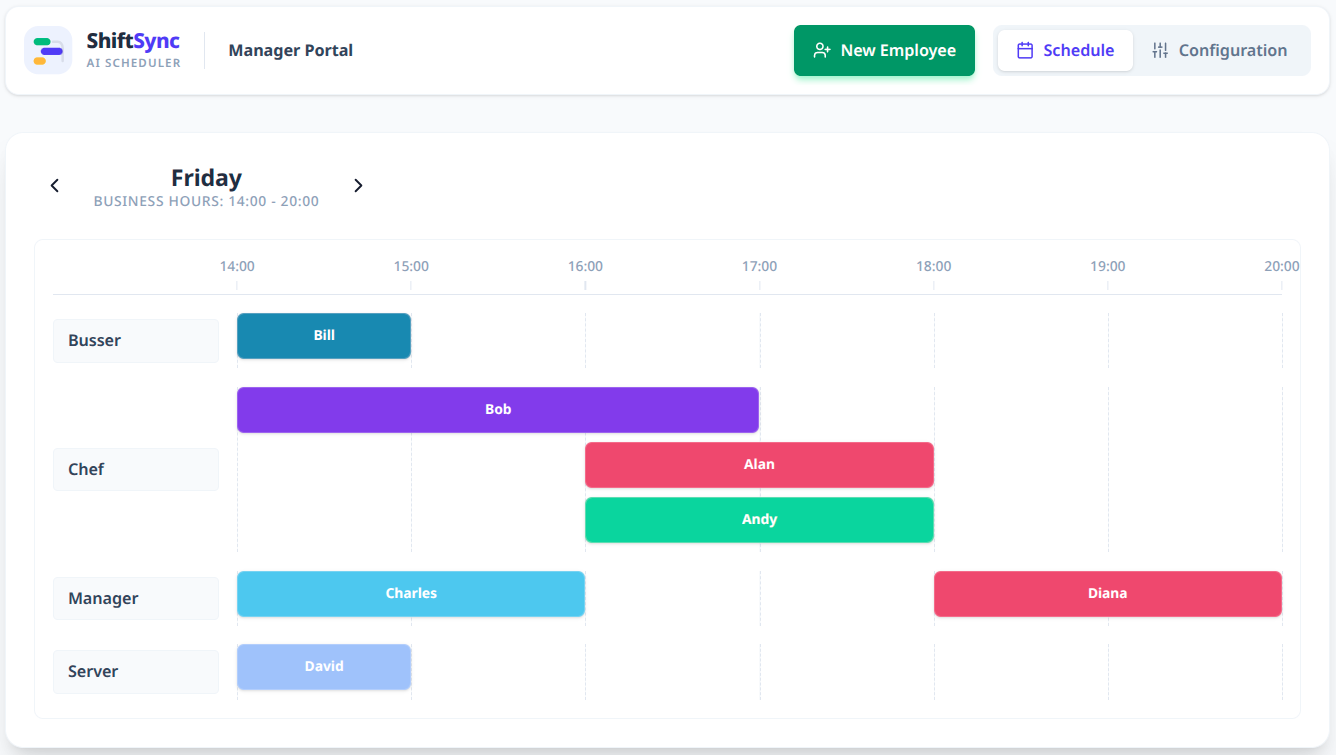
Manager view of shift schedule
Inspiration
Have you ever tediously inputted shift availability into a huge, clunky Google Sheet? On the flip side, as a manager, have you ever had to use said Google Sheet to schedule shifts, choosing people, filling up roles, taking into account shift lengths, and the thousand other variables that you need to consider? We set out to make a sleek interface that automatically schedules shifts based on employee and employer preferences streamlining the whole process and vastly increasing efficiency.
What it does
ShiftSync has two different portals, one for employees and one for managers, allowing each to fulfill their role. Employees can input their time preferences (available, preferred, unavailable) and max working hours as well as see the shifts they have been automatically assigned. Managers set parameters such as business hours, staffing requirements, min/max shift length, and see an overview of the shift schedule.
How we built it
We built the front end using React.js, styled with Tailwind CSS, and bundled with Vite, which also enables dynamic adjustment of scheduling parameters. For the back end, we developed a Python-based scheduling engine using a satisfiability algorithm to generate shift assignments. All data is persisted in JSON files, ensuring session state is preserved and allowing users to resume exactly where they left off. The final system is deployed on an Azure virtual machine, enabling concurrent access for multiple employees and managers to view and edit shifts in real time.
Challenges we ran into
This project was developed incrementally, which made integrating its individual components into a cohesive system a significant challenge—particularly maintaining consistent styling across all pages. Ensuring seamless interaction between the login interface, employee portal, and manager portal required careful coordination. Deployment using Azure and GitHub Actions also presented difficulties; while it enabled continuous deployment, the initial setup required extensive debugging.
Accomplishments that we're proud of
We created a sleek, responsive UX that is easy and intuitive to use. It enables seamless integration of employee preferences and manager needs allowing companies to easily set up shift schedules with just the click of a button.
What we learned
Through this project, we gained experience with dynamically updating and propagating state in React, as well as recomputing dependent resources in response to changes. We also deepened our understanding of continuous integration and deployment using GitHub Actions.
What's next for AutoShift
Future improvements include expanding customization options for both employees and managers. Managers could be given the ability to remove former employees from the database, define new roles, and configure holidays or break periods. Employees could be empowered to request temporary shift changes, accept or decline assigned schedules, and more actively participate in the shift assignment process.


Log in or sign up for Devpost to join the conversation.