-
-
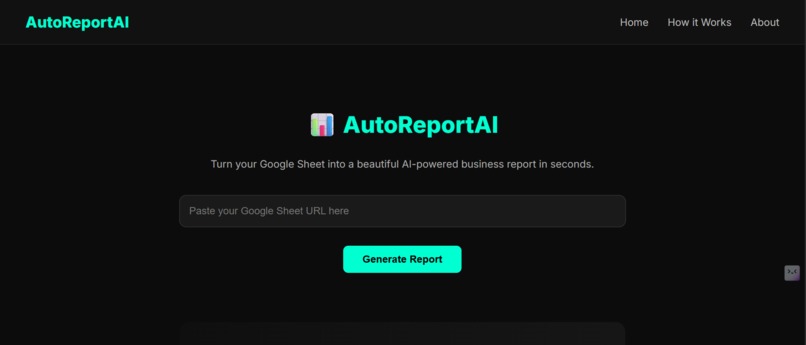
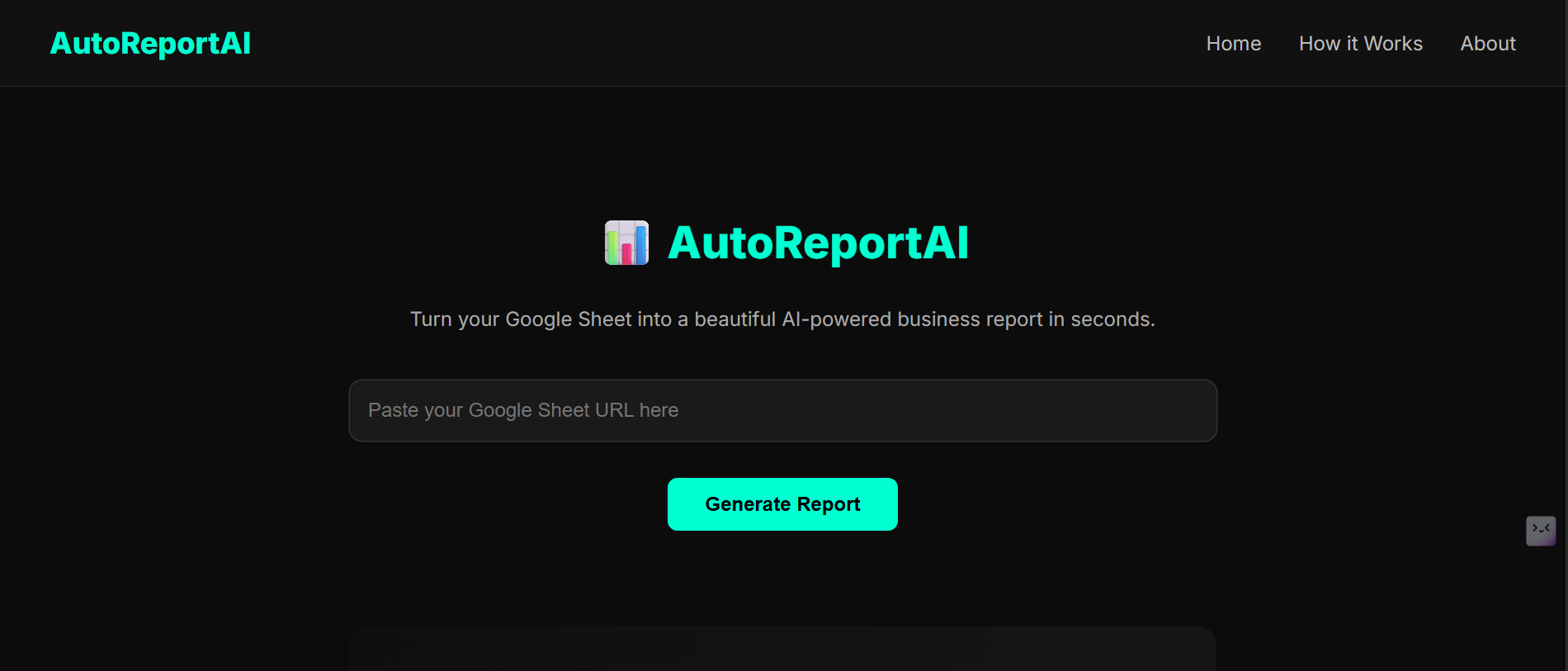
Front-end of application
-
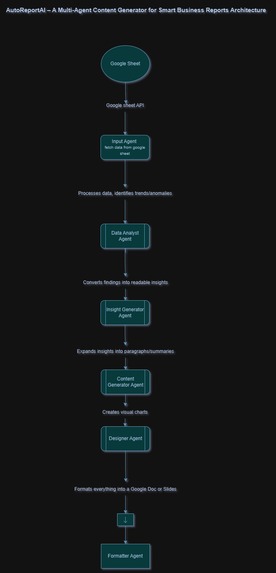
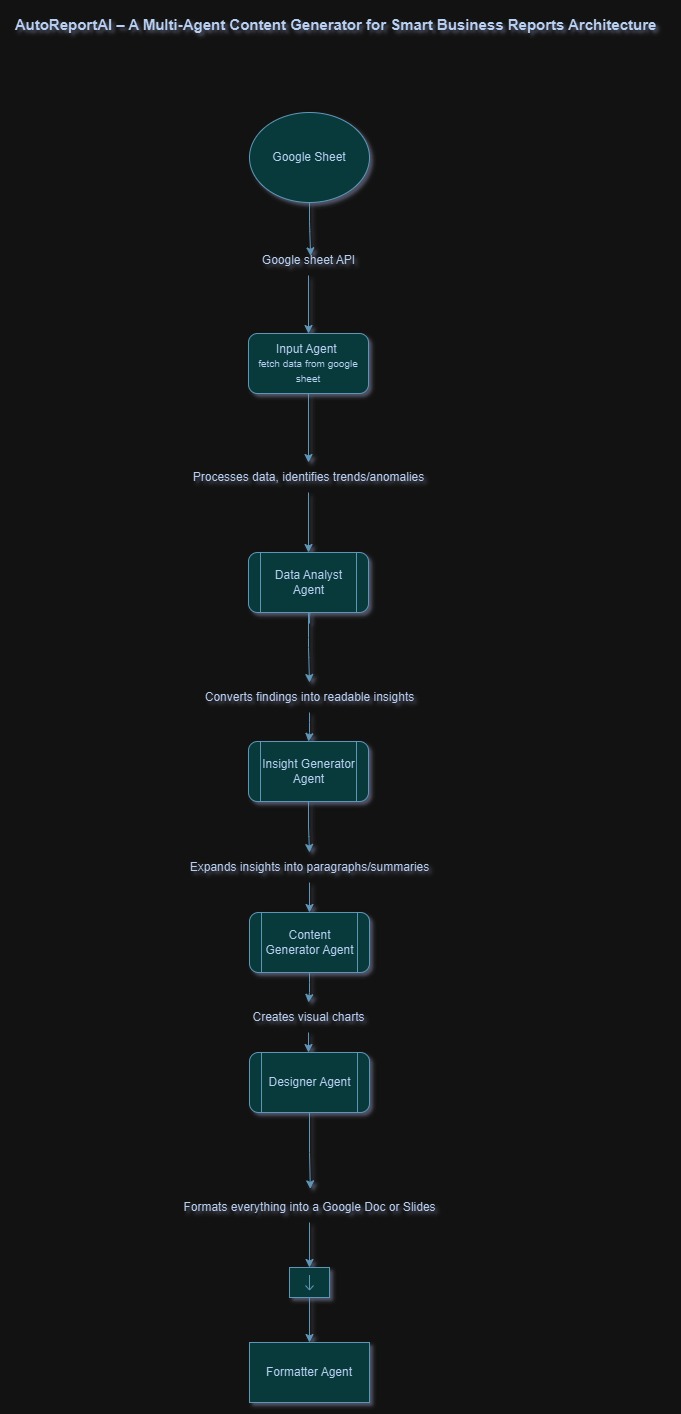
architecure Diagram
-
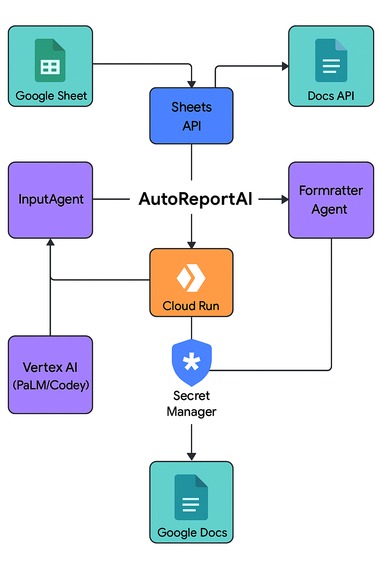
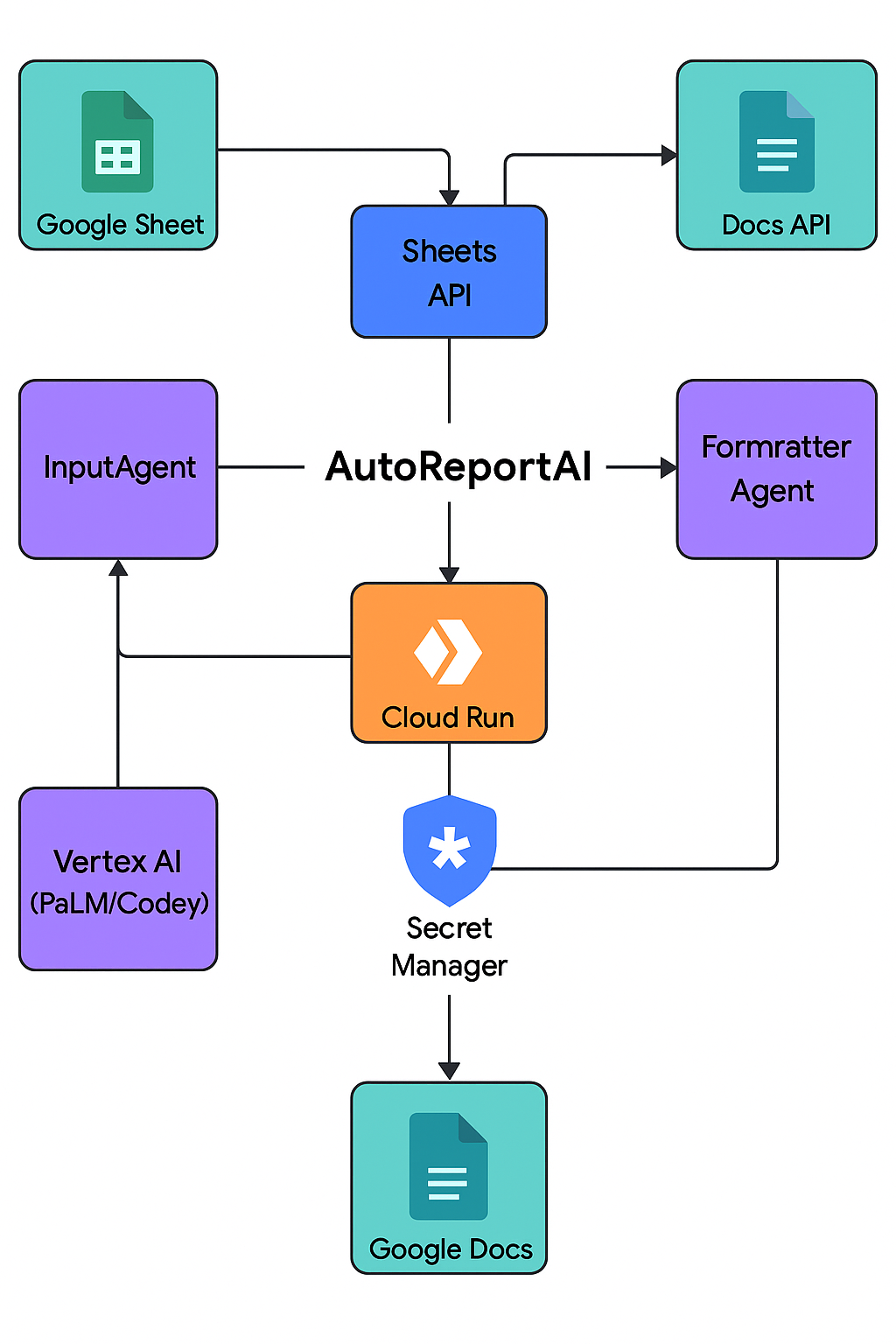
technology based architecture
Inspiration
In many workplaces and educational environments, data lives in spreadsheets, but extracting insights from that data is still a manual, tedious process. We were inspired to create AutoReportAI to democratize data analysis, allowing anyone—regardless of technical skill—to generate professional-level insights from their data in seconds. With the power of the Agent Development Kit (ADK) and Google Cloud, we wanted to show how multi-agent systems can automate data workflows, making data intelligence accessible, efficient, and smart.
What it Does
AutoReportAI is a multi-agent AI system that takes a Google Sheet URL and automatically performs the following:
- Cleans and processes data
- Performs basic statistical analysis
- Generates smart, human-readable insights
- Presents the findings on a user-friendly dashboard
Users simply paste their Google Sheet link and click Generate Report—the agents take care of the rest. There’s also an interactive “How It Works” slider, animated frontend, and a detailed About section.
How We Built It
We built AutoReportAI using: Agent Development Kit (ADK, Python) for designing and orchestrating multiple intelligent agents:
- InputAgent: Fetches and parses Google Sheet data.
- AnalysisAgent: Computes statistical metrics.
- InsightAgent: Crafts contextual insights.
- ReportAgent: Orchestrates and presents the findings.
Google Cloud Platform:
- Cloud Run for backend deployment
- Artifact Registry for Docker images
- Google Sheets API with secure key-based access
Frontend:
- HTML, CSS, JavaScript
- Responsive layout with animations and interactive sliders
- Styled using modern design trends from top AI product sites
Challenges We Ran Into
- Parsing sheet values: All values came in as strings—this required smart type inference and error handling.
- Designing clean inter-agent communication with ADK took several iterations.
- Deploying to Cloud Run with optimal memory/runtime settings.
- Making a UI that feels modern, sleek, and AI-powered.
Accomplishments That We’re Proud Of
- Successfully orchestrated a modular multi-agent system using ADK.
- Built an elegant end-to-end cloud-deployed solution with secure data handling.
- Created a professional and animated frontend UI that clearly explains the product and enhances trust.
- Made data intelligence approachable and usable for non-tech users.
What We Learned
- Hands-on expertise with Agent Development Kit (ADK) and how to use agent-based thinking for real-world problems.
- Gained deep experience integrating Google Cloud services like Cloud Run, Sheets API, and Artifact Registry.
- Understood the importance of user-centric design in building trust in AI tools.
- Learned how to design clean modular backend architecture with clear agent roles and orchestration.
What’s Next for AutoReportAI
- Visual Dashboards: Auto-generate graphs and trends from data.
- LLM-based InsightAgent: Use a large language model to generate more contextual insights and predictions.
- Multiple sheet support: Combine and analyze across sheets and tabs.
- User history & storage: Let users save and retrieve past reports securely.
- OAuth-based Sheet Access: Remove the need for public sheet links and support user auth.
Built With
- adk)
- animate.css
- artifact-registry
- cloud-build
- css3
- flask
- gcp)
- github
- google-cloud
- google-sheet
- html5
- iam
- javascript
- pandas
- python
- swiper.js
- visual-studio
- youtube


Log in or sign up for Devpost to join the conversation.