-
-
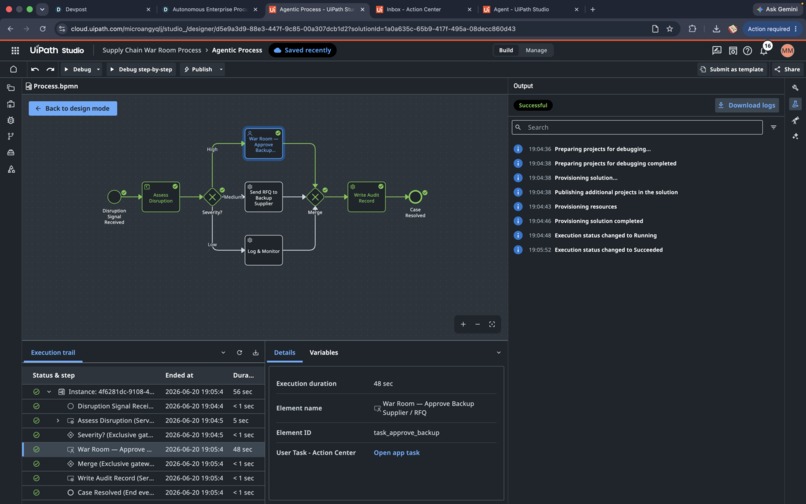
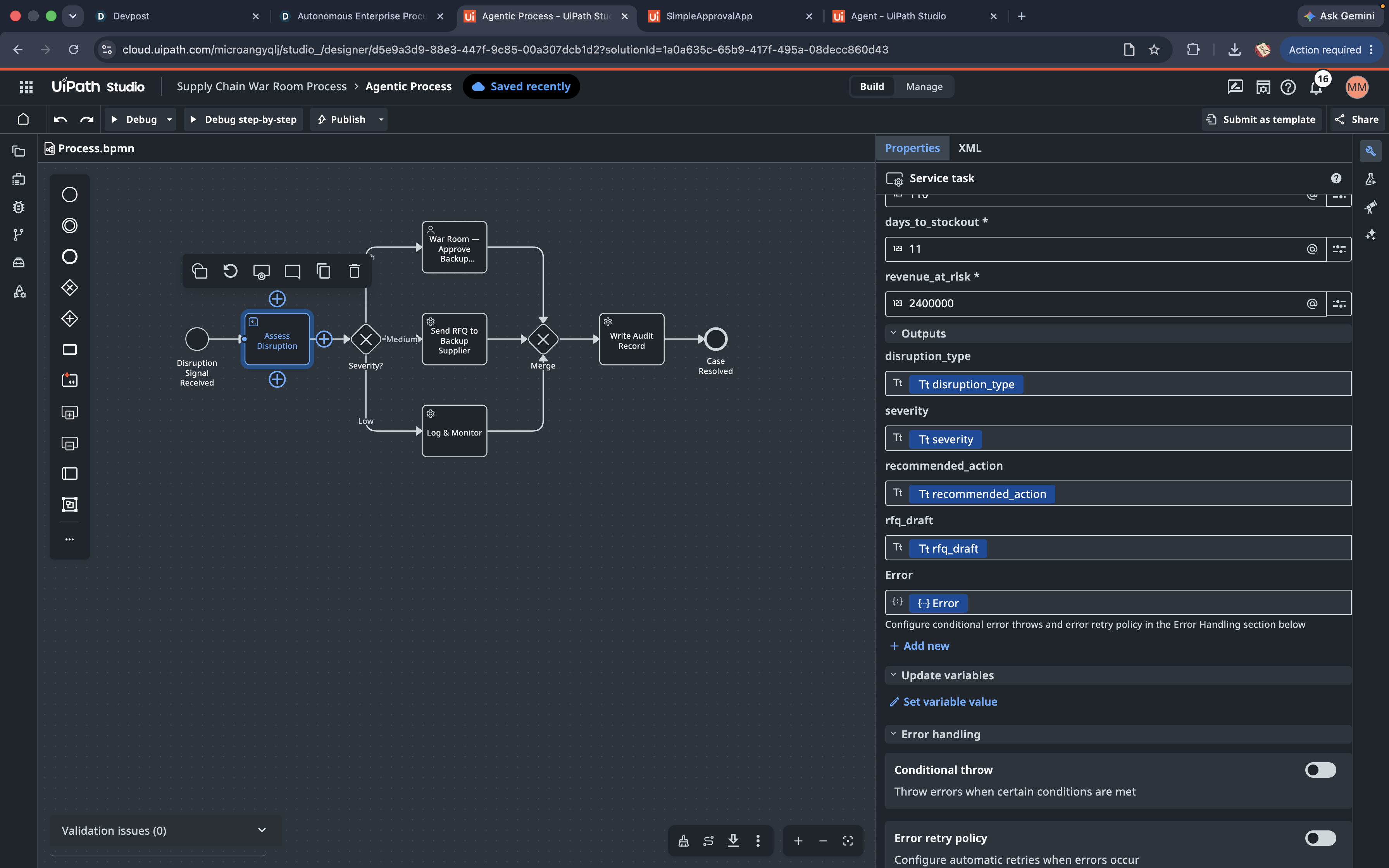
The Maestro process diagram
-
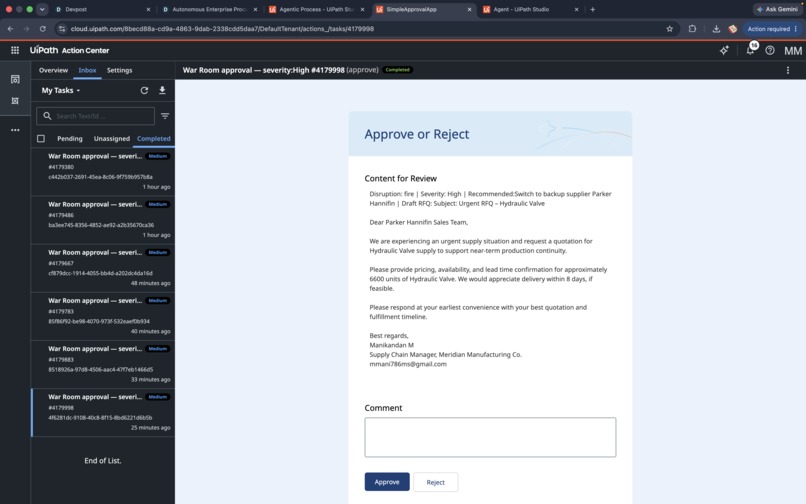
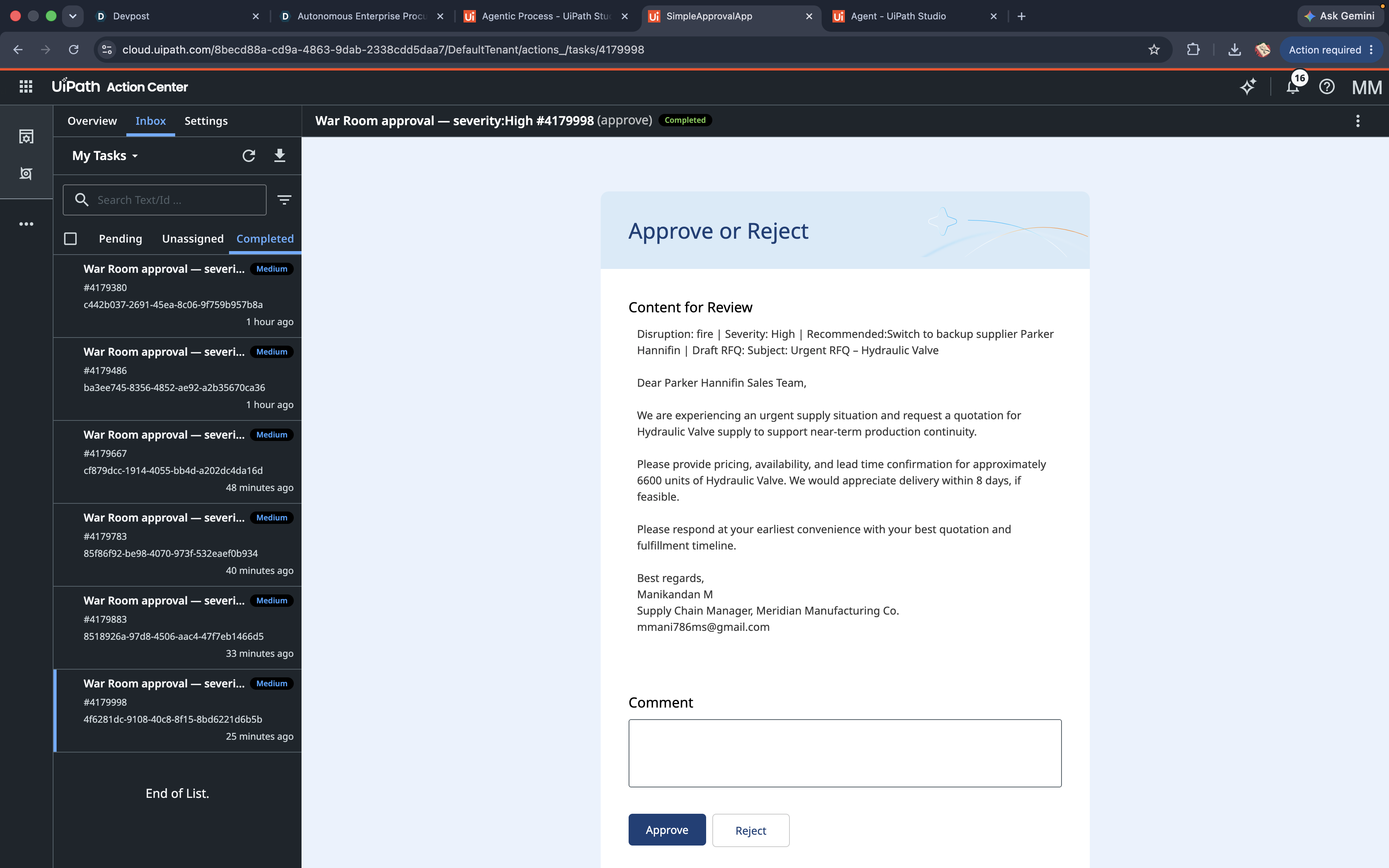
The Action Center approval screen
-
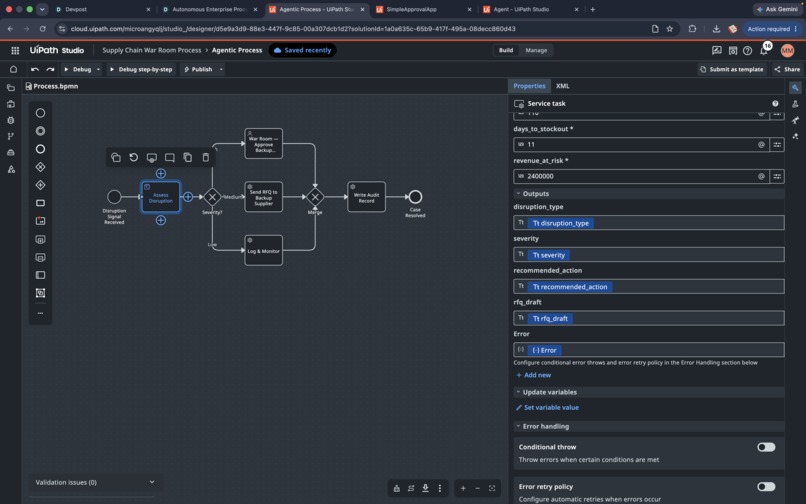
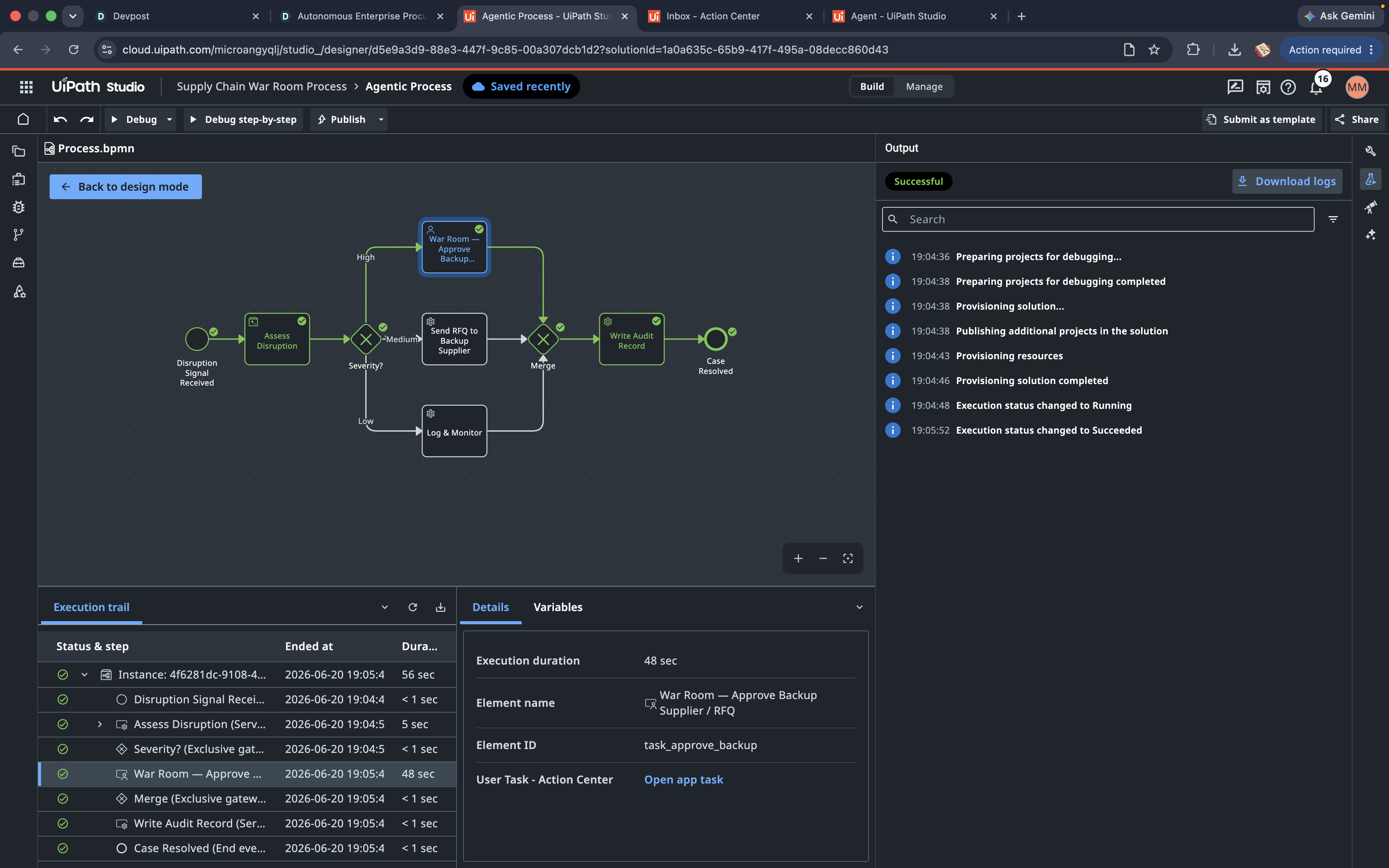
The Global variables panel
-
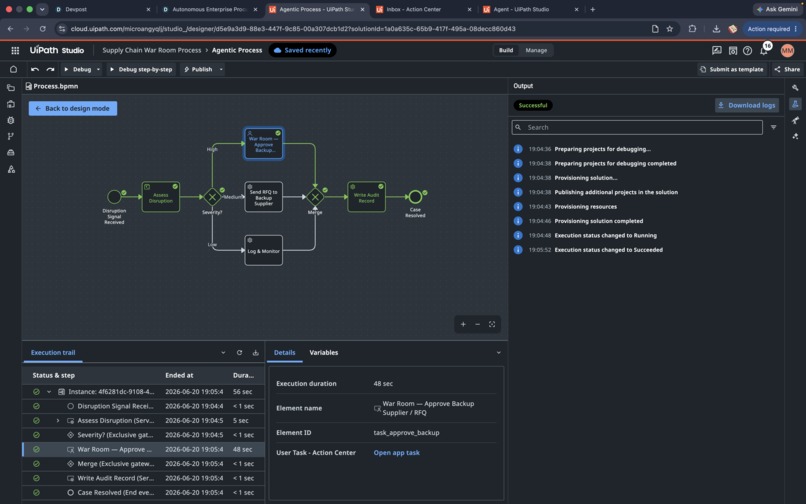
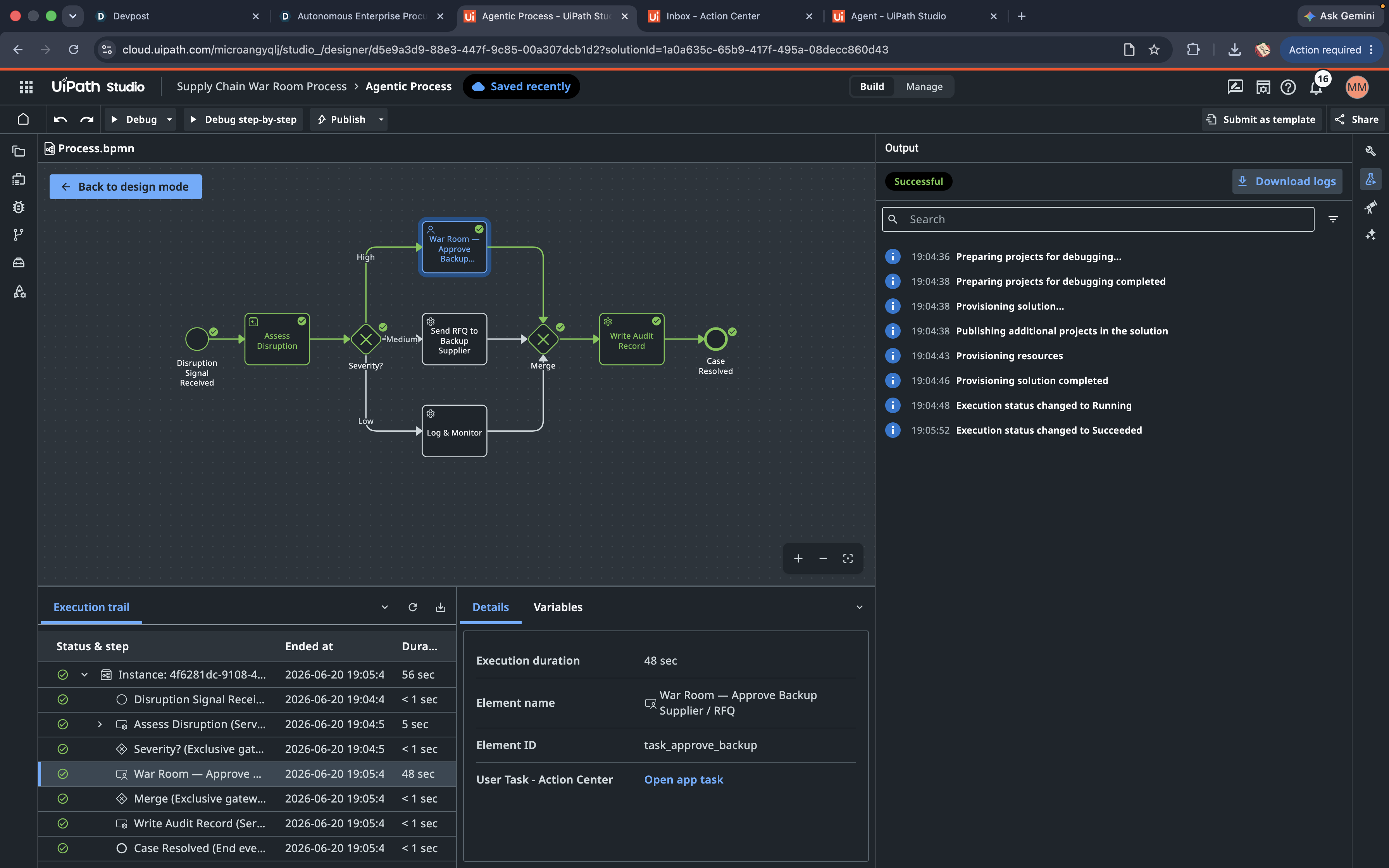
The execution trail all green
⚡ The problem
When a supplier's plant catches fire, the clock starts immediately — but the human response doesn't. A buyer might not hear about it for hours, then scramble across spreadsheets and emails to answer three questions: how bad is it, what do we do, who signs off? By the time the answer arrives, the production line is already down.
Supply Chain Disruption War Room closes that gap from days to seconds — without taking the human out of high-stakes decisions.
🤖 What it does
Given a disruption signal (e.g. "Apex Components plant fire halts production") and the affected supplier's exposure data, an AI agent runs a four-step analysis and the process acts on it autonomously:
- Classifies the disruption — fire, flood, bankruptcy, port disruption, strike, geopolitical, or quality recall.
- Scores severity from revenue-at-risk and days-to-stockout — High / Medium / Low.
- Recommends an action — switch to a named backup supplier, expedite freight, or monitor.
- Drafts a complete, send-ready RFQ email to the backup supplier — correct part, quantity, and lead time.
Then the process routes by severity: Signal → Agent assesses → Severity? ├ High → Human approval (Action Center, full AI dossier) ├ Medium → Auto-send RFQ to backup supplier └ Low → Log & monitor (auto-resolve) → Merge → Write audit record → Case Resolved
Every path ends in an audit record — full traceability, regardless of outcome.
🛠️ How we built it — 100% on UiPath
- UiPath Agent Builder — an autonomous Supply Chain Risk Analyst agent that performs the four-step reasoning and returns strict JSON (
disruption_type,severity,recommended_action,rfq_draft). - UiPath Maestro — a BPMN process orchestrating the agent, a severity gateway, automated service tasks, a human approval task, a merge, and an audit step — with a default-path safety net so unexpected output degrades gracefully instead of breaking.
- UiPath Action Center — the human-in-the-loop approval app that shows the reviewer the agent's full dossier (including the drafted RFQ email) with one-click Approve / Reject.
🧗 Challenges we faced
- A gateway condition initially couldn't read the
severityvalue; we fixed it by mapping the agent's outputs to process-level variables and correcting the expression syntax. Our default Medium branch kept the process alive while we debugged — a resilience win. - Action Center needed tenant provisioning before approvals could render.
- The agent first left a
[Your Name]placeholder in the RFQ; we hardened the prompt so every email is fully complete and ready to send.
📚 What we learned
How to make an LLM agent deterministically drive an enterprise process — strict output schemas, process-variable mapping, and a default branch so the system fails safe, not loud.
🚀 What's next
Live news ingestion, real-time ERP inventory feeds, SLA auto-escalation on approvals, and automated post-mortems.
Built With
- ai-agents
- bpmn
- llm
- rest-api
- uipath
- uipath-action-center
- uipath-agent-builder
- uipath-maestro
- uipath-orchestrator
- uipath-studio-web

Log in or sign up for Devpost to join the conversation.