-
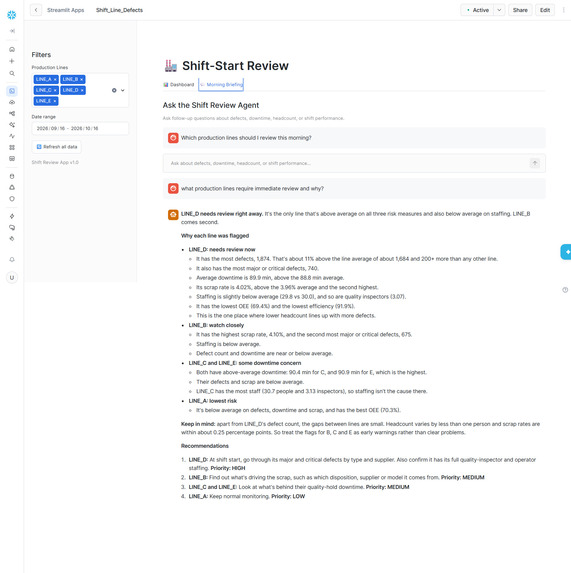
Agent Dialogue. what lines need immediate review.
-
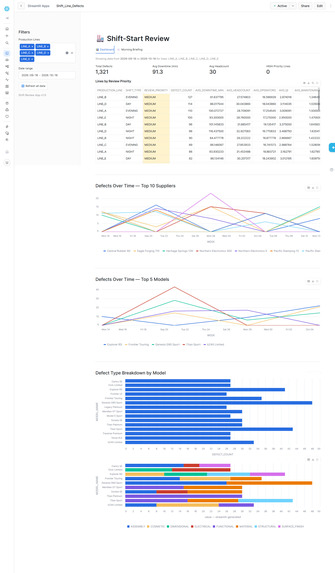
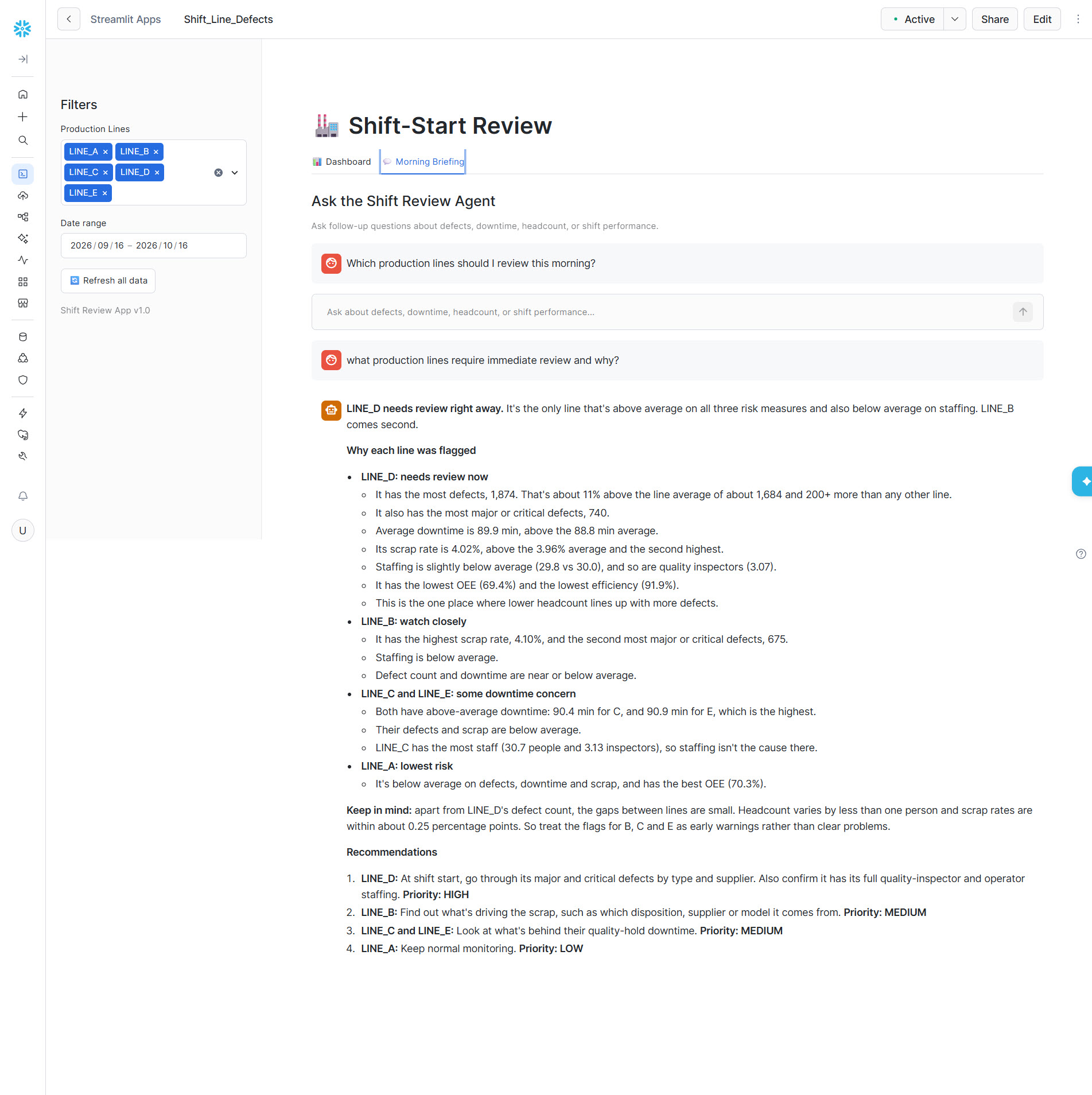
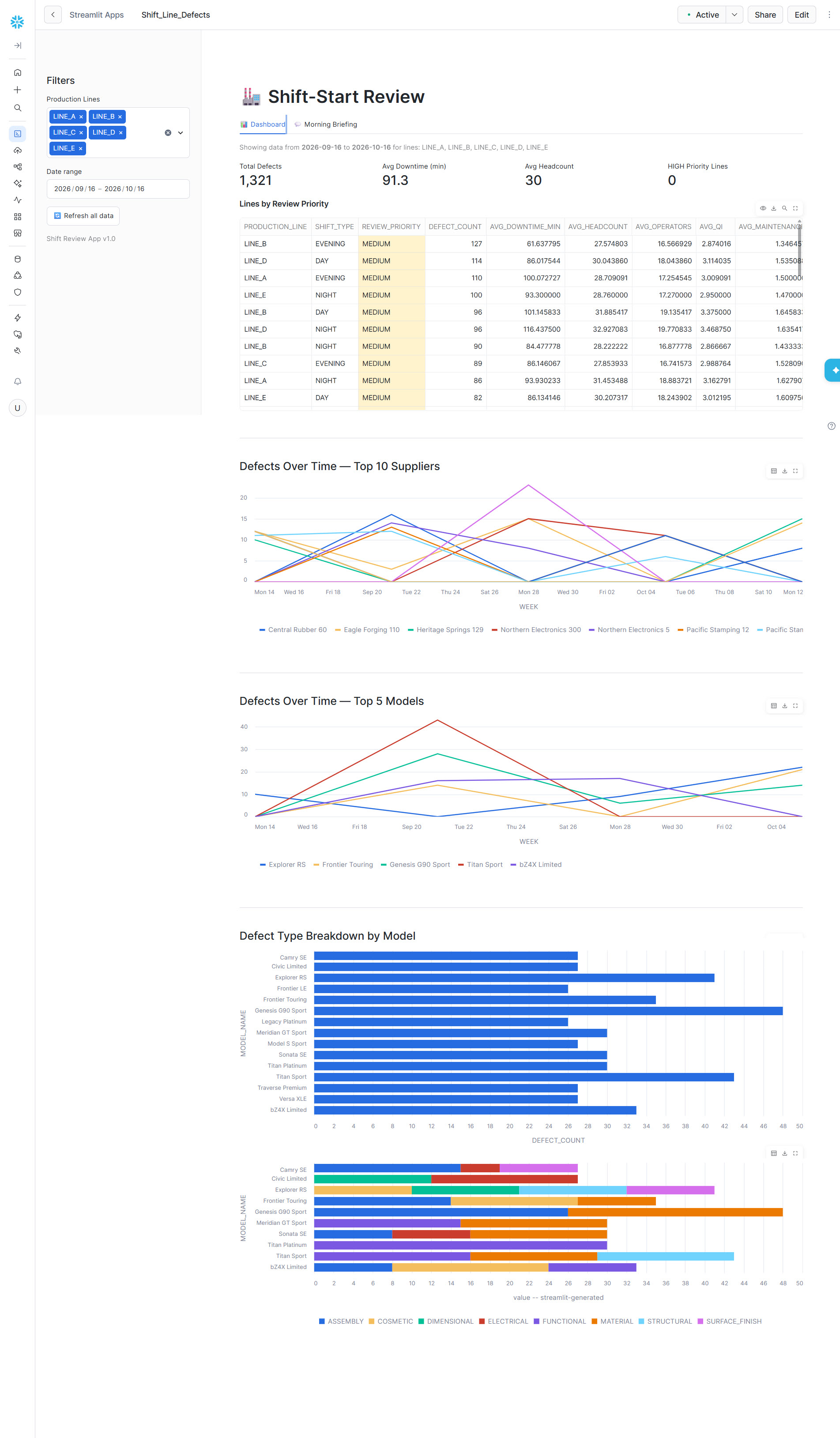
main tab with key metrics
Shift-Start Review Inspiration In manufacturing, the first 15 minutes of a shift set the tone for the entire day. Production managers typically piece together overnight defect reports from spreadsheets, emails, and siloed dashboards — a slow, error-prone process. We wanted to build a single tool that answers the morning's most critical question: which production lines need attention right now?
What It Does Shift-Start Review combines two interfaces in one Streamlit app:
Dashboard — KPIs (total defects, average downtime, headcount, priority lines), supplier defect trends, model breakdowns, and scrap rates, all filterable by production line and date range. Morning Briefing Agent — A natural-language chat powered by a Snowflake Cortex Agent. Managers ask questions like "Which lines should I review this morning?" or "Is low headcount correlated with high defect rates?" and get data-grounded answers backed by SQL over a semantic view. Lines are automatically ranked into priority tiers using a simple heuristic:
\text{Priority} = \begin{cases} \textbf{HIGH} & \text{if defects} > 200 \;\text{and}\; \overline{\text{downtime}} > 40\,\text{min} \ \textbf{MEDIUM} & \text{if defects} > 100 \;\text{or}\; \overline{\text{downtime}} > 30\,\text{min} \ \textbf{LOW} & \text{otherwise} \end{cases}
How We Built It The entire stack runs on Snowflake with zero external dependencies:
Data layer — A single denormalized table (DEFECT_SHIFT_SUMMARY) joining defect records with shift metadata: headcount breakdowns, OEE metrics, downtime events, and supplier info. Semantic layer — A Snowflake Semantic View (DEFECT_SHIFT_ANALYSIS) that maps business concepts (metrics, dimensions, filters) to the underlying table, enabling the Cortex Agent to write accurate SQL from natural language. Agent — A Cortex Agent (SHIFT_REVIEW_AGENT) using the Cortex Analyst text-to-SQL tool, invoked via the SNOWFLAKE.CORTEX.DATA_AGENT_RUN SQL function. Frontend — Streamlit in Snowflake running on the Container Runtime, using st.connection("snowflake") for embedded authentication and @st.cache_data for performance. Challenges No EAI, no PyPI. The Container Runtime blocks outbound network by default. Our initial approach used the snowflake-cortex Python SDK, which required fetching from PyPI. Without an External Access Integration, the app failed at startup. We pivoted to calling the agent entirely via SQL (DATA_AGENT_RUN), eliminating the extra dependency. Parsing agent responses. DATA_AGENT_RUN returns a JSON string containing all orchestration steps — thinking, tool calls, tool results, and final text — in a flat content array. Extracting just the user-facing text required filtering by type == "text" across a heterogeneous response. Bind parameter support. Snowflake's connector in the Streamlit runtime doesn't support parameterized queries for function arguments the same way as standard SQL. We worked around this by constructing the SQL string safely from controlled inputs. What We Learned Snowflake's native AI stack (Semantic Views + Cortex Agents + Streamlit) can deliver a full analytics-plus-AI app with no external services, no API keys, and no infrastructure management. The SQL-based agent invocation (DATA_AGENT_RUN) is a powerful alternative to the Python SDK when runtime constraints make package installation impractical. Designing good semantic models matters more than prompt engineering — the agent's answer quality is directly tied to how well the semantic view describes the data.

Log in or sign up for Devpost to join the conversation.