-
-
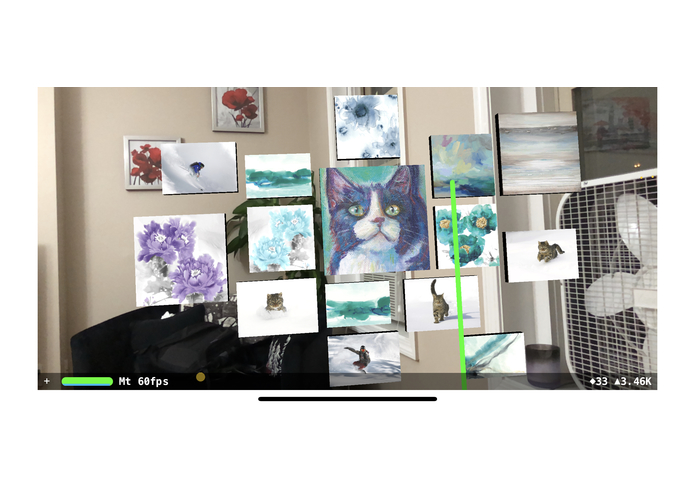
A cat themed wall art suggestion
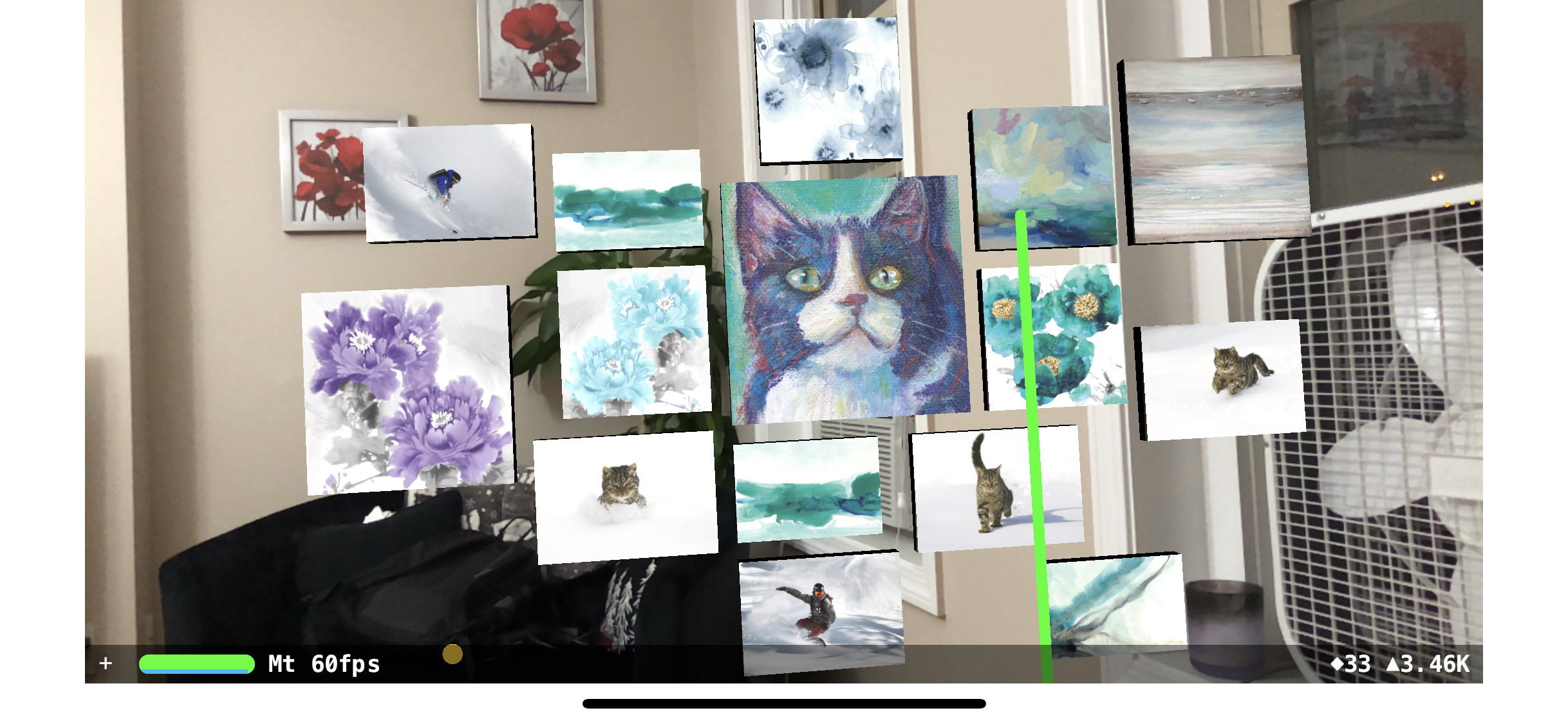
Inspiration
The sale of wall art comprises a significant amount of Wayfair's sales. Wall art is important to giving a home a distinct style and feel. When paired with the advent of screen based AR technologies, there is a huge opportunity to capitalize this domain. Wall art is also a cost effective 3D modeling category, in which with automated methods done in house we can create an asset that can capture the visual feel of the piece.
What it does
When a user opens the application, they will be greeted by a splash screen. When the "Layout Based On Existing Item" button is pressed, the app will transition to an Augmented Reality Camera View that will begin mapping the environment. As Horizontal or Vertical Planes are detected, they will be visible to the user. One a single plane has been added, the user can aim the reticle towards point that they want to start mapping. After 4 consecutive taps in a clockwise fashion are done, a bounding polygon will show up to mark the spot that was chosen. The user can now choose to aim the reticle at each marker that was placed and move it to modify the bounding polygon. Once the user is satisfied with the bounded area, they can choose a main sku to decorate around, as well as the number of pieces to place in that area. Once this is set to the users needs, they can press the “Create!” Button to send a request to the backend server that will use the data collected by the device to generate a Gallery Wall based on the input parameters the user sent. After these wall art items are loaded into the space, the user can click on the View button to hide UI interactions and take in the full splendor of the art that has been generated for them. If the user taps on the highlighted wall or just taps on a piece when the UI is hidden. They can pull up the Wayfair Hot Deals page for that item. In addition, if Wayfair has a 3D model of the product in question, the user can hit the 3D View button to see a higher quality version of the model presented in AR.
How we built it
Firstly, to learn about how professional designers create gallery walls, we interviewed two stylists from the 3D Vis team. We then quantified the aesthetic rules using mathematics formulations and algorithms. Our system is composed of the following:
- A preprocessed sample of Wayfair's wall art items, wall art metadata, and wall art visual embeddings extracted using Visual Search.
- We let the user to specify how large the working region they want to work with, what is the main wall art they want to decorate around, and how many wall art pieces in total.
- Once the information above is ready, our method samples several wall art pieces that go well with the main wall art, based on a recommendation engine.
- We then use a novel algorithm combined with a mathematical optimization to place the wall art, so that the gallery wall is arranged in aesthetically pleasing layout.
- For visualizing the synthesized wall art, we used Apple's AR Kit. We also allow user to rotate the gallery wall and click on each wall art piece to check out more detailed information.
- To generate the placement markers, we used 3D Studio Max for creating 3D models, and photoshop for adding texture.
- To generate dynamic models for wall art that we did not have models of, we create a special 3D model in 3D Studio Max, whose properties allow it to be stretched and scaled based on the supplied dimensions while still looking good when imported into Apple’s Scenekit Rendering Engine.
- We also tapped into the Wayfair Hot Deals page to load product information, and in the case that we have a 3D model of a product, load and display it to the user.
Challenges we ran into
- Picking wall art pieces that fit together is non trivial. we consulted with stylists and visual artists on how artistic process of creating a wall art scene, and decoded their suggestions into both our wall art sampling and arranging algorithms.
- AR Kit, figuring out how to embed multiple view controllers in a single view controller, iOS networking protocols, Decoding and Encoding Swift Dictionaries into server friendly JSON and back.
Accomplishments that we're proud of
One big achievement we are proud of is our effort to try to quantify aesthetics. We have distilled a few aesthetics rules based on our interview with stylists and implemented them as automatic algorithm. Based on our gallery wall synthesis result, we are happy to see the algorithm is able to pick visually compatible wall art pieces and arrange them in a meaningful way. This feature will be helpful for relieving the “choice overload” problem that e-commerce companies usually face. That said, instead of manually going through pages and pages of wall art product, both external customers and internal stylists can save tons of time shopping for pieces that match!
We are proud of how the gallery wall is visualized on user’s phone using AR. We made it interactive so that customers no longer need to “imagine” how a gallery wall would look on their wall. All they need to do is to preview it one the phone and quickly design it with the help of our recommendation system. It's also very important that we figured out a way to generate a 3D model for a piece of wall art that matches its aspect ration but still looks good. This means that instead of using only the approximately 30,000 models we have currently (of which a smaller percentage encompasses wall art), we can create visualizations for the hundreds of thousands of wall art pieces that have yet to be modeled.
What we learned
- Interior design terminology. For example, a curated wall art scene should follows a 'color story', which in short describes the primary color involved. Also, normally, there should be no more than 5 primary colors in a color, but at least 2.
- Constructing an algorithm for placing and optimizing wall art.
- Building a mobile and interactive application, that receives curated wall art suggestions from a dedicated server, based on a user-defined wall art boundary.
- AR Kit API for visualizing wall art suggestions.
What's next for Automatic Gallery Wall Art Synthesis and Visualization
- Detecting a featureless plane using AR. Currently our plane detection step still requires the plane to have certain level of patterns/features to work.
- Improving our wall art arrangement and sampling algorithm to consider tight bounds, other possible overlaps and layout constraints.
- Extending our method beyond 2D wall art to 3D, and to automatically suggest decorations for 3D scenes.
- Allowing a variety of user input and interaction with the suggested scene. For example, we want to enable deleting, adding, and swiping certain wall art pieces.
- Finally, we want to incorporate our hackathon project into the mobile Wayfair app.
Special Thanks
- Corey Wicks and Ariel Schuster, who helped us understand how a professional stylist would design a gallery wall
- Yang Zhou, who contributed to the project and developed the initial layout algorithm


Log in or sign up for Devpost to join the conversation.