Inspiration
Normal fans only have several buttons that controls the power of the fan (or not adjustable at all). Users have to adjust the fan manually when temperature or humidity changes in the surrounding environment. A fan that enables automatic control of fan power and sends temperature and humidity data to user's phone will improve user experience.
What it does
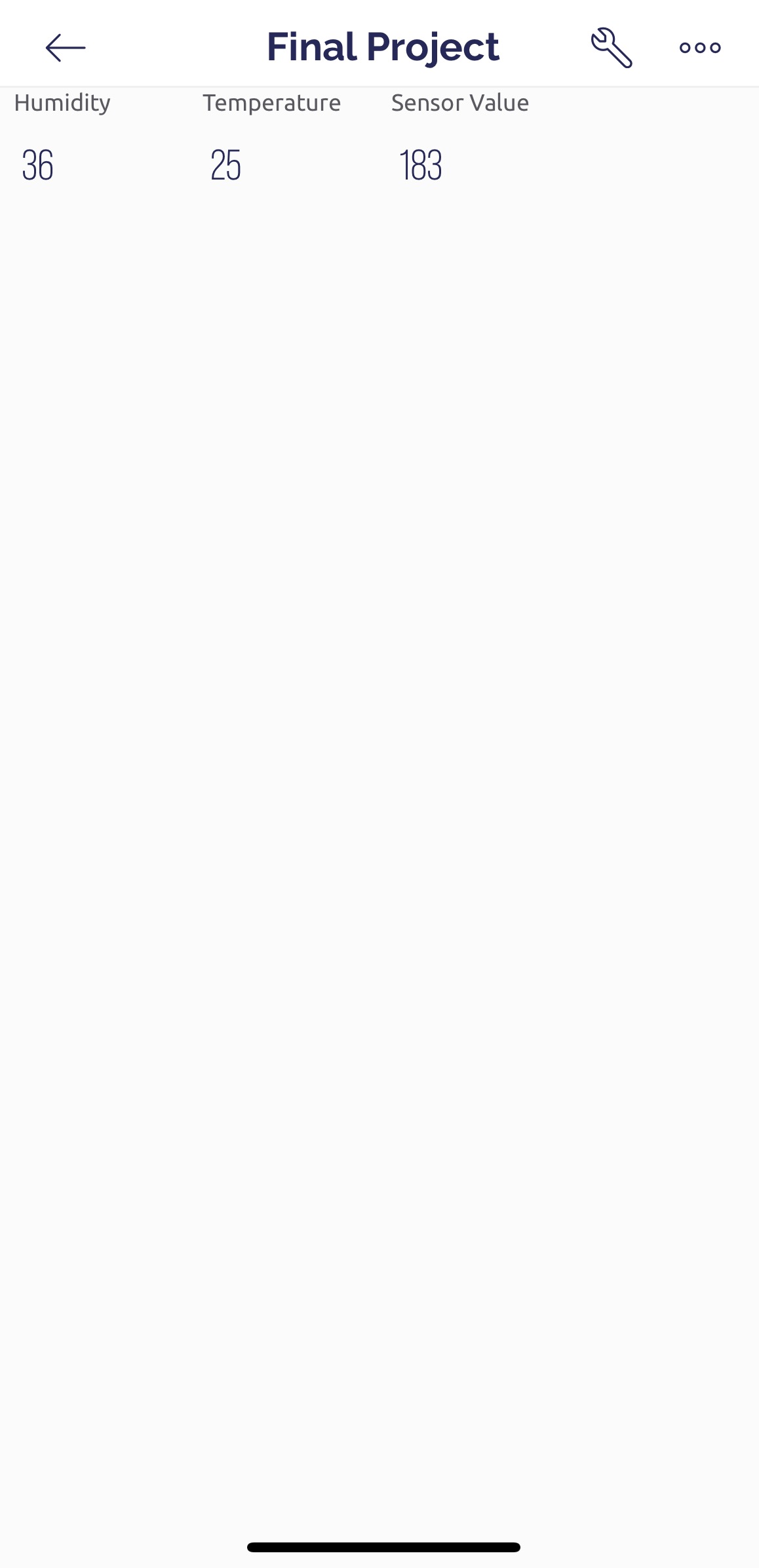
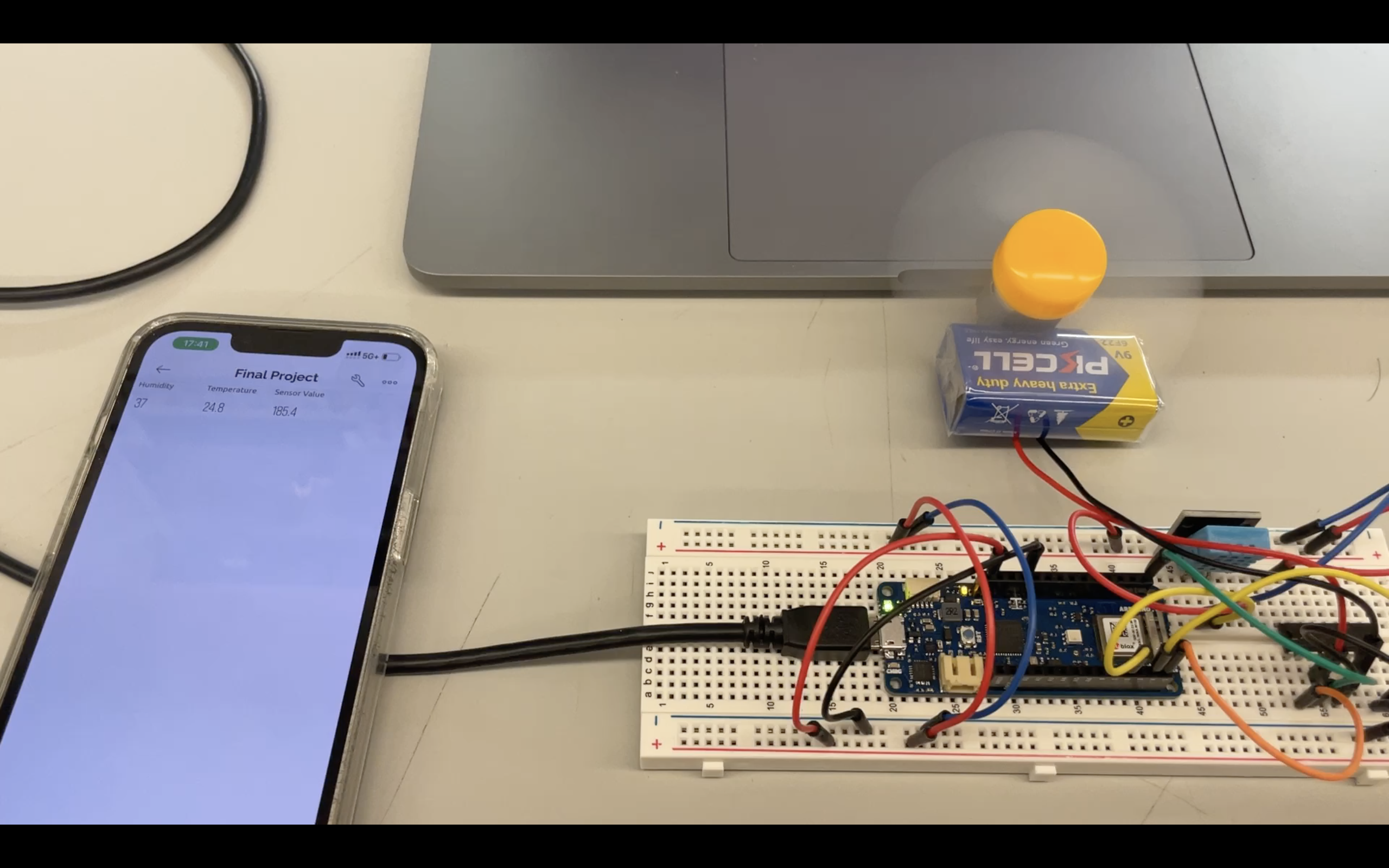
Automatic fan controlled by temp/humidity sensor with mobile app display. The speed of the fan is adjusted automatically according to data from the temp/humidity sensor. Temperature and humidity values are displayed on Blynk app (Arduino board is connected to the app via mobile phone hotspot).
How we built it (hardware)
Built with Arduino MKR1010 (with built-in WiFi). A DC motor which drives the fan is controlled by a L293D chip, which enables motor speed control. A temp/humidity sensor sends data to a pin on Arduino board.
How we built it (software)
Logic behind fan speed control:
h = dht.readHumidity();
t = dht.readTemperature();
sensorValue = 3 * (h + t);
if (sensorValue <= 255) {
    analogWrite (ENABLE, sensorValue);
    digitalWrite (DIRA, HIGH);
    digitalWrite (DIRB, LOW);
  }
  else {
    analogWrite (ENABLE, 255);
    digitalWrite (DIRA, HIGH);
    digitalWrite (DIRB, LOW);
  }
Challenges we ran into
- The DC motor cannot be controlled directly from pins on the Arduino board, so an L293D chip is needed. The connection of the chip was confusing and the fan was not even spinning. The problem was solved by investigating the diagram of L293D and connected both pin 8 and 16 to 5V.
- The IOT was not working at the beginning, with the Blynk app saying device is offline. The problem was solved by fixing the code and resetting the mobile phone hotspot.
Accomplishments that we're proud of
Using the L293D for the first time, and successfully solved connection and code problems to make the DC motor work.
What we learned
Learned to control an actuator automatically based on data sent from a sensor, and learned to write data to virtual pins via IOT.
What's next
Currently the Blynk app can display temperature and humidity values sent from the sensors. For the next steps, the fan speed can be controlled from the Blynk app so that the users can adjust the power of the fan according to their own preferences. In addition, charts can be added to Blynk app to record temperature and humidity data as well as data related to use of the fan.

Log in or sign up for Devpost to join the conversation.