-
-
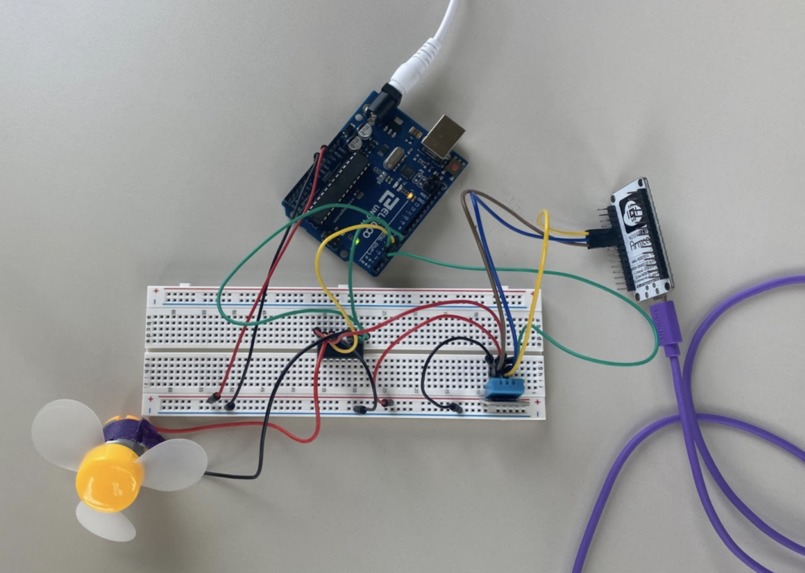
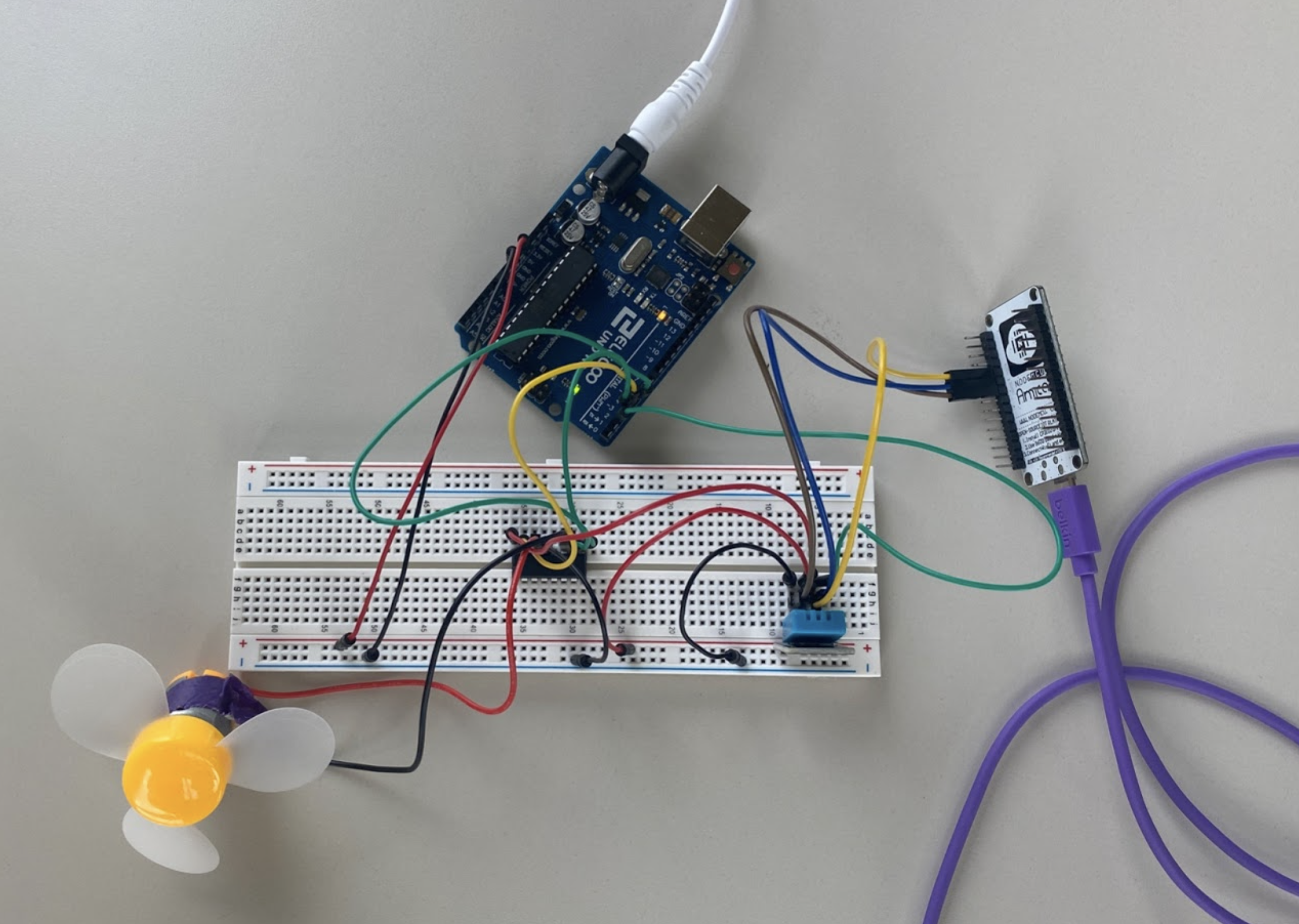
Completed circuit
-
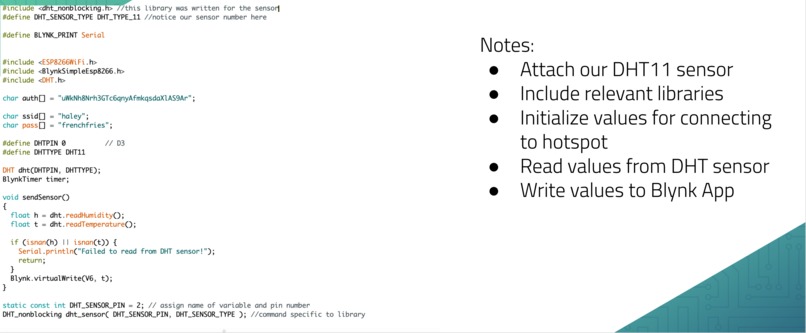
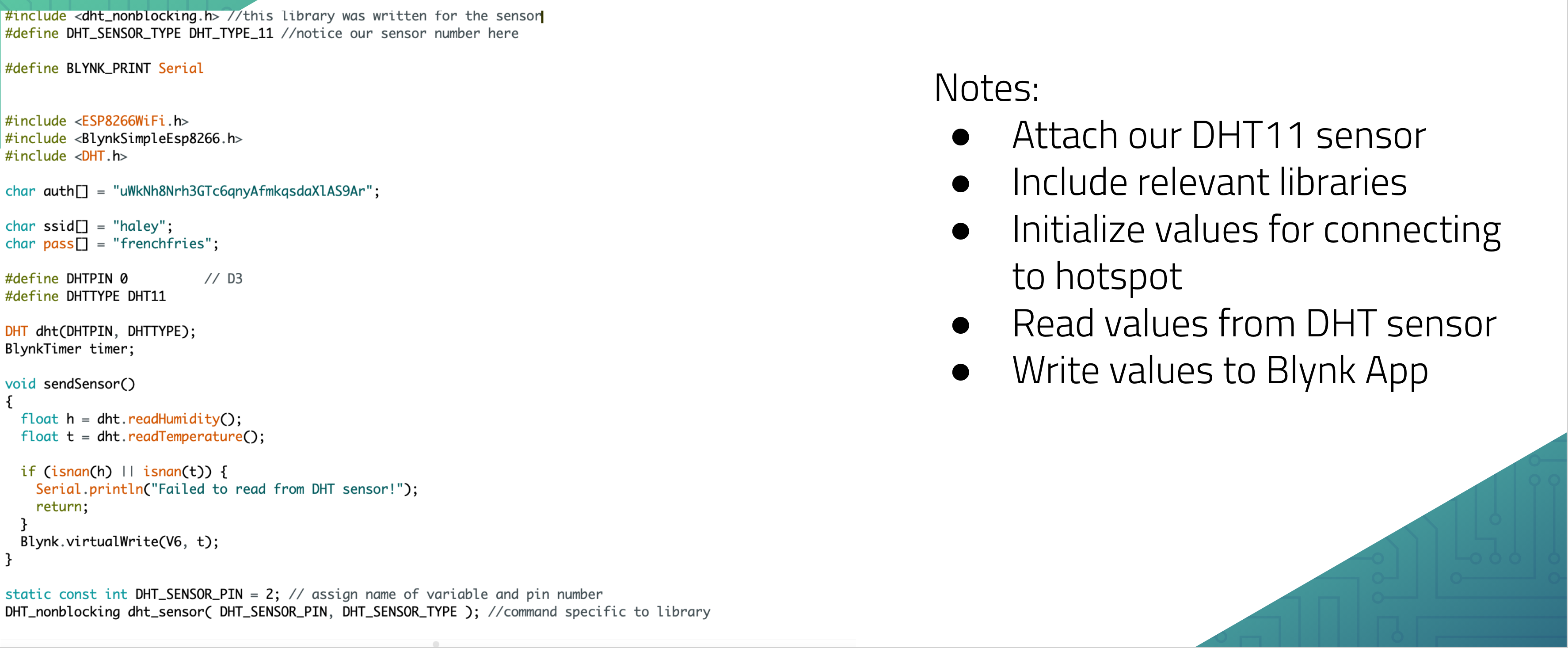
Code Snippet (1/3)
-
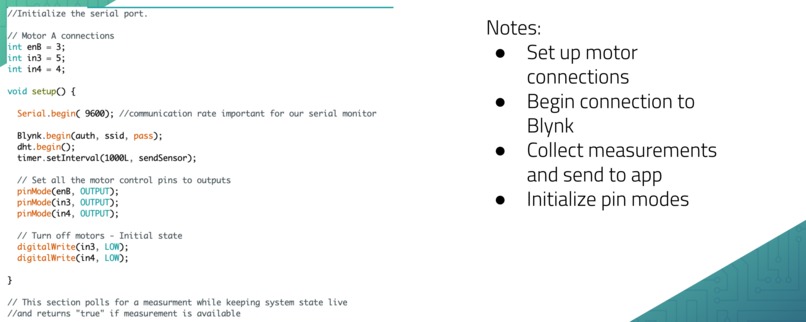
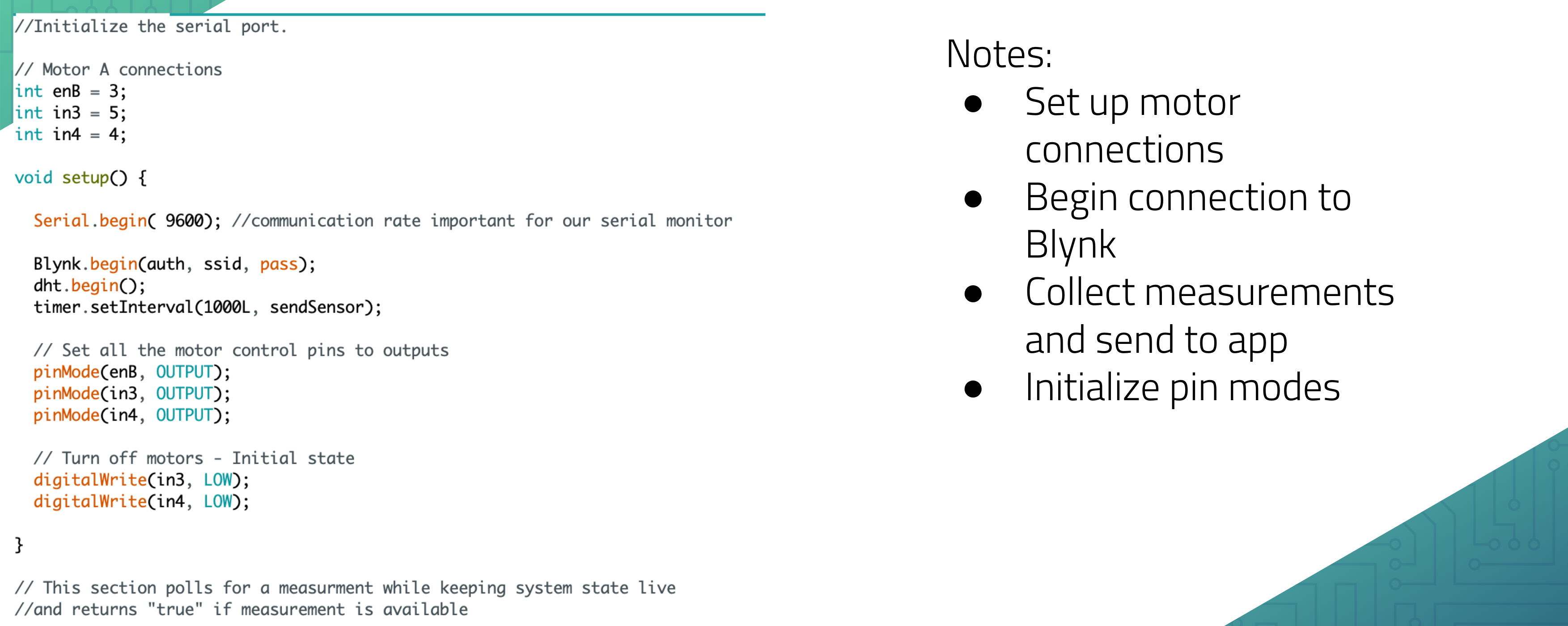
Code Snippet (2/3)
-
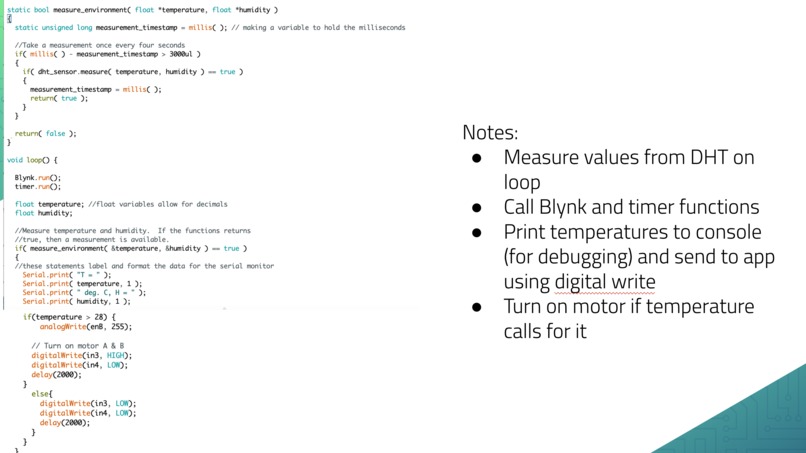
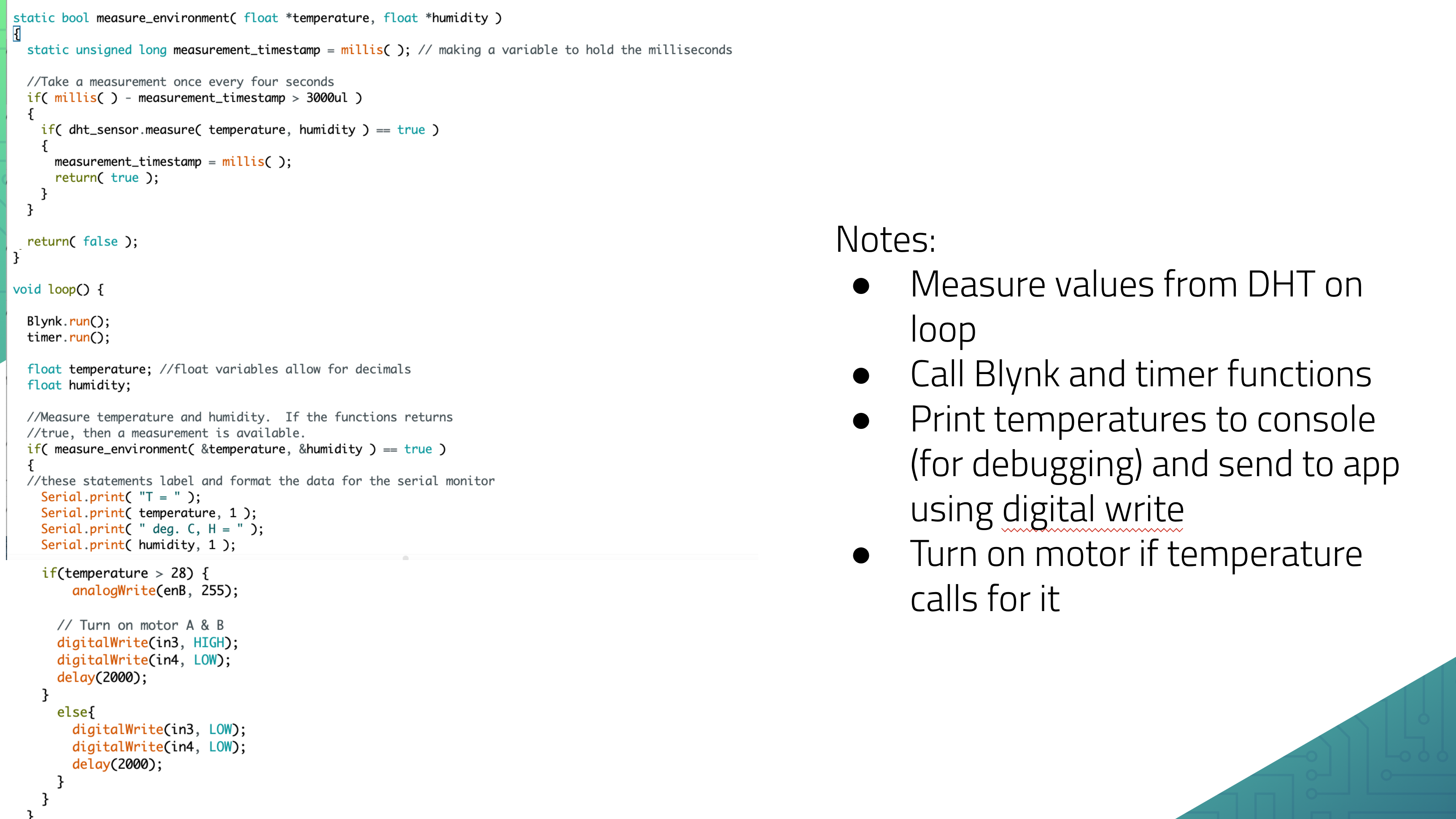
Code Snippet (3/3)
Inspiration
Our dorm rooms are often way too hot, so we wanted to create a real-world product that could automatically cool a room. However, we also know how important it is to prioritize being energy efficient, so we didn't want to have a fan that runs at all times. From this, we created a product that balances student comfort and energy efficiency.
What it does
Our project as one sensor and one actuator. The sensor is the temperature and humidity sensor, and the actuator is a DC motor with a fan attachment. When the temperature rises above a comfortable room temperature (which we determined as the widely accepted 25 degrees Celsius), the fan will turn on. Once the temperature falls back below that level, the fan turns off.
How we built it
We built a circuit that can be broken into a few smaller components. The first is a fan, which receives information about whether to be on or off, and the driver determines the speed.
Then there is the temperature component, which reads in the current temperature, uses that to determine whether the fan should be activated, and and sends that info to the NodeMCU and eventually to our phone.
Challenges we ran into
Our biggest struggle was working with the NodeMCU and trying to get the temperature info sent to our phone. This took a lot of trial and error but we were able to eventually get it working.
Accomplishments that we're proud of
We're most proud of how reactive the fan is to actual changes in the environment. When we increased the temperature, it would almost immediately turn on the fan. If we let it cool, it also turned off the fan pretty quickly. It also sent these temperature changes to the Blank app pretty quickly.
What we learned
We learned it doesn't take too much work to make a product that we could actually use. Our fan project is something we might actually use in our day-to-day life to remain cool as the days get warmer.
What's next for Automatic air conditioning
We hope to increase the amount of information sent to the app, and also maybe incorporate humidity into the determination of whether the fan should go on.
Built With
- arduino
- fan

Log in or sign up for Devpost to join the conversation.