-
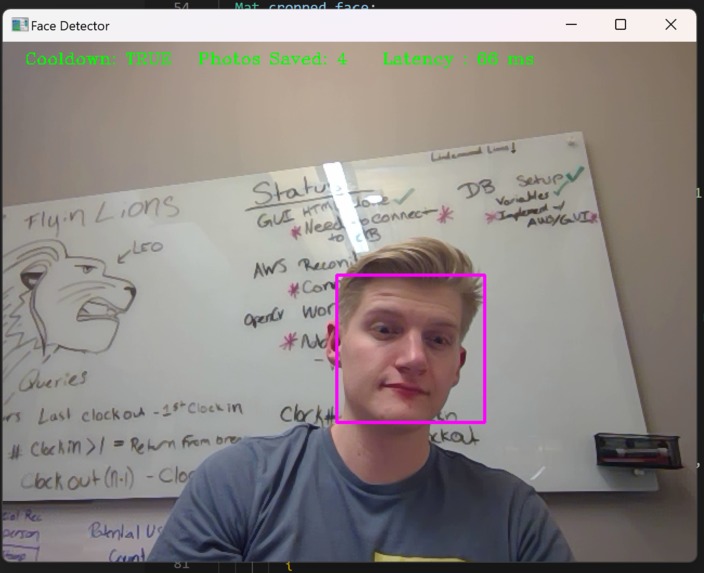
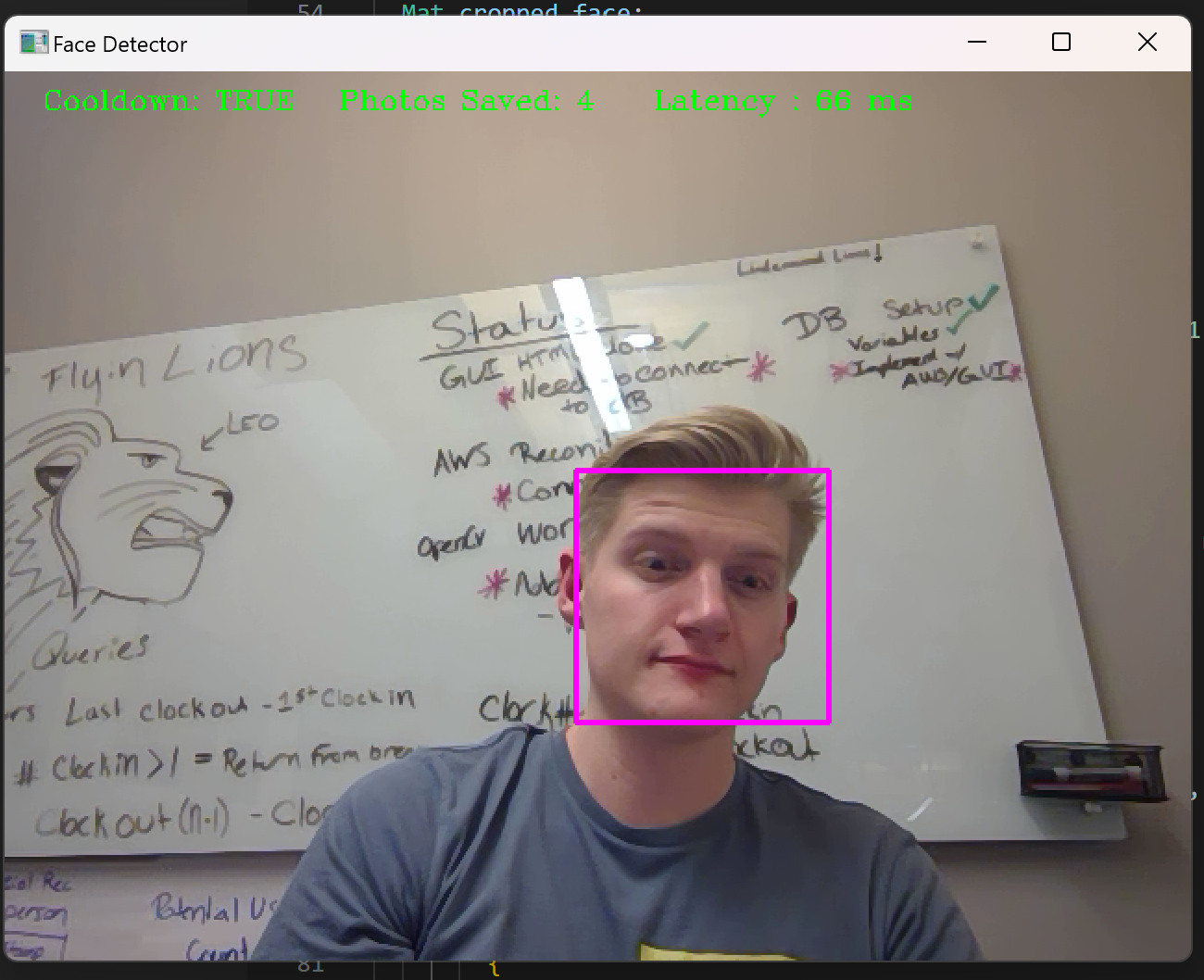
face detection program identifying reigon of face.
-
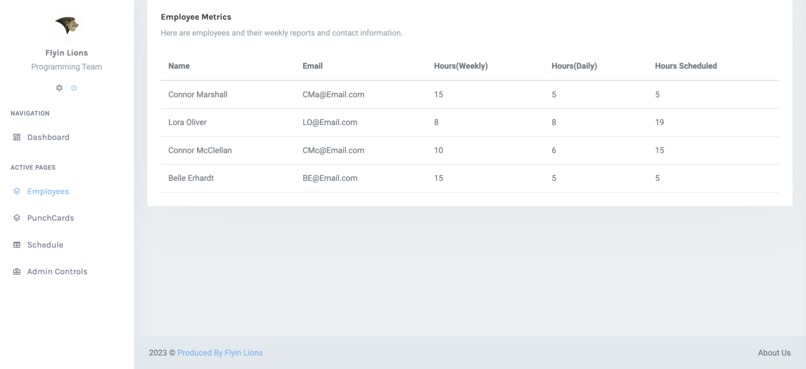
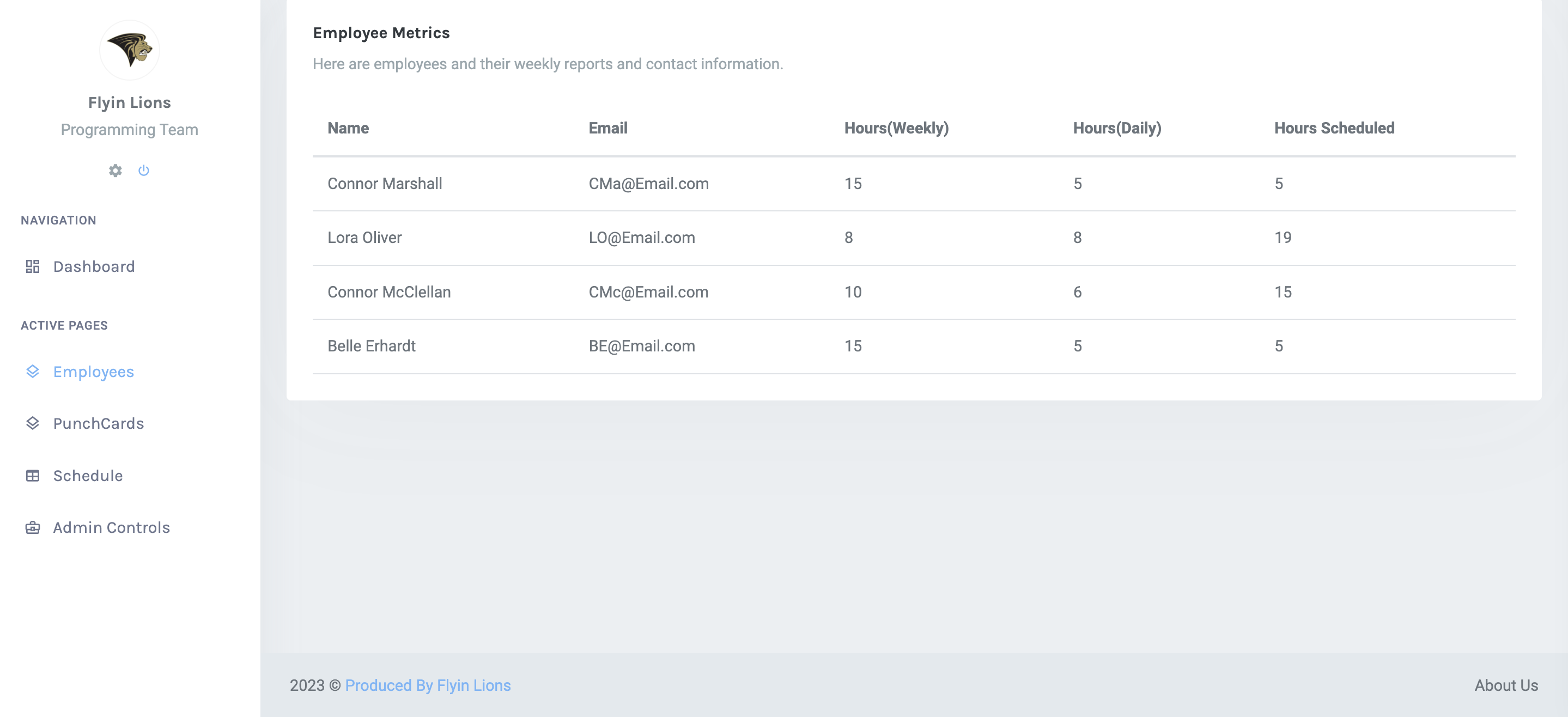
Employee Stat Page
-
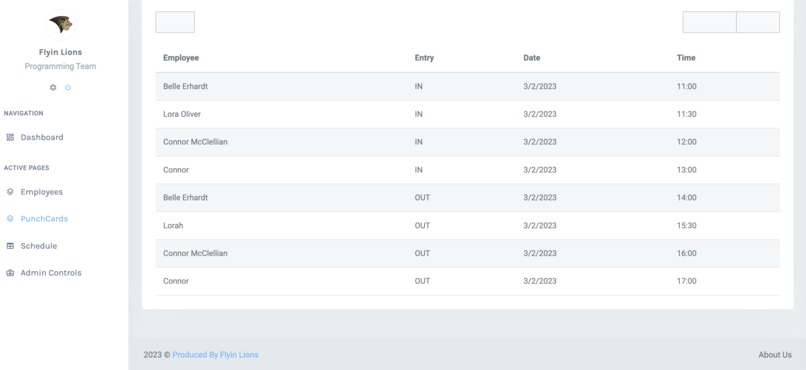
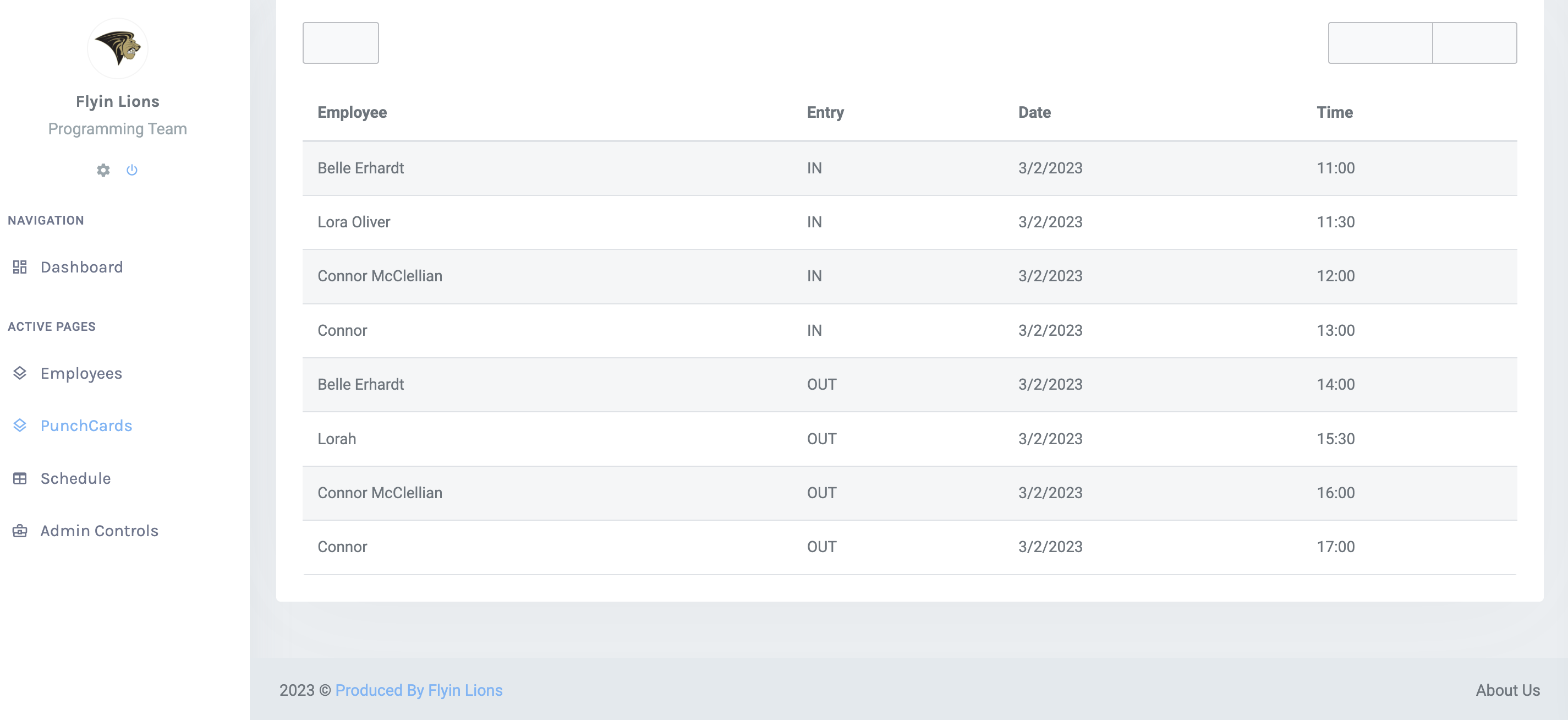
PunchCard Page
-
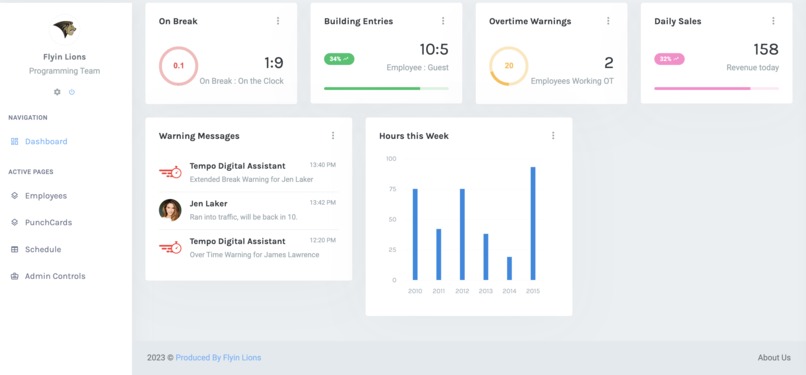
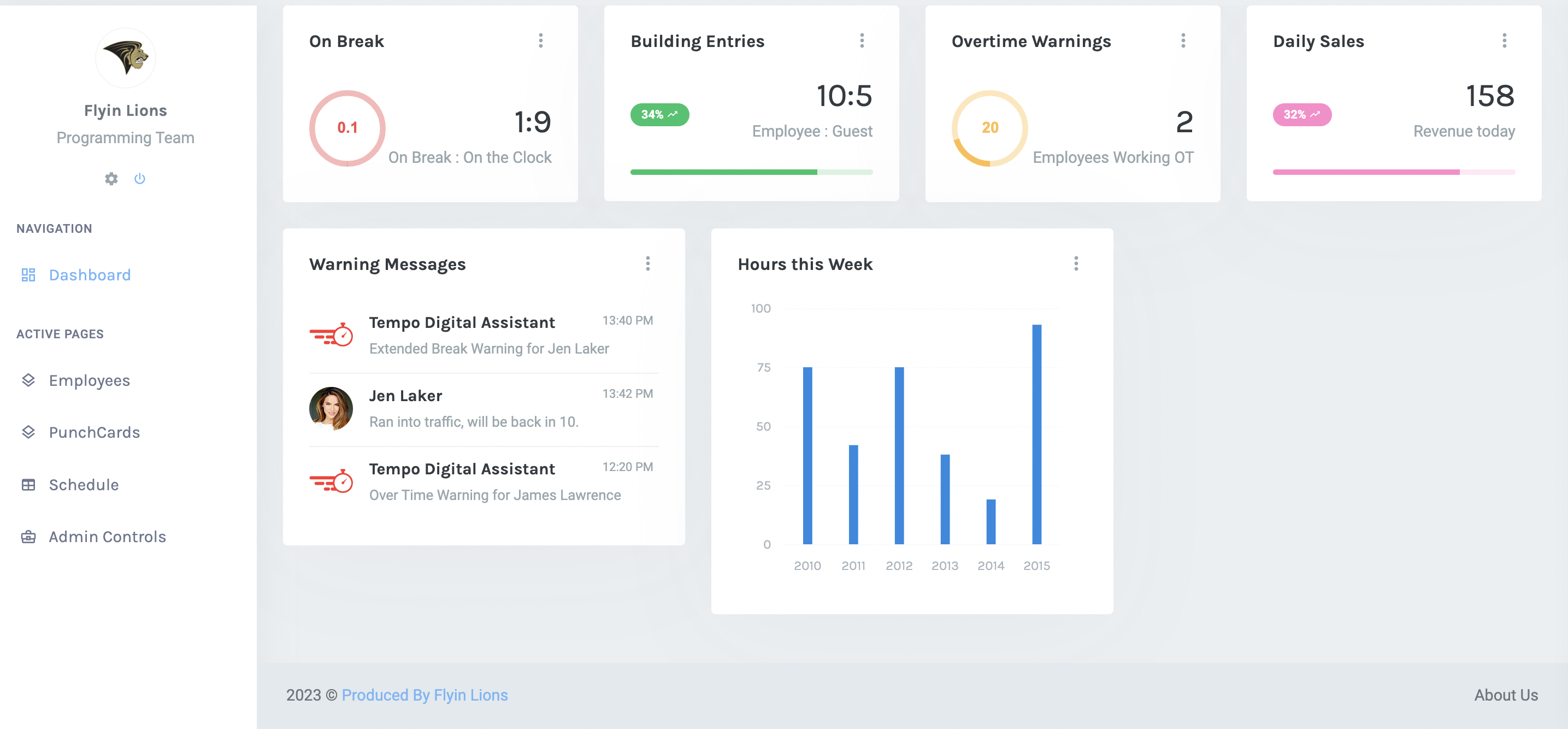
Admin Home Page
Inspiration
Some of our initial inspirations came from ideas of camera based automation similar to Amazons "checkoutless" grocery stores. These stores used a series of cameras to track what customers put in their basket and charge it to their account automatically.
We were interested in diving into some sort of facial recognition and decided to automate time card keeping and tracking. We believe this concept could not only be used in a workplace, hour tracking environment, but can be similarly implemented for tasks such as school attendance. Anywhere that needs tracking of who is coming and going could benefit from a system such as this.
What it does
Our program has 4 main modules. Facial detection, facial recognition, database storage, and a front end user GUI.
The facial detection is set up with a camera designated as an entrance or exit. It will detect human faces and send a cropped image of the face out the the recognition handler.
For facial recognition we are are sending these images to Amazon's Rekognition to handle face matching. If the sent image is matched to a stored employee we send the time of this event and the name of the employee out to our database.
Our database is designed to store every "punch" or face detection event at an entrance or exit to be used to calculate weekly hours worked based off of time in the building. Implementing the database uses two separate languages: Python and JavaScript. Python communicates with information given from Amazon’s Rekognition and adds the “punch” to its database’s records. JavaScript pulls data from the database and handles displaying the information to a screen.
Our front-end GUI mock-up was designed as an example solution for time managers and admins to view database entries, visualize schedules, export timesheets, and manually handle potential conflicts of data. The provided GUI contains both active pages, and pages full of potential growth. Where not all tables are live from our database they all could be. What was not seen in this GUI was the user interface to this system, as seen on the admin dashboard users could get alerts via text or alternatively if they had warnings on their times such as overtime, tardies / extended breaks, or missing clock-ins and clock-outs. We could potentially extend this project by creating an app where employees could resolve or dispute these errors.
How we built it
Our facial detection uses the openCV library with c++ to match live video frames to a trained facial detection algorithm. This consists of searching each frame for a matching face structure and implementing solutions to prevent over sending data of the same face instance to the recognition.
Facial recognition is coded in python with Amazon's Rekognition api. The general setup for the AWS Rekognition is to have two S3 Buckets, one with captured images and a second one for an employee image to cross reference with. The employee images are added to a collection within the employee bucket for use with Rekognition. If a face match is found the name of the employee is then sent to the database for processing. The employee images and captured images are uploaded to their respective buckets separately via their own python scripts.
Our database is designed in MongoDB.
Our front end is designed through standard HTML structured from a Bootstrap template. It has a connection to the database which shows real-time data on the hour that an employee was in the building.
Challenges we ran into
All four of us pushed our boundaries using libraries, APIs, and even some languages that we had little to no previous experience in. This lead to lots of research and group collaboration to solve issues implementing our ideas.
Accomplishments that we're proud of
-Having a full stack demo ready for judging.
-Implementing an unfamiliar database structure through Mongo.
-Live facial detection and image storage.
-Proper connections with Amazon Rekognition for accurate facial matching.
-Working well as a team.
What we learned
We all not only learned better practices for our specific software research, but how to work together in a small team of varying experience. We learned the value of strong project planning and design, as well as setting reasonable time exceptions with clear room and direction to grow ideas.
What's next for Automated Timesheets (ATS)
We have many stored ideas of further improvements to our demo to accommodate a full real world use case. Some of these include more tools to the user to visualize and export data into standard timesheets, handling unidentified faces as potential security threats, and further developing the capability of our detection and recognition for large flows of people.


Log in or sign up for Devpost to join the conversation.