-
-
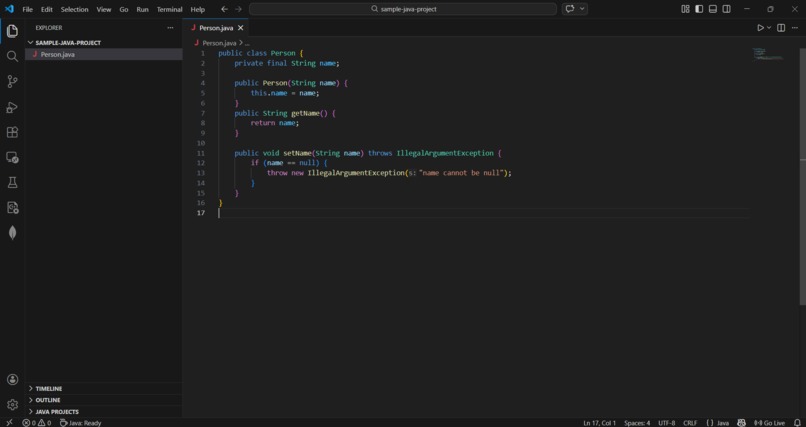
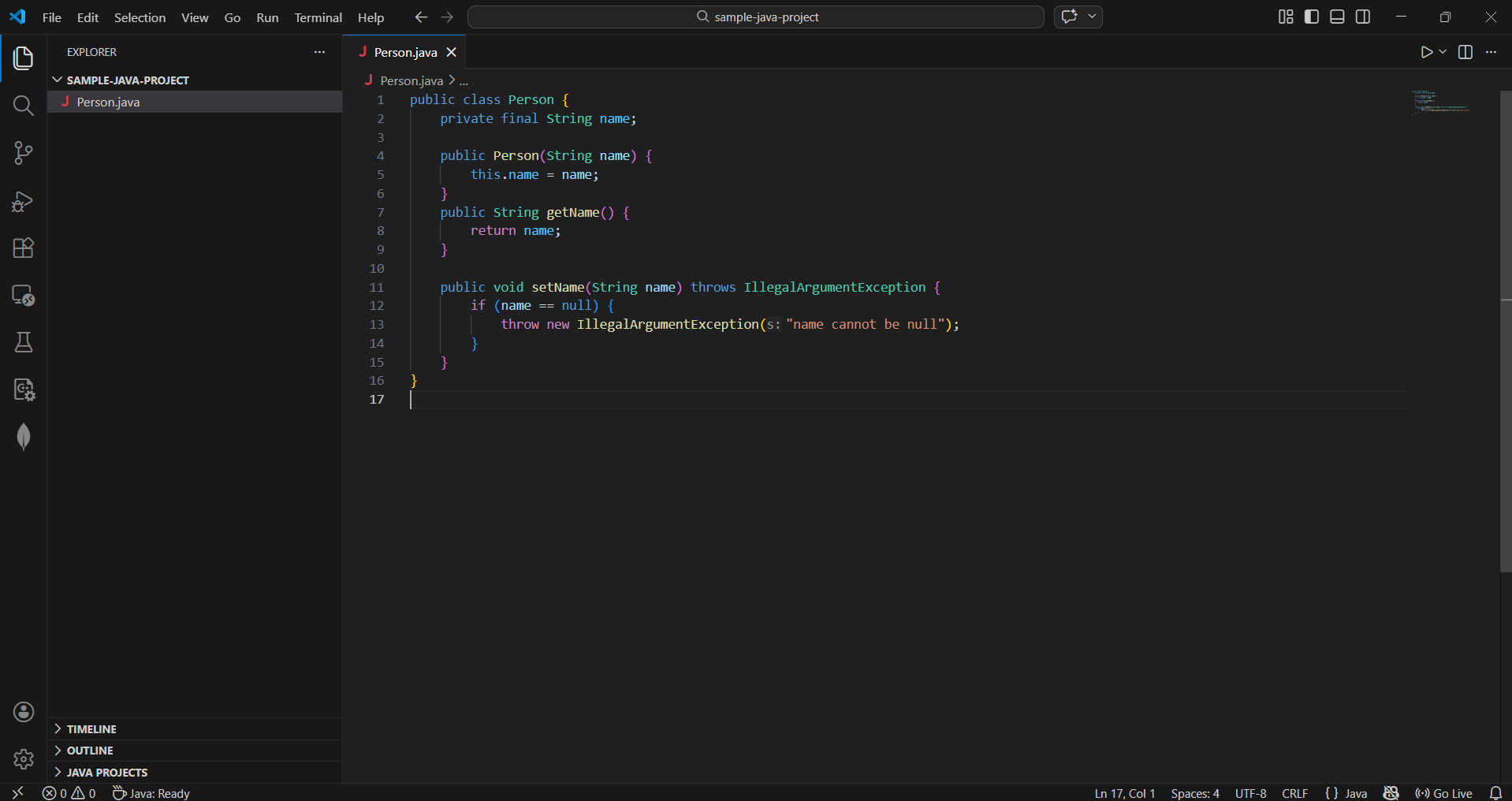
Sample Java file with class Person.
-
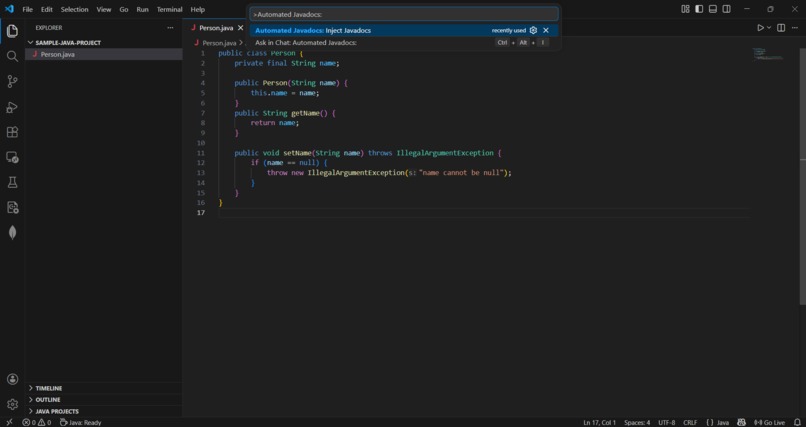
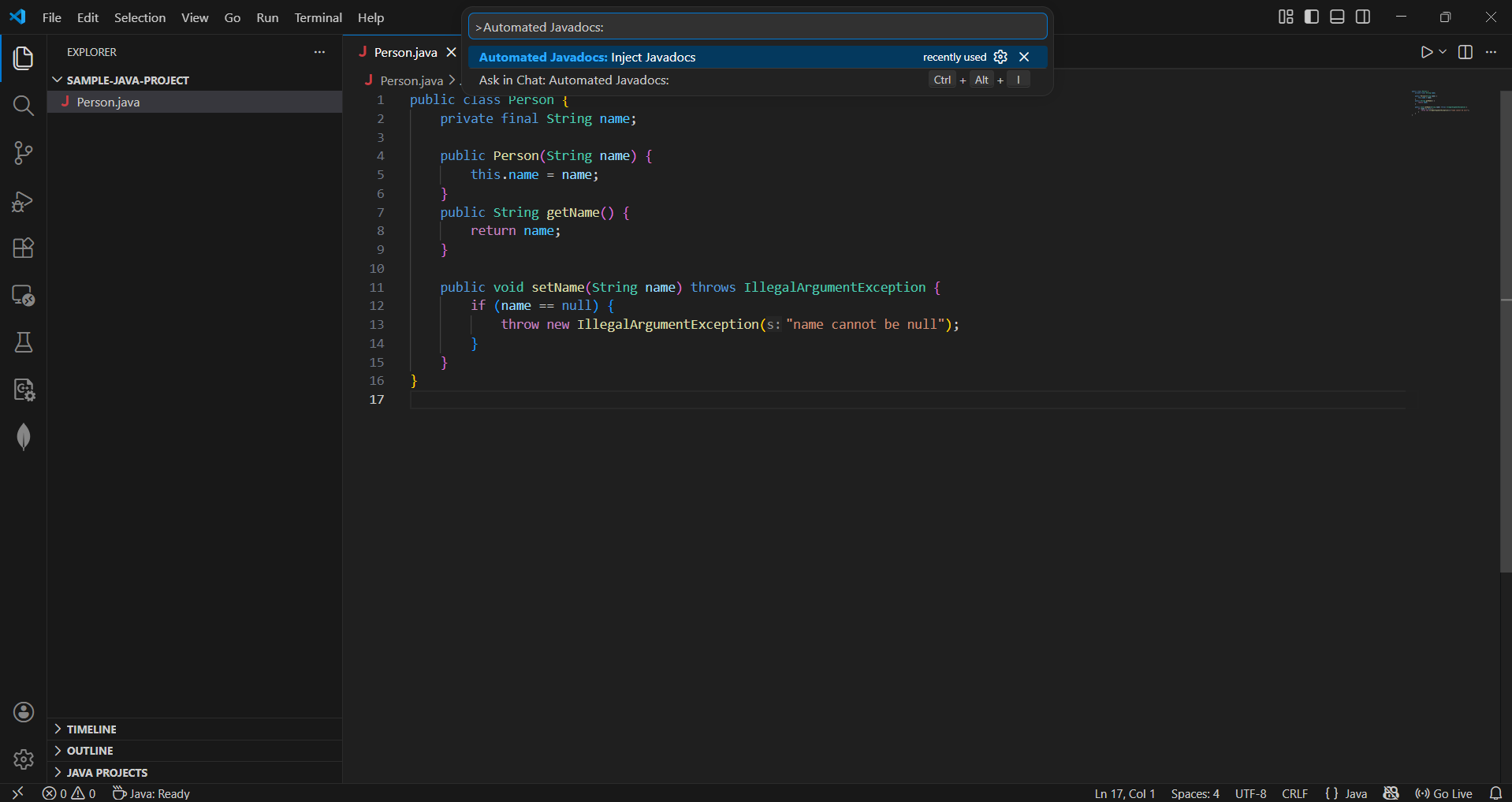
Using Ctrl + Shift + P to execute javadocs command.
-
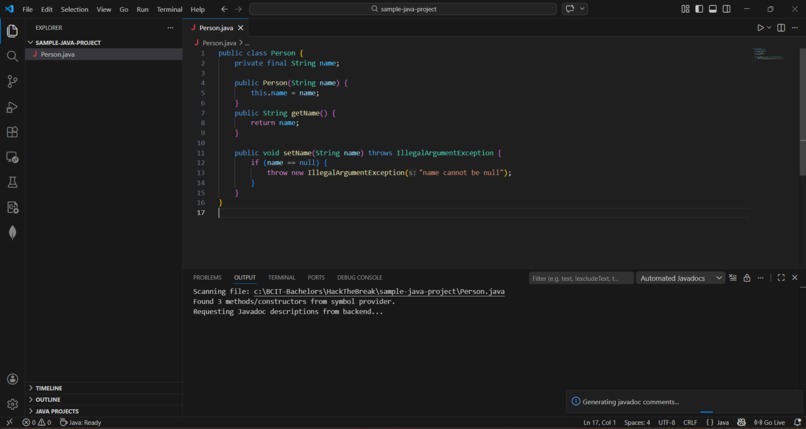
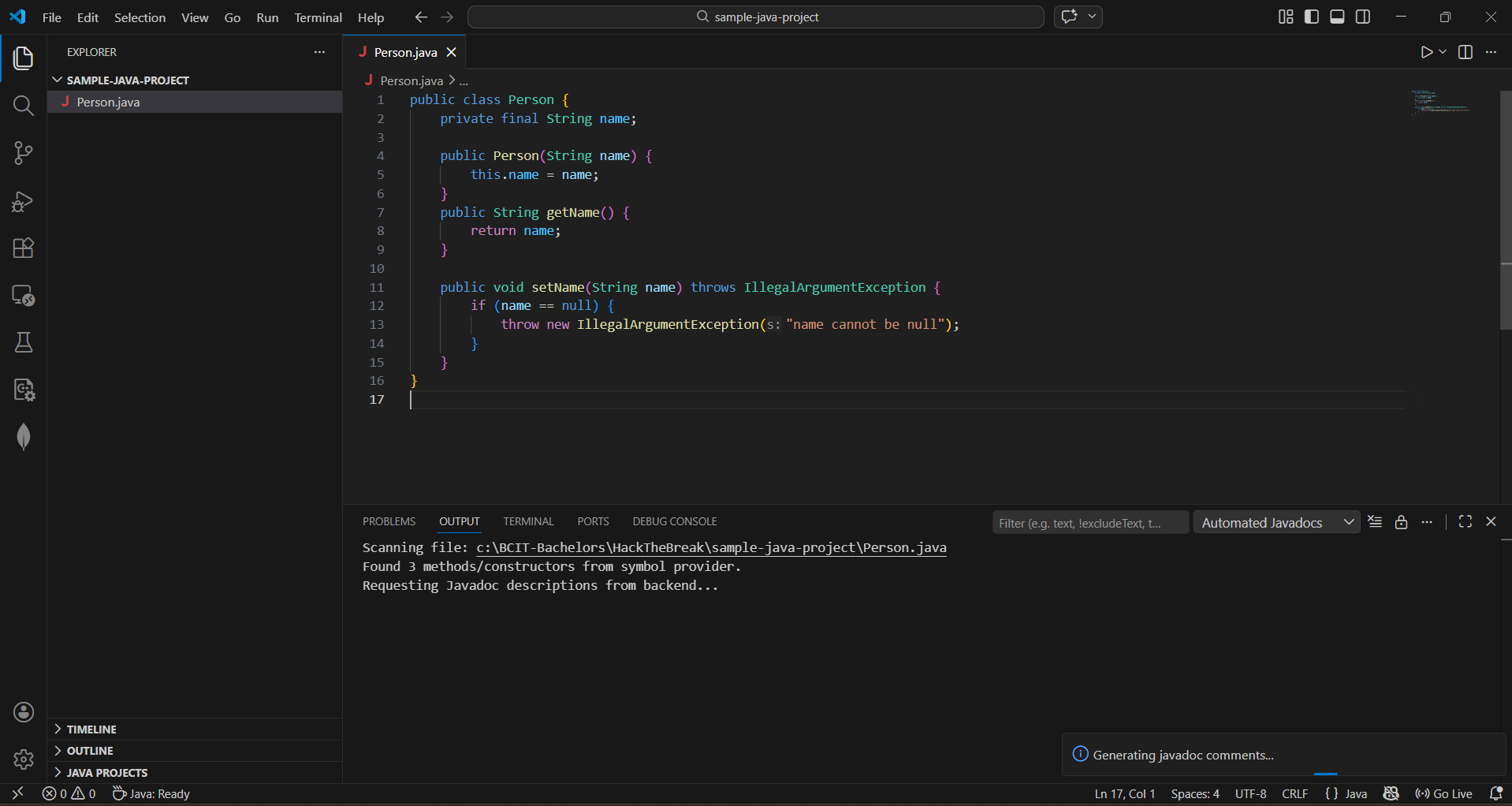
Generating javadocs.
-
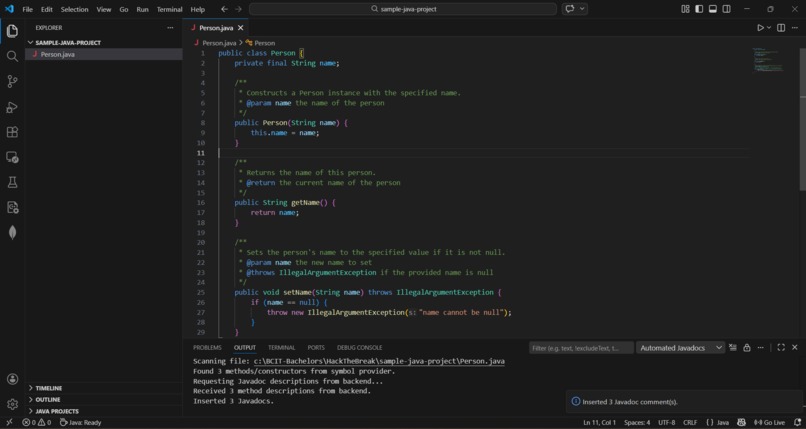
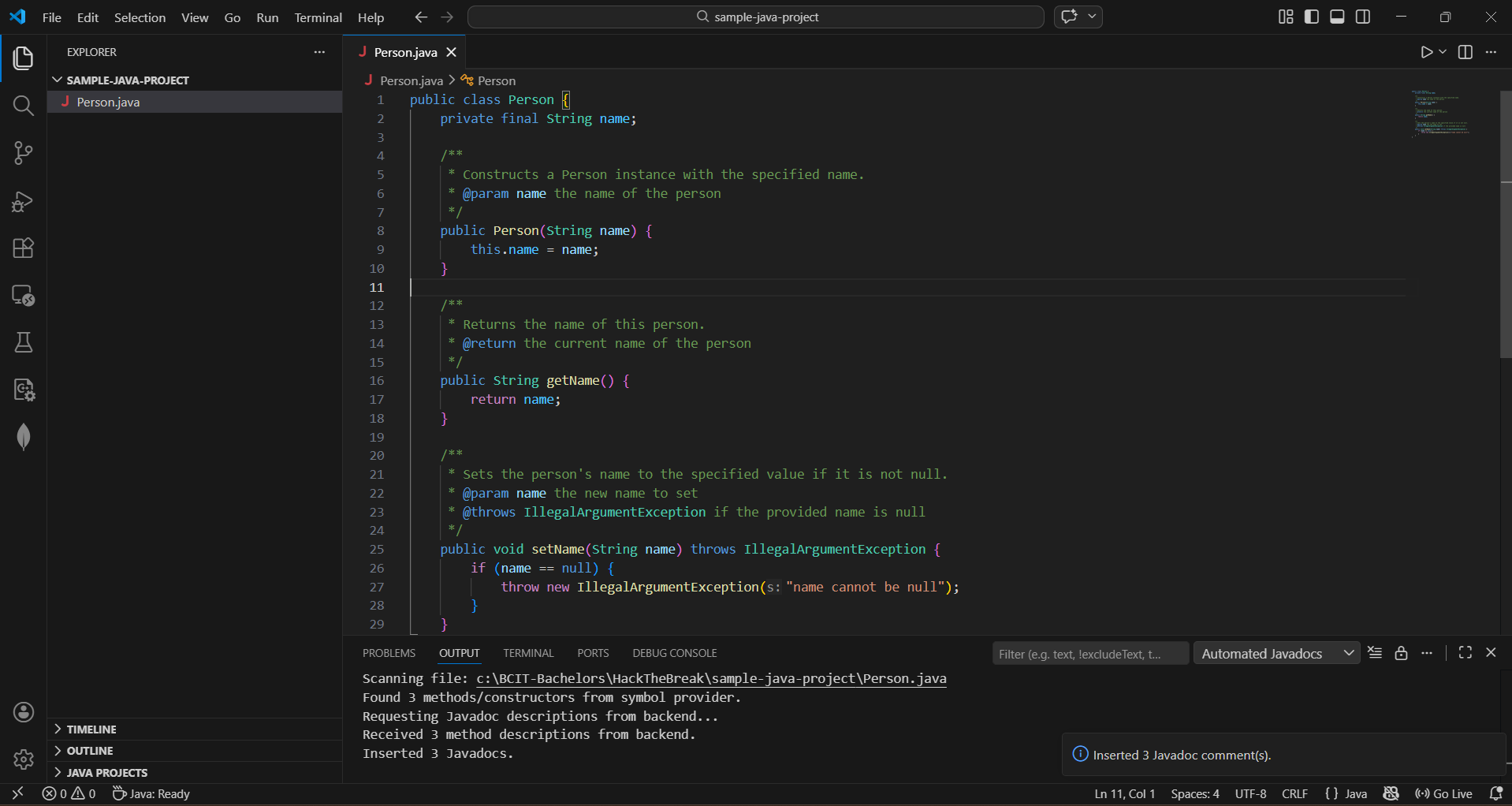
Javadocs successfully inserted.
Number of people: 1 (solo)
GitHub repo link
Extension repo
https://github.com/Nav-Codes/Automated-Javadocs
Backend repo
https://github.com/Nav-Codes/Automated-Javadocs-Backend
Before using the extension
You must have the Java extension pack installed:
Extension Pack for Java
https://marketplace.visualstudio.com/items?itemName=vscjava.vscode-java-pack
This provides the language server used to detect methods and constructors.
Alternatatively, you can install just the official language support extension from RedHat if you don't want to install the entire Java extention pack
Java Language Support from RedHat
https://marketplace.visualstudio.com/items?itemName=redhat.java
How to Use
Open a Java file in VS Code
Wait until it says something like "Java: Ready" at the bottom left
Initially, it will say something like "Java Activating"
https://github.com/Nav-Codes/Automated-Javadocs/blob/main/images/java-activating-left.png
Once it is done loading it will say "Java Ready"
https://github.com/Nav-Codes/Automated-Javadocs/blob/main/images/java-ready-left.png
Open the command palette:
Ctrl + Shift + P
Run:
Automated Javadocs: Inject Javadocs- It takes about 30 to 50 seconds for it to actually populate with javadoc comments due to the backend being run on a free version of Render, which throttles back performance sometimes
Inspiration
Writing comments is tedious and painful. It can be hard to describe what certain methods do or what specific parameters are used for. I wanted to create something that alleviated this burden, so that I could just focus on creating awesome Java apps!
What it does
The extension detects methods, constructors, parameters, return values, declared exceptions in the Java file and generates documentation including:
- method descriptions
@paramdescriptions@returndescriptions@throwsdescriptions
Challenges we ran into
One main challenge was that understanding all the different functionalities of the VSCode dev library. There was so much documentation it was hard to know where to start. Using tools like ChatGPT, YouTube tutorials and reading through articles, I was able to put things together and make it functional.
Accomplishments that we're proud of
I was proud that I was able to fully finish this extension. I was especially proud that I was able to create a whole entire backend server that my extension connected to. This really showed me that if I dedicate myself to something, I can make something great.
What we learned
There is a lot of freedom in terms of what you can create for VSCode extensions. The libraries are very extensive and there are many things you can create. However, this does take a lot of patience to fully understand the different functions and features.
What's next for Automated Javadocs
- More support for Java programs that use generics
- Poorly formatted Java files
- Extension into other languages like C++ or Python


Log in or sign up for Devpost to join the conversation.