-
-
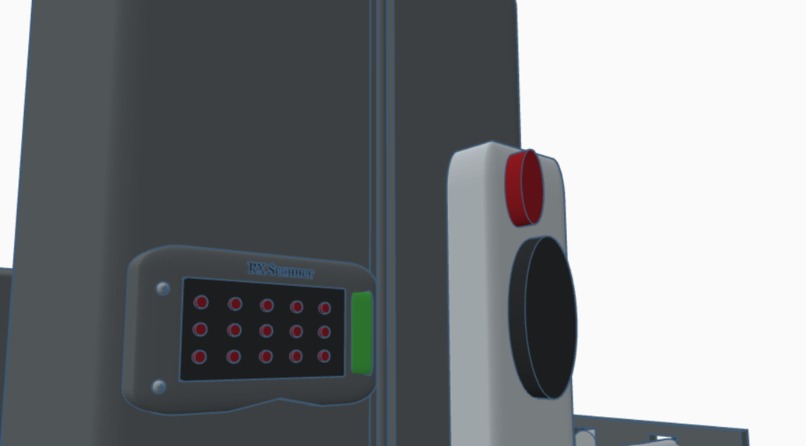
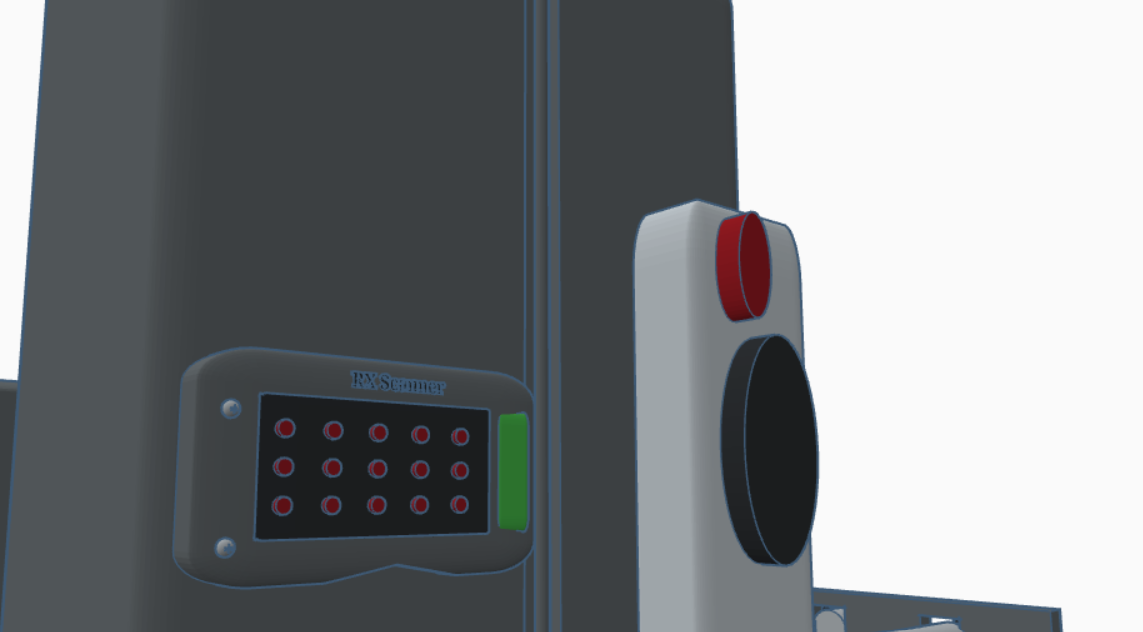
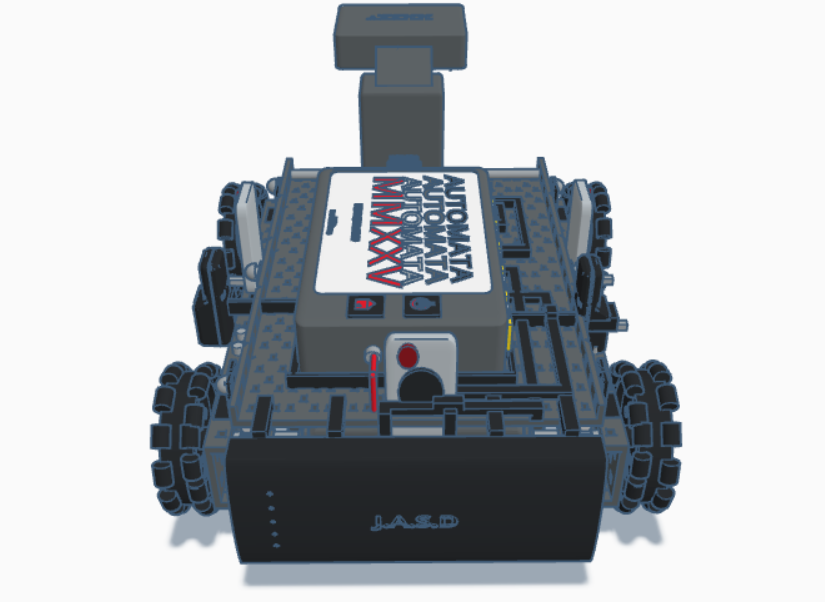
Up-close shot of the RX Scanner (Barcodes Only) and LIDAR/Proximity sensors.
-
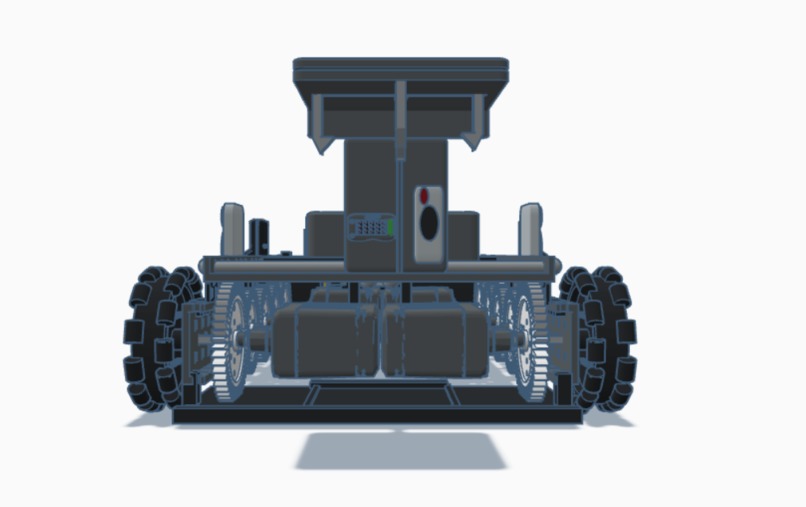
Shot of the front of AUTOMATA MMXXV (compartment, arm, claw, etc.)
-
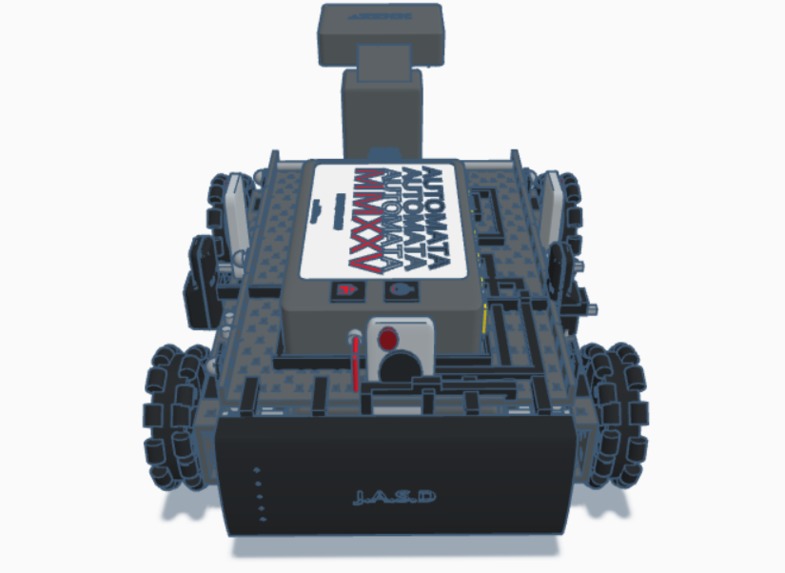
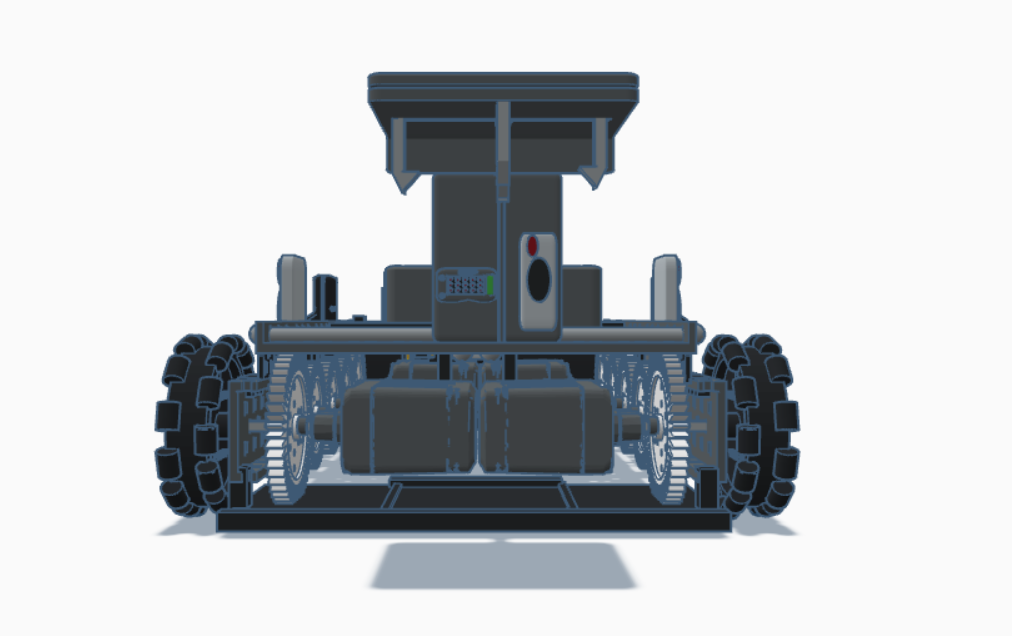
Rear shot of AUTOMATA MMXXV.
-
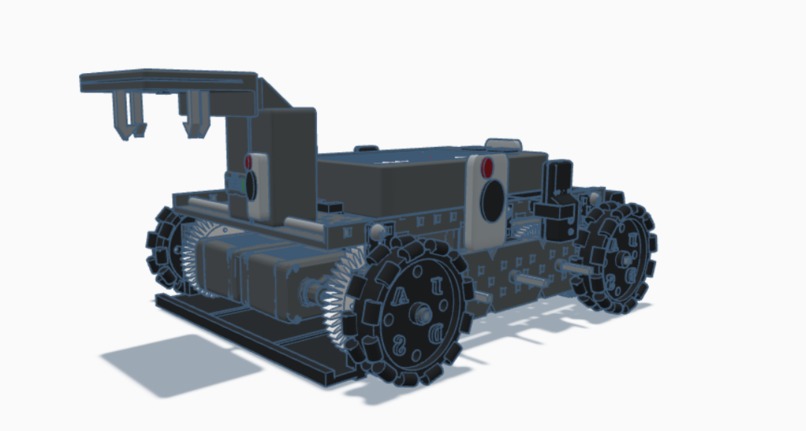
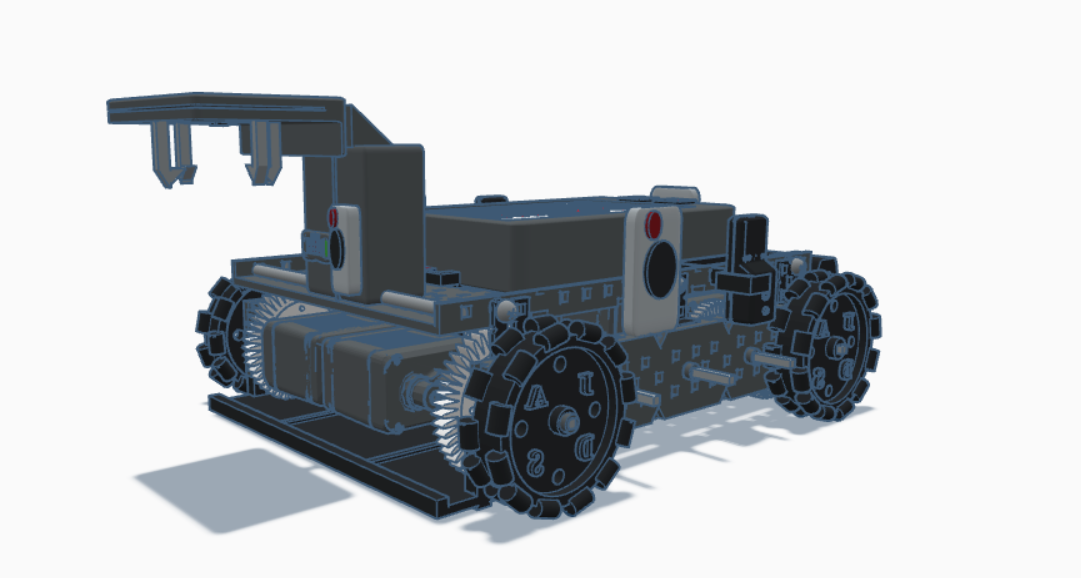
45 Degree-angle shot of the front of AUTOMATA MMXXV.
-
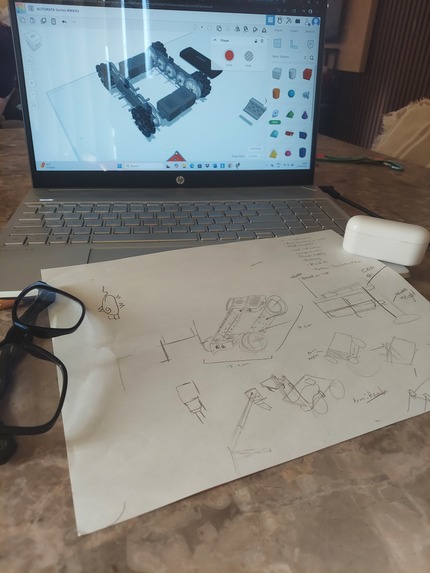
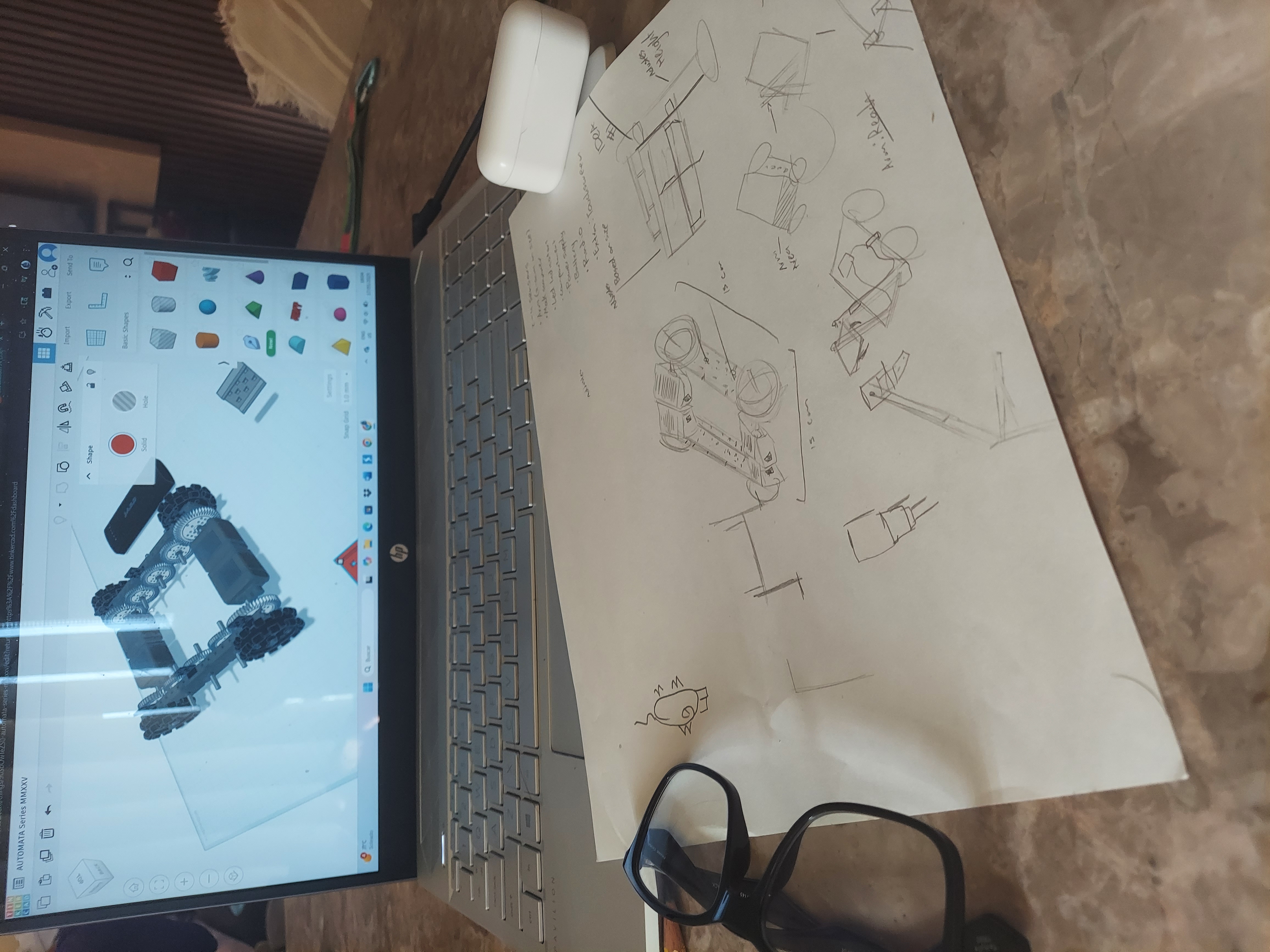
Team leader, Daniell, working on AUTOMATA MMXV (Sketch present)
-
With love, MMXXV
Inspiration
Team J.A.S.D (Jayden, Aiden, Sean, Daniell) got the inspiration from VEX Robotics V5 drivetrains. Omni-wheels for omni-movement were specifically designed to resemble the V5 wheels, with a few slight tweaks. Other things that were inspired by VEX include: Screws, Robot Screen Interface (Brain), Signal Radio, Etc. Our inspiration and reference also came from last year's Search and Rescue Cad 1st winner, which we decided to design AUTOMATA Series MMXXV in a darker hue with not so much vibrancy. The claw and arm of the robot is also inspired by arcade toy machines, those that include a giant claw to grab a toy or a plushie.
What it does
AUTOMATA Series MMXXV, also known as AUTOMATA Series 2025 or simply AUTOMATA, has a variety of functions for identifying and storing items. These functions allow it to move more and do multiple actions at once without the need of excessive machinery for each individual task.
Movement is extremely necessary for the robot, which is in a job where it includes having to carry around boxes. This warehouse robot has omni-movement, meaning it has the ability of moving it many different directions without wheel turning. The wheels themselves have smaller wheels that spin horizontally for sideways movement.
Grabbing and Identifying is an ability only animals can do without thinking, but our robot is prepared for this human ability. With LIDAR Sensors that's connected wirelessly, it scans its surroundings for boxes. Once it has detected a box, it moves to that object. Once there, the stem of the arm (which extends vertically) lowers a chain that lowers the claw with it. The base of the claw, which is a giant square, has a small circle on top of it (which is located in a small spacing), which allows for rotation of the claw base. The claw can open up and close itself like one of those machines at an arcade or at a Chuck E' Cheese. The stem of the arm, which can also be referred as the arm, has a sensor to scan bar codes, and includes an LED Indicator (Red means unsuccessful scan, Green means successful scan). It also includes a regular sensor. Then, it takes the box to its designated location (based on the setup process on the touchscreen of the robot by the owner), and drops it off there with the help of the small chain.
Power Supply (Touchpad) is crucial for our robot. It works with our micro-controller, located on the underside of the robot, to send signals for the parts of the robot to work. The touchpad gets its battery from the battery pack, and uses some of that energy from the battery pack to give it to wires connected to it, which therefore powers the radios and the motors. The touchpad is used to setup the robot's A.I and it's functionality, usually set up by the manager of the warehouse. It will take a little tour around said warehouse to scan its surroundings, then map out the warehouse.
Power Supply (Micro-Controller) works as a commander, directing each part of the robot with the help of the touchpad. For the claw, it sends an instruction to the touchpad, which then translates the energy into a code format for its A.I. If the A.I finds the instruction appropriate enough to meet its job, it will send the instruction to the interior of the arm. If not, the A.I changes the command, sending it back to the micro-controller. Then, the micro-controller resends the signal, which will then pass through the touchpad and into the arm's system. This happens hundreds of time per second.
The Scanners are actually two: mini LIDAR scanners and regular scanners. How it works is simple; all the scanners take multiple pictures at the same time, then they project dots on the pictures for the A.I to understand. The A.I then makes decisions based on the pictures. The regular sensor, which are included in the same device as the LIDAR scanners, use proximity A.I to sense nearby objects to avoid collisions.
The compartment is not much from us, but it is a small lid underneath the robot that can extend out on its own if it needs to drop something.
How we built it
We built it using TinkerCAD, a website for CAD made by Autodesk. We had the plan of using TinkerCAD for the main build, then importing it into Fusion 360, but we ran into a problem regarding installation and Autodesk accounts, so we left the main product at TinkerCAD.
Challenges we ran into
Believe it or not, we actually ran into multiple problems along the journey of making this project. During the making of AUTOMATA Series MMXXV, we ran into time management problems, team member problems, and resource problems.
We had nearly not much time. Our robot took around 17 hours in total, with each member taking around 30 to 60 minute breaks in the total time frame. If AUTOMATA looks a bit choppy, it is due to our time problem. Around 12 A.M between Saturday and Sunday, we were so burnt out that we couldn't do anymore excessive detail. Our arms were sore, and our eyes were straining with pain. But we took a good nap, then got back to work on Sunday morning.
We also couldn't decide our team member on the first day. The team we are now (J.A.S.D) was separated at the beginning between three teams. Then, Sean and Daniell quit their respective teams and joined Jayden and Aiden Diaz. This team situation cost us an entire day.
Lastly, we had not much to work with. TinkerCAD is difficult to work with when you are trying to do very fine details, especially when connecting objects into a group. TinkerCAD doesn't offer much other than shapes for us to make the robot. We used these shapes for 97% of the robot. Only a little bit of it is imported from other sources. Daniell had the strongest computer out of all of the team members, an HP Pavilion, which caused Daniell to be the one to do most work.
Accomplishments that we're proud of
We are mainly proud of how our robot turned out, how we managed to make small imprint on some of the pieces. We're also proud that our computers haven't burnt yet. We don't have much to say, but we are proud of our work and dedication.
What we learned
We learnt that CAD-ding in one day is harder than a 9-5. Jokes aside, we learnt that hard work brings awesome products to life. We also learnt that we should never give up despite difficulties, and we also learnt other lessons not related to life, like Markdown formatting.
What's next for AUTOMATA Series MMXXV
We plan for this to be a project that will help out many in warehouse and facilities, storing and keeping everything tidy in their places. This is a vast improvement from our previous series, which they all take years to design. This one is our fastest design ever.

Log in or sign up for Devpost to join the conversation.