-
-
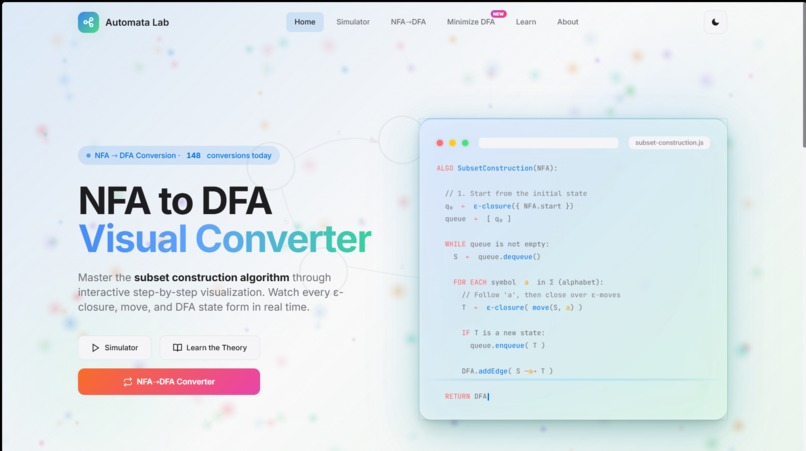
HomePage
-
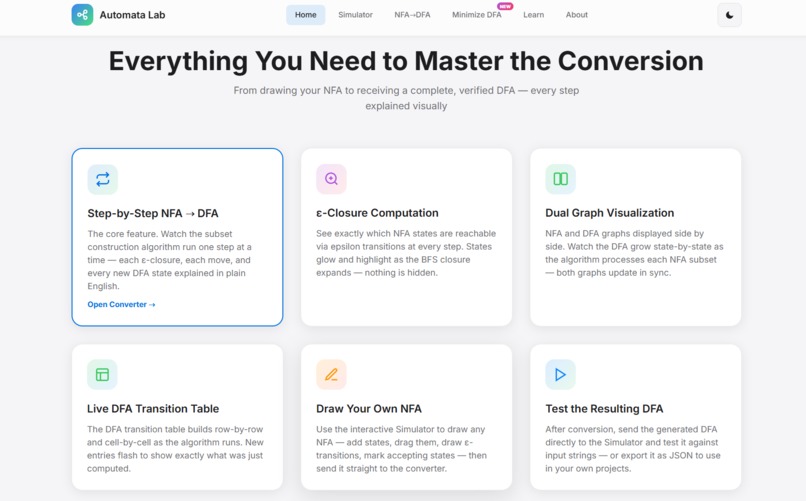
Features
-
Footer
-
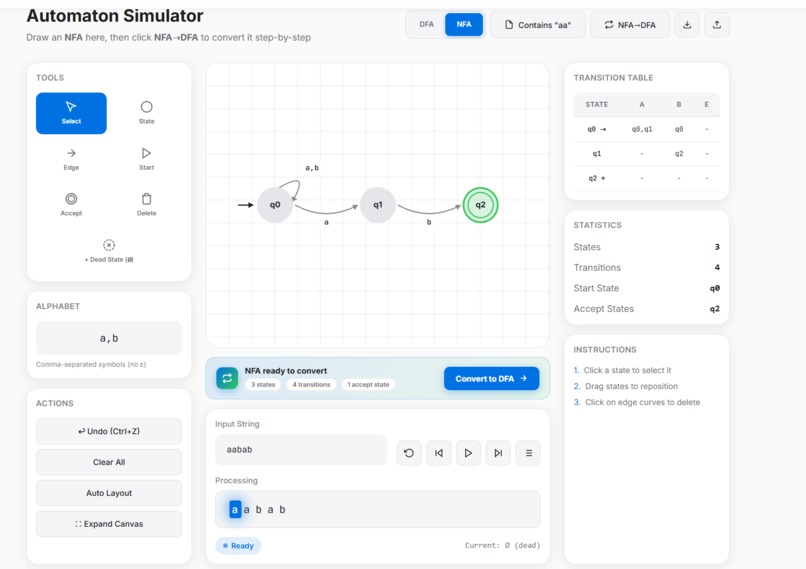
Automata Visualiser ( DFA/NFA )
-
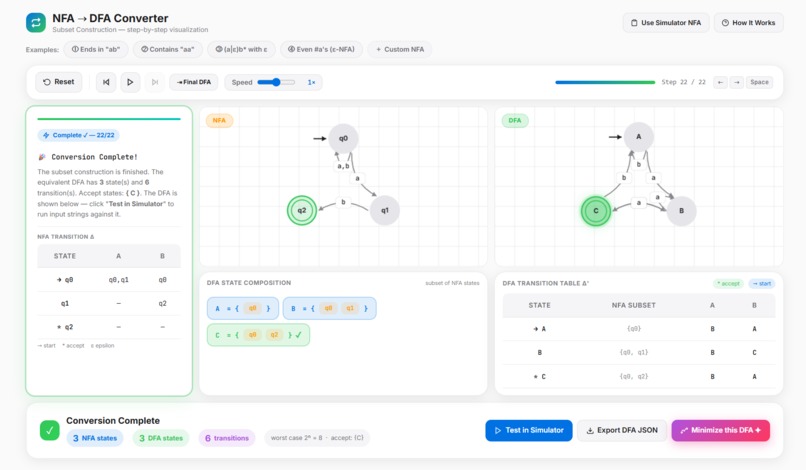
NFA to DFA Convertor
-
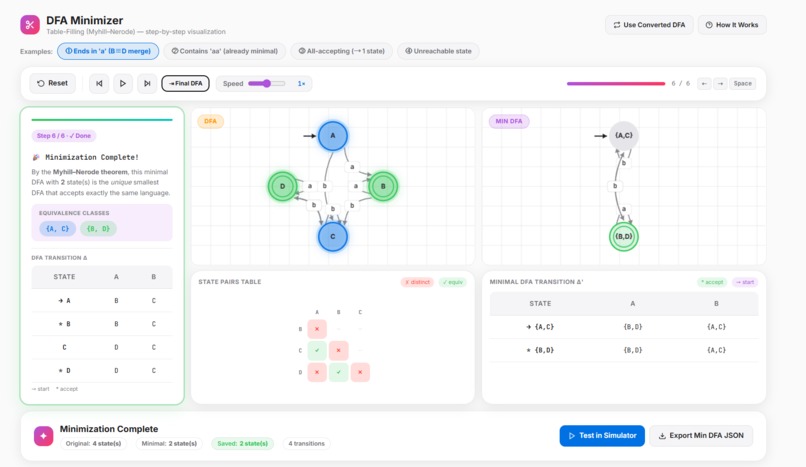
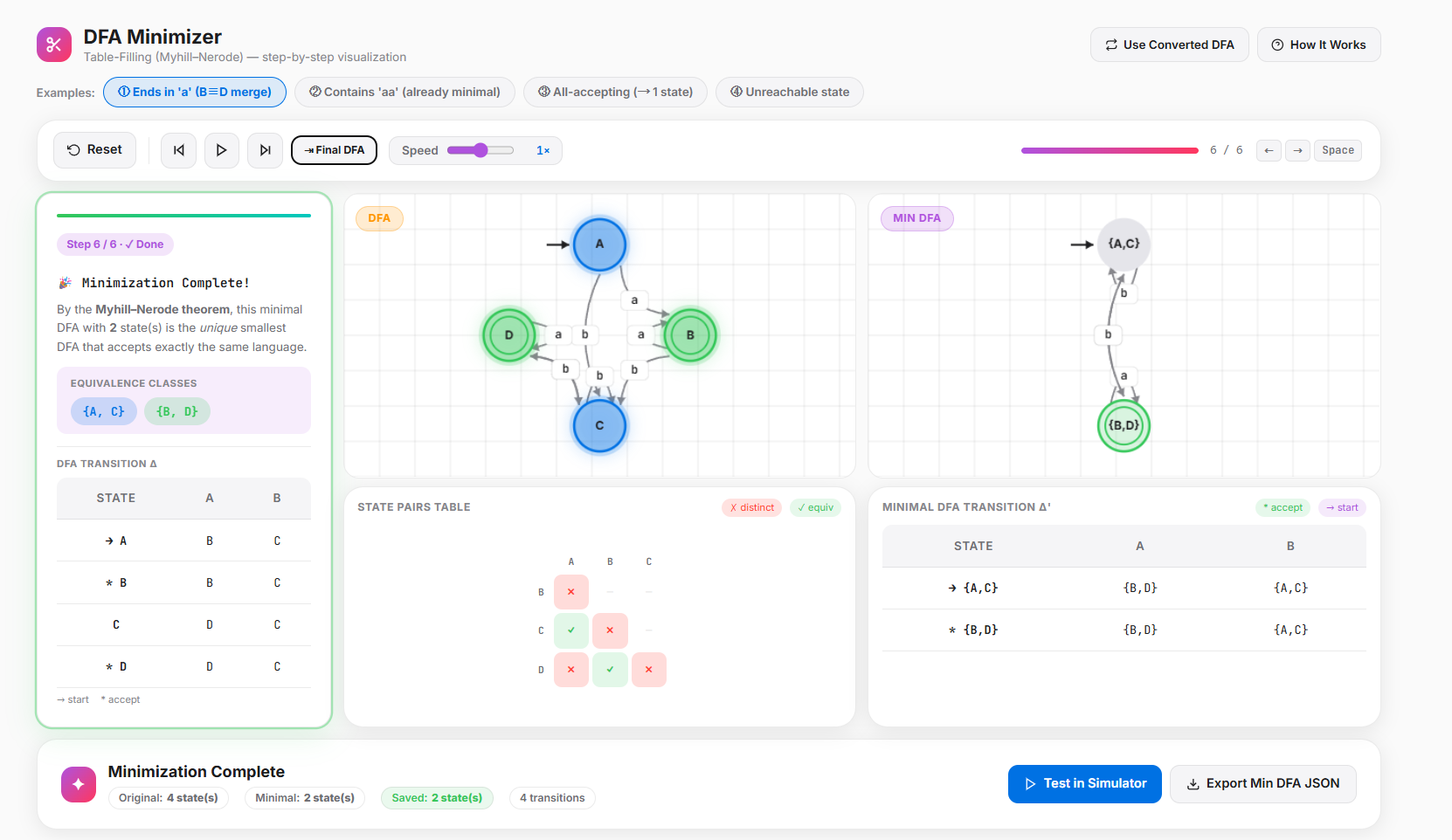
DFA Minimiser
-
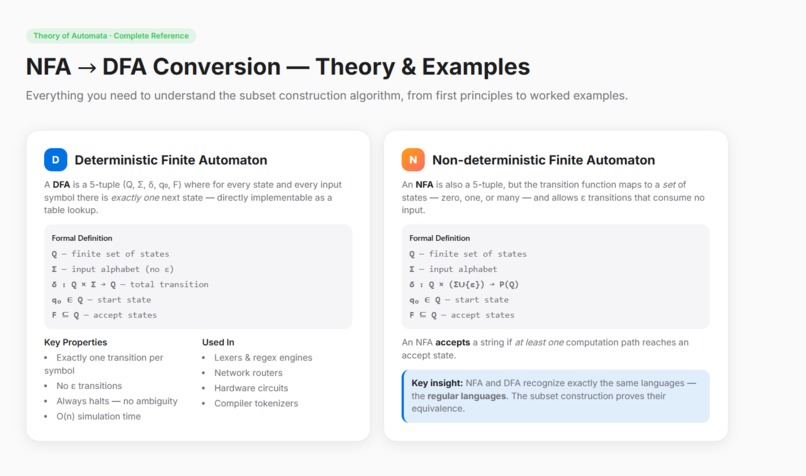
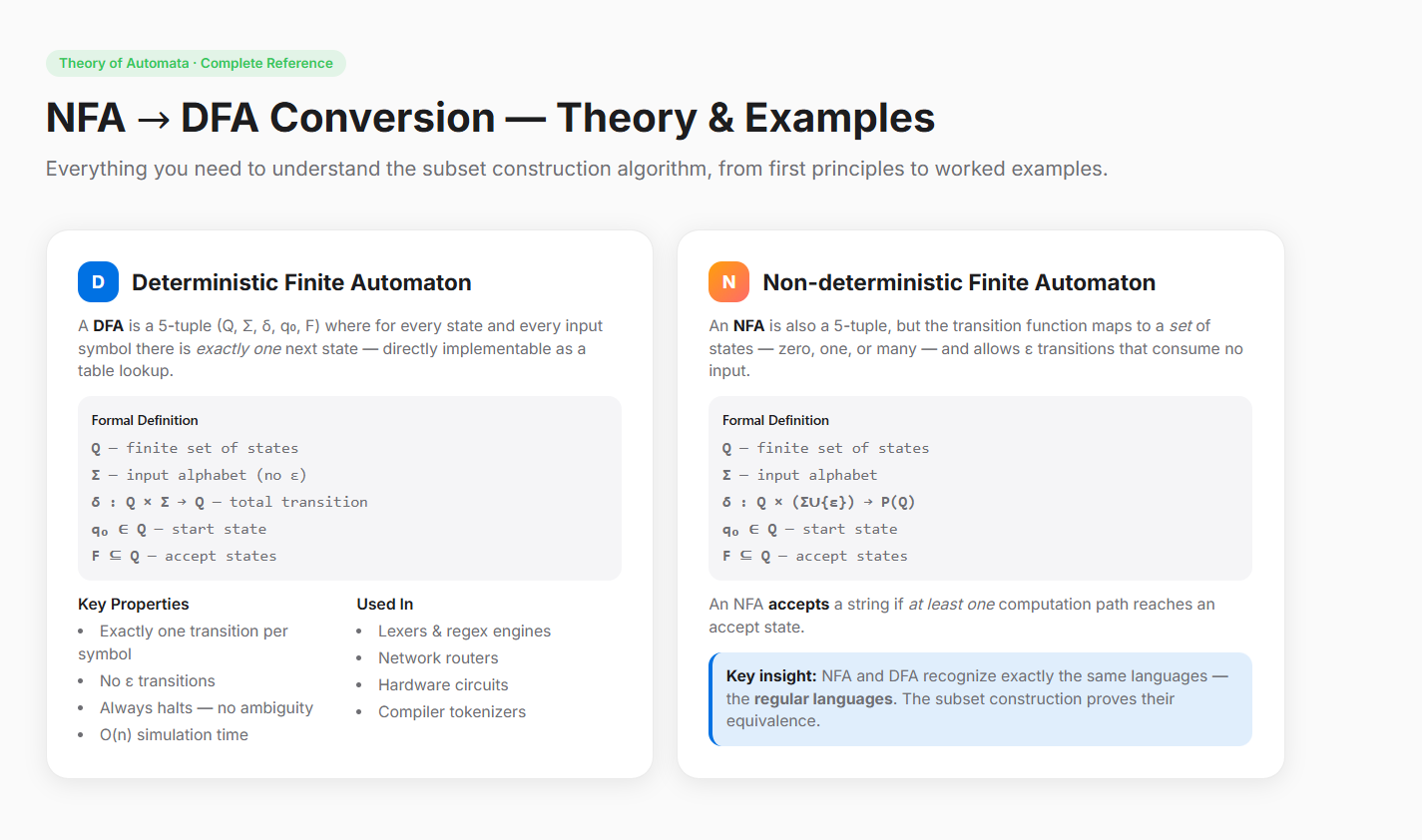
Learning Section ( Finite & Non-Finite Automaton )
-
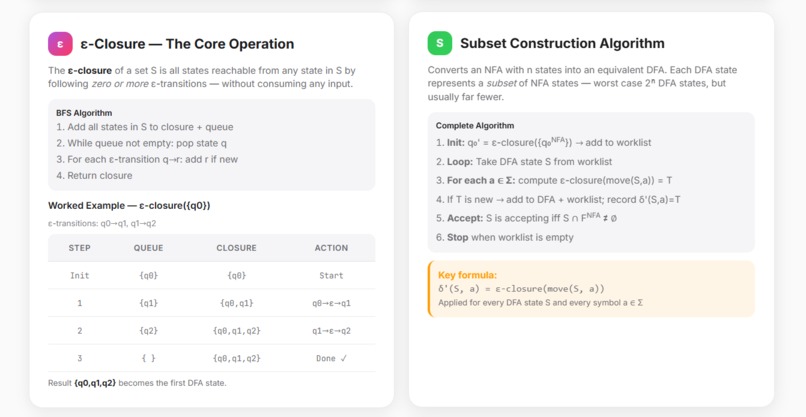
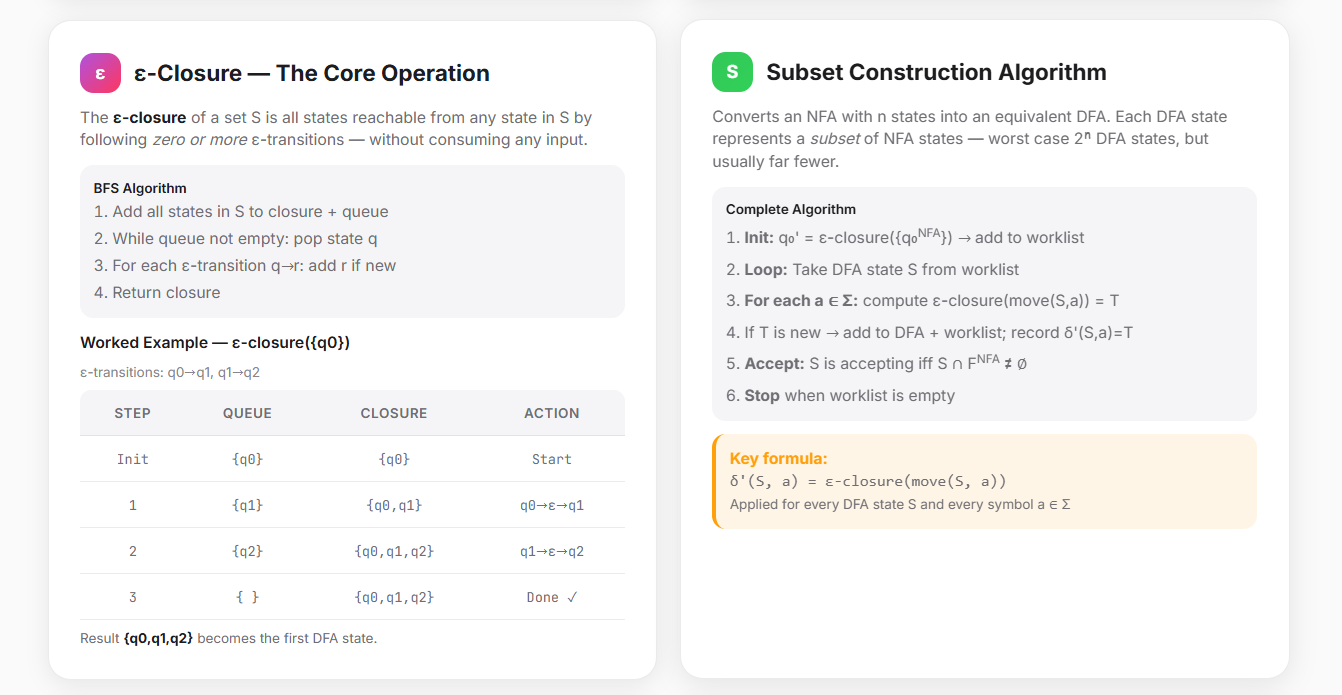
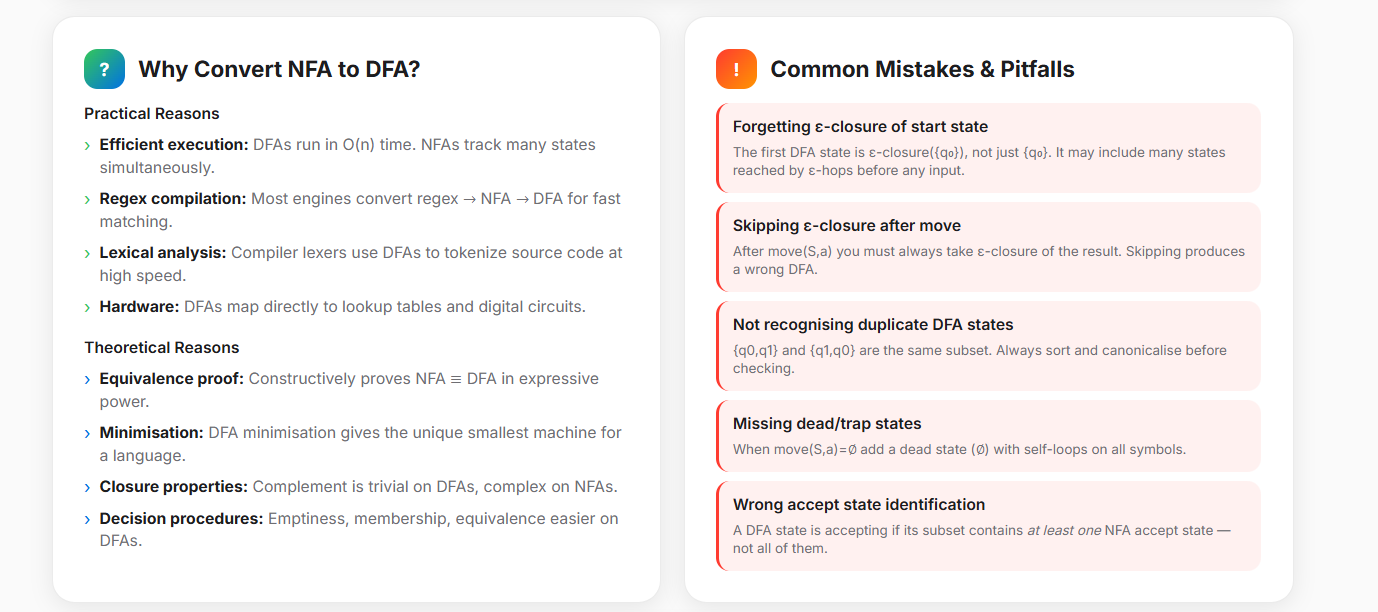
Learning : Subset Construction Algorithm & e-Closure
-
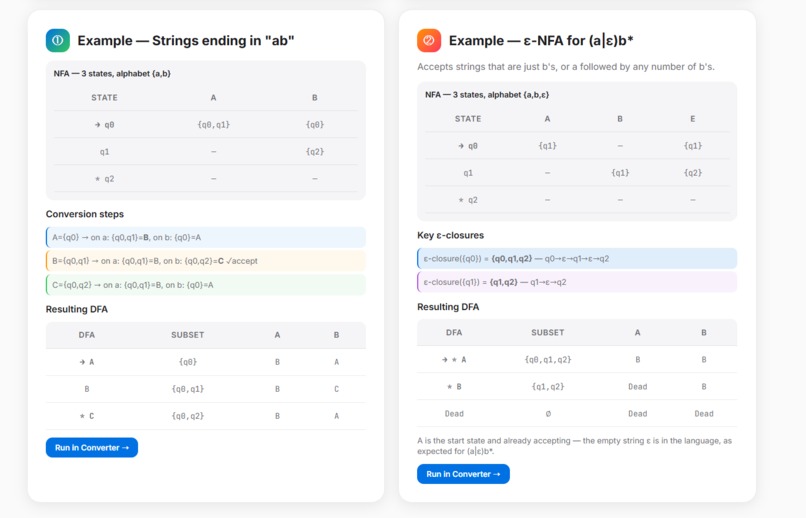
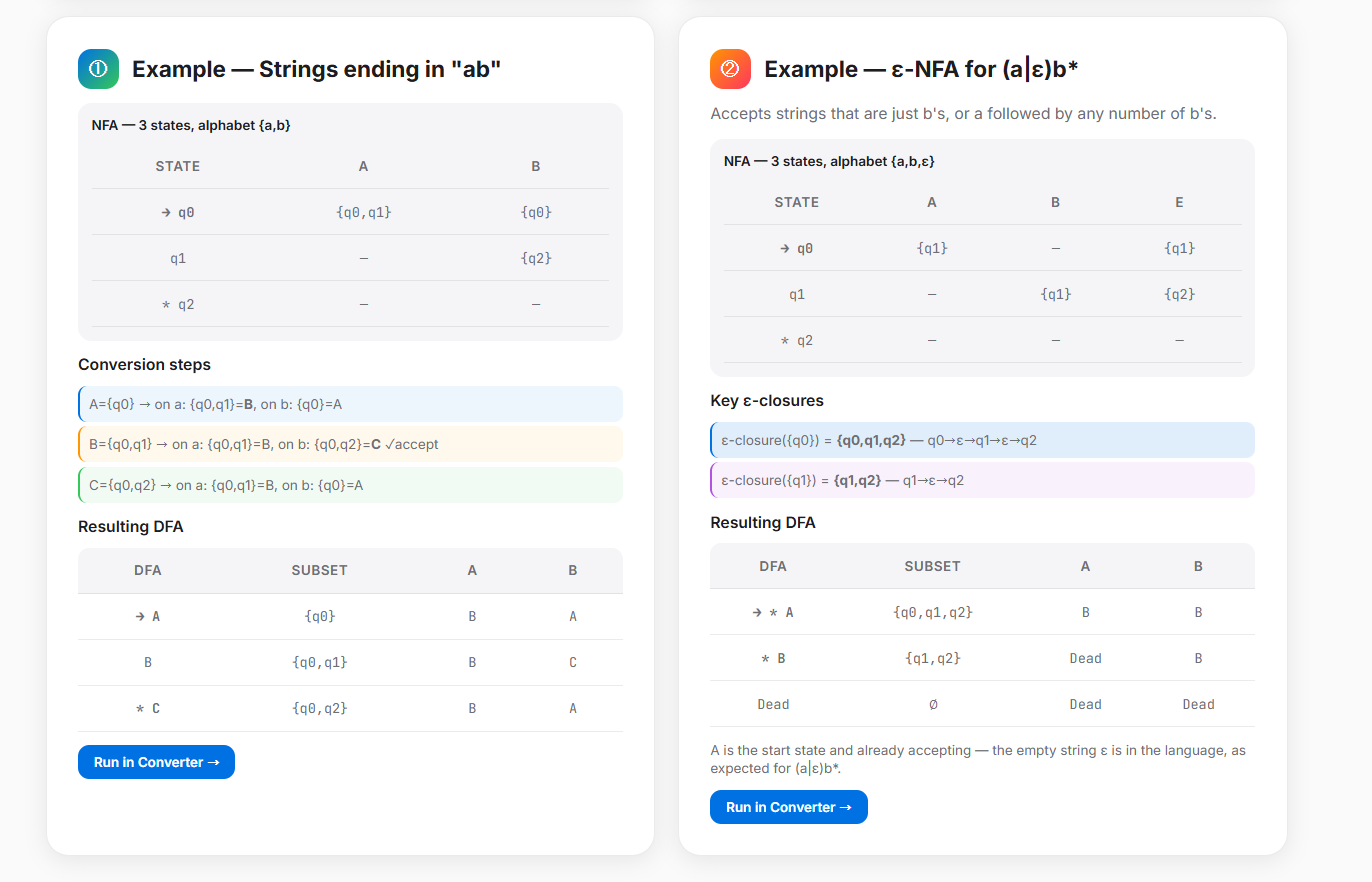
Learning : Example of NFA to DFA
-
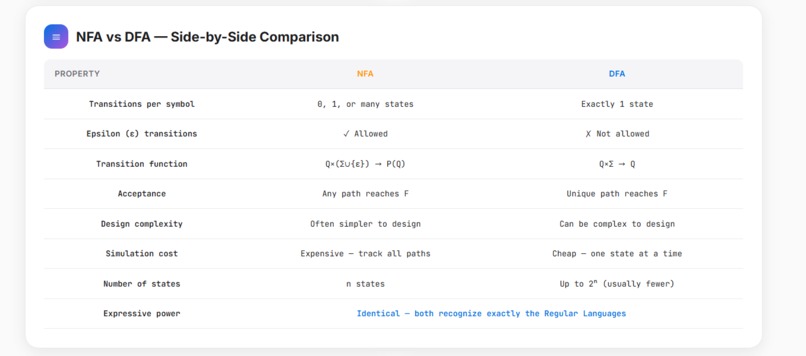
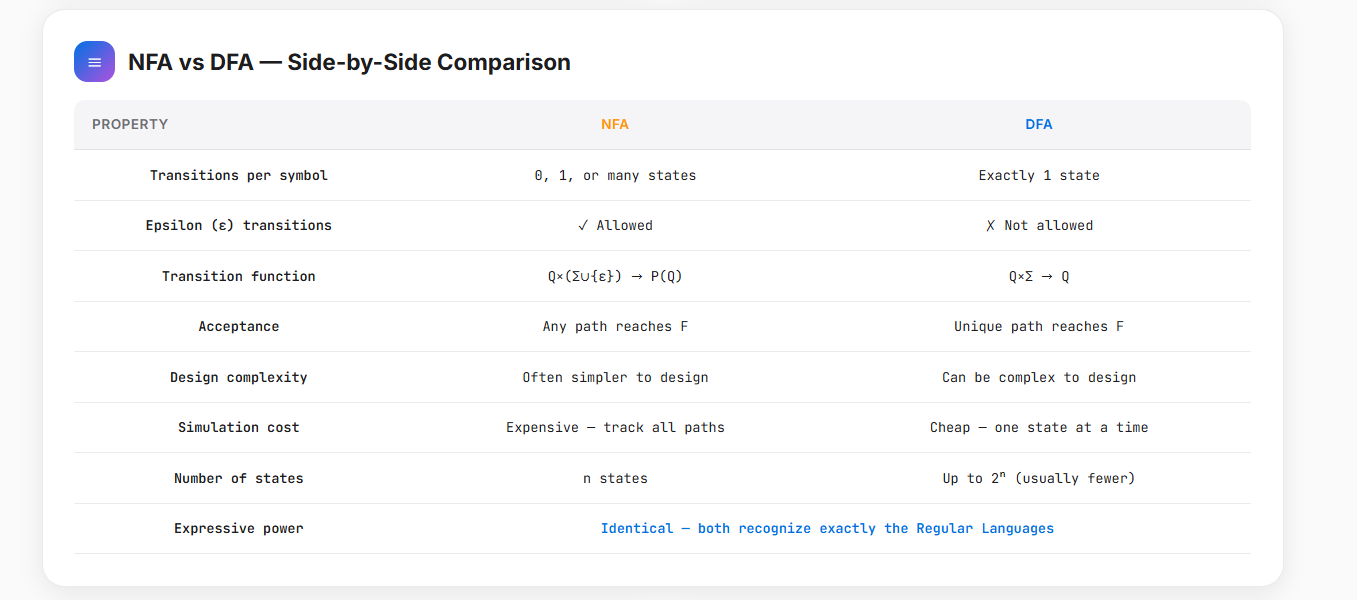
Learning : NFA vs DFA ( Comparison )
-
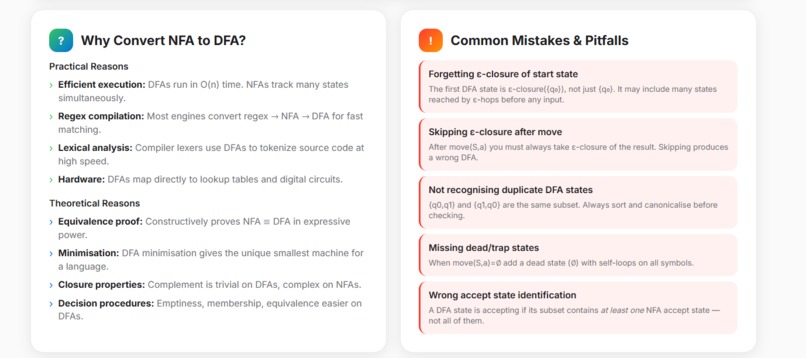
Learning : Common Pitfialls
Inspiration
What it does## Inspiration
Theory of Computation and Automata Theory are foundational pillars of Computer Science, driving how compilers, text parsers, and regular expression engines work under the hood. However, learning these concepts purely from abstract textbooks is notoriously difficult. Struggling to trace subset construction tables or state elimination paths on paper can be extremely frustrating.
We were inspired to build Automata Lab to bridge this gap. We wanted to transform abstract mathematical sets and complex algorithms into an interactive, visual, and educational workspace that turns confusing classroom theory into clear, real-world intuition.
What it does
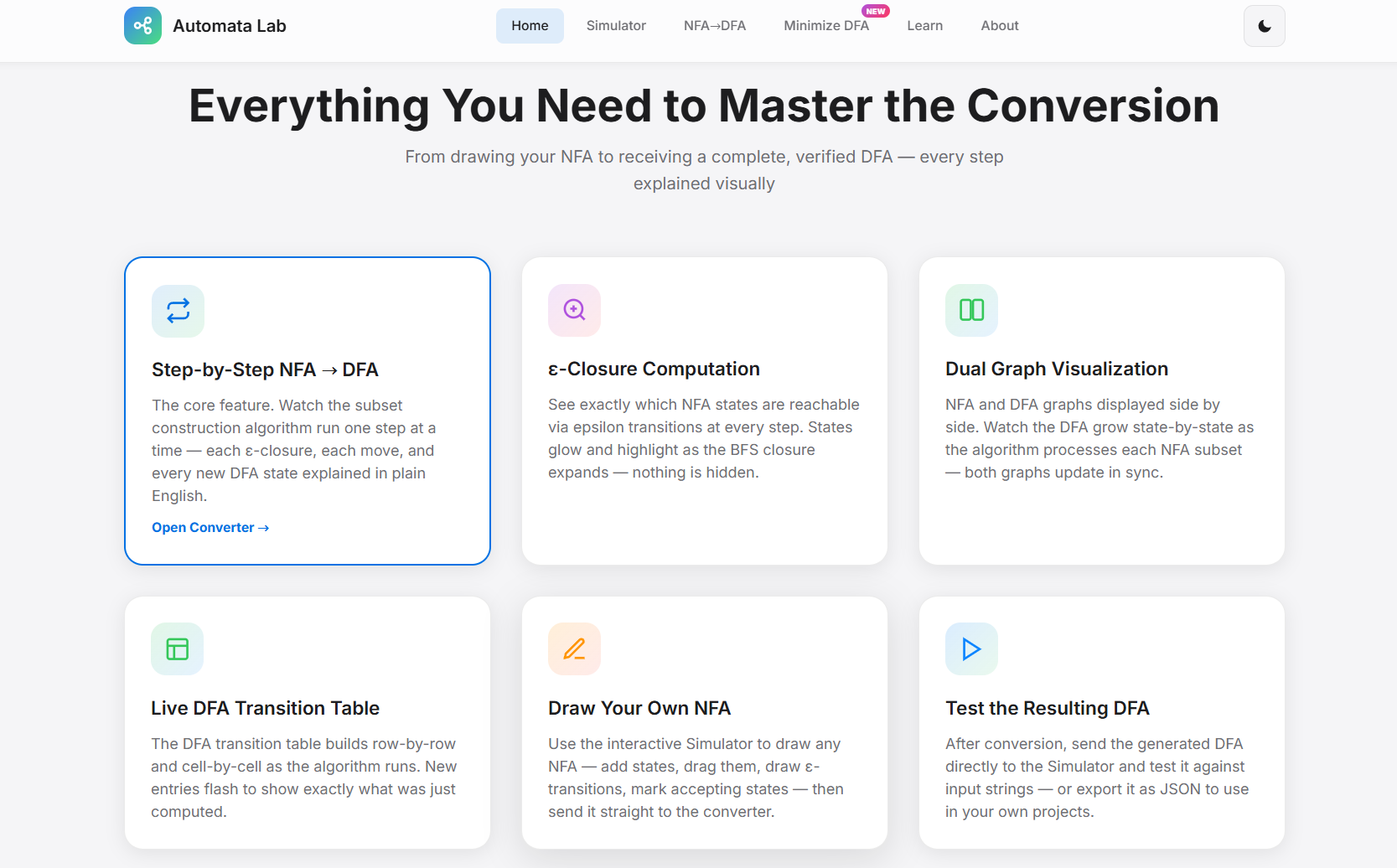
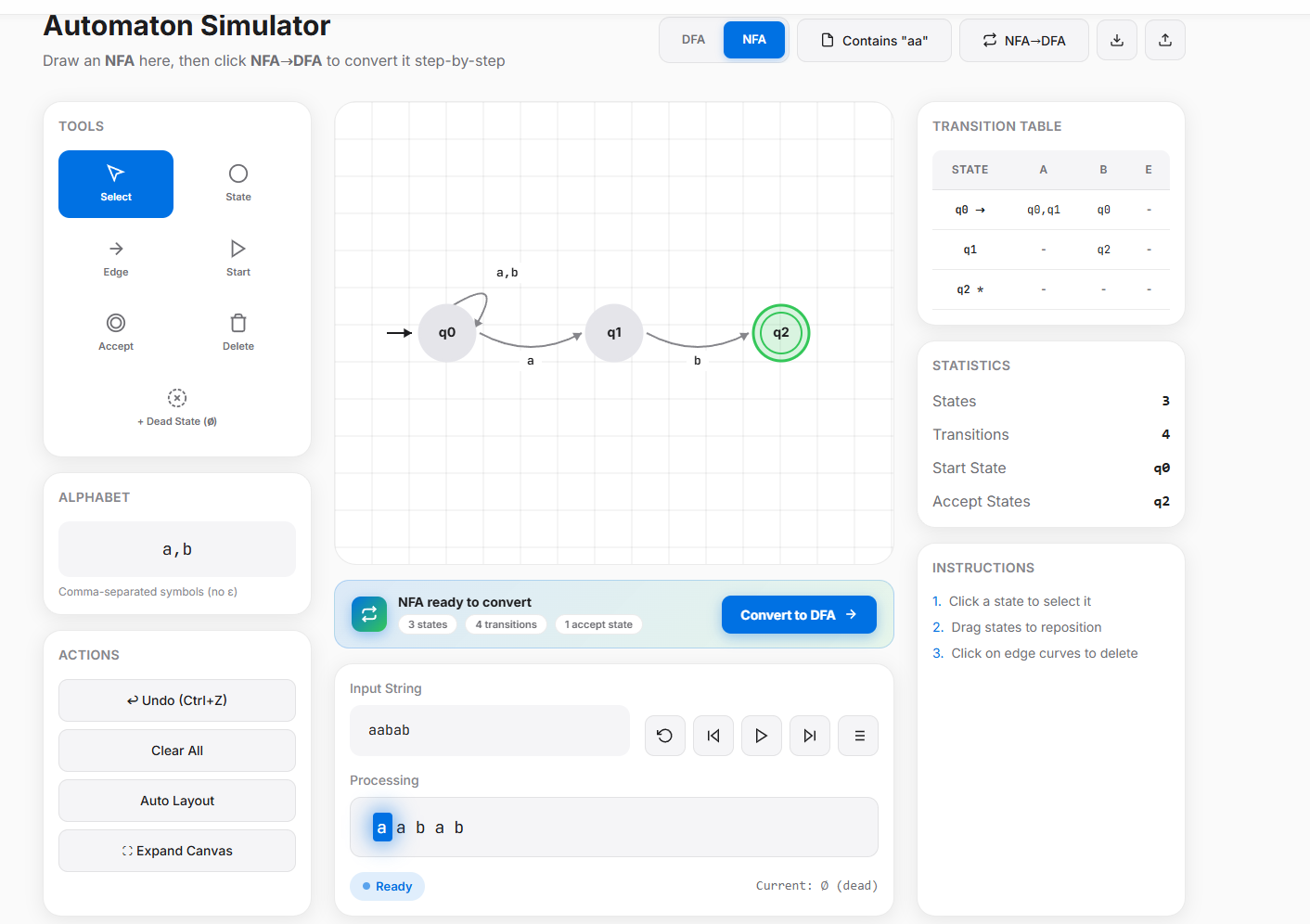
Automata Lab is a comprehensive, interactive simulator designed to design, trace, and optimize finite state machines. Its key capabilities include:
- Interactive Canvas: Easily build and visualize Non-Deterministic and Deterministic Finite Automata (NFA/DFA).
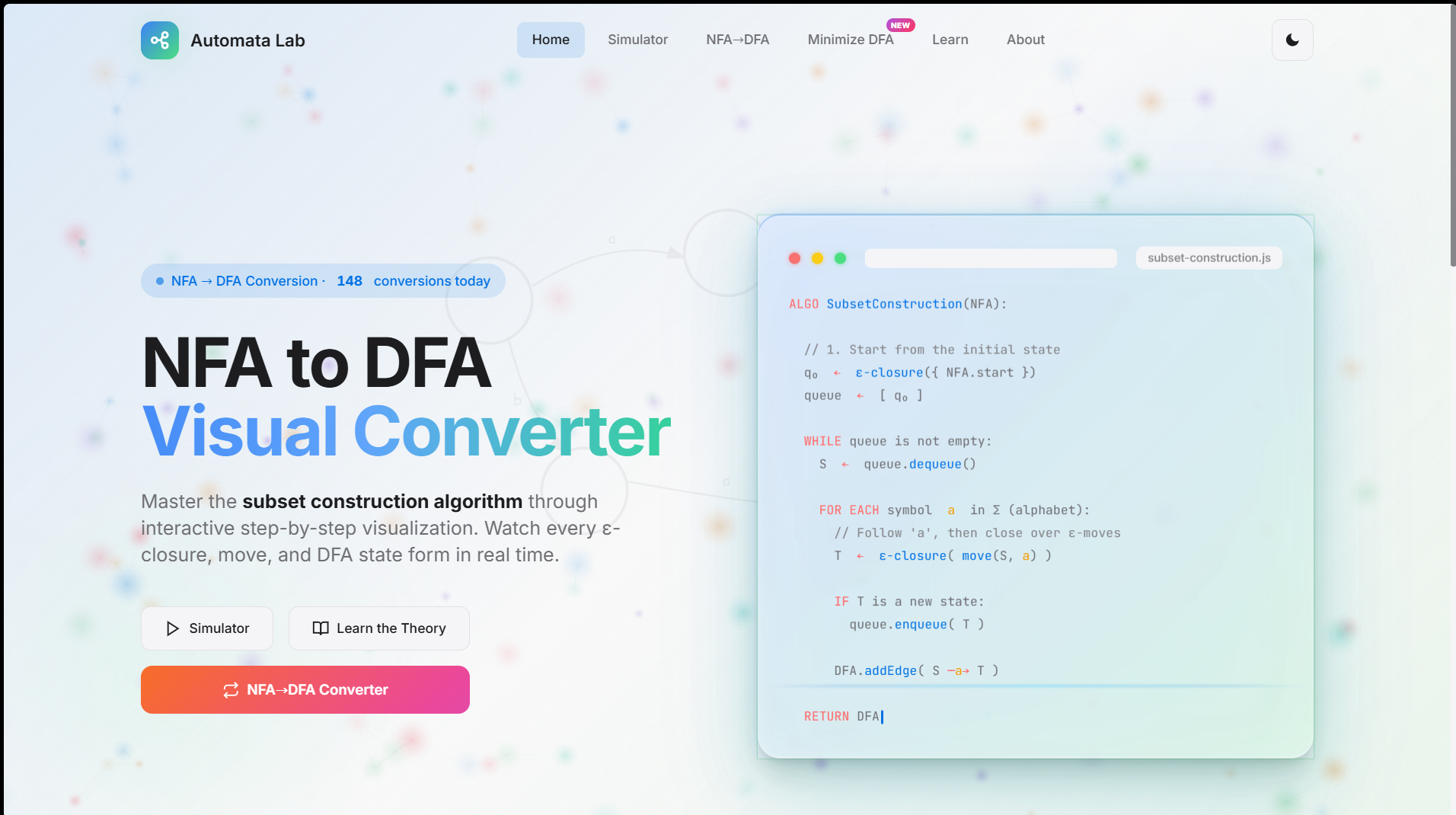
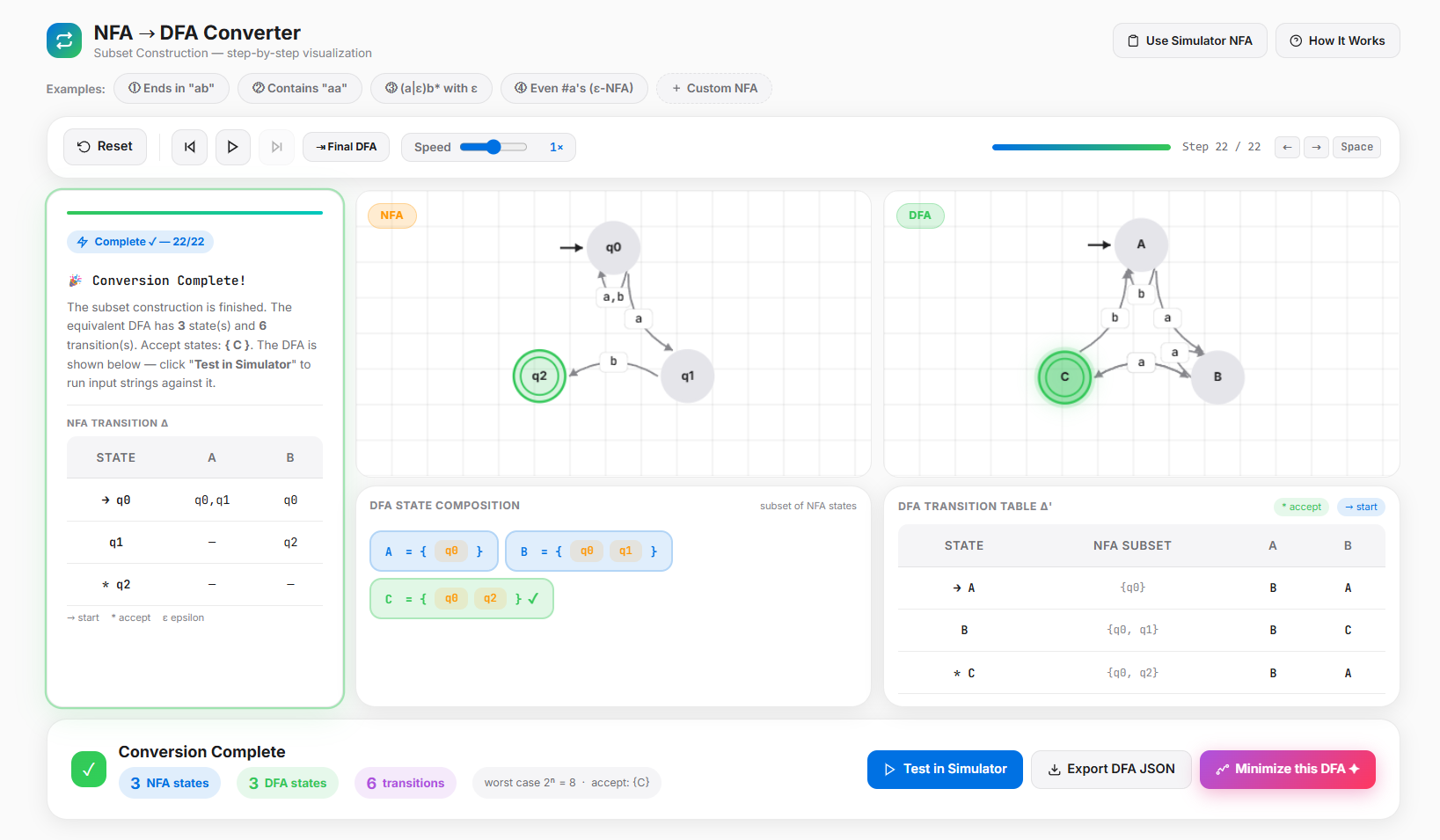
- NFA to DFA Converter: Watch the classic Subset Construction algorithm execute dynamically, turning multi-path non-deterministic machines into structured deterministic states.
- DFA Minimizer Visualizer: Optimize bulky state machines down to their mathematically simplest equivalents by merging redundant states step-by-step.
How we built it
The application is built with modern, efficient web technology to ensure high performance and seamless reactivity:
- Frontend Architecture: Built using React and TypeScript for strong type safety and robust component handling.
- Styling & Layout: Engineered with Tailwind CSS for a sleek, modern, and completely responsive developer interface.
- State Visualization: Leveraged dynamic layout rendering logic to dynamically map and position graph nodes and transition arcs fluidly on screen when machines undergo conversion or minimization.
Challenges we faced
One of the most complex engineering challenges was ensuring clean visual rendering during state modifications. When converting an NFA to a DFA, the number of states can scale exponentially. Managing node positions automatically so that graphs do not overlap or become unreadable text walls required fine-tuning our canvas layout geometry. Additionally, tracking state configurations smoothly during the minimization fallback stages without breaking ongoing user animations required careful state management isolation in React.
Accomplishments that we're proud of
We are immensely proud of building an all-in-one suite that works flawlessly inside a browser without relying on any external server compute. Successfully mapping out the visual logic for both NFA-to-DFA conversion and DFA Minimization algorithms in an understandable way for visual learners is an achievement we believe adds tangible value to computer science education.
What we learned
Through this hackathon development cycle, we deeply refined our understanding of algorithm visualization techniques. Turning abstract graph nodes into responsive, interactive frontend assets taught us a massive amount about state machine engineering, canvas coordinates, and user-centric EdTech design principles.
What's next for Automata Lab
Moving forward, we want to expand Automata Lab into a complete computation playground by adding support for Context-Free Grammars (CFG) conversions, Pushdown Automata (PDA) simulators, and step-by-step visual parsing for Turing Machines.
How we built it
The application is built with modern, efficient web technology to ensure high performance and seamless reactivity:
- Frontend Architecture: Built using React and TypeScript for strong type safety and robust component handling.
- Styling & Layout: Engineered with Tailwind CSS for a sleek, modern, and completely responsive developer interface.
- State Visualization: Leveraged dynamic layout rendering logic to dynamically map and position graph nodes and transition arcs fluidly on screen when machines undergo conversion or minimization.
Challenges we faced
One of the most complex engineering challenges was ensuring clean visual rendering during state modifications. When converting an NFA to a DFA, the number of states can scale exponentially. Managing node positions automatically so that graphs do not overlap or become unreadable text walls required fine-tuning our canvas layout geometry. Additionally, tracking state configurations smoothly during the minimization fallback stages without breaking ongoing user animations required careful state management isolation in React.
Accomplishments that we're proud of
We are immensely proud of building an all-in-one suite that works flawlessly inside a browser without relying on any external server compute. Successfully mapping out the visual logic for both NFA-to-DFA conversion and DFA Minimization algorithms in an understandable way for visual learners is an achievement we believe adds tangible value to computer science education.
What we learned
Through this hackathon development cycle, we deeply refined our understanding of algorithm visualization techniques. Turning abstract graph nodes into responsive, interactive frontend assets taught us a massive amount about state machine engineering, canvas coordinates, and user-centric EdTech design principles.
What's next for Automata Lab
Moving forward, we want to expand Automata Lab into a complete computation playground by adding support for Context-Free Grammars (CFG) conversions, Pushdown Automata (PDA) simulators, and step-by-step visual parsing for Turing Machines.
Built With
- html5
- javascript
- netlify
- react
- tailwind-css
- typescript


Log in or sign up for Devpost to join the conversation.