-
-
home
-
-
-
-
-

Inspiration
I built AutoManual.ai because I have personally spent a lot of time turning working software into manuals, training materials, and delivery documents. In real projects, the product may already work, but the documentation is often late, inconsistent, or too expensive for small teams to maintain.
I wanted to build a tool that helps developers, implementation engineers, and product teams turn a live web application into a clear user manual in minutes. The goal is simple: if a product can be opened in a browser, AutoManual.ai should be able to inspect it, understand its workflow, and generate useful documentation that a real user can read.
What it does
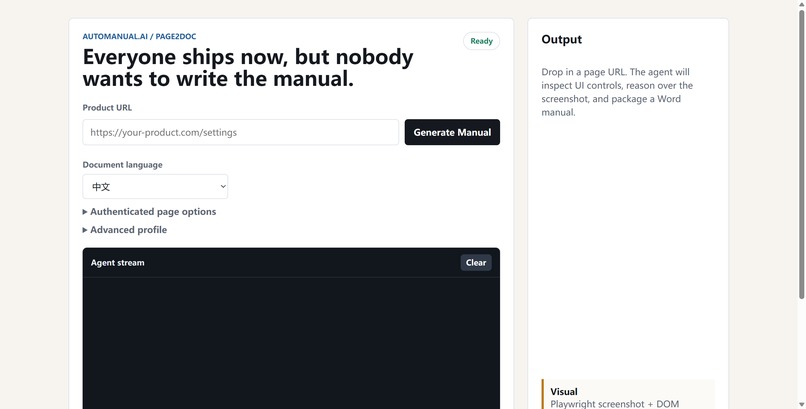
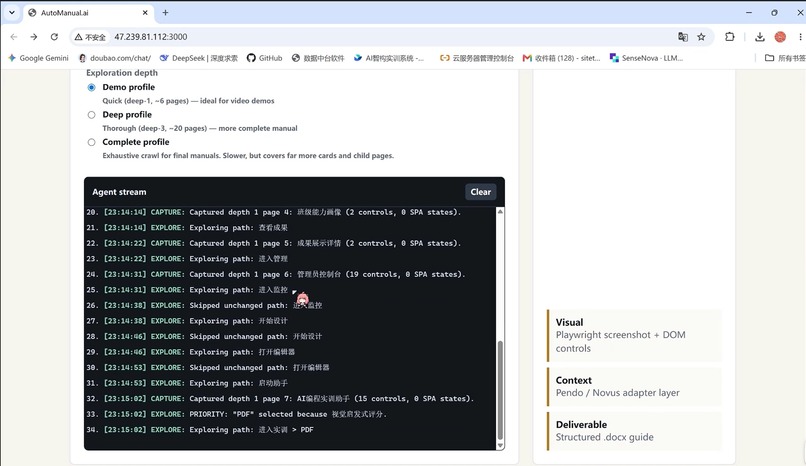
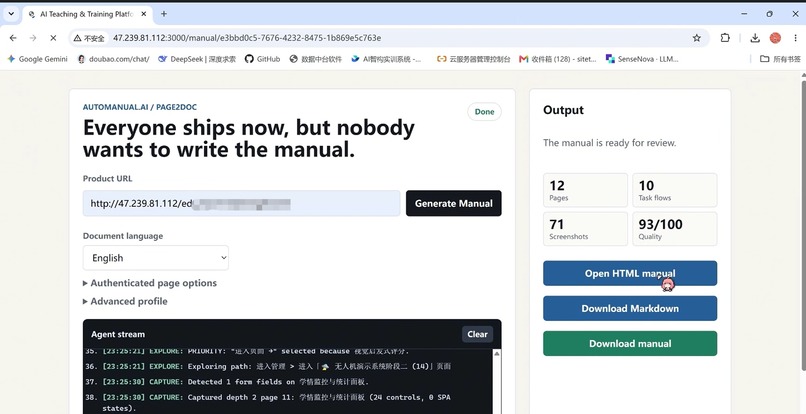
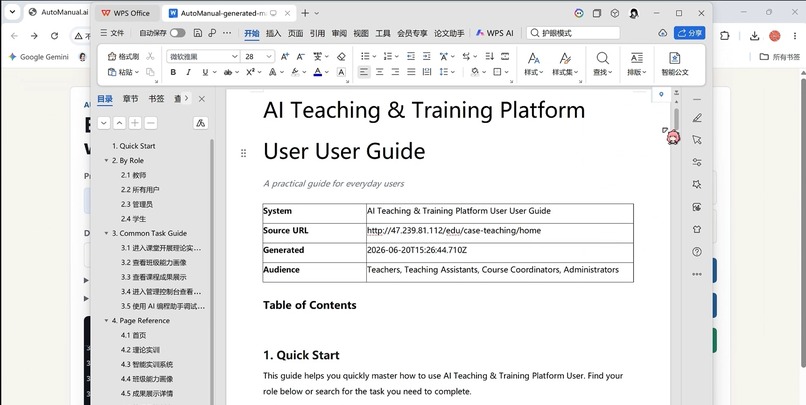
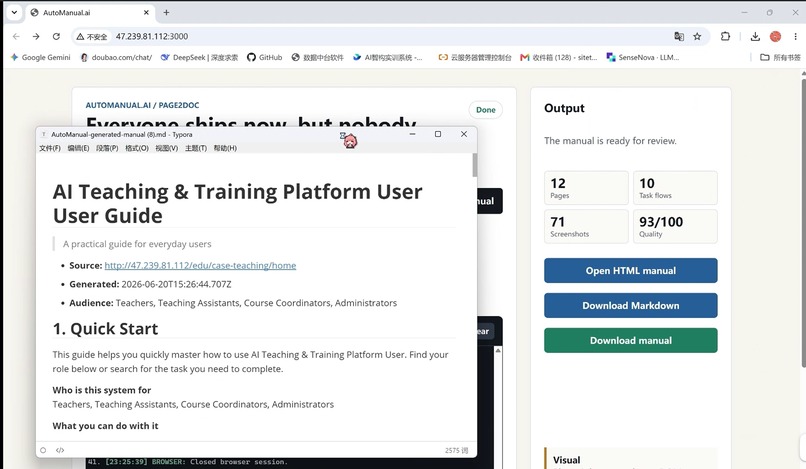
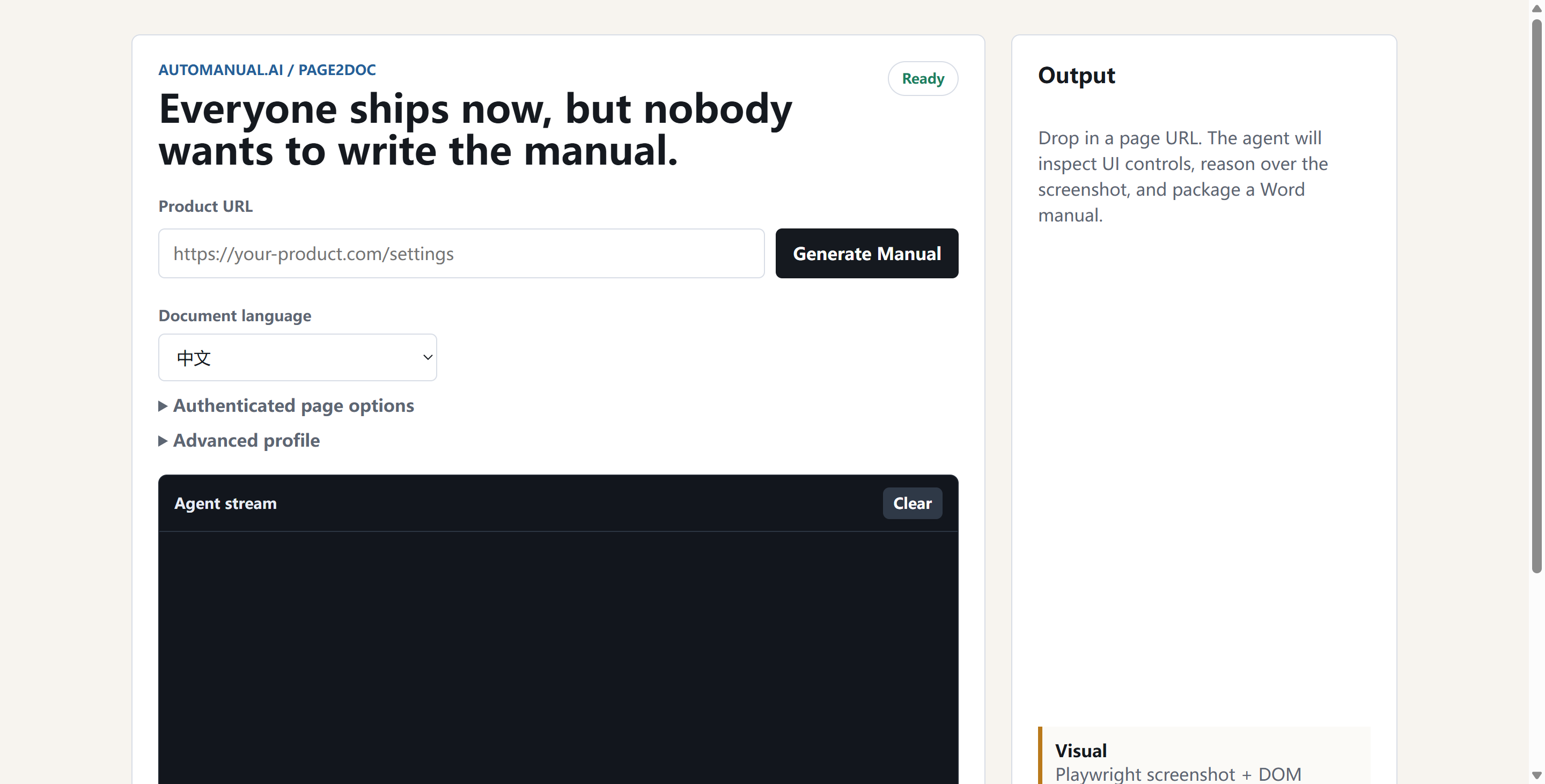
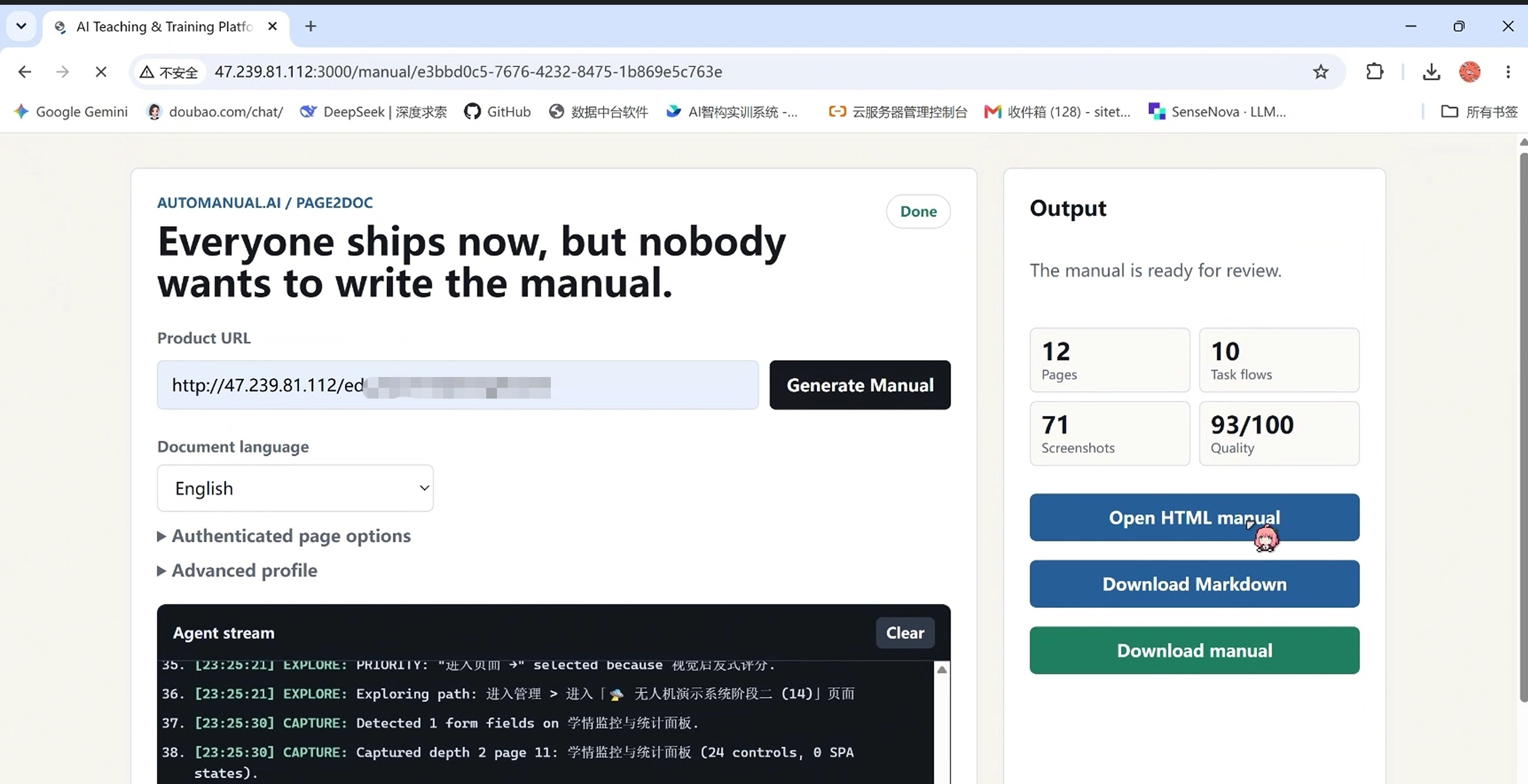
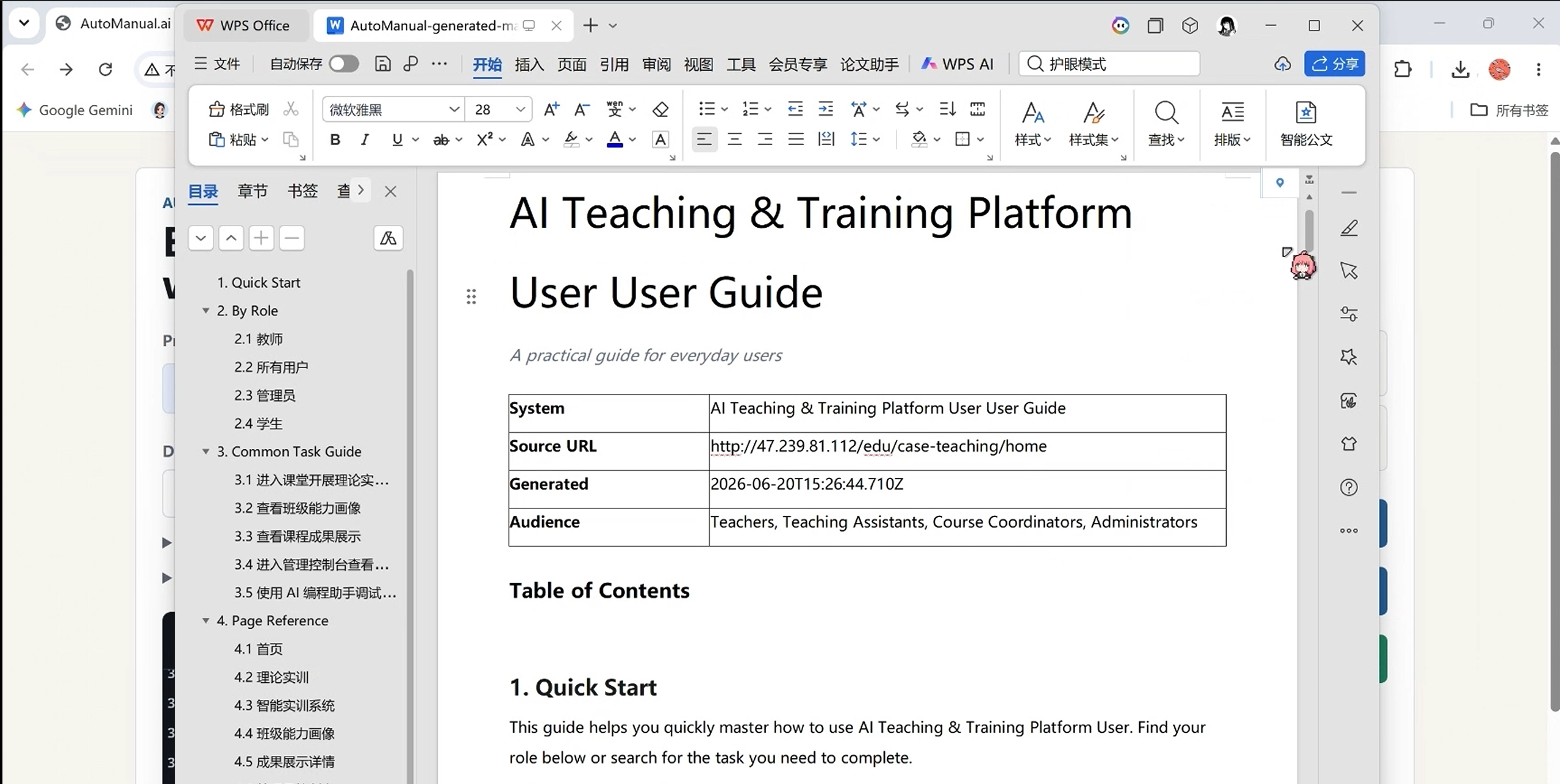
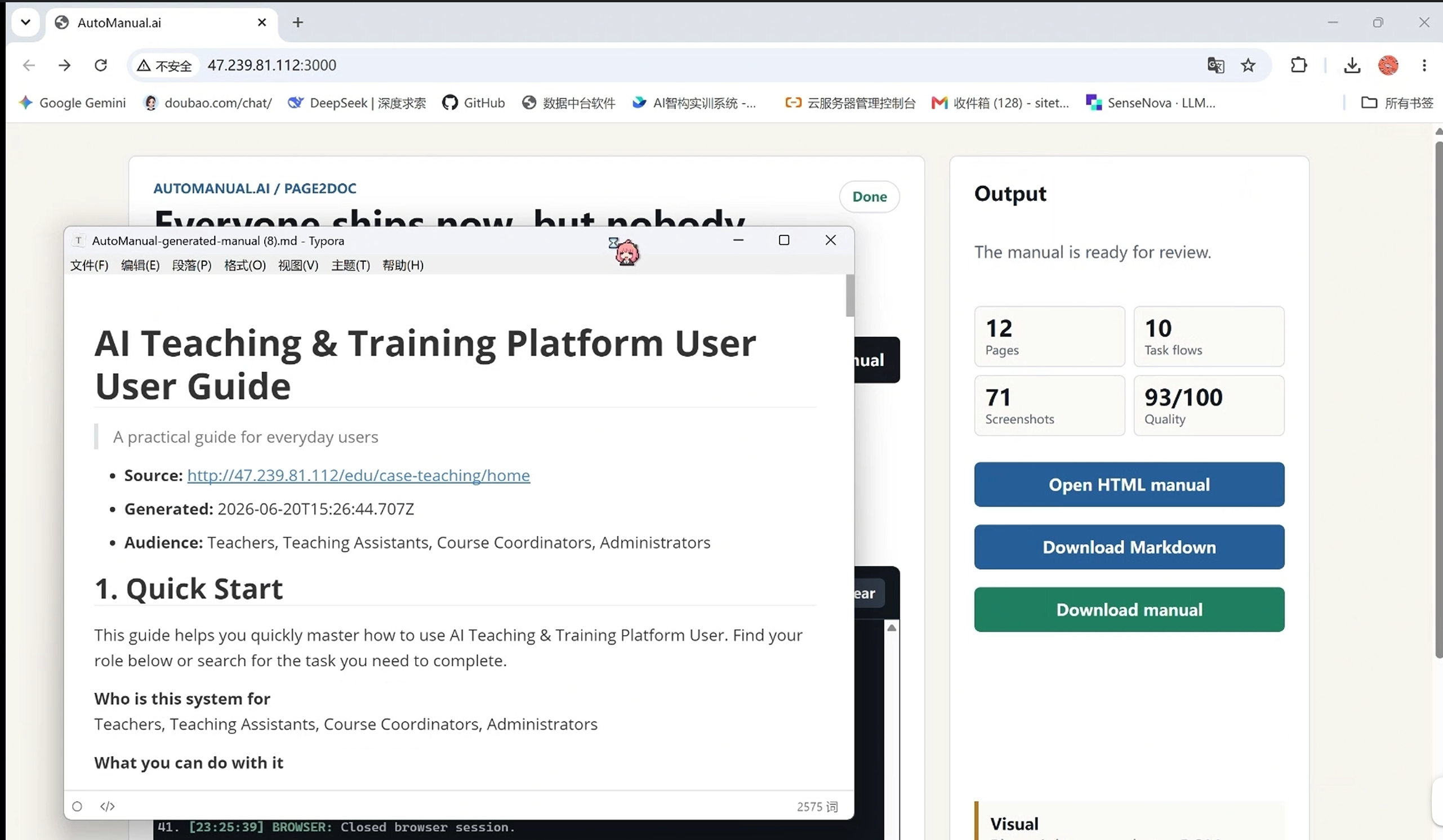
AutoManual.ai takes a web application URL, uses a browser automation engine to inspect the page, and generates structured user manuals with AI. It produces readable documentation, quality feedback, and downloadable artifacts for teams that need to explain software quickly.
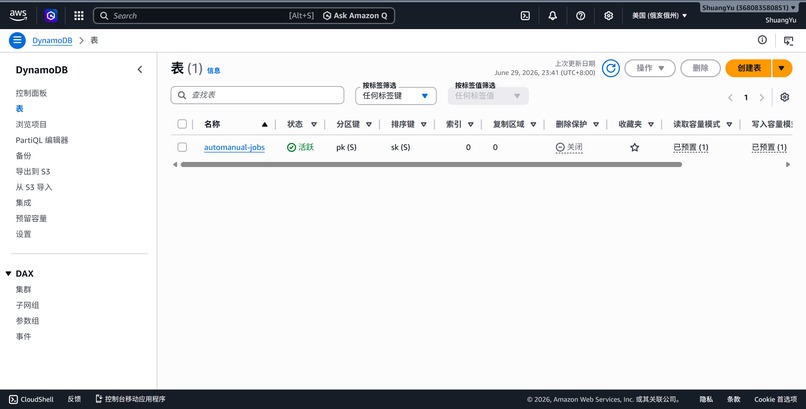
For this version, I added production-oriented job tracking with Amazon DynamoDB. Each manual generation task is stored as a job record with status, timestamps, source URL, output metadata, and quality score. The frontend is deployed on Vercel, while the backend handles scraping, AI generation, document creation, and persistence.
How I built it
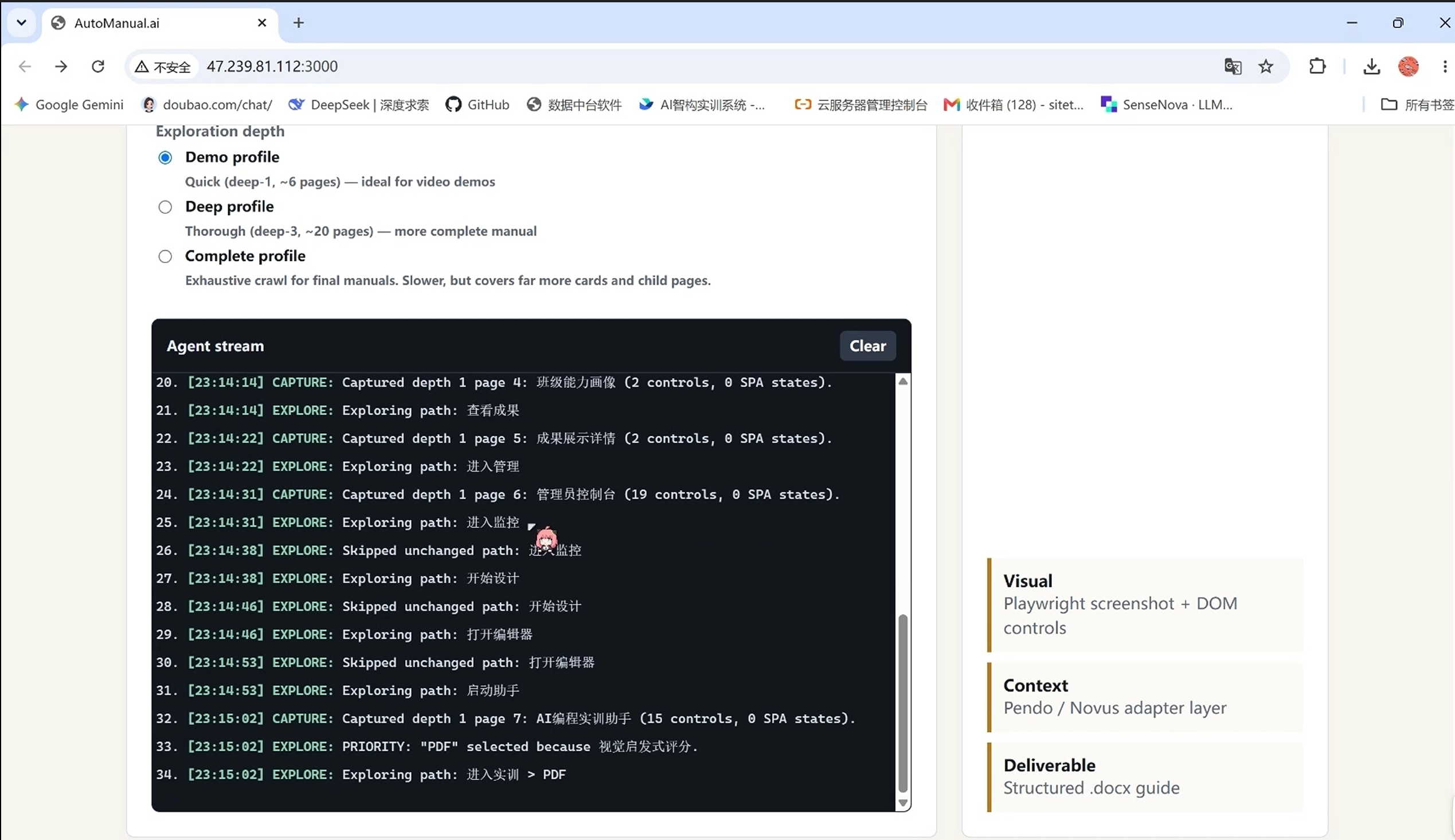
The frontend is a lightweight web interface deployed on Vercel. The backend is built with Node.js and Express. Playwright is used to inspect live web pages, and an LLM is used to transform the collected page context into structured documentation.
For the database layer, I used Amazon DynamoDB with a composite key design:
pk:JOB#<jobId>sk:METADATA
This keeps each generation job easy to retrieve and update while leaving room for future records such as job events, versions, and audit logs.
The application architecture is:
- User submits a target web application URL.
- The backend creates a generation job in DynamoDB.
- Playwright opens and inspects the target application.
- The AI engine generates a structured manual.
- The system stores job status, output metadata, and quality information.
- The user receives generated documentation and downloadable artifacts.
Challenges I faced
The biggest challenge was making the project feel like real software instead of just a demo. Browser automation can be fragile, AI output needs structure, and generated documentation must be useful enough for real teams.
Another challenge was adapting an existing project into the H0 stack under a tight deadline. I had to separate the frontend deployment from the backend runtime, add DynamoDB persistence, prepare architecture documentation, and make the project presentable for judging.
What I learned
I learned how important the boundary is between a fast prototype and a production-ready application. Vercel makes frontend deployment fast, but a useful product still needs reliable backend state, clear architecture, and observable job progress.
Using DynamoDB also pushed me to think more carefully about data modeling. Instead of treating the database as a generic storage box, I designed the table around the lifecycle of a manual generation job.
What's next
Next, I want to improve AutoManual.ai in three directions:
- support deeper multi-page application crawling;
- add team workspaces and manual version history;
- provide integrations for product teams, implementation engineers, and customer success teams.
The long-term vision is to make software documentation feel less like a chore and more like an automatic part of shipping.
Built With
- amazon
- amazon-web-services
- api
- css
- dynamodb
- express.js
- html
- javascript
- language
- large
- models
- node.js
- playwright
- pm2
- sdk
- sensenova
- services
- vercel
- web


Log in or sign up for Devpost to join the conversation.