-
-
Master Your Inbox - Let NinjAttach Handle the Paperwork
-
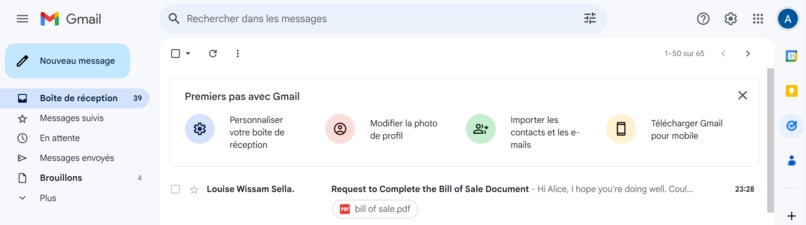
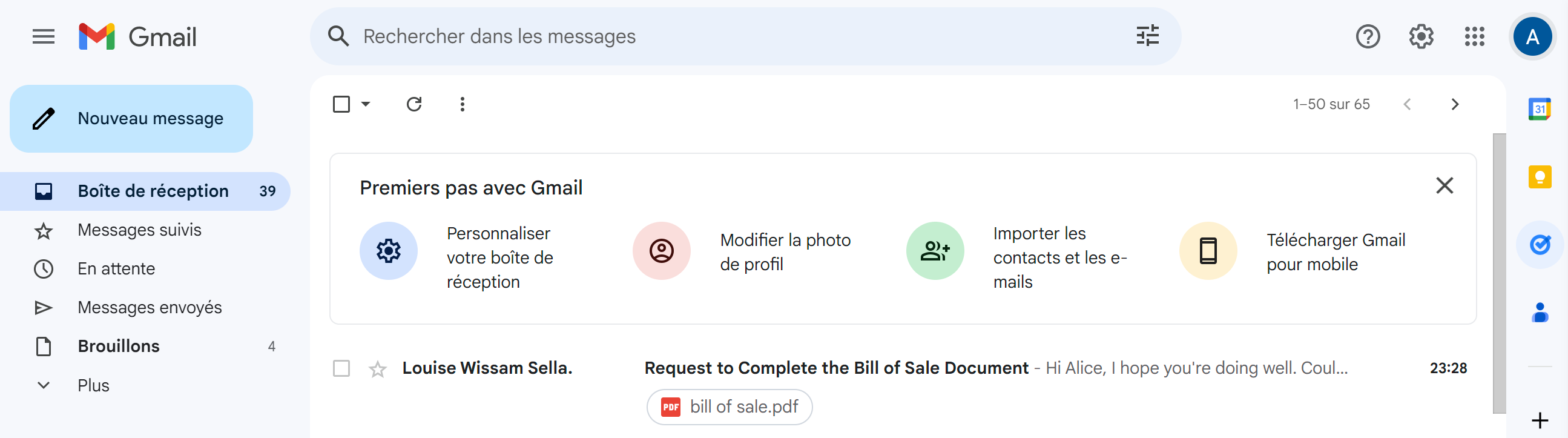
We first recieve an email
-
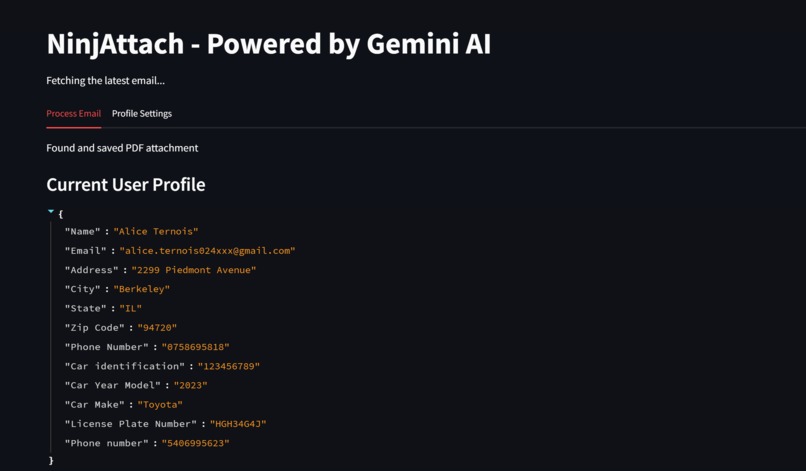
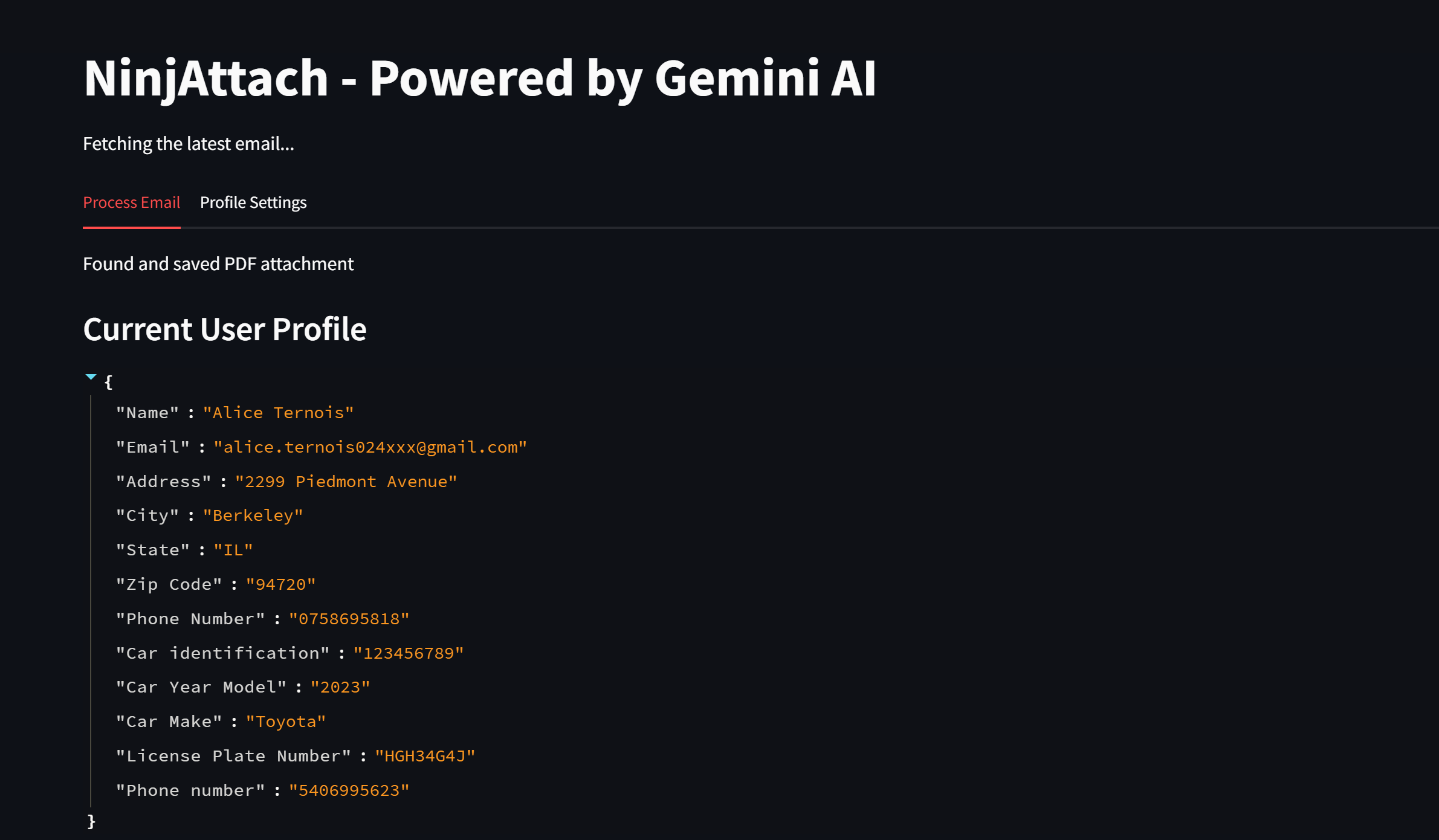
Fetching last email and saving the attachement
-
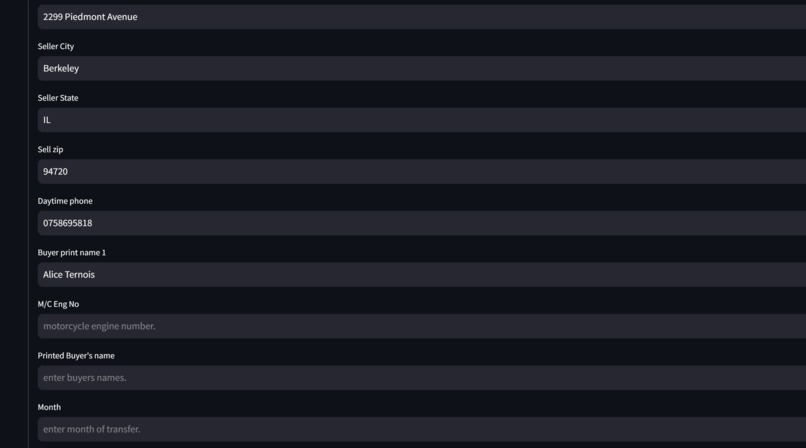
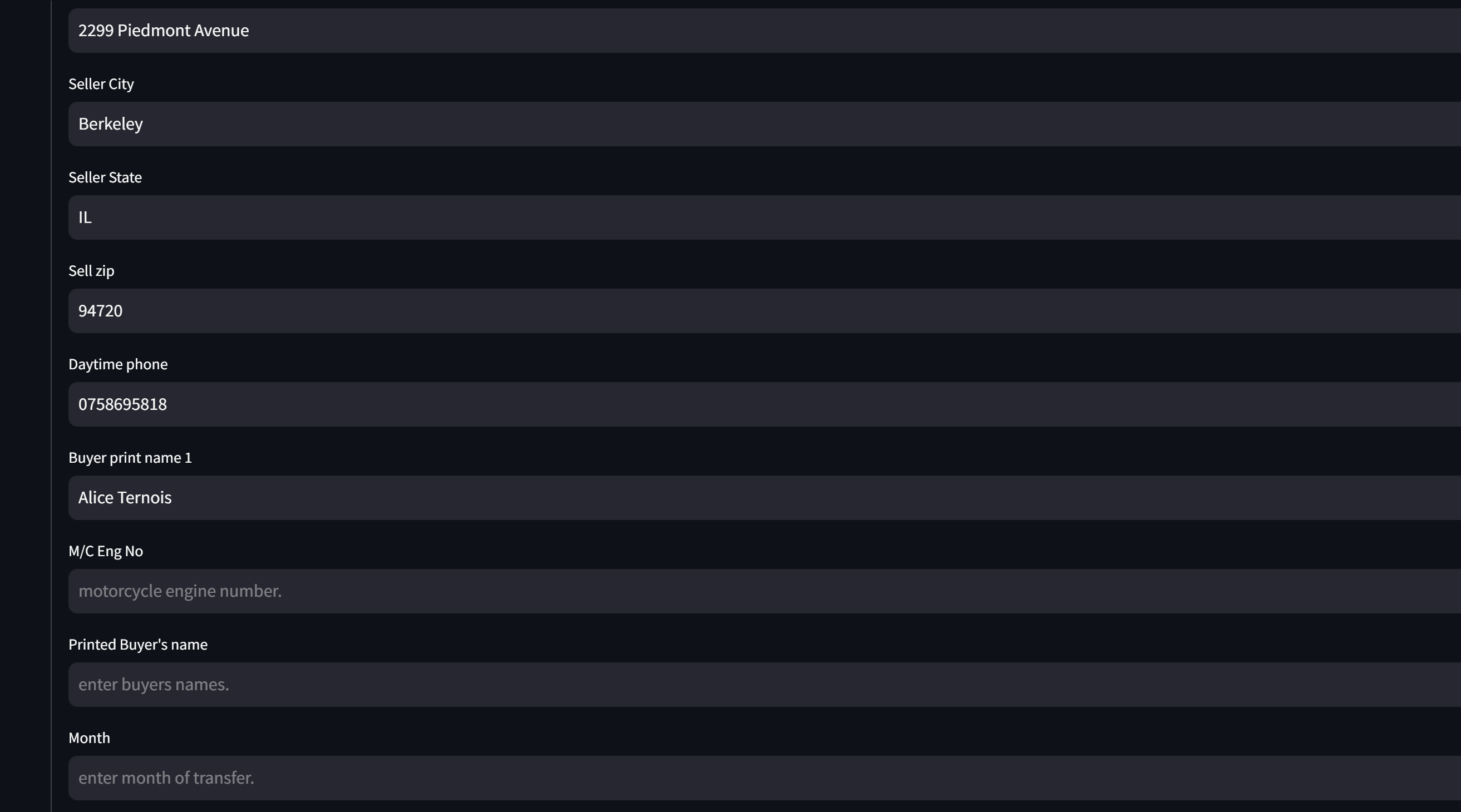
We fill the missing fields
-
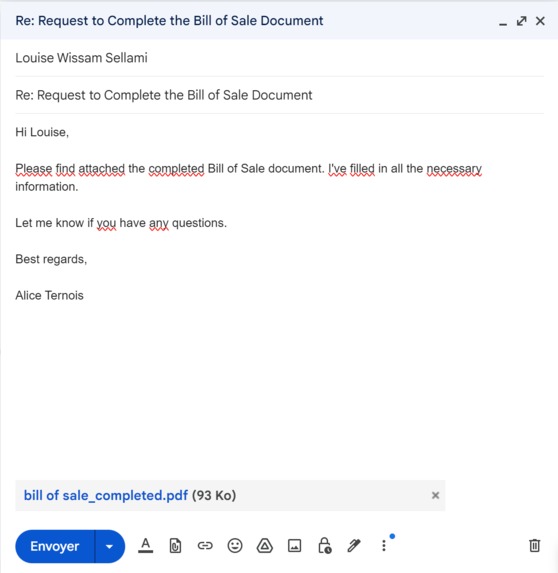
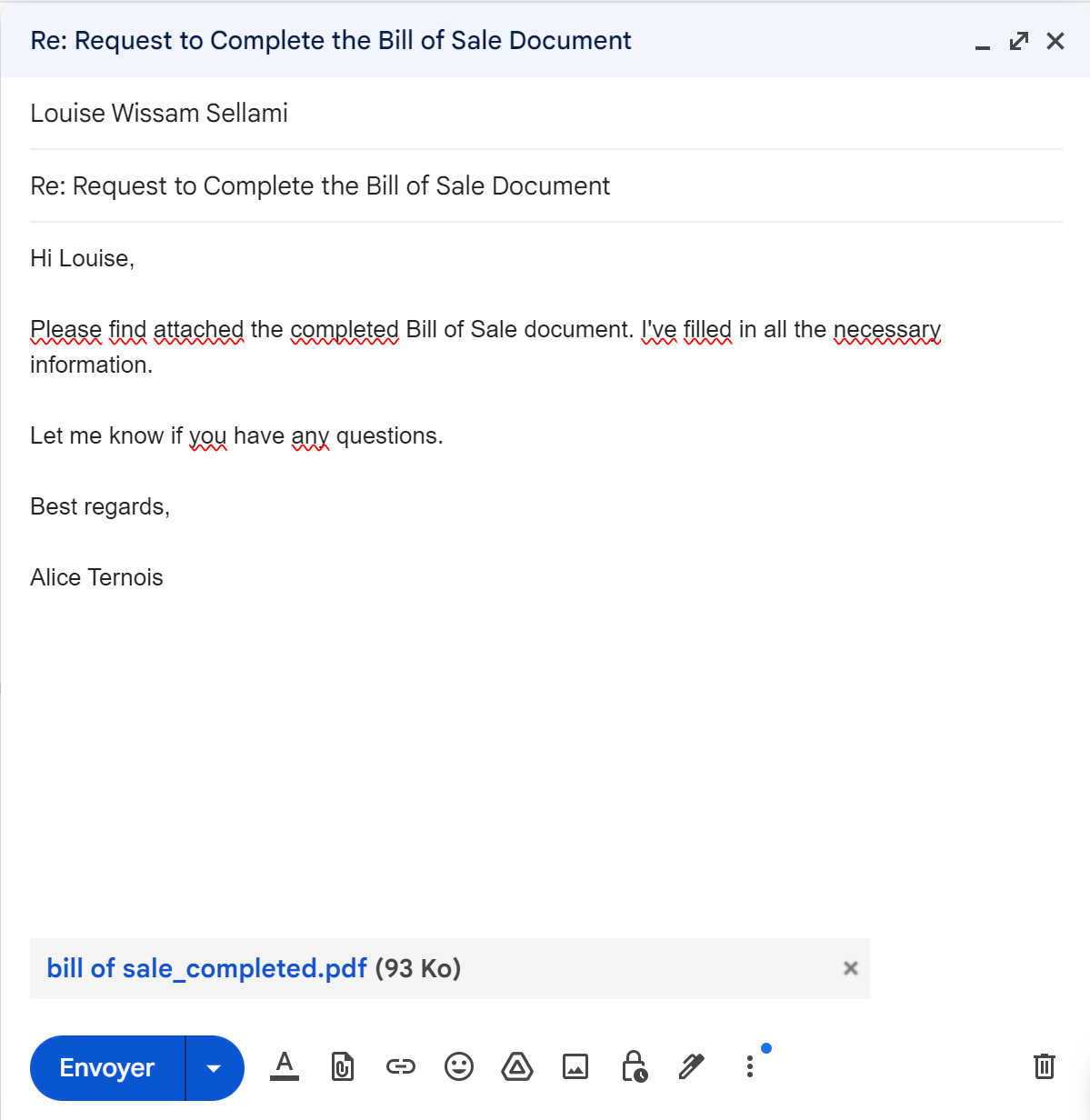
The agent creates a draft directly in Gmail with the pdf completed given the stored info about the user and the missing fields
-
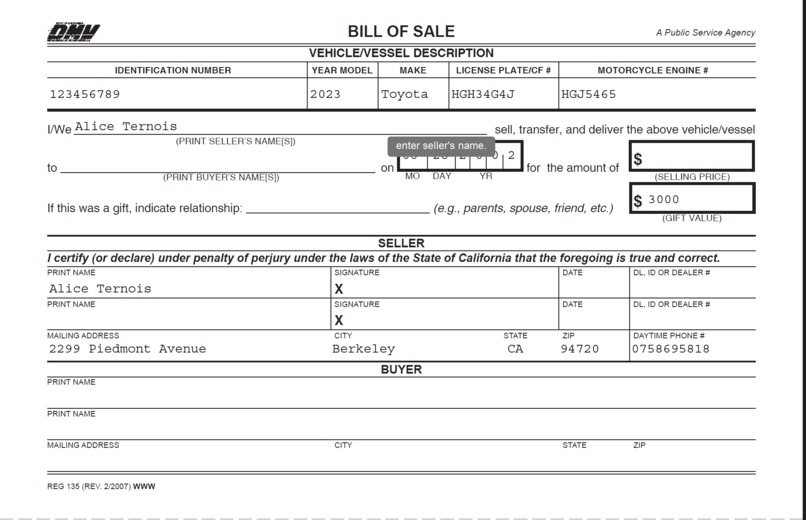
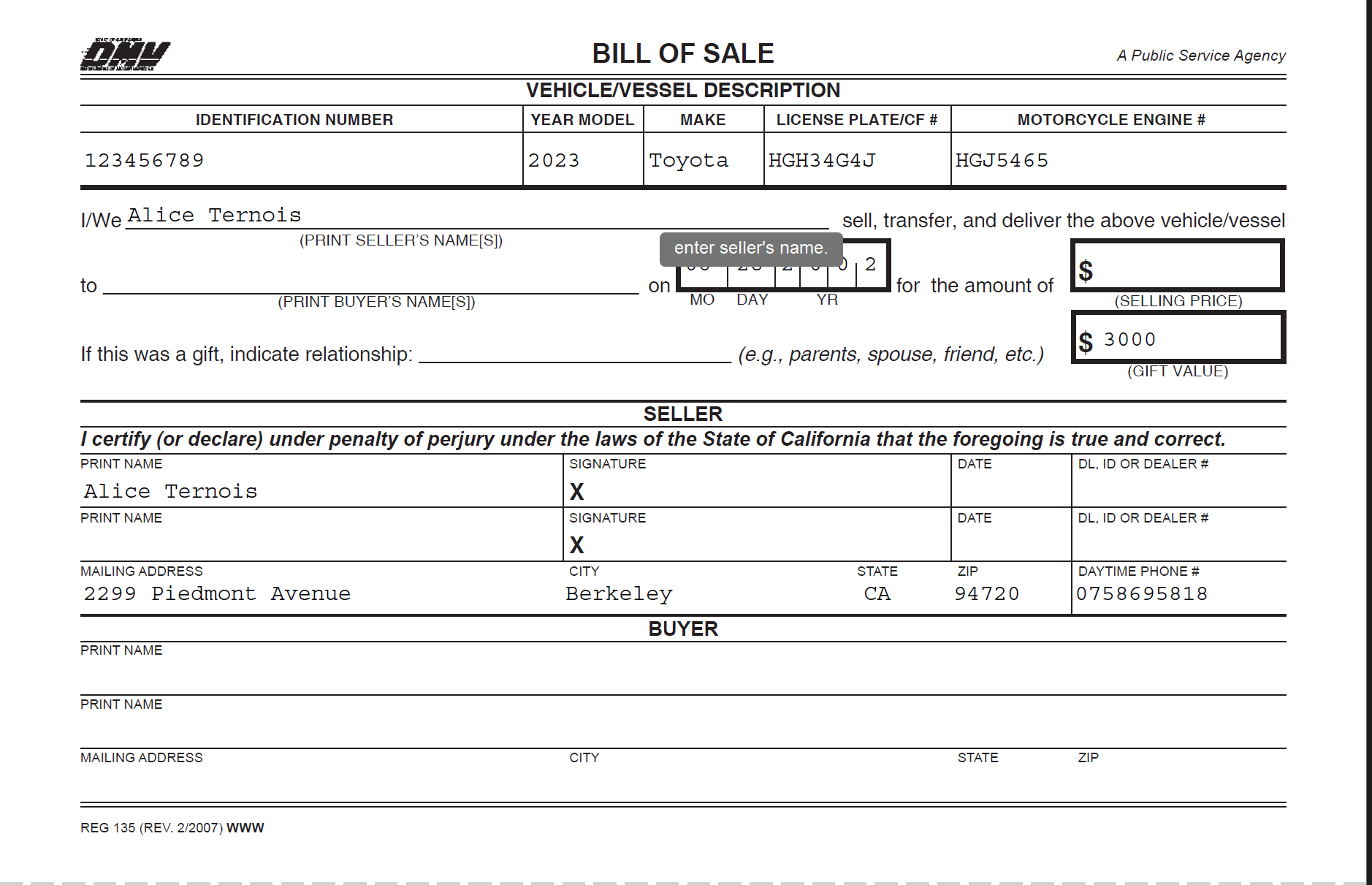
We can check that completed attachement has the correct information! We can now send the email
Inspiration
NinjAttach was inspired by our frustrations during past work experiences, where we wasted time filling repetitive PDF attachments and feared missing urgent emails in a flood of incoming messages. We built NinjAttach to automate these tedious tasks, ensuring users can manage their inboxes efficiently and focus on what matters most.
What it does
- Email Reading: Automatically reads the latest emails and extracts attachments.
- PDF Information Extraction: Extracts missing fields from PDF attachments.
- User Profile Management: Updates user profiles with extracted information.
- Form Generation: Generates a dynamic form for users to fill in missing information.
- Email Draft Creation: Creates an email draft with the updated PDF attached for the user to send.
- Task Scheduling: Automatically saves the task in the user’s Google Calendar as a reminder to send the email.
How we built it
We structured the project into three core components:
- Gmail Integration: Communicating with Gmail via the API to automatically read emails and extract attachments.
- Web App Development: Creating a user-friendly interface where users can review and complete extracted information from PDFs.
- PDF Processing: Automatically filling PDFs in the correct fields based on extracted data.
Challenges we ran into
One of the main challenges we faced was our limited coding background. None of us had developed an app before, so we had to rapidly upskill to bring NinjaAttach to life. The PDF auto-filling feature proved particularly challenging as we needed to understand the structure of widgets and PDF formatting. Additionally, handling complex PDFs required us to explore computer vision tools we had never used before. Despite these hurdles, our team leveraged our diverse backgrounds and worked cohesively, allowing us to overcome the technical challenges and grow our skill sets quickly.
Accomplishments that we're proud of
We’re proud of how quickly our team upskilled, moving from minimal coding experience to developing NinjAttach. We learned how to deploy a web app, work with Google APIs, and tackle the complexities of PDF auto-filling. One key feature we’re especially proud of is the ability to remember and reuse the user’s previously entered key information, streamlining future PDF completions. Despite barely knowing each other before the hackathon, we quickly built a strong team dynamic, leveraging each member’s strengths to collaborate effectively. Our ability to unite and execute efficiently is something we take great pride in.
What we learned
Throughout the project, we gained valuable experience in coding and deploying a web app using Streamlit Cloud. We deepened our understanding of working with APIs, particularly the Gmail API and LLM APIs, and improved our skills in handling PDF structure and automated form filling. Additionally, we developed stronger team management and communication practices, ensuring efficient collaboration. Lastly, we learned the importance of resilience in overcoming challenges and delivering a successful project.
What's next for AutoMail
Next for NinjAttach is expanding its capabilities beyond email attachments and replies. We plan to introduce a more intuitive, user-friendly interface and a dynamic dashboard, allowing users to track tasks, emails, and document workflows in real-time. In addition, we aim to integrate advanced AI features, such as smart email prioritization and seamless connections with task management tools. Our vision is to build an intelligent assistant that evolves with user needs, boosting efficiency and productivity.


Log in or sign up for Devpost to join the conversation.