-
-

AutoGem Logo
-
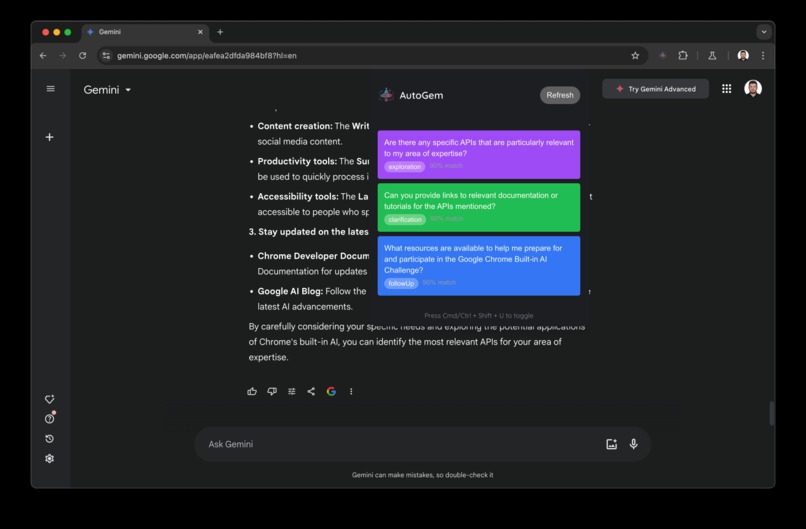
AutoGem Click-send Mode
-
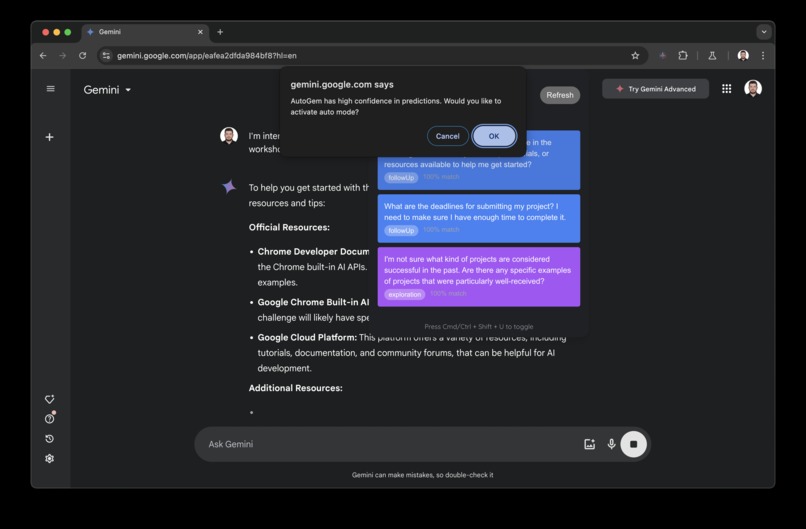
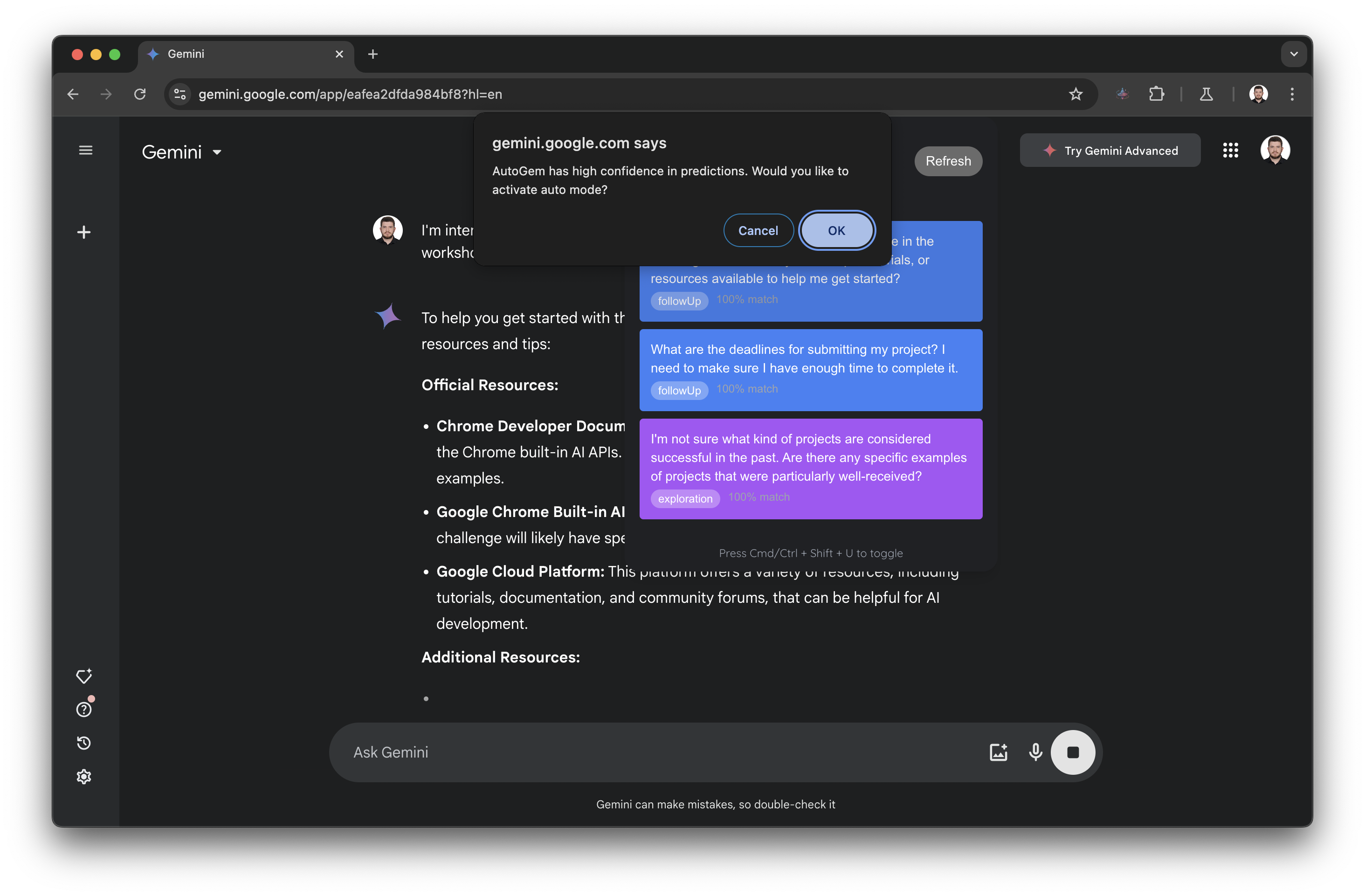
AutoGem Auto Mode Request
-
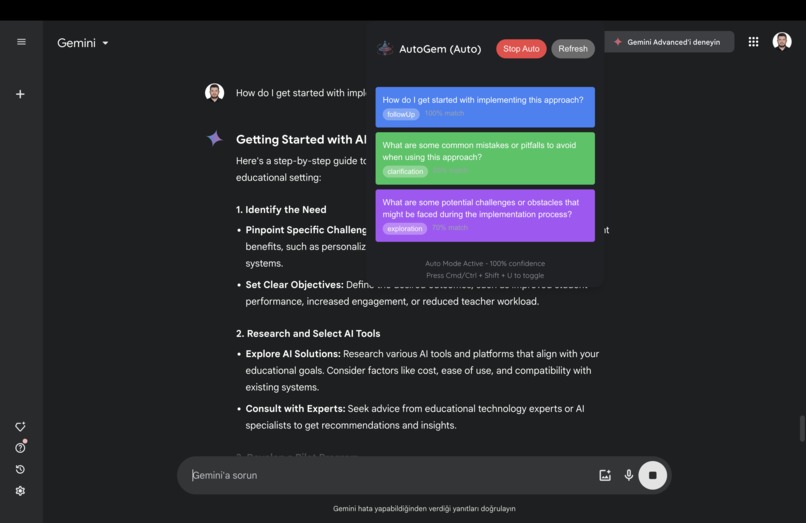
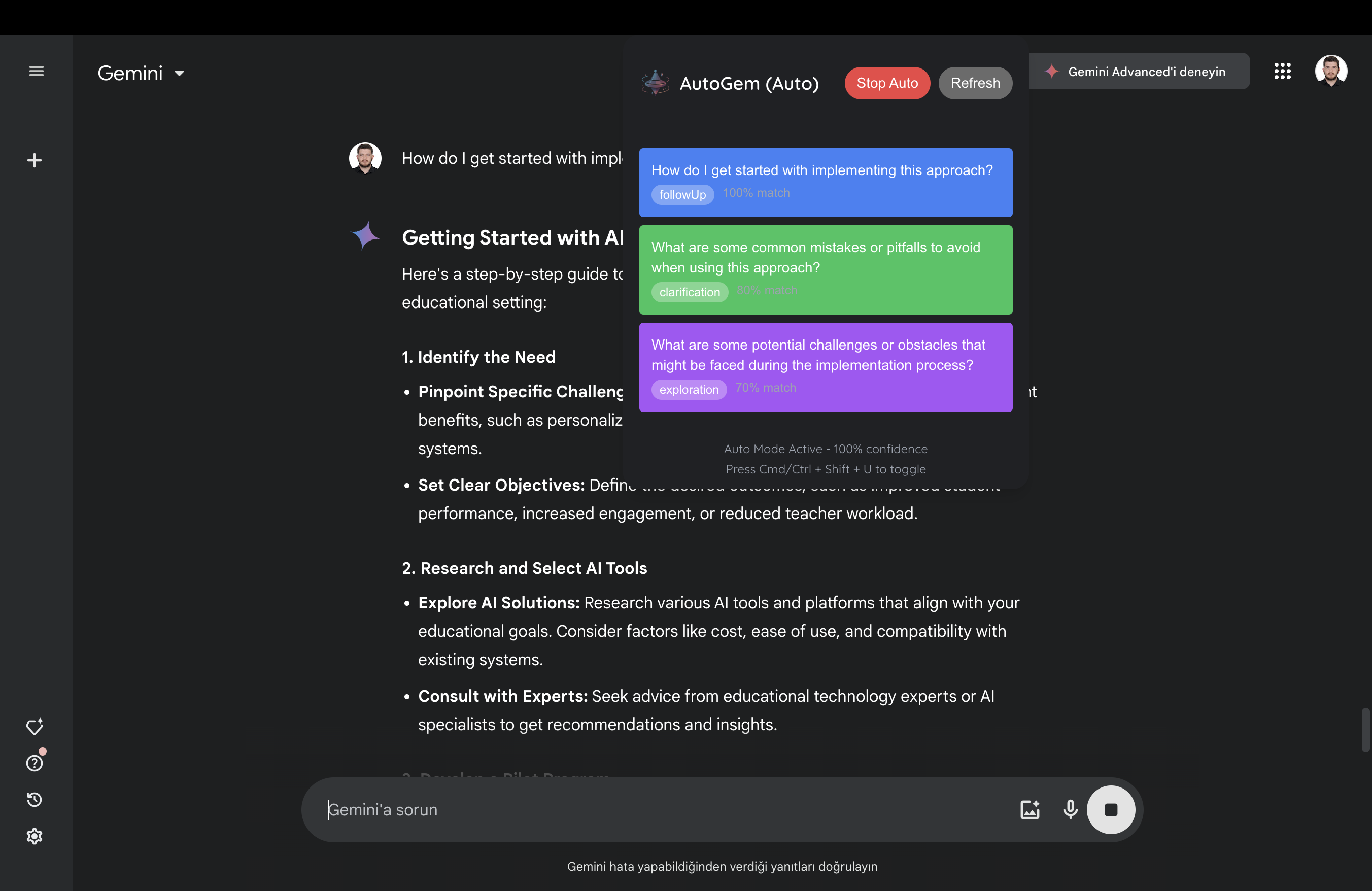
AutoGem Auto Mode

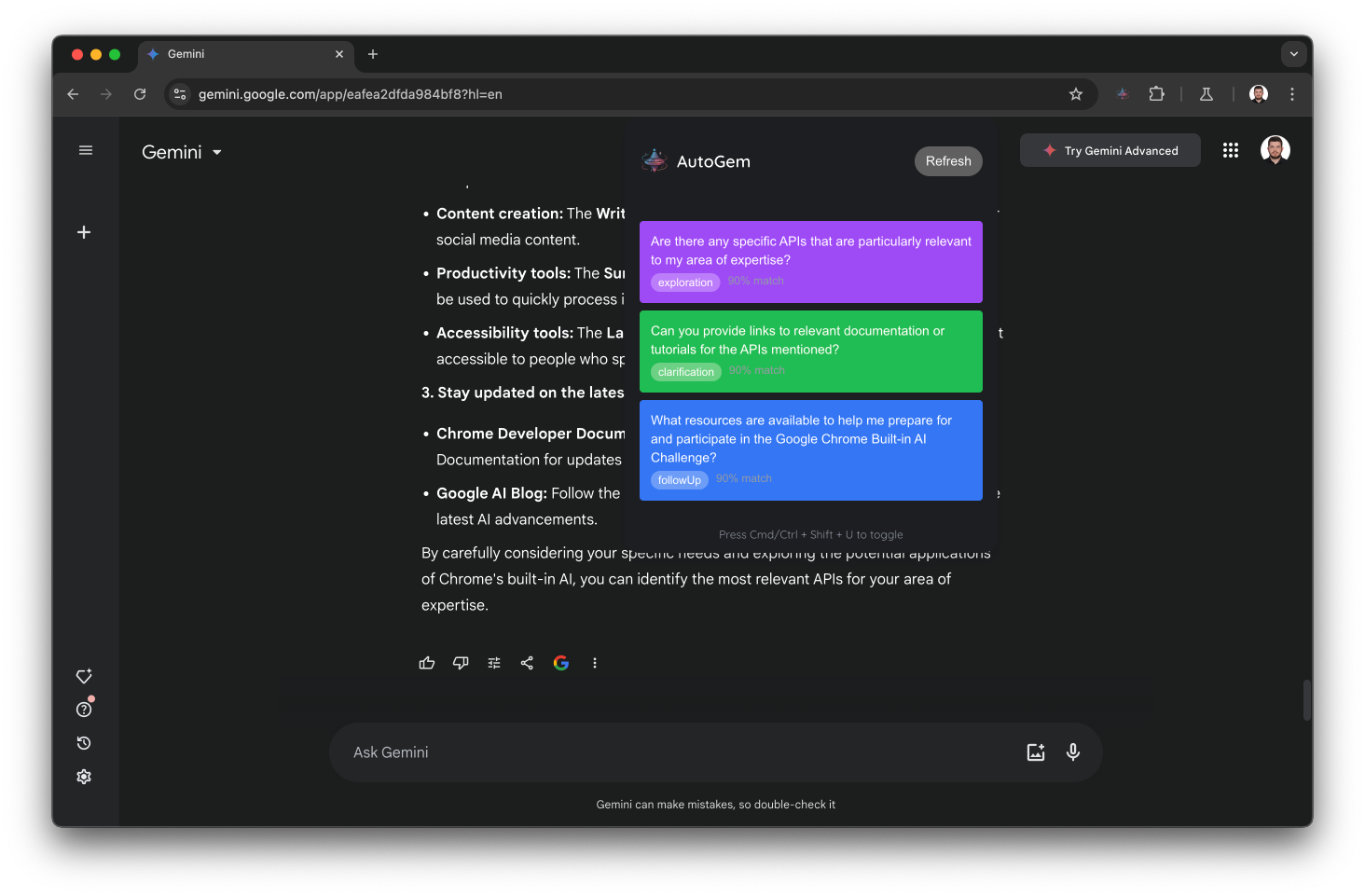
Inspiration
The inspiration for AutoGem came from observing how users interact with large language models like Gemini. While these AI models are robust, users often need to establish context and manually guide conversations repeatedly. We wanted to create a more intuitive experience that could understand user interests and proactively suggest relevant questions and topics - similar to how Google's "I'm Feeling Lucky" button revolutionized web search.
What it does
AutoGem is a Chrome extension that uses Chrome's built-in AI APIs to enhance AI conversations through:
- Real-time conversation analysis to understand user interests
- Contextually relevant question suggestions
- Progressive topic exploration based on user engagement
- Local processing for privacy and efficiency
How we built it
We developed AutoGem using:
- React.js for a responsive user interface with TypeScript and Tailwind CSS
- Chrome Extension APIs for seamless website integration and DOM manipulation
Chrome's Built-in AI APIs:
- Prompt API for dynamic question generation and context understanding
- Prompt API in Chrome Extensions for on-device inference and privacy
- Two-Stage Prompt Engineering:
- Initial prompts for topic understanding
- Advanced prompts for personalized suggestions
Two-Stage Analysis System:
- Initial analysis after first 3 messages, using lightweight processing
- Enhanced analysis at engagement thresholds, enabling deeper personalization
Challenges we ran into
Technical Challenges:
- Integrating smoothly with existing chat interfaces
- Managing API responses efficiently
- Implementing practical content analysis
- Balancing resource usage for local processing
UX Challenges:
- Designing non-intrusive suggestion displays
- Timing interventions appropriately
- Maintaining conversation flow
- Ensuring suggestion relevance
Accomplishments that we're proud of
- Created seamless integration with Chrome's built-in AI APIs, enabling real-time processing on the device
- Pioneered a two-stage analysis system with progressive personalization, balancing performance with user experience
- Built a minimalist interface that naturally augments AI conversations with zero UI friction
- Implemented privacy-first architecture with 100% local processing and no data retention
- Achieved sub-second suggestion generation through optimized prompt engineering
What we learned
- The importance of progressive feature revelation in AI interfaces - starting simple and expanding capabilities based on user engagement
- How to effectively combine multiple Chrome AI APIs to create a more sophisticated user experience
- The value of maintaining a focused v1.0 that delivers core functionality exceptionally well
- Techniques for balancing proactive assistance with user autonomy in AI interactions
- The critical role of proper prompt engineering in generating relevant and valuable suggestions
What's next for AutoGem for Chrome
Multi-Platform Integration:
- Support for major LLMs (Gemini)
- Mobile and tablet optimization
- OS-agnostic implementation
Enhanced Intelligence:
- Real-time conversation synchronization
- Adaptive suggestion algorithms using Chrome AI APIs
Developer Experience:
- Open SDK for custom LLM integrations
- API documentation and developer tools
- Community-driven plugin system
Enterprise Features:
- Team collaboration tools
- Custom deployment options
- Analytics dashboard
- Security controls
Built With
- chrome
- extension
- gemini-nano
- html/css
- prompt-api
- react
- tailwind
- tools
- typescript
- webpack
- write-api


Log in or sign up for Devpost to join the conversation.