-
-
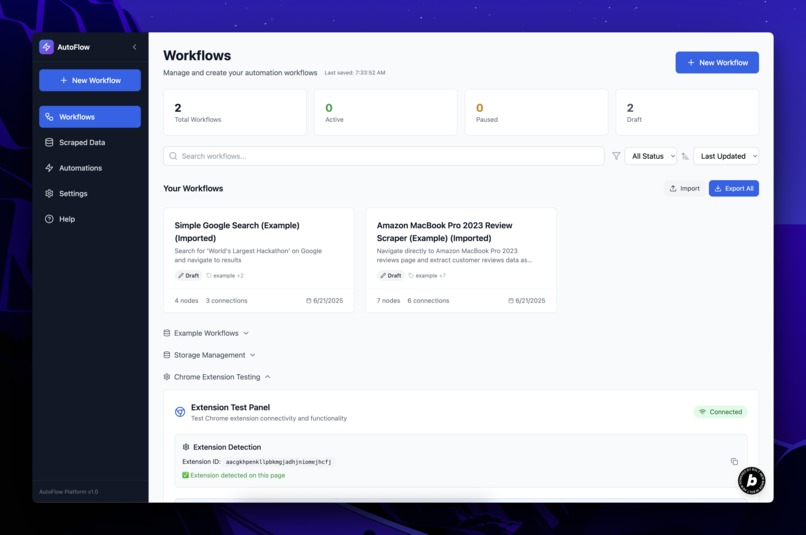
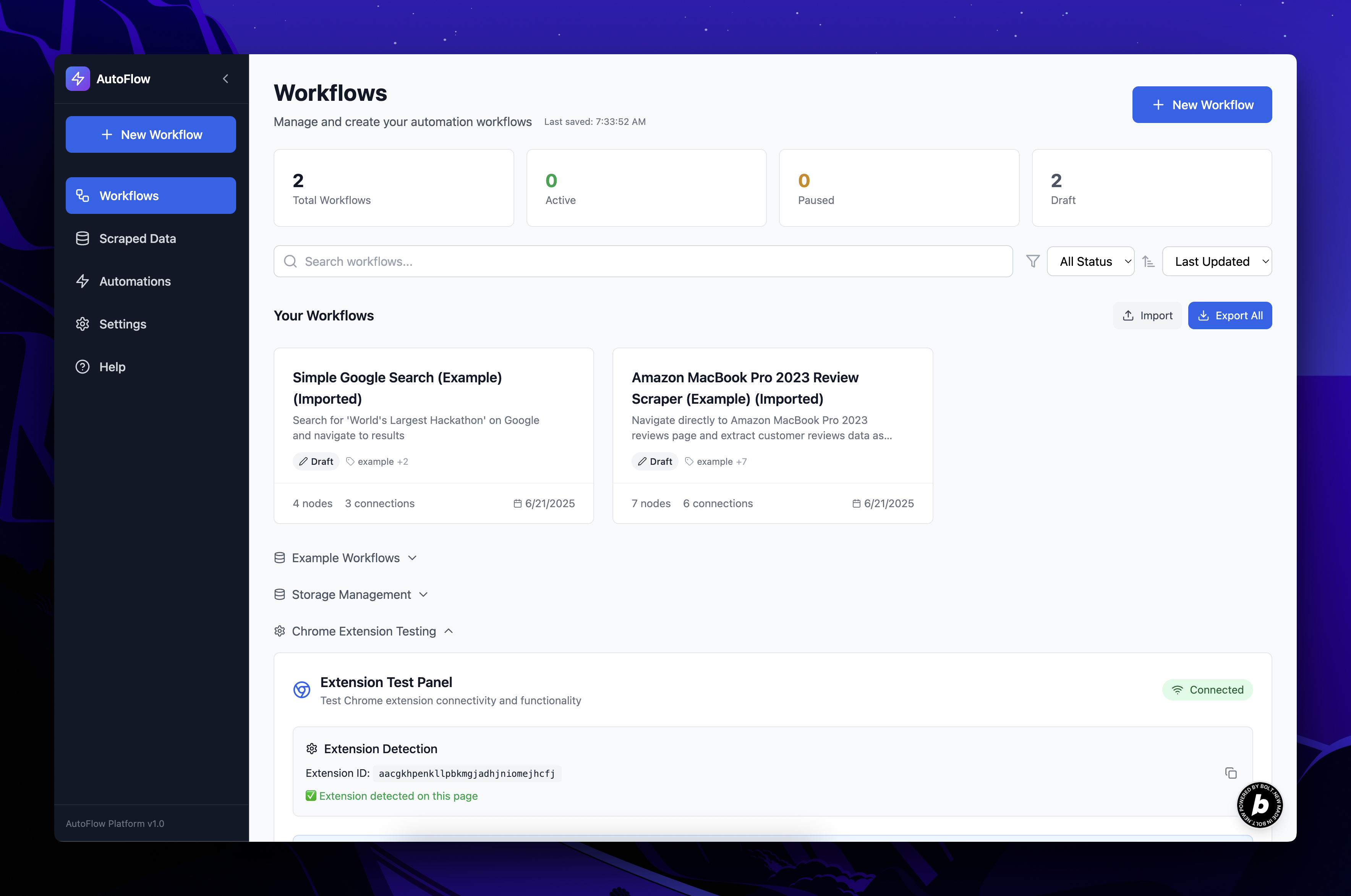
workflows dashboard
-
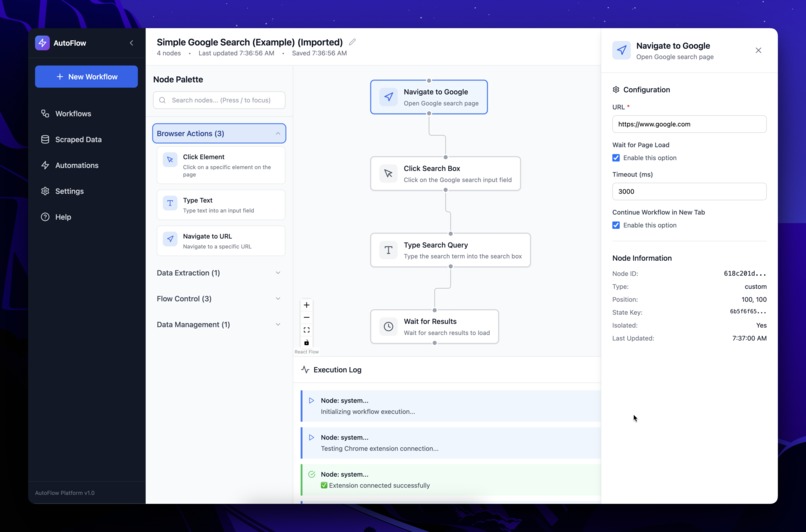
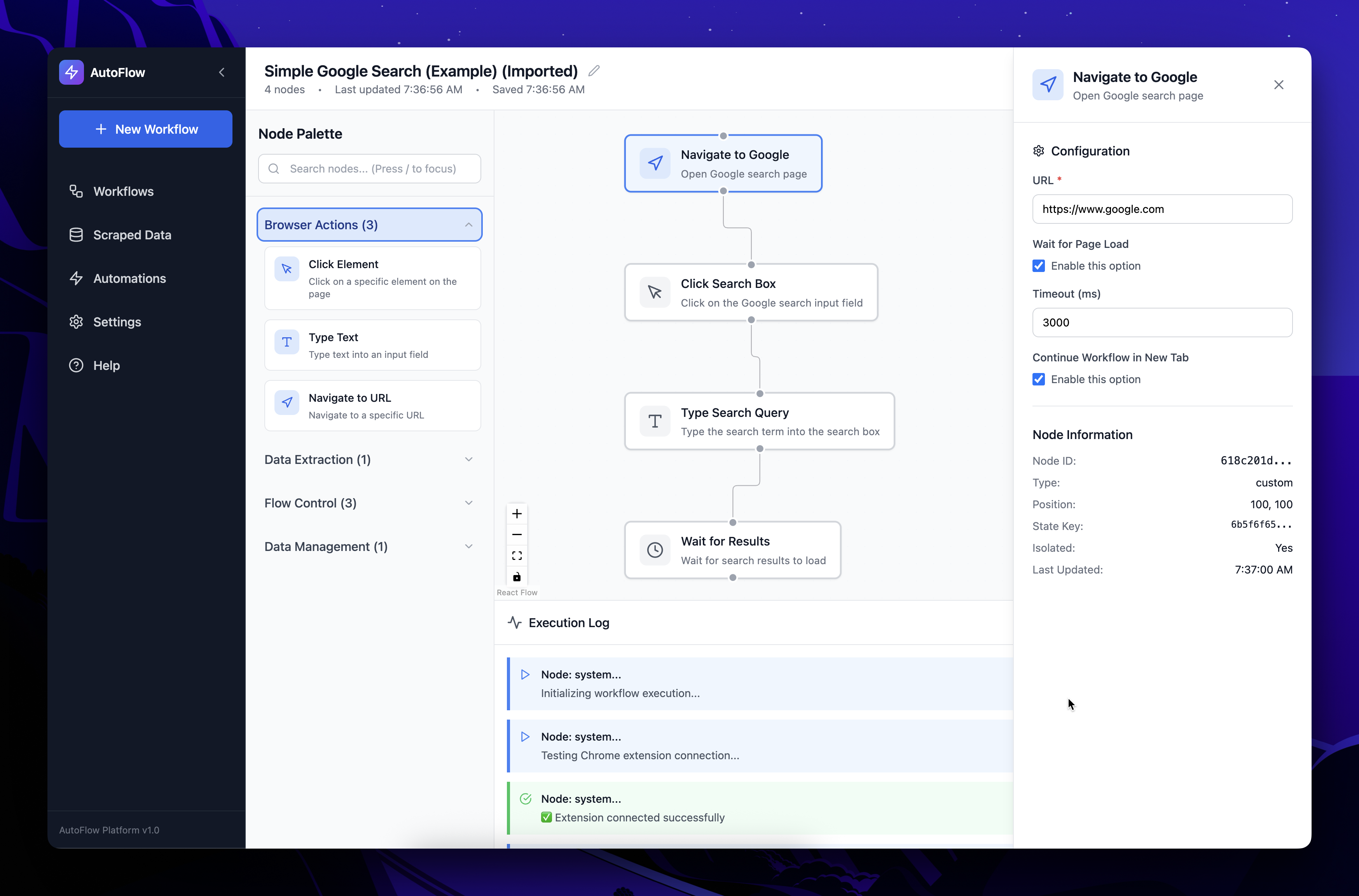
workflow page
-
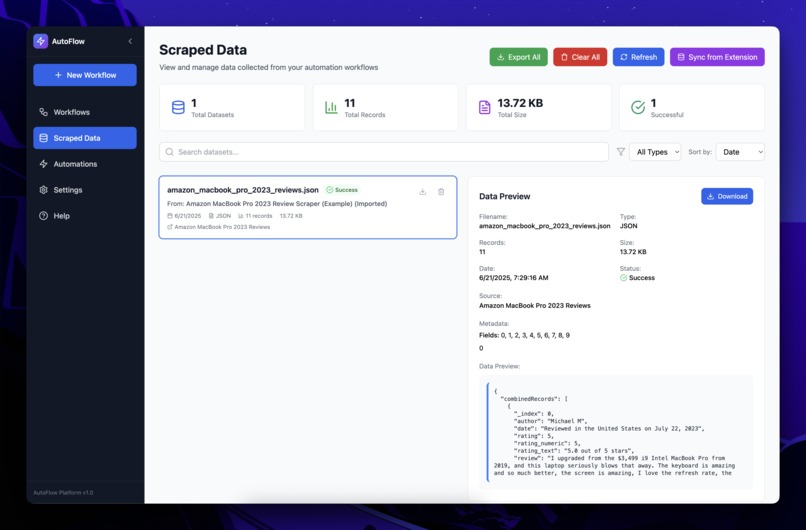
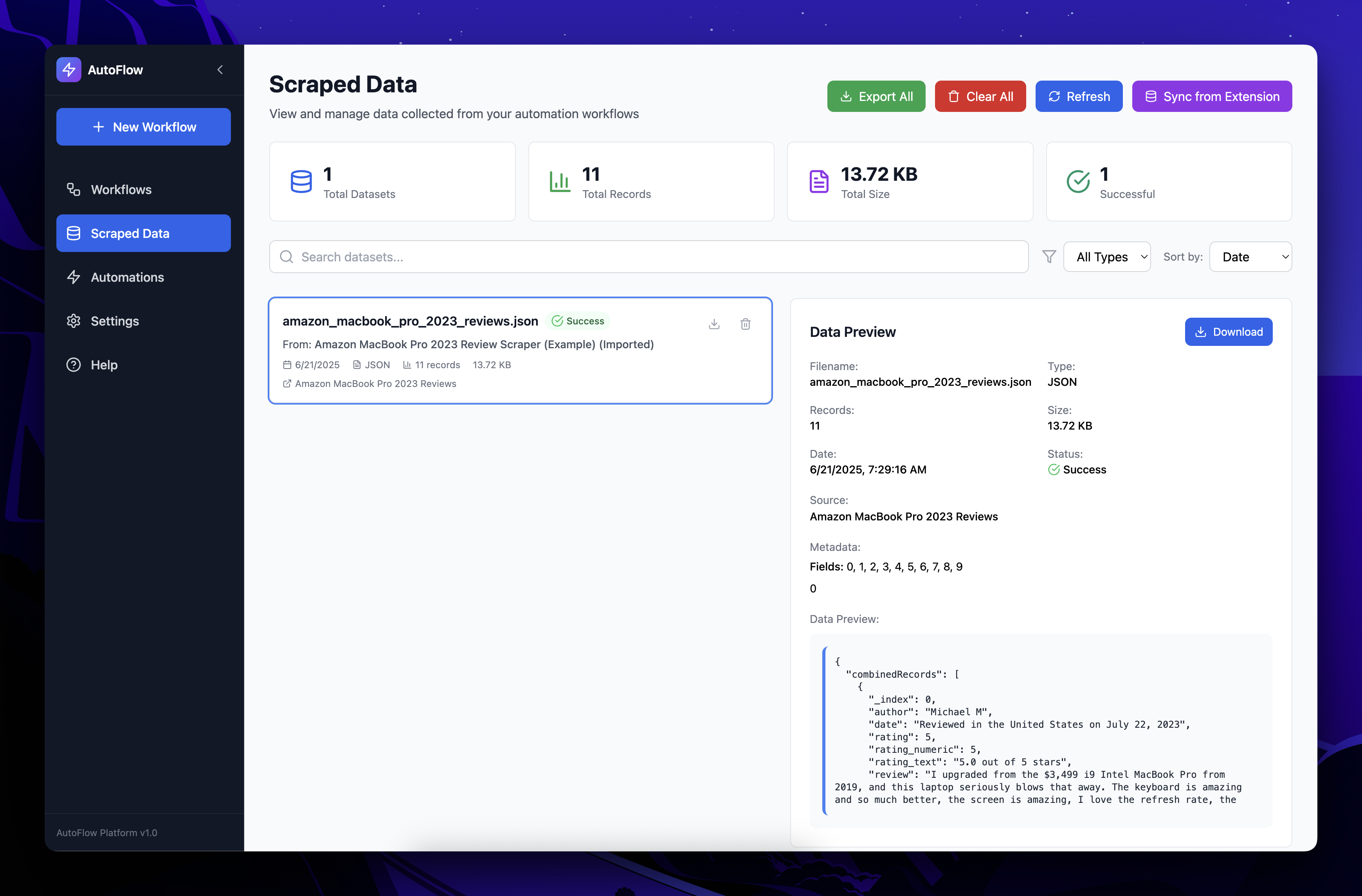
scraped data page
-
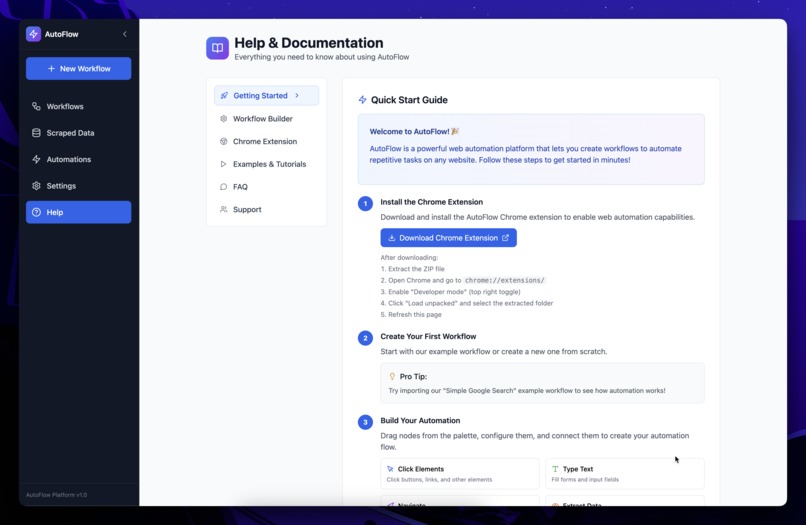
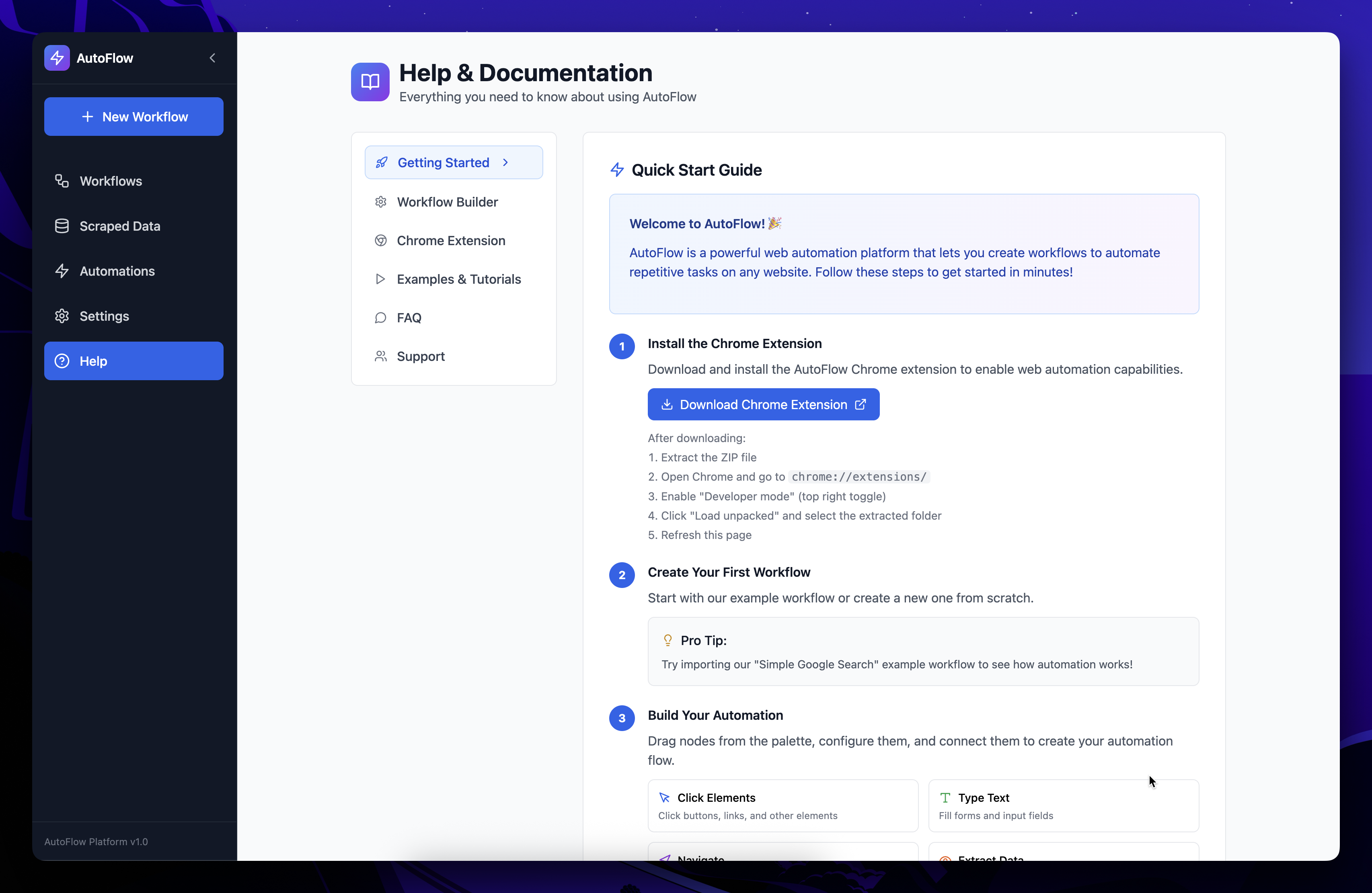
help page
Inspiration The inspiration for AutoFlow came from witnessing countless hours wasted on repetitive web tasks across industries. From data entry clerks manually copying information between systems, to researchers spending days collecting data that could be automated, to businesses losing productivity on routine web interactions. We envisioned a world where anyone, regardless of technical expertise, could automate their web workflows through an intuitive visual interface. The goal was to democratize web automation and make it as simple as drawing a flowchart.
What it does AutoFlow is a comprehensive web automation platform that combines a visual workflow builder with a powerful Chrome extension to automate any web-based task. Users can:
Design workflows visually using a drag-and-drop interface with nodes for clicking, typing, navigating, extracting data, and more Pick elements directly from web pages using an intelligent element picker that generates robust CSS selectors Extract structured data from websites with automatic data combination and export capabilities Execute workflows seamlessly through a Chrome extension that runs automations in real browser tabs Manage and organize workflows with tagging, search, filtering, and comprehensive data management Export and import workflows for sharing and backup, with full data preservation The platform handles everything from simple form filling to complex data scraping workflows, making web automation accessible to everyone from business users to developers.
How we built it AutoFlow is built with a modern, scalable architecture:
Frontend (React + TypeScript):
React 18 with TypeScript for type safety and modern development Zustand for efficient state management with persistence React Flow for the visual workflow builder interface Tailwind CSS for responsive, production-ready styling Framer Motion for smooth animations and micro-interactions Chrome Extension (Vanilla JS):
Manifest V3 for modern extension capabilities Content scripts for DOM manipulation and element picking Background service worker for workflow execution coordination Advanced message passing with retry logic and error handling Local storage integration for data persistence Key Technical Features:
Enhanced localStorage with retry mechanisms and data validation Deep cloning utilities for data integrity and isolation Comprehensive error handling and recovery systems Real-time workflow execution with progress tracking Intelligent element selector generation with fallback strategies Cross-tab communication and workflow continuation Challenges we ran into Chrome Extension Communication: Building reliable communication between the web app and Chrome extension across different domains and security contexts required implementing sophisticated message passing with retry logic and multiple fallback strategies.
Data Persistence & Integrity: Ensuring workflow data remains intact across browser sessions while handling edge cases like storage quota limits, data corruption, and circular references required building a robust persistence layer with versioning and recovery mechanisms.
Element Selection Reliability: Creating an element picker that generates stable, reliable CSS selectors across different websites and dynamic content required implementing multiple selector generation strategies and validation systems.
Cross-Browser Compatibility: Ensuring the platform works consistently across different Chrome versions and handling various security restrictions while maintaining a seamless user experience.
Workflow Execution Coordination: Managing complex workflow execution across multiple browser tabs while handling navigation, timing, and error scenarios required building a sophisticated execution engine with state management.
Accomplishments that we're proud of Production-Ready Architecture: Built a comprehensive platform with enterprise-level features including data backup/recovery, comprehensive error handling, and robust state management that could scale to thousands of users.
Intuitive User Experience: Created a visual workflow builder that makes complex automation accessible to non-technical users while providing advanced features for power users.
Reliable Automation Engine: Developed a Chrome extension that can handle real-world web automation scenarios with intelligent error recovery, element detection, and cross-tab coordination.
Data Management Excellence: Implemented a complete data lifecycle with extraction, transformation, export capabilities, and intelligent data combination for structured output.
Seamless Integration: Achieved smooth communication between web app and browser extension with automatic reconnection, state synchronization, and comprehensive diagnostics.
What we learned User-Centric Design: The importance of progressive disclosure and intuitive interfaces when building tools for users with varying technical expertise. Complex functionality must be accessible without overwhelming beginners.
Robust Error Handling: In web automation, everything that can go wrong will go wrong. Building comprehensive error handling, retry mechanisms, and graceful degradation is essential for user trust.
Browser Extension Complexity: Modern browser security models require sophisticated approaches to cross-context communication, data persistence, and permission management.
Data Integrity Challenges: Maintaining data consistency across browser sessions, handling edge cases, and providing recovery mechanisms is crucial for production applications.
Performance Optimization: Balancing feature richness with performance, especially in data-heavy applications with real-time updates and complex state management.
What's next for AutoFlow AI-Powered Automation: Integrate machine learning to automatically generate workflows from user demonstrations, predict optimal selectors, and suggest workflow improvements.
Enterprise Features: Add user management, team collaboration, workflow sharing, scheduled execution, and enterprise security features for business adoption.
Advanced Data Processing: Implement data transformation pipelines, API integrations, database connections, and advanced analytics for extracted data.
Multi-Browser Support: Extend beyond Chrome to Firefox, Safari, and Edge with unified workflow execution across different browsers.
Cloud Synchronization: Add cloud storage for workflows, cross-device synchronization, and collaborative editing capabilities.
Marketplace & Templates: Create a community marketplace for sharing workflows, pre-built templates for common use cases, and workflow analytics.
Mobile Automation: Extend automation capabilities to mobile web browsers and progressive web apps for comprehensive cross-platform automation.
Built With
- bolt
- javascript
- netlify
- vite


Log in or sign up for Devpost to join the conversation.