What did you build and how does it address the prompt?
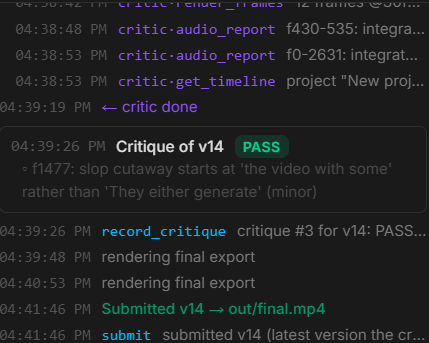
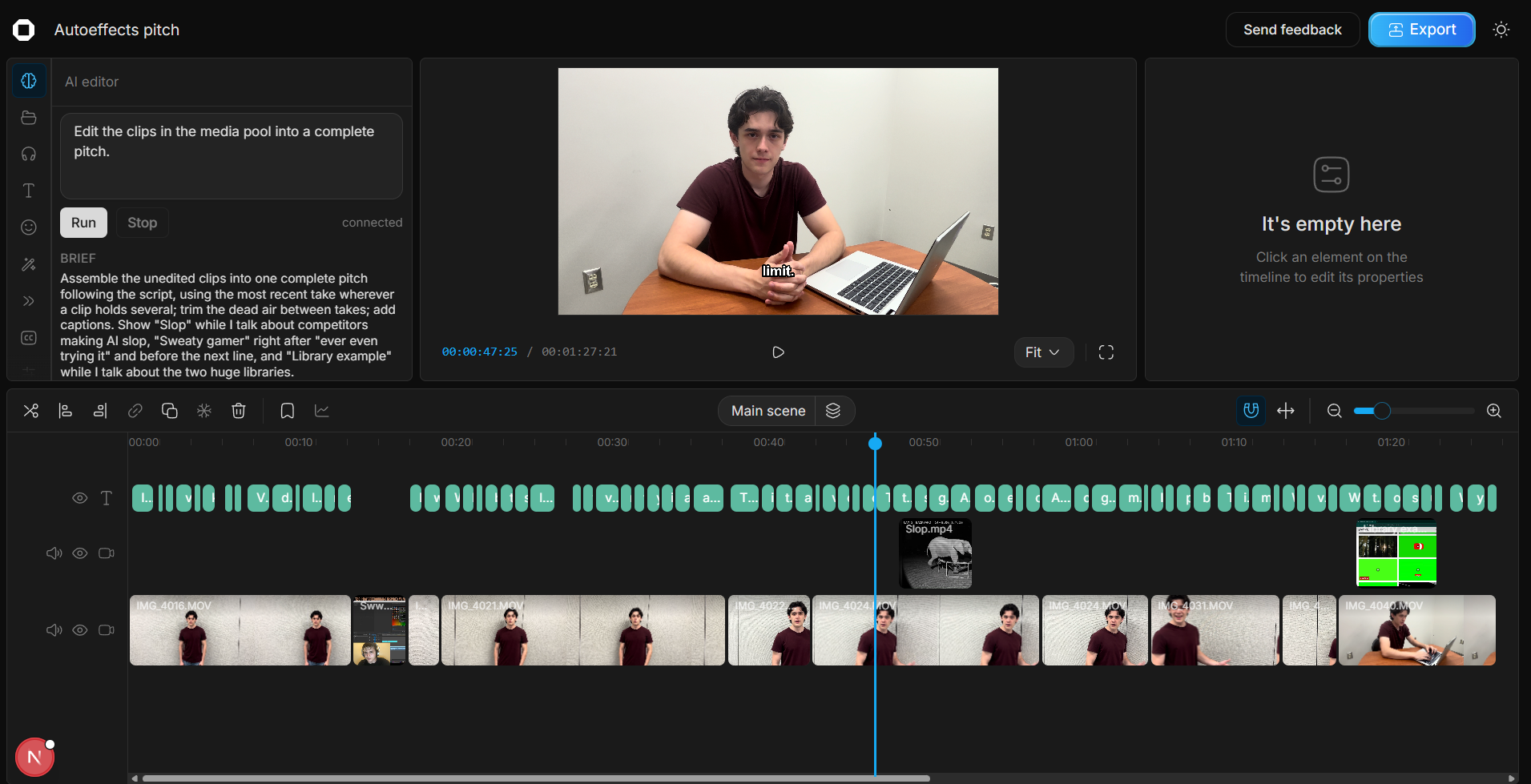
Our team built AutoEffects, an AI dual-agent-driven, closed-loop editing software that takes your raw video footage and plaintext prompt and interacts with our online video editing software to apply your desired interventions. Your raw footage, prompt, and context are given to two agents: a driver and a critic.
The driver uses the video editing software’s tools to interact with the footage and applies any desired edits with the best possible coherence to the user’s creative vision. Then, the critic agent directly compares the intermediate video output to the requests in the prompt. It allows correct features to pass but blocks any features it deems incorrect, sending the intermediate video back to the driver agent with its critiques. Then, the driver tries again, with this cycle repeating until the critic deems that all features have passed.
This follows the prompt by enabling creative individuals who lack technical experience with dense video editing software to build quality videos that are coherent with their artistic vision. These users experience difficulties overcoming the steep learning curves associated with video editing, navigating the complexity of video editing software, and understanding video editing jargon that is prohibitive for beginners. All of these are resolved by AutoEffects. The user can just drag in a video, enter a prompt in common language, and see their vision come to life.
Existing AI editing assistance all suffer from at least one of two major flaws: They either make video through diffusion models, creating a noticeable AI slop feel, or they perform first-draft-level changes without checking their work, forcing users to do the quality control and tedious tasks themselves. AutoEffects solves both these problems by acting as a real professional editor, driving the editing software directly while verifying its output and making adjustments as needed, delivering a product that is ready to ship on arrival.
How did you build it?
We built AutoEffects using Claude Code Opus 5.5 in planning mode. We ran into an issue where the critic agent was stifling the good outputs of the driver model. We looked into the program and realized that this was due to a disconnect between the critic agent and the prompt. Once we fixed it and made sure the prompt was internalized by the critic agent, the agent’s edits were driven by the user’s desires rather than standardized video conventions.
We optimized for performance and speed by allowing the agents to render only the segments of clips they need to view to check their editing. We then gave the agents access to Pixabay and Freesound, which are extensive footage and audio libraries the agents use to fulfill users' content creation needs. This eliminates the need for users to download or produce their own VFX and SFX.
How can you implement this further?
In the future, we can enable the software to use more powerful video editing software, giving it more capability to follow the user’s artistic vision. We can also implement more context windows, or longer context windows, allowing the user to build projects informed by the same information or letting the agents develop an understanding of the user’s artistic preferences over time.
We can also implement greater access to video and audio effects for the driver agent. With a greater breadth of effects to draw from, greater accuracy in following the user’s prompt can be attained. We can also implement multiple levels of models, providing users with the chance to modulate between depth and speed.
Built With
- anthropic-claude
- canvas-api
- claude-agent-sdk
- claude-code
- faster-whisper
- ffmpeg
- freesound
- model-context-protocol-(mcp)
- next.js
- node.js
- opencut
- pixabay-api
- playwright
- python
- react
- server-sent-events
- typescript
- websockets

Log in or sign up for Devpost to join the conversation.