-
-
AutoDocs AI
-
Architectural Diagram
Inspiration
The frustration of outdated documentation inspired AutoDocs AI. We envisioned a solution that seamlessly integrates with developers' workflows, eliminating manual documentation headaches.
What it does
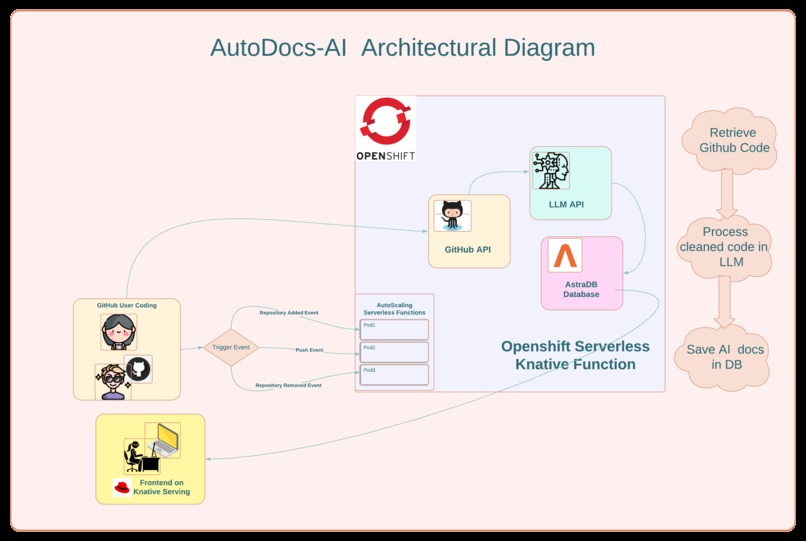
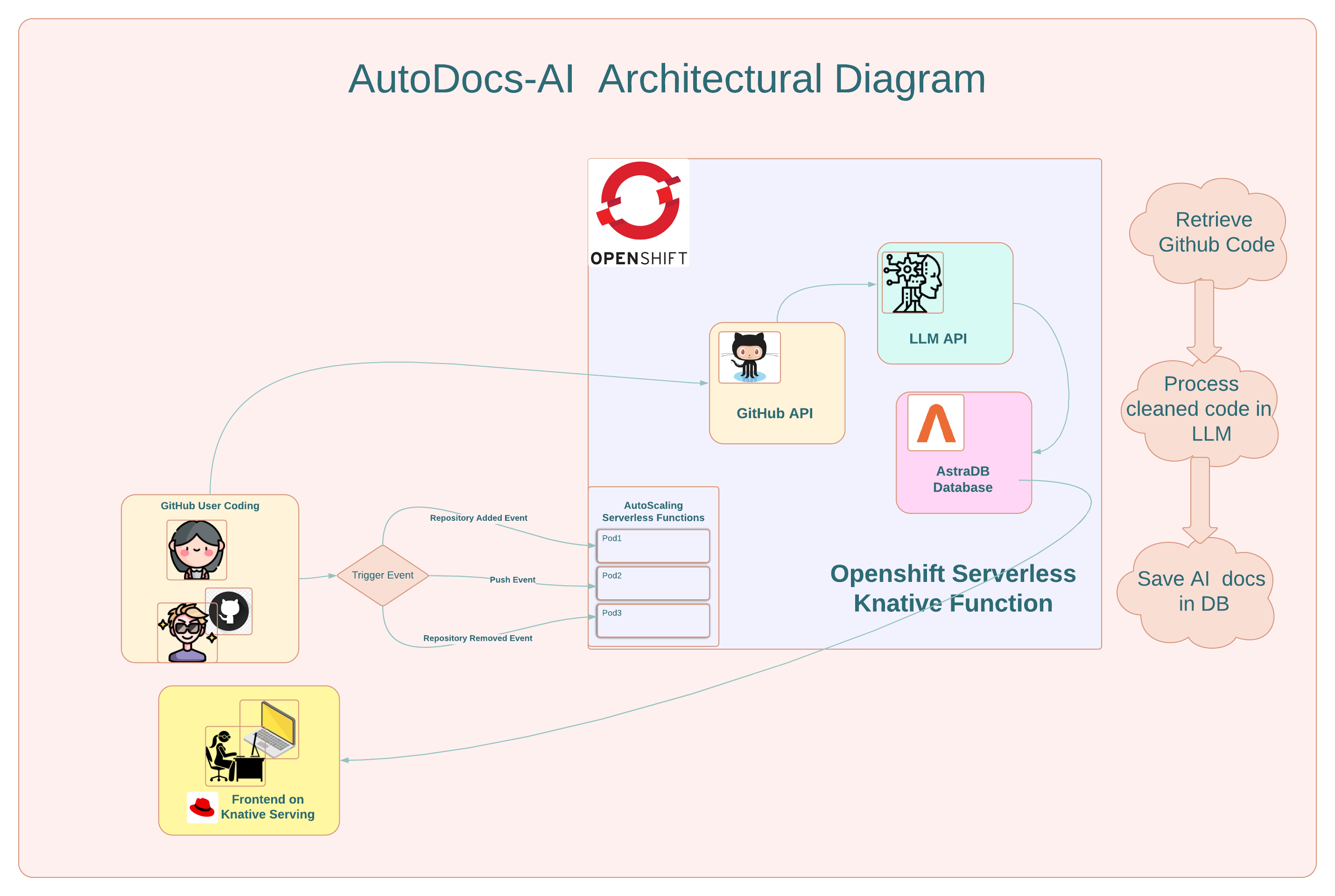
AutoDocs AI transforms code into impeccable, human-readable documentation. Integrated with GitHub, it leverages Knative Functions, ChatGPT, and AstraDB to analyze, process, and store dynamic documentation.
How we built it
.png)
Built on Red Hat OpenShift, we harnessed Knative Functions for event-driven processing. ChatGPT API analyzed code, AstraDB stored results, and Next.js rendered the frontend. A cohesive tech stack ensured efficiency.
Challenges we ran into
Integrating real-time GitHub events, optimizing ChatGPT API usage, and orchestrating the entire process in a serverless environment presented challenges. Fine-tuning these elements required thoughtful problem-solving.
Accomplishments that we're proud of
Achieving seamless integration of GitHub events, leveraging serverless architecture, and generating comprehensive documentation in real-time are accomplishments we're proud of.
What we learned
We learned the intricacies of event-driven architecture, optimized API usage, and mastered the orchestration of serverless components. Each challenge provided valuable insights.
What's next for AutoDocs AI
The journey doesn't end here. We plan to enhance user personalization, expand integrations, and refine the ChatGPT analysis for even smarter documentation generation. The future holds exciting advancements for AutoDocs AI.
Built With
- astradb
- github
- gpt
- javascript
- knative
- nextjs
- openshift
- react
- serverless
- typescript


Log in or sign up for Devpost to join the conversation.