-
-
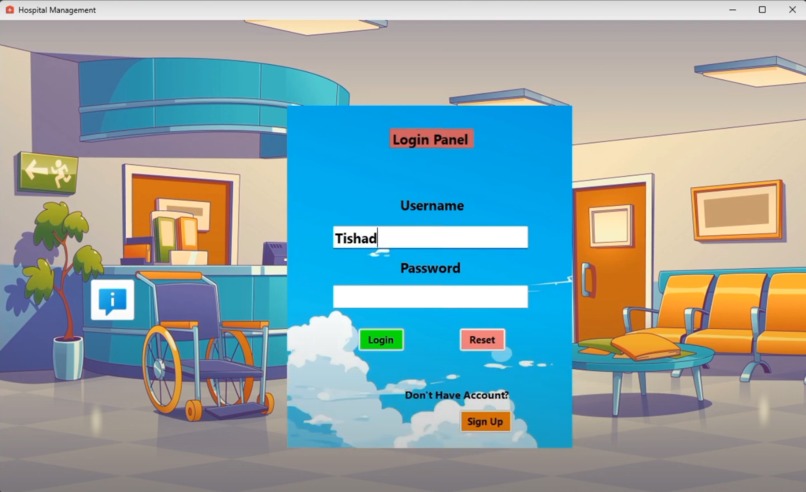
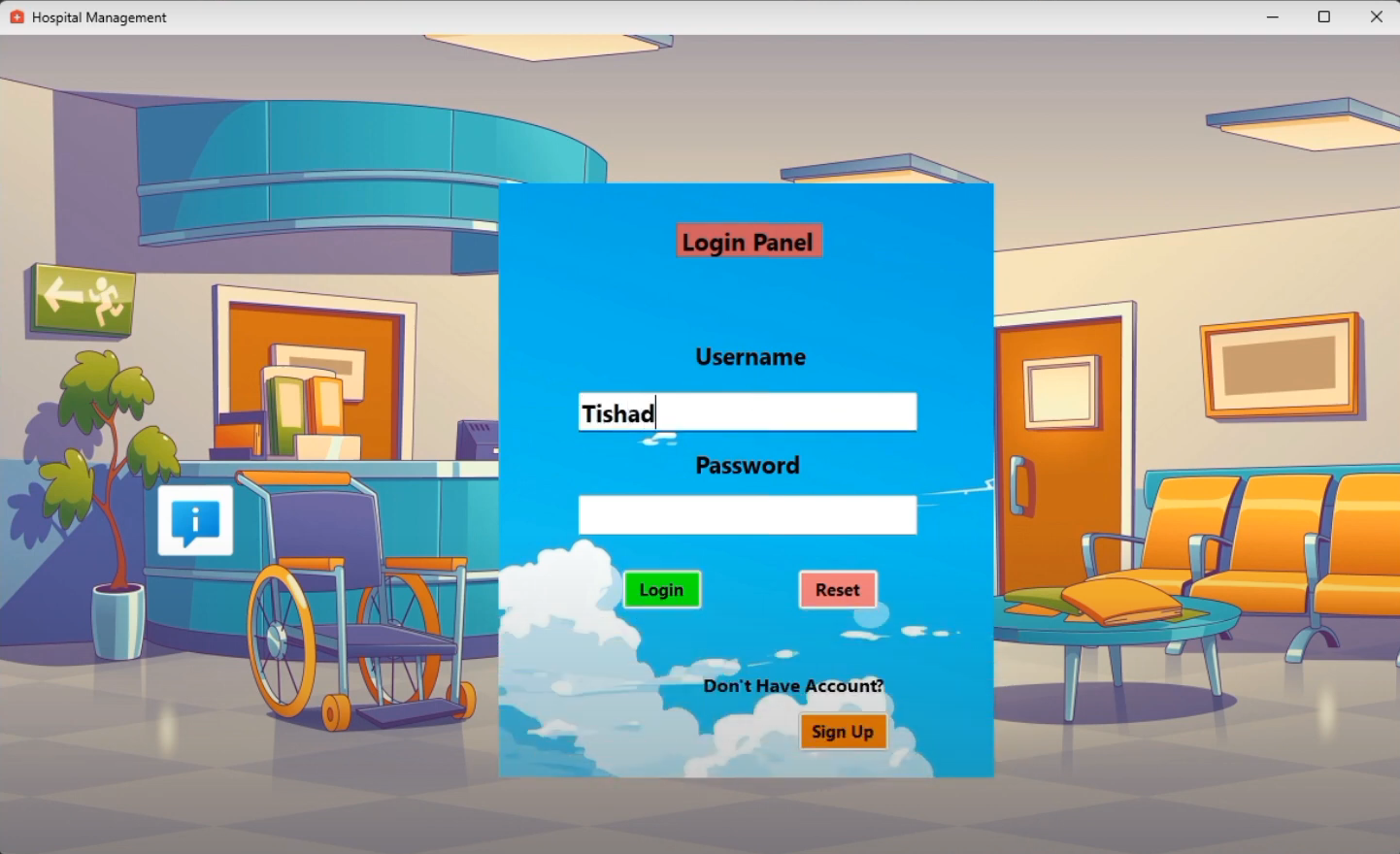
Login
-
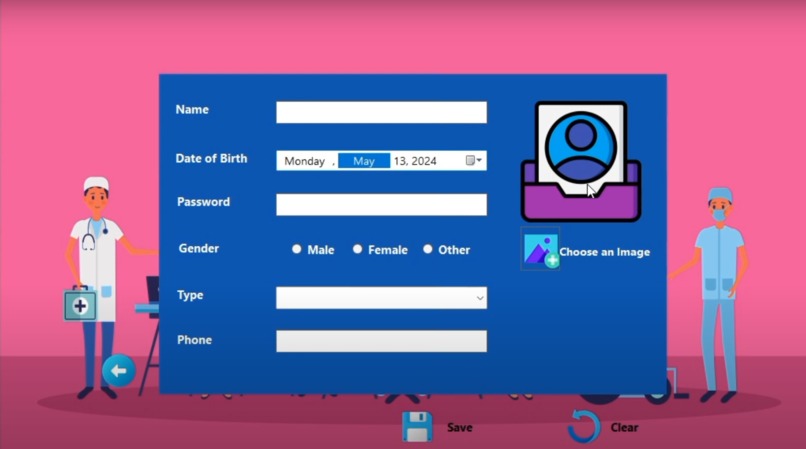
Signup
-
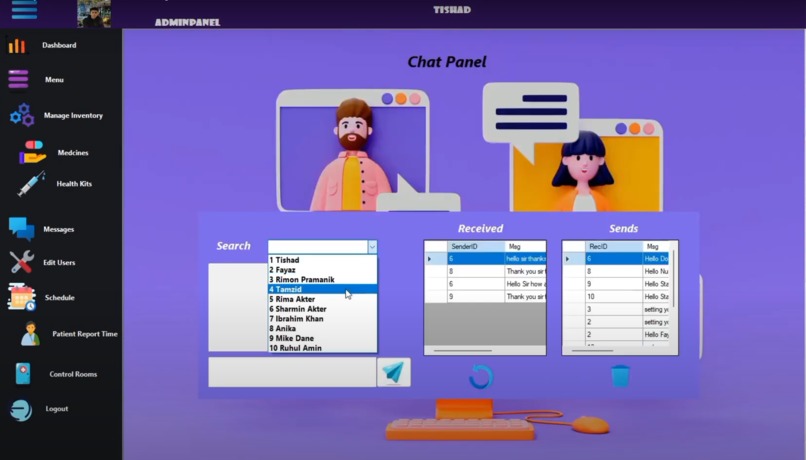
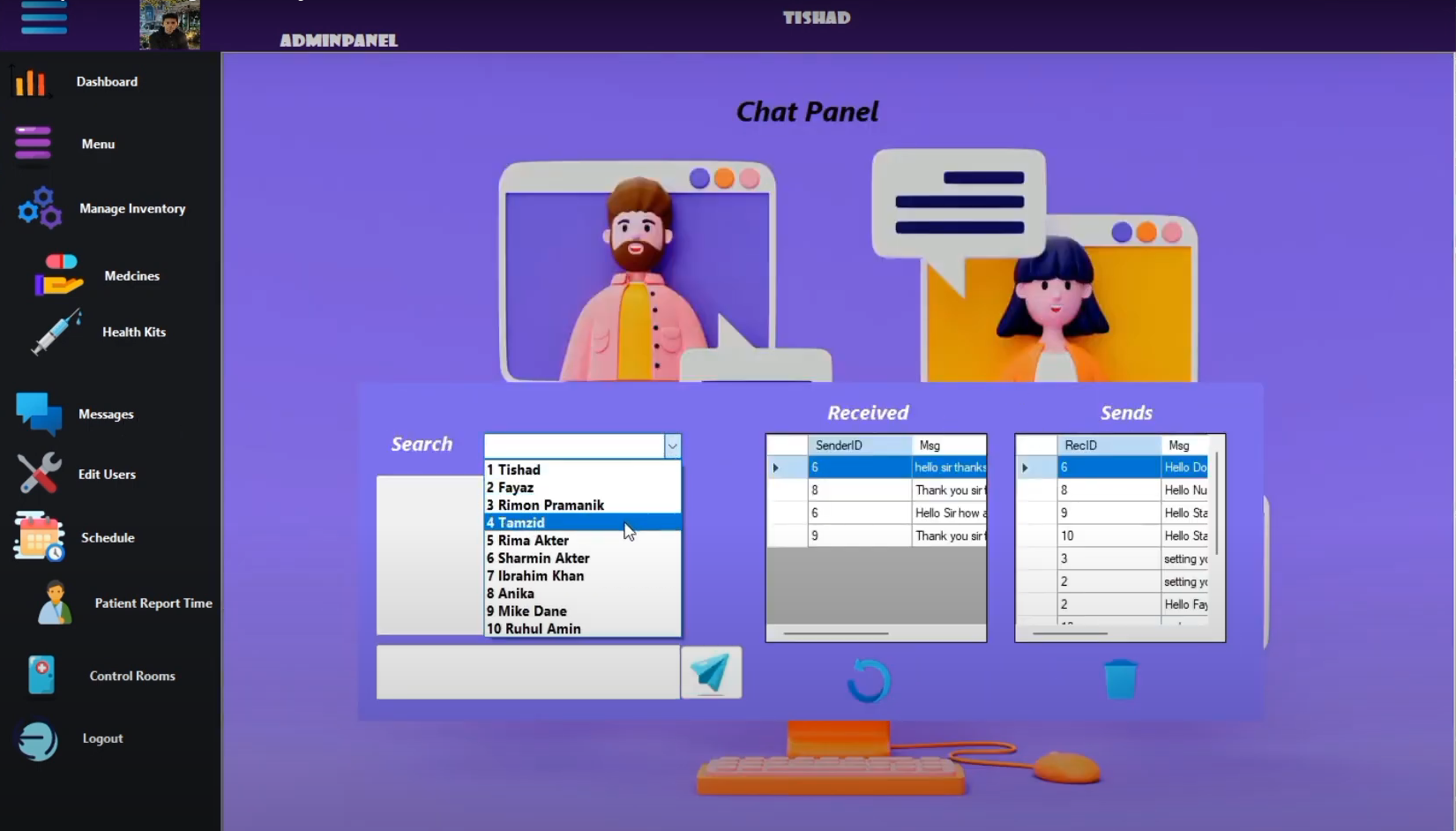
Interactive Chat
-
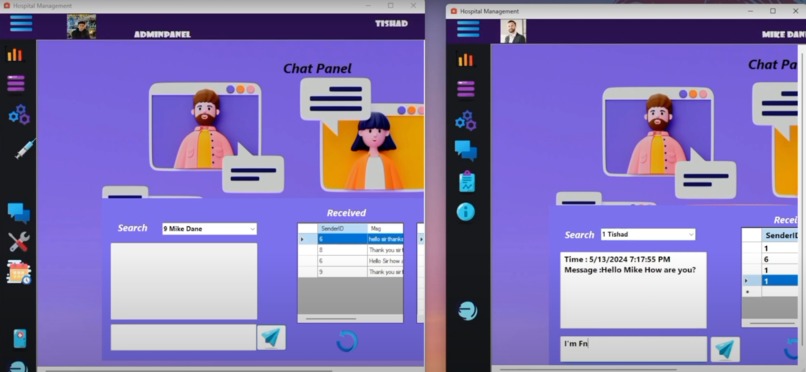
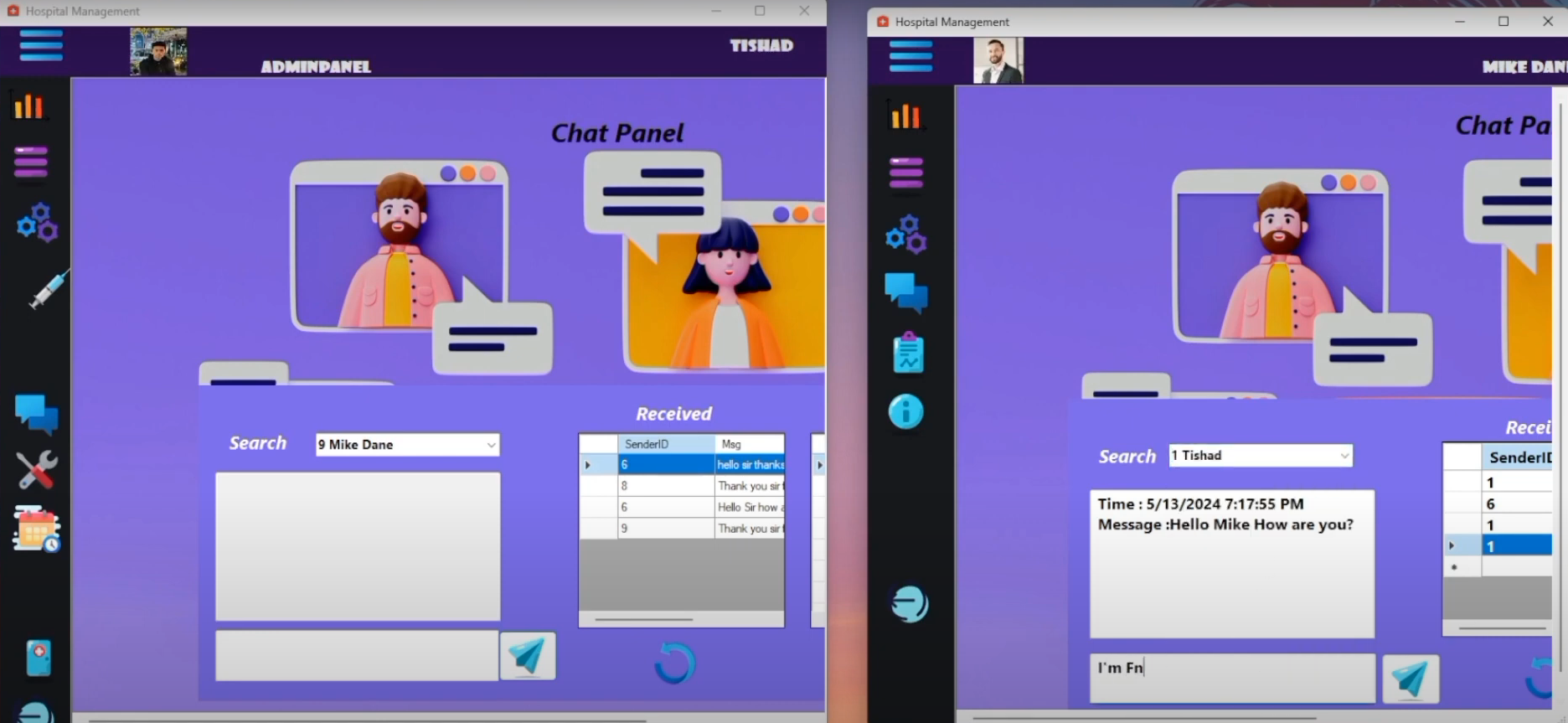
Real Time chatting through database
-
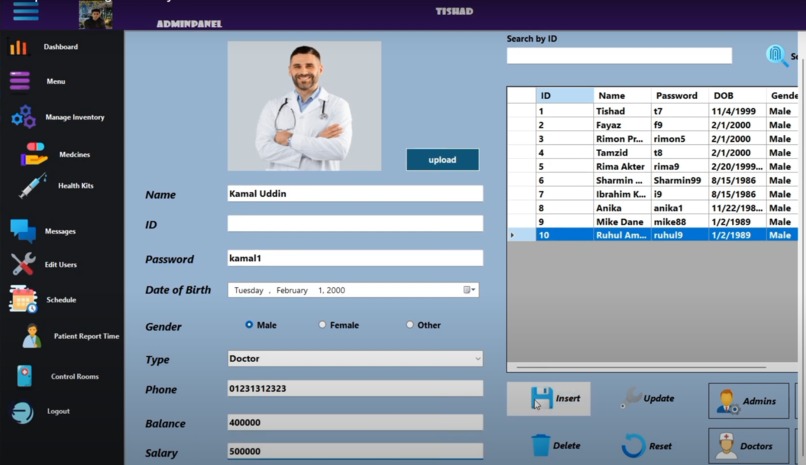
Admin Panel
-
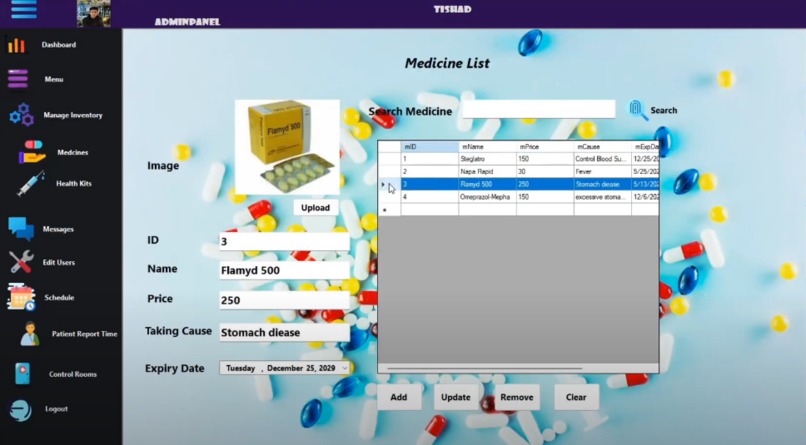
Updating Medicine Information
-
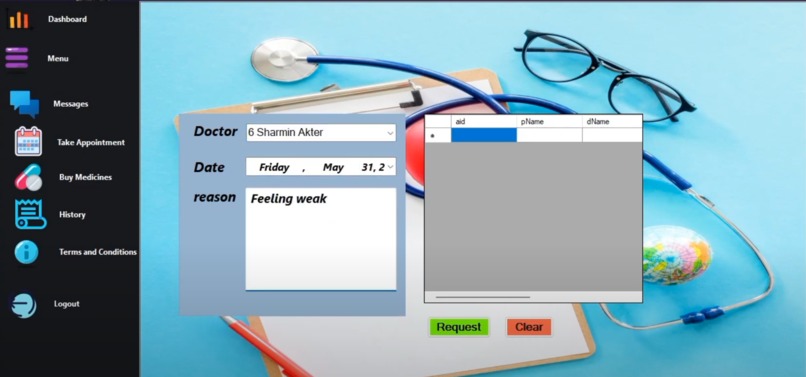
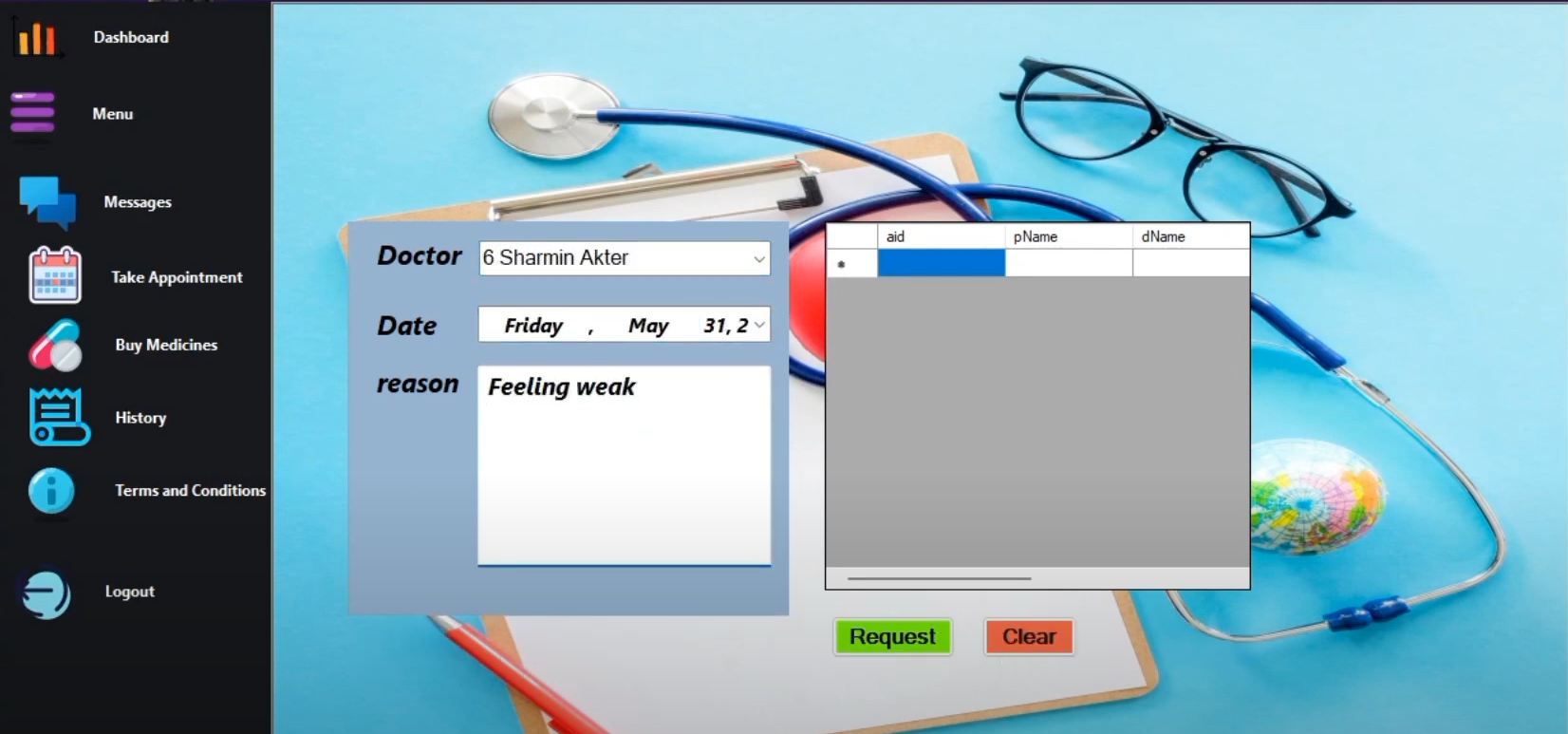
Patient writing about syndrome
-
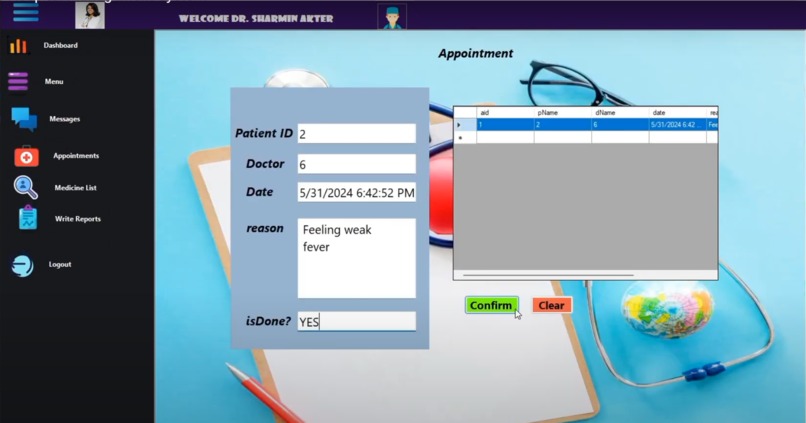
Doctor checks and writing report




Inspiration
The inspiration for creating the AutoDoc Hospital Management System comes from the need for a streamlined, efficient, and secure way to manage hospital operations, communication, and patient care. The complexity of modern healthcare systems requires a tool that simplifies administrative tasks while providing personalized and secure care. This system is designed to cater to various roles within the hospital, including Admin, Doctors, Nurses, Staff, and Patients, ensuring effective communication, easy access to information, and an overall improved healthcare experience.
What it does
AutoDoc Hospital Management System is a comprehensive solution that integrates hospital operations into a unified platform. The system allows for secure user authentication and role-based access. It supports functionalities like managing user information, scheduling appointments, managing inventory (medicines, health kits), checking room availability, and allowing users to communicate securely through a chat system. Patients can make appointments, purchase medicines, and view reports, while doctors and other staff members can manage patient care, monitor room availability, and contribute to seamless collaboration via the chat feature. The system also ensures data security and provides the admin with full control over hospital operations.
How I built it
The project was developed using C# in Visual Studio 2022 with WinForms for the user interface. The back-end is powered by SQL Server 2022, ensuring secure storage of data such as user information, appointment schedules, medicines, and communication logs. The chat system is integrated using a database, enabling real-time messaging between the users. User authentication and role management were implemented to ensure the appropriate access control for different user roles. SQL queries were used to manage and display inventory, patient records, and other essential data. The system prioritizes both security (with encrypted passwords and secure communication) and usability for a smooth user experience.
Challenges I ran into
One of the major challenges I encountered was implementing the real-time chat system across multiple roles in the hospital. To ensure seamless communication, I had to design a robust database schema that allows for storing, sending, and receiving messages in real time. This included managing user-specific conversations securely and synchronizing messages across multiple users. Another challenge was ensuring that the system could handle large amounts of data while maintaining performance, especially for administrative tasks such as user management and inventory control. The complexity of integrating all functionalities into a single system while maintaining a user-friendly interface also posed challenges, but the result is a well-structured and efficient application.
Accomplishments that I'm proud of
Comprehensive functionality: The system includes a wide range of features that address the needs of all hospital staff, from managing patient information and appointments to securely communicating via chat. Role-based security: The implementation of robust access control ensures that users only have access to the information and functions they are authorized for. User-friendly interface: Despite the complexity of the system, the WinForms interface is intuitive and easy to navigate, ensuring that even non-technical users can use it effectively. Real-time chat system: The chat system is a key feature that enhances communication within the hospital, facilitating collaboration between doctors, nurses, patients, and admin staff. Scalable database design: The system is built to handle large amounts of data efficiently, ensuring that the application remains responsive as the hospital grows.
What I learned
Database design and optimization: I learned a lot about designing efficient database structures for handling multiple users and complex relationships, such as messages, patient records, and medical inventories. Role-based access control: Implementing role-based security taught me how to properly structure authentication systems, ensuring that users only have access to appropriate features and data. Real-time communication: Building the chat system gave me experience in implementing real-time messaging features and handling concurrent data in a multi-user environment. User Interface design: I gained a deeper understanding of designing user interfaces in WinForms, ensuring that they are not only functional but also intuitive and easy to use.

Log in or sign up for Devpost to join the conversation.