Inspiration
Designers often know what they want visually but struggle to find the right words. I wanted to solve the “blank page” problem and make content creation inside Adobe Express feel less like writing from scratch and more like clicking “generate” and editing. Try it here
What it does
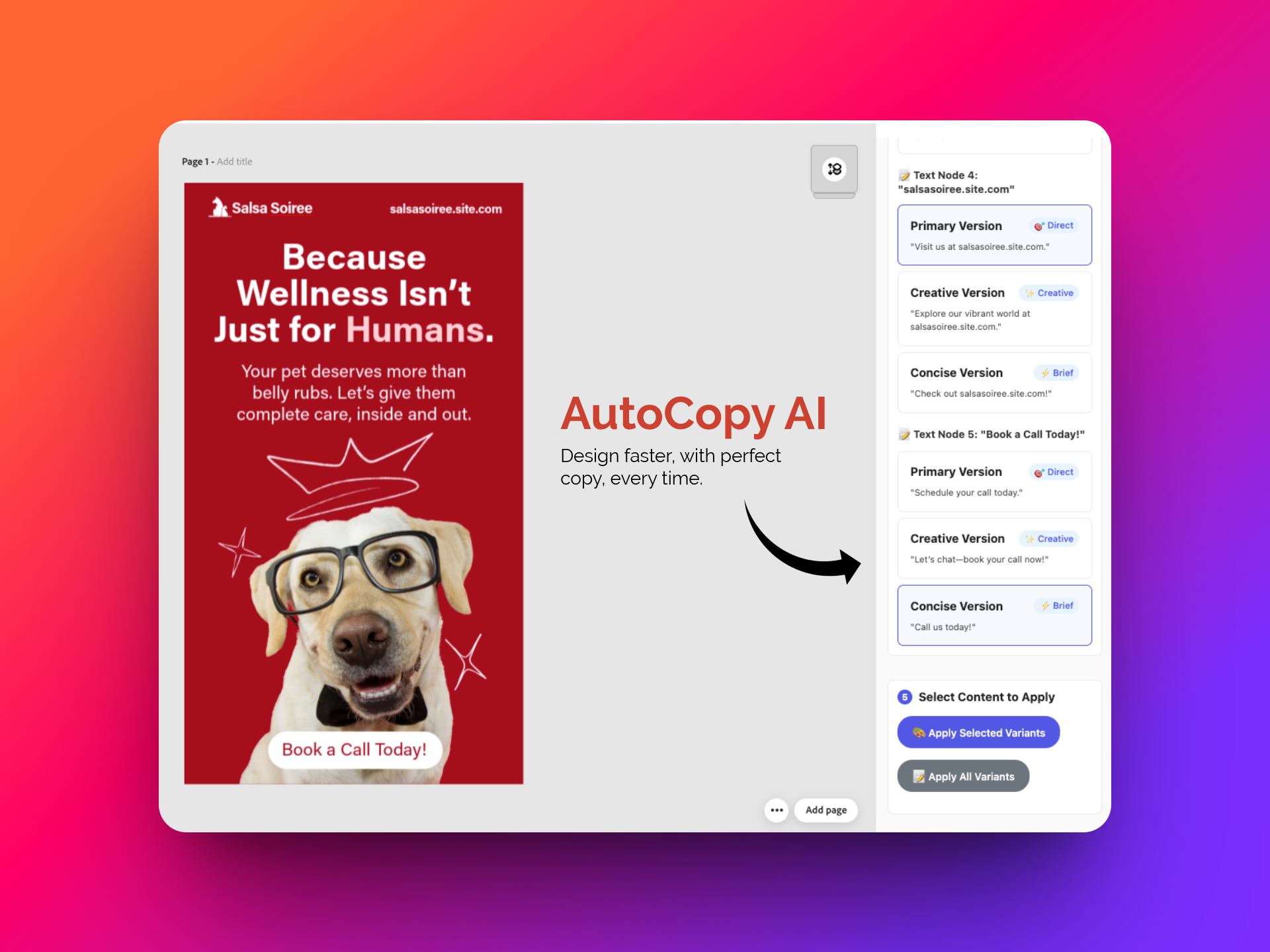
AutoCopy AI scans the current Adobe Express design, identifies all the text elements, and asks two simple questions: “What are you designing?” and “What are your brand guidelines?” Based on your inputs, it uses AI to generate multiple content variations tailored to the brand's tone and intent that can be instantly applied directly into the design.
How I built it
- Scans the design to find all text nodes using
editor.context.currentPage - Extracts both the text content and positional data of each node
- Sends user intent and brand tone to an AI model to generate tailored content
- Updates the design’s text elements in place using
textNode.fullContent.text
Challenges I ran into
I'll be honest, it was tough at first to navigate Adobe Express’s developer documentation. But once I dove deeper, the pieces started to click.
- Initially struggled with the documentation and API access
- Figured out how to identify and update all relevant text nodes
- The real challenge wasn't just technical; it was ensuring this tool solves a meaningful, recurring user problem
- Needed to strip out quirky AI formatting like Markdown and ensure all output was brand-safe and error-proof
Accomplishments that I'm proud of
- Building a real working MVP from scratch.
- Learned the Adobe Express Document Sandbox deeply
- Proved that AI-driven content design is possible inside Adobe Express
What I learned
- Adobe Express’s SDK provides enough flexibility to build powerful design-time tools
- Prompt design is critical: well-structured input results in clearer, brand-safe output
- Solving user problems matters more than just cool tech
What's next for AutoCopy AI
- Add the ability to save brand names, guidelines, and preferences using the clientStorage API
- Support for multi-page projects and presentations
- Accept richer input formats like PDF, DOCX, or content from a shared link
- Improve error handling and robustness to make the tool production-ready
- Improve UX as per the guidelines. https://developer.adobe.com/express/add-ons/docs/guides/build/design/ux_guidelines/introduction/


Log in or sign up for Devpost to join the conversation.