-
-
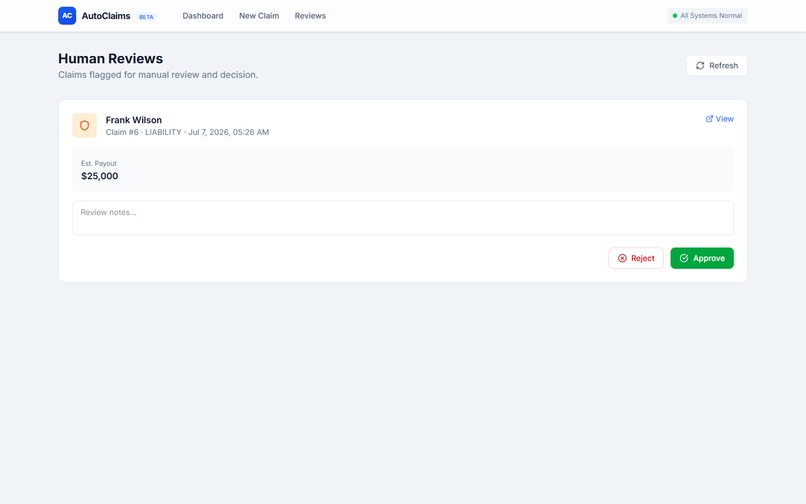
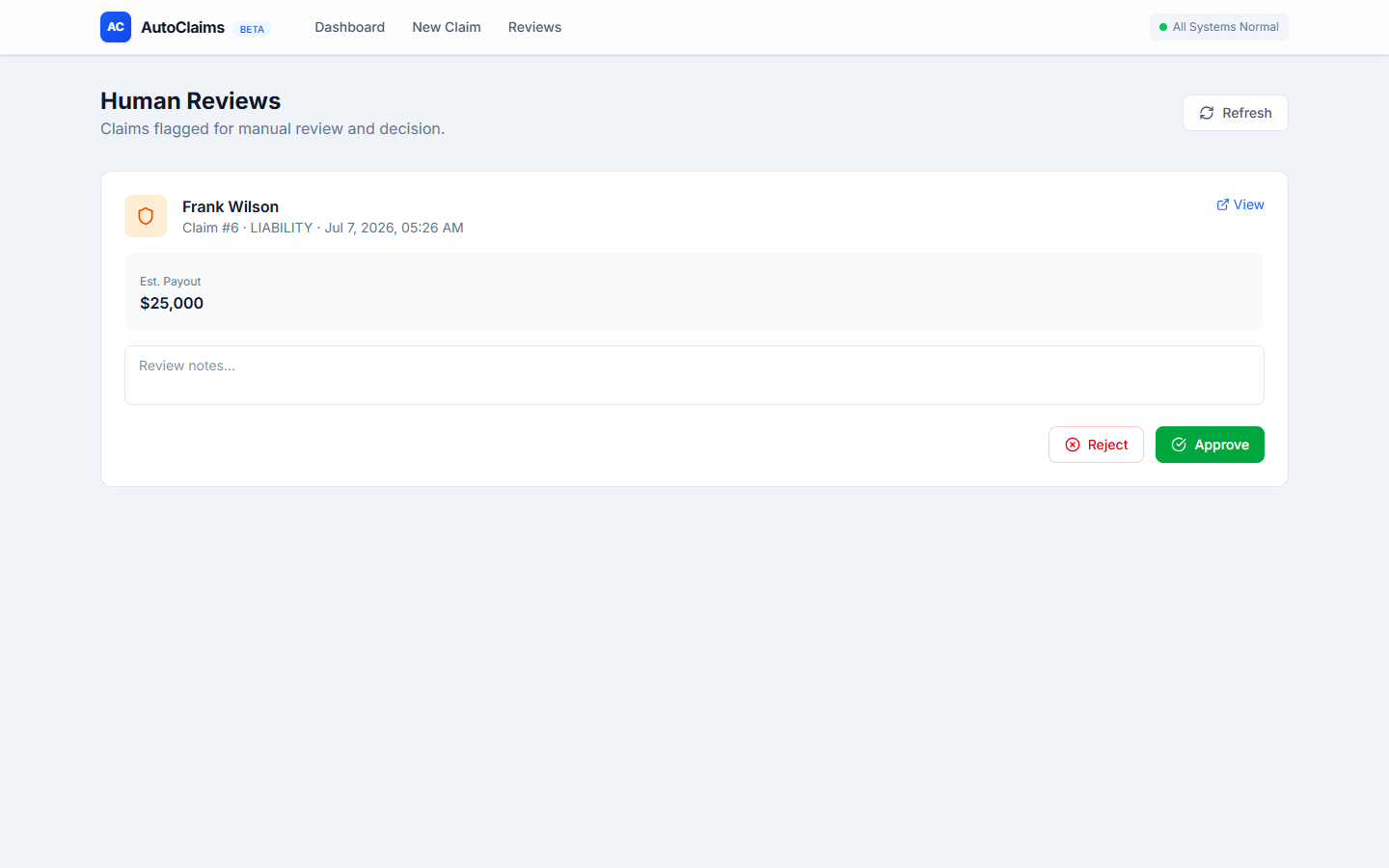
Human review dashboard
-
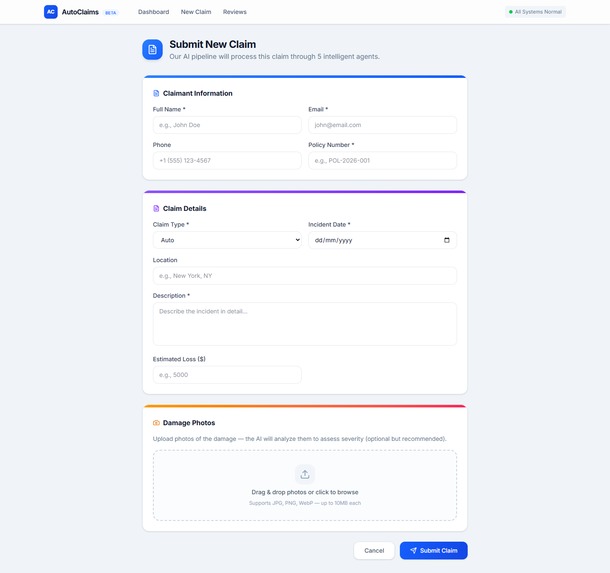
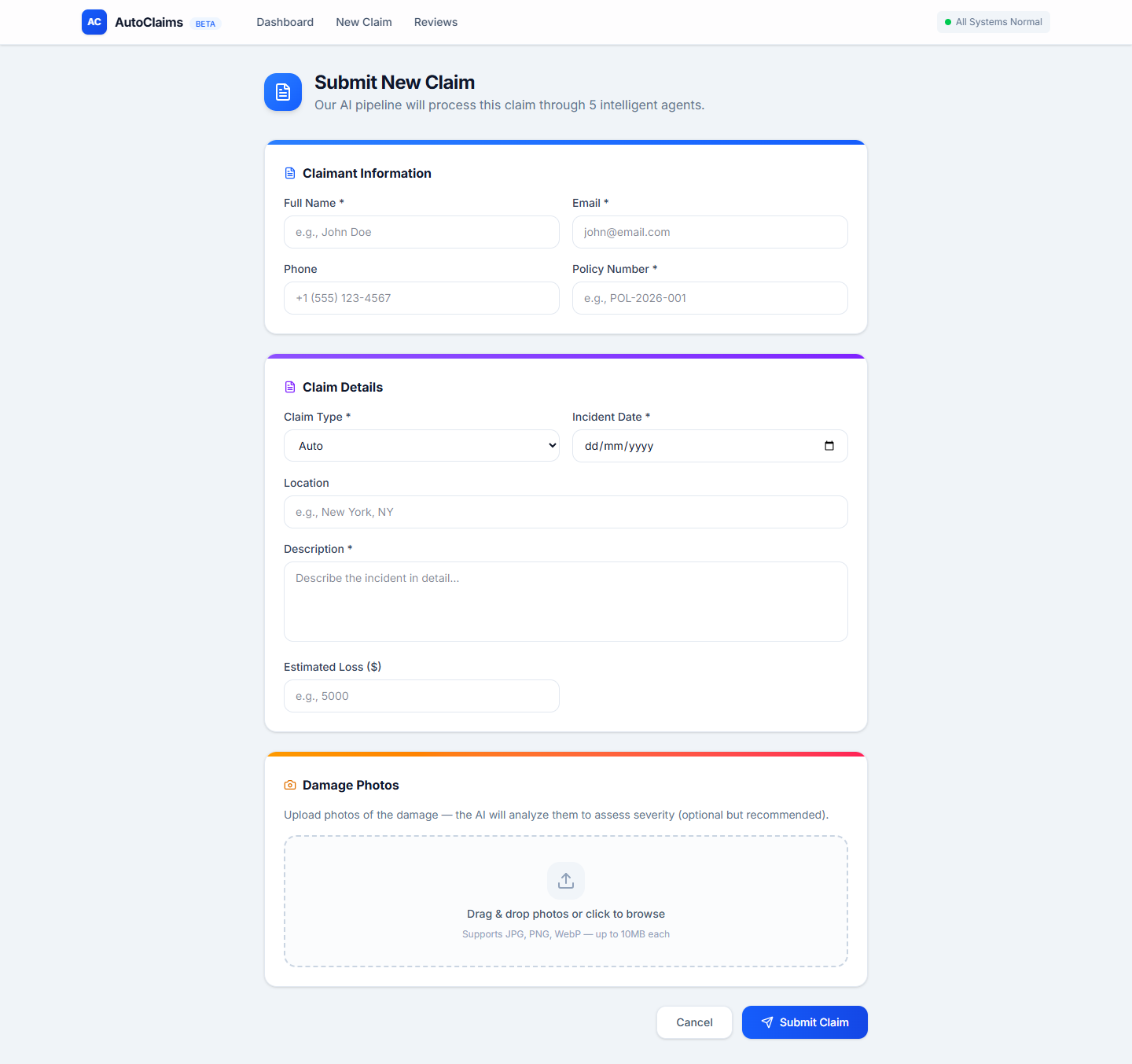
Claim form with photo upload zone
-
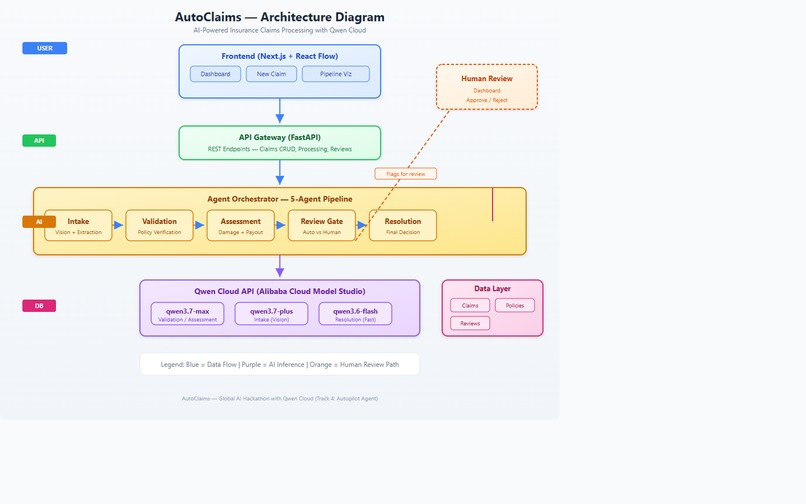
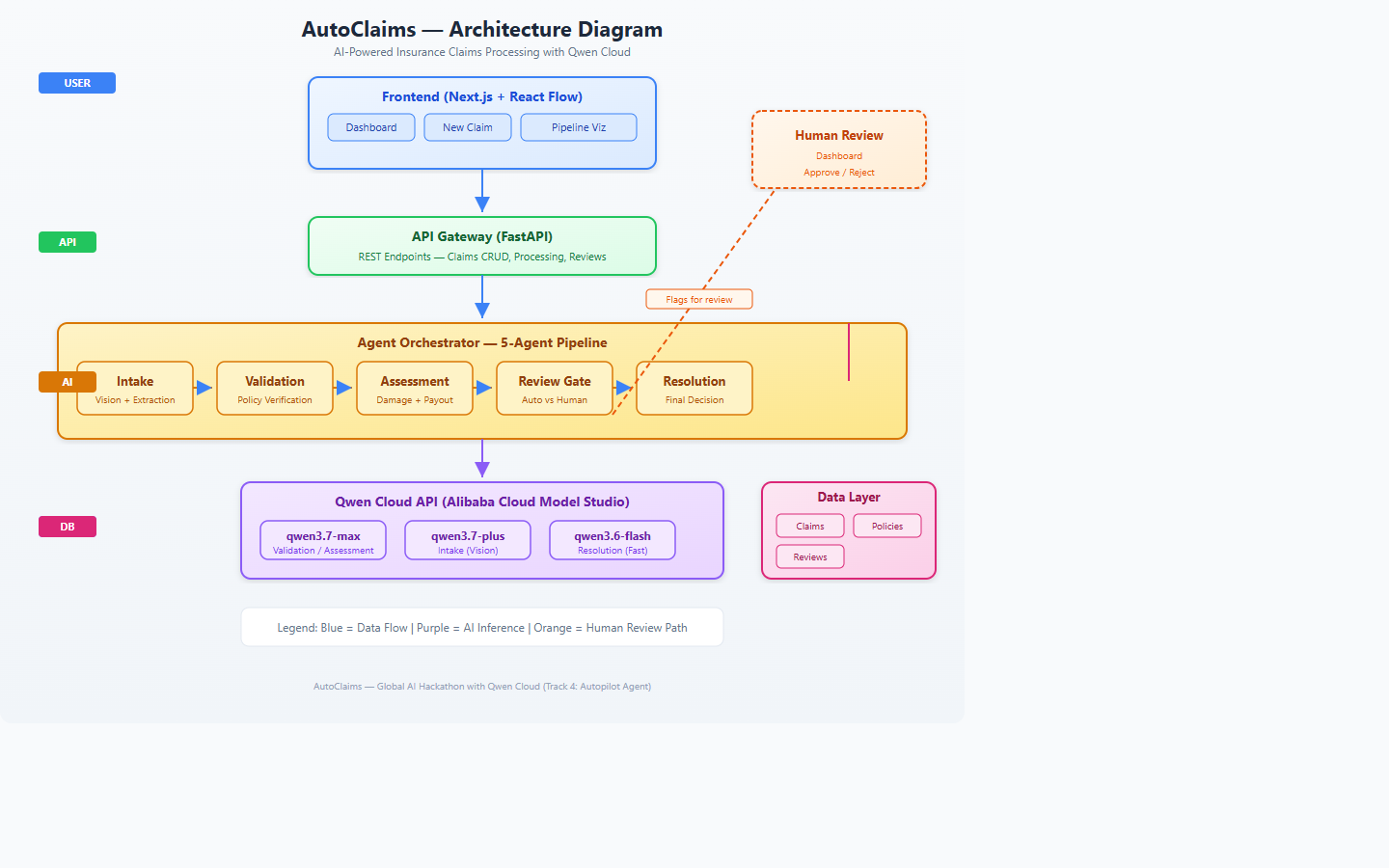
System architecture diagram
-
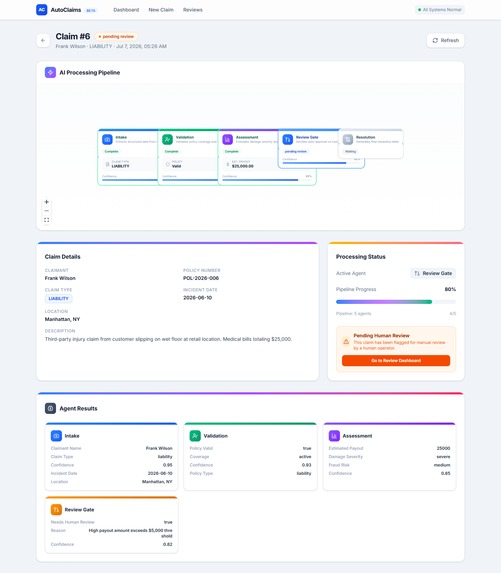
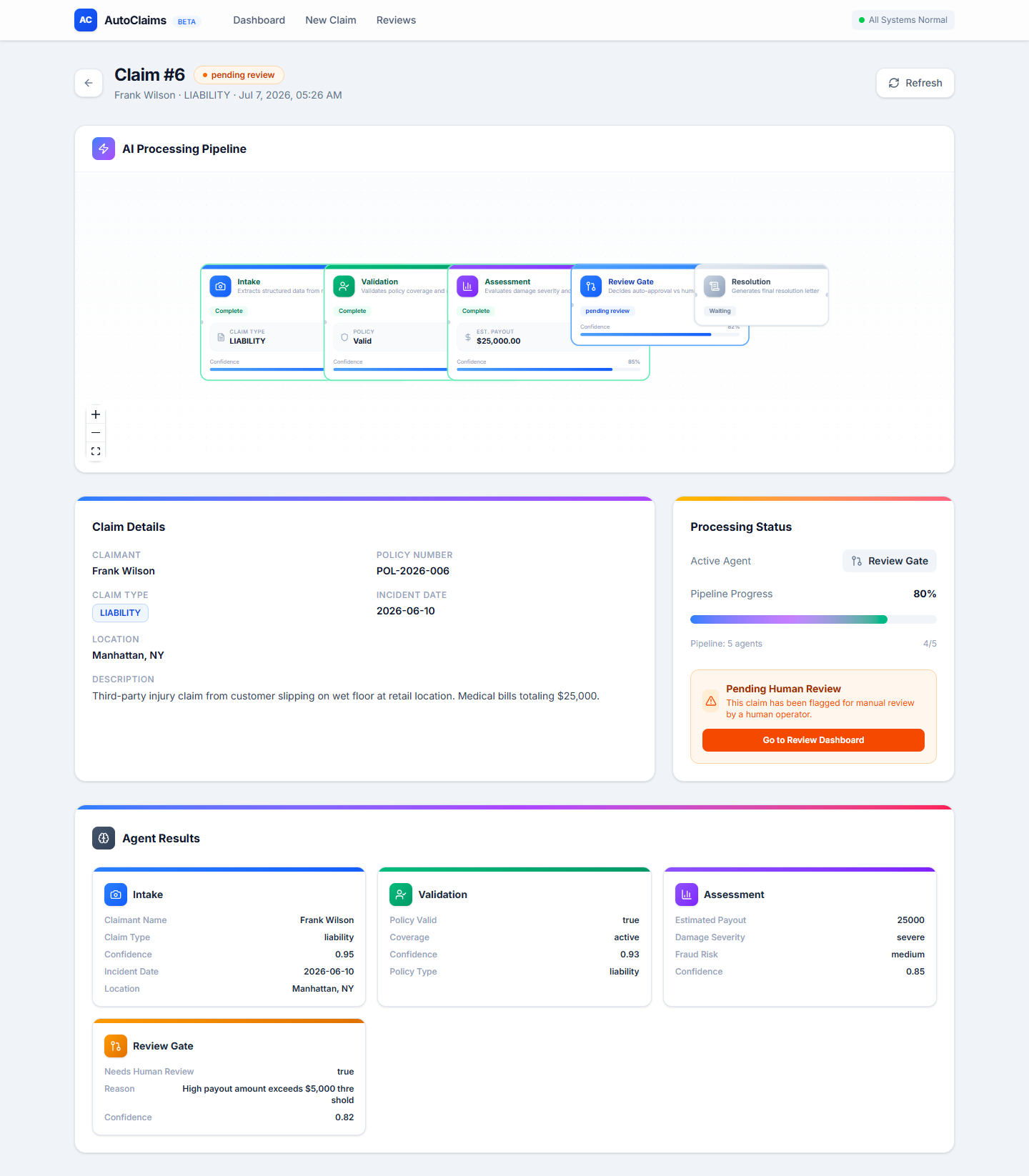
5-agent pipeline visualization + agent results
-
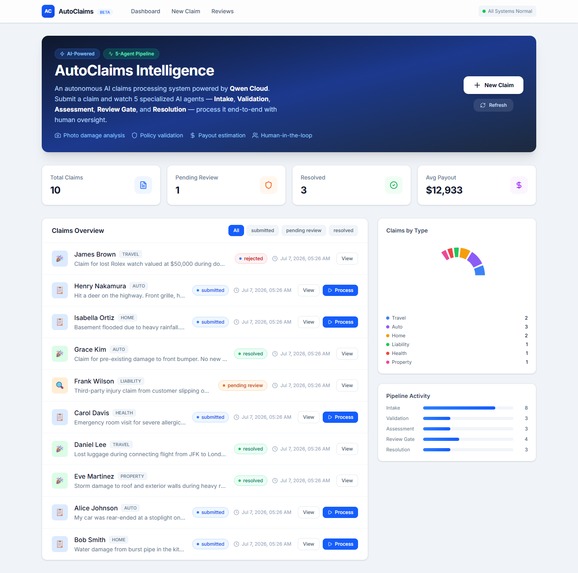
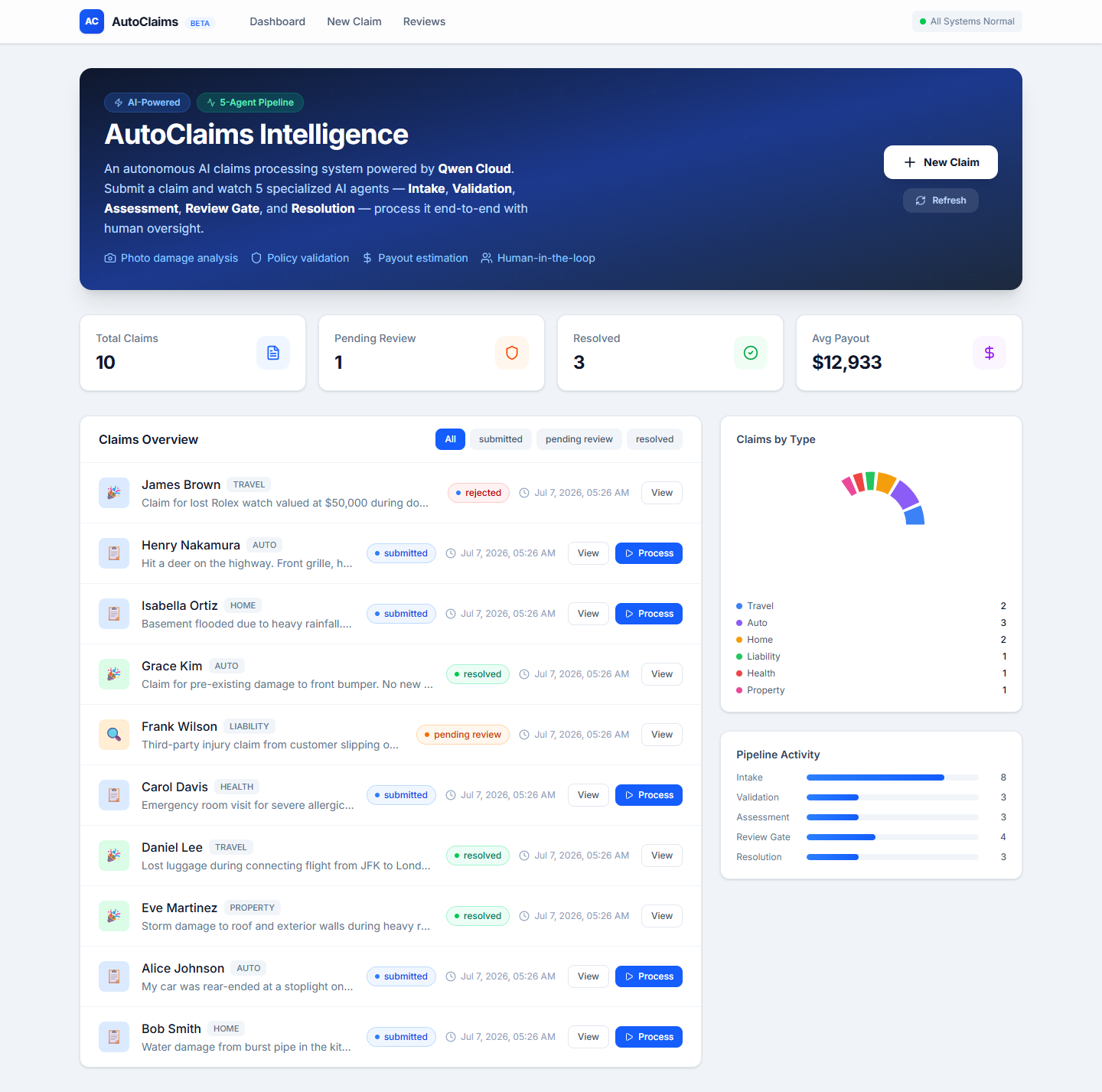
Dashboard with 10 claims, stats, charts
Inspiration
Insurance claims processing is traditionally slow, paperwork-heavy, and prone to human error. Small claims can take weeks, while fraudulent claims slip through. We built AutoClaims to demonstrate how 5 specialized AI agents working together can process an insurance claim end-to-end in seconds — from photo upload to payout — while keeping a human in the loop for high-risk cases.
What it does
AutoClaims automates the entire claims lifecycle through 5 AI agents:
- Intake Agent (Qwen3.7-Plus) — Extracts structured claim data from submissions and analyzes damage photos using vision AI
- Validation Agent (Qwen3.7-Max) — Verifies policy validity, coverage, and claimant identity
- Assessment Agent (Qwen3.7-Max) — Estimates repair costs, evaluates damage severity, and assesses fraud risk
- Review Gate (Qwen3.7-Max) — Decides if human review is needed based on payout amount and risk score
- Resolution Agent (Qwen3.6-Flash) — Generates the final approval/rejection letter with payout details
The system features a real-time React Flow pipeline visualization, a drag-and-drop photo upload with AI vision analysis, and a human review dashboard for operator oversight.
How we built it
- Backend: Python FastAPI with SQLite, organized into 5 agent modules orchestrated by a supervisor
- Frontend: Next.js 15 with TypeScript, Tailwind CSS, and React Flow for the pipeline UI
- AI: Qwen Cloud API (qwen3.7-max for reasoning, qwen3.7-plus for vision, qwen3.6-flash for speed)
- Deployment: Docker multi-stage builds, ready for Alibaba Cloud ECS
- Photo Analysis: Qwen3.7-Plus vision API classifies damage type, severity, and estimates repair costs
Challenges we faced
- Qwen API integration: Getting
chat_jsonto work reliably with structured outputs required careful prompt engineering and error handling - Pipeline state management: Coordinating 5 agents with shared state and persistent progress tracking
- Windows compatibility: Turbopack native bindings broken on Windows — used
--webpackfallback for Next.js builds - Frontend-backend synchronization: Ensuring the real-time pipeline visualization accurately reflects processing state
- Cross-origin issues: CORS configuration between the frontend (port 3010) and backend (port 8000)
What we learned
- How to chain multiple AI agents with different model specializations
- Qwen Cloud's vision API capabilities for real-world image analysis
- Building human-in-the-loop workflows with AI decision gates
- Creating intuitive pipeline visualizations with React Flow
- Containerization strategies for multi-service AI applications
Built With
- alibaba-cloud
- docker
- fastapi
- next.js
- openai
- python
- qwen-cloud
- react
- react-flow
- sqlite
- tailwind-css
- typescript


Log in or sign up for Devpost to join the conversation.