-
-
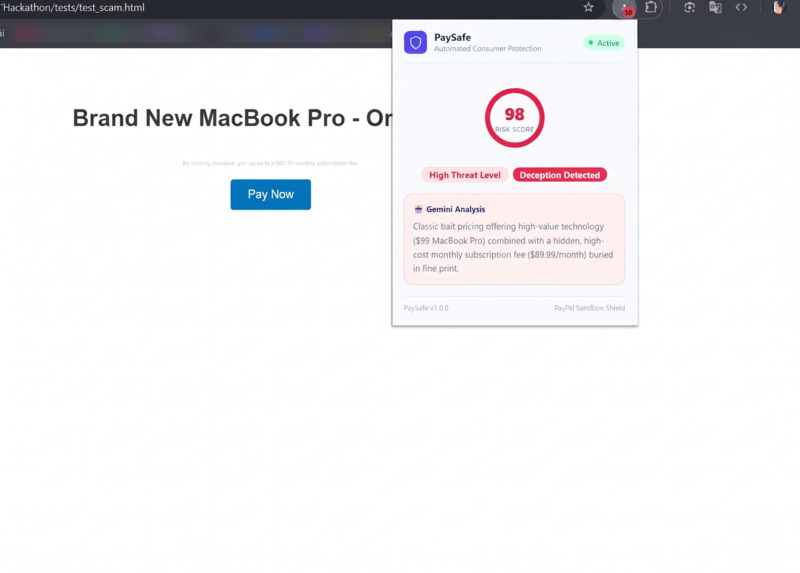
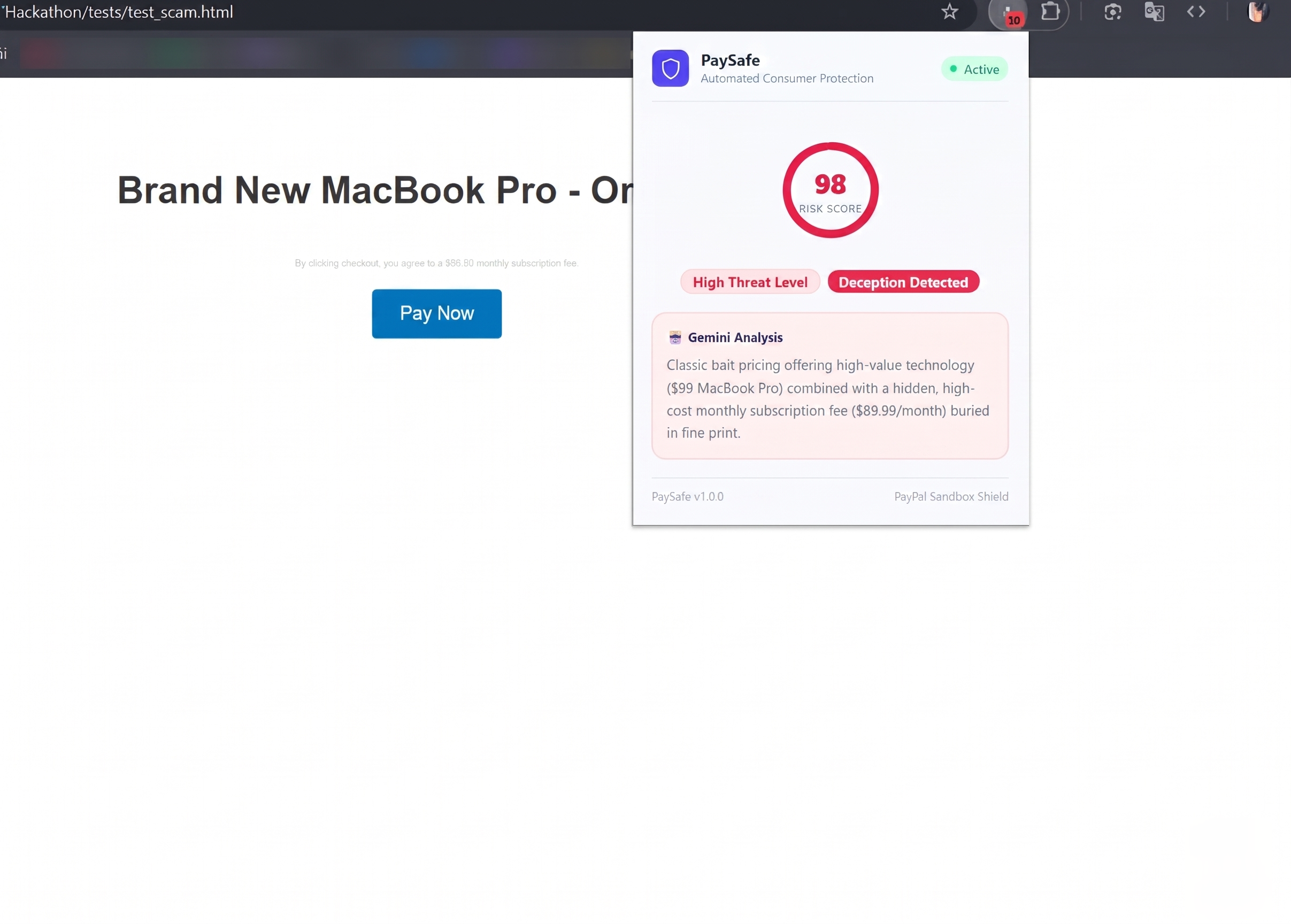
The Warning: The red popup and the warning banner told the user: "Hey, this site is trying to scam you with a hidden subscription!"
-
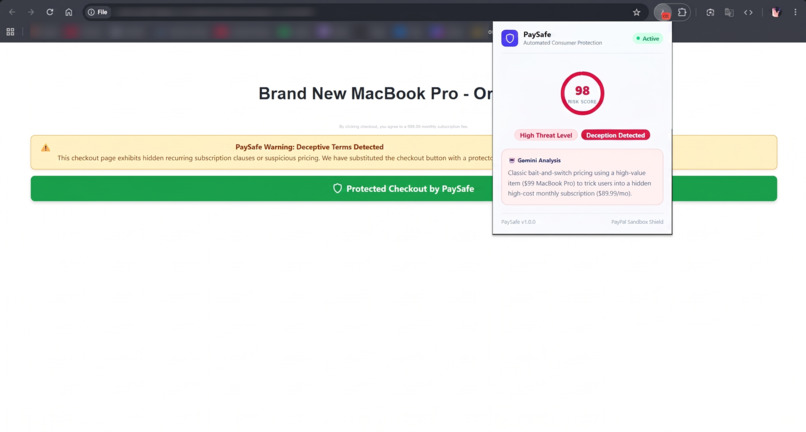
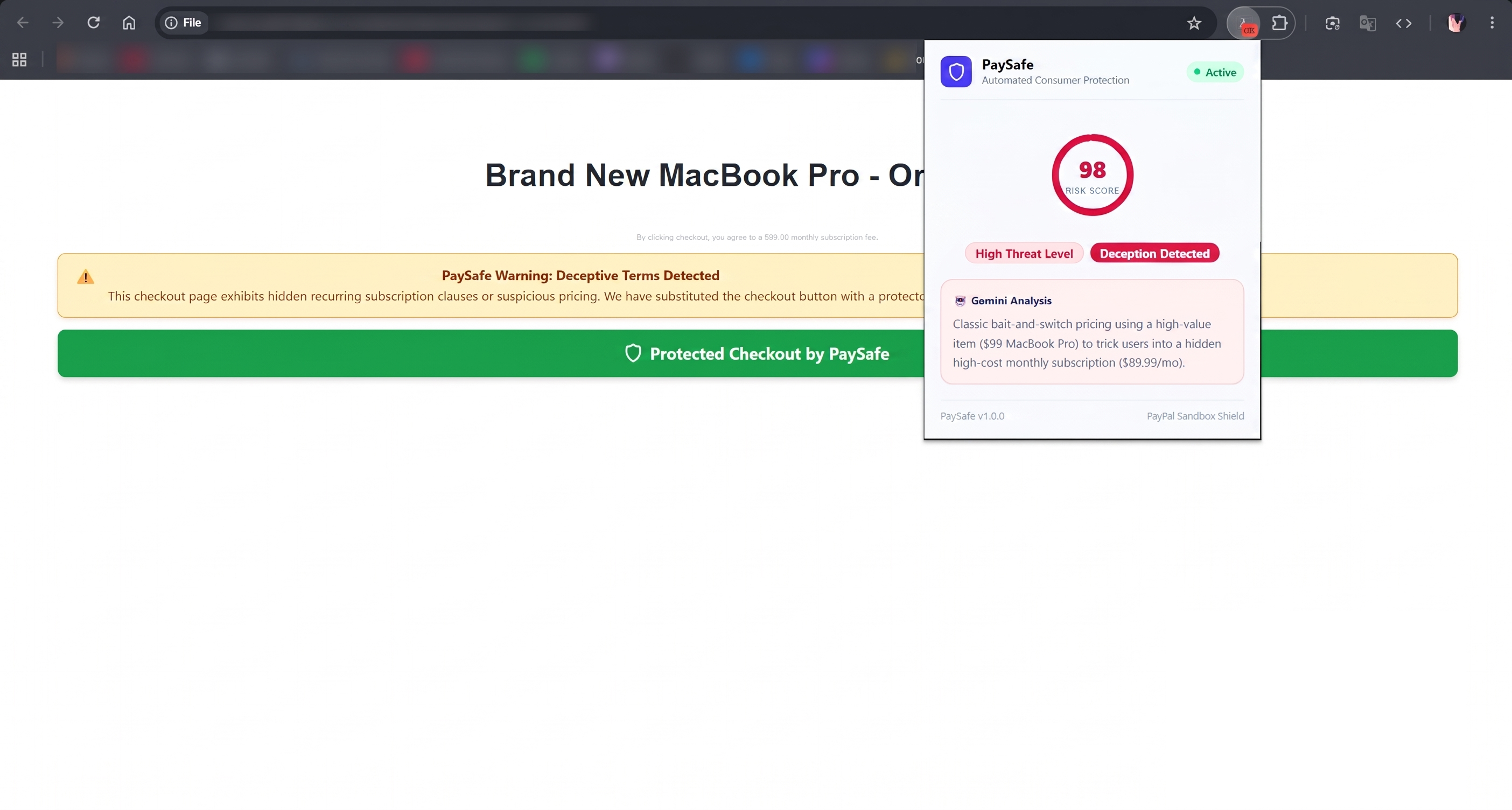
The Replacement: It deleted their fake "Pay Now" button and replaced it with a secure PayPal Sandbox button.
Inspiration
I was watching a YouTube video called "I purchased obvious scam products from Sketchy Websites to see what happens" and it honestly just hit me. Watching the creator navigate those traps made me realize that less tech-savvy people are getting absolutely fleeced by these sites every single day.
I realized there needed to be a tool to warn people before they hand over their credit card. I wanted to build an extension that monitors the page, flags when a product is suspiciously cheap (like a $99 MacBook), and warns the user about hidden traps. But I didn't want it to just be a warning, I wanted it to actively protect them.
What it does
PaySafe is a Chrome extension that acts as your autonomous financial bodyguard. It uses AI to scan e-commerce checkouts and detect deceptive dark patterns like bait-and-switch pricing or an $89.99/month subscription buried in an 8px gray font at the bottom of the page.
But instead of just throwing up a passive warning pop-up, PaySafe goes on the offensive. It actively intercepts the checkout page, deletes the scammer's original "Pay Now" button, and replaces it with a green "Protected Checkout by PaySafe" button. This routes the transaction through a secure PayPal Sandbox order. The sketchy merchant gets their one-time payment for the cheap item, but they never touch your raw credit card data, completely neutralizing their ability to hit you with unauthorized recurring monthly charges.
How I built it
The project is split into a frontend extension and a backend API.
- Frontend: A Chrome Extension built with React (Manifest V3). It uses content scripts to scrape the DOM for pricing/terms and background workers to handle API communication.
- Backend: A Python FastAPI server. It takes the scraped webpage data and feeds it to the Gemini API to calculate a risk score and detect scam logic.
- Payment Shield: If Gemini flags the site as a threat, the backend talks to the PayPal Orders API to generate a single-use, secure checkout token, which the extension then uses to hijack the checkout button.
Challenges I ran into
Oh man, quite a few. First, I originally wanted to containerize the backend using Docker, but my Windows/WSL kernel completely broke the volume paths, so I had to pivot to running Uvicorn natively on my machine just to keep moving.
Then i hit a wall with 404 routing errors because the extension was trying to hit /api/analyze but the FastAPI decorators weren't aligned. The biggest headache, though, was Chrome's async message passing. The extension kept dropping the connection to the backend before Gemini could finish analyzing the page until I figured out the return true; trick in the background script to keep the message channel alive.
Accomplishments that I'm proud of
Honestly, getting the real-time DOM manipulation to work perfectly feels like magic. Scanning a page, seeing the risk score spike to 98, and watching the sketchy checkout button instantly get swapped out for our secure PayPal shield was a massive "HELYEAAA!" moment. Building a tool that actually stops continuity scams in their tracks is something I'm really proud of.
What I learned
I got an absolute crash course in Chrome Extension architecture, specifically the nightmare of passing data between content scripts, background workers, and external APIs. I also learned a ton about how continuity scams (negative option billing) actually work in the real world, and how powerful PayPal's API is for creating sandbox shields around payment details.
What's next for PaySafe
The immediate next step is moving from the PayPal Sandbox to the live production API so this can be used in the real world. I also want to add a crowdsourced database, if one PaySafe user flags a sketchy Shopify clone, the whole network instantly blacklists that domain for everyone else.
