-
-
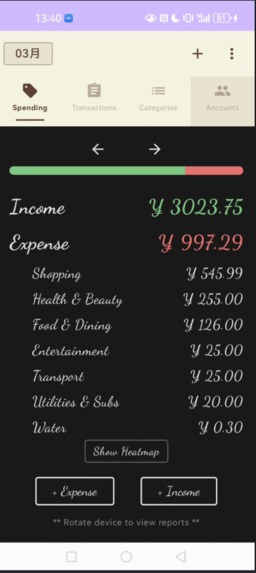
Dashboard to view your balance
-
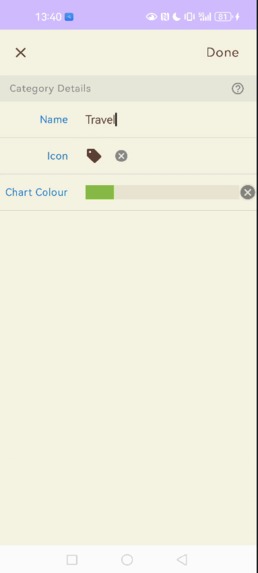
Add a category for the transaction (e.g., food, travel, etc.)
-
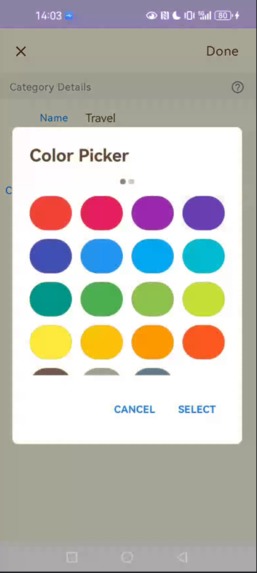
Choose the color you want to use to display the category on the graph
-
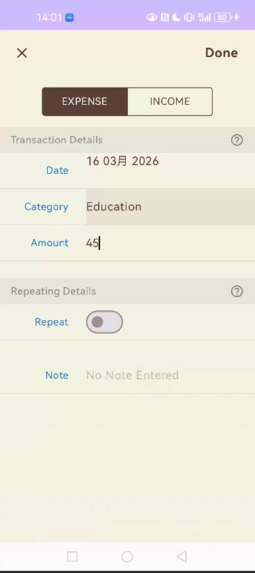
Manually add a transaction
-
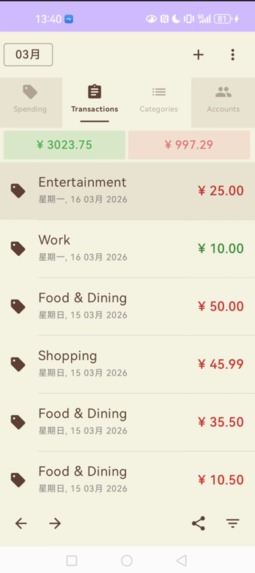
View all your expenses.
-
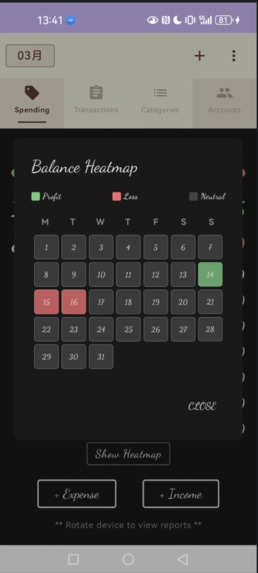
Calendar heatmap to see which days had the highest income or the highest expenses
-
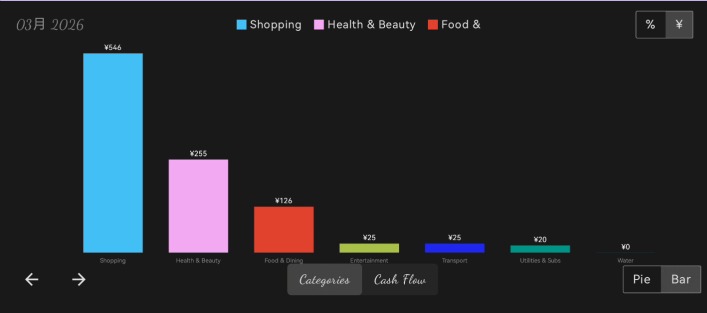
Bar chart to see your spending statistics.
-
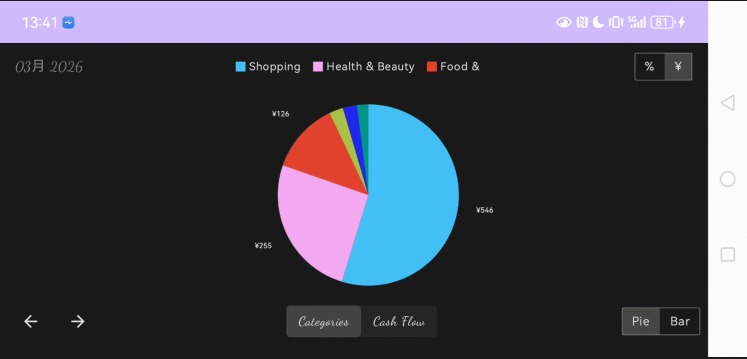
A pie chart to view your spending statistics.
-
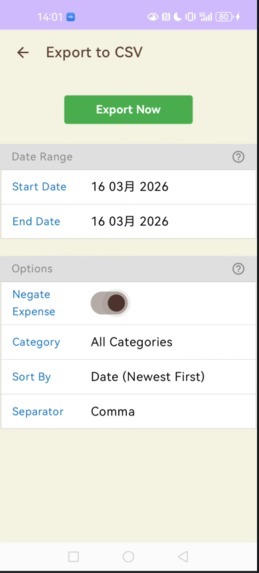
Export your data expense.
-
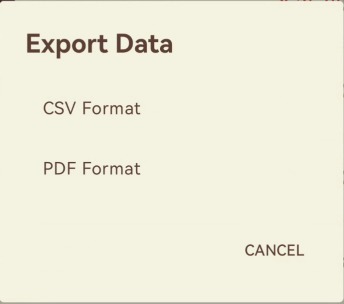
Select Select the export type.


Inspiration
I always end up overspending large amounts of money without even realizing it, which means I barely make it to the end of the month, can’t save, and can’t keep track of my expenses. So I decided to track my spending with a spending tracker app, which helped me cut back on my spending. But I found it very tedious to have to enter my expenses manually all the time, so I came up with the idea of capturing payment notifications from the payment methods I use, so I could categorize my expenses automatically without having to enter them manually.
What it does
Auto Spending Tracker is an intelligent financial assistant that removes the friction of manual bookkeeping. •Auto-Parsing (Beta): It captures and parses payment notifications from banking and payment apps in real-time, instantly logging the amount and type of transaction.
•Visual Clarity: Uses a unique "Blackboard/Chalk" UI to make financial data feel tactile and creative rather than stressful.
•Deep Insights: Provides a GitHub-style Yearly Heatmap to visualize spending density, along with dynamic charts and an automatic full-screen report mode when the device is rotated to landscape.
How we built it
The app is built using a modern Android stack focused on performance and custom UI: •Jetpack Compose: Used for the entire UI, allowing us to build custom "Chalk" components and complex layouts like the yearly heatmap •Kotlin & MVVM: Ensuring a clean separation of concerns and reactive data streams. •Room Database: For secure, lightning-fast local storage of all financial records. •Payment Parser Logic: A prototype engine designed to interpret notification strings and extract financial values automatically. •Custom Graphics: Hand-crafted Canvas-based charts (Pie and Bar) for detailed category analysis.
Challenges we ran into
•UI Superposition: One of the biggest hurdles was managing "Ghost Clicks" where overlapping screens (like adding a transaction) allowed touches to pass through to the dashboard below. We solved this by implementing a robust Modal locking system. •Calendar Logic: Building a yearly heatmap from scratch required complex date manipulations to ensure months were separated correctly and the grid remained responsive across different screen sizes.
•Notification Parsing: Banking apps use wildly different notification formats. Crafting a parser that could identify amounts and categories accurately across various apps was a significant technical puzzle.
Accomplishments that we're proud of
•The "Chalk" Aesthetic: Successfully creating a high-contrast, immersive visual identity that stands out from any other financial app on the market. •Improved Yearly Heatmap: Developing a custom visualization that mimics the GitHub contribution graph, providing instant clarity on 365 days of financial habits. •The "Modal" Security: Implementing a clean, layer-based navigation system that ensures user focus during data entry.
What we learned
•Advanced Compose State: We mastered handling complex UI states, especially during orientation changes and modal transitions. •Event Interception: Learned how to effectively use pointerInput to manage touch propagation in multi-layered interfaces. •Financial Data UX: Gained deep insight into how users perceive financial data and how to make "boring" numbers engaging through visualization.
What's next for Auto Spending Tracker
•AI-Driven Categorization: Moving beyond the prototype parser to an AI model that learns user habits to categorize "unrecognized" payments automatically. •Full Icon Library: Implementing a complete library of chalk-style icons for custom categories. •Cloud Sync & Backup: Adding encrypted synchronization to keep data safe across multiple devices.• Biometric Privacy: Fingerprint and Face ID locking to ensure financial data remains truly private.
Built With
- android-studio
- compose
- jetpack
- kotlin
- room
- sql


Log in or sign up for Devpost to join the conversation.