#4 Feedback_Idea
Problem/Issue -
Case-1
You have taken time to fill the submission form & at one of steps save & continue failed due to patchy internet & you accidentally closed that window or click back button of browser. Boom!!! - any step you were on all that data is lost.
Case-2
You filled submission form & on last step "Additional info" nicely filled all data. You entered something that devpost don't support like emojis. You hit submit & continue. Boom!!! - you get error page "Something is wrong" & you don't know what. You refill last step & you are facing same issue. Frustrated like me :) Check the suggestion below -
Solution/Suggestion/Feedback -
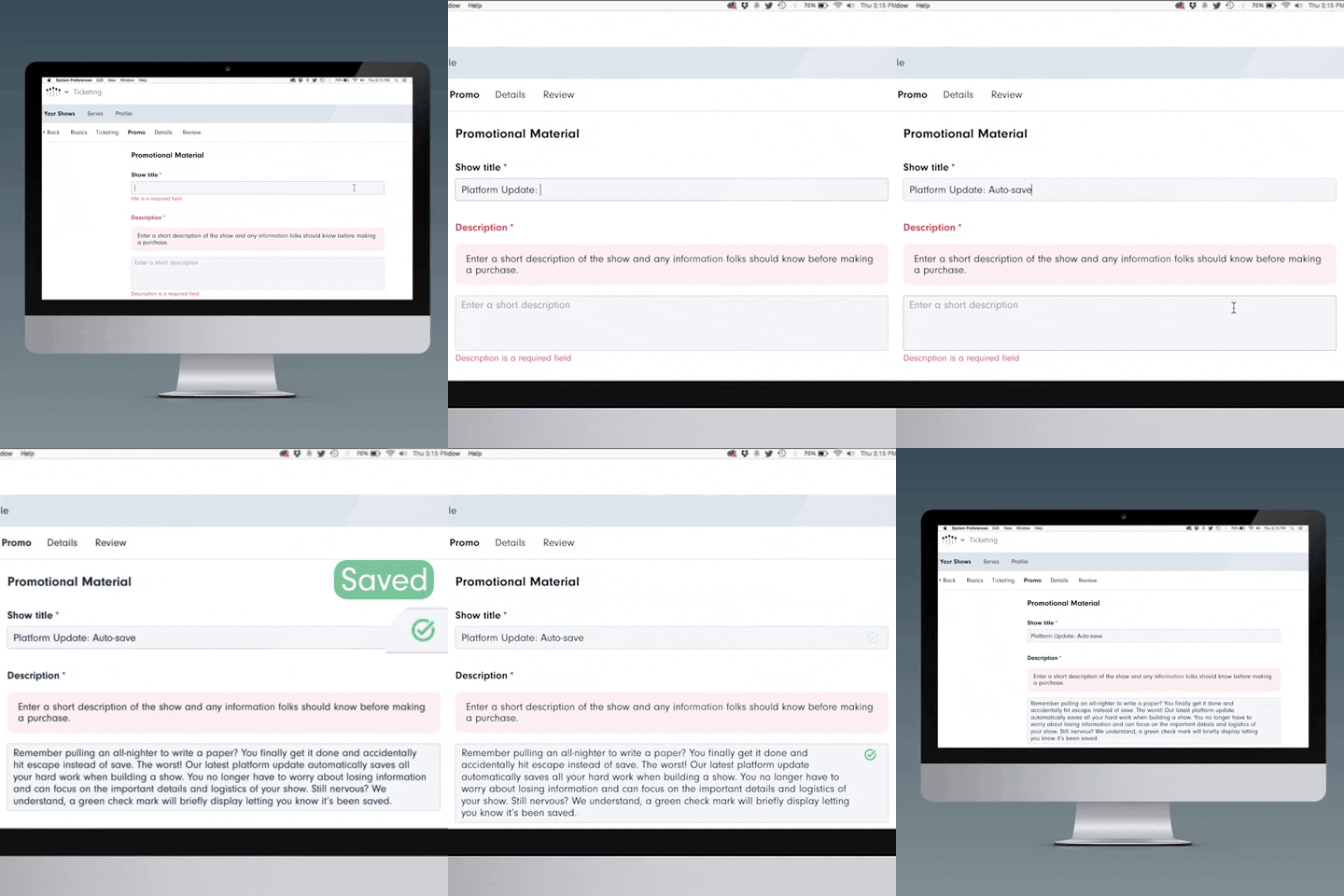
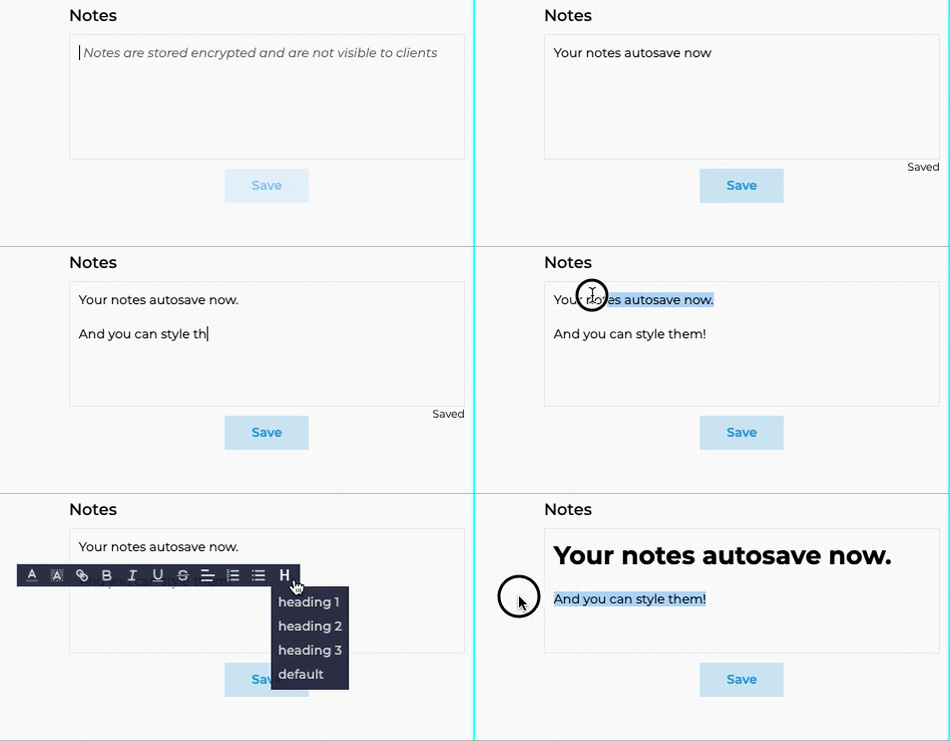
Here comes Auto-save to save you :)
How it will works -
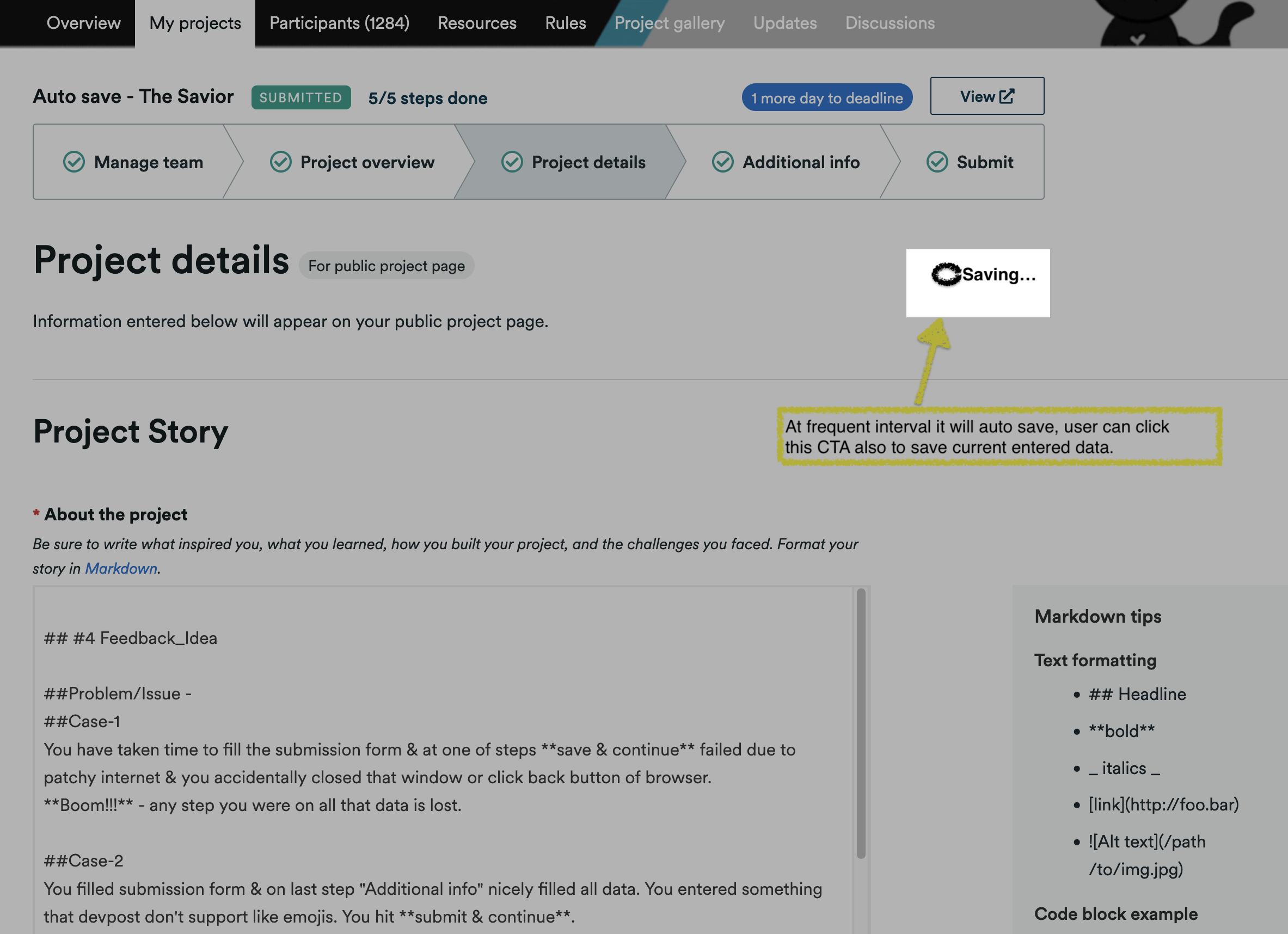
As user enters the data, website will run auto-save at frequent short interval (this needs to be short enough to not block user completely while they are editing - check how Microsoft word etc works)
Bonus/Additional -
1] setup keyboard shortcut for website to save form. 2] have data stored locally so even user face error page they can come back to same page with last entered data pre-populated from local storage, indicating its still local & not submitted on web-server. 3] In conjunction with auto-save, we can probably have saved status at top of current page reflecting last saved at time with small save icon to save whatever is currently entered. On this small save button click it saves & trigger for next auto-save interval gets reset.
Benefits -
Saves from frustration of loosing & re-entering lengthy form.
Built With
- experience


Log in or sign up for Devpost to join the conversation.