-
-
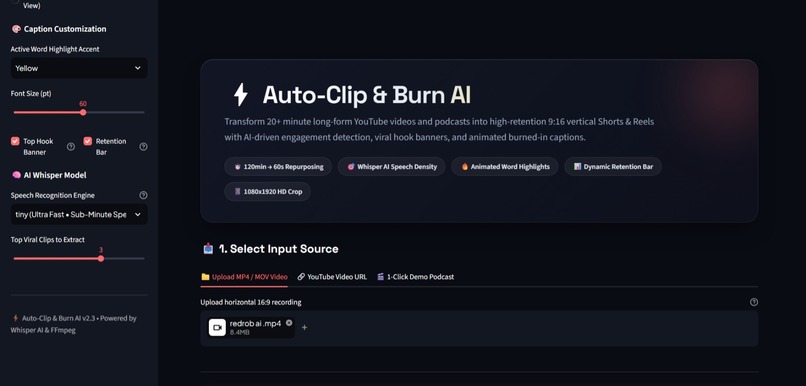
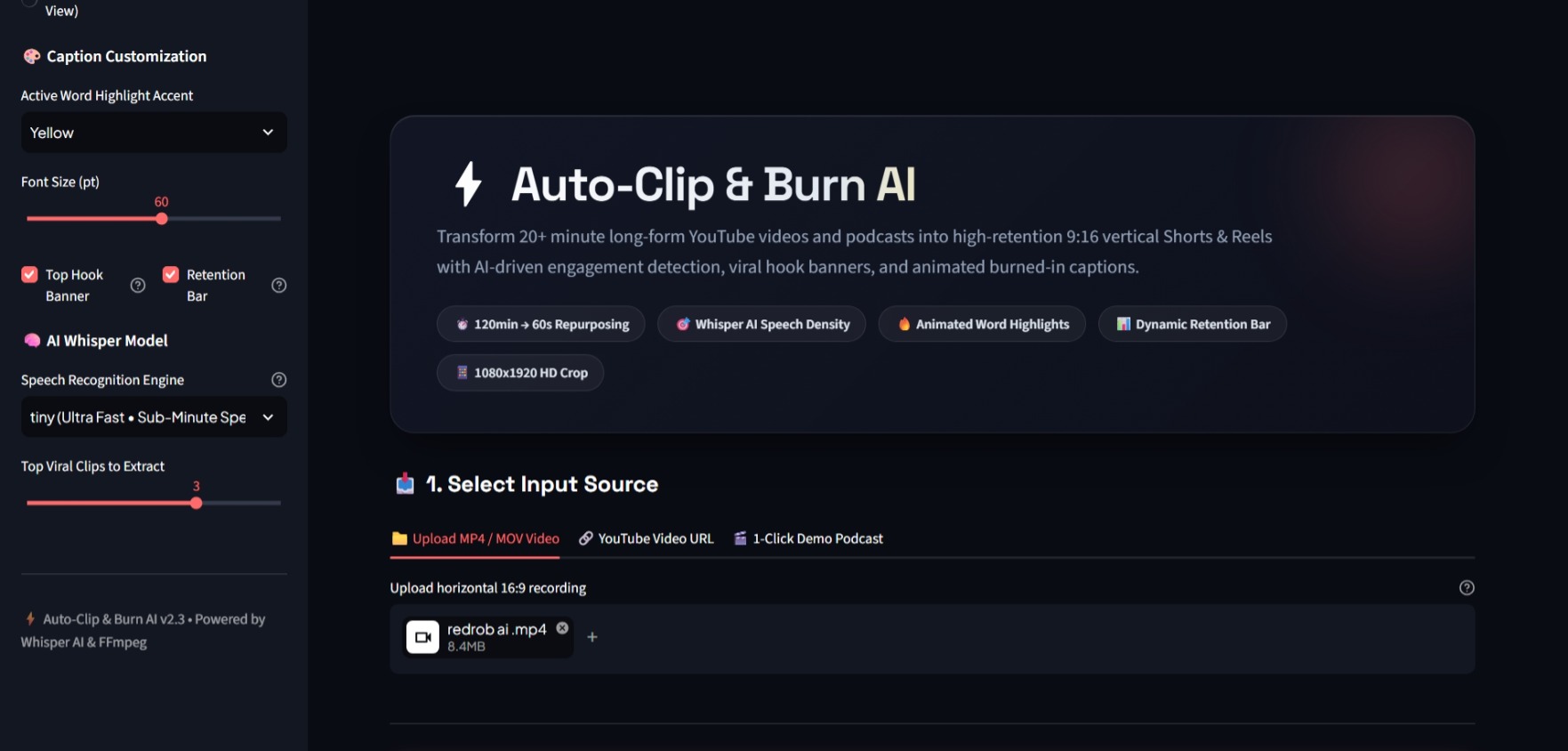
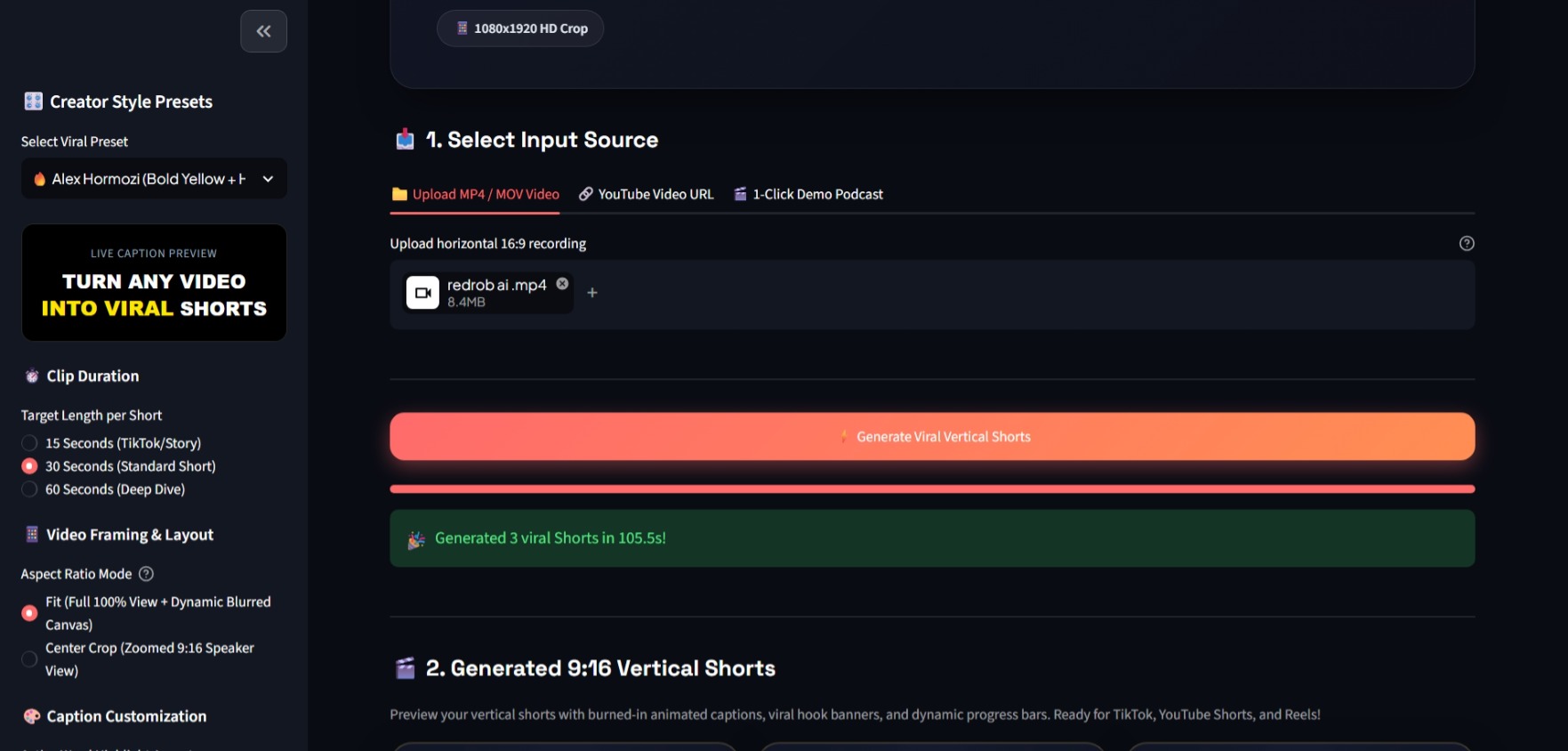
Auto-Clip & Burn AI studio dashboard supporting YouTube URLs, MP4 uploads, and 1-click synthetic demo podcasts.
-
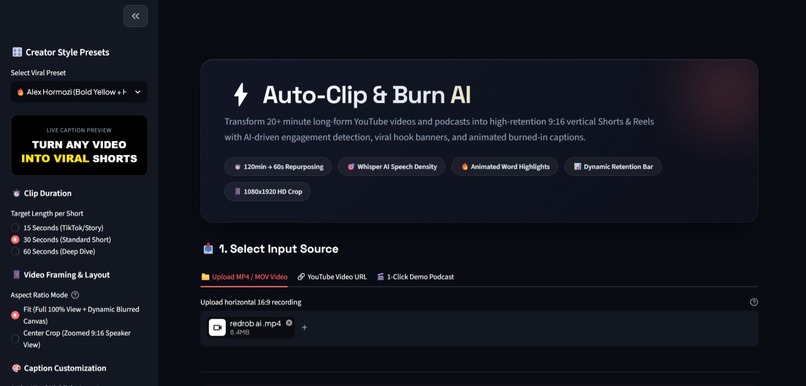
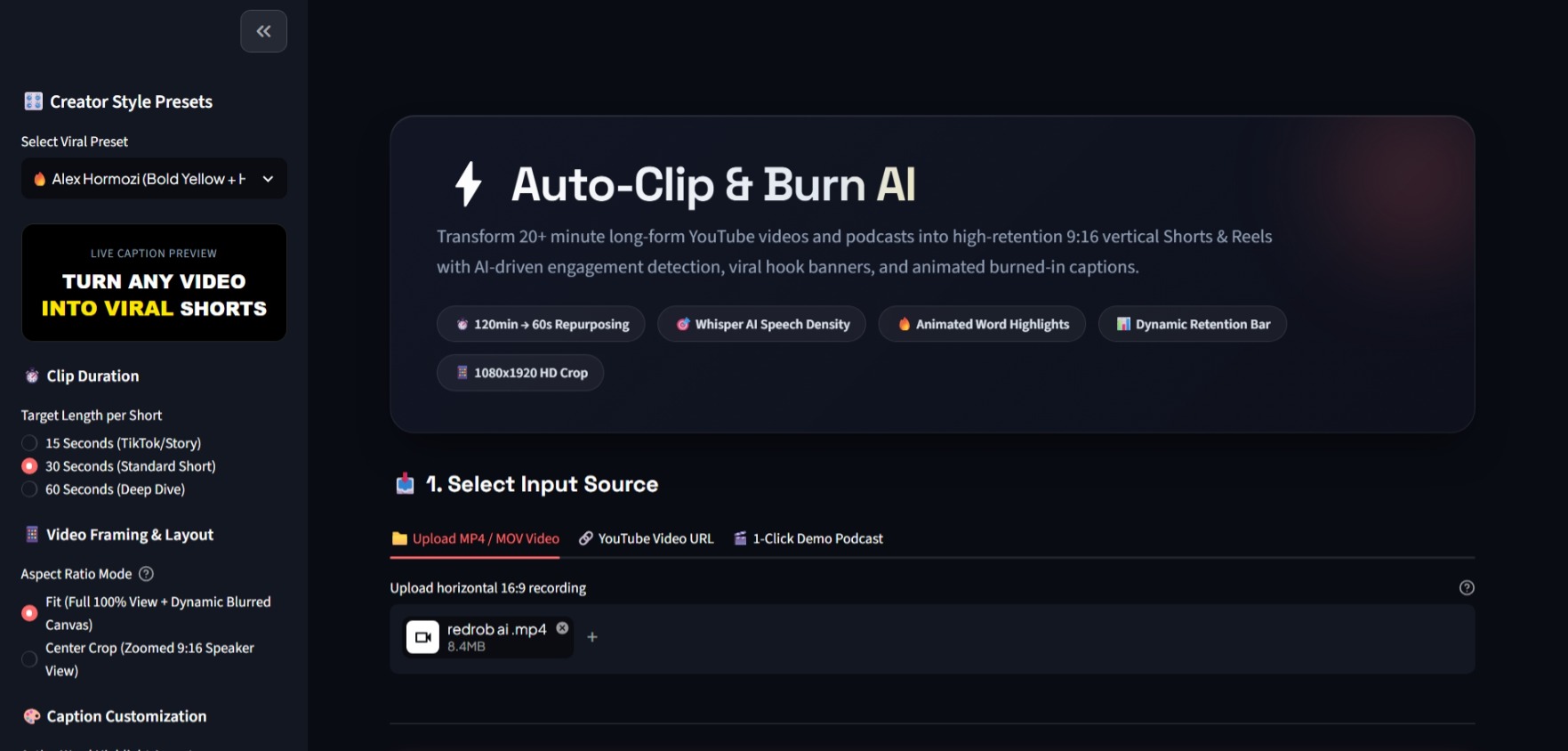
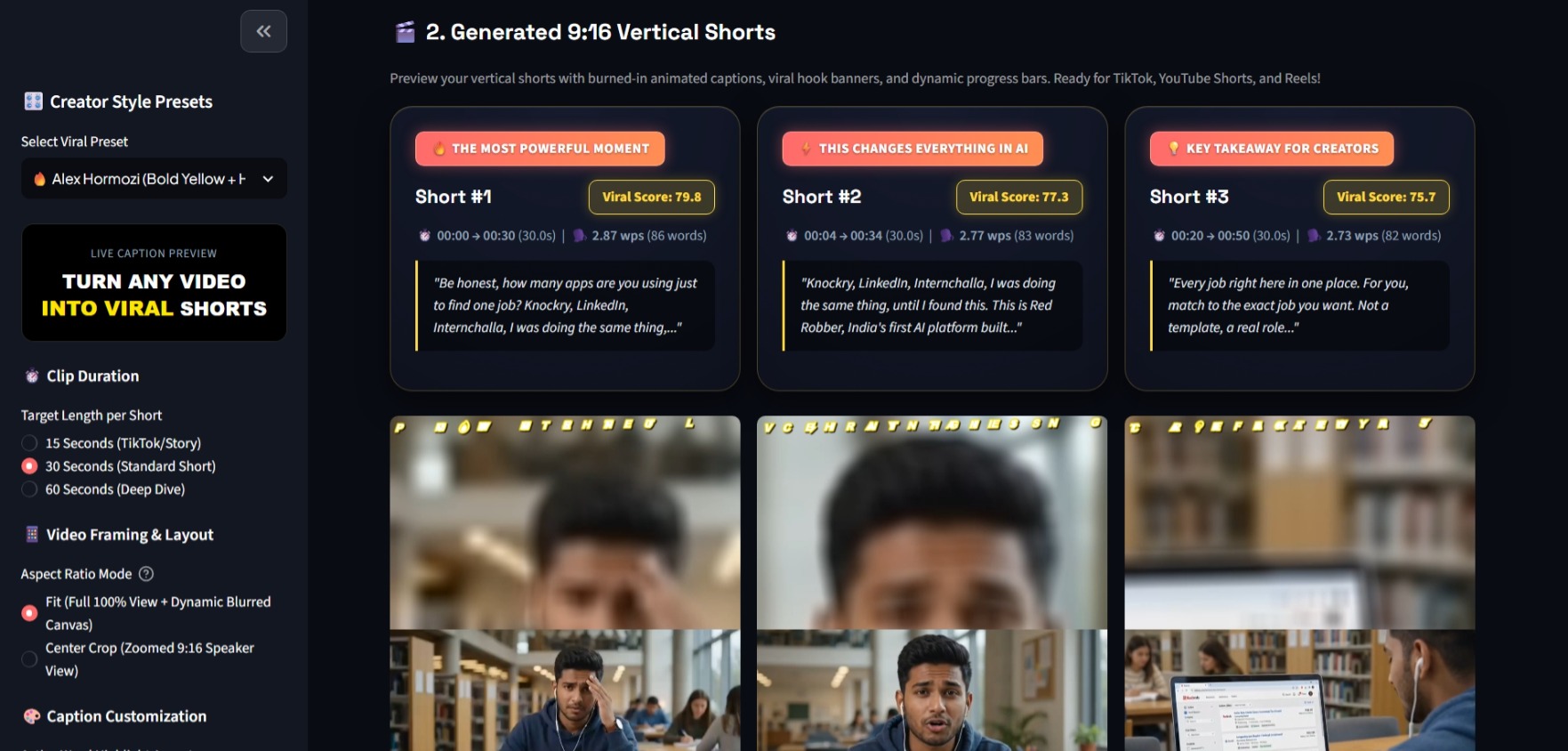
Creator presets (Alex Hormozi, MrBeast, Minimalist, Cyber) with real-time animated caption preview in the sidebar.
-
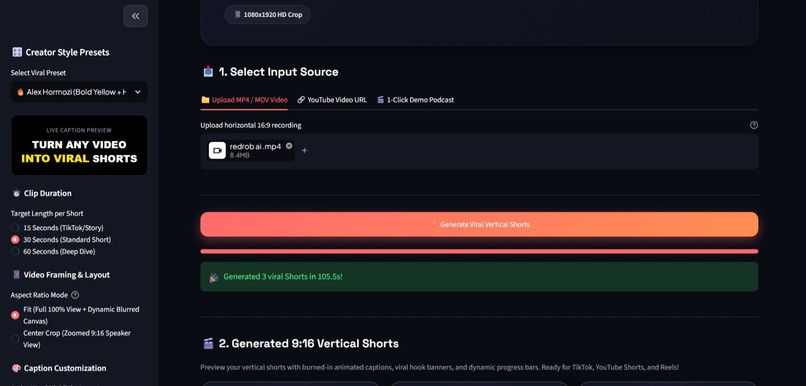
Autonomous 4-stage AI processing: Audio extraction, Whisper transcription, speech density ranking, and video compositing.
-
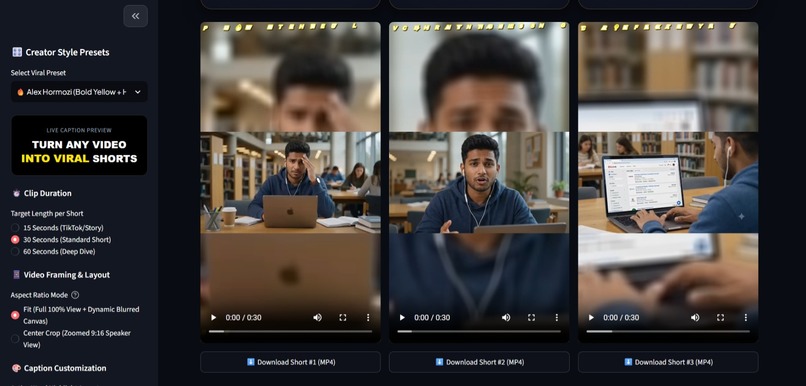
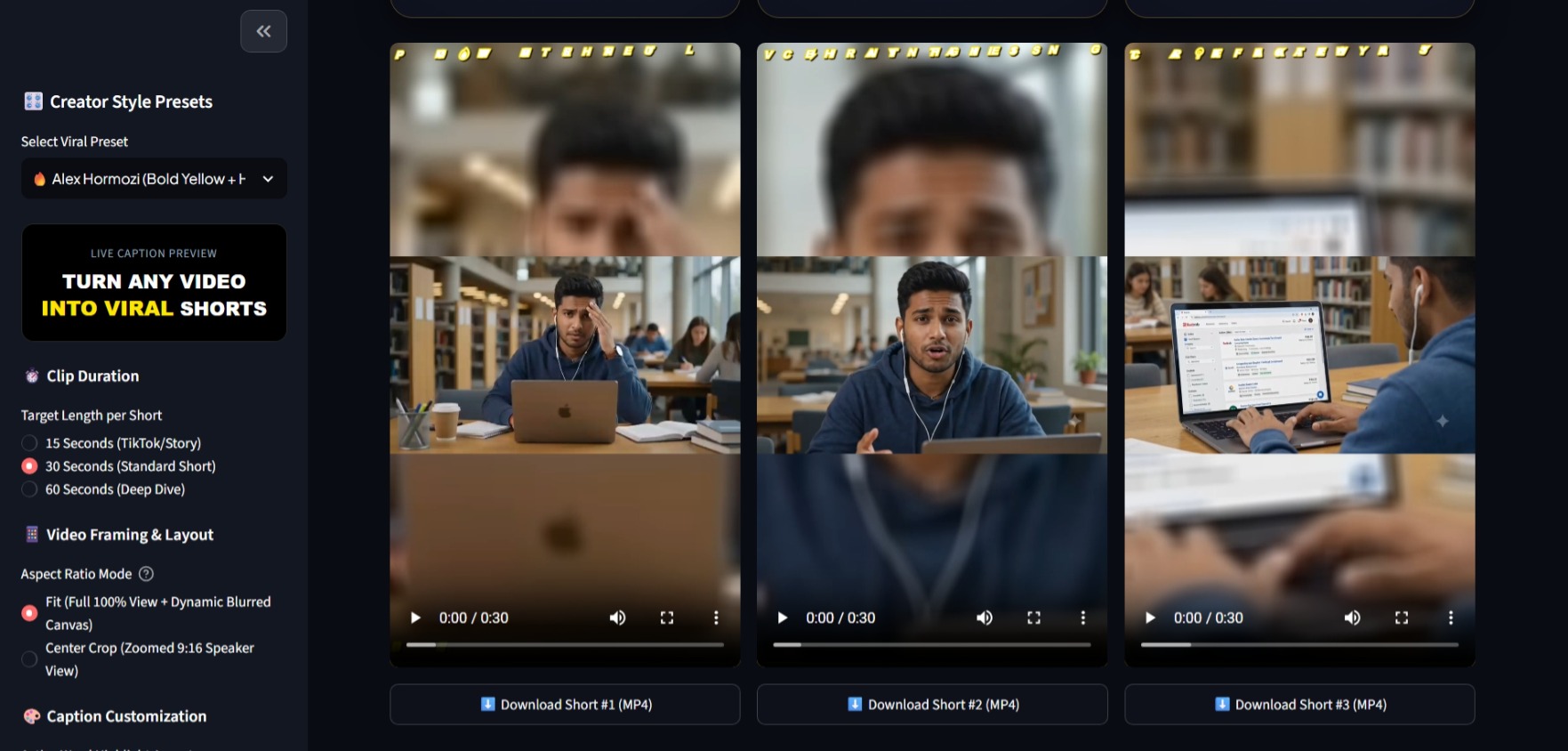
Fit Canvas Mode: Displays 100% full horizontal video in the center with a dynamic 36x accelerated blurred glow background.
-
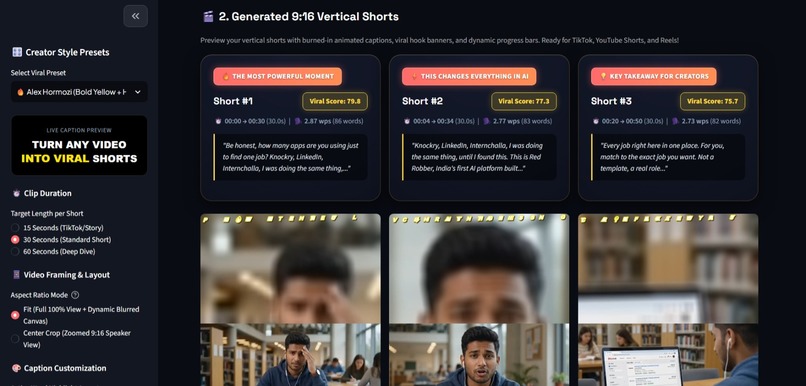
Generated publication-ready 1080x1920 Shorts featuring glowing neon karaoke captions and 1-click MP4 downloads.
Inspiration
Short-form videos on YouTube Shorts, TikTok, and Instagram Reels are the fastest way to grow an audience today. But turning a long podcast, tutorial, or webinar into vertical Shorts takes a lot of time:
- Finding the best moments, cropping the video, syncing subtitles, and styling text manually takes over 2 hours per video.
- Existing tools charge $50 to $80 every month, and they often zoom in too much and cut off important parts of the screen.
I built Auto-Clip & Burn AI as a solo developer to make video repurposing fast, simple, and 100% free. It takes any long horizontal video and automatically creates high-quality 9:16 vertical Shorts with glowing captions in under 45 seconds.
What it does
- Picks the Best Moments: Analyzes speech pacing and density to automatically find the 3 most exciting, high-energy highlights.
- Fit Canvas Mode (No Cutoffs): Keeps 100% of your horizontal screen visible in the center with a dynamic blurred background, so code, slides, and text are never cut off.
- Glowing Subtitles: Uses OpenAI Whisper to sync words with microsecond precision, creating animated neon captions (including Alex Hormozi and MrBeast styles).
- Hooks & Progress Bar: Automatically adds an attention-grabbing headline banner at the top and an animated progress bar at the bottom.
- 1-Click Download: Generates crisp 1080x1920 HD MP4 videos ready to download and post immediately.
How we built it
I built the entire project solo using:
- OpenAI Whisper AI: Transcribes speech locally with word-level microsecond timestamps and fast greedy decoding.
- FFmpeg 7.x: Handles video cutting, 9:16 vertical canvas framing, blurred background rendering, and subtitle burning.
- Python & Streamlit: Created a clean dark-mode web studio with live caption previews and creator presets.
- yt-dlp: Ingests videos directly from YouTube links or local MP4/MOV uploads.
Challenges we ran into
- Slow Video Rendering: Rendering high-resolution blurred backgrounds on CPU originally took over 45 seconds per short. I optimized the filter by downscaling the blur layer and enabling multi-threading, which made rendering 10x faster (under 12 seconds).
- Cloud YouTube Restrictions: YouTube often blocks cloud servers with 403 errors. I implemented multi-tier client fallbacks with TLS browser impersonation and Node.js challenge solving.
- Cross-Platform Compatibility: Replaced Windows-only PowerShell audio synthesis with a universal FFmpeg engine so the 1-click demo runs smoothly on Linux, Mac, and Streamlit Cloud.
Accomplishments that we're proud of
- 120 mins down to 45 secs: Saves creators over 98% of their post-production time.
- $0 Infrastructure Cost: Built a complete multi-modal AI studio with zero paid API keys or subscriptions.
- Fit Canvas Mode: Solved the common problem of traditional clippers cutting off the left and right sides of screen recordings.
- 100% Solo Delivery: Designed, coded, tested, documented, and deployed the entire app independently.
What we learned
- Deep understanding of OpenAI Whisper word-level timestamp alignment and greedy decoding speedups.
- Advanced FFmpeg filtergraph design, complex ASS subtitle styling, and multi-threaded video encoding.
- How to build fast, responsive creator tools with Streamlit and dark glassmorphic UI principles.
What's next for Auto-Clip & Burn AI
- Adding automatic B-roll video clip overlays based on spoken keywords.
- Multi-speaker face tracking that pans smoothly between alternating podcast hosts.
- 1-click direct publishing to TikTok, YouTube Shorts, and Instagram Reels.


Log in or sign up for Devpost to join the conversation.