-
-
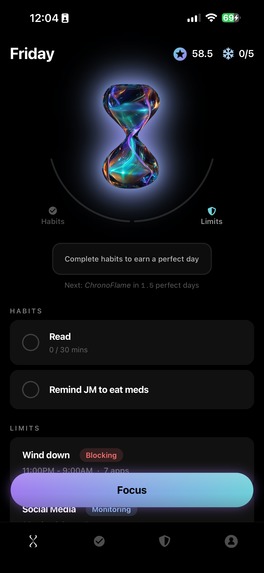
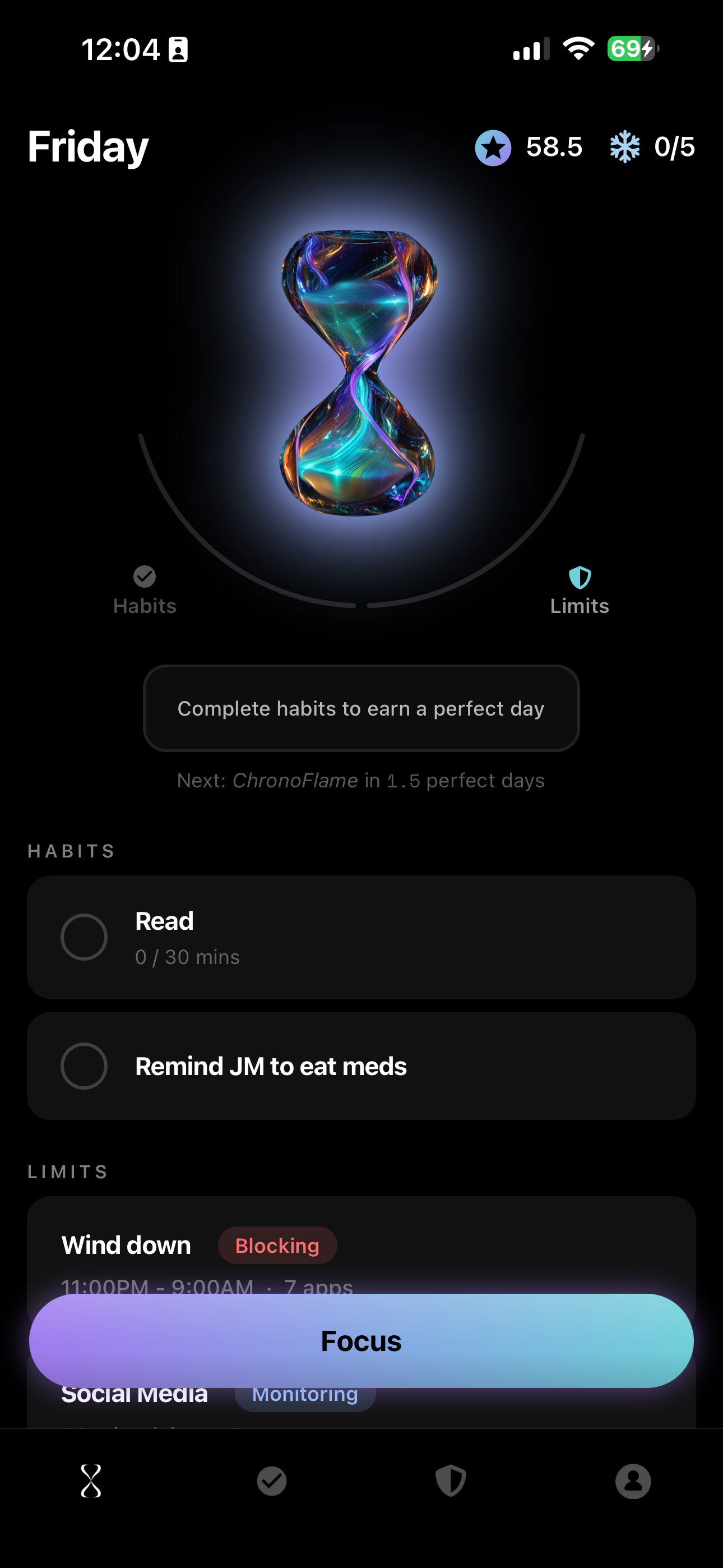
Home screen showing a user's day for the habits to complete and their screen limits
-
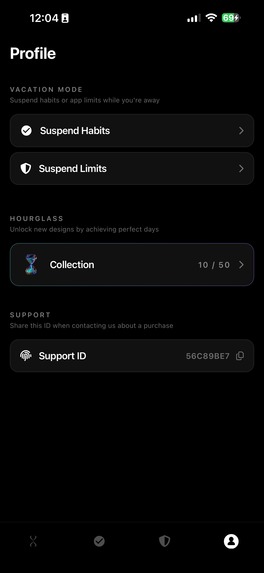
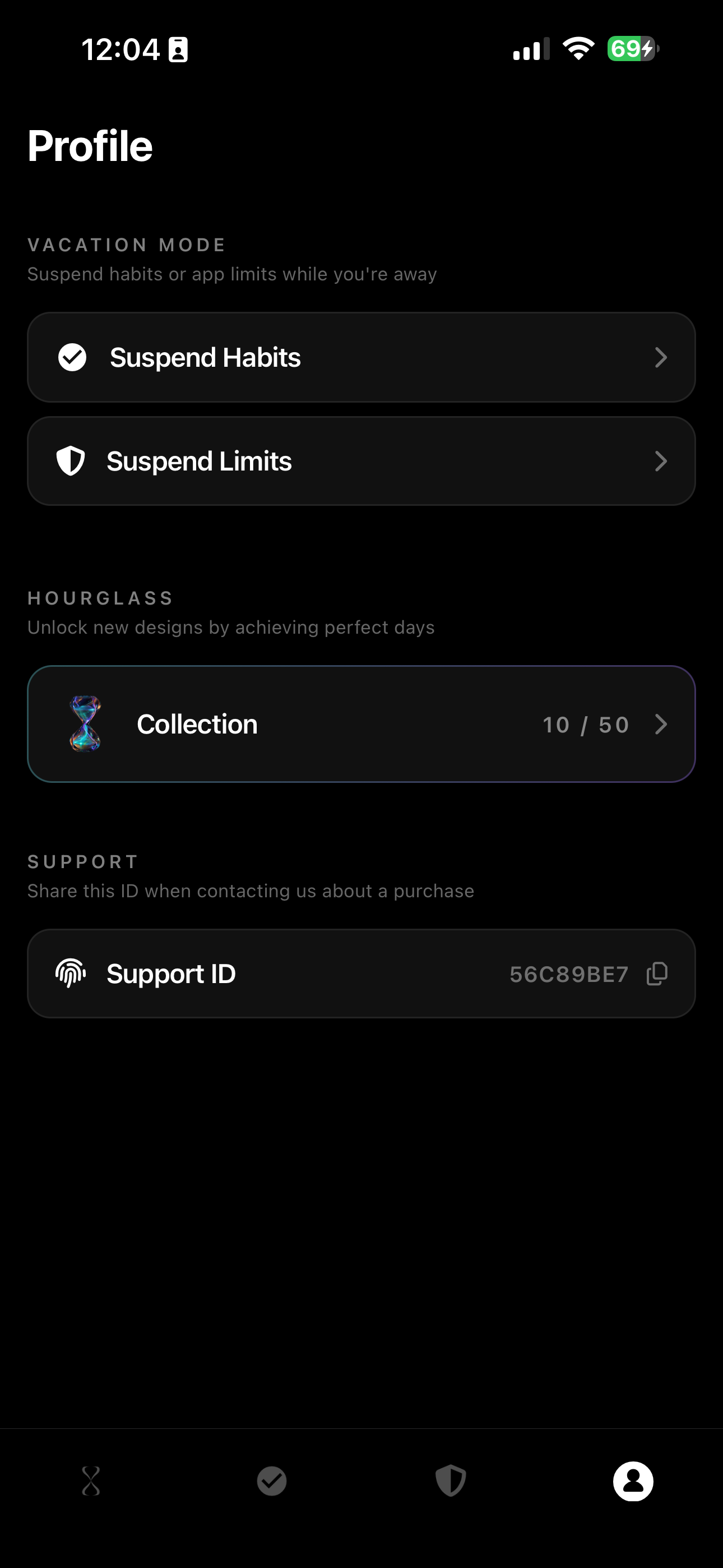
Vacation mode that users can choose to suspend their limits or habits temporarily
-
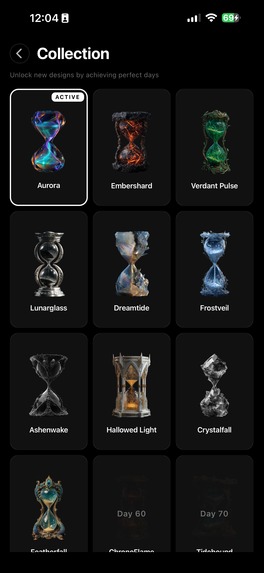
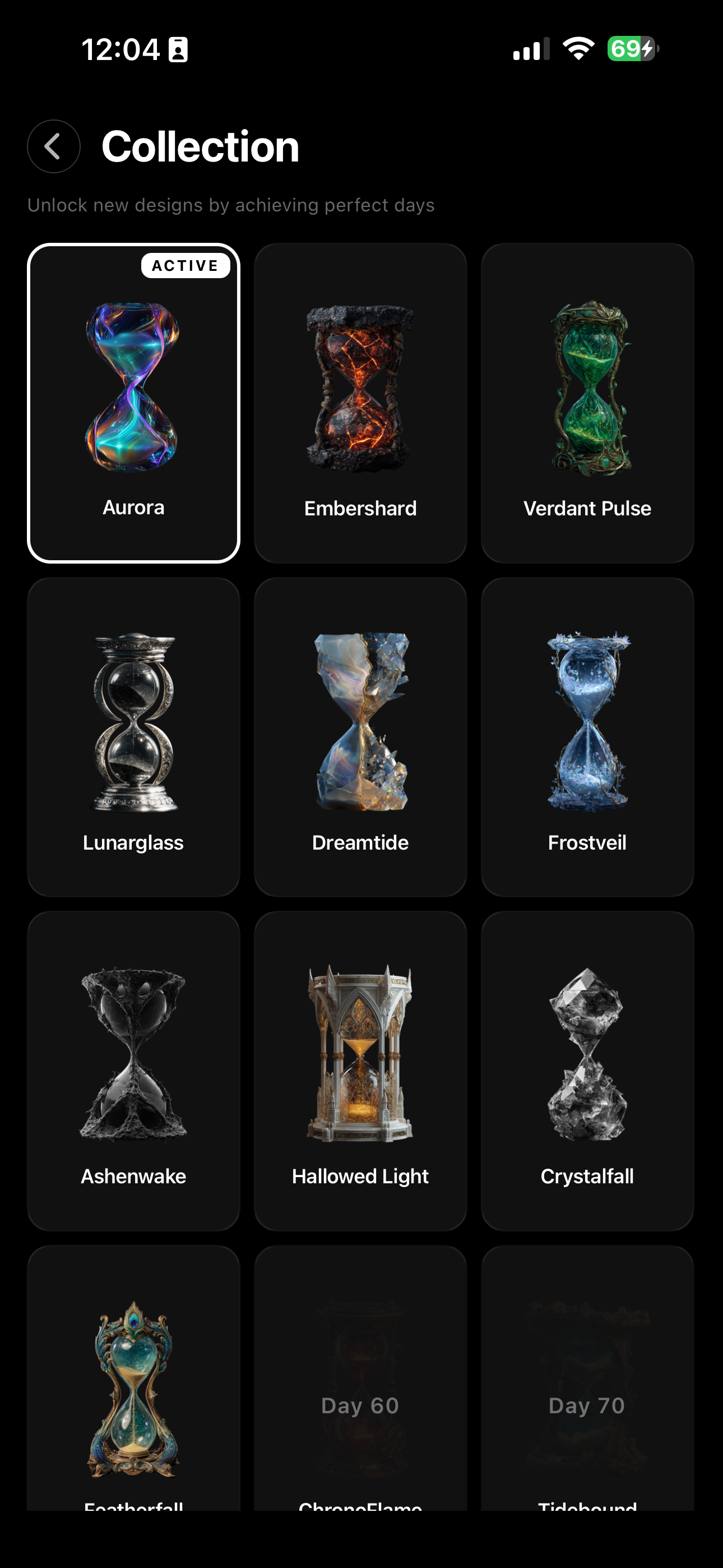
Hourglasses that users can choose from to personalize their app experience
-
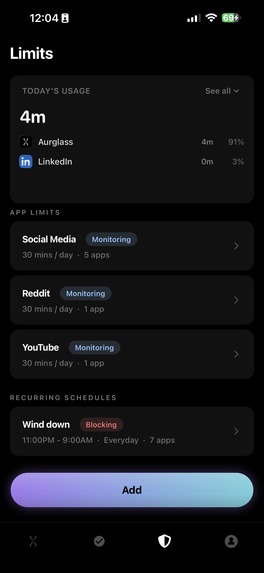
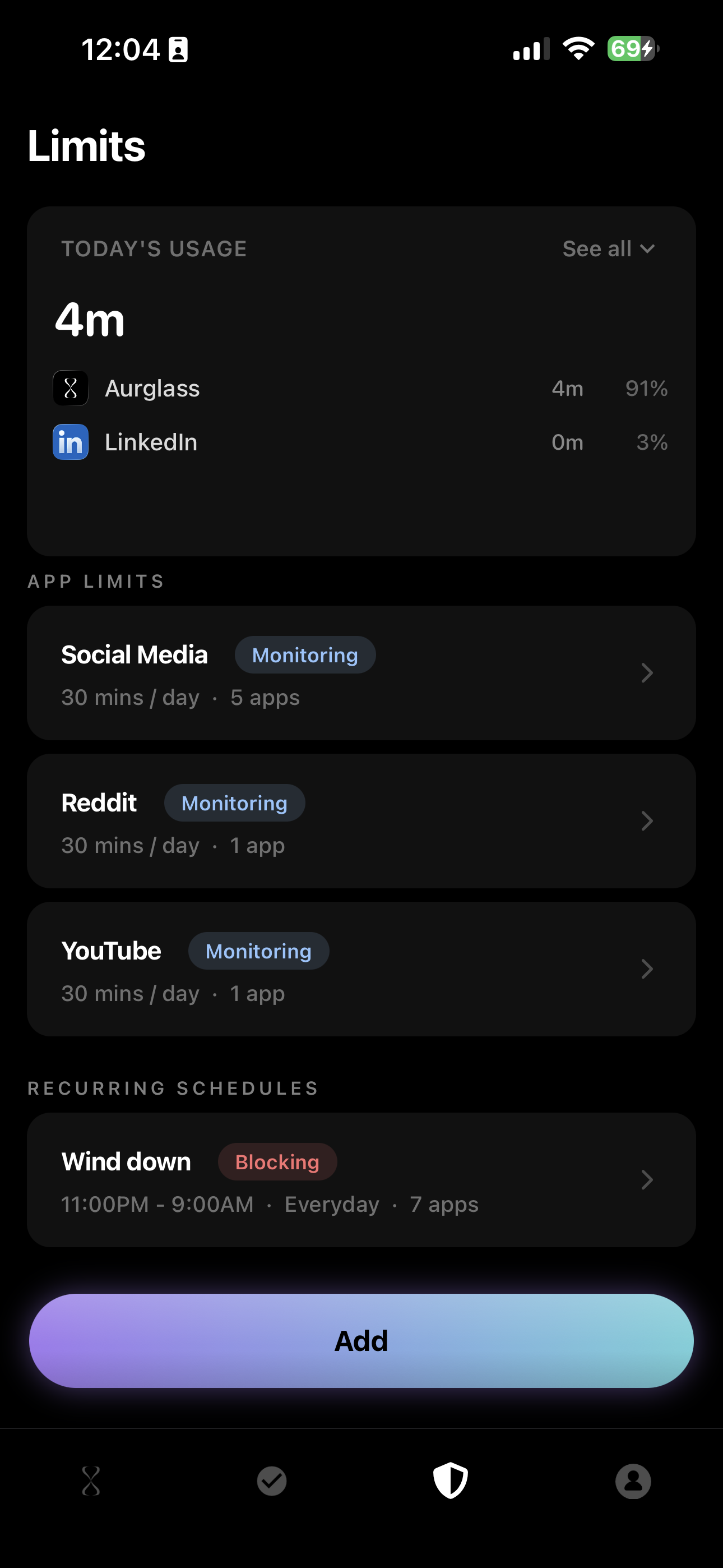
Limits overview and screen time for the day
-
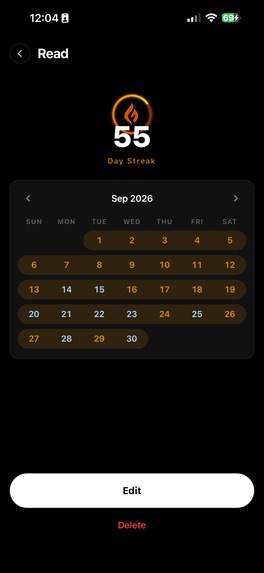
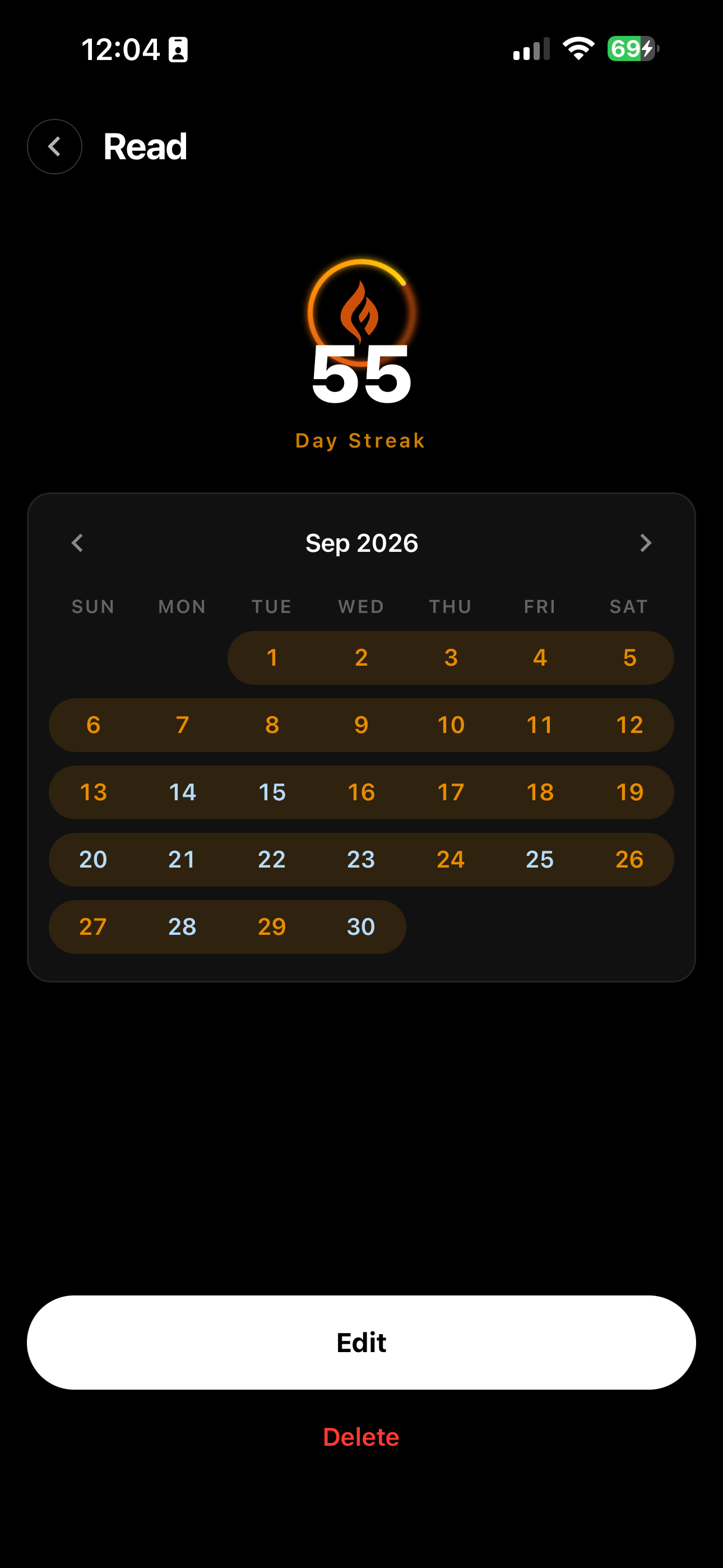
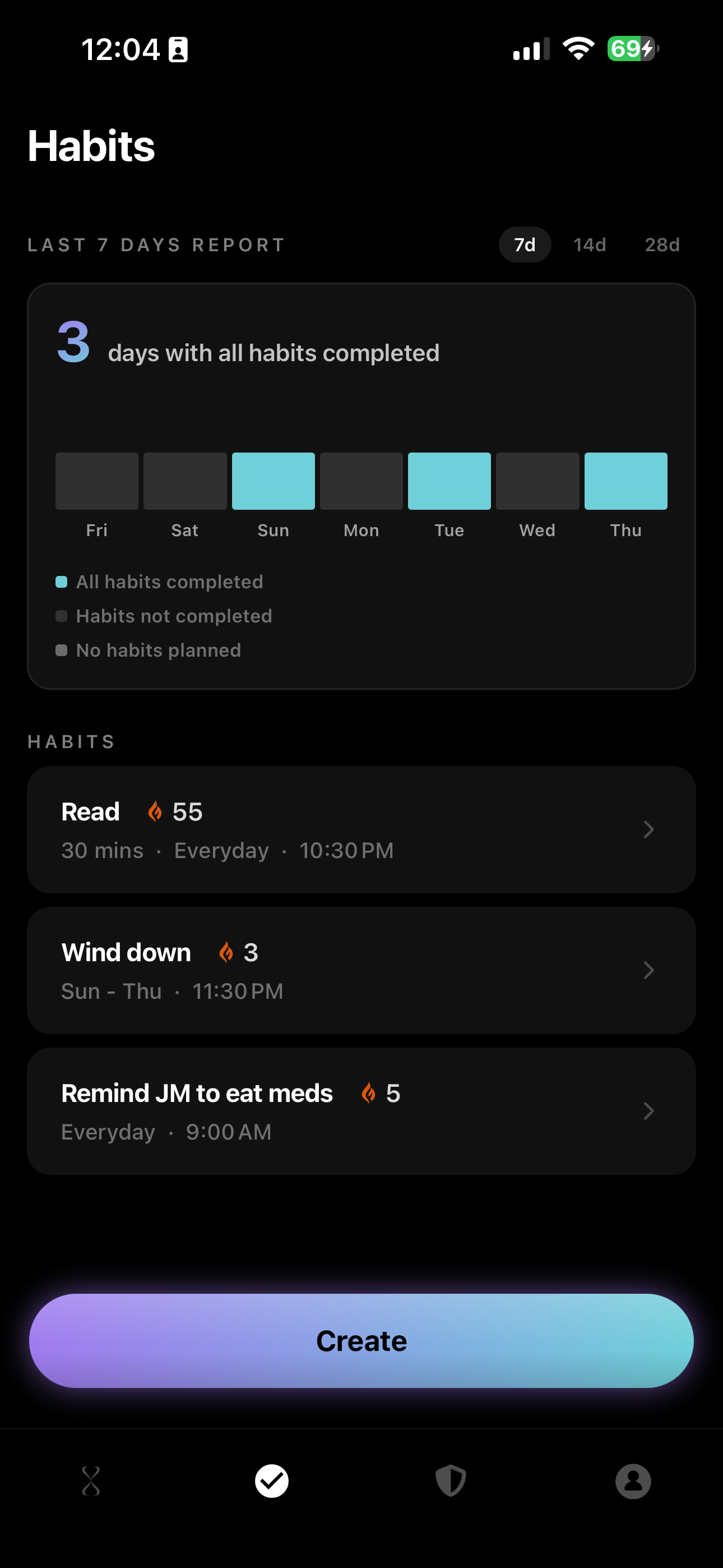
Streak tracking per habit for users for insights into days where they complete or fail to complete a habit
-
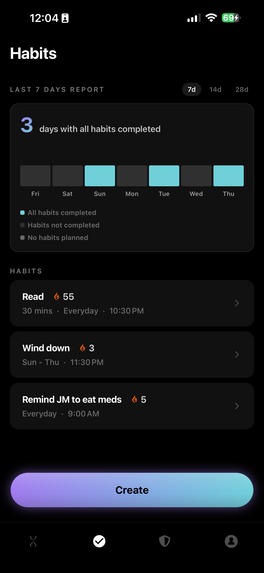
Habits overview, where users can create their habits and see how their progress is
-
Aurglass App Icon
Inspiration
I was using a habit tracker and a screen time app at the same time, trying to be more consistent with the things I actually wanted to do. The screen time app would block me, and then I'd just sit there with nothing to do, or pick up another distraction. The habit tracker had my list, but it never showed up at the moment I had free time.
So I combined the two. When your screen time runs out, that's the moment you have time back, and it's the best moment to be reminded of what you wanted to do with it.
What it does
Aurglass is a habit tracker that reduces distractions. You set limits on the apps that take up your time and add the habits you want to build, like studying, working on a side project or preparing for interviews.
When you hit a limit, the block screen doesn't just stop you. It shows you one of your habits, so the moment you're blocked becomes a reminder to start something you care about. You still have to do the habit yourself. The app just makes sure you're reminded at the right time.
Other parts of the app:
- Daily and weekly habits with reminders
- A home screen widget to check off habits
- Streaks with freezes, so one bad day doesn't erase your progress
- Collectible hourglasses you earn by keeping up your habits
Limits are strict once they hit. You can't change them mid-day, because that's usually when you'd want to.
How we built it
The app is built in React Native, with native Swift for the screen time parts. We use Apple's Screen Time APIs (Family Controls, DeviceActivity and ManagedSettings) for limits and blocking, and a shield extension for the block screen that shows your habit.
There's no account or login. Subscriptions go through RevenueCat, tied to your Apple ID. The weekly recap uses DeviceActivityReport for exact usage data, since that data has to stay inside Apple's sandbox.
Challenges we ran into
Accomplishments that we're proud of
- Shipping to the App Store on August 7
- A block screen that points you to something useful instead of just stopping you
- Keeping the app private by design, with no account needed
- Sharing the whole process publicly, including what didn't work
What we learned
I spent too long polishing before launch. Some of that time would have been better spent getting the app in front of people earlier.
A waitlist isn't the same as users. I had 18 people sign up before launch, but fewer downloaded, and fewer still finished onboarding. Finding people to use the app and talking to them was actually really useful than getting more people on the waitlist.
What's next for Aurglass
- Continue talking to more users to find out gaps n teh app and continuously iterate on it
- A new visual direction for the app
- Growing through content on TikTok and Reddit, and sharing monthly public updates

Log in or sign up for Devpost to join the conversation.