-
-
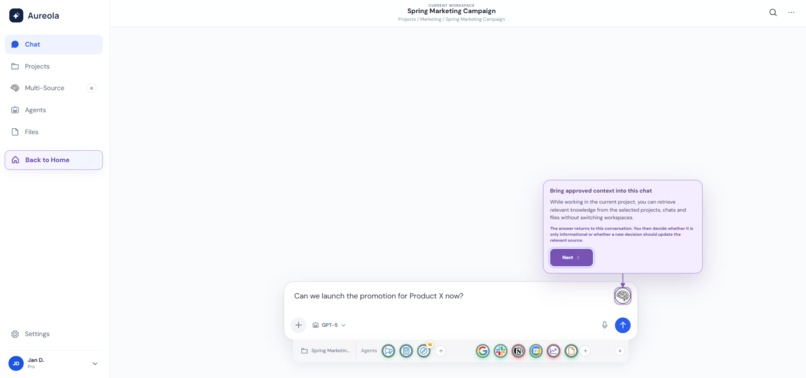
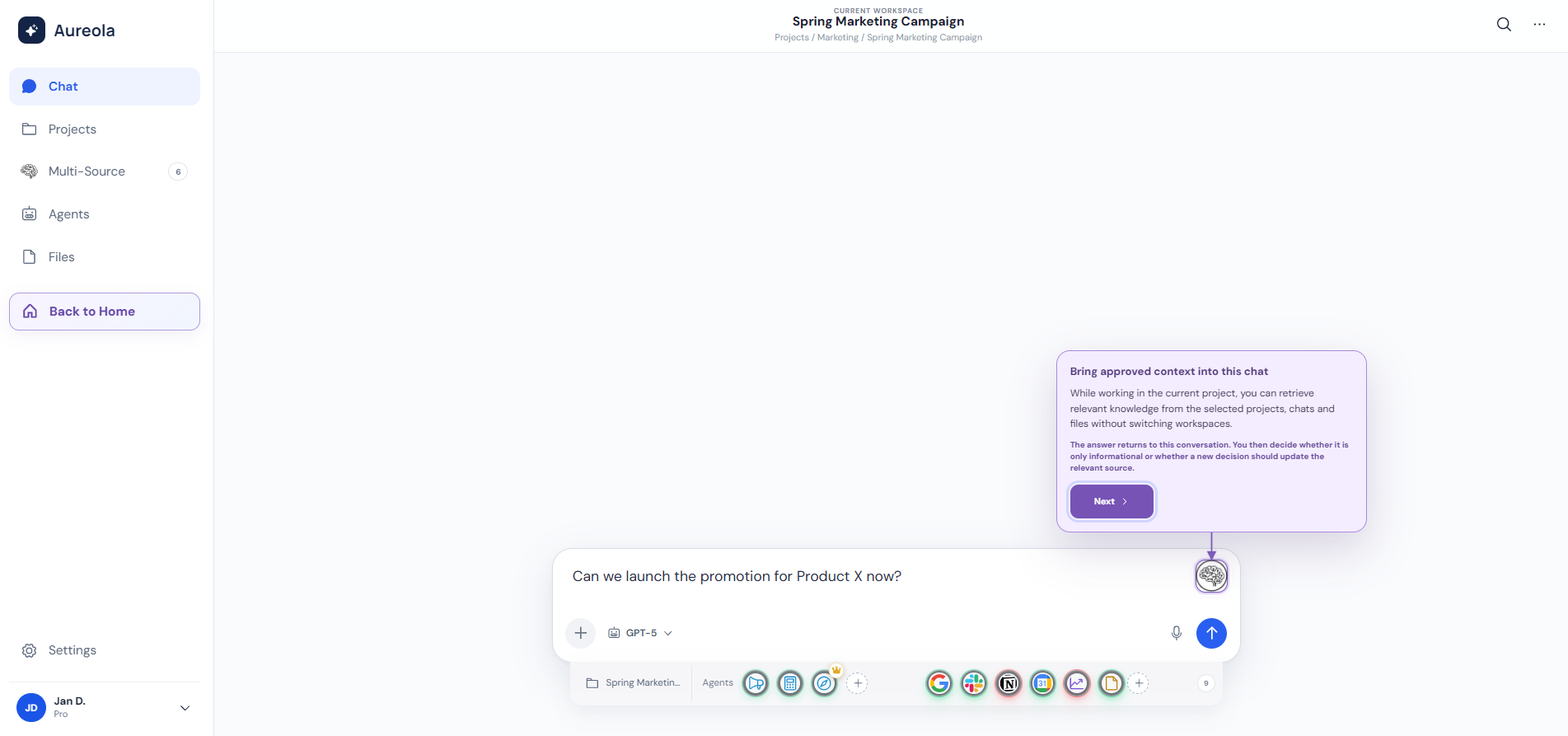
Activate Multi-Source with one click and bring approved knowledge into the current chat.
-
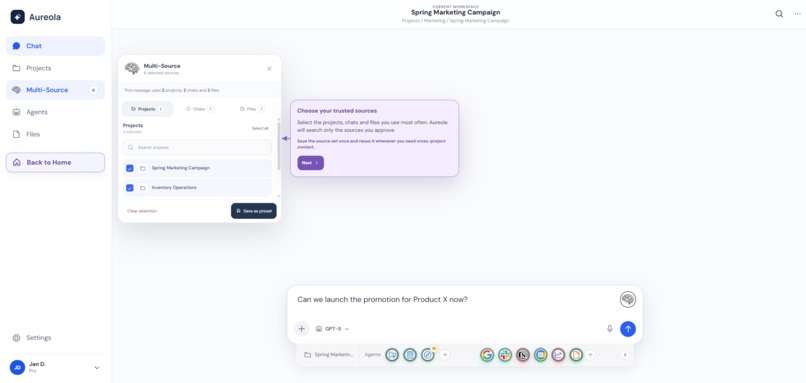
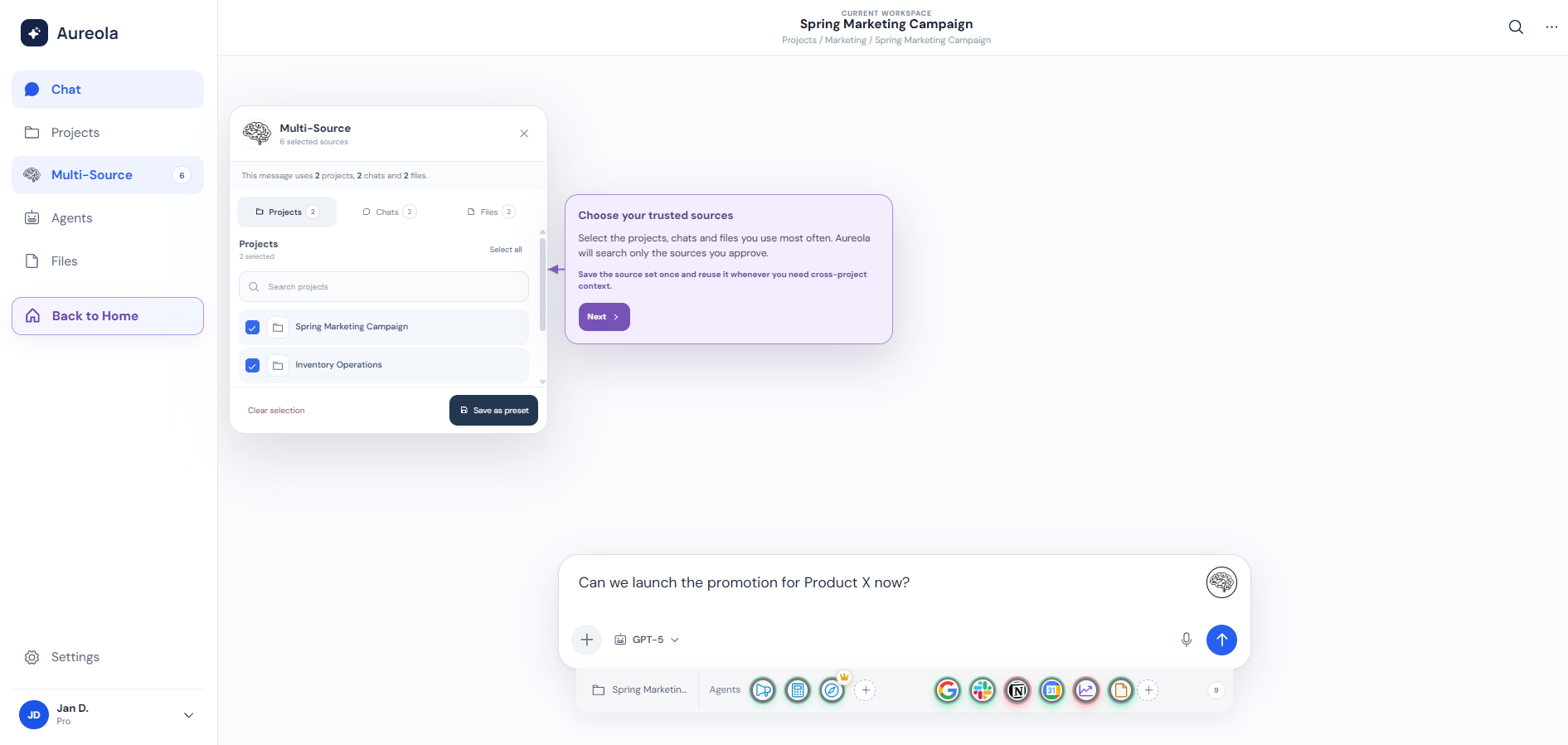
Select trusted projects, chats and files that Aureola can use as Multi-Source context.
-
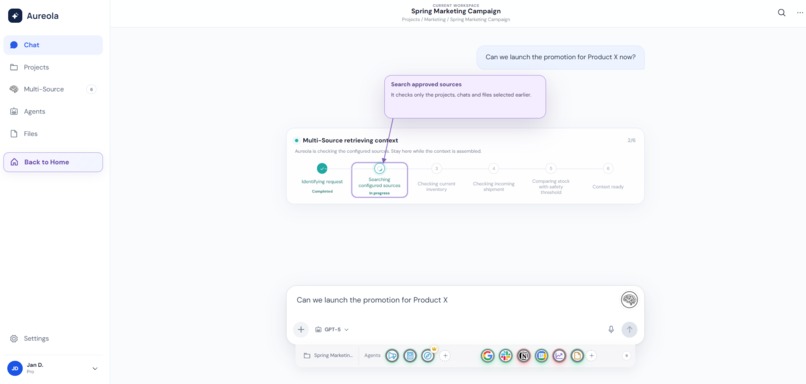
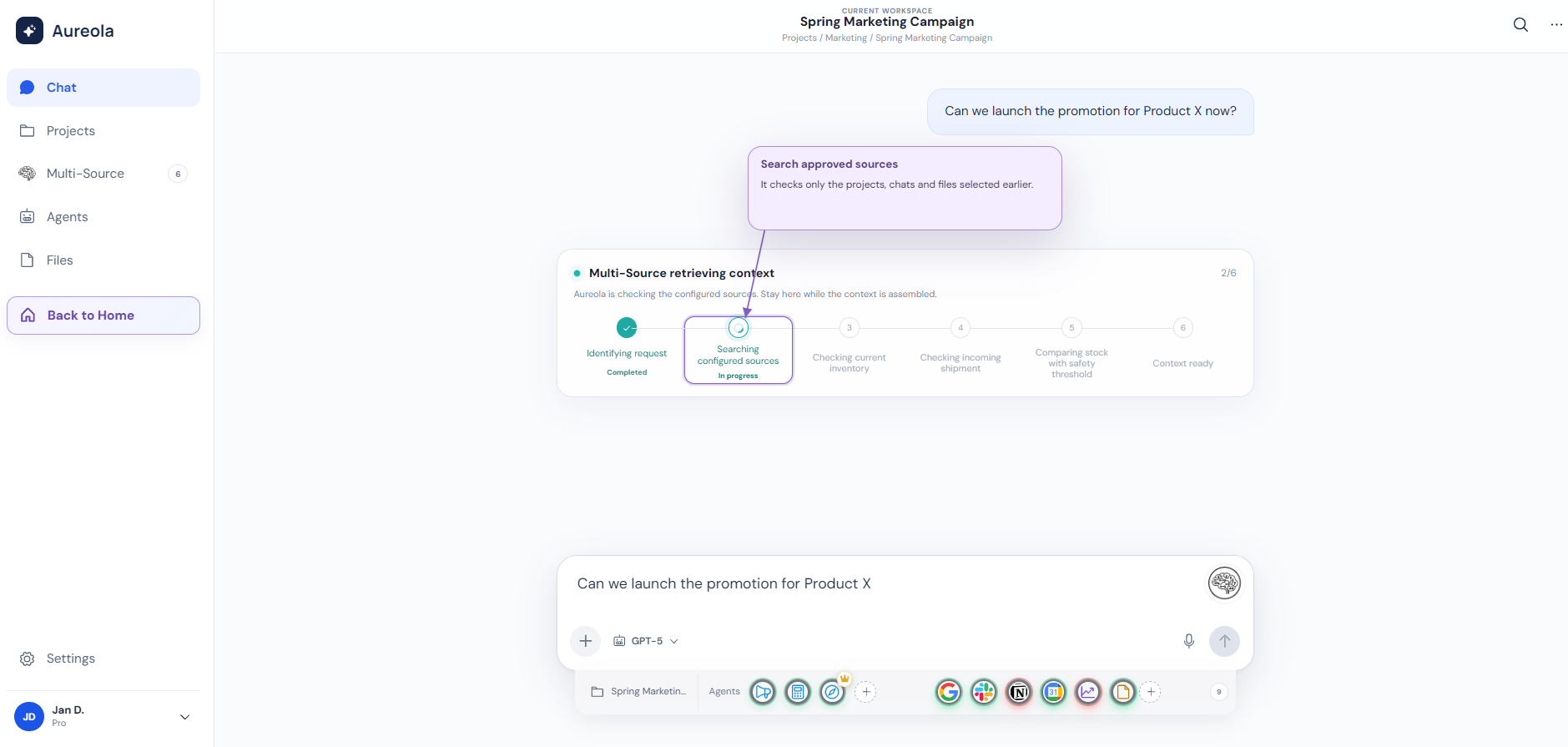
Aureola searches the selected sources and shows each stage of context retrieval.
-
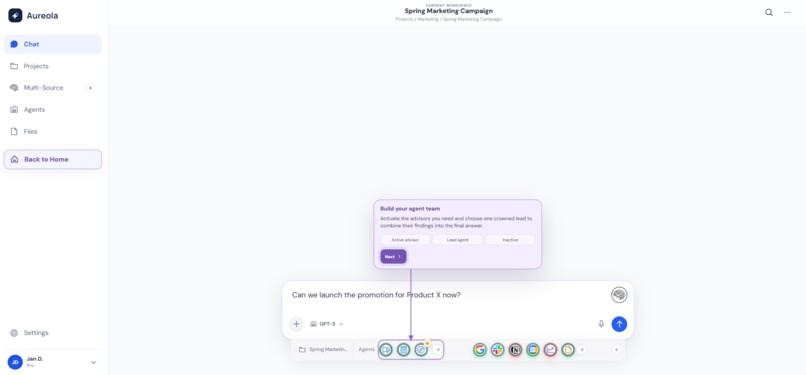
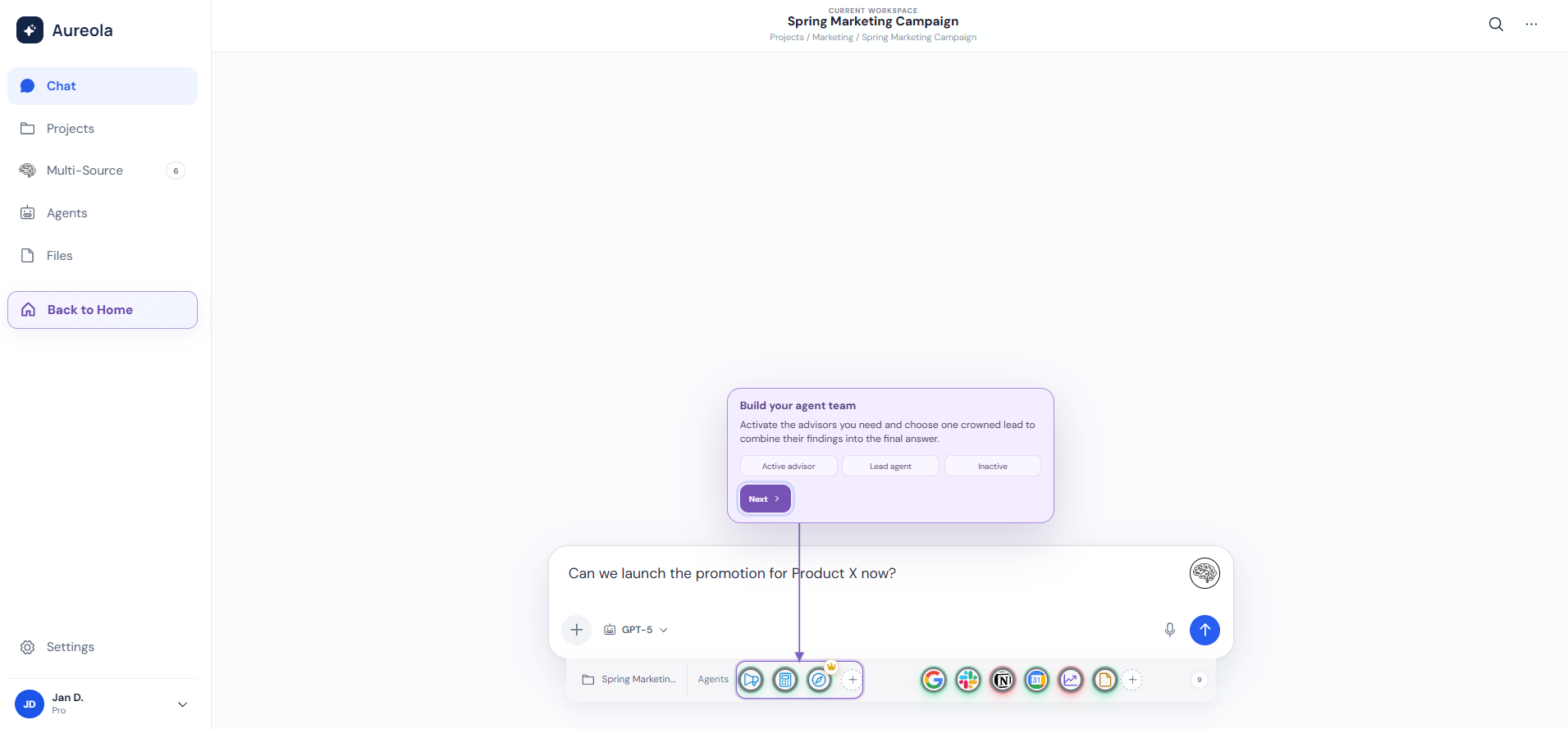
Build a team of specialist advisors and choose one crowned agent as the lead.
-
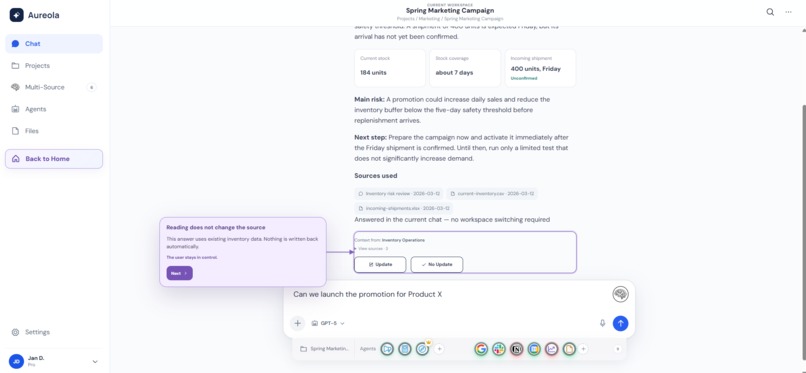
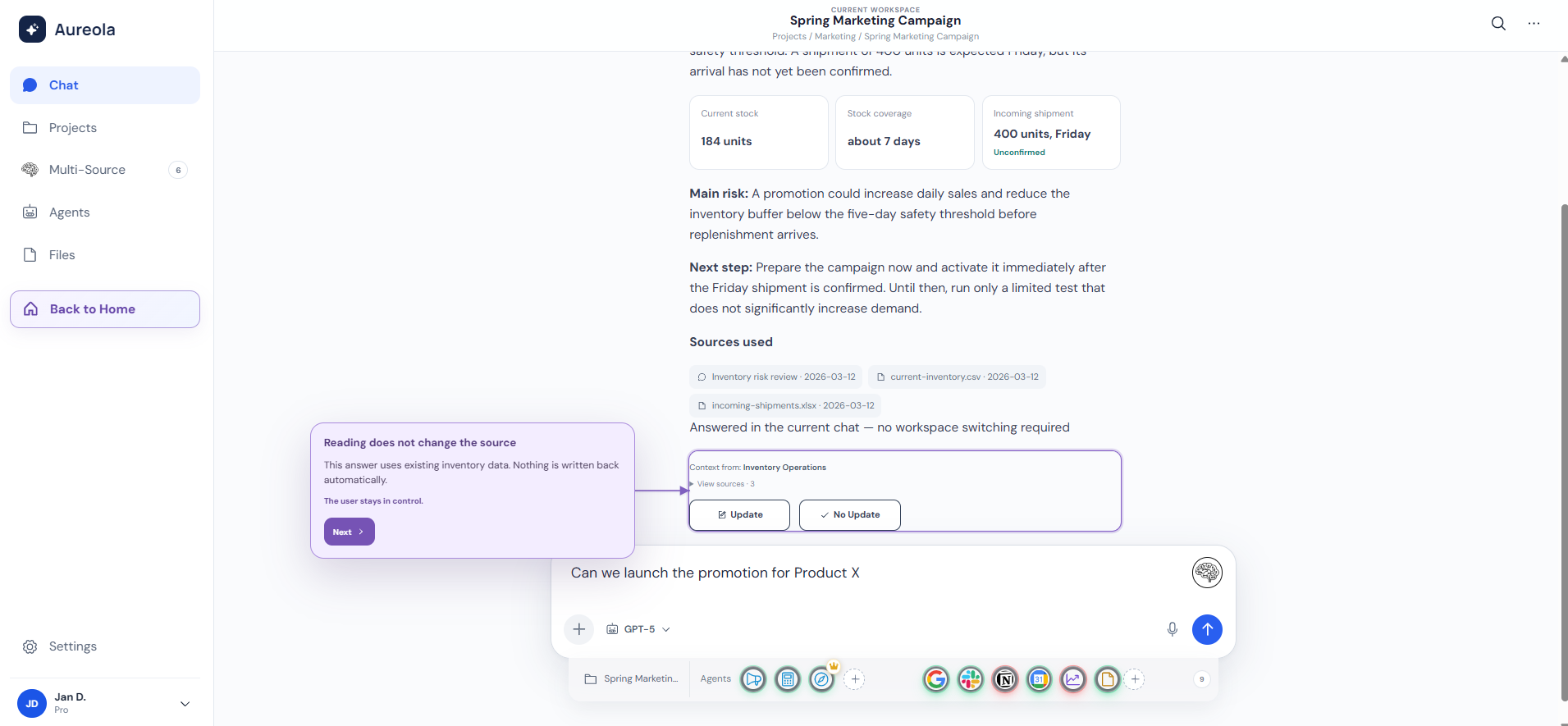
The final answer includes evidence, the main risk, the next step and the sources used.
-
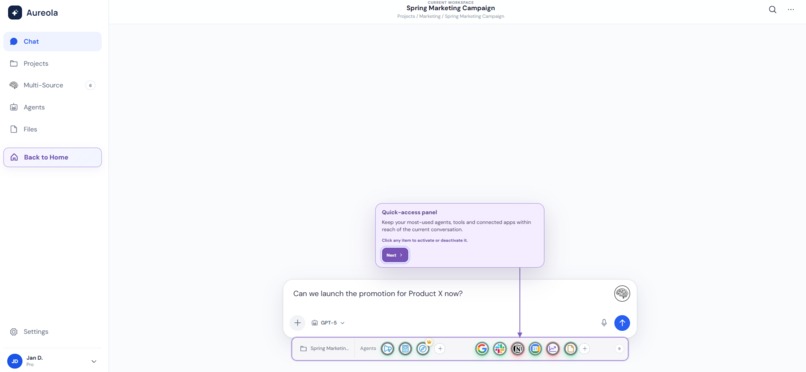
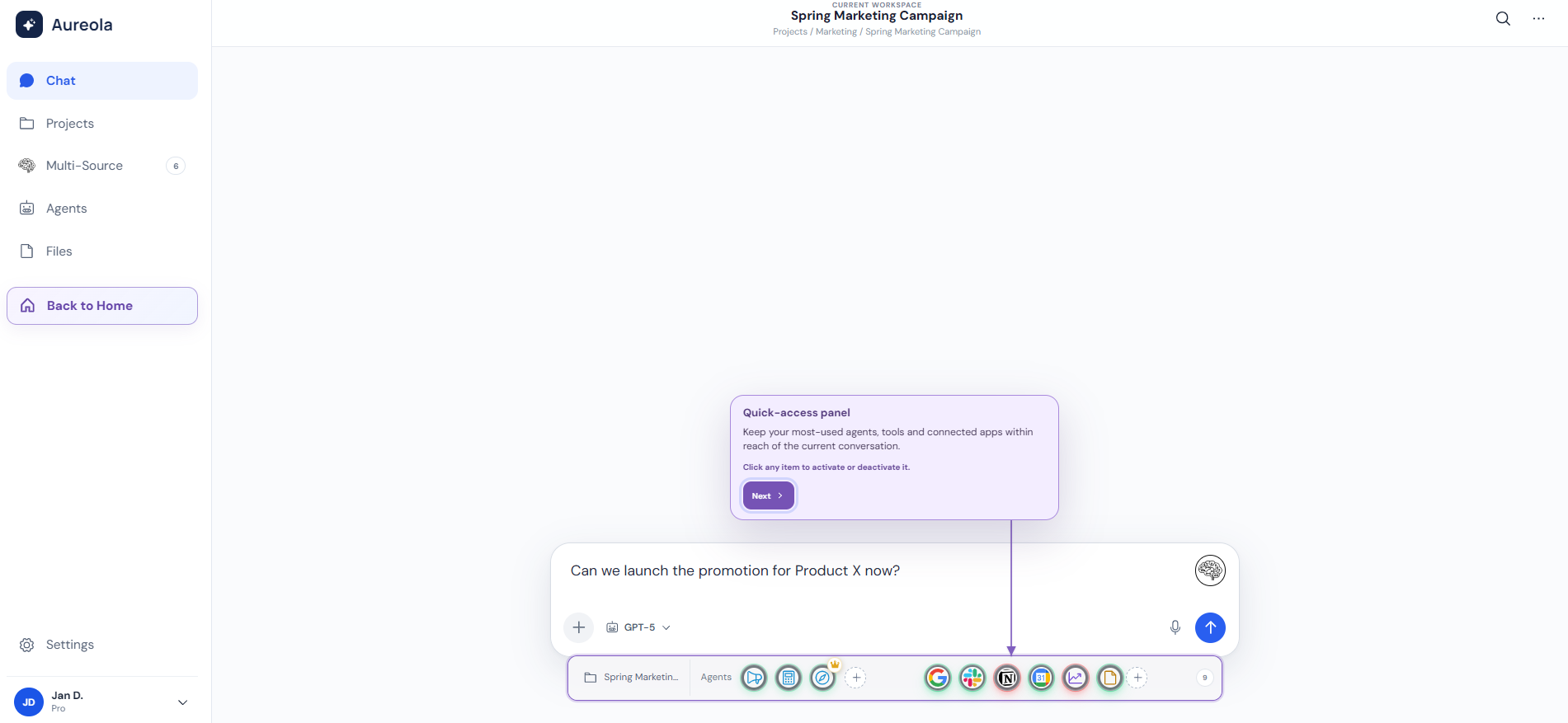
Panel szybkiego dostępu utrzymuje agentów, narzędzia i połączone aplikacje w bieżącej rozmowie.
Inspiration
Aureola was inspired by a common problem in AI-assisted work: useful knowledge is often spread across different projects, chats and files. To find one answer, users must leave the current conversation, open other workspaces and search manually. This breaks focus and makes decision-making slower.
I wanted to create a workspace where relevant knowledge comes to the current chat instead of forcing the user to search for it.
What Aureola does
Aureola introduces two main functions.
Multi-Source
Users select trusted projects, chats and files in advance. When they need information from another part of their workspace, they activate Multi-Source with one button.
Aureola retrieves the relevant context and returns the answer directly to the chat where the user is already working. The user stays in the same project and does not need to switch between different workspaces.
After receiving the answer, the user decides whether the new information should update the original source:
- Update saves a short new decision or change in the relevant project.
- No Update keeps the result only as information and saves nothing.
Nothing is written back automatically, so the user remains in control.
Agent Orchestration
Aureola also provides a quick-access panel for specialist agents, tools and connected applications.
Several agents can analyze the same business problem from different perspectives. For example, one agent can focus on marketing, while another evaluates finance and risk.
One crowned agent acts as the lead. It compares the findings and prepares one final recommendation instead of returning many separate answers.
How I built it
I built Aureola as an interactive web prototype with a guided product experience and two complete demonstration workflows.
I used Codex with GPT-5.6 to help me:
- structure the application,
- implement the interface and interactions,
- develop the Multi-Source workflow,
- develop the Agent Orchestration workflow,
- debug interface problems,
- create and run tests,
- improve the user experience,
- prepare the production deployment.
I made the main product decisions, including the rule that users remain in the current chat, sources must be approved in advance and project knowledge is never updated automatically.
The competition prototype uses a deterministic local workflow so the demonstration is reliable and does not require a paid API key.
Challenges
The main challenge was presenting a complex workflow in a simple and understandable way.
I had to show clearly:
- where the information comes from,
- why the user does not need to leave the current project,
- how several sources are combined,
- how agents work together,
- and how the user controls whether new knowledge is saved.
Another challenge was keeping the prototype visually clear while showing several steps, panels and decision points in one interface.
What I learned
I learned that the most important part of an AI workspace is not only generating an answer. It is managing context, sources, responsibility and user control.
I also learned how to use Codex as a development partner for implementation, testing, debugging and rapid iteration, while keeping the main product direction and business logic under my control.
What is next
The next step would be to connect Aureola to real project data, persistent knowledge stores and live AI models.
Future versions could include:
- real integrations with workplace applications,
- permissions for teams and organizations,
- source ranking and conflict detection,
- persistent agent configurations,
- audit history for knowledge updates,
- and production-ready AI orchestration.
Built With
- agent
- agents
- ai
- codex
- context
- css3
- design
- gpt-5.6
- html5
- javascript
- knowledge
- local
- management
- multi-agent
- node.js
- orchestration
- react
- retrieval
- storage
- system
- typescript
- vite
- web

Log in or sign up for Devpost to join the conversation.