Inspiration
Independent artists and producers often need professional mastering, but traditional mastering services can be expensive, slow, or difficult to access. I created Auralis Master Lab to give music creators a complete desktop mastering workflow that is fast, visual, and easy to use.
What it does
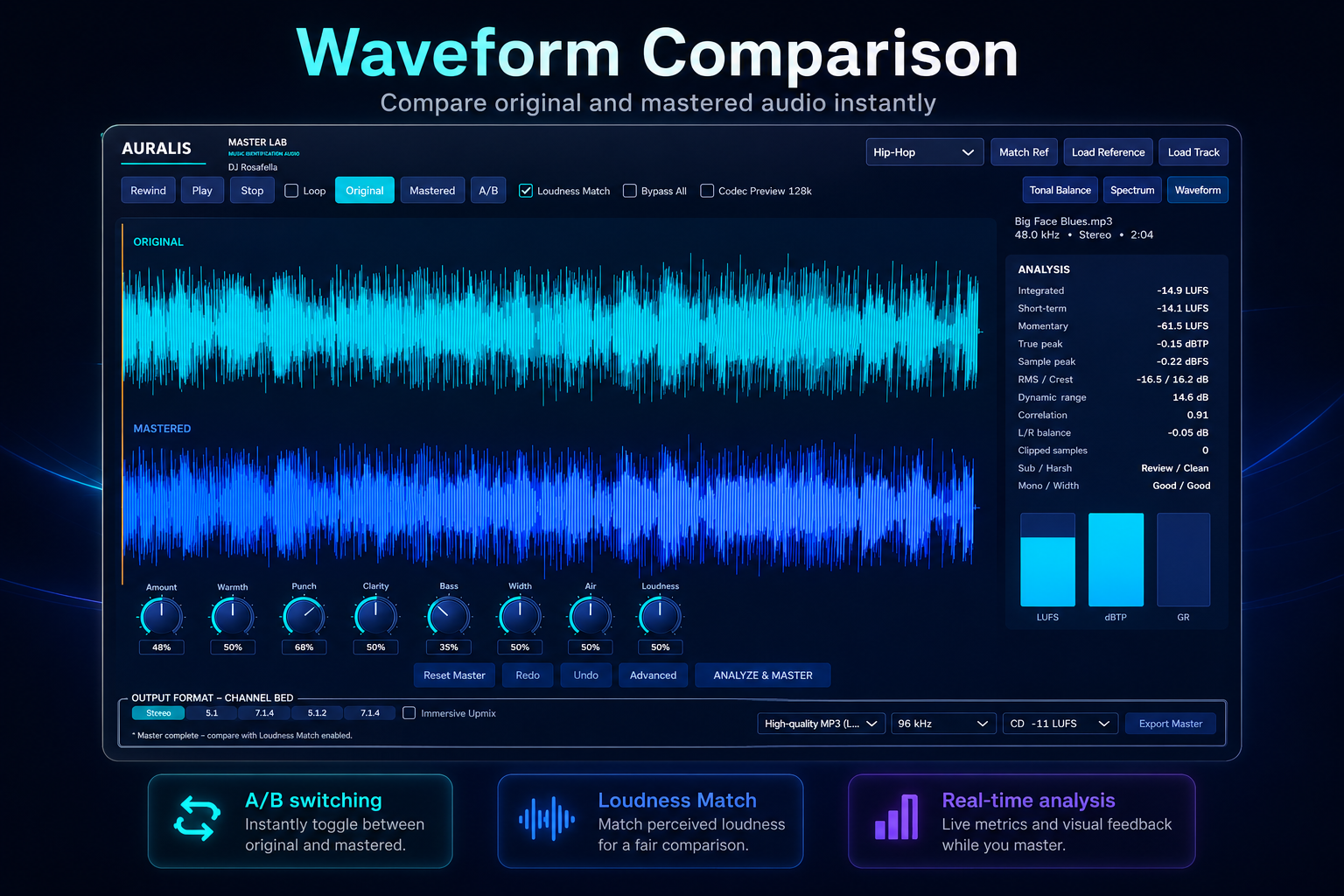
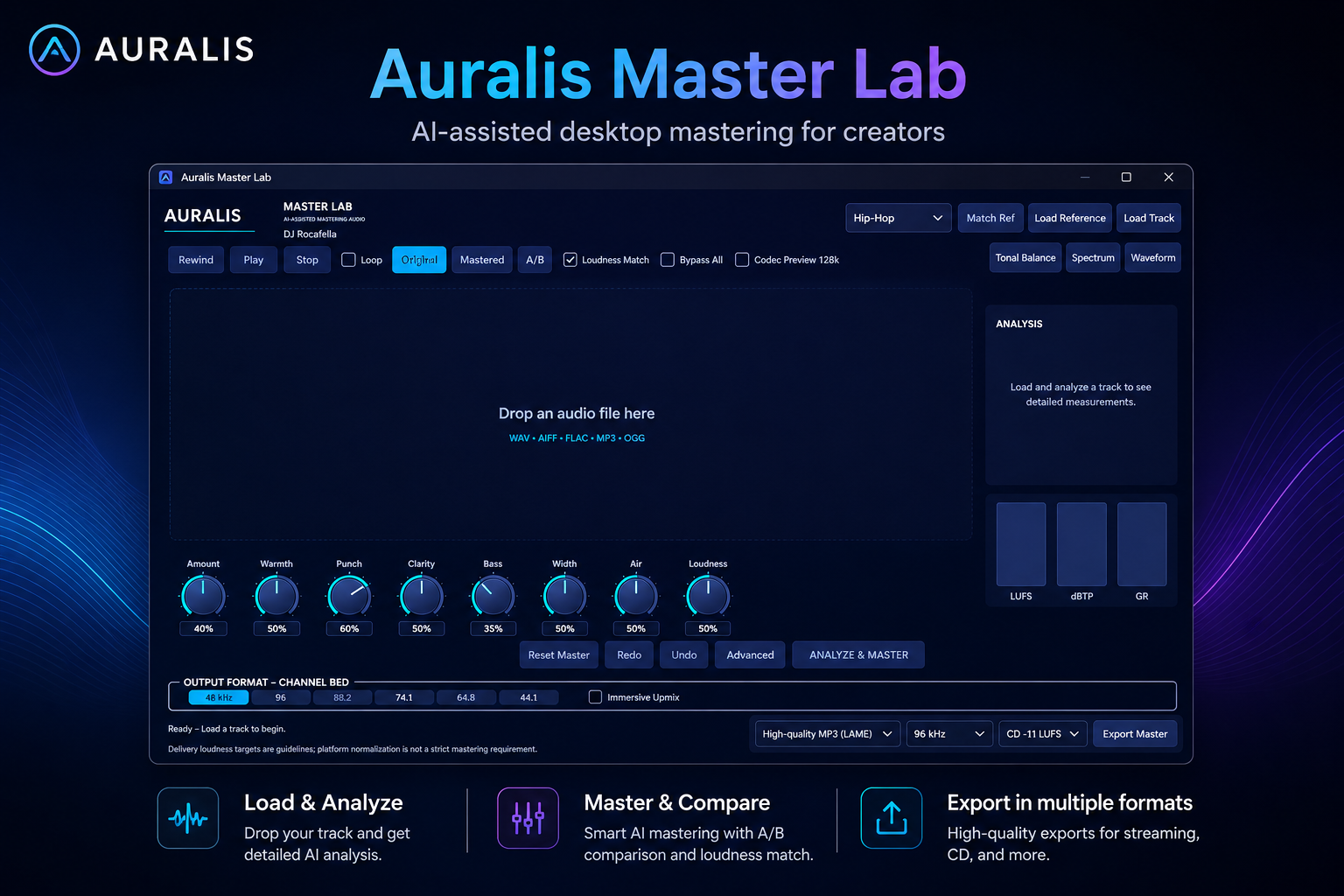
Auralis Master Lab is a Windows desktop audio-mastering application with a companion VST3 processor. Users can load a song, analyze it, adjust the mastering character, compare the original and mastered versions, and export a finished master.
Key features include:
- Original and mastered waveform comparison
- Genre-based mastering workflows
- Reference-track matching
- Loudness matching and A/B comparison
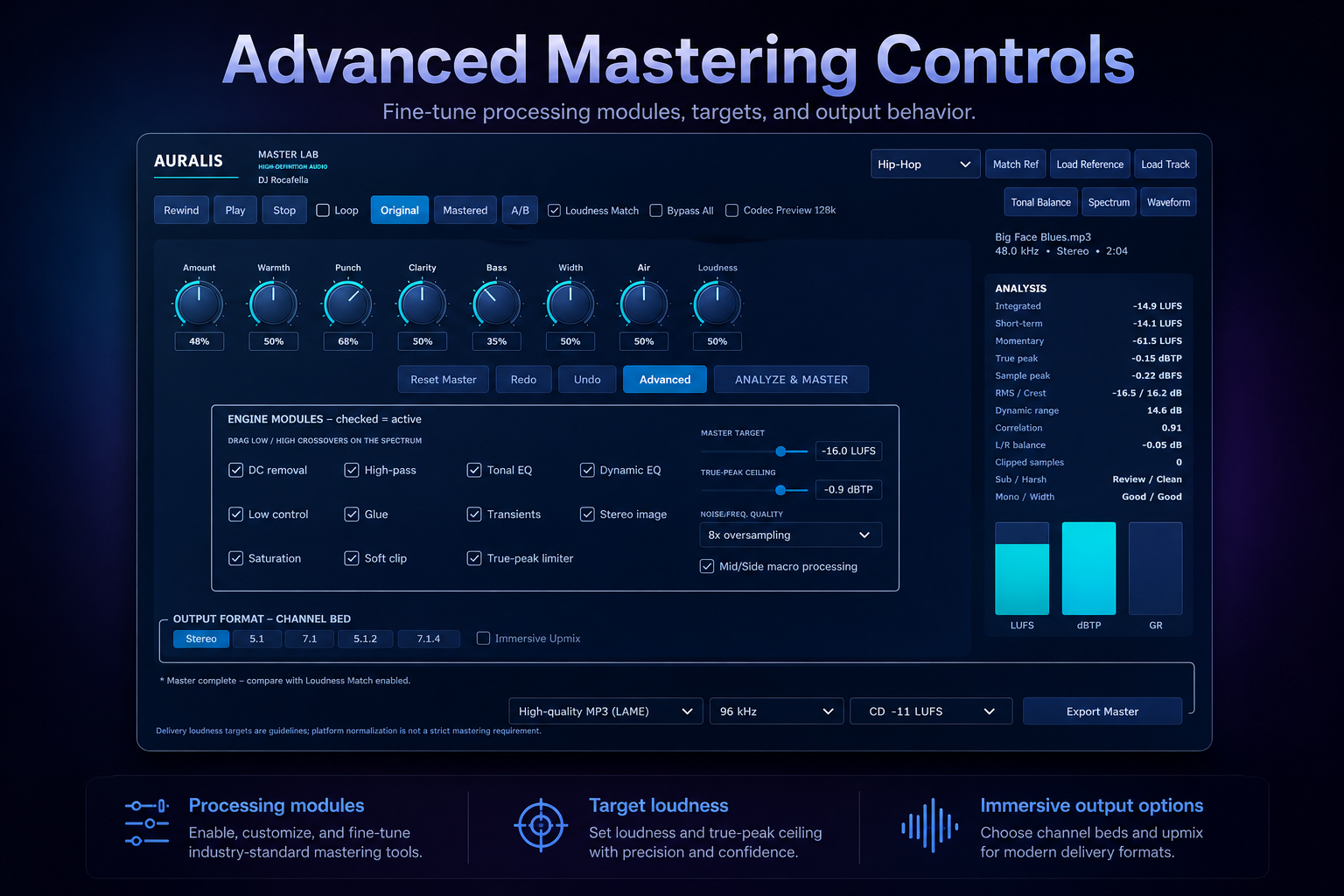
- Amount, Warmth, Punch, Clarity, Bass, Width, Air, and Loudness controls
- Tonal-balance, spectrum, and waveform views
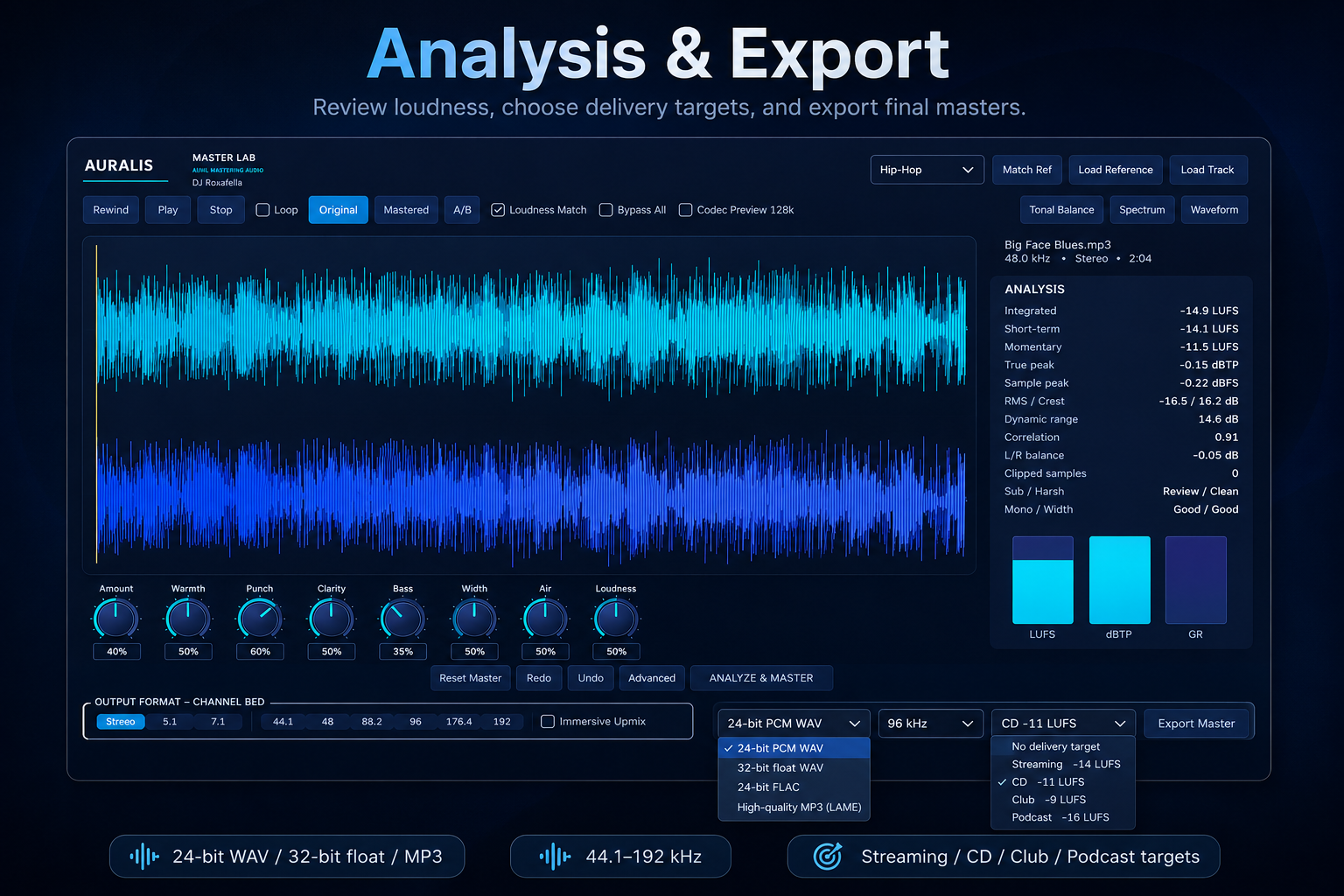
- LUFS, true-peak, and gain-reduction monitoring
- Stereo and immersive channel-bed options
- Professional WAV, FLAC, and MP3 export
- Companion VST3 processing for compatible digital audio workstations
How I built it
I built Auralis Master Lab with C++20, JUCE, CMake, and Codex with GPT-5.6. Codex assisted with application architecture, digital signal-processing implementation, user-interface development, debugging, export workflows, installer preparation, and testing.
The project includes a standalone Windows application and a VST3 audio processor. The processing system was developed as a modular signal chain so that warmth, transient shaping, stereo depth, compression, tonal controls, and output processing could be tested and improved independently.
How Codex accelerated development
Codex helped transform the original concept into a functioning professional-audio application. It accelerated development by:
- Generating and refining JUCE and C++ code
- Diagnosing build and runtime errors
- Improving audio-processing behavior
- Creating waveform, transport, metering, and export systems
- Implementing VST3 and standalone targets
- Developing multichannel and immersive-output options
- Improving licensing and installer workflows
- Creating test procedures for audio quality, automation, mono compatibility, phase behavior, and file export
Codex was used throughout the core development process rather than only for isolated code suggestions.
Challenges I faced
The largest challenges were maintaining stable real-time audio performance, preventing unwanted artifacts, managing different audio formats and sample rates, creating an interface that remains usable with advanced features, and ensuring that exported files accurately represent the mastered result.
Another challenge was building both standalone and VST3 versions while keeping the processing behavior consistent across hosts and playback environments.
Accomplishments that I am proud of
I am proud that Auralis Master Lab developed from an idea into a working commercial-style audio product. It can load real music, process it, compare the original and mastered versions, display waveforms and measurements, and export finished audio.
I am also proud that the project gives independent creators access to tools normally associated with larger professional mastering systems.
What I learned
I learned how to structure a large JUCE audio application, design modular digital signal processing, manage audio-file import and export, build a VST3 processor, create responsive waveform displays, and use Codex as a development partner for architecture, coding, debugging, and testing.
What's next for Auralis Master Lab
The next steps include broader testing, additional mastering presets, improved analysis recommendations, macOS support, expanded immersive-audio workflows, installer signing, licensing infrastructure, and a commercial release through Auralis Audio.
Built With
- audio
- c++20
- cmake
- codex
- dsp
- gpt-5.6
- juce
- vst3
- windows

Log in or sign up for Devpost to join the conversation.