-
-
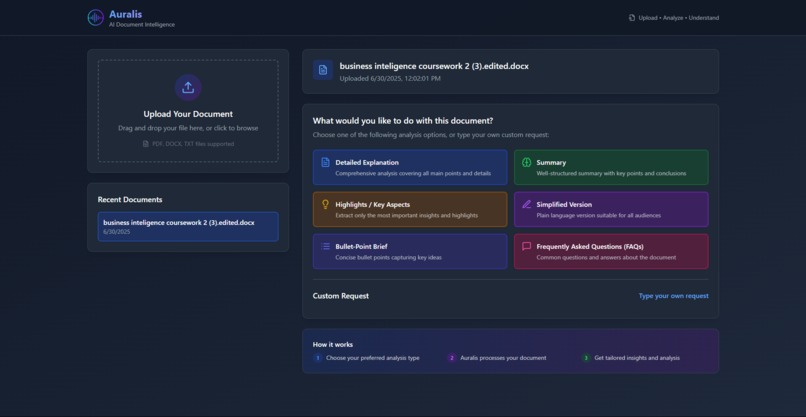
Web App
💡 Inspiration I’ve always struggled with reading long documents and technical documentation. Sometimes, no matter how many times I read through a PDF or report, the words just don’t click for me. I realized I understand things much better when I hear them instead of reading them.
That sparked an idea: What if there was a tool that could not only summarize documents but also explain them in simpler terms—and even read the summaries aloud?
That’s how Auralis was born.
🚀 What We Built Auralis is a web application that helps users quickly understand any document.
With Auralis, you can:
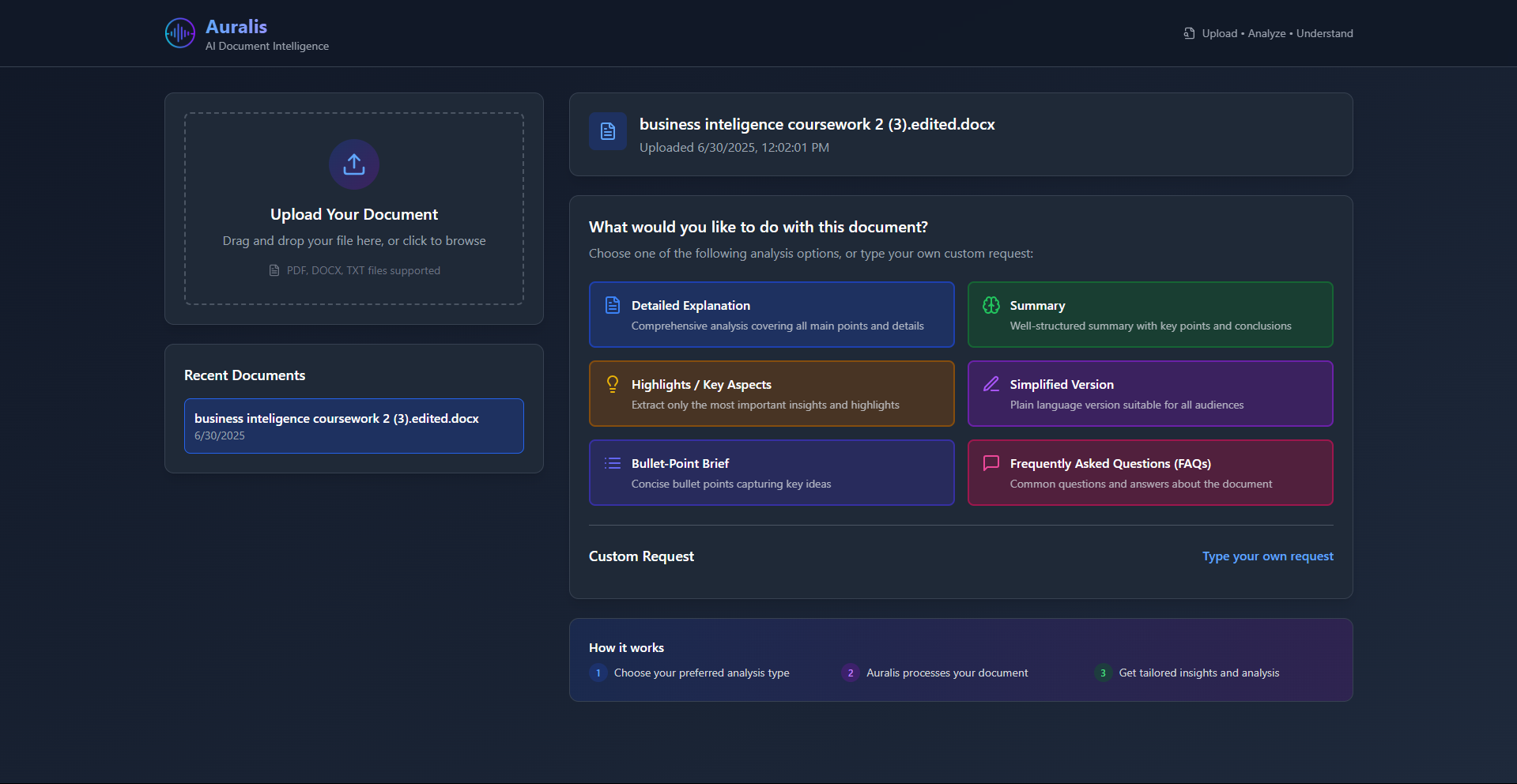
✅ Upload Documents — PDF, Word, or text files. ✅ Choose How You Want to Understand It:
Detailed explanation
Simple summary
Highlights and key points
Bullet-point brief
FAQs about the document ✅ Ask Follow-up Questions — and get answers in simple language. ✅ Convert Summaries to Audio — so you can listen instead of read.
Auralis helps students, professionals, and anyone dealing with long documents save time and understand information more easily.
🛠️ How We Built It Frontend: Built with React and Tailwind CSS for a fast, clean, and responsive user experience.
Backend:
Firebase Functions handle file uploads and processing.
Firebase AI handles summarization, explanations, and Q&A.
Audio Conversion: We integrated a text-to-speech API to convert summaries into audio files users can listen to or download.
Hosting: Deployed on Vercel for seamless performance and scalability.
AI Prompt Engineering: We spent significant time crafting detailed prompts to ensure the AI produces clear, helpful, and concise outputs for different user needs.
💡 What We Learned Prompt Engineering Matters: Small changes in the prompts drastically affect how the AI responds. Clear instructions were critical to get good summaries and explanations.
User Experience is Key: Even the best AI output isn’t helpful if it’s buried behind a confusing UI. We learned to keep our interface simple and fast.
Audio Conversion Challenges: Converting text into pleasant, natural-sounding audio required experimenting with several TTS services to get the quality we wanted.
⚠️ Challenges We Faced Document Parsing: Extracting clean text from PDFs and Word documents was tricky, especially for documents with complex layouts.
API Rate Limits: AI and TTS APIs have usage limits and costs that we had to balance during development.
Latency: Generating summaries and audio quickly enough for a smooth user experience was a constant challenge.
Handling Different File Types: Each document format has quirks that required custom parsing logic.
🎯 What’s Next We’re excited about expanding Auralis with:
User accounts and document history.
Support for multiple languages.
More natural-sounding voices for audio playback.
Improved handling of large documents.
Integration with note-taking apps for seamless study and research workflows.
Auralis was born from a personal need—but it’s built for anyone who wants to save time and understand documents faster, whether they prefer reading or listening.
Built With
- bolt.new
- next.js
- react.js
- tailwind


Log in or sign up for Devpost to join the conversation.