-
-
Homepage
-
Dashboard
-
Dashboard
-
Dashboard
-
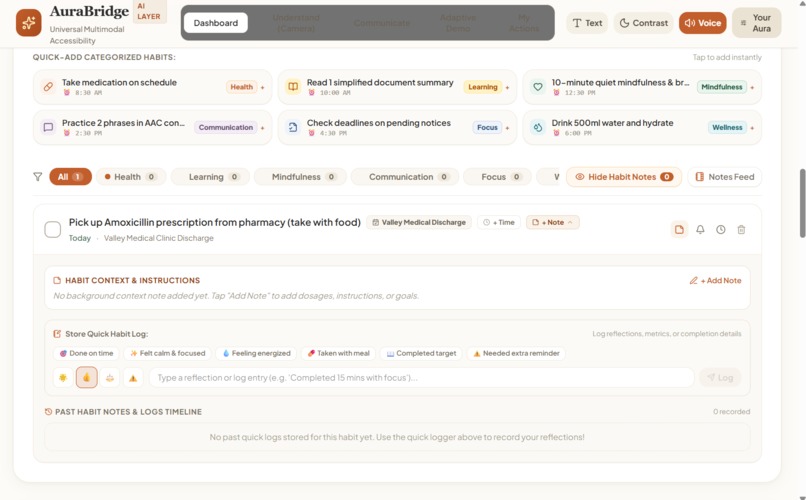
Dashboard
-
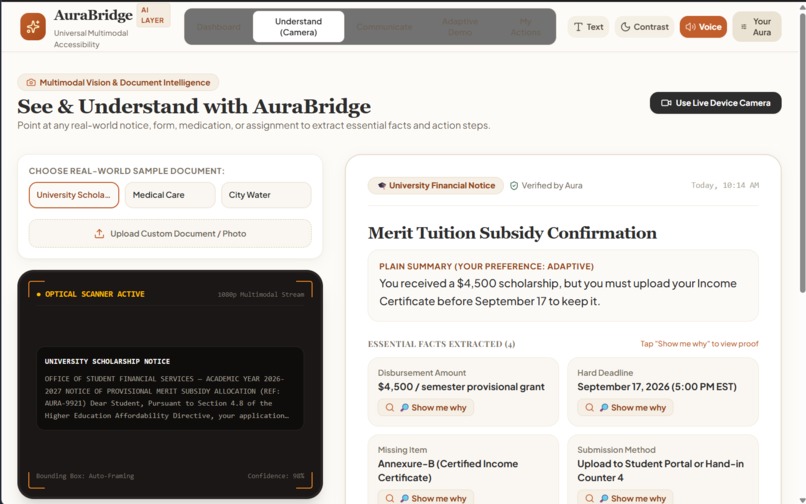
Camera
-
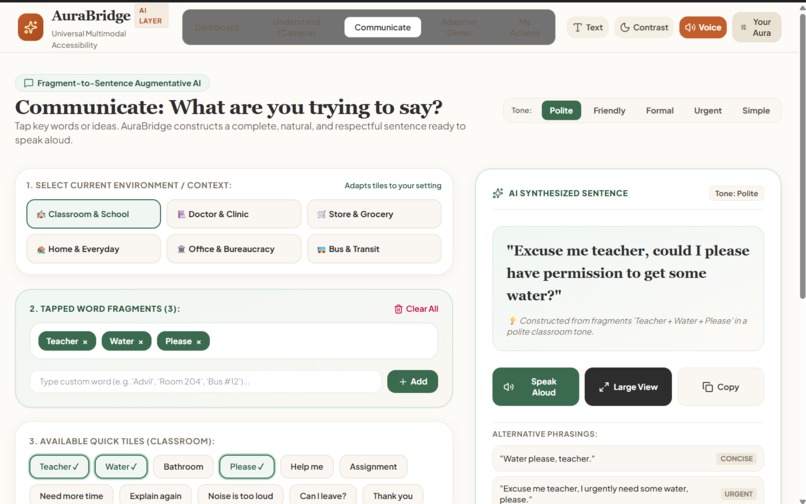
Communication
-
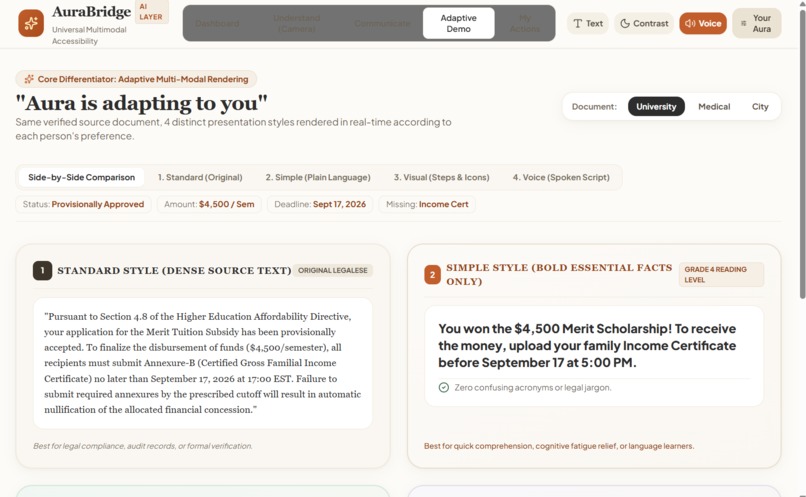
Demo
-
Actions
-
Profile
Inspiration
We kept thinking about how often people struggle with things that seem simple to everyone else.
A student might not understand a complicated college notice. Someone who cannot speak may know exactly what they want to say but struggle to communicate it. An older person might receive a confusing form and not know what they are supposed to do. Someone who speaks a different language may understand the situation but not the instructions.
The problem isn't always a lack of intelligence or ability. Sometimes, the world simply isn't communicating in a way that works for that person.
That is where AuraBridge came from.
We wanted to build something that doesn't ask people to adapt to technology. Instead, the technology adapts to them.
Our idea became simple:
Help people understand, communicate, and act — in whatever way works best for them.
What it does
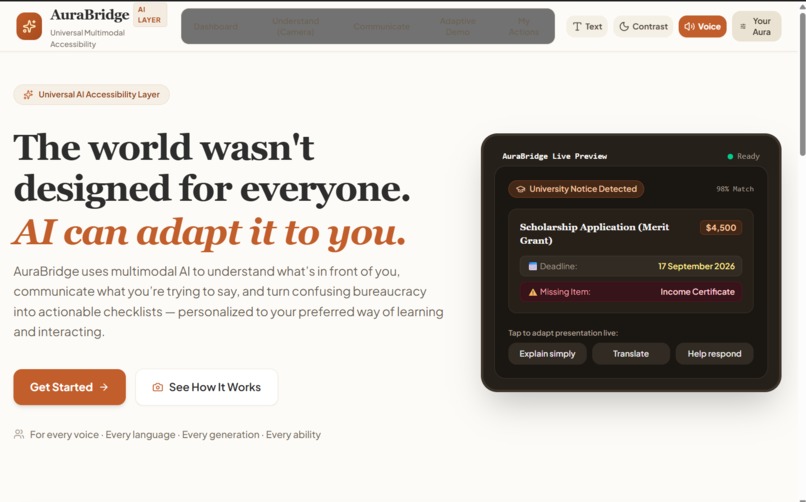
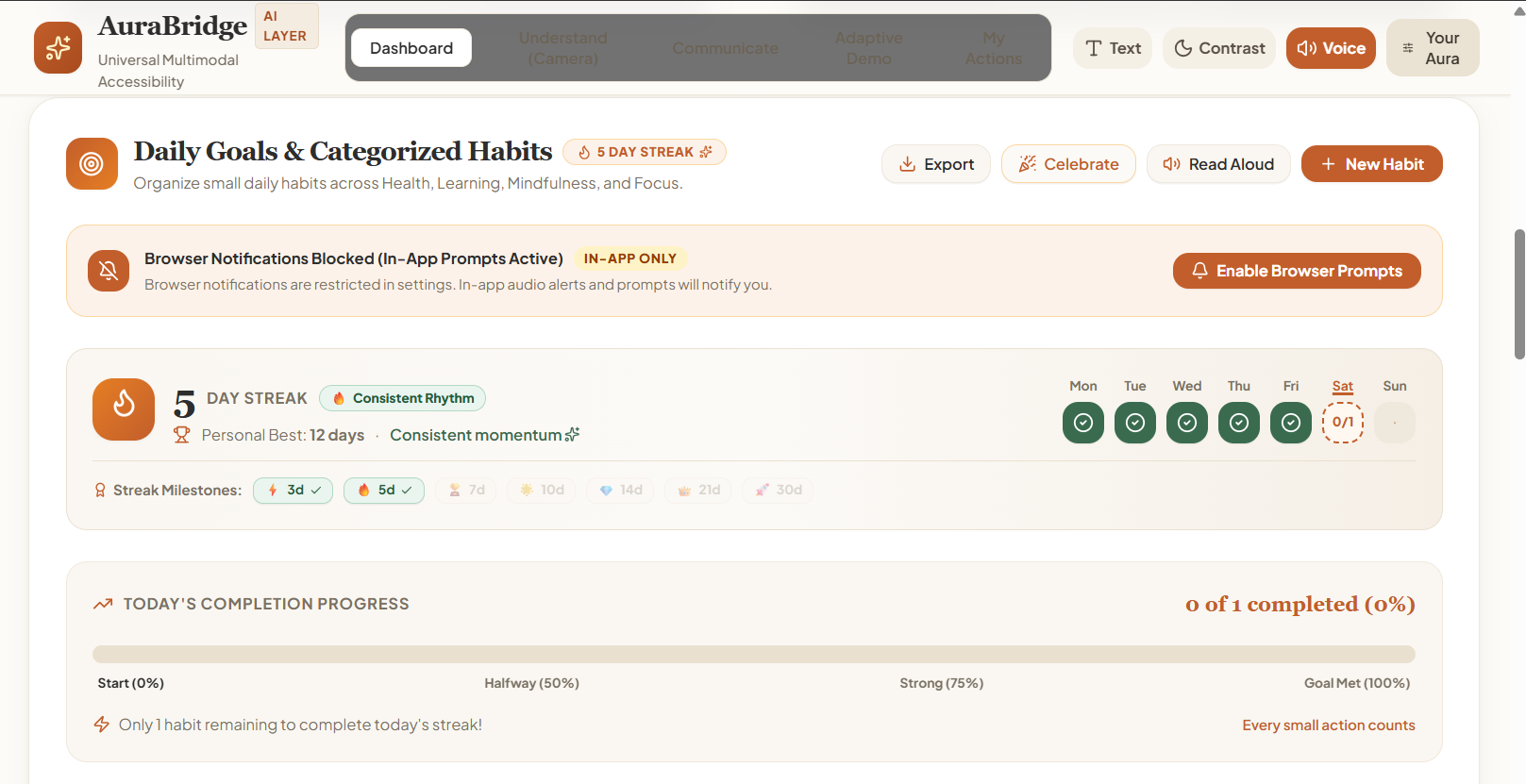
AuraBridge is a multimodal, adaptive AI assistant designed to make everyday information easier to understand and easier to act on.
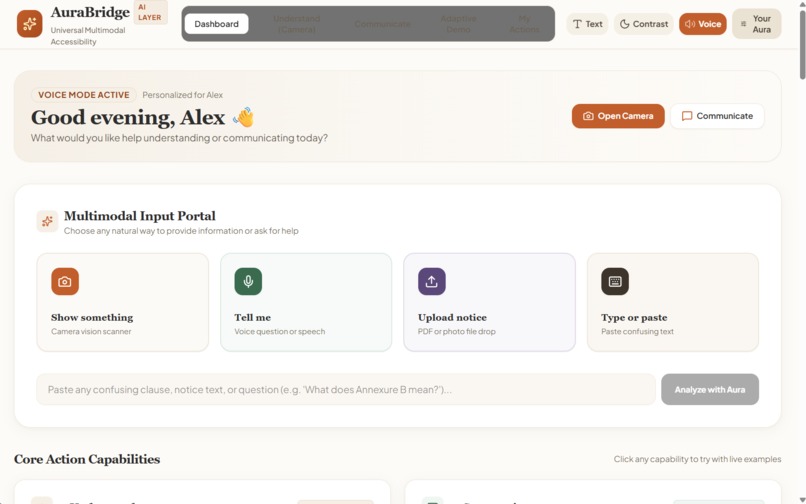
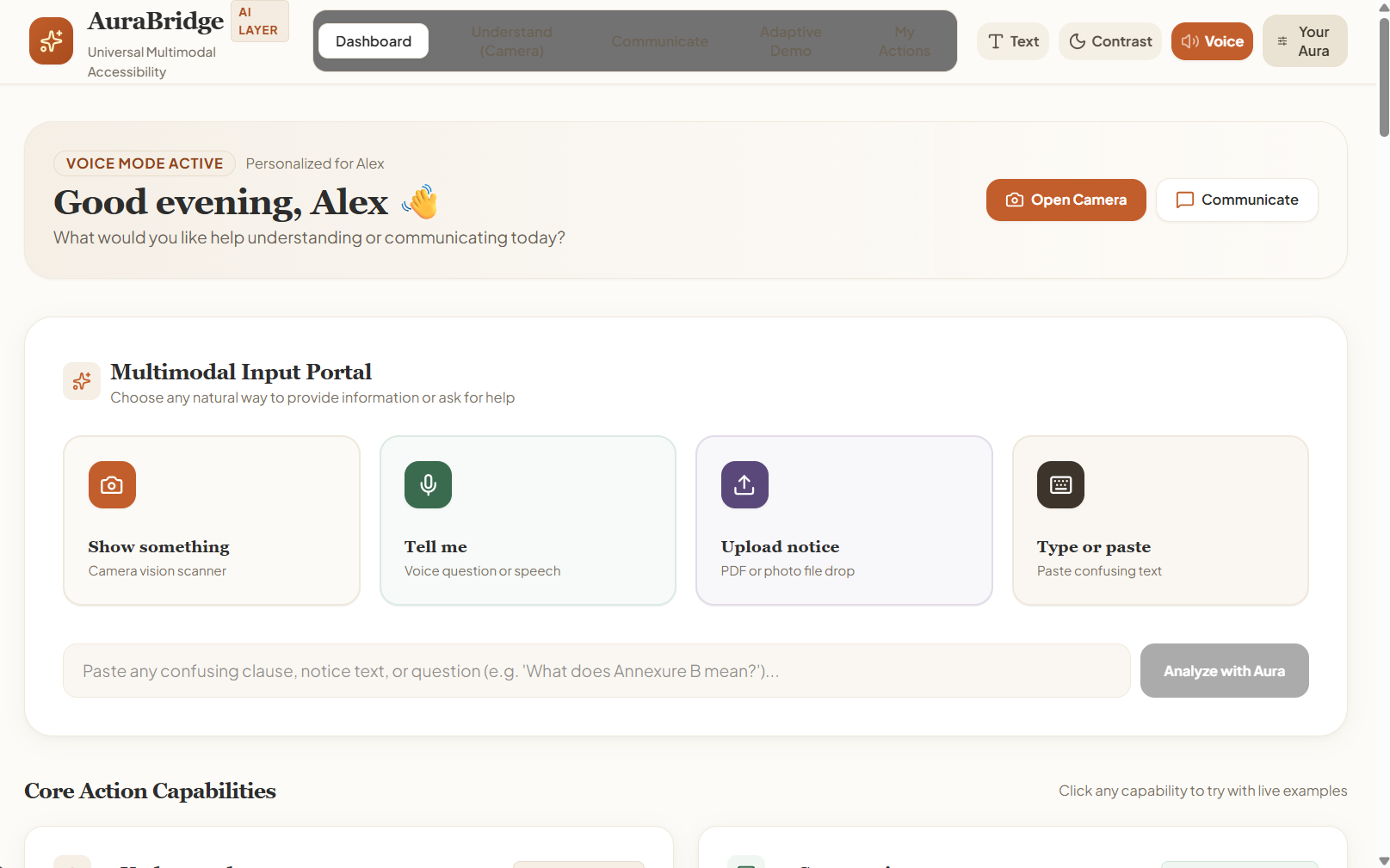
A user can show it something, upload something, type something, or tell it what they need.
AuraBridge can then:
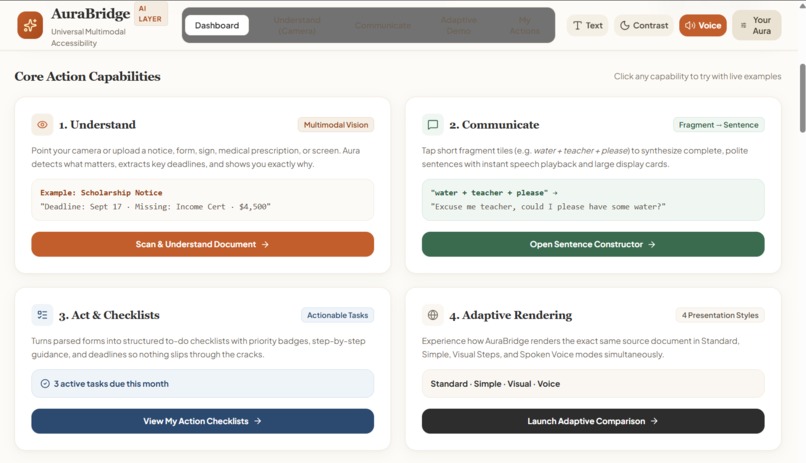
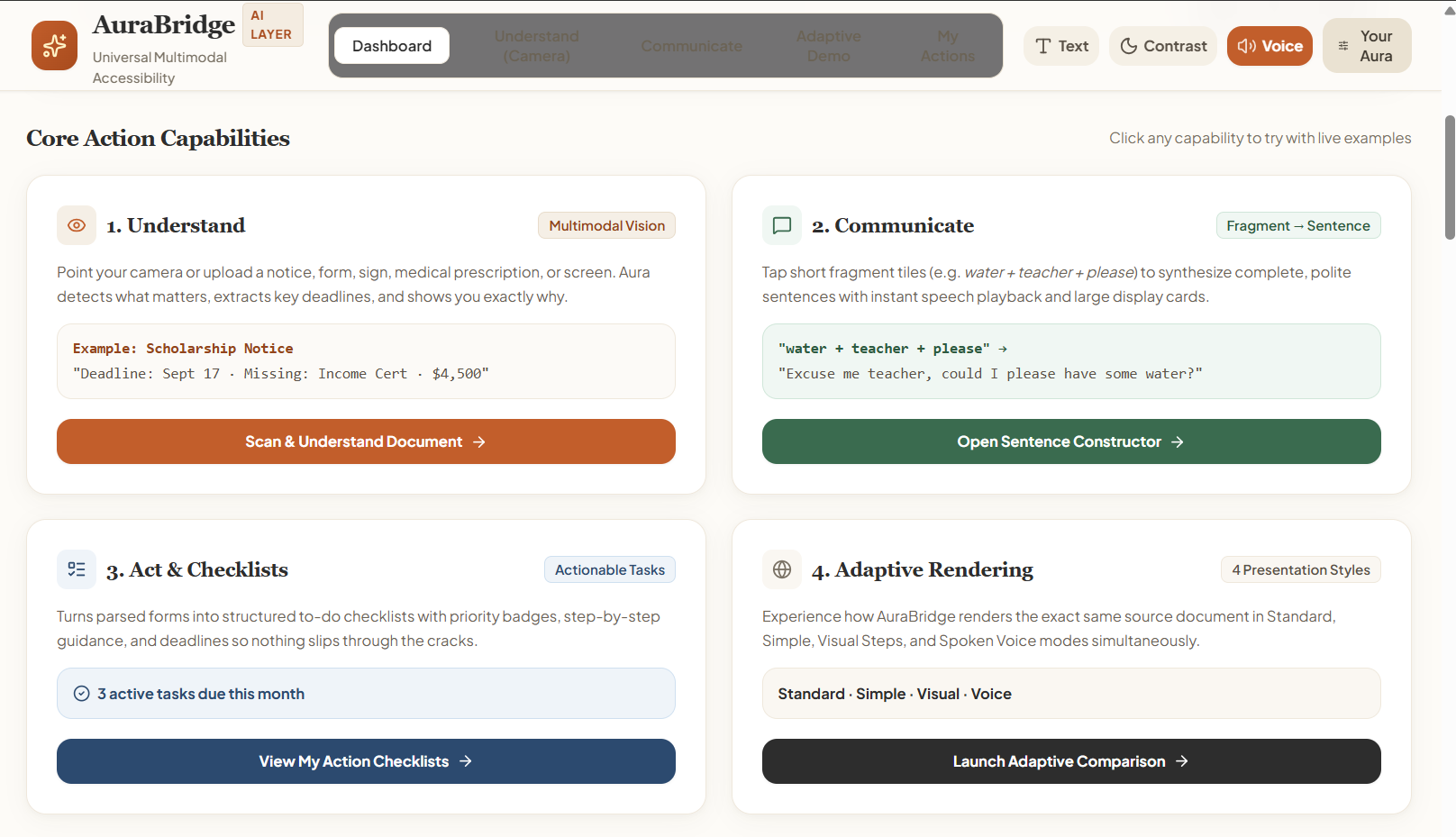
- Understand documents, signs, objects, and real-world surroundings
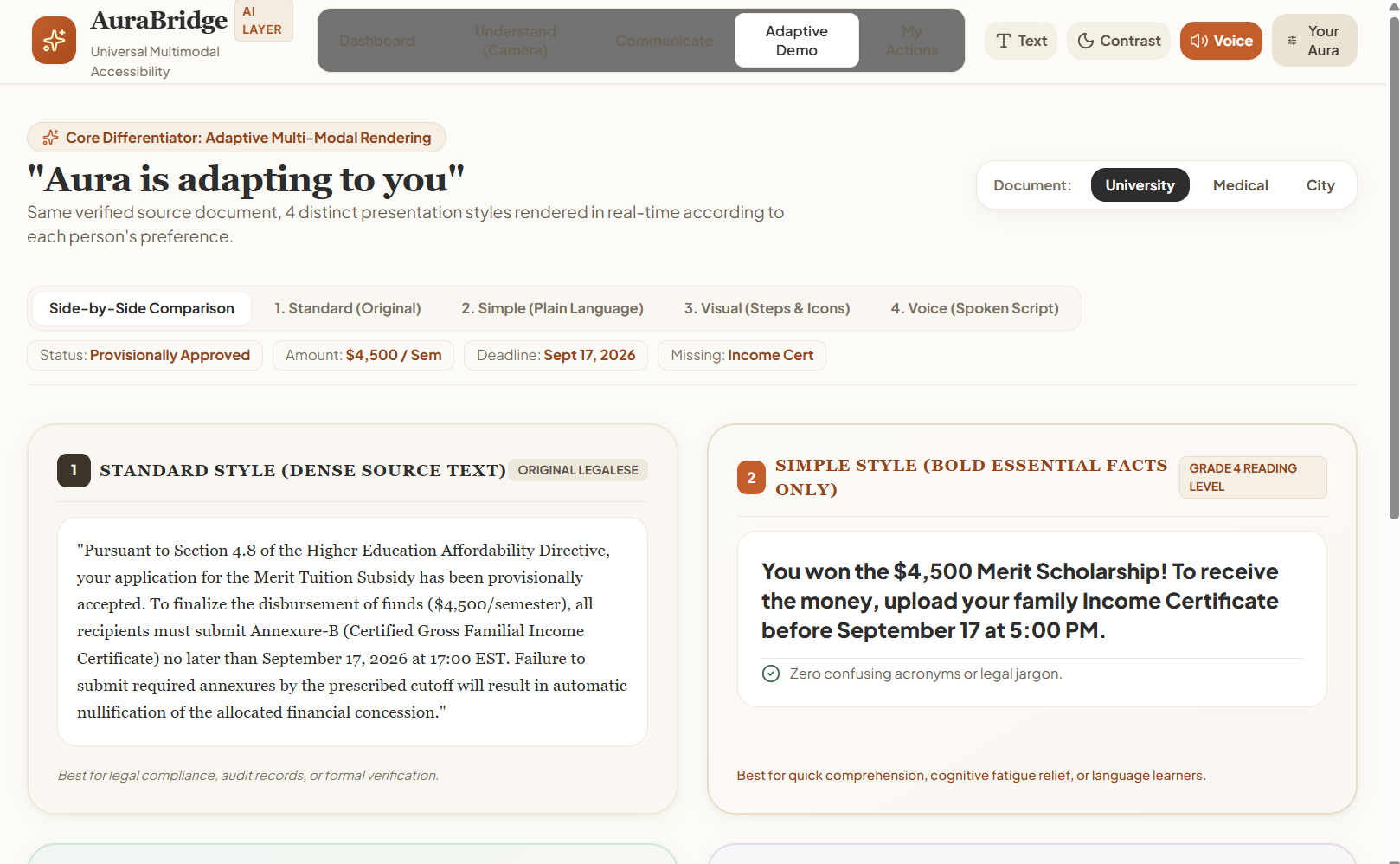
- Turn complicated documents into simple explanations
- Understand a user's intent even from short or incomplete inputs
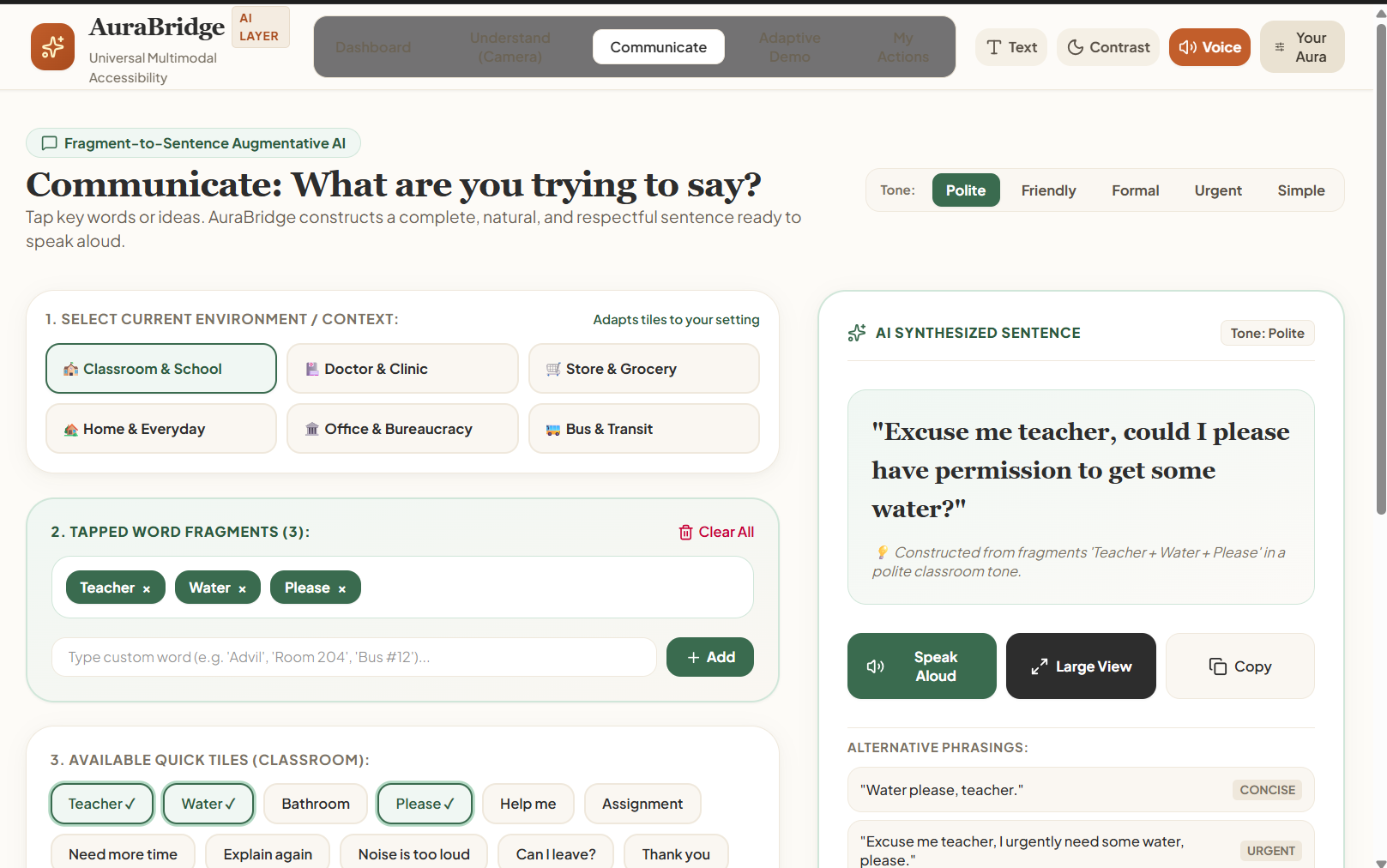
- Turn keywords or selections into natural sentences for communication
- Read information aloud using voice
- Translate information into the user's preferred language
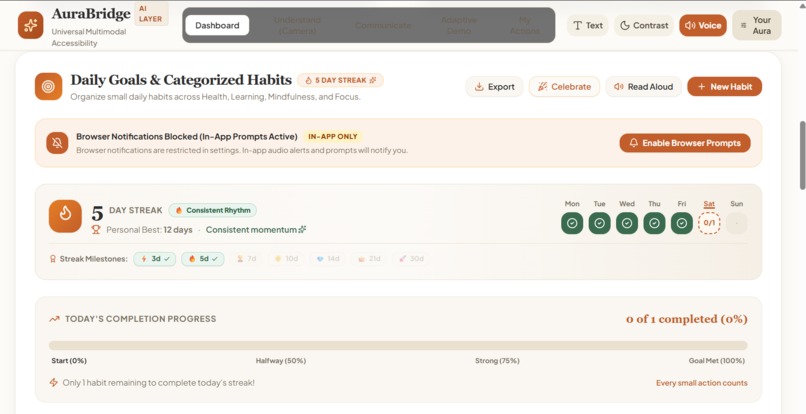
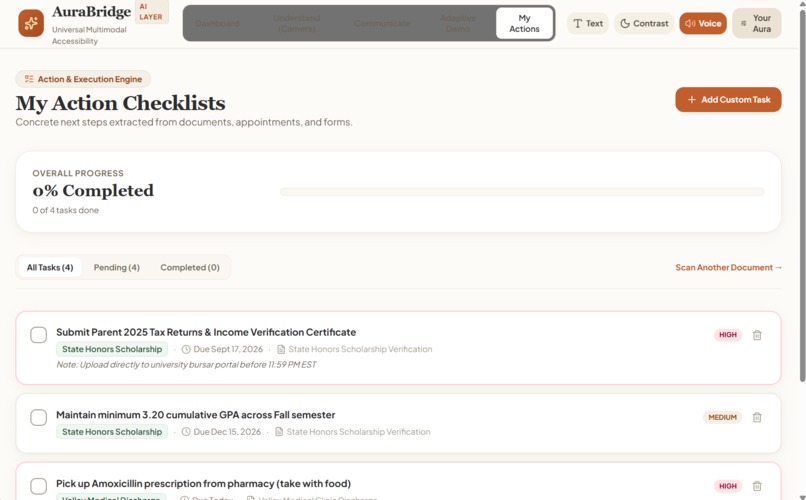
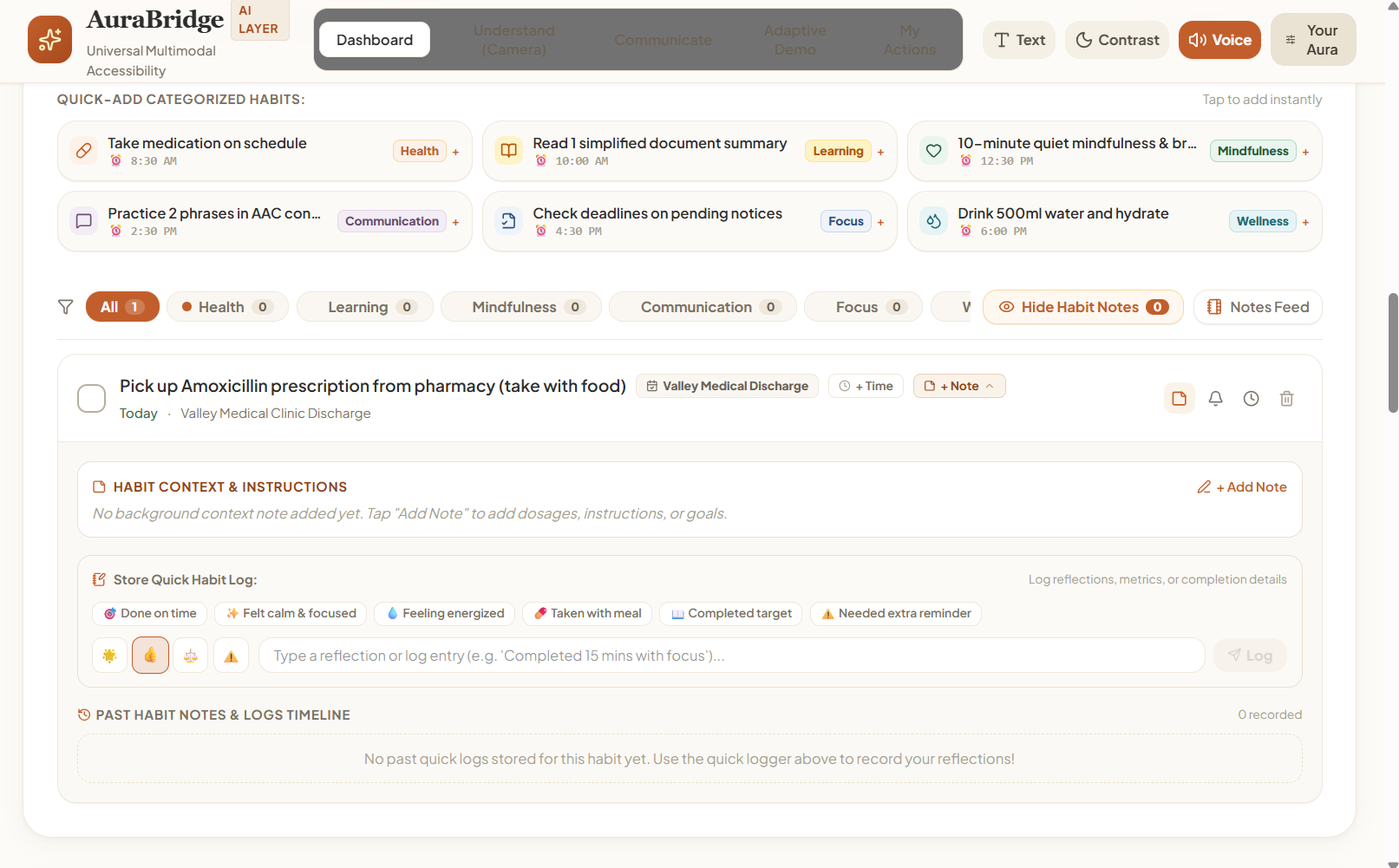
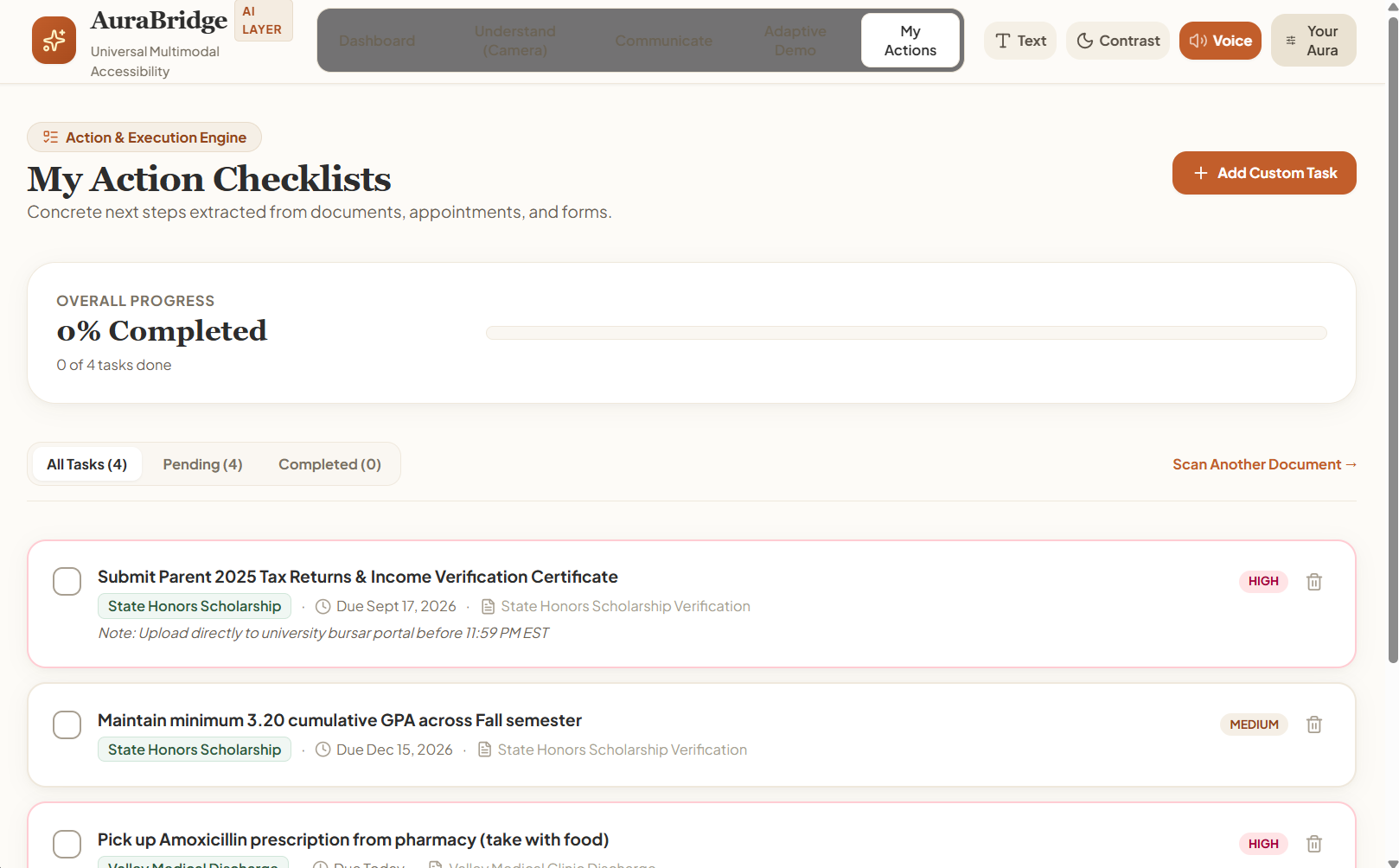
- Turn information into personalized action plans and checklists
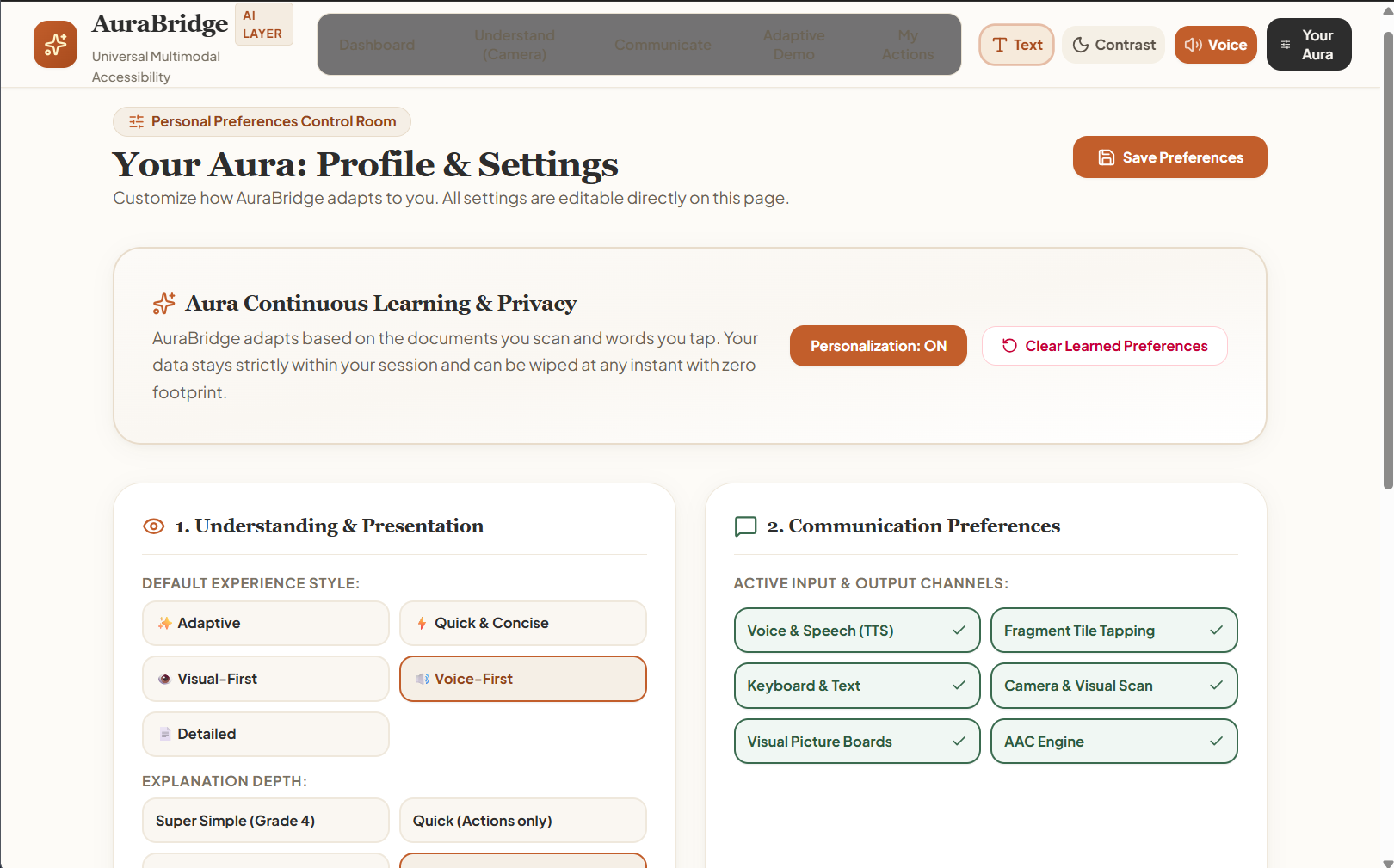
- Adapt the interface for different accessibility needs
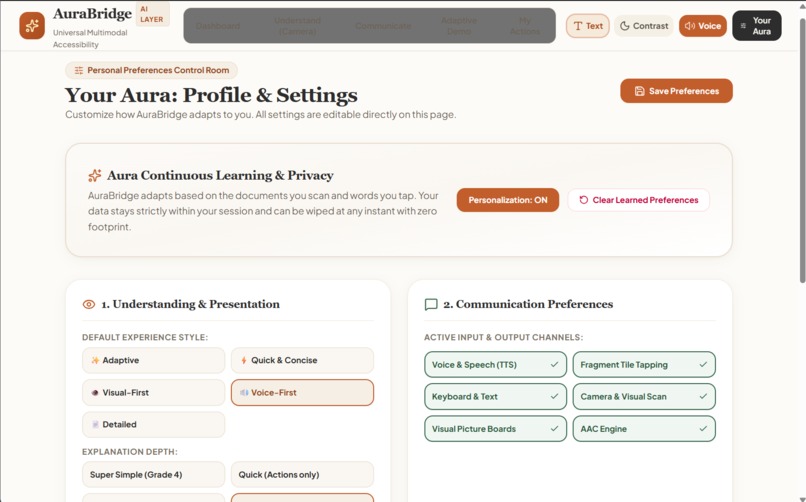
- Adjust the way information is presented based on user preferences
- Show users why the AI reached an important conclusion
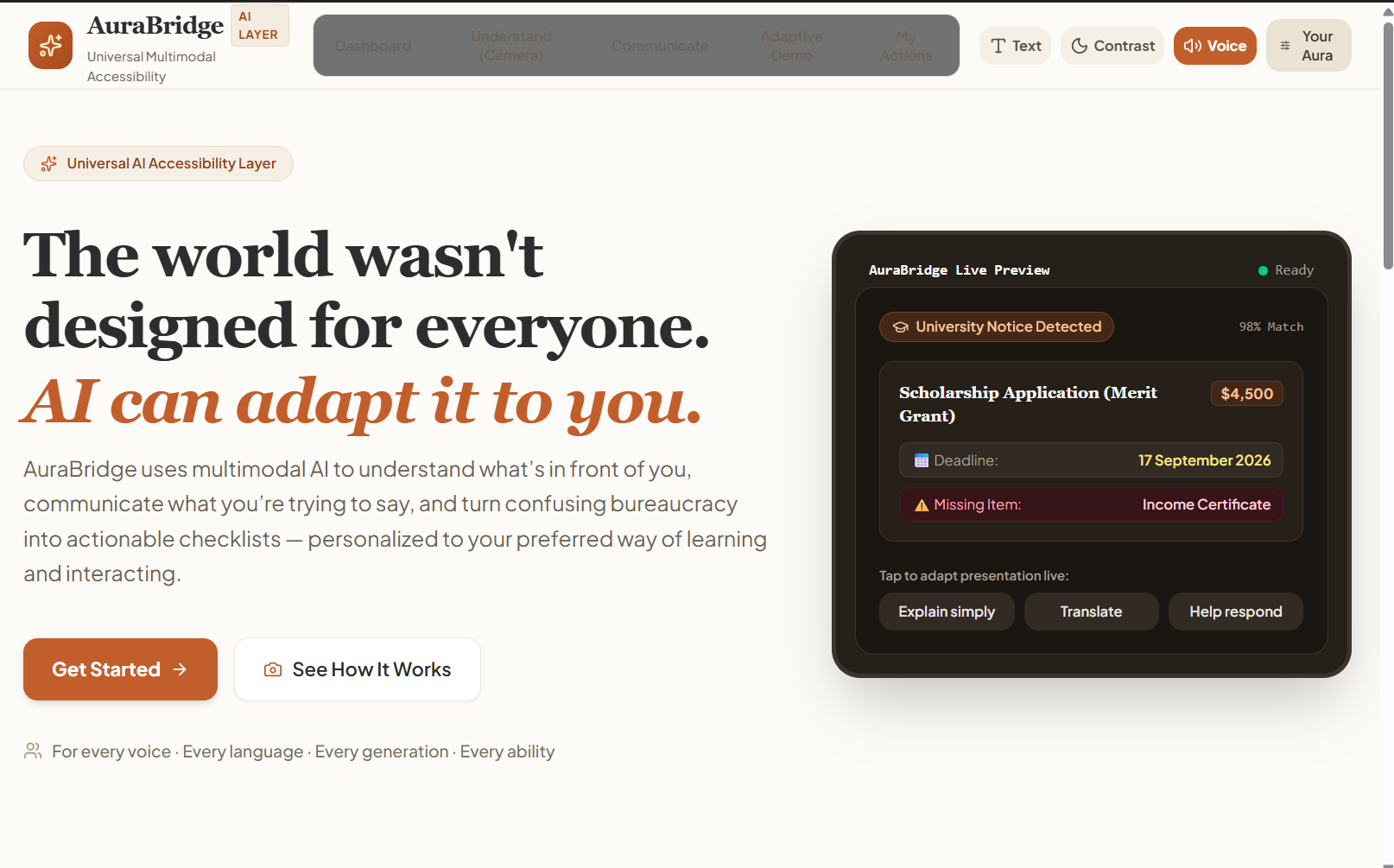
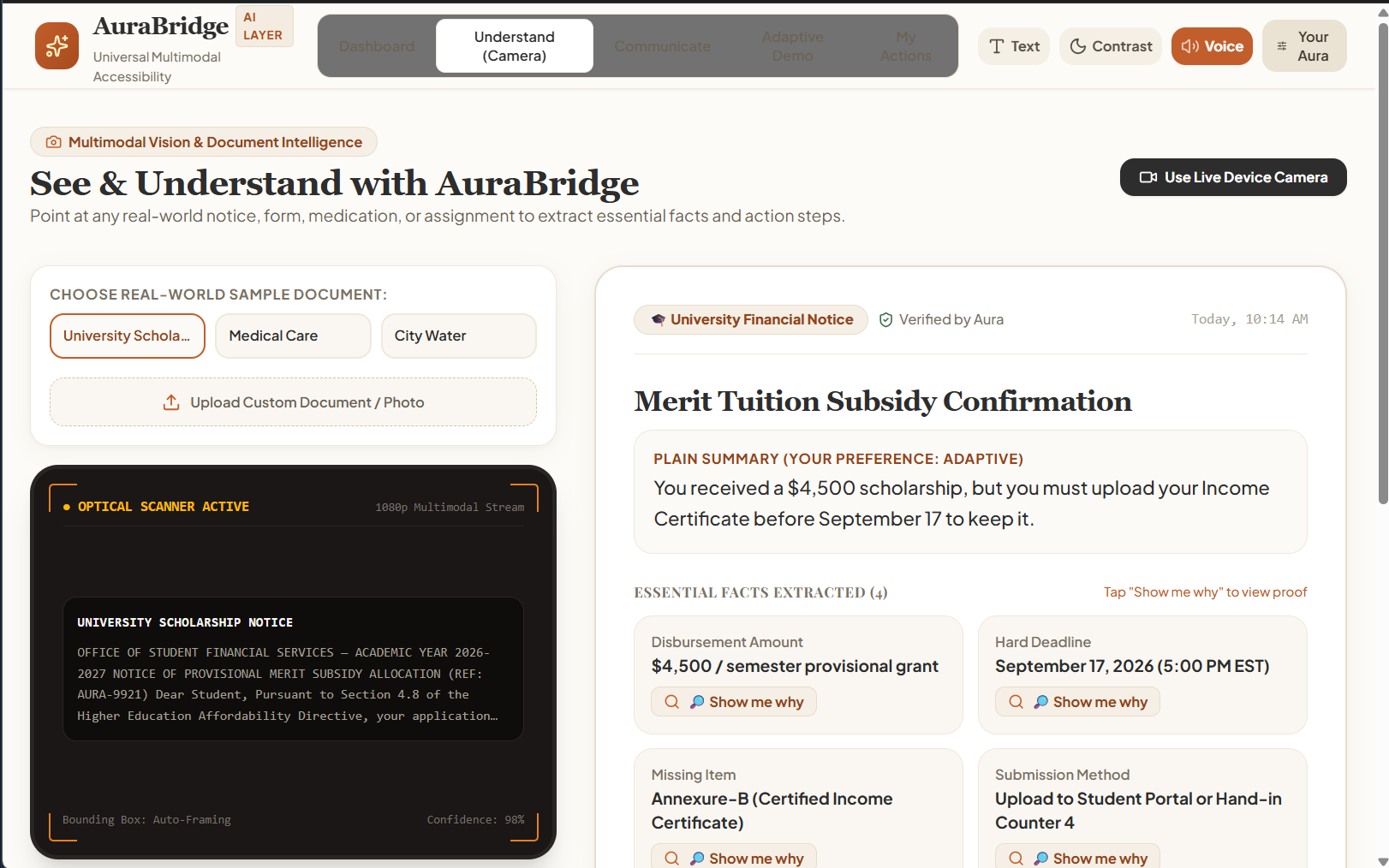
For example, a user could point their camera at a complicated scholarship notice.
Instead of simply summarizing it, AuraBridge could say:
Scholarship Application
Deadline: September 17 4 documents required Income certificate missing
Next step: Get your income certificate.
The user could then ask AuraBridge to explain it more simply, translate it, read it aloud, or help them communicate with someone about it.
Target Users
AuraBridge is designed for everyone — because accessibility isn't limited to one age group or ability.
- Children & young learners — for simpler, visual explanations and guided tasks.
- Students & Gen Z — for understanding notices, assignments, forms, and everyday information quickly.
- Adults — for navigating documents, instructions, appointments, and important information.
- Older adults — for large-text, voice-first, step-by-step assistance.
- People with speech or communication difficulties — for expressing thoughts naturally through AI-generated speech.
- People facing language barriers — for real-time translation and simplified explanations.
- People with different accessibility needs — through personalized interfaces, visual assistance, voice guidance, and adaptive communication.
At its core, AuraBridge is built for anyone who has ever looked at something and thought: *“I don't understand this, and I don't know what to do next.”*
How we built it
AuraBridge combines several AI capabilities into one workflow rather than treating AI as just a chatbot.
High-level architecture
                 ┌──────────────────────┐
                 │       USER           │
                 │ Camera / Voice /     │
                 │ Text / Documents     │
                 └──────────┬───────────┘
                            │
                            ▼
                 ┌──────────────────────┐
                 │   MULTIMODAL INPUT   │
                 │ Vision + OCR + Text  │
                 │ + Voice Processing   │
                 └──────────┬───────────┘
                            │
                            ▼
                 ┌──────────────────────┐
                 │      AURA AI         │
                 │ Context + Intent     │
                 │ Understanding        │
                 └──────────┬───────────┘
                            │
                 ┌──────────┼──────────┐
                 ▼          ▼          ▼
            Understand  Communicate    Act
                 │          │          │
                 ▼          ▼          ▼
             Explain    Generate     Checklist
             Translate  Response     Timeline
             Simplify   Voice        Reminder
                 │          │          │
                 └──────────┼──────────┘
                            ▼
                 ┌──────────────────────┐
                 │ PERSONALIZED OUTPUT  │
                 │ Text / Visual /      │
                 │ Voice / Actions      │
                 └──────────────────────┘
Our core AI loop
       SEE / HEAR / TYPE
              │
              ▼
       Understand Context
              │
              ▼
       Understand User Intent
              │
              ▼
       Understand Preferences
              │
              ▼
       Generate Response
              │
              ▼
      ┌───────┼────────┐
      ▼       ▼        ▼
   Explain  Speak    Take Action
      │       │        │
      └───────┼────────┘
              ▼
        User Feedback
              │
              └──────────► Adapt
The important part is the personalization layer.
The same information doesn't have to look the same for everyone.
A user who prefers quick information might see:
TL;DR: 4 documents. Deadline Sept 17.
Another user might receive:
Step 1: Get your income certificate. Step 2: Fill Form 12B. Step 3: Upload all four documents.
Someone else might prefer the information to be spoken aloud.
AuraBridge is designed around that difference.
Challenges we ran into
One of our biggest challenges was figuring out how to make AuraBridge powerful without making it overwhelming.
It would have been easy to keep adding AI features, but accessibility is about reducing friction, not adding more buttons.
We also had to think carefully about AI reliability. If an AI misunderstands a deadline or requirement, the consequences can be real.
That's why we wanted AuraBridge to be transparent rather than simply saying:
“The AI says this.”
We designed the “Why?” concept so users can trace important information back to the original source.
Other challenges included:
- Making multimodal interactions feel natural
- Designing an interface that works across different age groups
- Balancing simplicity with advanced functionality
- Handling incomplete or fragmented user input
- Making communication generation feel natural rather than robotic
- Keeping the experience fast enough for real-world use
- Designing the system so accessibility preferences can be changed at any time
Accomplishments we're proud of
We're especially proud that AuraBridge isn't just another AI chatbot with an accessibility label.
We built the concept around a completely different interaction model:
The user doesn't have to figure out how to use the AI. The AI figures out how to help the user.
We're also proud of bringing several different AI capabilities together:
Vision + LLM + personalization + translation + voice + document understanding + action planning
into one coherent experience.
Another thing we're proud of is our adaptive interface.
A child, student, adult, senior citizen, or person with a communication disability shouldn't necessarily receive the same interface. AuraBridge lets the experience adapt around the person rather than forcing everyone into the same interaction pattern.
What we learned
We started this project thinking primarily about what AI could do.
During development, we realized that the more important question was:
What should AI do for a person?
We learned that accessibility isn't just about adding larger fonts or a voice button.
True accessibility means giving people different ways to understand, communicate, and take action.
We also learned that multimodal AI becomes much more useful when the different modalities work together.
A camera shouldn't just recognize an object.
A language model shouldn't just generate text.
A voice model shouldn't just read a sentence.
Together, they can create a completely different interaction:
See → Understand → Communicate → Act.
What's next for AuraBridge
Our current project is a starting point.
We want AuraBridge to eventually become an AI accessibility layer for everyday life.
Next steps
1. More languages
Expand beyond English and support more Indian and global languages, including regional-language voice interaction.
2. Better offline support
Move more processing onto devices so AuraBridge can remain useful even with limited connectivity.
3. More real-world contexts
Expand beyond documents and classrooms into:
- Public transportation
- Hospitals
- Government services
- Workplaces
- Shopping
- Banking
- Emergency situations
4. Smarter personalization
Allow AuraBridge to learn how a person prefers to receive information while keeping users in control of their data and preferences.
5. Wearable integration
Eventually, AuraBridge could work through smart glasses, earbuds, or other assistive devices — allowing users to interact with the world without constantly reaching for their phone.
Our bigger vision
We don't want AuraBridge to become another app people have to learn.
We want it to become something that quietly sits between people and a world that wasn't always designed with them in mind.
Because accessibility shouldn't mean giving everyone the same tool.
It means giving everyone a way to participate.
AuraBridge
One AI. Every voice. Every generation. Every ability.
Built With
- ai
- api
- computer
- css
- gemini
- javascript
- multimodal
- next.js
- ocr
- react
- speech
- tailwind
- text-to-speech
- vercel
- vision
- web


Log in or sign up for Devpost to join the conversation.