-
-
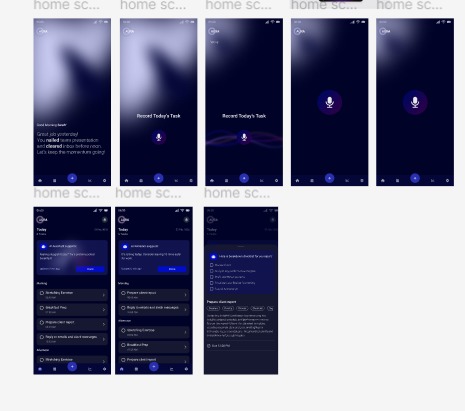
Screens
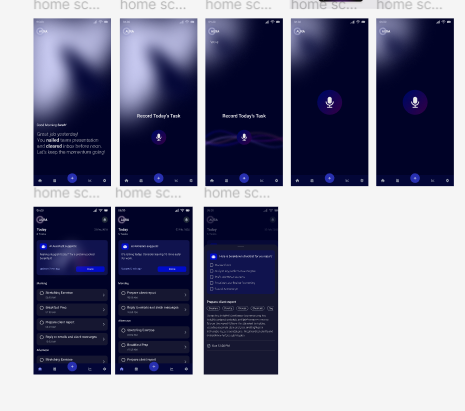
Inspiration
The idea for Aura was born from a common struggle to stay organized without feeling overwhelmed. We noticed that traditional to-do lists often fail because they require constant manual updates and don’t adapt to real-life changes. People don’t just need a list, they need an intelligent assistant who understands their context, priorities, and energy levels throughout the day.
What it does
Aura is a context-aware AI-driven to-do list that dynamically adapts tasks based on time, location, urgency, and energy levels. Instead of a static checklist, it learns from user behavior and adjusts schedules in real-time.
Key features include: Natural Language Task Input: Users can narrate their day, and Aura automatically extracts tasks, deadlines, and priorities. Context-Aware Task Adjustments: Prioritizes deep work, auto-blocks distractions, and reschedules non-urgent tasks based on user location and schedule changes. AI-Powered Task Prioritization: Identifies critical tasks and dynamically rearranges them to maximize efficiency. Smart Nudges & Reminders: Sends non-intrusive reminders before deadlines, meetings, and focus sessions.
How I built it
I designed Aura using Figma for mobile app design and prototyping, focusing on a dark-themed, intuitive UI that adapts tasks dynamically. The interface emphasizes simplicity, smart task prioritization, and seamless AI interactions to enhance productivity without overwhelming the user.
Challenges I ran into
Implementing micro-animations required multiple iterations to strike the right balance between functionality and subtlety. The challenge was ensuring animations felt smooth and intuitive without being distracting. Transitions for task reordering, AI-driven suggestions, and smart nudges had to be fluid and responsive, enhancing the experience without slowing down interactions.
Accomplishments that I am proud of
I successfully designed an intuitive and visually engaging UI that allows users to input tasks naturally while AI adapts them in real time. The prototype effectively showcases how smart prioritization and context-aware scheduling can enhance productivity without overwhelming the user.
What I learned
I learned the importance of adaptive design in productivity apps and how subtle AI interactions can make a task manager feel more like an assistant rather than a rigid tool. Balancing automation with flexibility was key to ensuring users still feel in control of their schedules.
What's next for Aura – Context-Aware AI To-Do List
The next steps include refining user interactions, testing usability, and iterating on feedback to improve AI-driven task management. Future updates could include calendar integration, enhanced voice input, and personalized AI insights to make Aura even smarter and more intuitive.
Built With
- figma
- iconify
- typist
- unsplash-for-imagery
- with-typist-for-text-generation

Log in or sign up for Devpost to join the conversation.