-
-
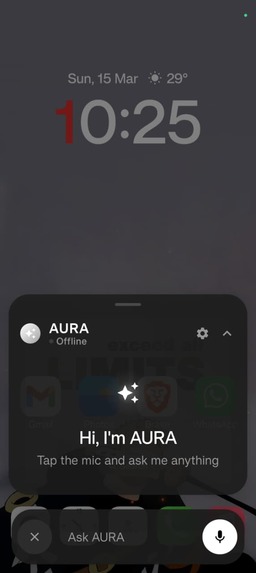
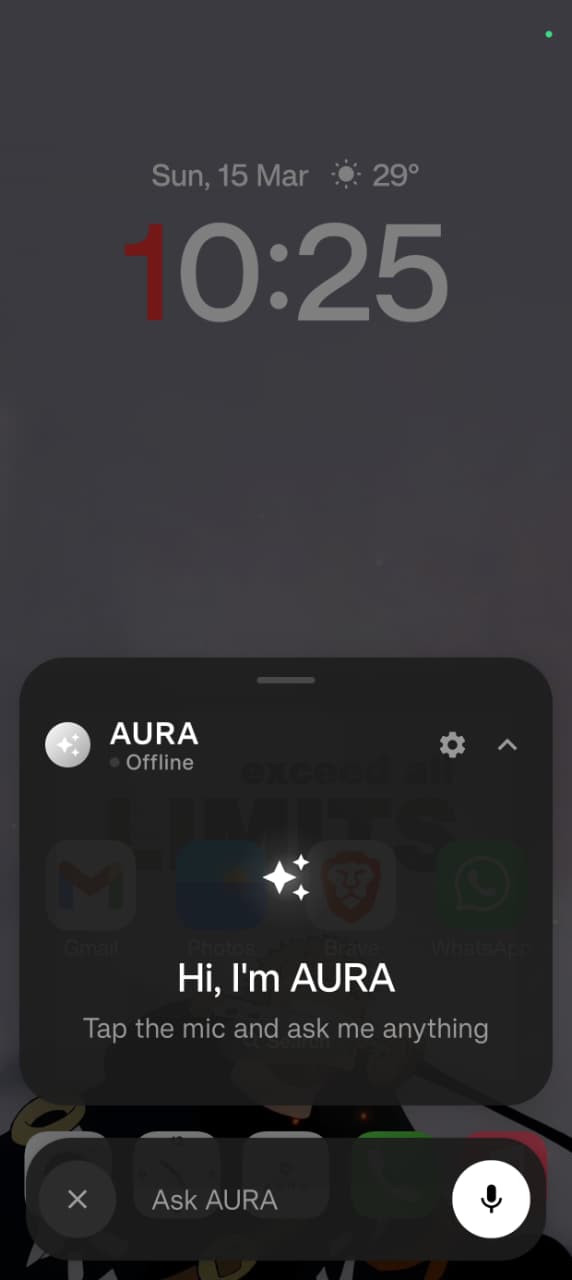
chat overlay
Inspiration
We've all been there — hands full, eyes busy, yet needing to navigate through apps, play music, send a message, or set a reminder. Voice assistants today are stuck in the past: they answer questions, set timers, maybe play a song — but they can't navigate your phone the way you would.
We wanted to build something that truly closes the gap between speaking a command and having it executed — not just responded to. The rise of multimodal AI and real-time vision models made us believe the moment was right.
AURA was born from one question: what if your phone could just... do what you say?
What it does
AURA is a voice-controlled Android automation system powered by 9 specialized AI agents. You speak a natural language command — AURA captures your screen, understands the UI, plans a sequence of actions, executes real gestures via Android's Accessibility API, and speaks a response back to you.
Example: "Open Spotify and play my liked songs"
AURA opens the app, visually locates the Liked Songs button, taps it, starts playback, and says "Done — your liked songs are playing."
No root access. No scripting. No touch required.
Key capabilities:
- Real-time screen understanding via a tri-layer perception pipeline (UI tree + YOLOv8 + VLM)
- Multi-step task planning that adapts to what's actually on screen
- Natural voice responses spoken back via Edge-TTS
- Gemini Live bidirectional streaming for continuous, barge-in-capable conversation
- Safety screening on every command before execution
- Dual-layer policy enforcement before every gesture
How we built it
AURA is a full-stack AI system with a FastAPI + LangGraph backend, a Kotlin Android companion app, and a Google Cloud deployment pipeline.
The AI layer uses a tri-provider strategy — Groq for speed, Gemini for quality, with NVIDIA NIM as an optional scale layer. Nine single-responsibility agents handle everything from intent parsing to gesture execution to post-action verification.
The perception pipeline runs in three layers:
- Android Accessibility UI Tree — fast structural understanding
- YOLOv8 OmniParser — visual element detection with Set-of-Marks annotations
- VLM Selection — picks the right numbered element without ever returning raw pixel coordinates
The orchestration layer is a LangGraph StateGraph with 15 nodes and a
5-step retry ladder:
same action → alternate selector → scroll & retry → vision fallback → replan
Google Cloud powers the deployment:
- Cloud Run hosts the backend
- Google ADK wraps the root agent
- Gemini Live handles bidirectional audio and vision streaming
- Cloud Storage stores HTML execution logs
Safety is dual-layered: Llama Prompt Guard 2 screens every voice input, and OPA Rego policies gate every single gesture before execution.
Challenges we ran into
Coordinate hallucination — Early VLM versions returned raw pixel coordinates that were consistently wrong. We solved this with the Set-of-Marks invariant: the VLM never returns coordinates, only selects from numbered elements detected by YOLOv8.
Screen state drift — Upfront plans would break when screens deviated mid-task. We replaced static planning with a reactive step generator that produces one action at a time, grounded in the live screen state.
Retry logic complexity — Building a 5-stage retry ladder that gracefully degrades without looping infinitely required careful LangGraph state management and custom reducers.
Gemini Live latency — Integrating real-time bidirectional audio with concurrent screenshot streaming while keeping the UI responsive took significant async engineering.
Cold start on Cloud Run — YOLOv8 model loading added seconds to the first request. We solved it by pre-warming the model at Docker build time.
Android Accessibility timing — Gestures fired too fast for the UI to settle, causing false verification failures. We built a post-gesture wait-and-capture cycle into the Verifier agent.
Accomplishments that we're proud of
- Built a production-grade multi-agent system with 9 single-responsibility agents that genuinely cooperate
- Achieved the Set-of-Marks invariant — a clean architectural guarantee that VLMs never touch raw coordinates
- Integrated Gemini Live bidirectional streaming with barge-in support and voice activity detection
- Shipped a real Android companion app in Kotlin + Jetpack Compose — no push-to-talk required
- Built a dual safety layer — prompt-level screening and policy-level gesture gating — that doesn't block legitimate commands
- Deployed to Cloud Run with zero cold-start VLM latency
- Made the entire system rootless — works on any Android device with Accessibility Services enabled
What we learned
- Reactive planning beats static planning — the screen never lies, your plan sometimes does
- Multi-agent systems need clear invariants — without the SoM coordinate rule and single-responsibility constraints, agents bleed into each other's scope
- LangGraph is powerful but opinionated — custom state reducers are essential for concurrent-safe fields in long-running agentic loops
- Safety can't be bolted on — it needs to be woven into the request lifecycle, not a filter at the edge
- Speed and quality don't have to trade off — routing fast tasks to Groq's 560 T/s models while falling back to Gemini for complex reasoning gave us both
- Voice UX is hard — knowing when to speak, how much to say, and when to stay silent matters as much as the underlying automation
What's next for AURA
- On-device model support — lightweight perception models running directly on Android for lower latency and offline mode
- App-specific skill packs — pre-trained action sequences for WhatsApp, YouTube, Maps, and more
- Cross-device orchestration — one voice command spanning phone, tablet, and desktop
- Proactive automation — AURA notices patterns and suggests automations before you ask
- Memory layer — persistent preferences and task history so AURA gets smarter with every command
- User-defined OPA rules — power users customize exactly what AURA can and can't do
- Open-source Android Accessibility SDK — packaging the gesture execution and perception pipeline as a standalone library for other developers to build on

Log in or sign up for Devpost to join the conversation.