-
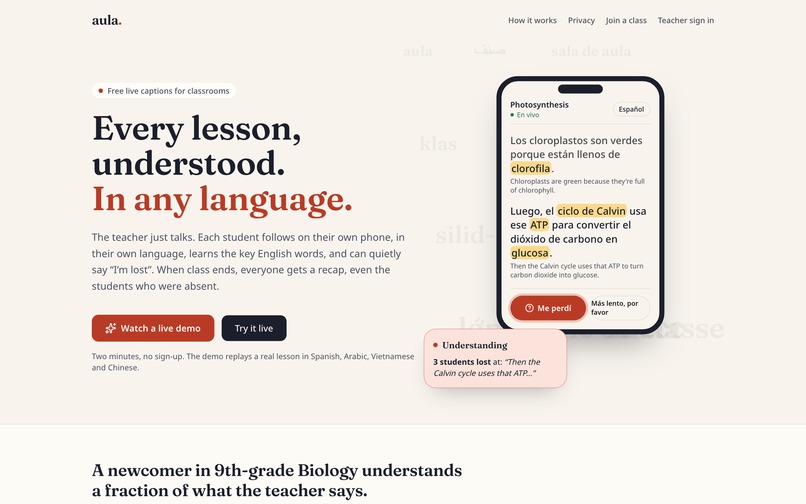
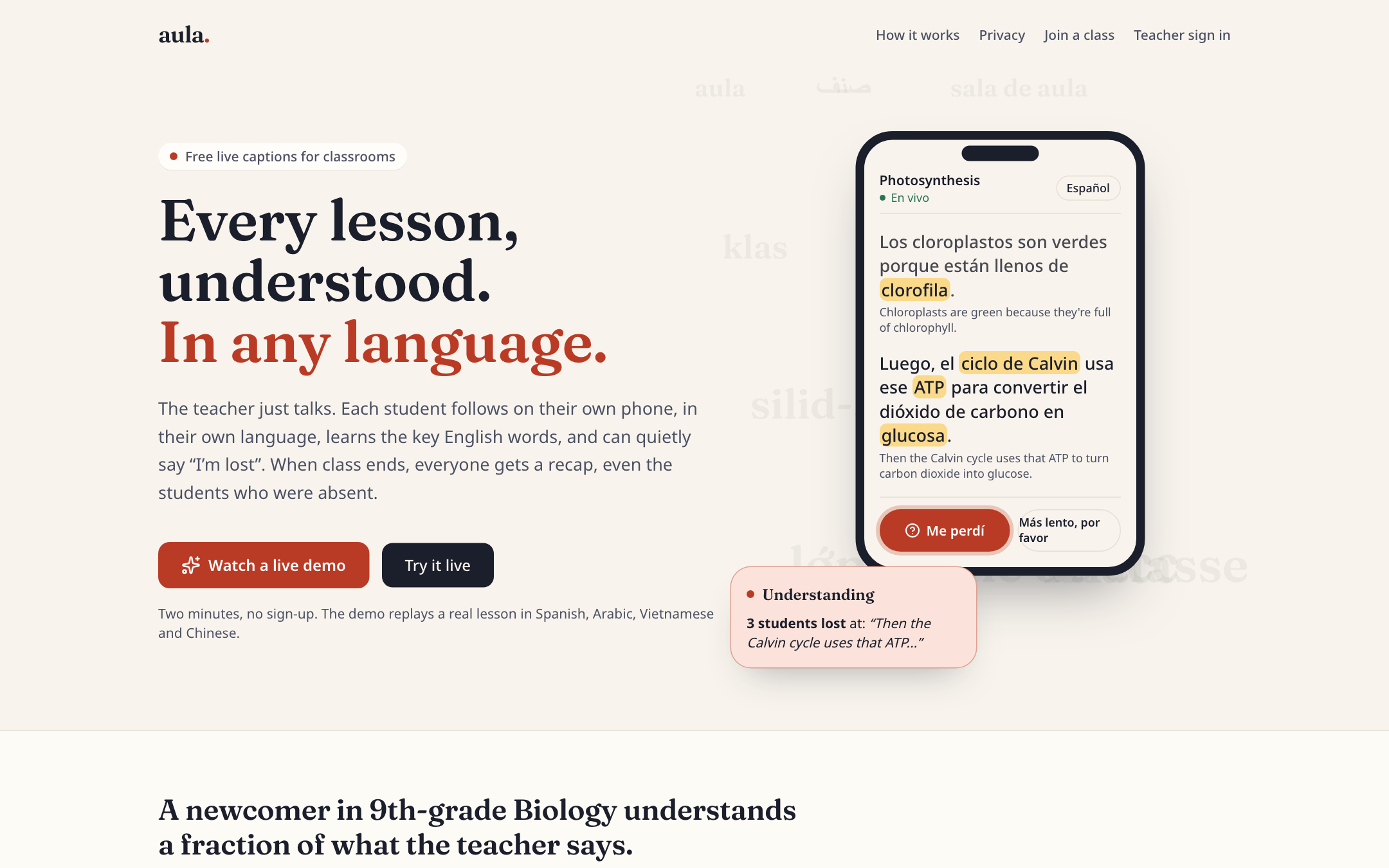
landing page
-
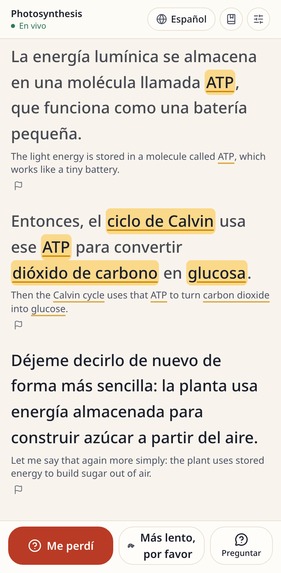
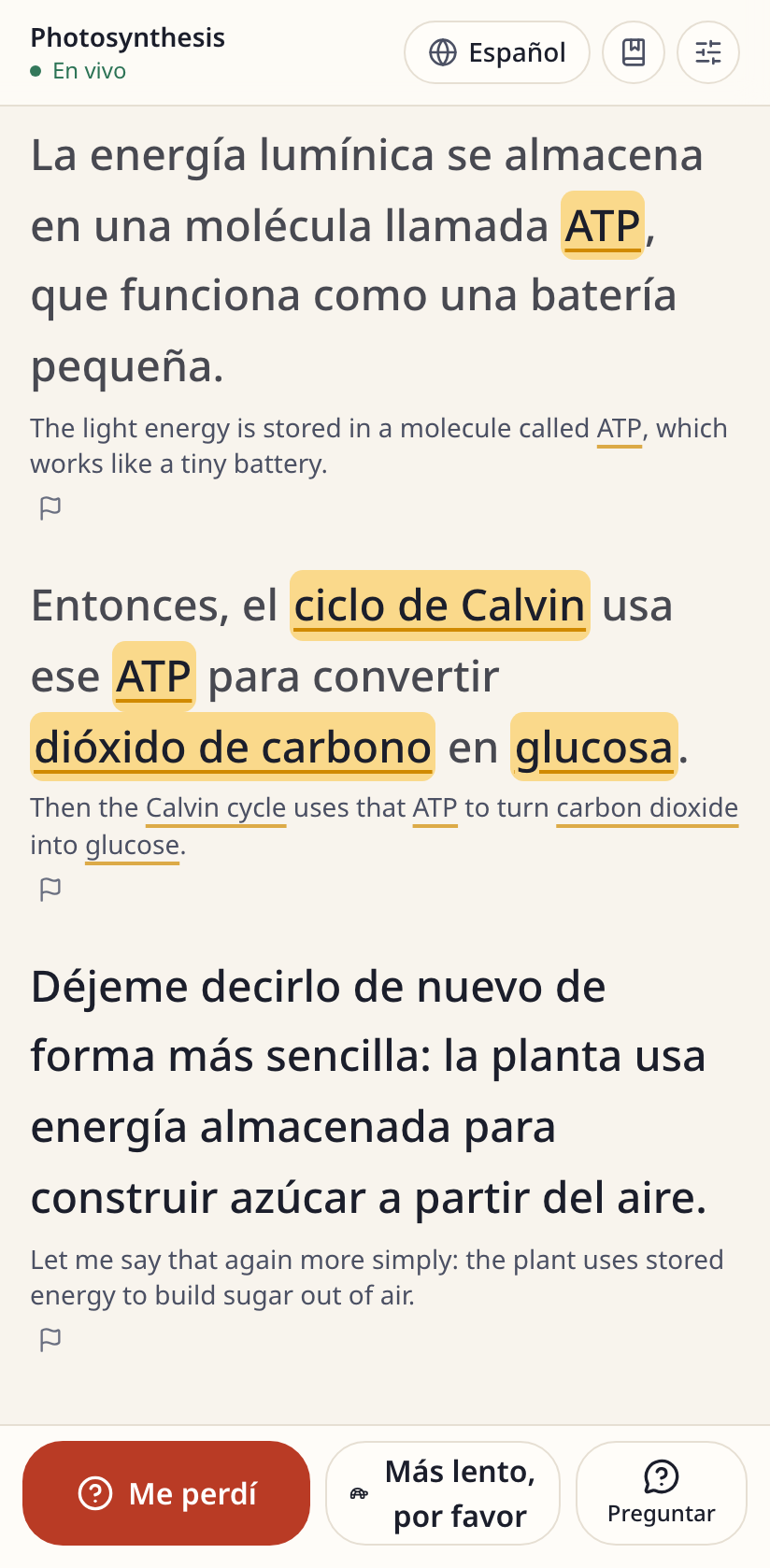
phone (student perspective) spanish
-
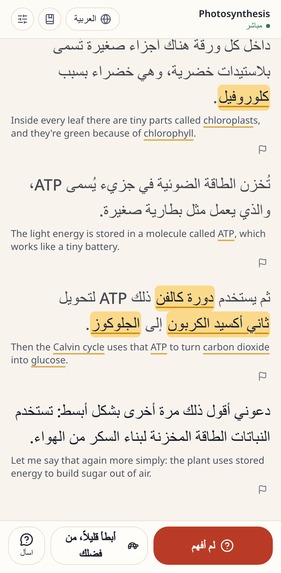
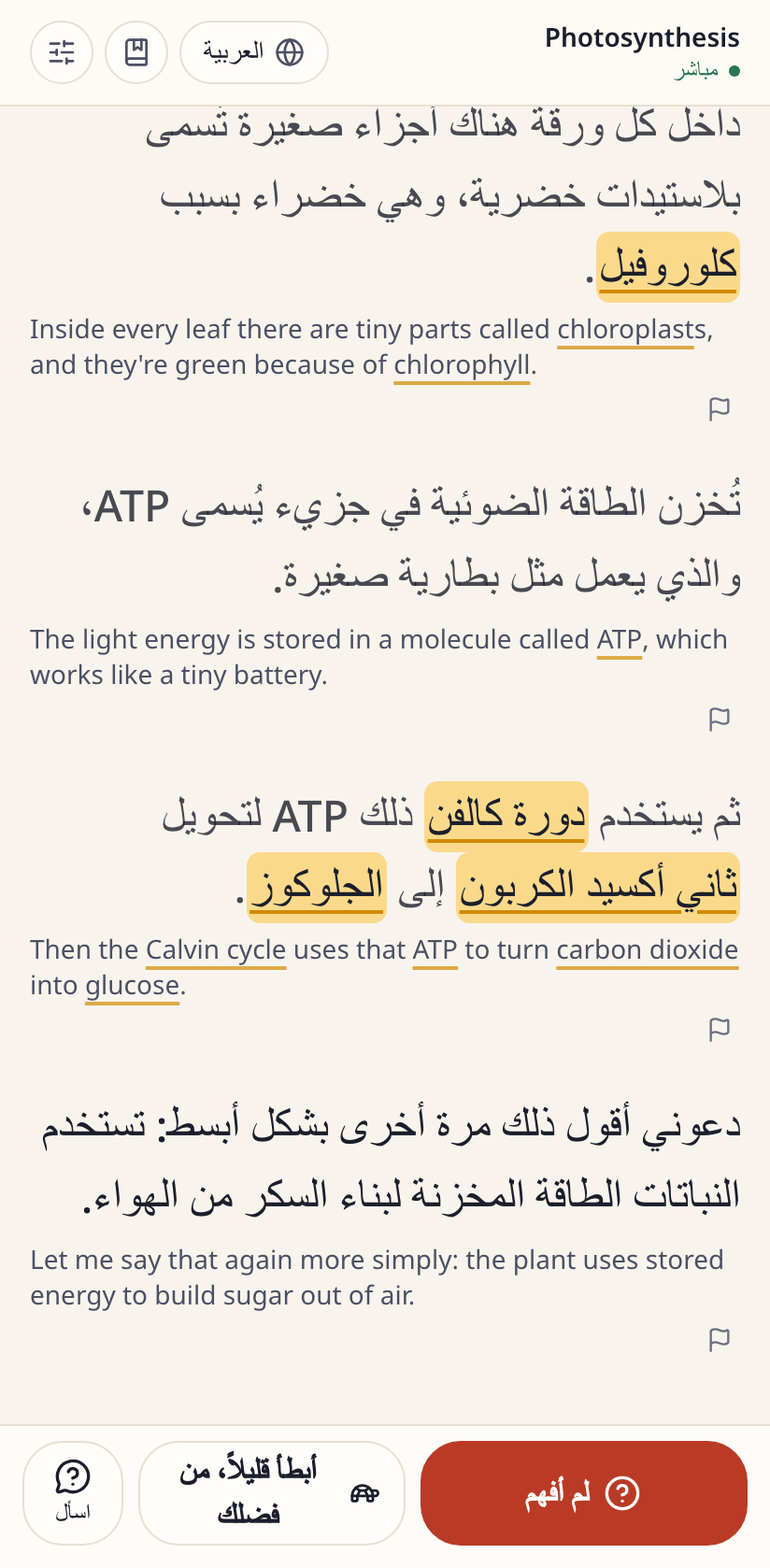
phone (student perspective) in arabic
-
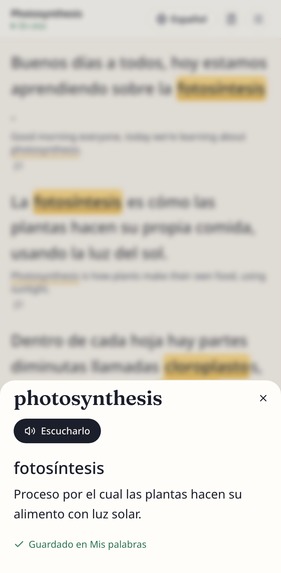
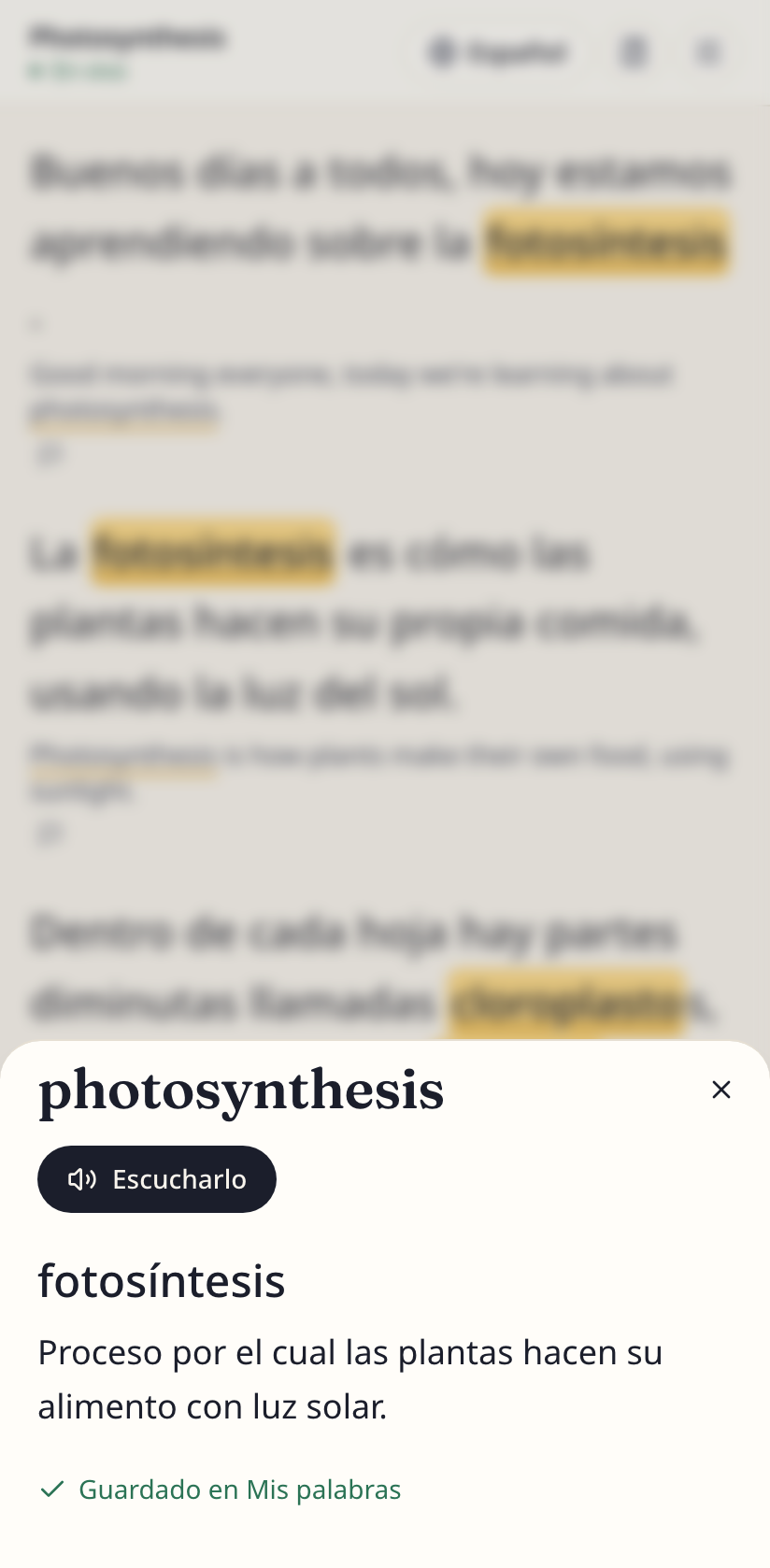
key terms
-
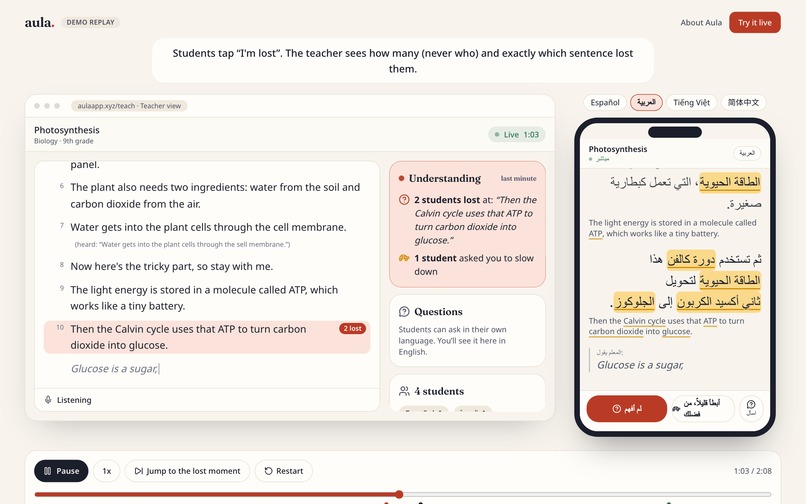
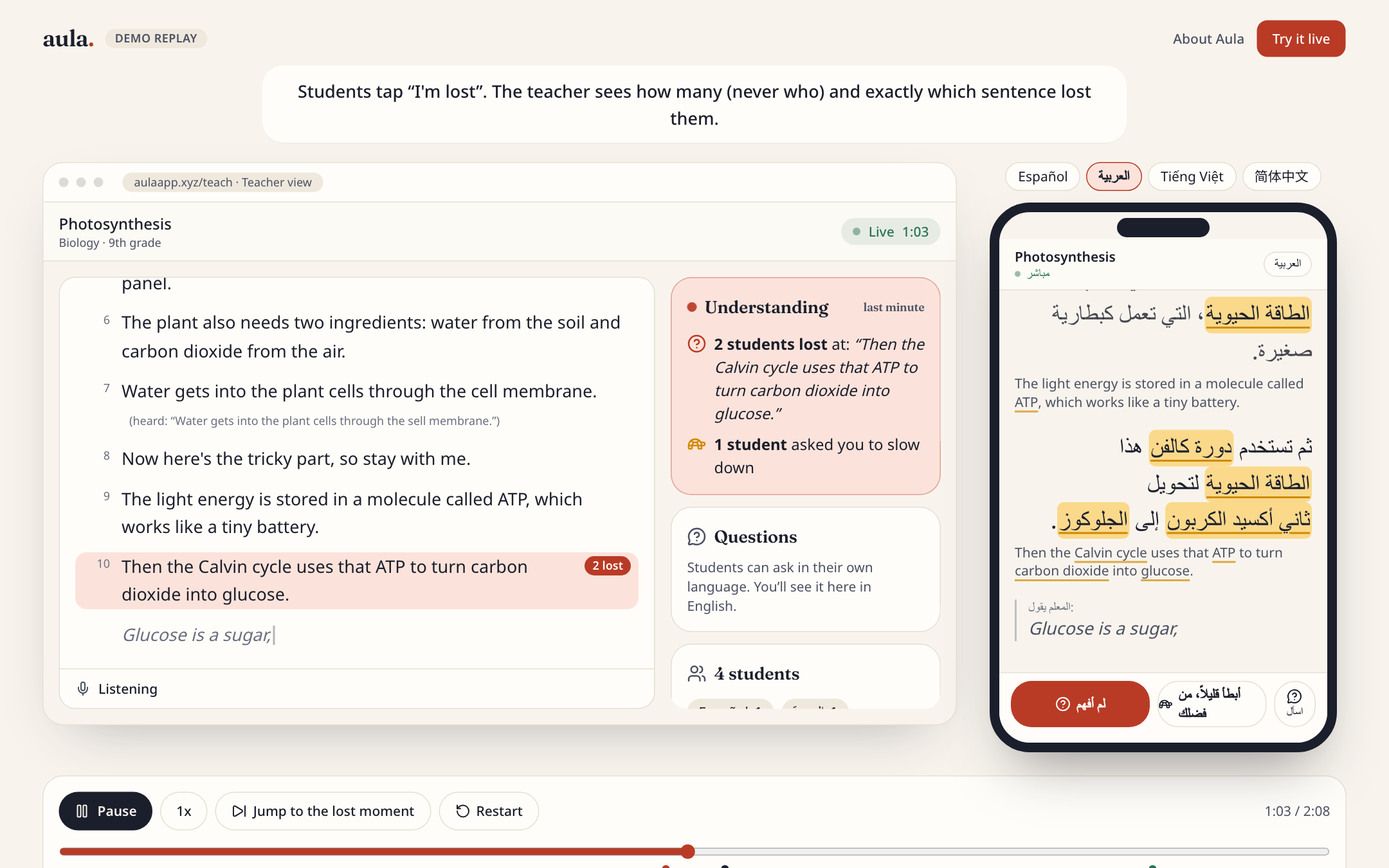
demo
-
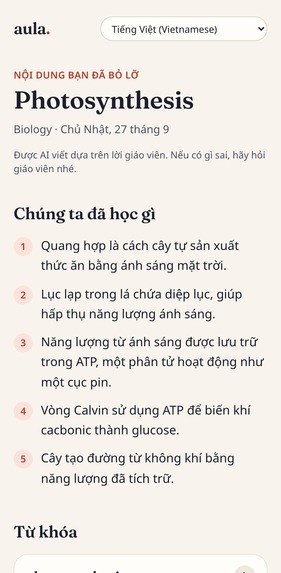
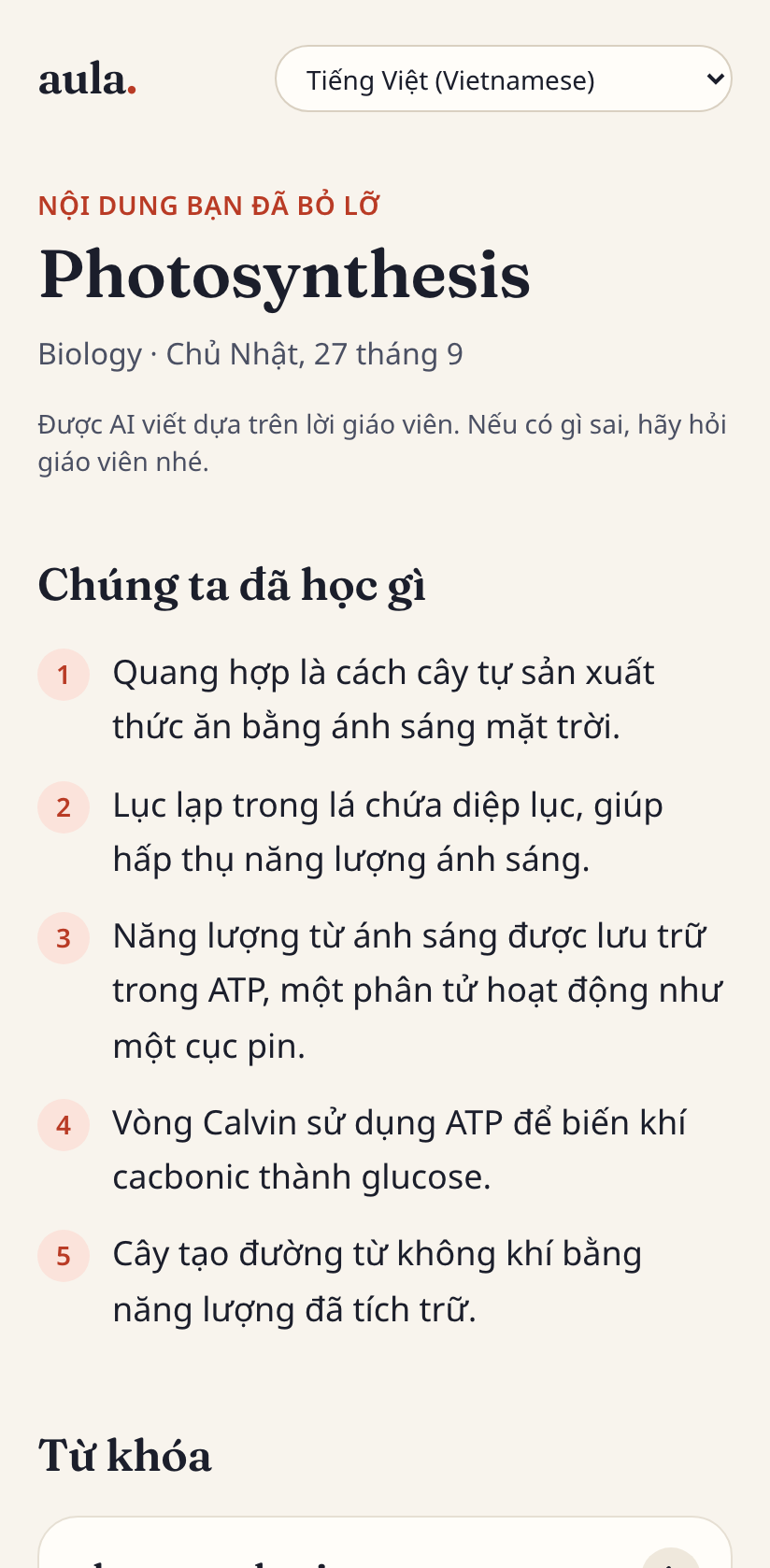
recap in vietnamese
-
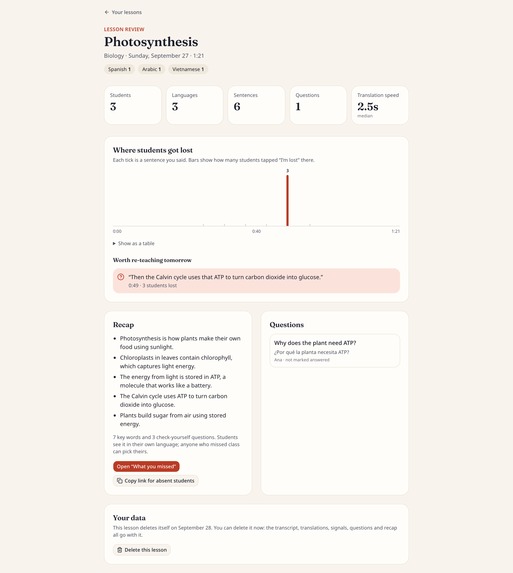
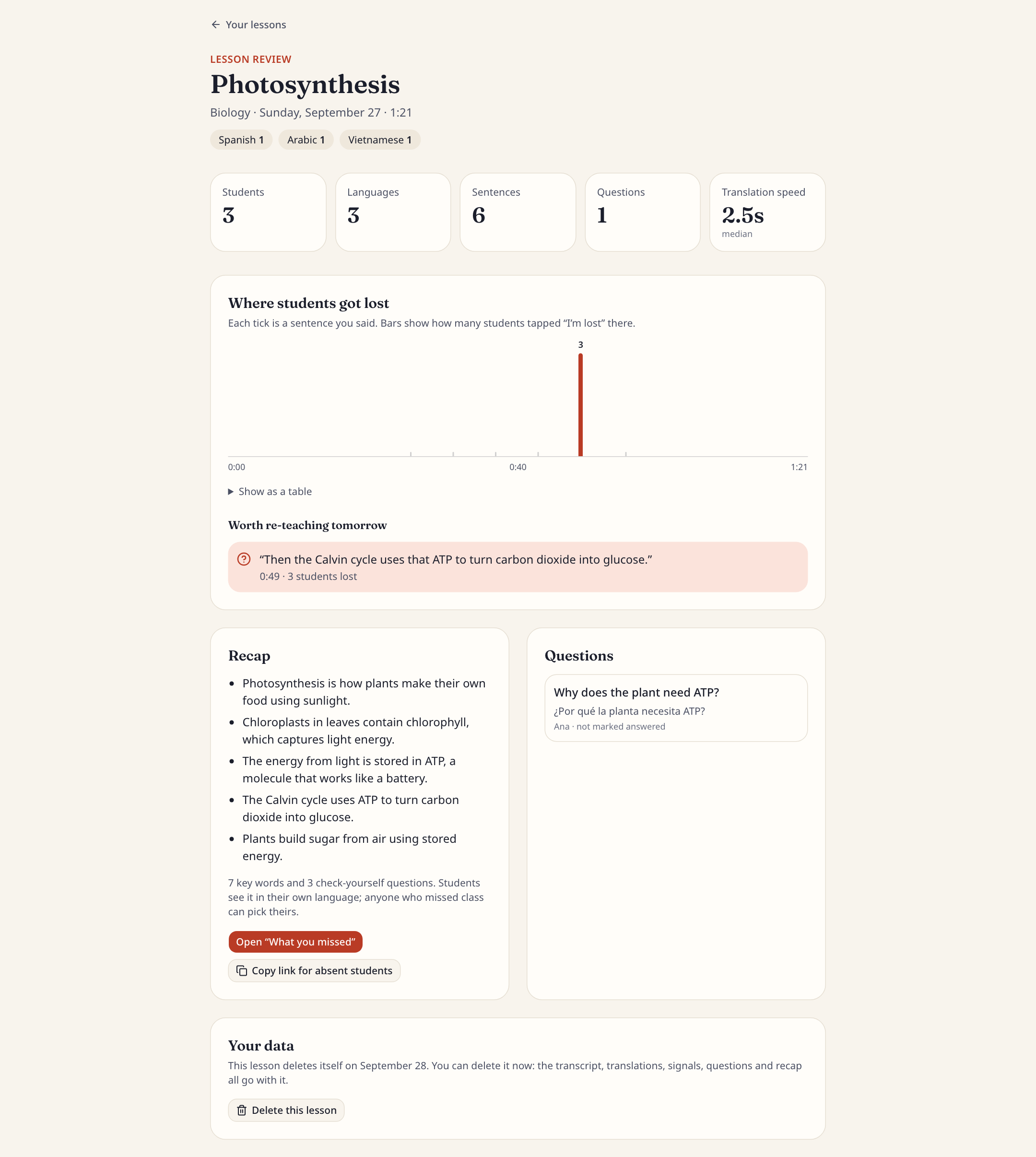
review (at end of session)
-
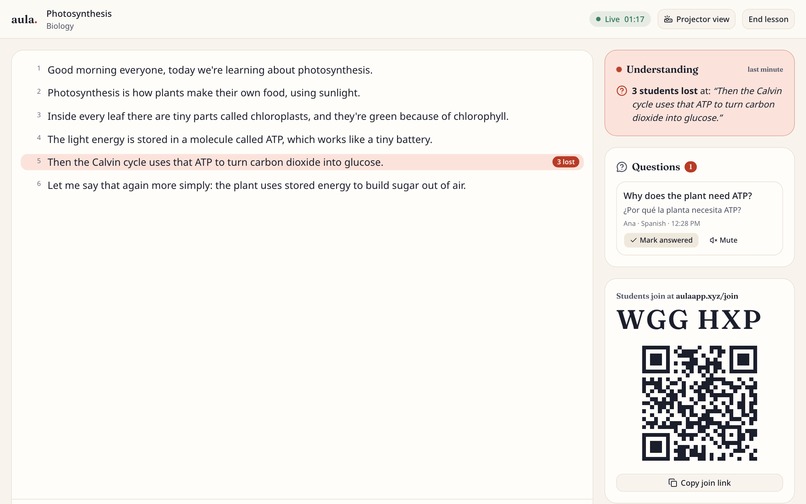
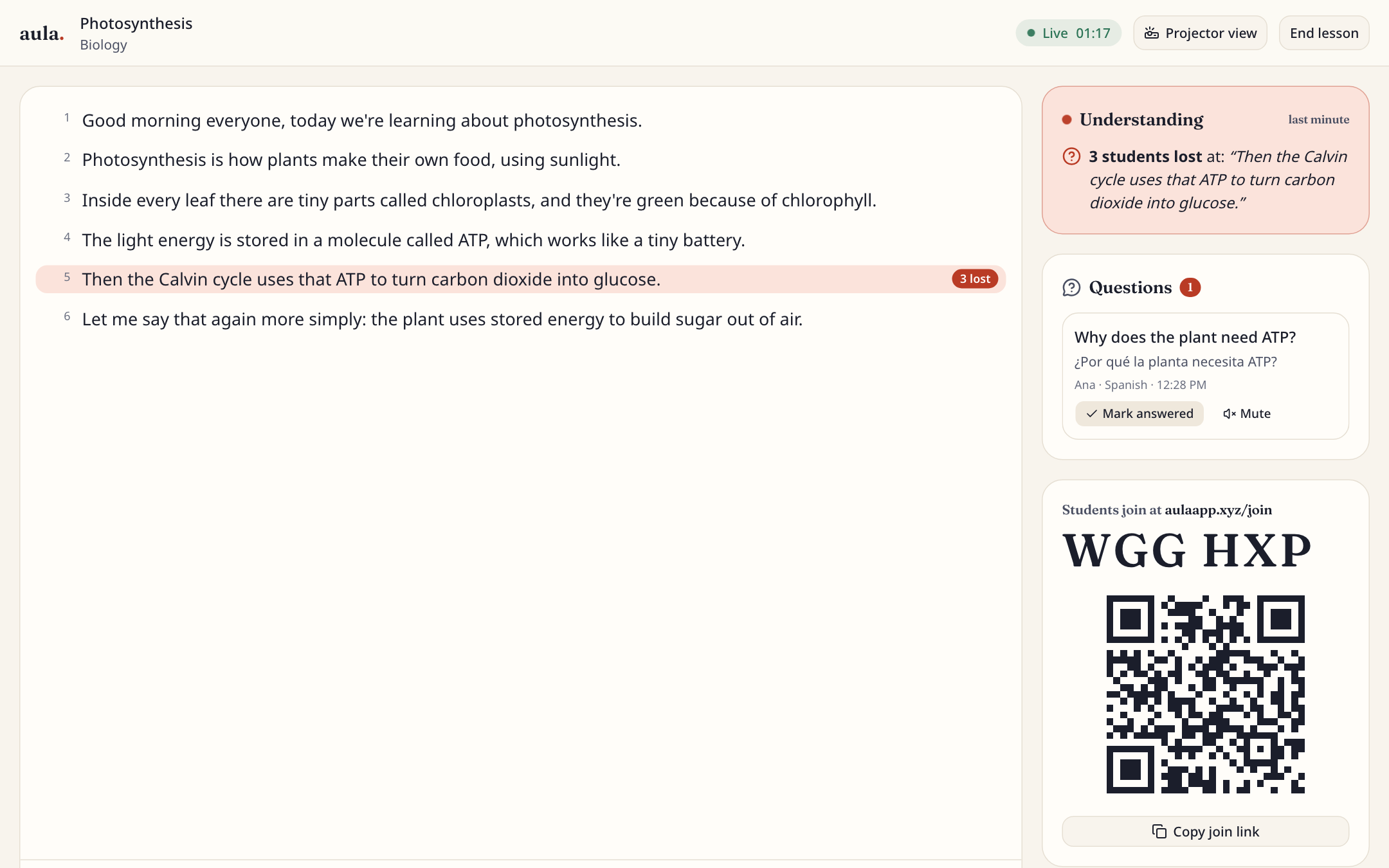
teacher (what teacher sees live)
Inspiration
Everyone has sat in a class completely lost and not raised their hand. Now imagine it's your third week in an American school. A month ago you lived in another country, and now you're in Biology while the teacher explains photosynthesis. You catch maybe one word in five. Everyone around you is writing, so you copy the board without knowing what it says. When the teacher asks "Does everyone get it?", you nod, because raising your hand in a language you can barely speak feels impossible. Nobody finds out you were lost until the test.
That is a normal school day for many of the 5.3 million English learners in US public schools, about 1 in 10 students.
Some teachers had a workaround: Microsoft Translator's free live captions. Microsoft shut that feature down on June 30, 2026. And even when it worked, translation alone wasn't enough. A lost student still won't raise their hand, a translation doesn't teach the English words they'll be tested on, and a student who was absent has no way to catch up.
This hackathon's theme is technology that improves school life, and we couldn't think of anyone whose school life needed it more. Aula is the tool we wish that student had.
What it does
- The teacher just talks: they open Aula on a laptop, list the lesson's key terms, and share a join code or QR code.
- Students join on their phones, no app and no account, and pick one of 13 languages. Captions arrive live: the English word by word as the teacher speaks, then the translation a second or two later.
- Key English words are highlighted: tapping one shows a simple definition in the student's language, plays the English pronunciation, and saves it to "My words." The English stays under every line by default.
- "I'm lost" and "Slower, please" are silent, anonymous taps. The teacher sees how many students got lost and at which exact sentence, never who.
- Questions in any language: a student types in their language, and the teacher reads it in English and answers out loud.
- A recap when class ends: summary, key words, and check-yourself questions in every student's language. The same link is the "What you missed" page for absent students, in any language they choose.
- For the teacher afterward: a timeline of where students got lost, to know what to re-teach tomorrow. Plus projector mode for big English captions on the classroom screen.
- A one-click Demo Replay so anyone can see a whole lesson without a classroom.
How we built it
- Next.js 16 and TypeScript: one long-lived Node server on Render, with Postgres (Prisma) for lessons, transcripts, translations and recaps. Tailwind and shadcn/ui for the interface.
- Speech recognition in the browser (Chrome or Safari). Only text reaches the server, never audio.
- Server-Sent Events push every line to every phone. Each message is numbered, so a phone that loses Wi-Fi catches up on exactly what it missed.
- Open AI models on Featherless.ai: Qwen3 30B for live captions, and Gemma 4 26B for Somali, Haitian Creole, Dari and Hindi, where it was better or more efficient. We picked them with a benchmark of 20 classroom sentences in four languages, measuring speed, valid output and quality.
- One AI call per sentence covers every language, streamed back so each language goes out the moment its part is ready. Every reply is checked against a schema; if anything fails, students see the English, never a blank line.
- A domain from Gen.xyz: aulaapp.xyz.
- Tested with 167 unit tests and 12 end-to-end browser tests (including a Wi-Fi drop, AI failures, an accessibility audit of every screen and the security headers), plus tests with the real AI and with a synthetic voice fed into real Chrome.
Challenges we ran into
- Speed on a shared AI account: Testers said translations took up to a minute. We measured and found our Featherless account handles one request at a time, about 33 tokens (pieces of words) a second, shared by every classroom at once. The fixes: send long speech in 12-word pieces instead of waiting for a pause, give slower-model languages their own queue, let recaps go before background work, and stop reading a reply the moment it's complete. Captions went from 13 to 15 seconds behind the start of a sentence to about 7, and each student's recap summary from about a minute to under 25 seconds.
- Getting the model to stop "helping": It sometimes rewrote the teacher's sentence or left an English word inside a translation. Now the model only fixes a misheard key term, and every translation uses the glossary's textbook word for each key term, which removed the stray English words in our tests.
- Microphones: AirPods, stuck browser audio, and iPhone settings all fail differently. The teacher screen now picks a working mic, explains exactly what's wrong, and shows a technical detail line.
- Brand-new domain: A university network blocked aulaapp.xyz because it was days old. We added security headers and a backup address.
Accomplishments that we're proud of
- Anyone can understand the whole product in two minutes with one click and no setup.
- A student who loses Wi-Fi for 10 seconds misses nothing, and an AI failure never leaves a blank line. Both are tested automatically.
- Lighthouse accessibility 100 on every main screen, a mirrored layout for Arabic and Dari, and the whole student interface translated into all 13 languages.
- Every design decision is written down with the measurements behind it.
What we learned
- Measure before fixing. Our first guesses about why translation was slow were wrong; the timing script found the real causes.
- In AI apps, output length is the whole game. Asking for less text cut the wait more than any model change.
- Honest limits make a better product: "beta" labels for weaker languages, a flag button for bad lines, and English always underneath.
What's next for Aula
- Try it with real ESL teachers and newcomer students.
- A faster AI option so big multilingual classrooms stay under 3 seconds.
- Emailing the recap to families and keeping each student's vocabulary across lessons.
- More languages, and running on several servers.
AI disclosure
We built Aula with Claude Code (Anthropic's AI coding assistant) as a pair programmer. We decided the problem, the features and their order, the design, the tech stack, which AI models and languages to use, and every trade-off; Claude Code proposed options, wrote most of the code and tests, ran the benchmarks and latency measurements, and explained its choices, which we reviewed. Inside the app, open AI models on Featherless.ai translate captions and questions, write key-term definitions, and write the lesson recap; all of it is checked against a schema, shown with the English original, and labeled as AI where it matters. The student interface text was translated once by AI and spot-checked. Full phase-by-phase details are in docs/AI_USE.md in the repo.
Built With
- auth.js
- featherless
- gemma
- next.js
- node.js
- postgresql
- prisma
- qwen
- react
- render
- tailwindcss
- typescript
- vitest
- web-speech-api
- zod


Log in or sign up for Devpost to join the conversation.