Inspiration
Auditor for Confluence solves the problem of the lack of information about past actions performed by multiple Confluence administrators.
Today Confluence doesn't provide any sort of audit trail for administrative events. There is no easy way to find out which administrator made which change and when.
Someone deleted a space? Users were added or deleted? Your default look and feel unexpectedly changed affecting all your spaces? An add-on was disabled? A layout was modified for some reason? User's password was changed? Group membership for someone was updated? Somebody changed something, and as a result things don't work as expected? - If any of this happens, you don't know who made the change, when and why.
What it does
Auditor for Confluence is an easily installable Confluence add-on that resolves the problems described above. It tracks all events performed by administrators and stores them in the audit log. Whenever something unexpected happens, you can search the log and see who and when made the change. Knowing that, you can discuss the issue with this person and find out whether the change was legitimate or done by mistake. This makes your work much easier and puts all your Confluence administration under control.
Audit log data
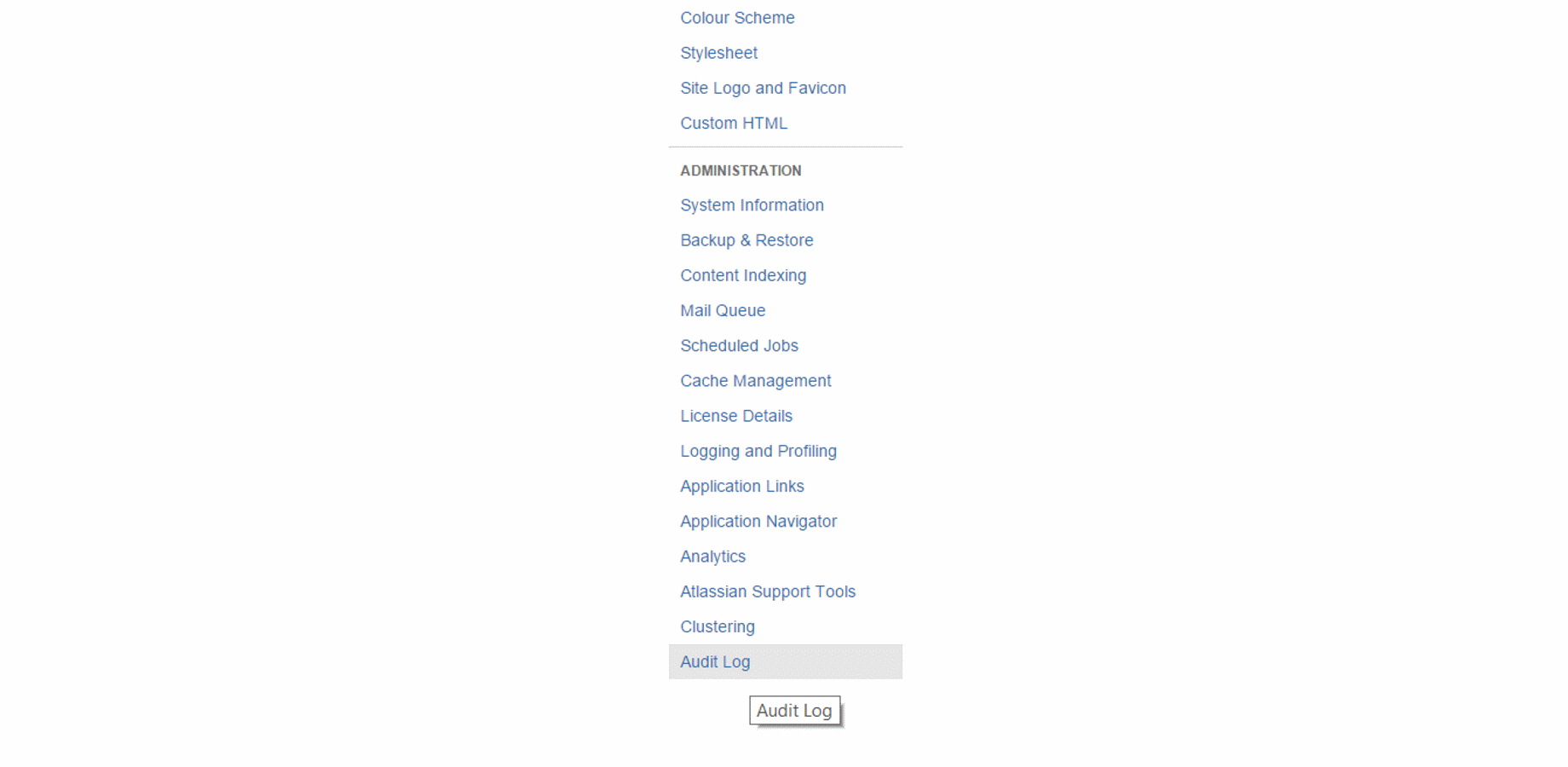
After you install the plug-in, audit log can be found in Administration > Audit Log
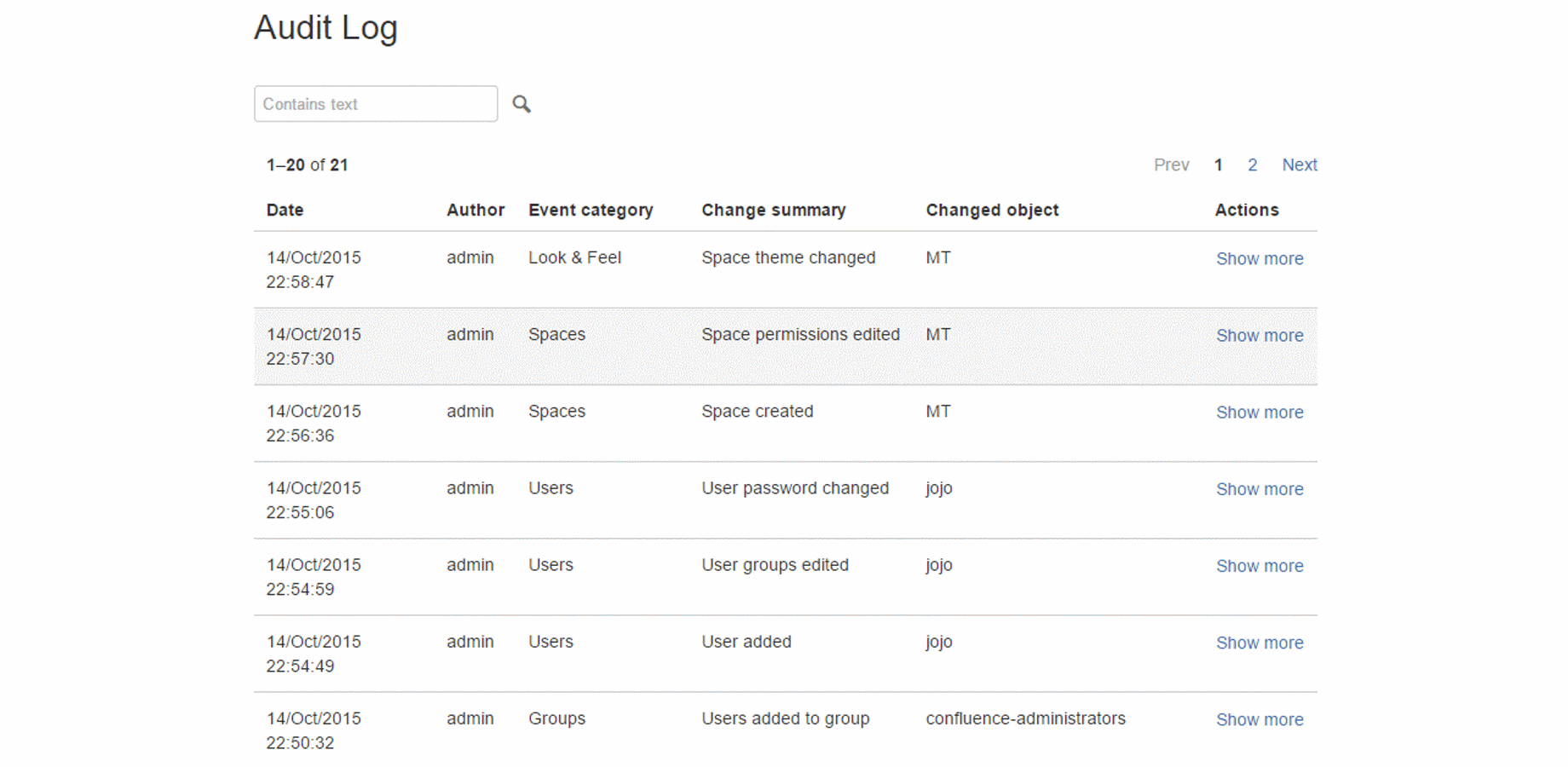
For each administrative event the following information is stored in the log:
- Time of the event
- Admin user name
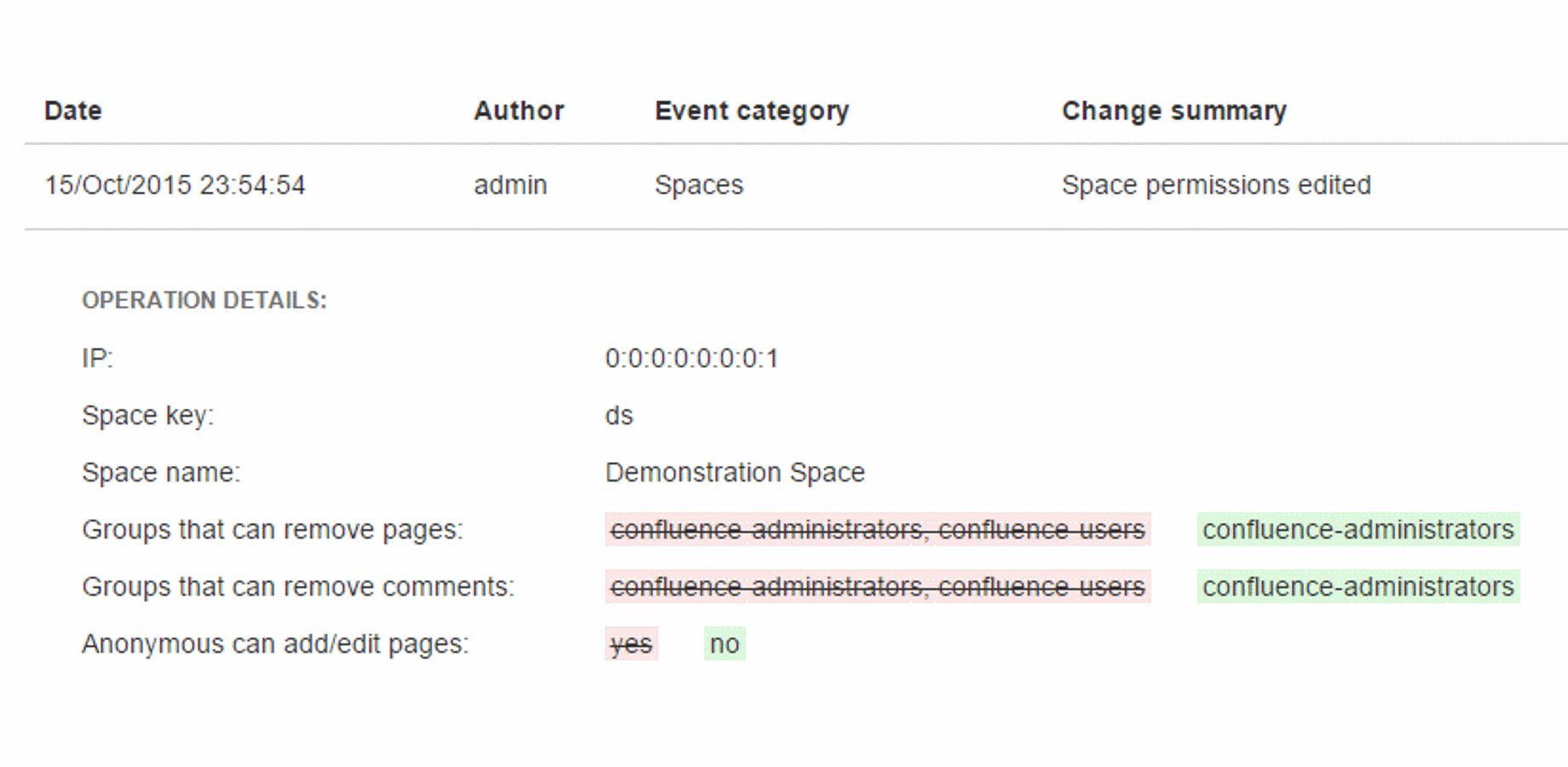
- IP address
- Event category
- Change summary
- Changed object
- Extra operation details
- Events That Are Tracked
Events That Are Tracked
A lot of different Confluence system events are tracked and stored in the audit log. Below is the incomplete list of the actions that are recorded.
- User added, deleted, edited, invited
- User's password changed
- User's group membership changed
- Space added, deleted, modified
- Global or space permissions changed
- Global or space look and feel settings changed
- Add-on installed, uninstalled, enabled or disabled
- Mail settings changed
- Security settings changed
- Other global settings changed
- Administrative action (backup, reindex, cache flush, logging change) performed
Audit Trail Browsing
Events are sorted by time. The most recent ones are on top of the list. You can filter events using a convenient full-text search box. You can also browse events page by page using page selector.


Log in or sign up for Devpost to join the conversation.