-
-
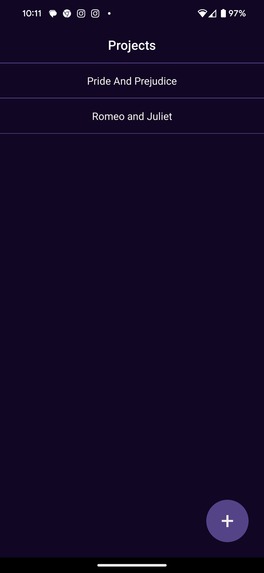
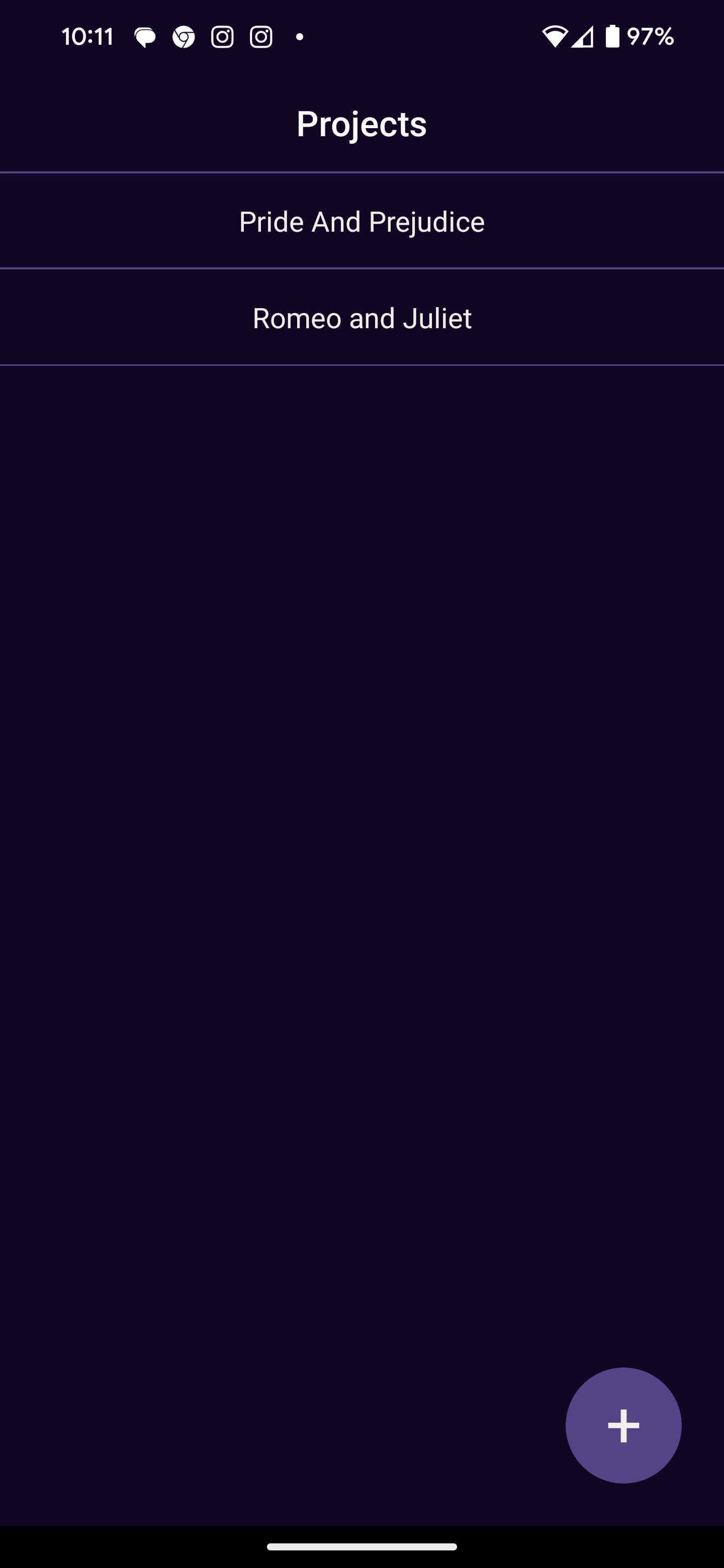
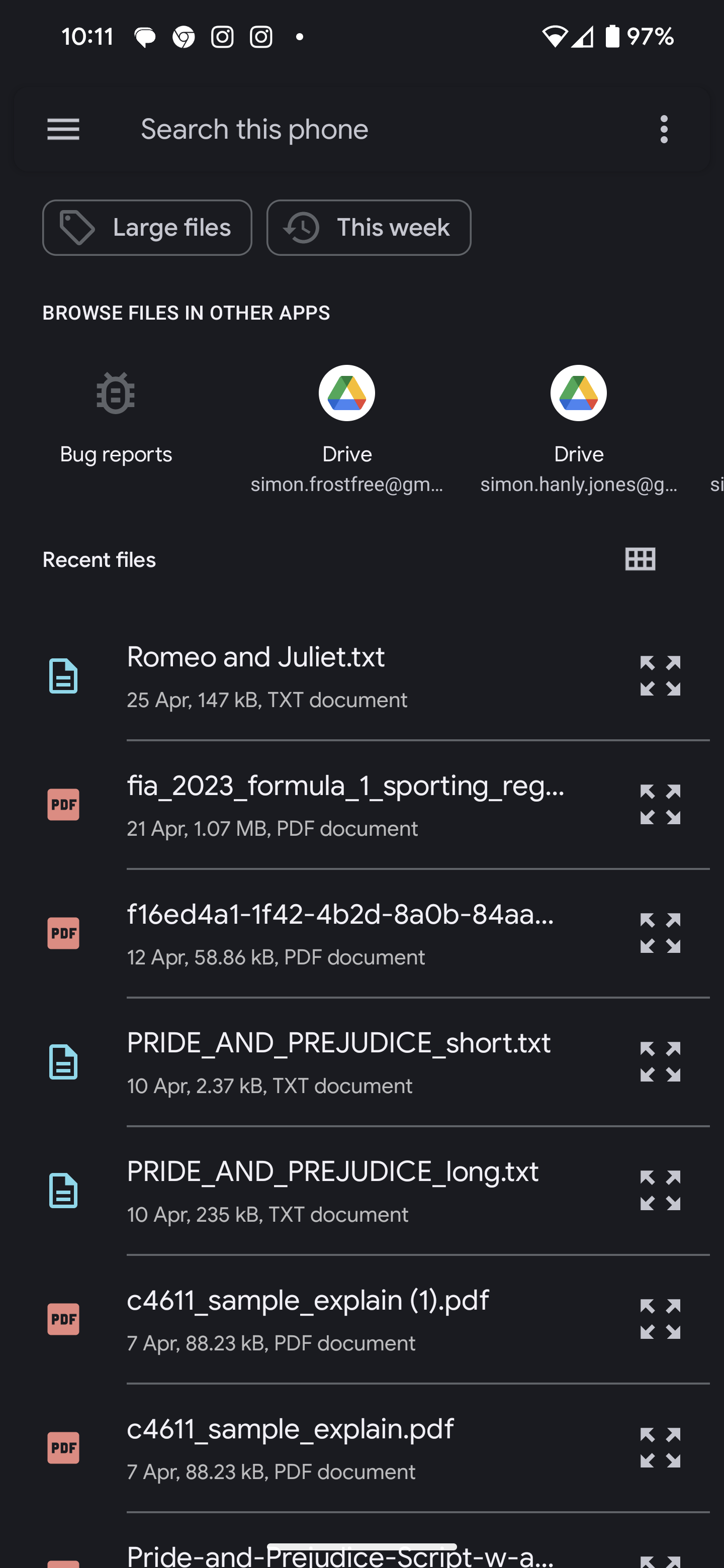
Project Select Screen
-
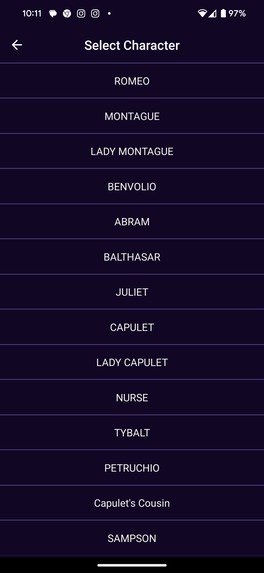
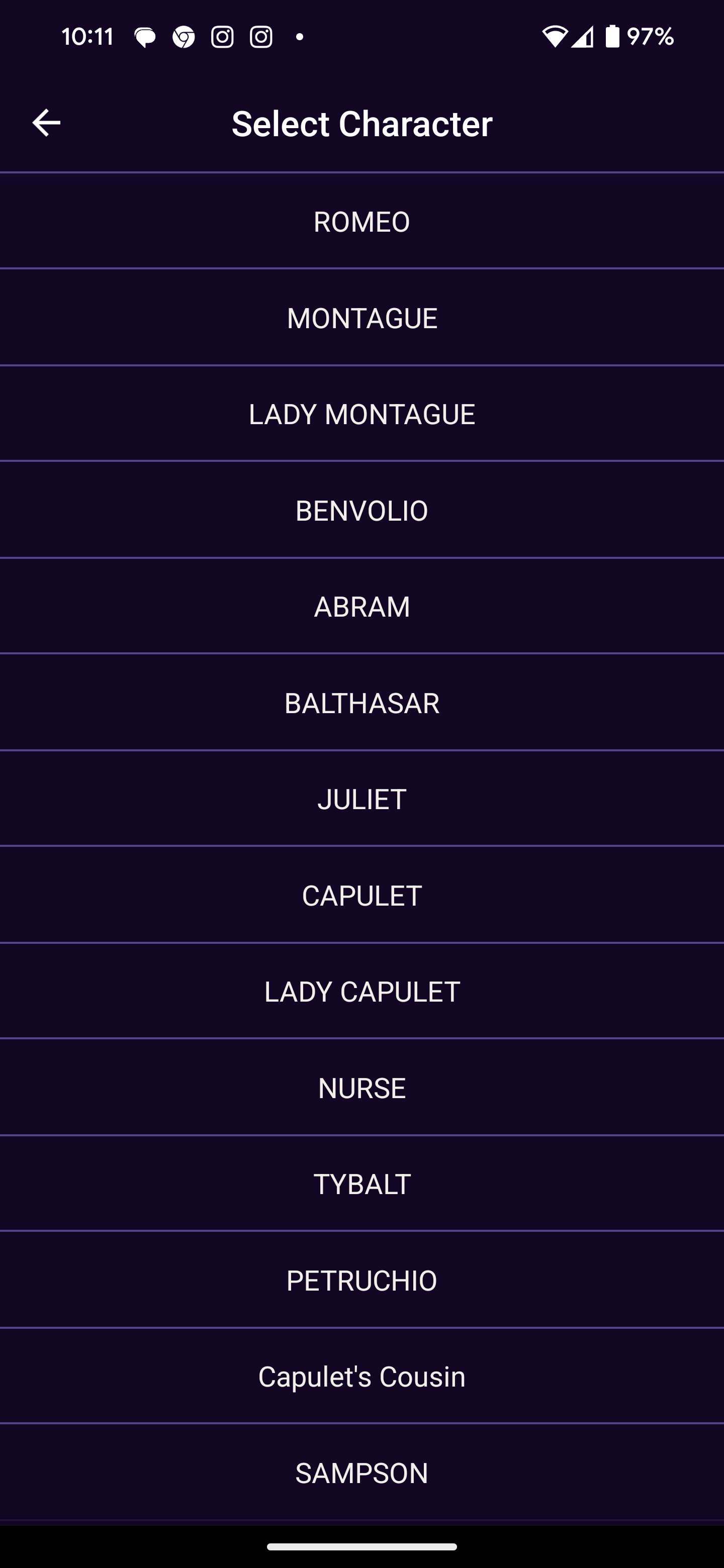
Character Select Screen
-
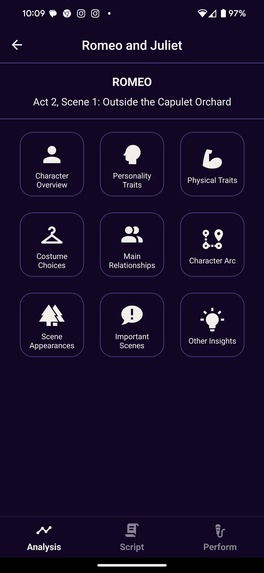
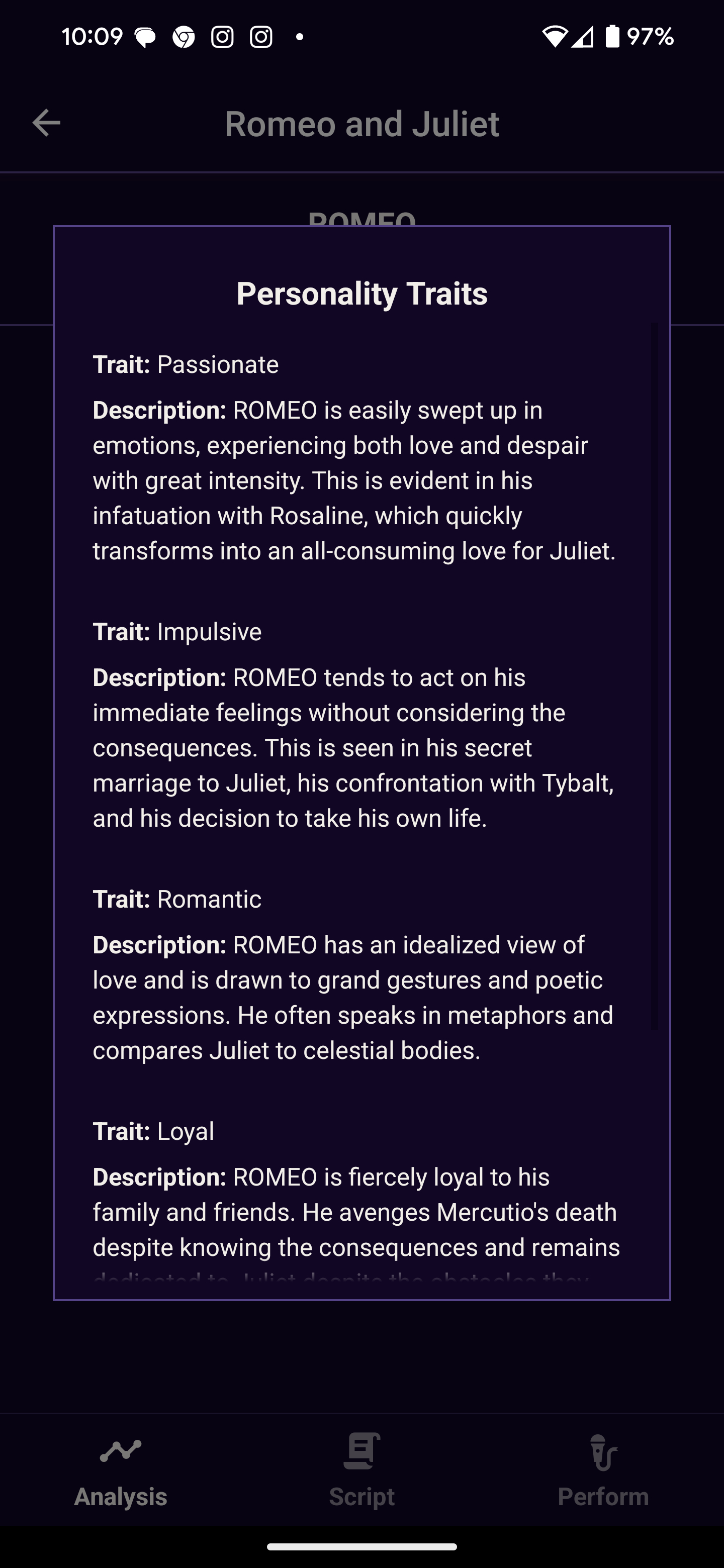
Character Analysis screen
-
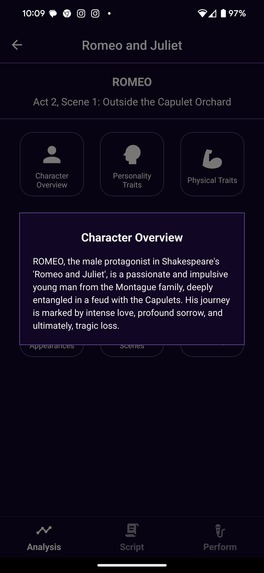
Character Analysis screen
-
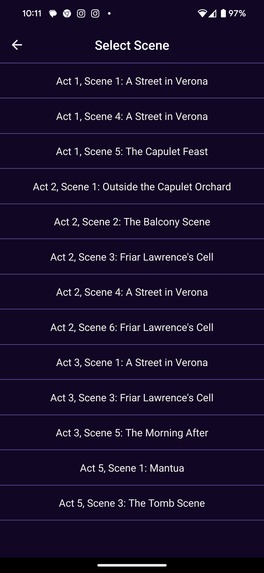
Scene Select Screen
-
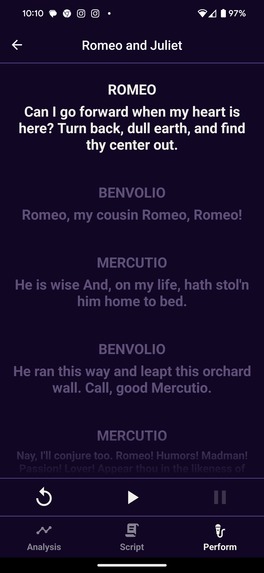
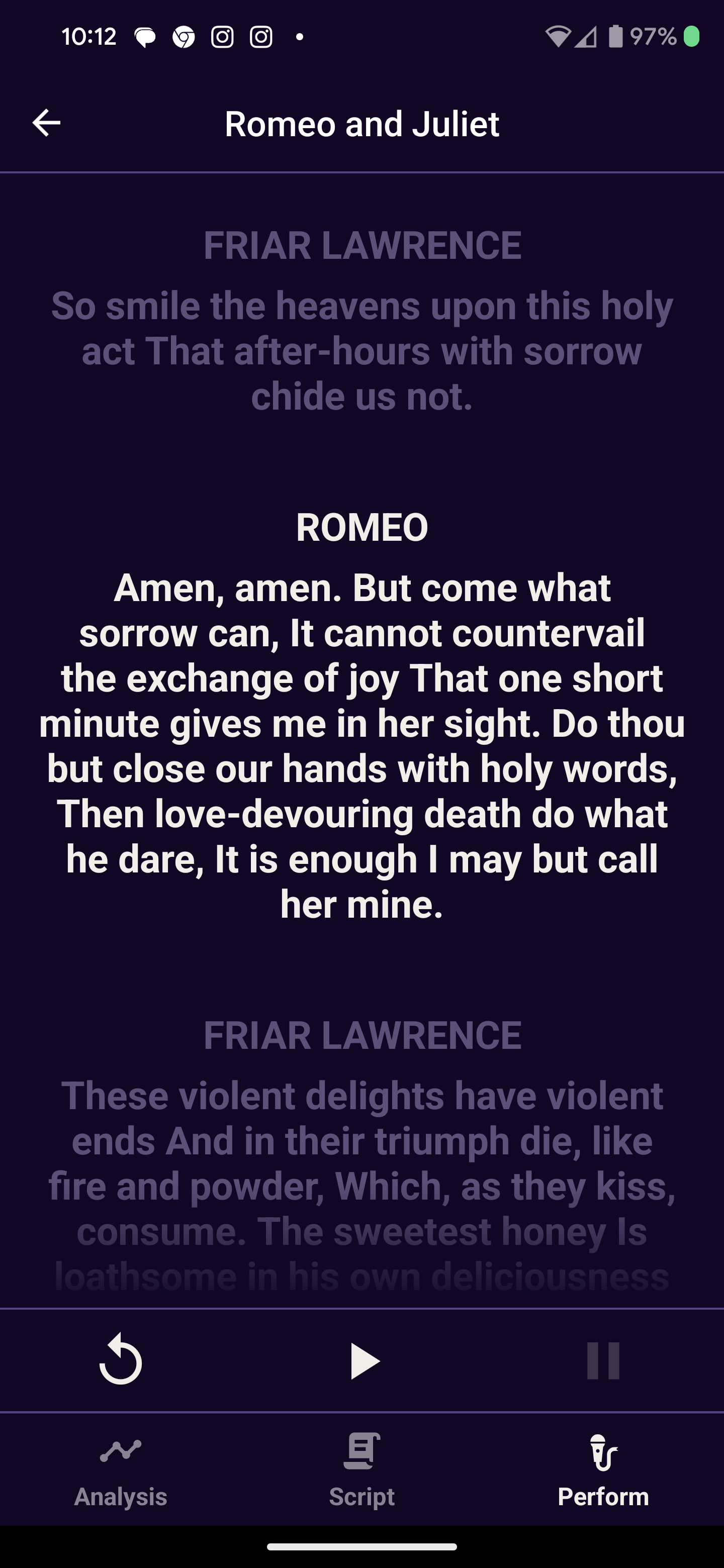
Performance/ Teleprompter Screen
-
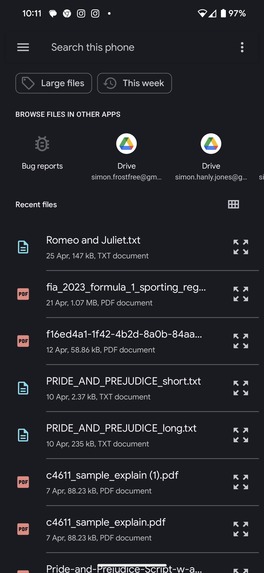
Project Select Screen
-
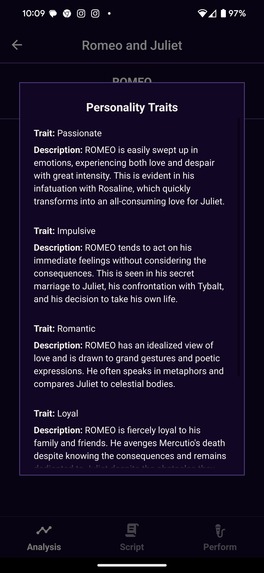
Character Analysis screen
-

Performance/ Teleprompter Screen
-
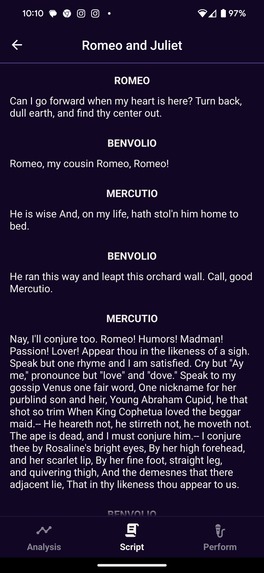
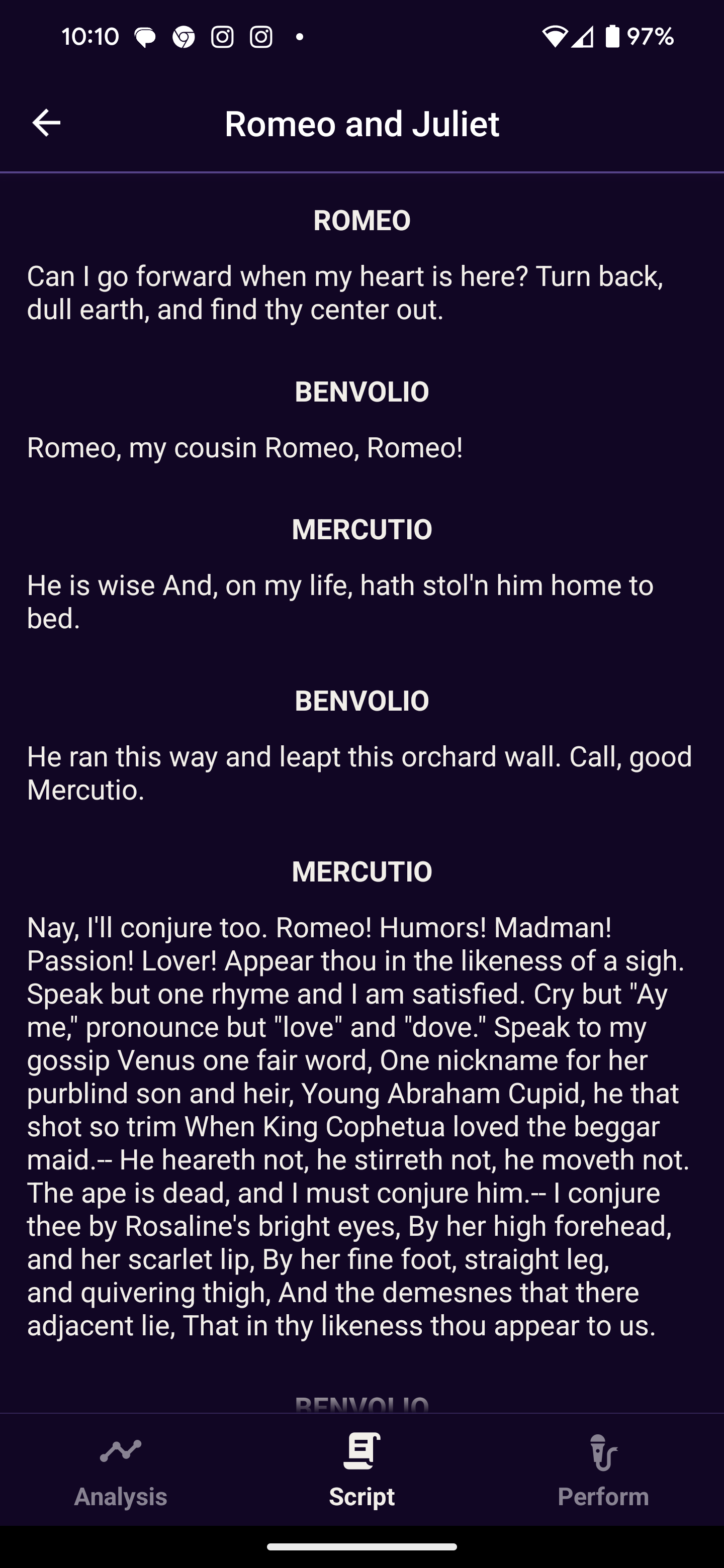
Script View Screen
-
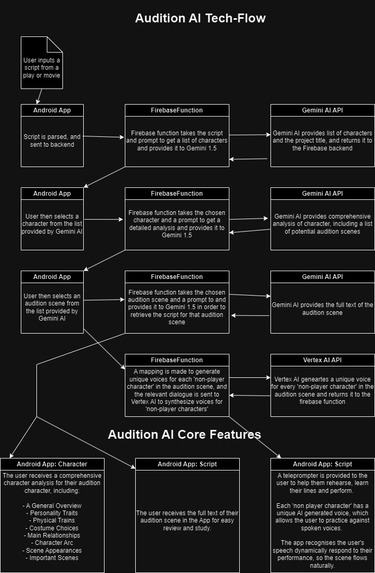
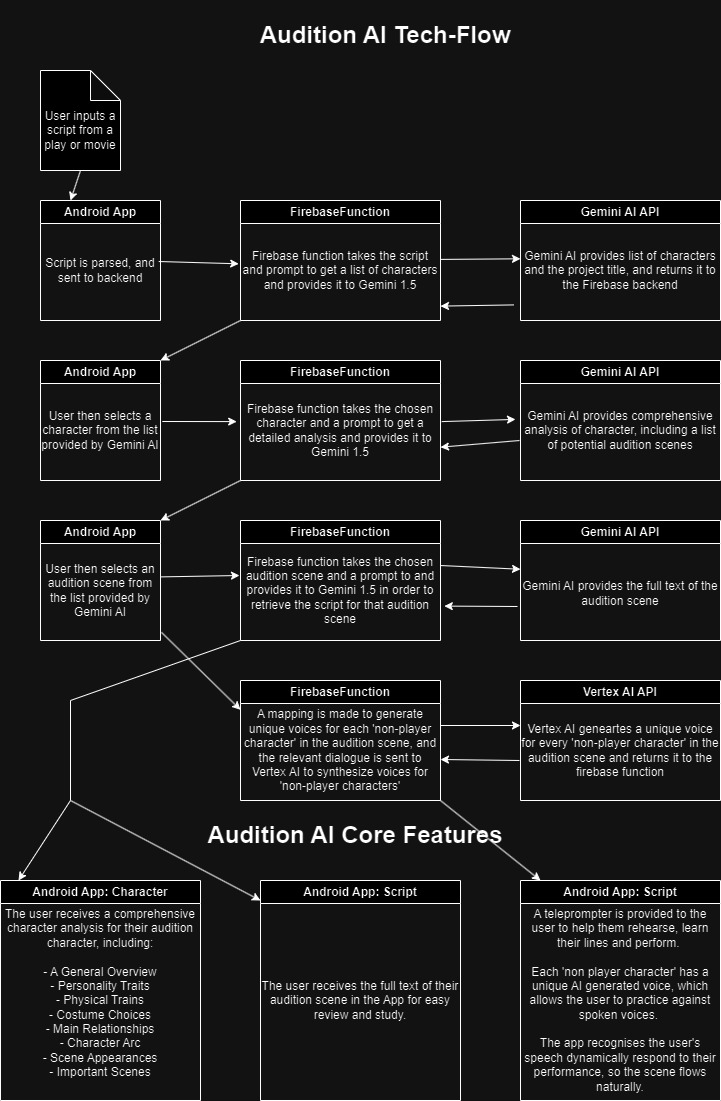
Data and technology flowchart
Audition AI
Inspiration
Our app was inspired by the tight deadlines in the world of acting and performance. A great performer needs to know everything about their character, and they need to know their lines inside out.
What it does
This project aims to help actors learn about characters in order to prepare for performances and auditions. The concept is to provide the actor with three tools:
- An informative breakdown of their chosen character
- The full text of any scene that they wish to rehearse
- A teleprompter like service to help with rehearsing and learning lines
We have made a React-Native Android app that leverages Gemini AI (Gemini Pro 1.5) and Vertex AI (voice synthesis) to achieve this.
Character Breakdown
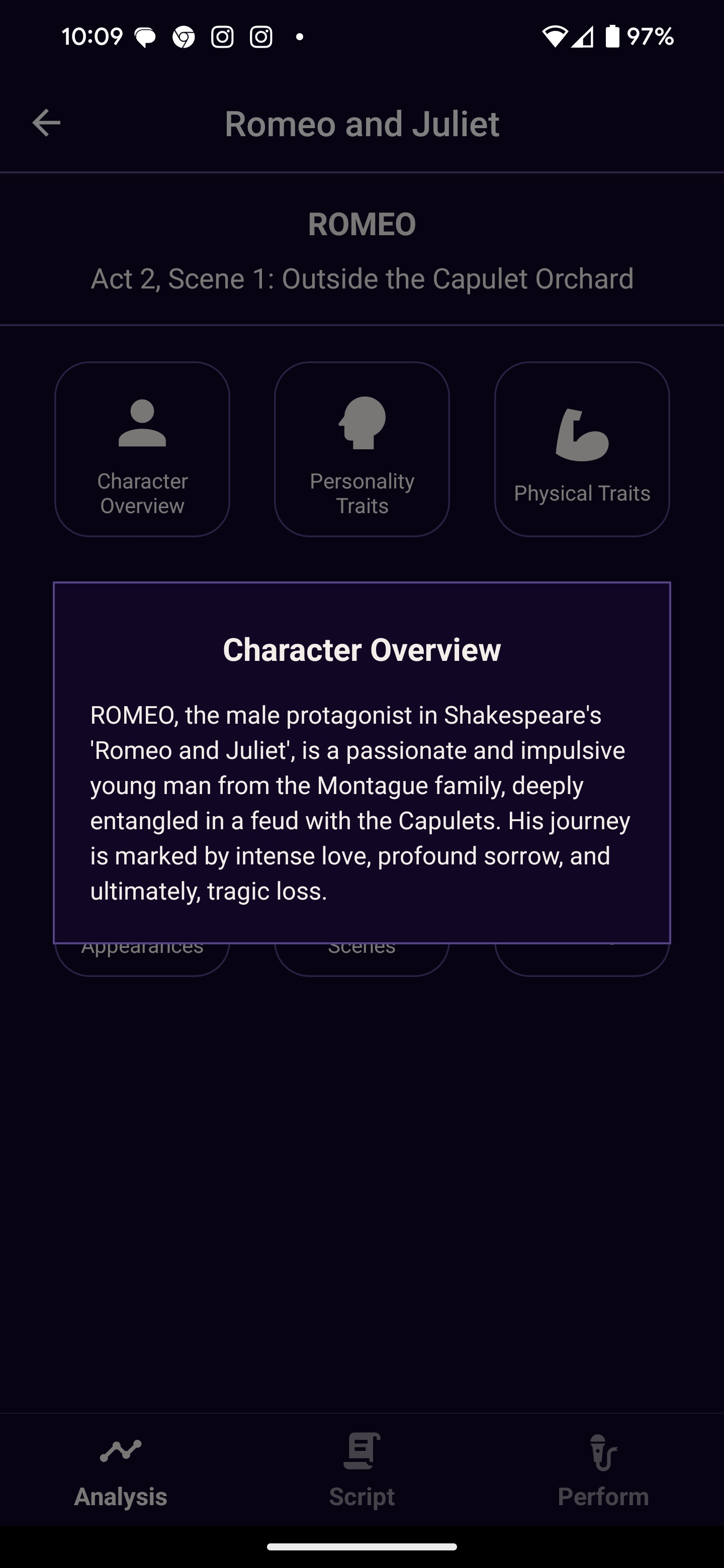
The idea is to give the actor a comprehensive picture of their character so that they can portray them in a way that makes sense with the rest of the story.
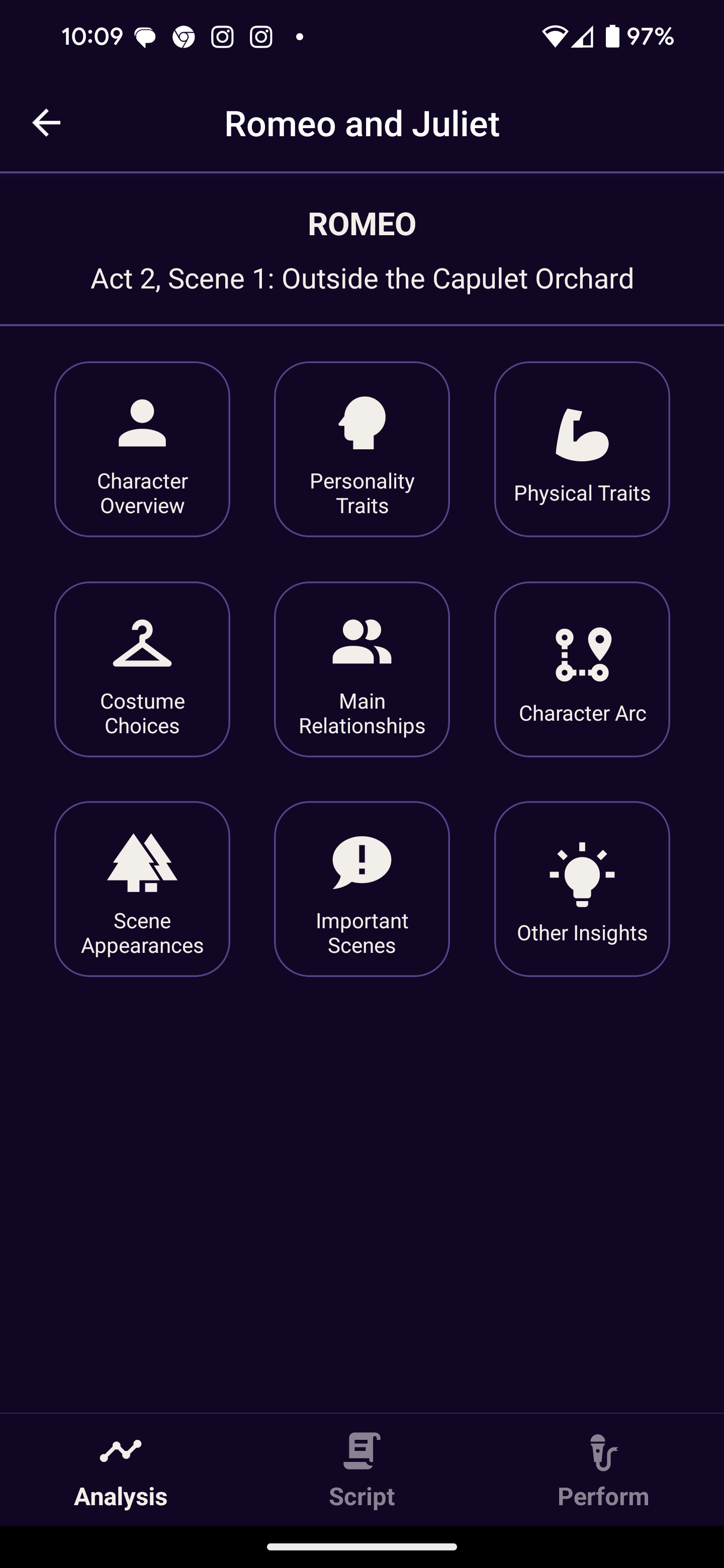
The actor is provided with a detailed breakdown of their chosen character with the following headings:
- Character Overview
- Personality Traits
- Physical Traits
- Costume Choices
- Main Relationships
- Character Arc
- Scene Appearances
- Important Scenes
- Other Insights
How is it done?
The character analysis is obtained by using Gemini Pro 1.5. The entire script for the project is passed into the model with a prompt requesting the analysis. This makes use of the industry leading context size of Gemini Pro 1.5. Other models would simply not be able to analyse the entire script.
Gemini Pro 1.5 returns a JSON object containing the Character Analysis organised under the heading set out above. It has demonstrated very reliable character analysis.
Scene Extraction
We then provide the actor with the script from any scene that they wish to learn/ analyse. This is provided for easy access and convenience for the actor so that they can focus only on the next scene they have to perform.
How is it done?
Again Gemini Pro 1.5 is provided the entire script, and asked to return a specific scene in a JSON format.
Performance/ Line Learning
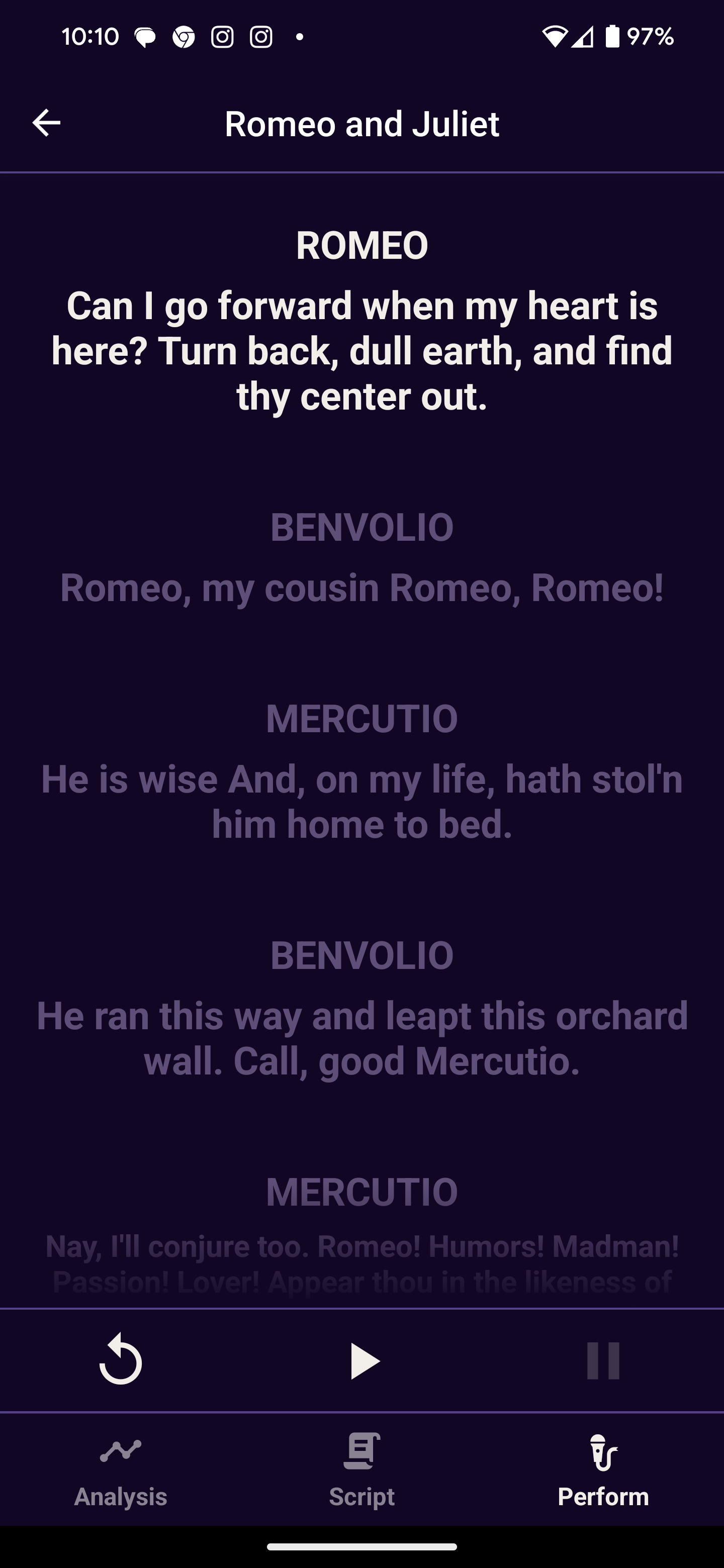
The final core feature of our app is performance/ line learning. The objective is to allow actors to practice their scenes with AI actors so they can learn their lines more easily. We provide a unique voice id to each 'non-player character' which then uses Vertex AI's voice synthesis model to generate a consistent voice for that character. When it is the user's turn to perform a line we use Speech to Text functionality to identify when the user is finished talking and the other AI actors should proceed.
User Flow
The user is first promoted to select a script, usually from a play or movie, from their device.
This will present the user a list of the characters in the script, the user then chooses their character.
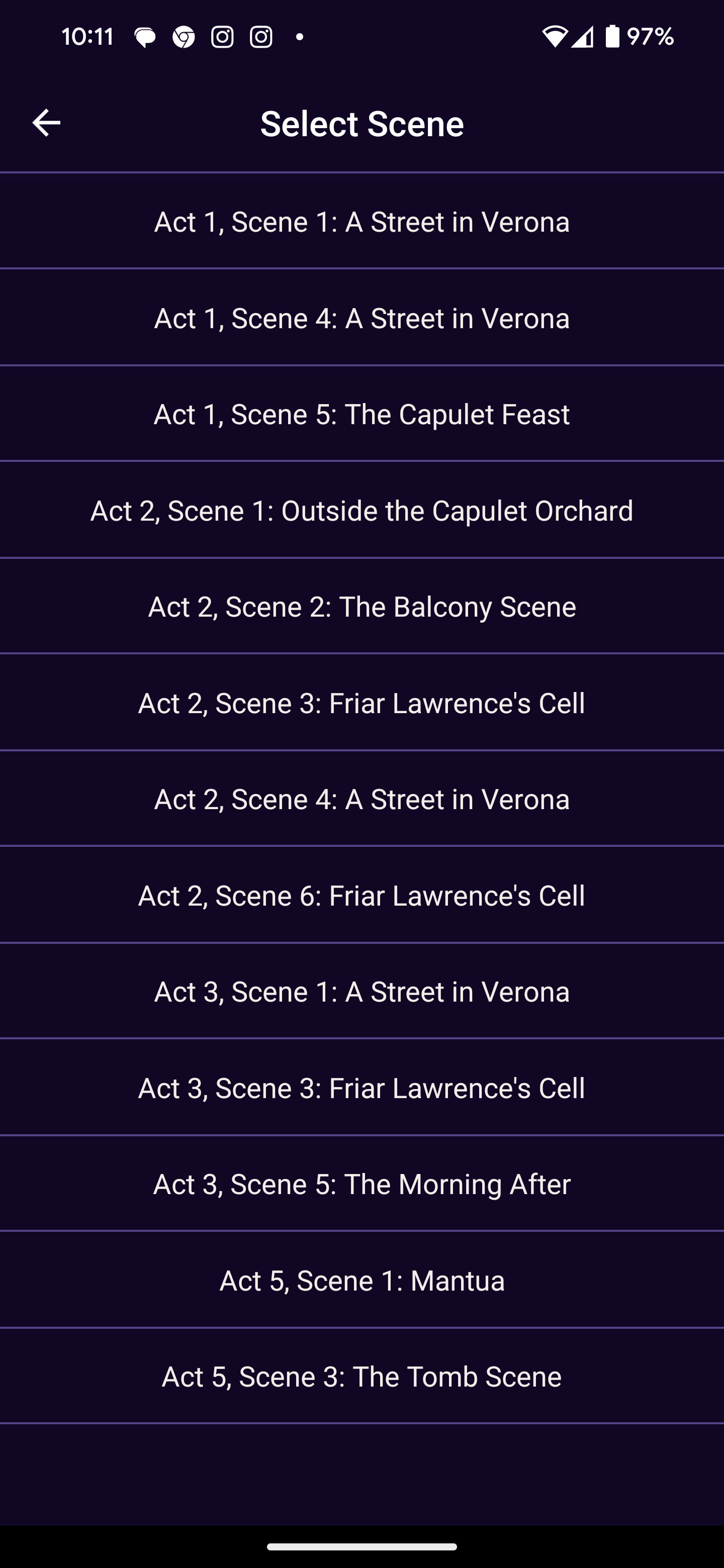
The user then chooses their audition scene, or the scene they want to practice.
The core functions shown above are then made available to the user.
How we built it
As mentioned above, the app relies on;
- React Native on the frontend, HTTPS requests are made to the backend
- Google Firebase Functions are used as a backend wrapper, to securely store the API keys for Gemini AI and Vertex AI. These functions take the HTTPS requests from the frontend, and format them and pass them to the Google API's for Gemini AI and Vertex AI. In this way, the API keys are not exposed to the user.
Data Flowchart
The flow data is shown on this flowchart:
React Native Environment notes
The project uses React Native Expo with EAS. Expo is a platform that abstracts away much of the native code requirements of react native. EAS is an addition feature that allows the use of additional libraries.
Installation Instructions
Preferred Method: Download APK
Our preferred method of installation is for the user to directly download and install the APK file available at this link on their Android phone. This will install our app AuditionAI, which can be run like any other Android app without the need for any additional steps https://expo.dev/accounts/simonhj/projects/AuditionAI/builds/430d93fb-fb3e-4c0b-961a-78a0130e012f
Download this text file on your phone which contains a script of Romeo and Juliet, which can be used as a demo script for our app's features https://drive.google.com/file/d/1oXoQR_ajyewGfu8FnUcBAi_l1jH_nTod/view?usp=sharing
Non-preferred method: Download Development Build and Clone Repo
While it is preferred that the user download an run the preview APK at the above link on their Android phone, it is also possible to recreate the development environment with the steps below:
- Set up your computer as an Expo Development Environment by following the steps on this website: https://reactnative.dev/docs/environment-setup?package-manager=yarn&guide=quickstart
Install the expo go app on your Android phone from the play store.
Download and install this development build of Audition AI, this is a testing build which requires a USB connection to a computer to work https://expo.dev/accounts/simonhj/projects/AuditionAI/builds/4862c908-e5d6-4dd8-b3e3-28c4657b9bb6
Clone our github repo on your computer in bash or powershell
git clone https://github.com/SimonHanlyJones/AuditionAI.gitOn your computer computer in bash or powershell enter the project directory
cd AuditionAIOn your computer install the necessary dependancies
yarn installConnect your Android phone with a USB cable
Start the development server, which will launch the app on the phone.
yarn run androidDownload this text file onto your phone which contains a script of Romeo and Juliet, which can be used as a demo script for our app's features https://drive.google.com/file/d/1oXoQR_ajyewGfu8FnUcBAi_l1jH_nTod/view?usp=sharing
Challenges we ran into
API Errors
The Gemini AI API sometimes throws a "RECITATION" error that we struggled to find documentation for (see https://issuetracker.google.com/issues/331677495?pli=1). From our experience and reading resources online, the issue may have been related to asking for too much of the original prompt text to be returned, or that the returned material (various acting scripts) were in the model training data/being flagged rightly or wrongly for copyright.
Before beginning work we tested our concept extensively on the web interface and did not face this error, there were many changes to prompting which effected the frequency of the RECITATION response. The app appears to be in a good state now (using the Romeo and Juliet script), but the issue did slow down development and adds inconsistency to the main functionality.
Long Loading Times
Our app also faces long loading times for the core API calls which provide the necessary information. This is because we send the entire script for the relevant project with each call. This is, unfortunately, unavoidable with the current data flow. As noted elsewhere, using a traditional database to serve the serve the scene script may be a preferable design choice.
Complex Script Layouts
Inconsistent formatting in input scripts has been an issue. The more complex the formatting of an input script, the more inconsistent the scene script retrieval process. This is particularly true for PDF's which were more difficult than anticipated to parse reliably. Things like page numbers, special characters and page headers and footers made the scene script retrieval more difficult.
Accomplishments that we're proud of
Firebase Functions
We are proud of our implementation of Firebase functions to securely store the API keys and robustly handle other tasks that require a Node JS environment.
Successful use of Expo EAS to add non-native React Native Libraries
We are proud that we learned to develop a full stack Android application. We make use of all of the required technology to make a full production app, backend and frontend as well as providing a clear and consistent user interface. Expo and Expo EAS are frameworks that abstract away much of the device specific configuration in React Native. This is discussed further below.
Success with Google AI Products
We are also proud that we learned how to native Google's Gemini and Vertex AI products. Any new cloud platform can be challenging and efficient usage of such useful tools is no doubt doing to be an asset to each team member.
Success with Vertex AI Voice Synthesis
We are also proud that we made a system to dynamically map each character that appears in a scene to a Google provided AI voice model. This allowed us to synthesise a unique voice for each 'non-player' character in a scene, allowing the user to subconsciously know the identity of each speaker when rehearsing their scene with the perform tab. This is intended to help with line memorisation and performance quality.
Copyright and IP Issues
We found copyright considerations difficult for demo purposes. In normal usage the app does not violate copyright, scripts are provided to actors and they are generally allowed to use them to prepare. For demo purposes we did not have this legal license. To solve this issue we used the public domain works of Shakespeare.
Deterministic Behaviour
There were significant challenges achieving deterministic, or deterministic like, behaviour from the Gemini Pro 1.5 model. This was particularly pronounced with getting reliable JSON output from the model. We are proud of the progress we made on this. We mitigated the issue with careful prompting. Meticulous instructions and repeated iteration allowed us to refine our prompts and achieve more reliable results. For example, our main character analysis prompt reads:
`You are my acting coach. I am cast to play ${characterName} in the script attached. I want a full breakdown of this character, derived exclusively from the script provided. Your goal is to provide me every insight I need to bring ${characterName} with emotional honesty and integrity. I can only do this if you provide insight into ${characterName} and explain them in detail. Please analyze the script and give me a JSON object with the following headings:

  2. **Personality Traits**: Based on the script, list the key personality traits of ${characterName}, include a description of how each of these traits influence their behavior in the story.

  3. **Physical Traits**: Describe ${characterName}'s physical appearance and attributes as depicted in the script. Include any notable features that are crucial to portraying the character effectively.

  4. **Costume Choices**: Suggest appropriate costume choices for ${characterName} that reflect their personality, era, and role in the story, as per the script. Mention any specific wardrobe items that are significant to the character's identity.

  5. **Main Relationships**: Enumerate ${characterName}'s main relationships with other characters in the script. Explain how these relationships evolve throughout the story and their impact on ${characterName}.

  6. **Emotional/Character Arc**: Outline the emotional or character arc of ${characterName} as described in the script. Detail the key developments and transformations the character undergoes, and how these changes are pivotal to the narrative.

  7. **Important Scenes**: Identify and explain the scenes from the script where ${characterName} experiences significant change or development. Describe the context of these scenes and how they contribute to the character's arc. Explore the nuance of the scenes and ${characterName}'s perspective in detail, deliver as much insight as possible to your actor.

  8. **Scene Appearances**: An ordered list every scene from the script in which ${characterName} appears, provide a number that corresponds to the order in which the scene appears and a brief description of each scene to enable the actor to identify it. Make sure that the description is not a technical title, but an informal/informative summary of the scene.
  9. **Other insights**: Provide any additional insights or background information that can enhance my performance.

  The JSON object should be structured as follows:

  {
      "characterOverview:": string,
      "personalityTraits": [{"trait": string, "description": string}],
      "physicalTraits": [{"trait": string, "description": string}],
      "costumeChoices": string,
      "mainRelationships": [{"name": string}, {"relationship": string}, {"description": string}],
      "emotionalCharacterArc": string,
      "importantScenes": [{"scene": string, "description": string}],
      "sceneAppearances": [{"number": int, "scene": string}],
      "otherInsights": string
  }

  Please provide the analysis with no additional explanation, ensuring all insights are derived from the script content I have attached. Provide valid JSON in the format above do not add and fields or add any text that is not valid JSON.

  SCRIPT:
  `
Further, part way through development the Gemini API was upgraded to include a 'JSON' output mode which helped tremendously.
React-Native-Voice integration
Integrating react native voice recognition was very challenging, it required us to link new native code dependencies and expand our tech stack to include Expo EAS. This was an important function because it allows the app to listen to the actor when they are rehearsing, wait for them to finish before playing the next AI generated line.
What we learned
LLM Use Cases
We learned that AI is not the best tool very every job. We have perhaps relied on LLM's too much in the design of our app. In particular, for scene script retrieval, we now think a hybrid approach would be better. Relying on an LLM to detect when a new scene starts, and using a simple database to store each scene would be preferable to using the LLM itself to retrieve each scene when needed.
Infrastructure
We learned about practical tools that small teams can use to launch apps. We are particularly impressed with the Firebase tools, such as Firebase Functions that are used extensively to wrap the Google API's and securely store keys, while allowing the repo to be public.
Speech to Text - Google Cloud
We learned how to use the voice synthesis features of Vertex AI to generate scene partners for our user to perform with. This came with learning about the google cloud services platform.
Text to Speech
We learned how to interpret the user's voice in a React Native app, using React Native Voice. This is a challenging library with a number of idiosyncrasies. It is however, very useful and powerful at enhancing the user experience.
Expo and EAS
We learned how to build in react native, which is an incredibly popular and versatile framework for phone app development. In addition, we learned how to use our time effectively with the Expo framework, which simplifies the device specific configuration required. The key to this tool is that it provides a set of modules that are optimised for use, which provide most of the functionally available with 'bare' React Native. Please note that there are areas where the functionality is not as complete. We extended this further with Expo Application Services, which allow the use additional packages outside of the normal Expo ecosystem.
What's next for Audition AI
Improvements could be made to speed and user experience be redesigning some of the data flows. Instead of relying on LLM's to parse and provide scenes, a hybrid approach of an LMM and tradition database would be preferable. Where an LLM would identify scene boundaries, and these boundaries could be used to split up the script into a database for quick retrieval.
A more robust storage solution is necessary. Currently the app does not save the user's work as clearly or comprehensively as is needed for a production product.
Cloud storage would also assist users move across devices. We intend to implement Firestore as the database system to enhance the user experience. Firestore is a real time document database used with other Firebase services.
An Apple version would be of great utility to users and could be make with relative ease due to our cross platform tech stack. This would require some additional testing, but it an obvious choice moving forward.

Log in or sign up for Devpost to join the conversation.