-
-
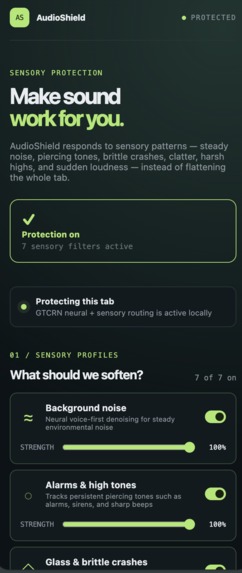
AudioShield extension
-
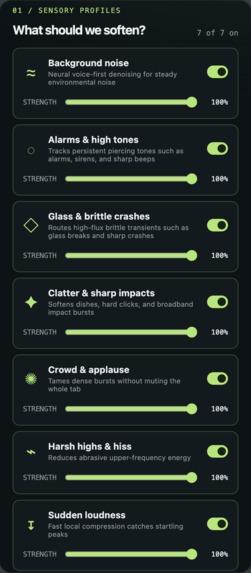
Sensory profiles
-
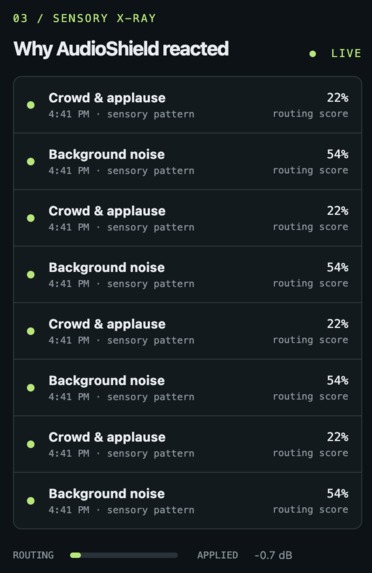
Sensory X-ray
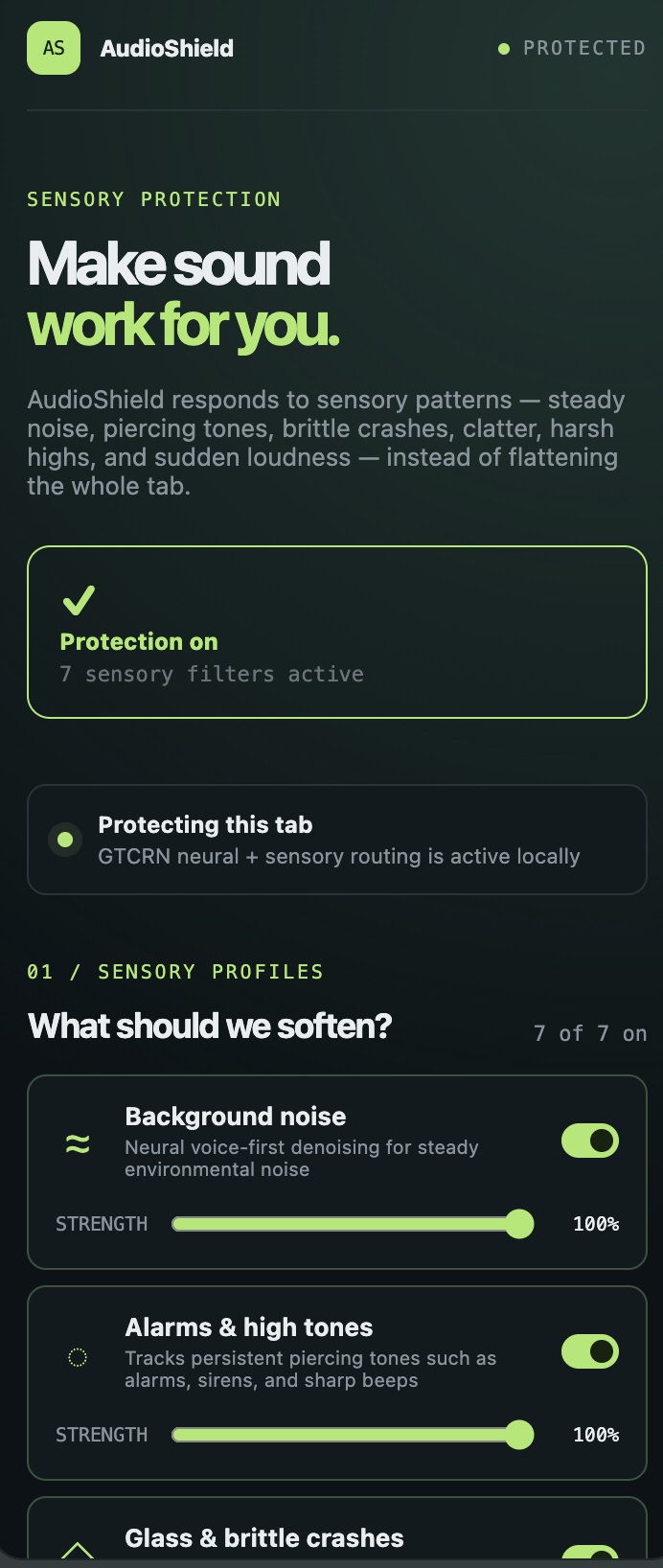
Inspiration
Browser audio is basically all-or-nothing, which is kind of ridiculous when you think about it. If you are watching a video and one alarm in the background is unbearable, or glass suddenly shatters, dishes start clattering, or some high-pitched sound keeps cutting through everything, your options are usually just to lower the entire video or mute it completely. But then you also lose the voices, music, or whatever part of the content you actually wanted to hear.
That was the problem behind AudioShield. Instead of letting every website decide exactly what reaches your ears, I wanted to give that control back to the person listening. The idea became pretty simple: what if browser audio worked more like a mixing board, where instead of one giant volume slider, you could decide which kinds of sounds should actually get quieter?
AudioShield was built around that idea, especially for people who deal with auditory sensitivity and can find certain sounds distracting, harsh, or genuinely overwhelming.
What it does
AudioShield is a Chrome extension that selectively softens sensory-heavy sounds in browser media while trying to preserve the rest of the audio, especially speech.
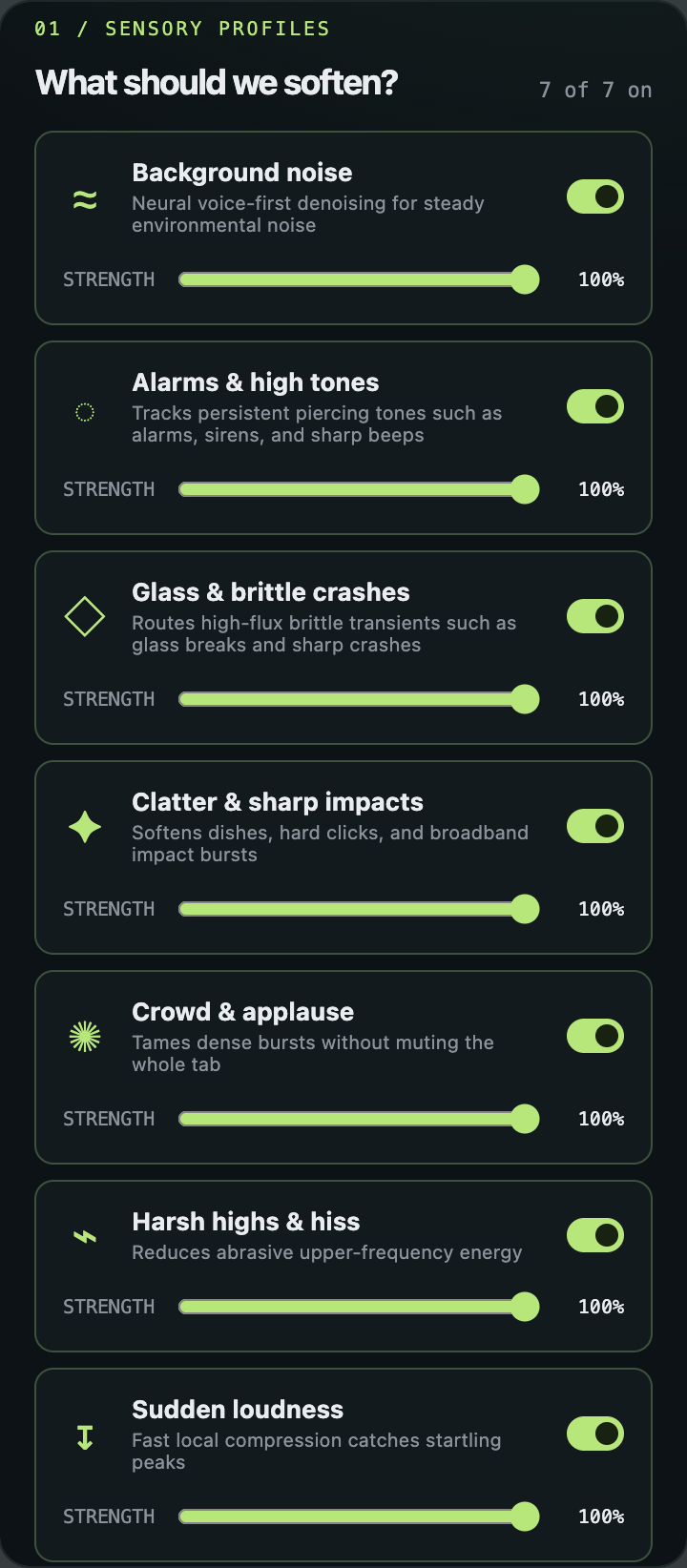
Once you open a video or any tab playing audio, AudioShield captures that tab locally and lets you enable different sensory profiles for things like alarms and piercing tones, steady background noise, glass and brittle crashes, clatter and sharp impacts, crowds and applause, harsh high frequencies, and sudden loudness.
Each profile has its own strength control from 0 to 100, along with a master protection strength over the entire system. At 0%, the goal is basically the untouched original. As you increase the strength, the processing becomes progressively more aggressive instead of suddenly switching between off and on.
There is also a Bypass button, which instantly gives you the original audio again, so you can directly hear whether AudioShield is actually helping instead of just trusting a number on a screen.
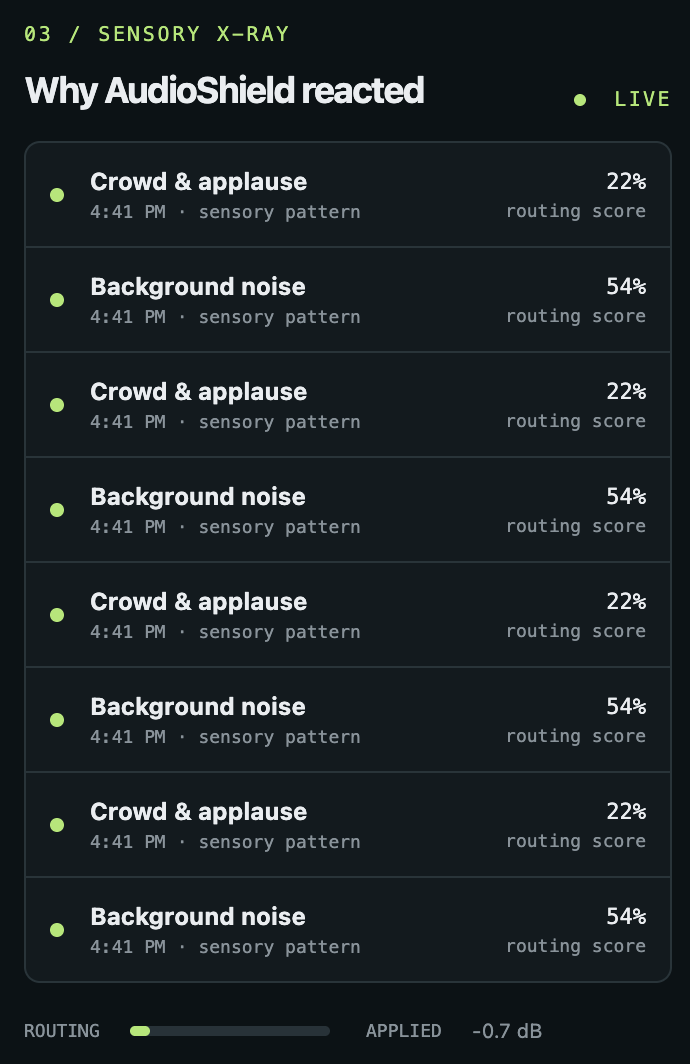
One of my favorite parts is Sensory X-Ray. While AudioShield is running, it shows which sensory route is reacting, its routing score, and how much processing is being applied. So instead of the extension being this random black box that says "AI is doing something," you can actually see why it reacted.
Everything runs locally. There is no account, no API key, no cloud audio upload, and your settings persist inside the extension.
How we built it
The actual audio pipeline ended up being a lot deeper than I originally expected.
AudioShield starts with Chrome's tabCapture API, which gives the extension access to the audio stream from the tab the user wants to protect. That stream then gets moved into an offscreen Manifest V3 document, because Chrome extensions cannot just keep a normal page alive forever for real-time audio processing.
From there, the stream enters a Web Audio processing graph.
The easiest way to understand the engine is probably to imagine that AudioShield turns one browser soundtrack into a small adaptive mixing board.
The first layer is neural suppression. AudioShield primarily uses GTCRN, with RNNoise as a fallback, to estimate a cleaner foreground-oriented version of the audio. Both run locally using WebAssembly and AudioWorklet assets packaged directly with the extension.
But neural noise suppression by itself was not enough. An alarm is not the same thing as an air conditioner, and glass breaking is definitely not the same thing as constant background noise.
So the second layer is an adaptive sensory router. It continuously analyzes characteristics of the incoming audio such as spectral shape, persistent frequency peaks, transients, loudness, and how quickly the spectrum is changing. From that, different sensory events can compete for control of the processing path.
For example, a persistent piercing tone can route toward the alarm path, while a bright, sudden transient can route toward the brittle crash path instead of both just being thrown into "background noise."
Once a route wins, targeted DSP takes over. AudioShield can apply adaptive notch filters, high-frequency control, transient attenuation, compression, and a stem-style remix between the original and neural foreground estimate. So instead of just making the whole tab quieter, the engine changes its behavior depending on what is actually happening in the audio.
Speech also became its own problem. If suppression gets extremely strong but destroys every consonant in a sentence, then technically the noise is gone, but the product is useless. So the engine includes speech-aware safeguards and foreground preservation so dialogue can remain understandable even while nuisance sounds are being pushed much lower.
The result is a fully local real-time pipeline built with TypeScript, React, Manifest V3, Web Audio, AudioWorklet, WebAssembly, GTCRN, RNNoise, adaptive DSP, Chrome offscreen documents, local storage, and a side-panel interface.
Challenges we ran into
The biggest challenge was realizing that detecting an uncomfortable sound and actually removing it cleanly are two completely different problems.
Chrome audio capture itself had edge cases. Once you capture a tab, you have to route that audio back correctly or the user can literally stop hearing the video. Manifest V3 also has a very different lifecycle from a normal web app, so the processing system had to survive service-worker behavior, offscreen document creation, tab changes, and extension state without randomly dying.
Then there was latency. Real-time audio is unforgiving. You cannot just run some massive offline model every few seconds and pretend it is interactive because by the time you detect a glass crash, the user already heard it.
Another issue was the protection strength itself. Earlier versions technically had a slider from 0 to 100, but perceptually it behaved more like "almost nothing, almost nothing, suddenly protection." I had to redesign how the strength curves feed into the suppression and DSP paths so the range became genuinely useful, where 0 is effectively original audio and 100 can become extremely aggressive.
Routing was another rabbit hole. At one point, alarms and glass were being treated mostly as generic background noise, which completely defeated the purpose of having different sensory profiles. That led to the competitive routing system, where stronger foreground events can take processing authority away from broad denoising.
And then, naturally, once the suppression became powerful enough, it started hurting voices.
So a lot of the final work was not adding more features. It was balancing three things that fight each other constantly: stronger suppression, cleaner speech, and fewer audio artifacts.
Accomplishments that we're proud of
I am probably most proud that AudioShield is an actual working Chrome extension and not just a UI sitting on top of prerecorded audio.
The entire runtime audio path stays local, from Chrome tab capture to the neural suppressor to the DSP graph. AudioShield can modify audio while the media is actively playing, users can change individual sensory profiles live, and both per-profile and master strengths work from 0 to 100.
The extension also includes persistent preferences, instant bypass for direct A/B comparisons, and Sensory X-Ray so users can see what the routing engine is reacting to instead of having to blindly trust it.
Another thing I cared about was failure behavior. If an enhanced processing path cannot start, the browser audio should not just disappear. The extension is designed to fail open and preserve normal playback rather than trapping the user inside a broken audio graph.
Finally, the project is open source and the repository has an automated build pipeline that verifies the extension can install its dependencies, compile, typecheck, pass its dependency audit, and produce an unpacked Chrome extension artifact.
What we learned
The biggest thing I learned is that "remove this sound" sounds like one machine learning problem, but it is really a stack of completely different problems.
You first have to understand what kind of audio is happening, then decide whether the user actually wants it changed, then determine what processing makes sense for that specific event, and somehow do all of that quickly enough that the result still feels real-time.
I also used to think stronger suppression would almost automatically mean a better system. That was very wrong. If you suppress an alarm by 50 dB but make every voice sound like it is being transmitted through a broken walkie-talkie, nobody is going to use it.
The best version ended up being a hybrid approach. Neural models are extremely useful, but they work much better here when combined with deterministic DSP, routing logic, browser state, and user preferences instead of being treated like a magic function that somehow understands the entire soundtrack.
And probably the most important product lesson was that accessibility software cannot require the person who needs it to also become the system administrator for it. No terminal every time you use it, no API keys, no remote model configuration. Click the extension, choose what bothers you, and let it work.
What's next
AudioShield is still a prototype, so there is a lot I would want to push further.
The first step would be improving event classification using a much larger adversarial audio dataset, especially situations where music, speech, alarms, impacts, and background sounds overlap. Dense audio is where routing becomes significantly harder.
I also want to make sensory profiles more individualized. Two people who are both sensitive to sound can still have completely different triggers, so eventually the profiles should adapt around the person rather than assuming one universal definition of "uncomfortable."
The largest next step, though, is real user testing with people who experience auditory hypersensitivity. Audio metrics can tell me that a frequency was reduced, but they cannot tell me whether listening actually became more comfortable.
From there, the goal would be easier distribution through the Chrome Web Store, better speech preservation, more source-aware suppression, and eventually making AudioShield something you can leave enabled during normal browsing instead of thinking about it every time audio starts.
The end goal is still the same idea I started with: you should be able to decide what gets quieter, not the website.
Built With
- accessibility
- audio
- audioworklet
- chrome
- dsp
- esbuild
- github
- gtcrn
- manifestv3
- neural
- offscreen
- react
- rnnoise
- sidepanel
- storage
- tabcapture
- typescript
- wasm
- webassembly
- webaudio

Log in or sign up for Devpost to join the conversation.