-
audiority logo
-
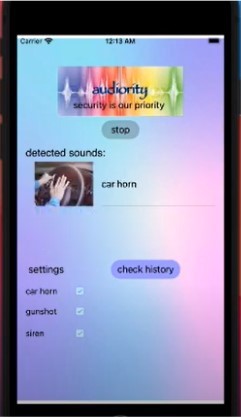
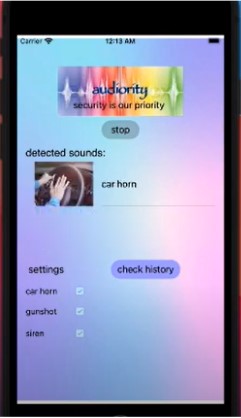
app interface and design (includes audio output)
-
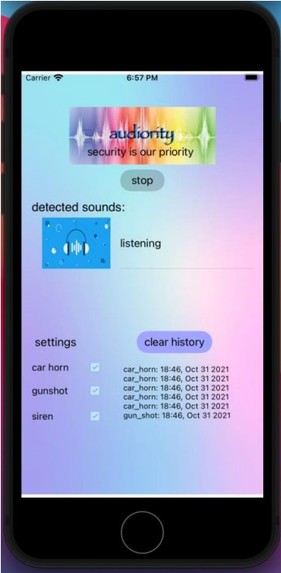
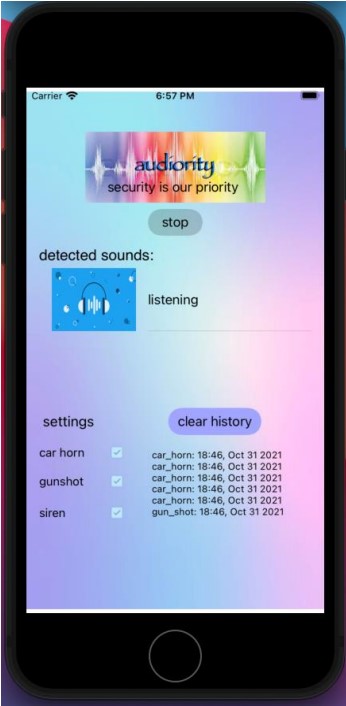
app interface and design (includes audio history)
-
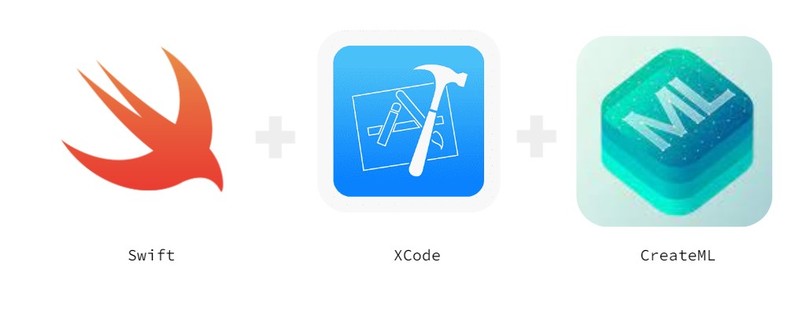
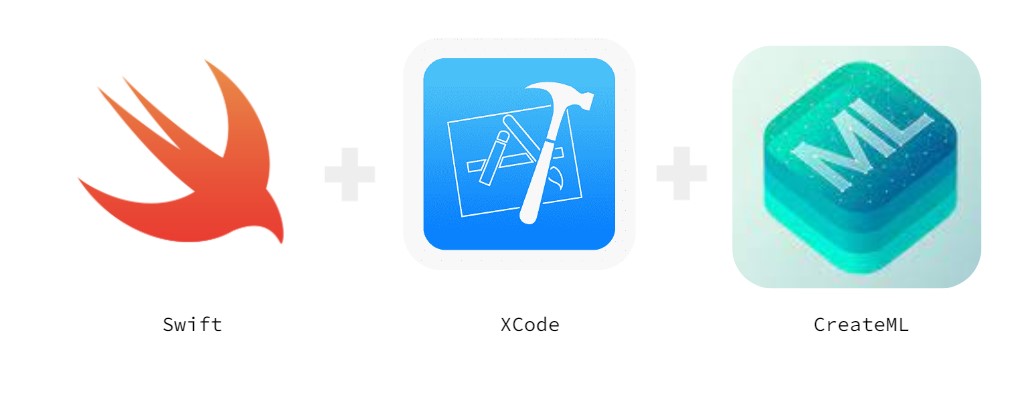
coding languages used for mobile app diagram
Inspiration
Five years ago, my grandma had lost her hearing in one ear: however, she still has trouble hearing sounds around her even when wearing the latest conventional hearing aid available in her country. When outside, a family member would need to walk with her to make sure she avoids incoming people, different vehicles, etc. But the trouble comes when no family member is available. And in addition, 430 million people around the world are hearing impaired. After I looked into the function of hearing aids, I discovered that the conventional hearing aid is only meant to help amplify human words, not background noises such as a car horn. While researching alternative tools to help aid the hearing impaired navigate outdoor environments, I’ve also been furthering my knowledge in machine learning and app development. Whenever I see a new technological solution come out to solve a problem, it always blows me away to see how creative and mesmerizing they are. Therefore, as outdoor sounds can pose a lot more danger to people than indoor ones, such as when people are walking close to fast-paced vehicles or when there is an armed gunman nearby, I decided to create from scratch a mobile app with an embedded machine learning model with a focus on detecting and classifying outdoor sounds in order to aid the safety of the hearing impaired people. This app would be a free, accessible, and convenient solution for hearing impaired members around the world.
What Audiority does
Audiority is a mobile app that ensures its hearing impaired users will always have up-to-date information on different sounds surrounding them. When a user opens Audiority, they are prompted to press the “start recording” button to prompt their phone’s microphone to start detecting surrounding background noises around them. The audio is then processed and passed through a custom deep convolutional neural network that is part of the MLSoundClassifier model in CreateML. The model is trained on the 3 most critical outdoor sounds, the ambulance siren, car horn, and gunshot, so when the phone’s microphone detects one of these 3, the model matches the sound heard to one of the 3 sounds it has learned and then outputs to the user the name and picture of the sound that is heard. The picture is included along with the sound label in case the user does not speak English. After, the user can choose to record the history of the sound - that is, the exact date and time the sound occurred, in case they want to send out a police report to report accidents/incidents, etc.
How I built the mobile app
The Audiority mobile app is built using Apple’s frameworks XCode, Swift, and CreateML. XCode is the IDE platform used to host and write Swift code for the UI and design of the mobile app. CreateML includes a custom MLSoundClassifier model I built with, tweaked, trained, and used to learn to detect and classify outdoor sounds with. I trained the model on a robust Kaggle audio dataset in the .wav format, including 929 siren sounds, 429 car horn sounds, and 374 gunshot sounds. Because the dataset includes hundreds of different versions of these sounds, including of various lengths, pitches, and speeds, any slight variation in the real-life version of the sound will still be picked up and detected by the model.
Challenges I ran into
The main challenge I ran into was how to input the Kaggle .wav audio formats into the mobile app and how to have the app control the phone’s microphone, so I did a lot of StackOverFlow and documentation searching and playing around with code. Additionally, I was somewhat inexperienced with using Apple’s 3 softwares, so I was researching a lot of documentation in the beginning, such as how to design and change the UI of the app using Swift.
Accomplishments that I’m proud of
Since I’m a beginner at using the iOS platform to build a mobile app, I am proud of the fact that Audiority turned out to be a working, clean, and easy-to-use app utilizing this unfamiliar technology. I am also proud that I am able to combine the fields of machine learning and app development, implementing the Kaggle audio dataset and inputting it into the app for sound detection, even after the many, many setbacks at every step of the process. Lastly, I am proud that I have optimized the model enough that it could detect and output a sound category within approximately 1 second for the user and can detect and classify siren, car horn, and gunshot sounds with a 90% accuracy each time.
What I learned
I learned how to edit, revise, and train a convolutional neural network-based machine learning model to learn to detect and classify sounds and how to create an iOS-based mobile app. I also figured out how to write Swift code for UI and mobile design in Apple’s IDE platform, XCode. Lastly, utilizing the power of Swift, XCode, and CreateML, I learned how to combine the machine learning back-end with the mobile app front-end to create a functioning audio detection app for the hearing impaired.
What's next for Audiority
In the future, as machine learning technology improves, grows, and becomes more widespread, I hope to see more ML solutions in many sectors and hope that my mobile app could be put on the market for consumer use. As for Audiority in particular, I hope to further train the MLSoundClassifier model to have it detect some other outdoor sounds as well. such as the engine idling sound of a car and footsteps near or behind the user. In addition, I hope to display the sound output in other common languages as well, such as in Spanish, Mandarin, and French. I also plan to partner with as many technology companies and hearing-impaired organizations as possible in order to maximize the impact of Audiority.


Log in or sign up for Devpost to join the conversation.