-
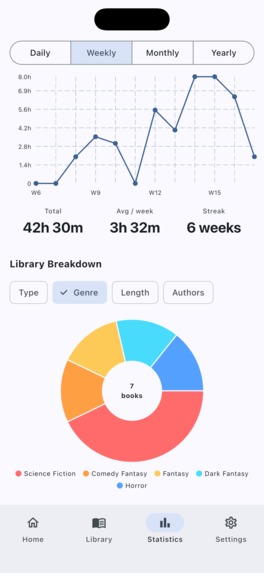
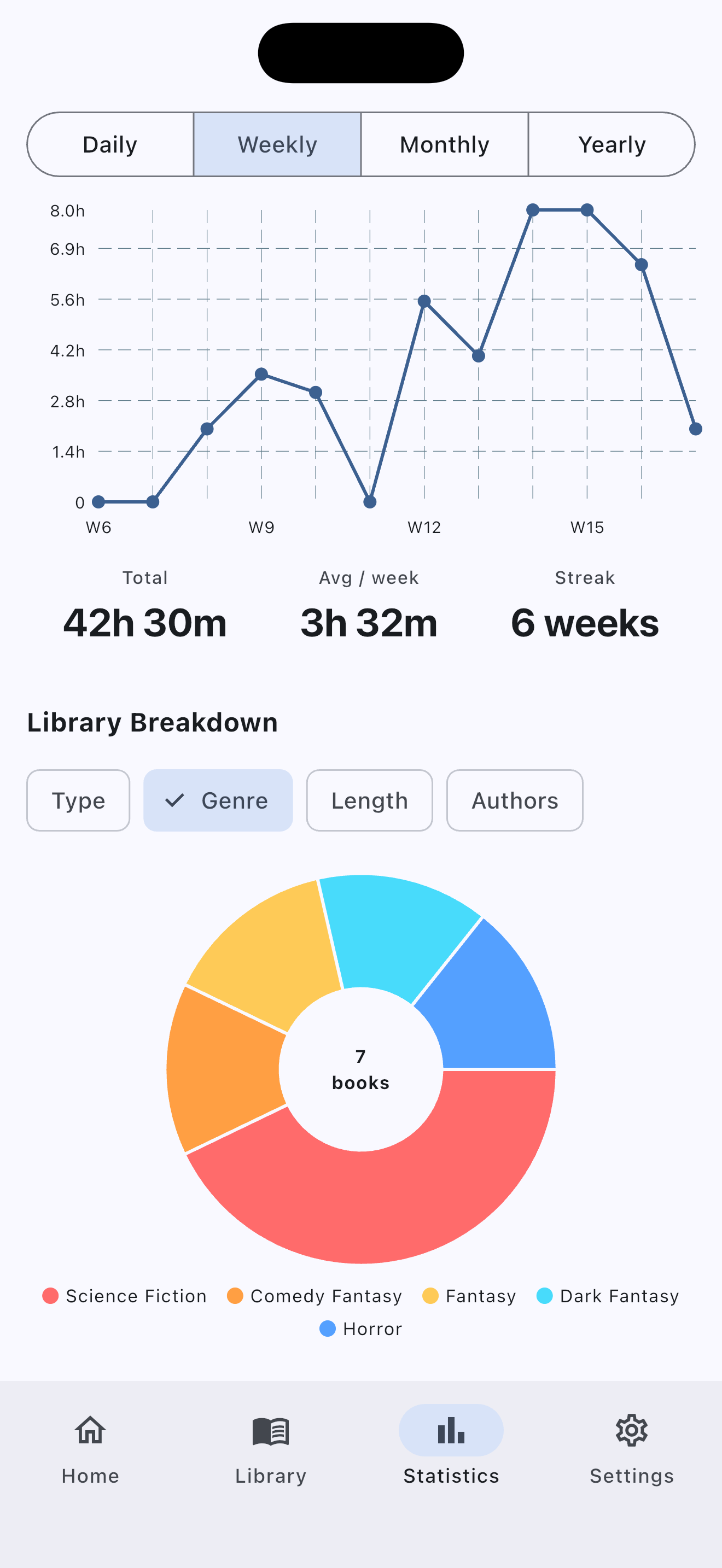
Statistics Screen
-
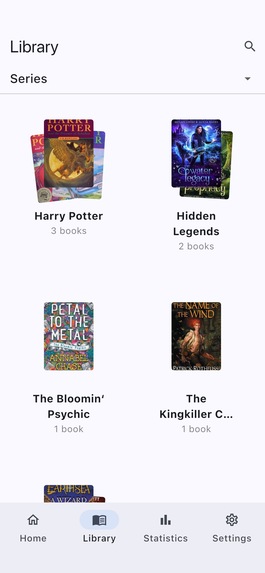
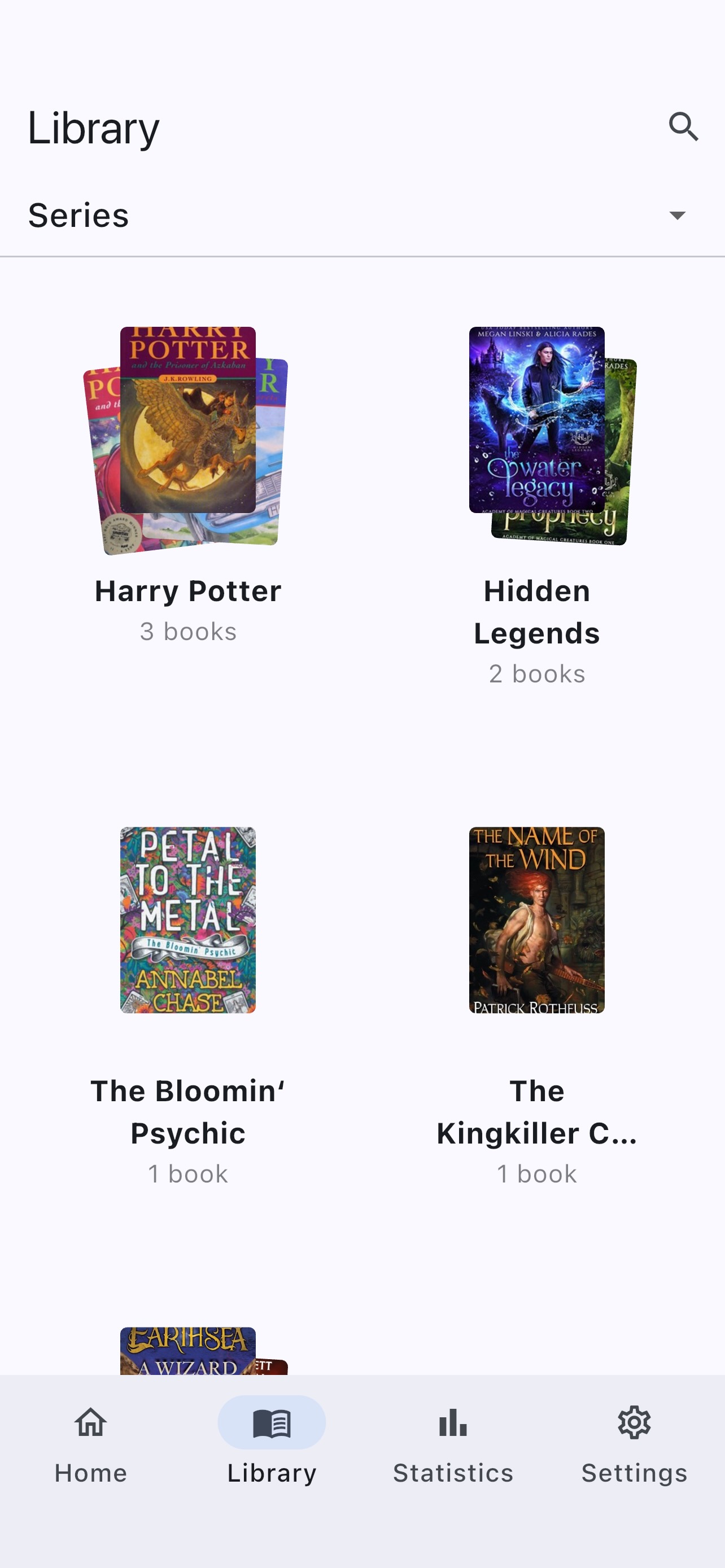
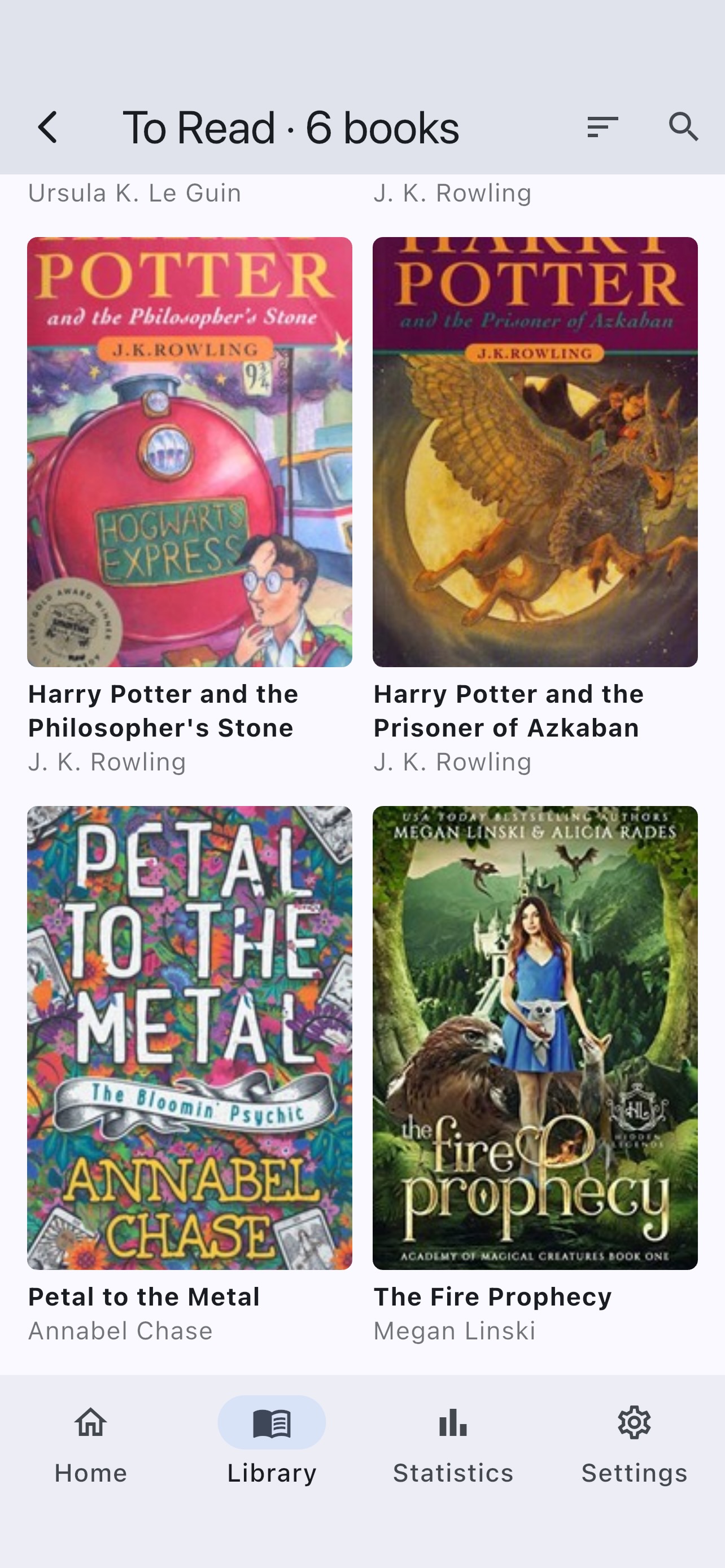
Library Screen - book stacks by chosen option - status, author, genre, type, series, length and rating
-
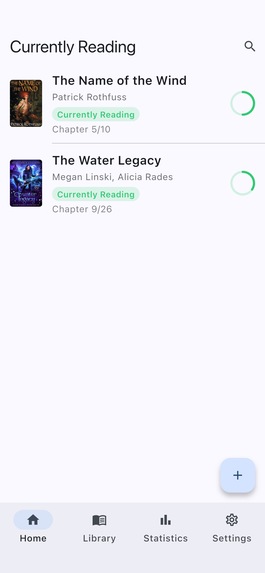
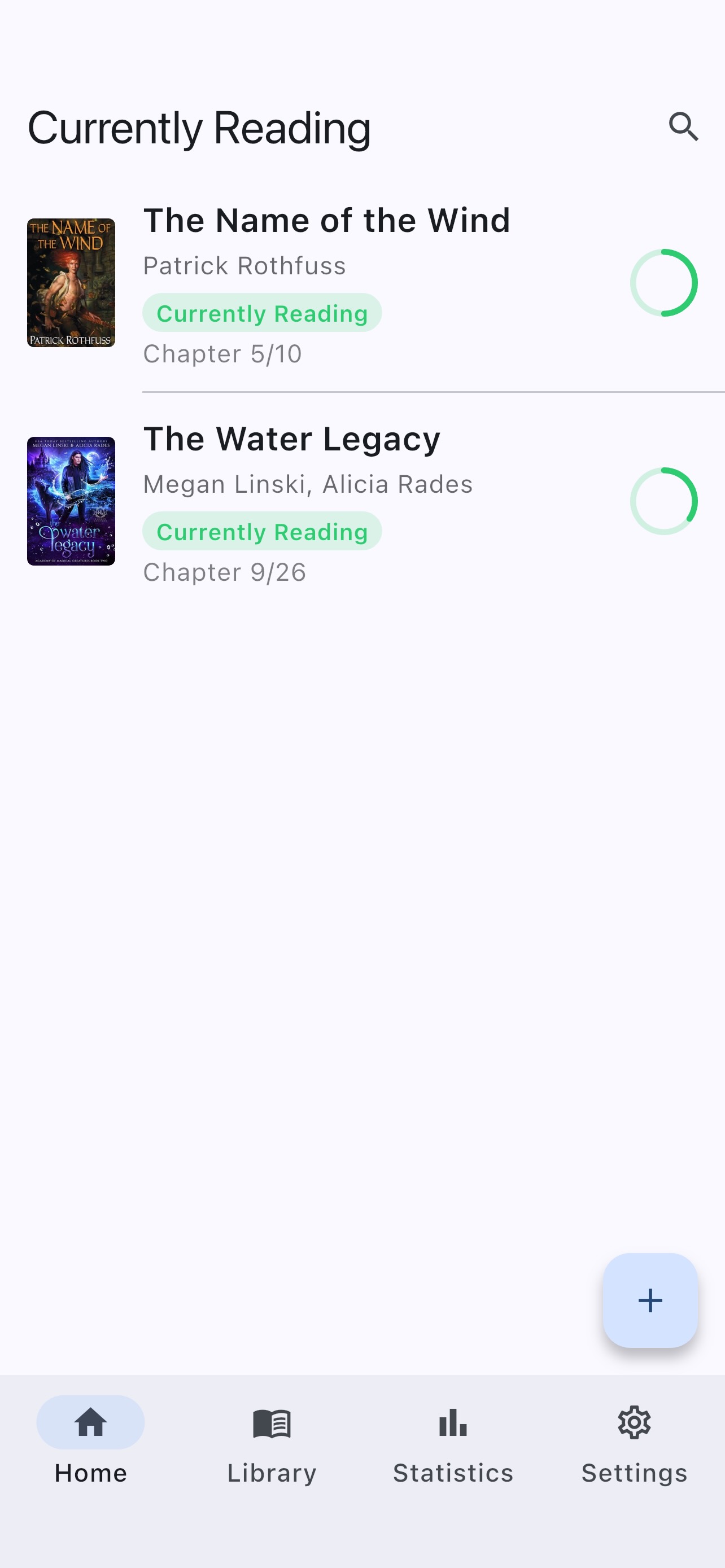
Currently Reading Screen – lists the books with progress rings
-
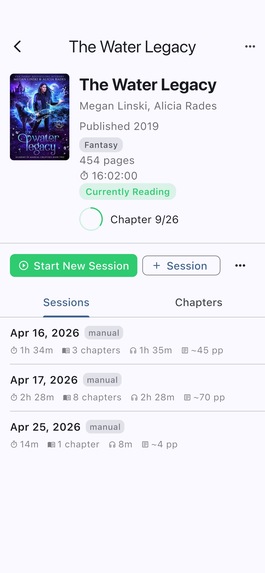
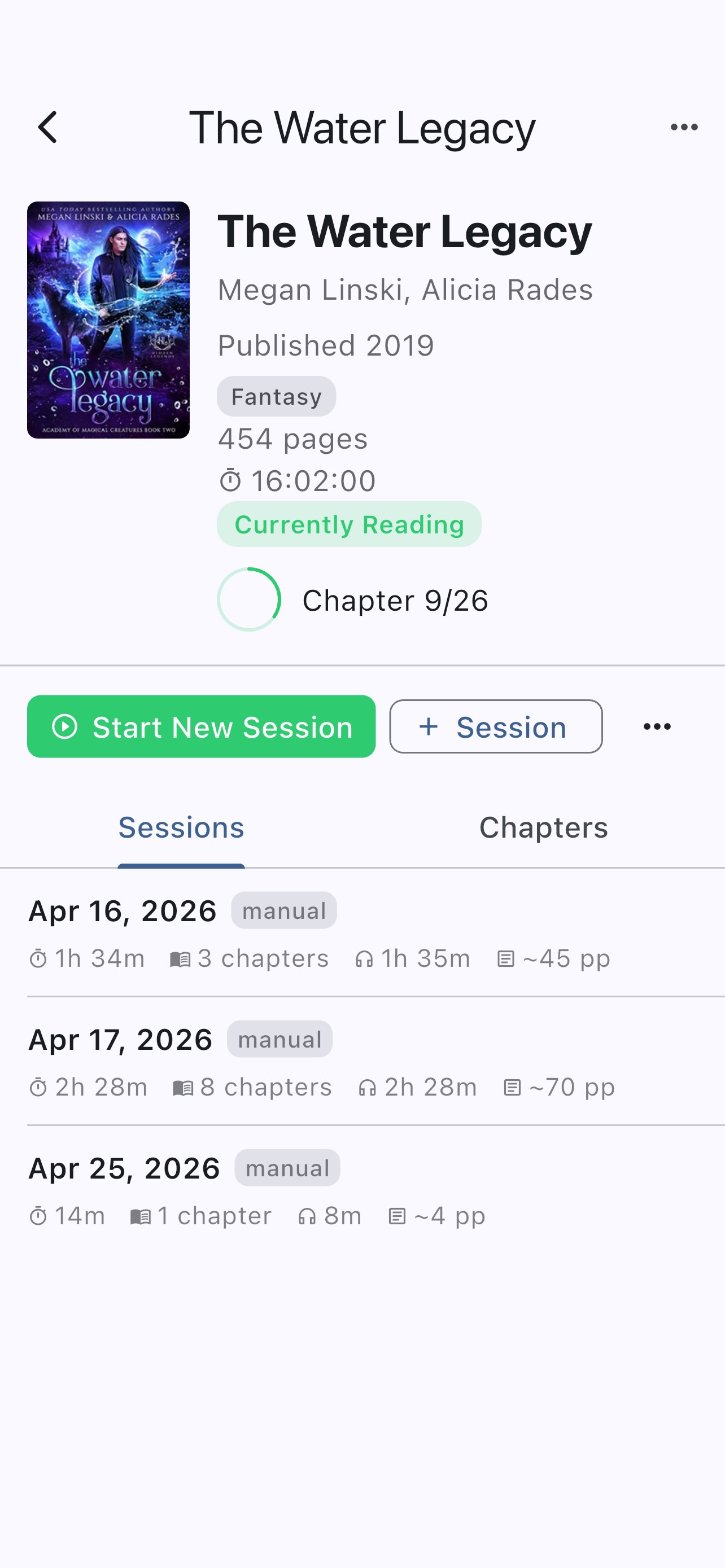
Book Detail screen — session history, re-read controls, progress ring
-
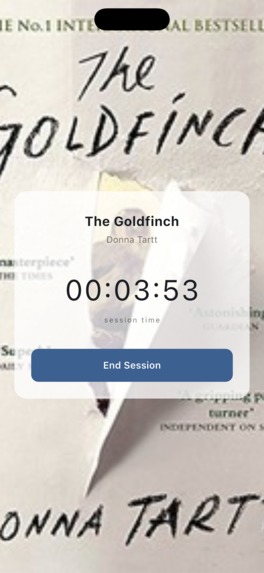
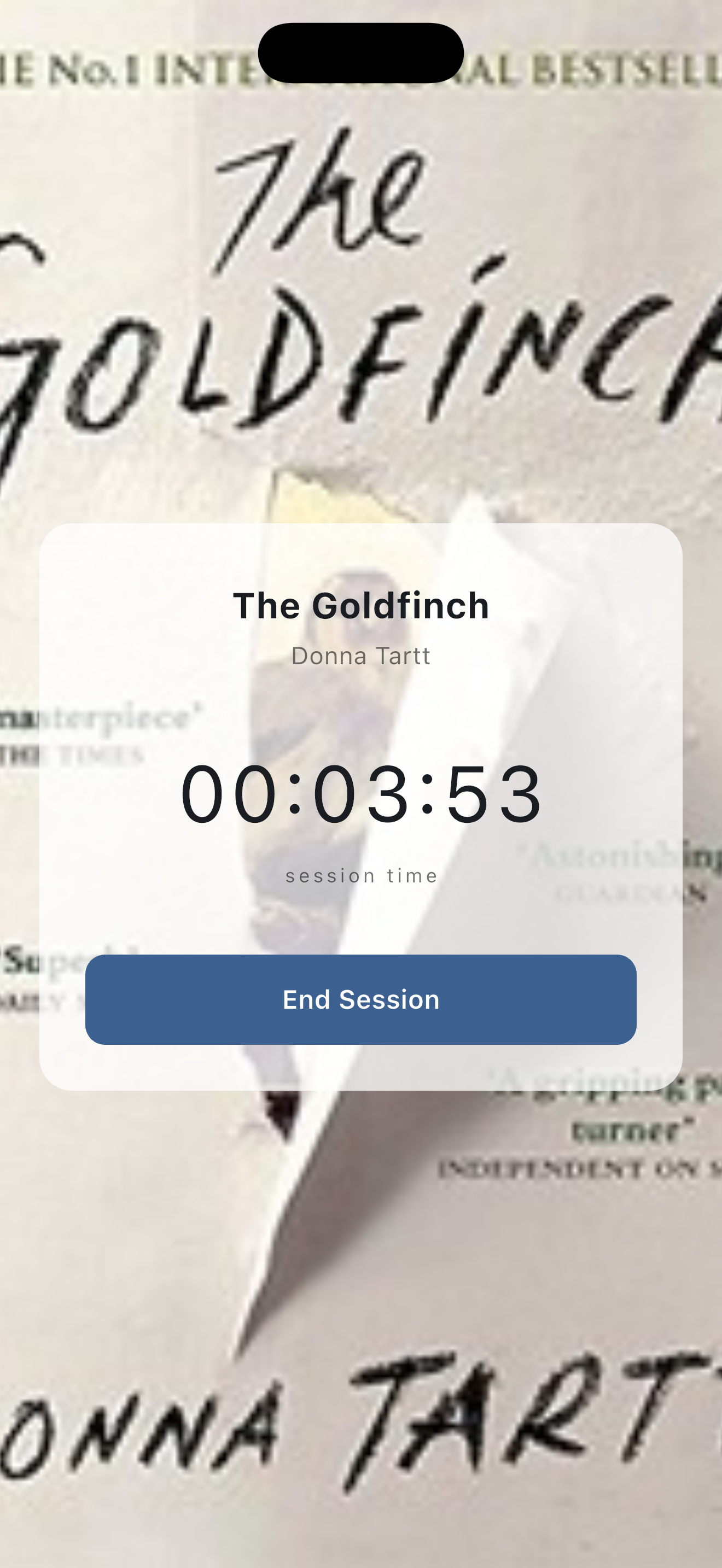
Active Session screen
-
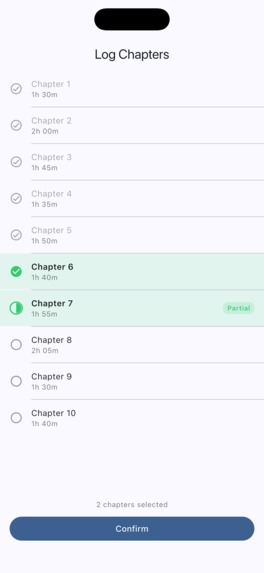
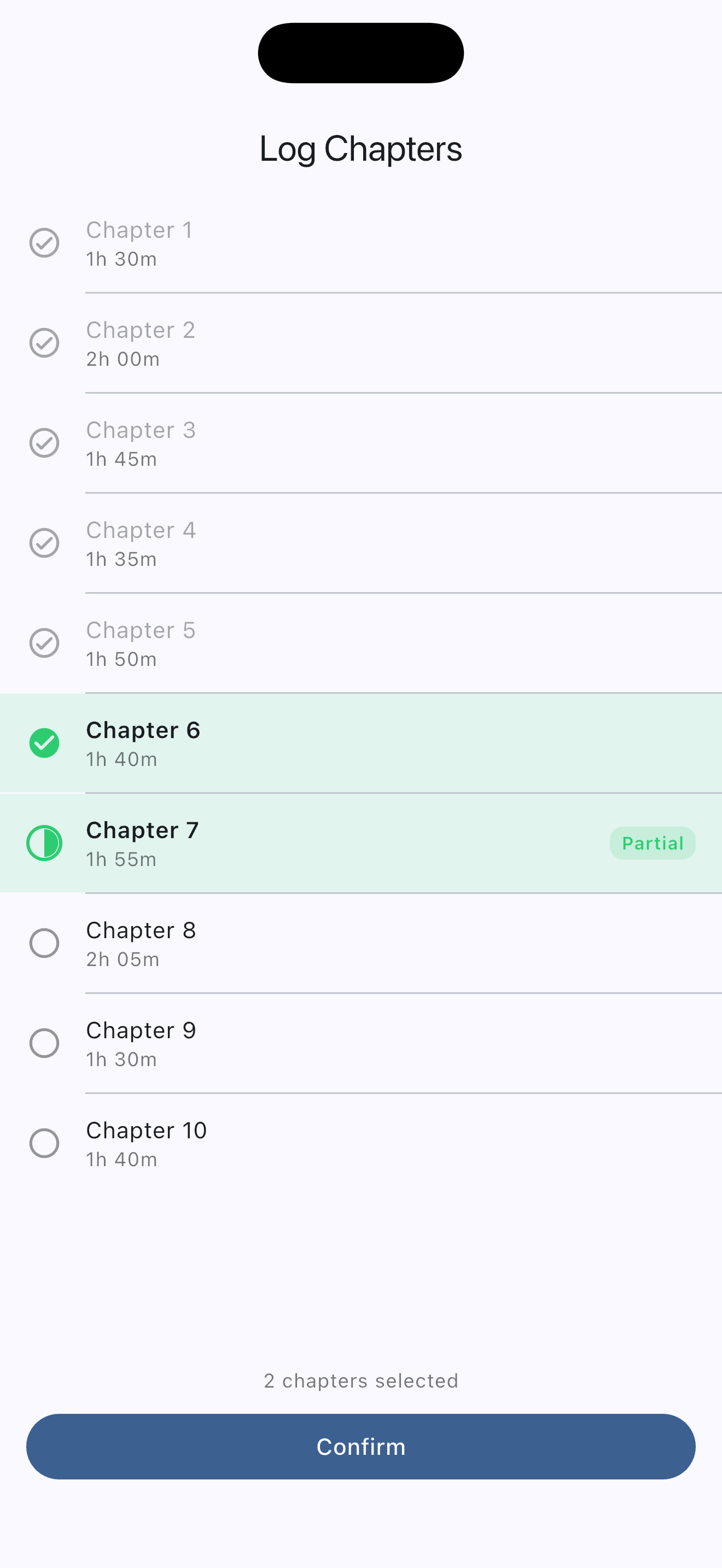
Chapter logging screen – Long pressing a selected chapter marks it partially read.
-
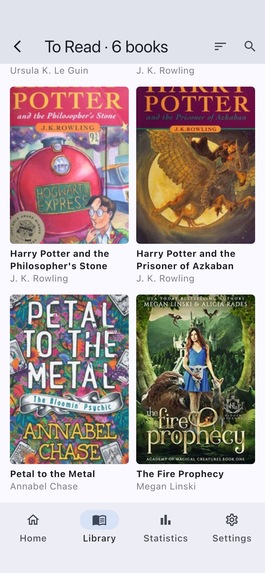
Stack View
-
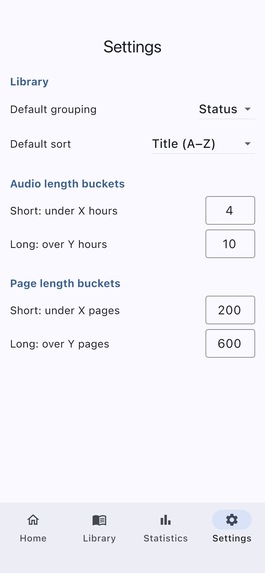
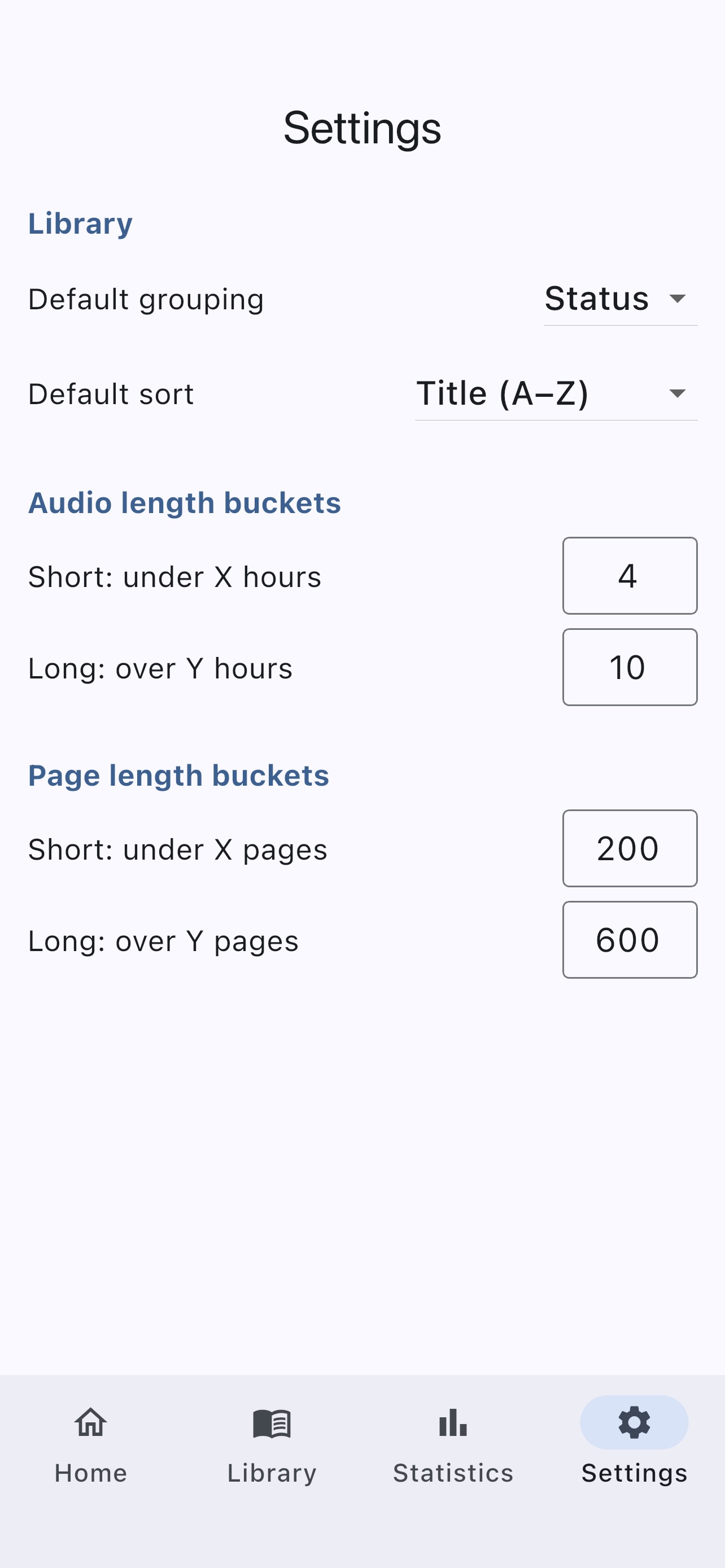
Settings Screen – Library grouping and sorting, length cutoffs
Inspiration
Every audiobook tracker I've tried treats audio as a second-class format — bolted on after the fact, with no chapter granularity, no clean re-read support, and no session stats worth looking at. I wanted an app built for how I actually read: listening in sessions, re-reading series, and caring about the data. AudioLog is that app.
What it does
AudioLog is an audiobook-first reading tracker with chapter-level session logging. You start a timed session, and your start time is saved immediately — so if your phone dies mid-chapter, reopening the app brings you right back. When you end a session, the app walks you through a chapter checklist with smart pre-selection based on how long you listened. Already-read chapters are visually distinct; partially-finished chapters get their own indicator. Re-reads create a clean new reading so your history stays intact and your progress resets to 0%.
Currently Reading shows all the books you are reading at the moment with colored labels and circular progress rings. Book Detail shows your full session history for the current reading, with per-session stats: duration, chapters covered, audio time, and page equivalents. You can add books by searching the Open Library API or entering them manually, with optional chapter data for granular tracking.
0.2.0 — Library Screen: Browse your entire library by author, genre, type, rating, series, or status. Each group is rendered as a fanned stack of cover images — swipe through the stacks, tap one to open a cover grid of every book in that group. Length and rating groupings are fully configurable in Settings. Built with SharedPreferences for persistent settings and a live reactive data layer so the library updates immediately when you edit a book.
0.3.0 surfaces the data AudioLog has been capturing all along: reading progress over time as a line chart with configurable periods (daily/weekly/monthly/yearly), plus your library broken down by type, genre, length, and most-read authors.
How we built it
Flutter app with Drift for local SQLite storage, flutter_bloc for state management, and go_router for typed navigation. Book data comes from the Open Library API — no API key required. Cover images are downloaded and stored locally; books without covers get a generated placeholder derived from the title hash.
The development process was itself the experiment: I used a spec-driven AI workflow where every planning artifact — scope doc, PRD, technical spec, build checklist — was written before a single line of code. Then I built the app step by step with Claude Code as the coding partner, one checklist item per session. The docs/ folder in the repo is the full paper trail.
Challenges we ran into
Crash recovery for the active session was the trickiest piece — the session row has to be written to the database before navigating to the timer screen, so that a force-quit leaves a recoverable anchor. The go_router redirect checks for open sessions on every navigation event, which means reopening the app after a crash routes directly back to the Active Session screen with the correct elapsed time (always recomputed from startedAt, never accumulated in state).
The chapter pre-selection algorithm had several edge cases: books with per-chapter duration data, books with only total audio length, books with no duration data at all, and the case where all chapters are already complete. Each needs a different strategy.
Accomplishments that we're proud of
The chapter logging screen is the thing no other tracker has. The combination of smart pre-selection, visual chapter states (previously complete / selected for this session / unselected), and the long-press partial flag makes logging feel fast and accurate rather than tedious. That screen is why AudioLog exists.
Also: the spec-driven workflow genuinely worked. Having a technical spec before building meant the AI had real context to work from — it wasn't guessing at structure or inventing an architecture. The planning artifacts made the AI a much better collaborator.
What we learned
The spec is the thing that makes AI-assisted coding actually work. Vague instructions produce vague code. A detailed spec — data model, feature architecture, file structure, explicit edge cases — gives the AI enough context to make good decisions instead of just filling in blanks. Writing the spec first felt slow; it turned out to be the fastest part of the process.
What's next for AudioLog
The data model is already built for these — they just need UI:
- Statistics dashboard — session streaks, listening time per day, genre breakdowns
- Re-read history view — compare all past readings of a book side by side
- Carousel "currently reading" view — the Bookly-style morph I cut for time
- OCR chapter extraction — photograph a table of contents and extract chapter data automatically
- Book filtering and series grouping — filter by status, genre, series; browse by series
Built With
- dart
- drift
- fl-chart
- flutter
- flutter-bloc
- go-router
- openlibrary-api

Log in or sign up for Devpost to join the conversation.