-
-
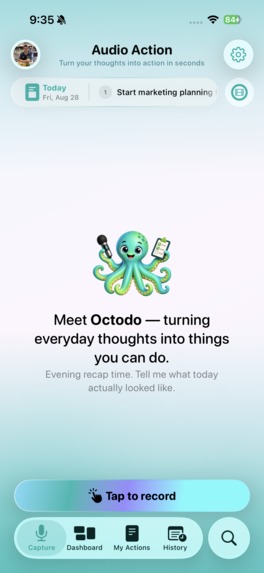
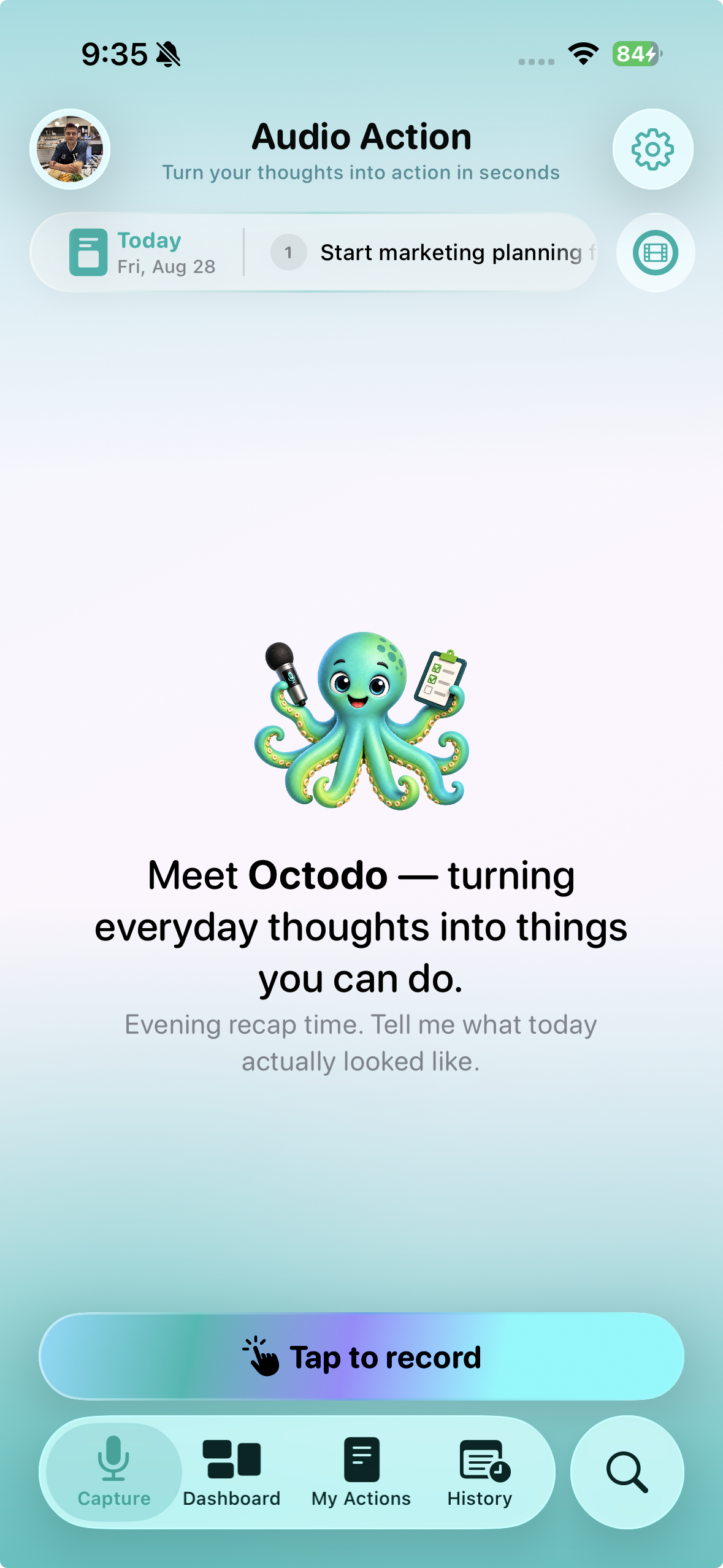
Capture Screen — Tapping on "Tap to record" will launch the Audio Transcript capture popup from where you can initiate the recording action
-
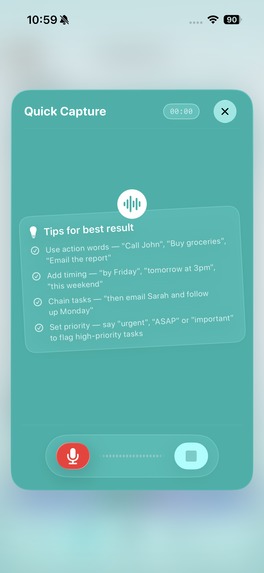
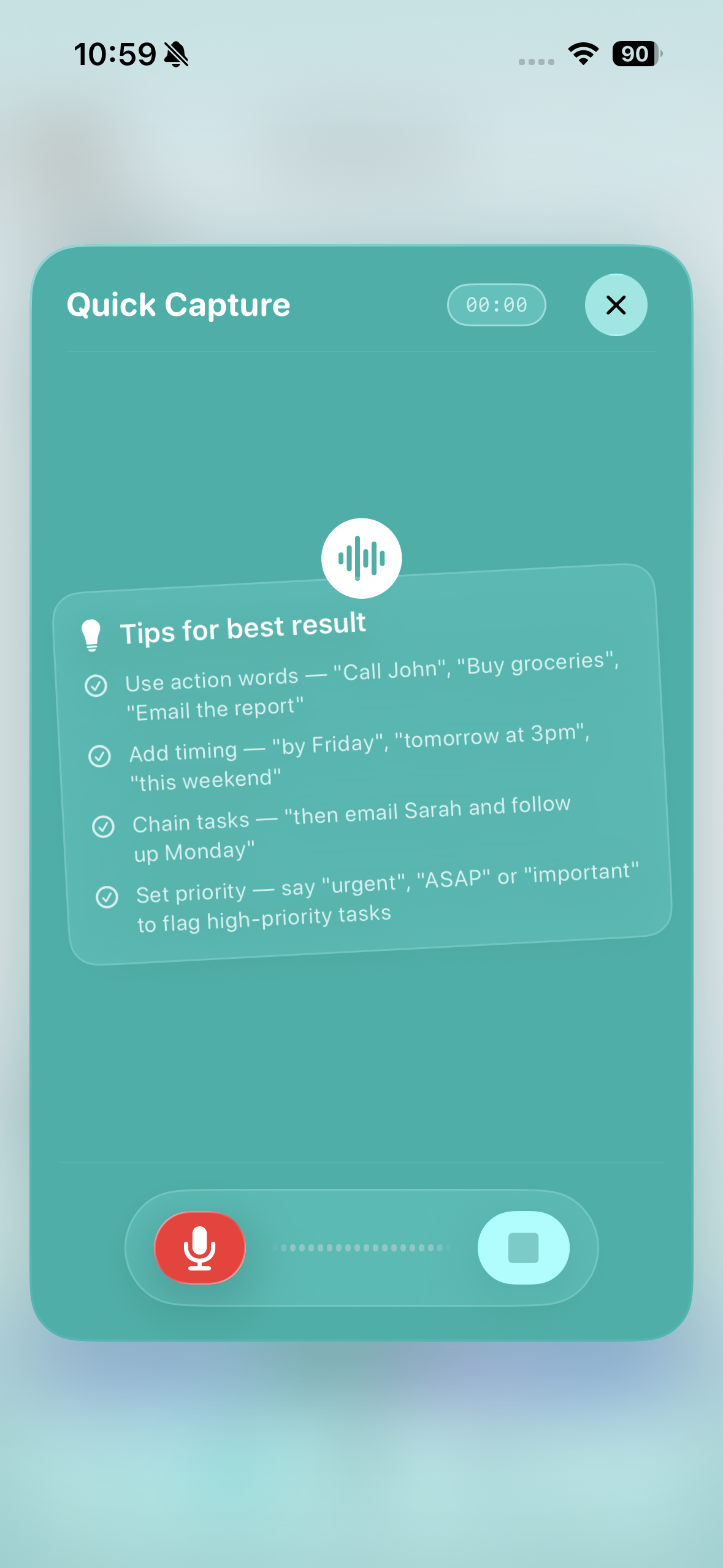
Audio Transcript capture popup with simple tips & tricks on audio recording
-
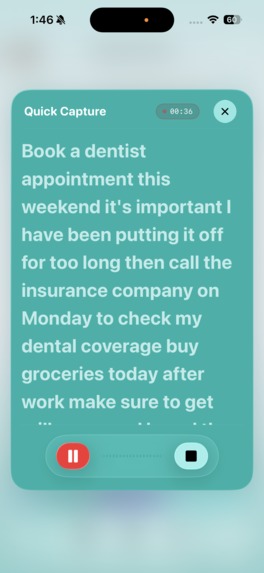
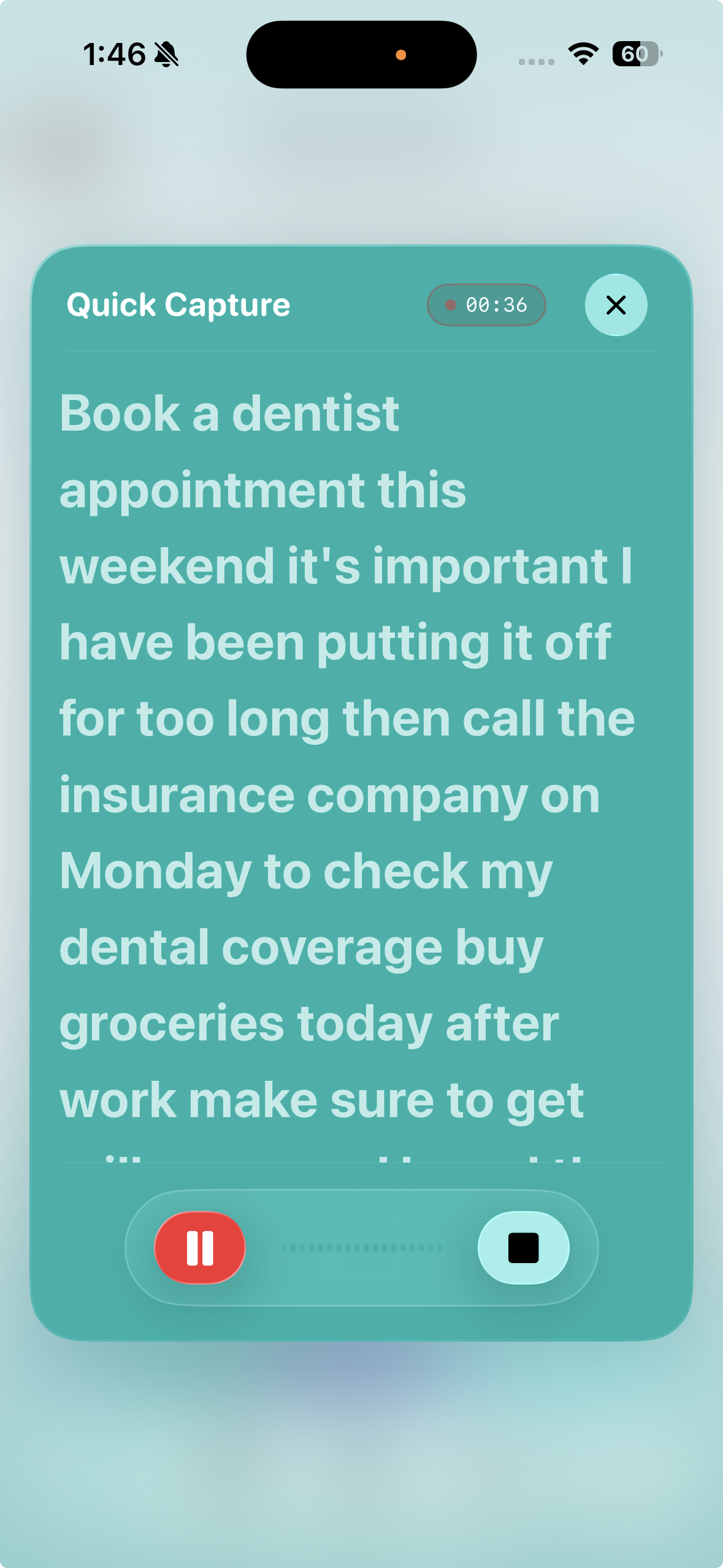
Realtime audio to text transcript
-
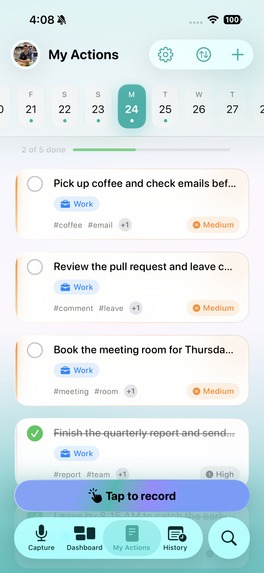
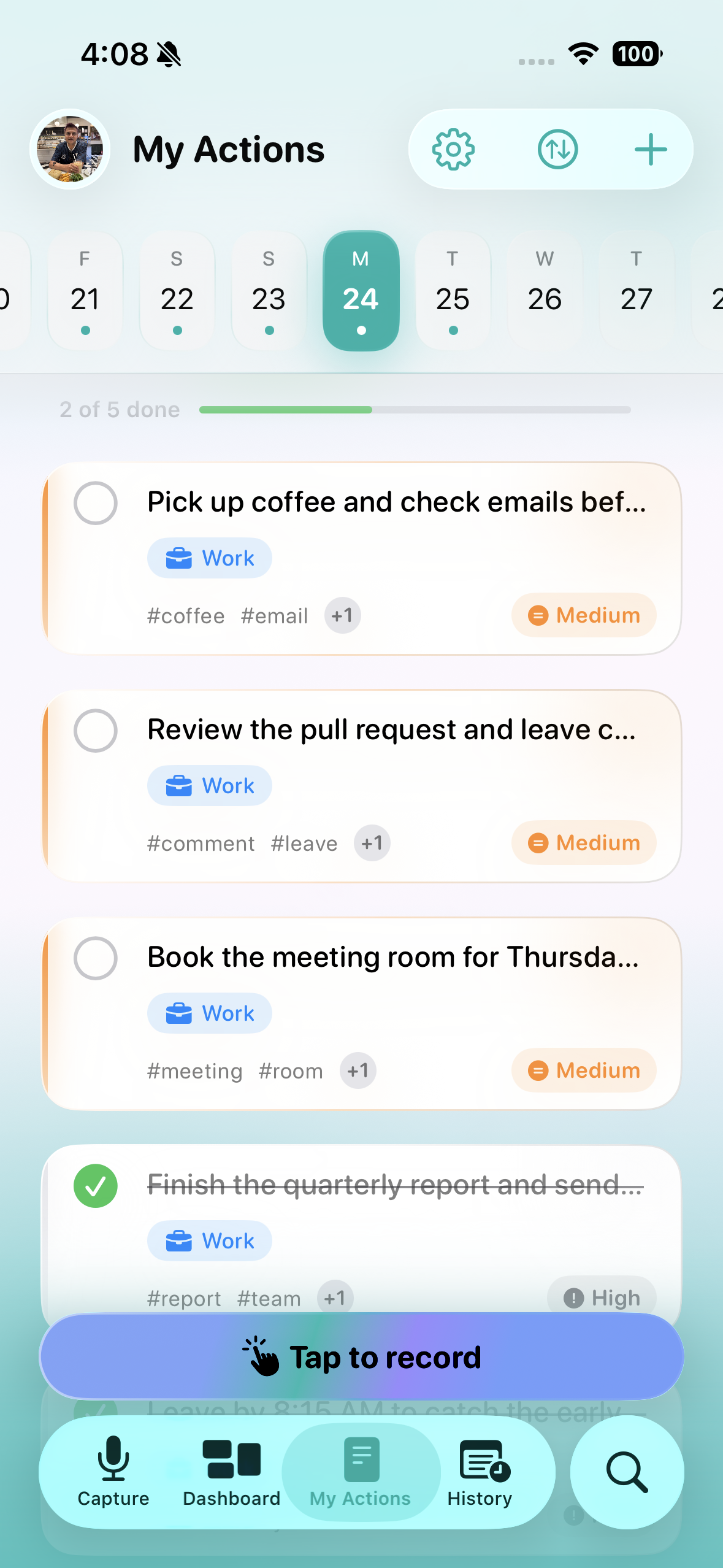
List of to-dos derived from the user's audio transcript using on-device AI
-
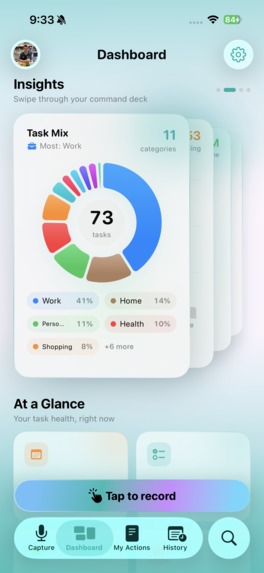
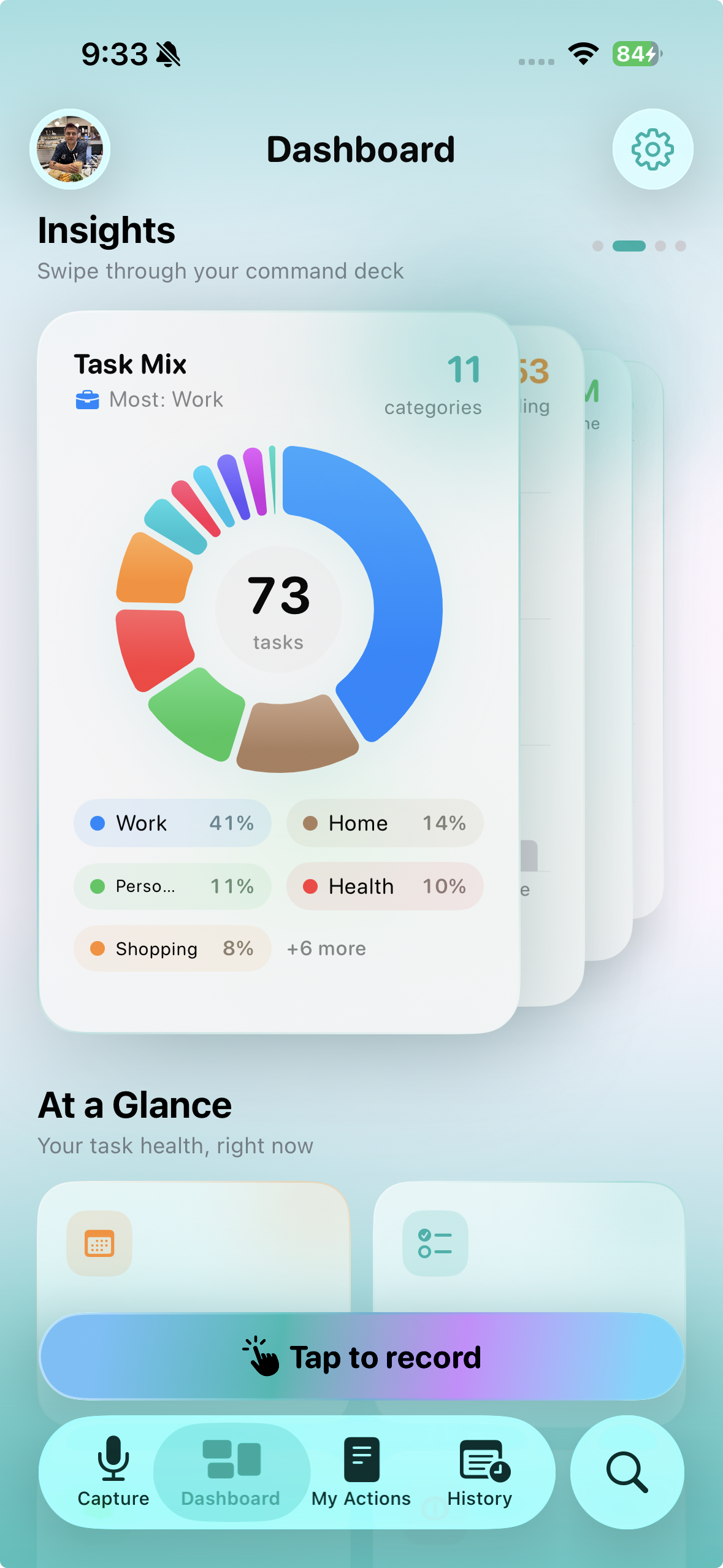
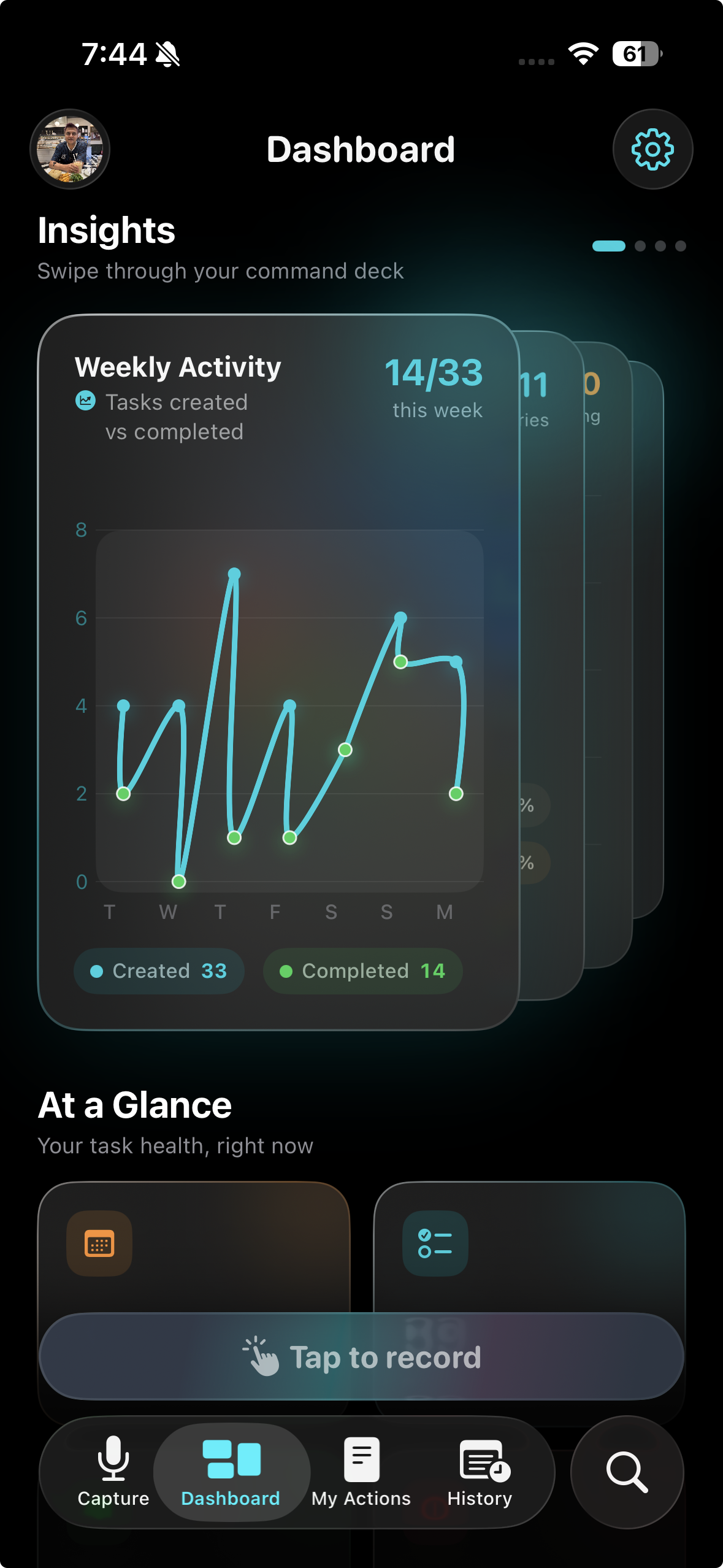
Dashboard — understand activity and progress of to-do's
-
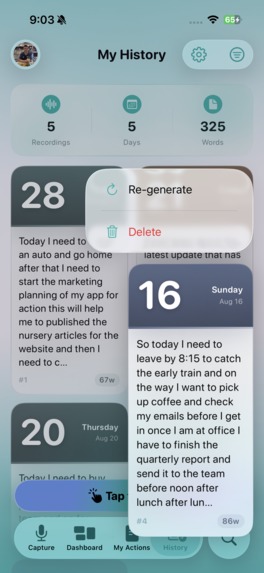
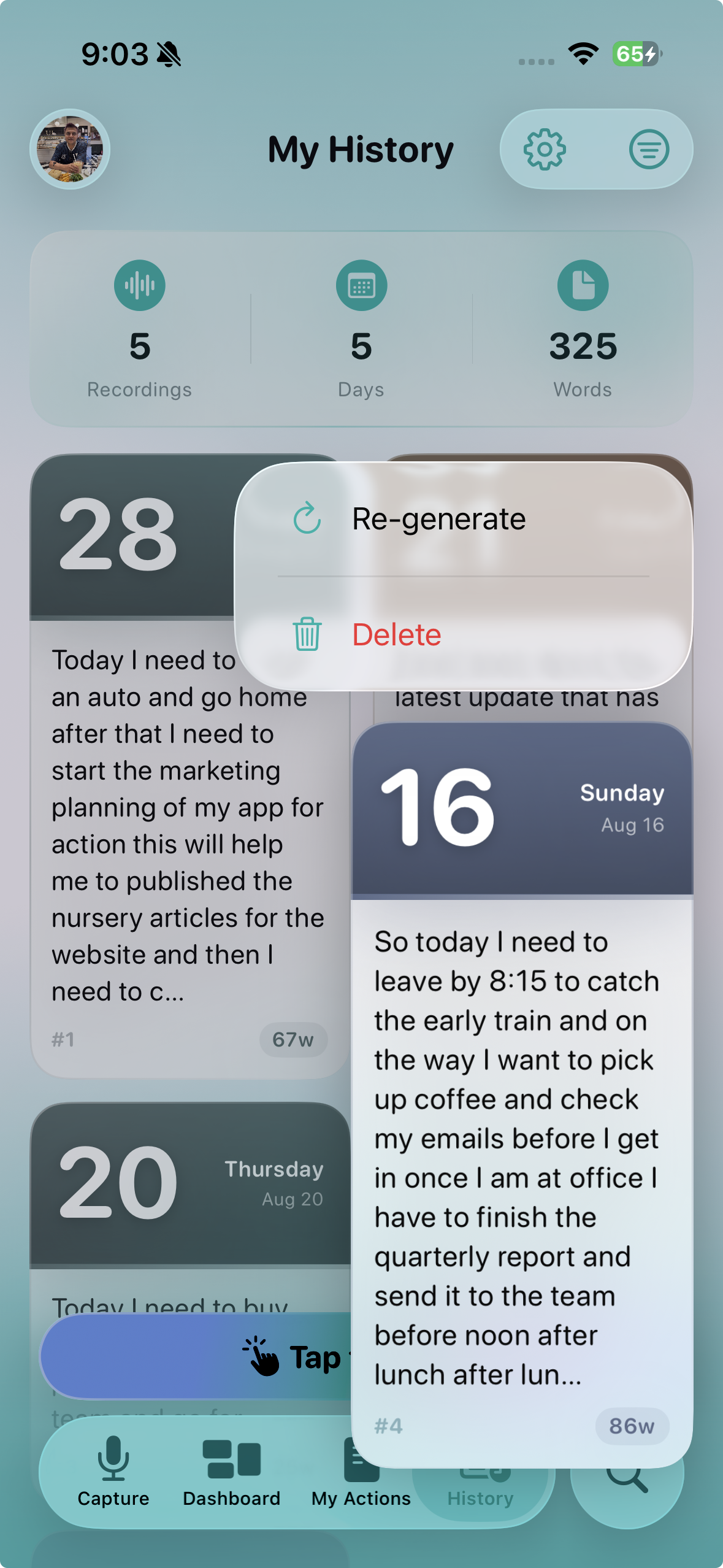
Transcript History Screen — revisit previous recorded transcripts to re-generate to-do's for any present or future date
-
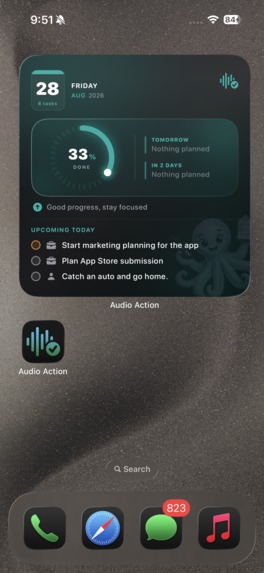
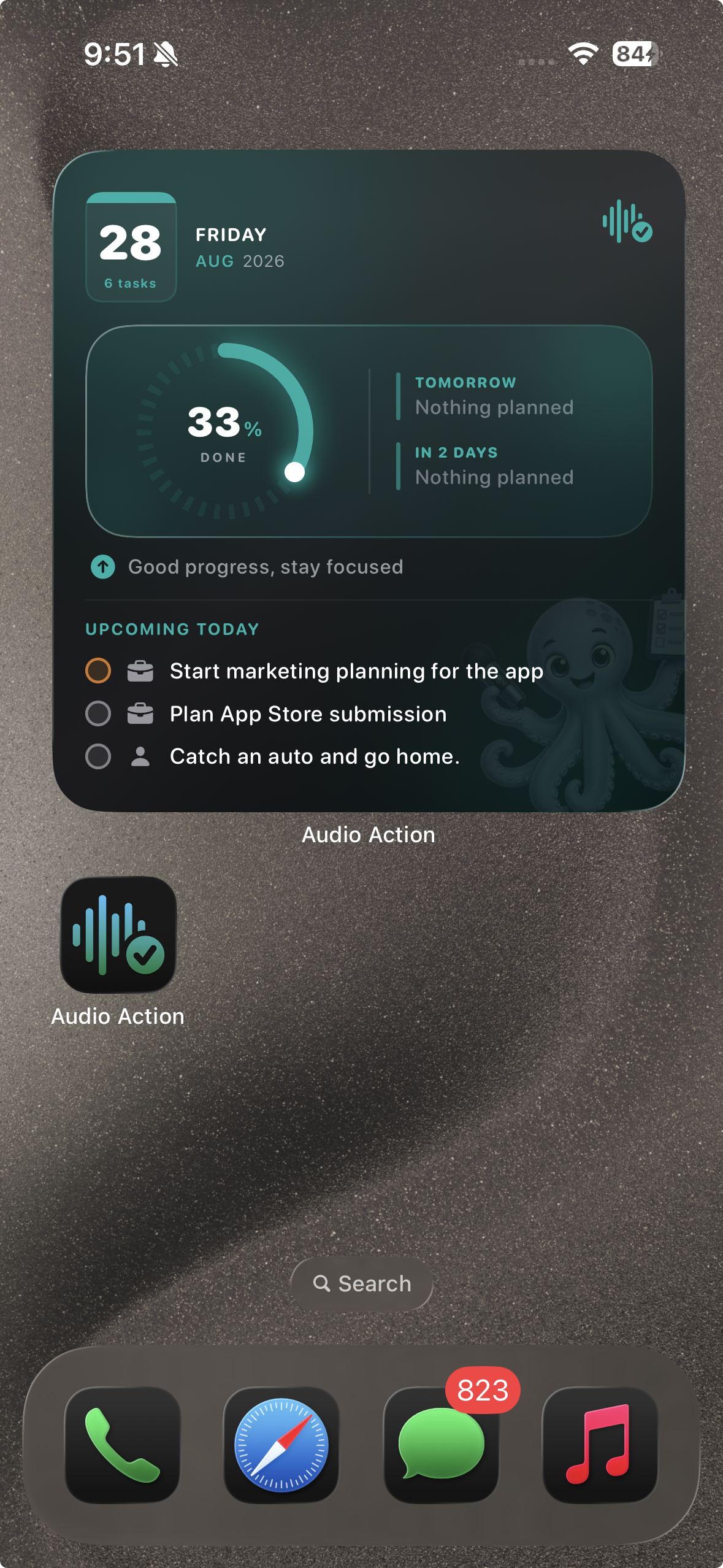
Home screen Widget — keep today's actions visible without opening the app
-
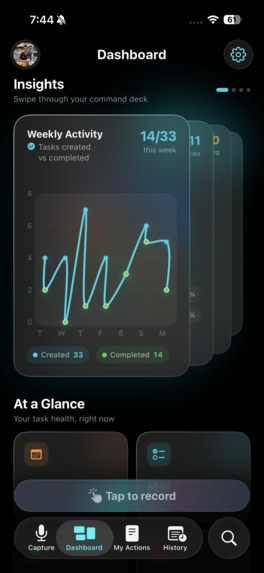
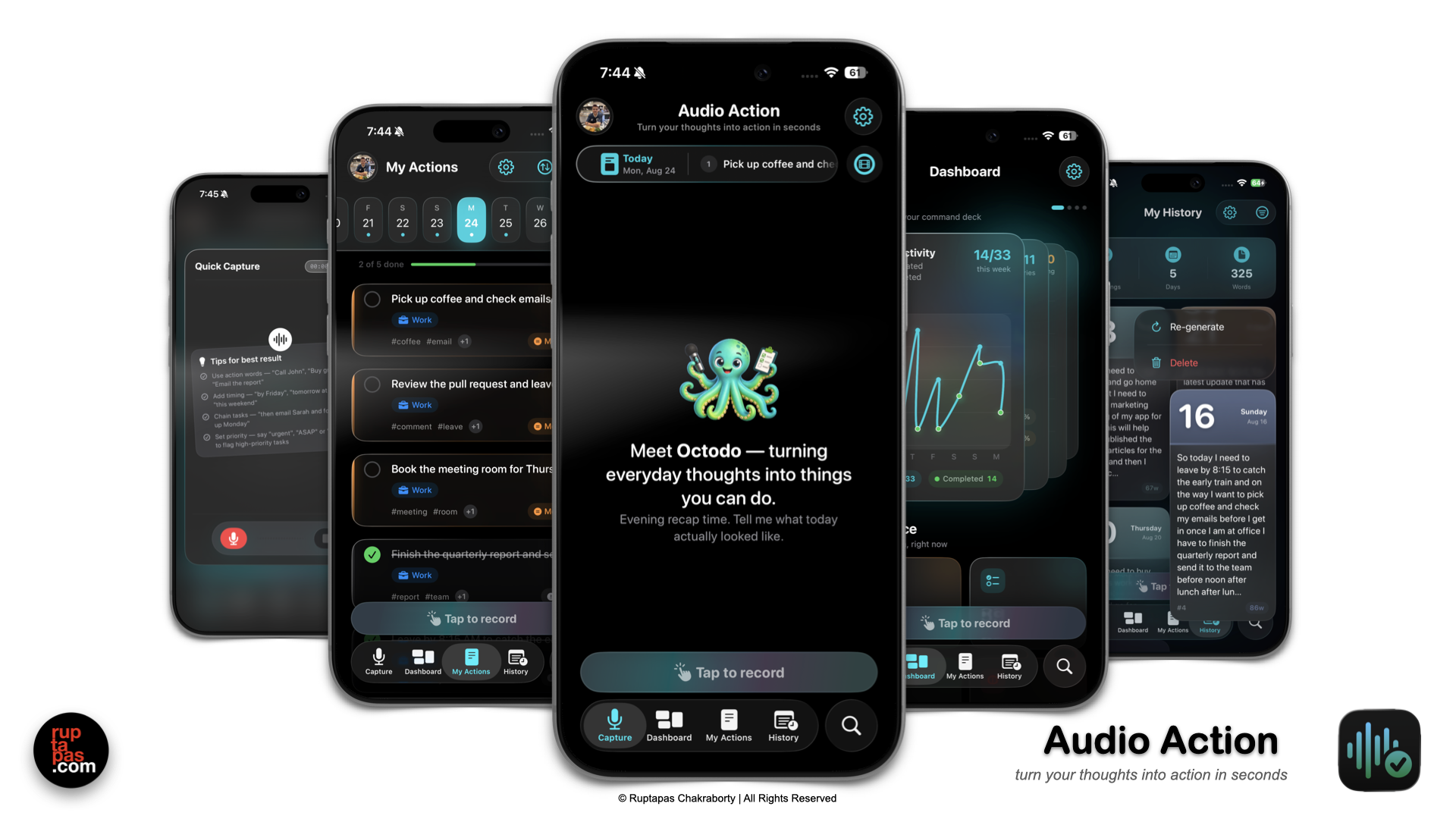
Dark mode — The app supports dark mode
-
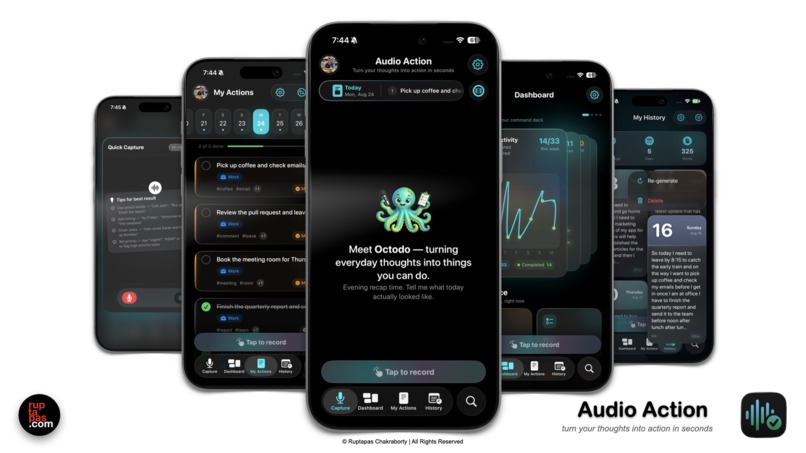
Dark mode — The app supports dark mode for all screens
-
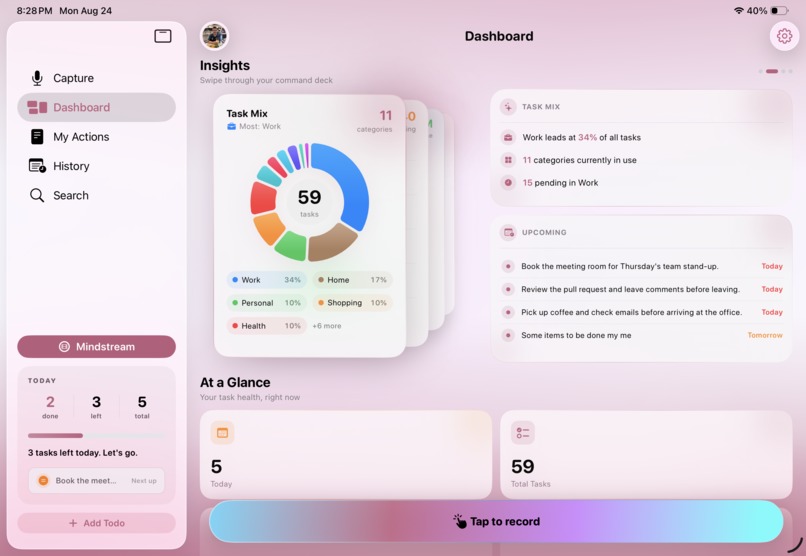
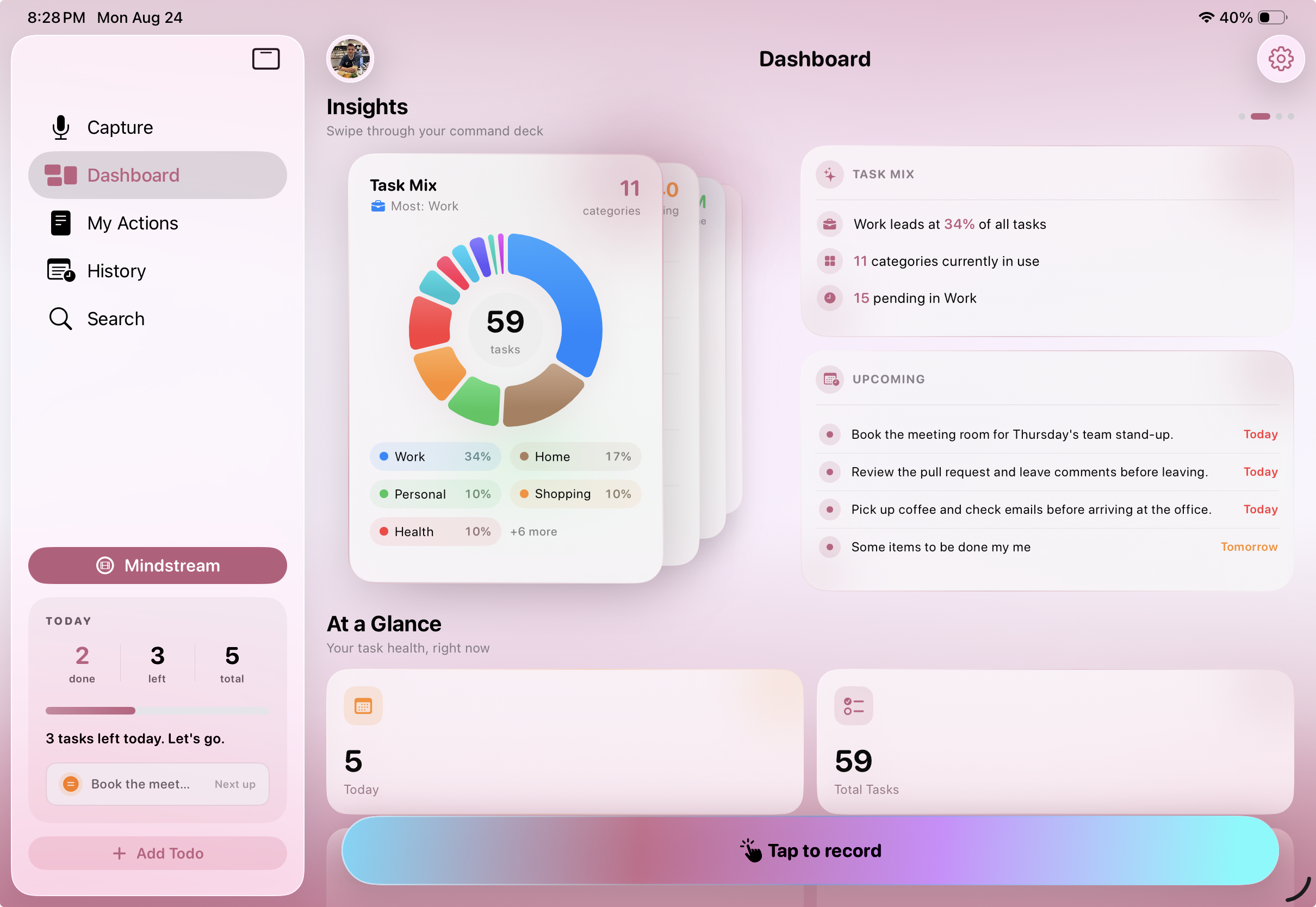
iPad specific Dashboard UI layout — understand activity and progress of to-do's
-
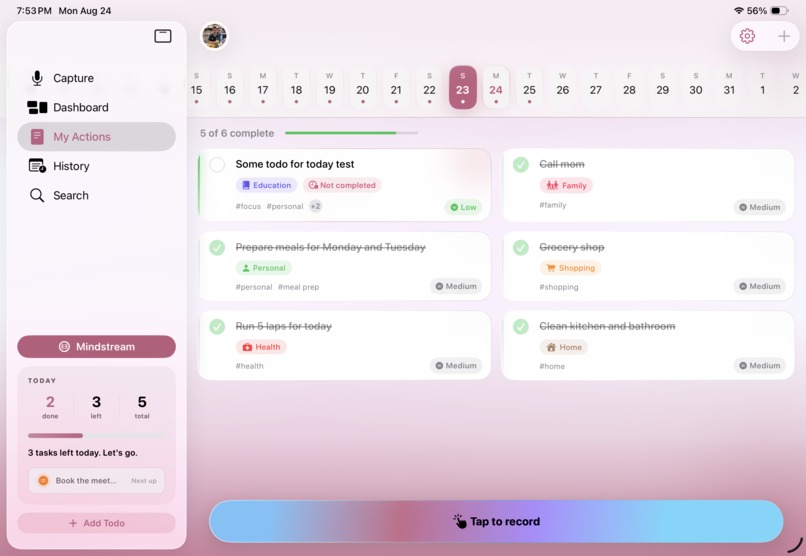
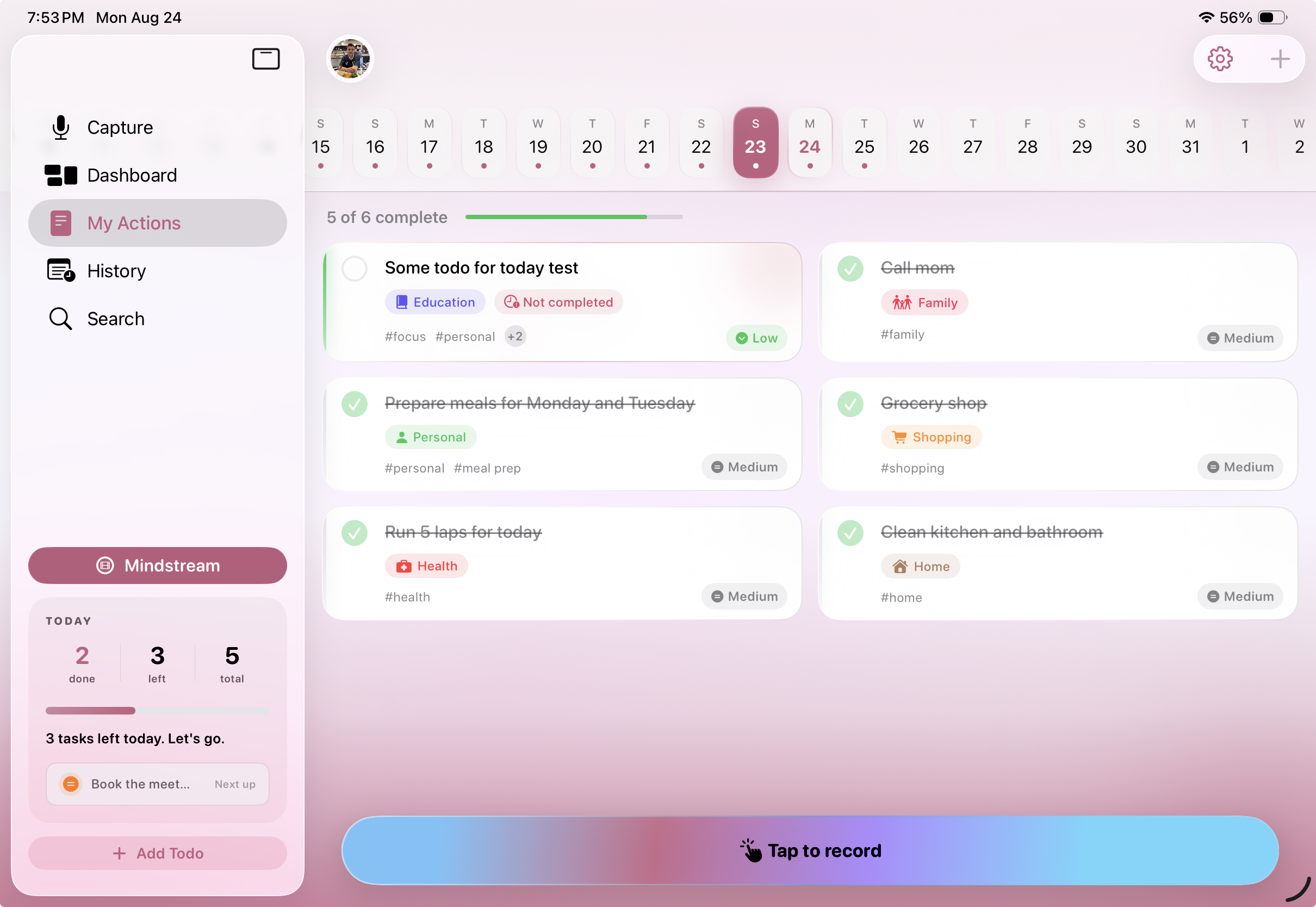
iPad specific UI layout for displaying list of to-do's derived from the user's audio transcript using on-device AI
-
Audio Action — App icon
-
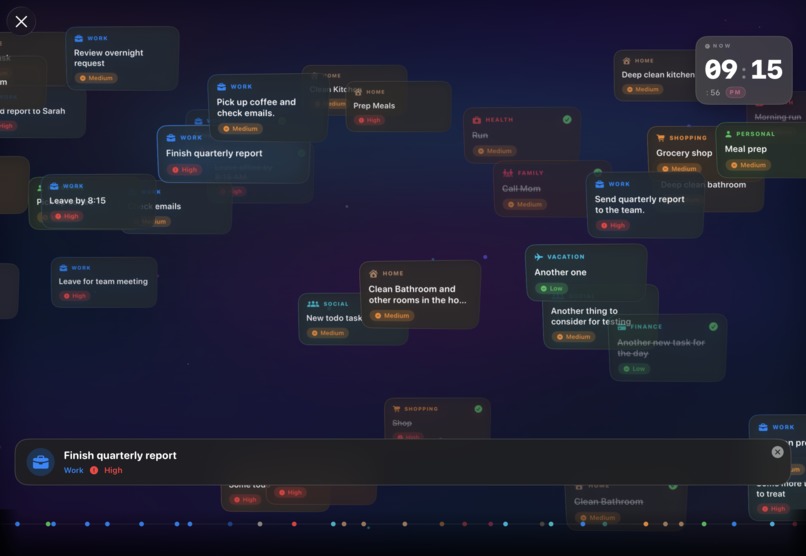
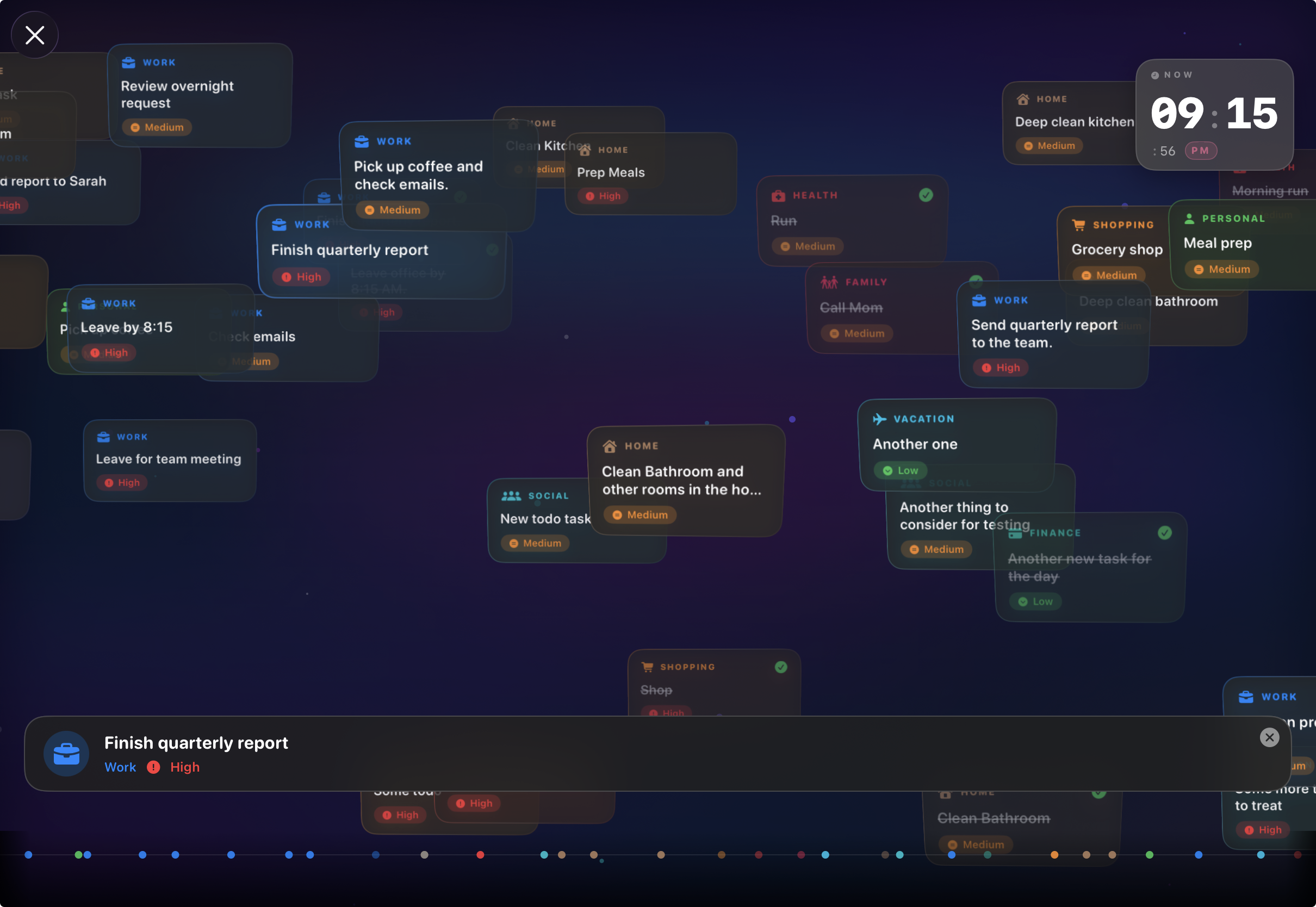
Mindstream — a gentle visual stream of your actions, designed to create a moment of accomplishment and reflection.
Inspiration
What if capturing what’s on your mind was as simple as saying it out loud? This question sparked Audio Action
Our thoughts rarely arrive as perfectly structured to-dos. They come as ideas, reminders, plans, things we suddenly remember — sometimes all at once. I wanted to create a productivity experience that works with that natural flow instead of asking people to stop, type, organise and categorise every thought.
What it does
Audio Action is a voice-first to-do experience built to capture and manage everyday actions.
At the heart of the app is the "Tap to record" call to action, which will launch the transcript card. With the play button tapped, users can speak naturally while their words appear on screen as they talk.
The experience extends beyond capture with:
- Marquee/Ticker — a today ticker keeps upcoming actions visible right from the capture screen.
- Dashboard — understand activity and progress of your to-dos.
- My Actions — manage your to-dos and plans.
- History — revisit previous recorded transcripts.
- Search — quickly find captured information.
- Mindstream — a gentle visual stream of your actions, designed to create a moment of accomplishment and reflection.
- Widgets — keep today's actions visible without opening the app.
- iCloud Sync — keep your experience synced across devices.
- iPhone & iPad — experiences designed around each screen size.
- Dark Mode & Themes — themes to cater to your mood.
- Octodo 🐙 — the friendly mascot of the app, representing the many thoughts we carry and the journey from thought to action.
How I built it
Audio Action was built from the ground up as an Apple-platform experience, with the interface and interactions designed around a universal app layout(iPhone and iPad) rather than treating the iPad as simply a larger phone layout.
The project evolved organically — beginning with a name and rough wireframe, then moving through the Capture experience, Dashboard, Actions, History, Widgets, uplifting the visual identity, data synchronisation by integrating iCloud Sync and the addition of the Mindstream experience(_designed to create a moment of accomplishment and retrospect).
A big part of the process was iterating on the experience itself — constantly asking what should be visible, what should remain simple and how individual features could feel like part of one cohesive product that can induce a sense of delight as someone uses the product.
Challenges I ran into
The biggest challenge wasn't simply getting features to work. It was figuring out how all the pieces should come together without making the app feel complicated.
Every new capability raised another question:
Does this actually make Audio Action better?
Designing for both iPhone and iPad added another layer of complexity, and building a voice-first experience meant thinking beyond traditional to-do-app interactions.
And perhaps the hardest challenge was knowing when to 'stop adding' and 'start refining'.
Accomplishments that I'm proud of
What started as a rough idea has become a complete product experience. I'm particularly proud of turning the original concept into something that now has: Voice capture → Actions → History → Insights → Reflection along with iPhone and iPad support, Widgets, iCloud synchronisation, Themes, Dark Mode and a distinctive personality through Octodo.
But perhaps the accomplishment I'm most proud of is Mindstream.
It's a small idea, but it represents something important: productivity doesn't always have to ask "What haven't you done yet?"
Sometimes it can simply say: "Look at how much you've already accomplished. or plan to undertake"
What I learned
Building Audio Action reinforced something simple: A product isn't defined by how many features it has, but by how thoughtfully those features work together.
I learned to iterate, question my assumptions, simplify where necessary and pay attention to the emotional side of the experience — not just whether something technically works. This is more reflected in the fact that initially I did not have a mascot until I envisioned Octodo.
Most importantly, I learned that turning an idea into a real product takes far more than writing code. It takes patience, experimentation and a willingness to rethink your own ideas.
What's next for Audio Action
Audio Action is now approaching its next big milestone: going from something I've built to something I can put into people's hands.
The final touches are underway as I prepare for App Store review, while also creating the product landing pages, marketing material, privacy policy and terms & conditions.
And, every now and then, I find myself looking back at where this all started.
In Week 1 of August 2026, Audio Action was just a figment of my imagination — a name, a rough wireframe and a thought.
Now it's real. With the app now live, the next chapter belongs to the people who will use it. Until next time… one thought became an idea, an idea became an app, and now the real journey begins.
Audio Action — Turn your thoughts into action in seconds

Log in or sign up for Devpost to join the conversation.