-
-
Attune Design
-
-
-
Attune
Let the design find its maker.
Inspiration
I came into this challenge from a UX/UI and product design background. At first I kept asking: what can an agent do on a website? While building Attune, a better question took over: What should the person and the agent do together?
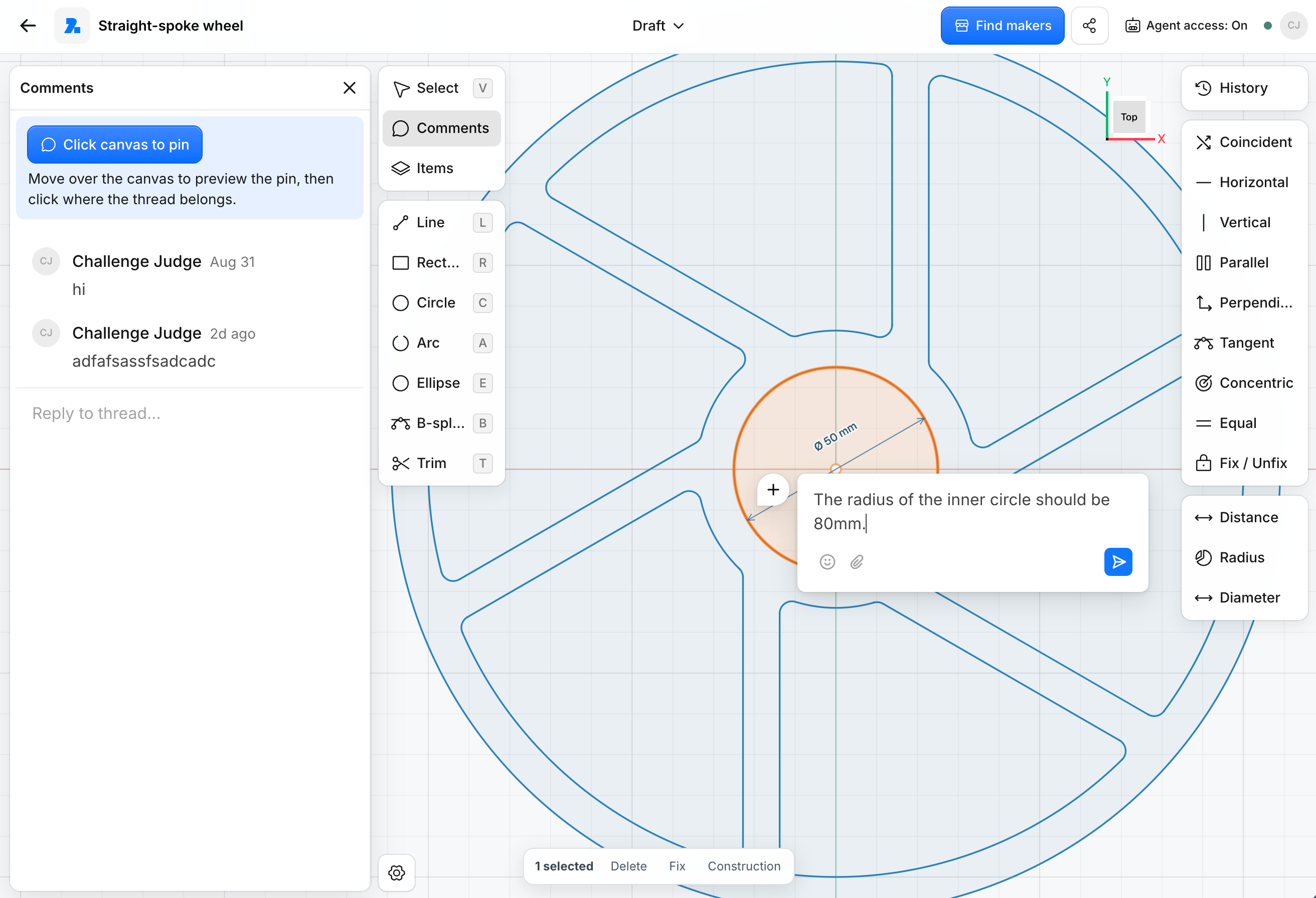
A person may be better at looking at a design, moving something by eye, and deciding what feels right. An agent can help with exact values, repeated edits, relationships, checks, and multi-step work. The useful part is when both work on the same object, without the person having to explain that object again and again.
That became Attune.
What Attune does
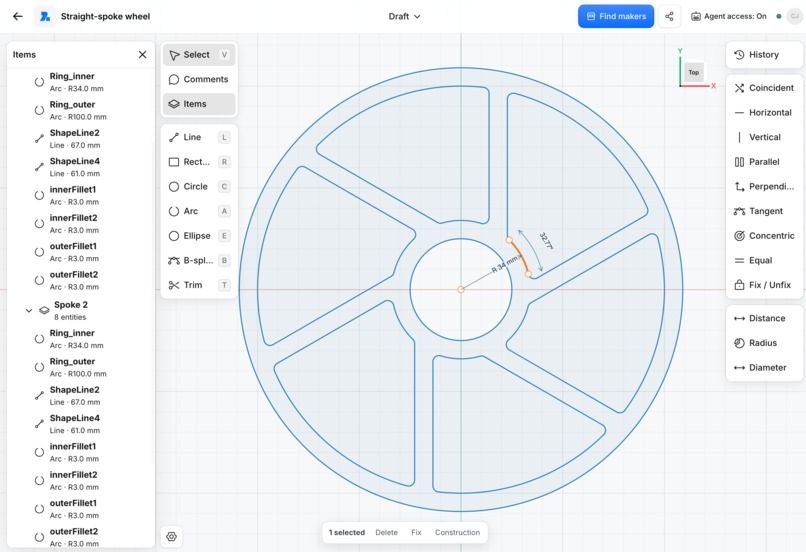
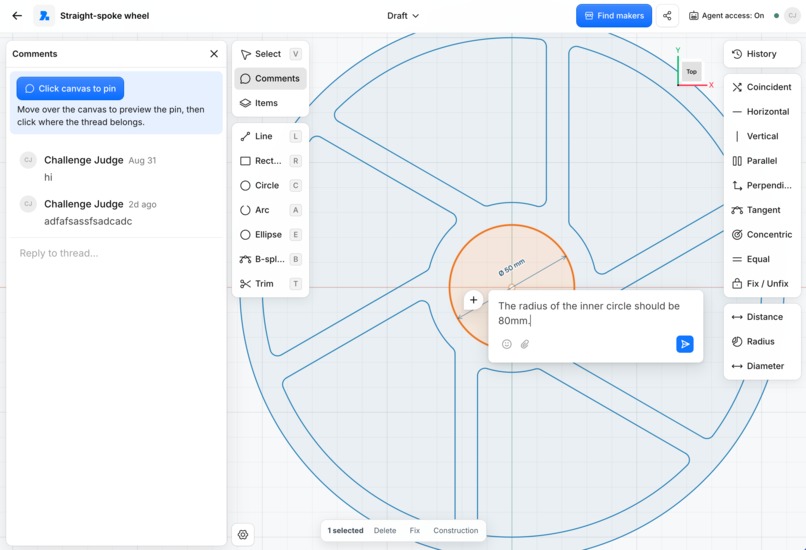
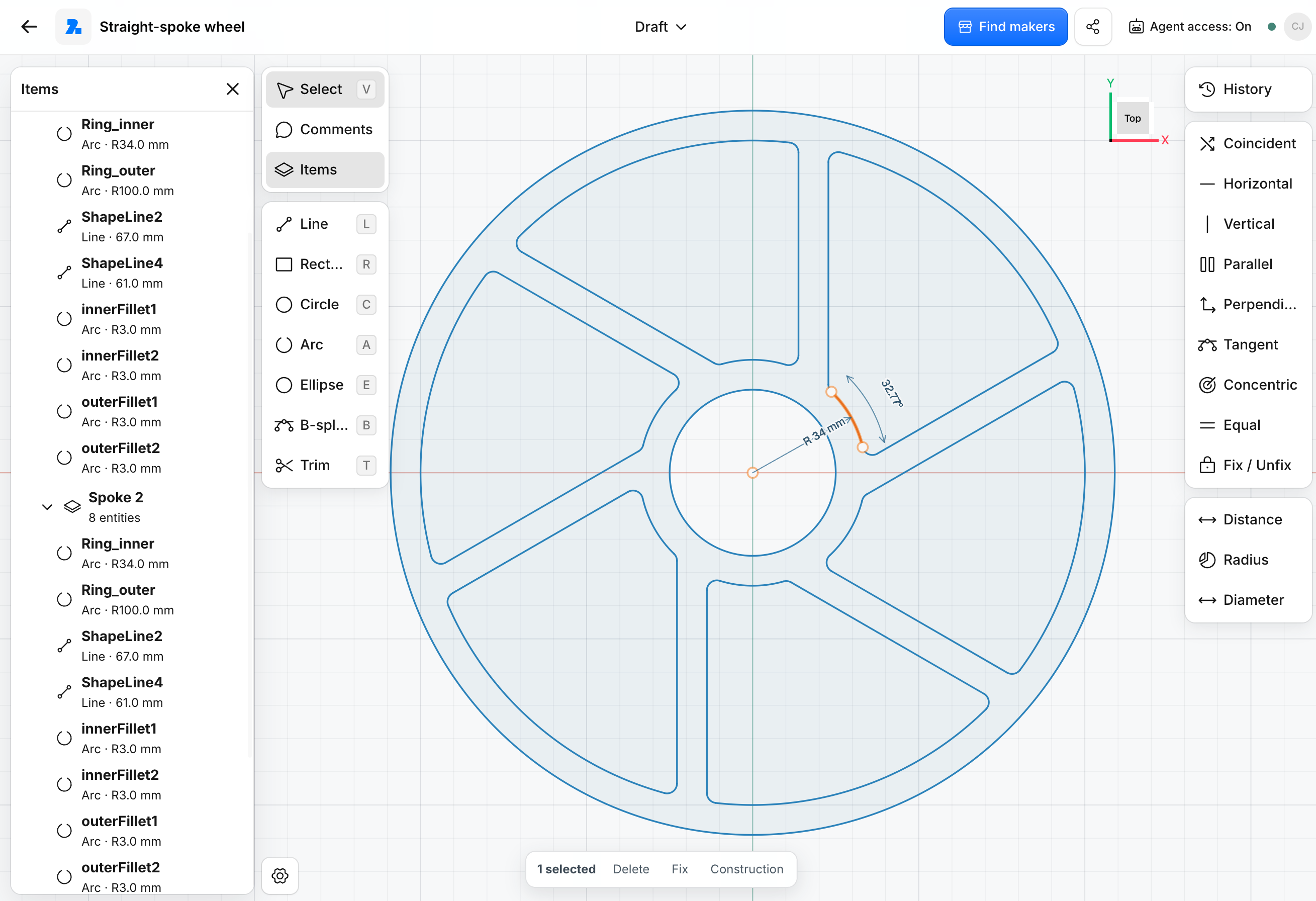
Attune is a shared workspace for designing physical products. The person gets the visual canvas. The browser agent gets WebMCP tools. Both work on the same underlying design. If I already selected something, I should not need to describe which part I mean. If the design already knows a measurement, the agent should not guess it from the screen. If I change something myself, the agent should continue from the new state.
The goal is not “AI, finish the whole design for me.” It is closer to: I decide → the agent helps → I adjust → Attune checks → we continue.
Why WebMCP here?
A 2D engineering sketch is more than pixels. It contains entities, dimensions, constraints, groups, solver state, versions, and relationships between parts. A small edit can also affect what happens later. Without a structured interface, an agent has to reconstruct too much of that from the visible UI.
With WebMCP, Attune can give the agent direct actions over the same design state the person is using. That lets the agent answer four useful questions:
- What am I working on?
- What can I change here?
- What would this change affect?
- What can happen next?
Attune also does not expose one giant toolbox on every page. Design tools appear while editing. Manufacturing tools appear later. Buyer and Maker actions stay separate. Important commercial actions still require human confirmation.
WebMCP tools
Not every tool is active at once. The current page, project state, and the person's access decide what is exposed.
| Surface | Tool | What it does / why it is exposed |
|---|---|---|
| Dashboard | inspect_projects |
Reads accessible projects and their current stage. |
| Dashboard | create_project |
Creates a blank or template project when allowed. |
| Dashboard | open_project |
Opens an accessible project on the right surface. |
| Dashboard | inspect_notifications |
Reads recent activity so the agent can find what needs attention. |
| Dashboard | open_notification |
Opens one notification and navigates to its authorized project surface. |
| Design | inspect_context |
Reads the current selection, IDs, versions, nearby geometry, constraints, solver state, and unseen human changes. |
| Design | forecast_change |
Previews what one proposed design action would do before anything is committed. |
| Design | modify_geometry |
Creates or changes real sketch geometry, including parametric recipes, radius edits, transforms, node moves, trims, deletes, and groups. |
| Design | constrain_geometry |
Adds or removes dimensions and engineering relationships such as tangency. |
| Design | check_design |
Checks solver and validation state after an edit. |
| Manufacturing | find_makers |
Compares the current design with Maker capability so the design itself can be used to ask who can make it. |
| Workspace | navigate_workspace |
Moves between valid Attune surfaces without using navigation to grant new authority. |
| Manufacturing | manage_manufacturing_request |
Configures, submits, quotes, requests changes, and accepts work when the operation is valid for the current role and state. |
| Commerce | inspect_commerce_pipeline |
Reads the request → quote → acceptance → Shopify Draft Order chain without customer contact details. |
| Commerce | prepare_customer_checkout |
Retrieves a verified checkout handoff only after confirmation and only when checkout is available. |
| Workspace | manage_account |
Exposes account/setup operations that make sense from the current workspace state. |
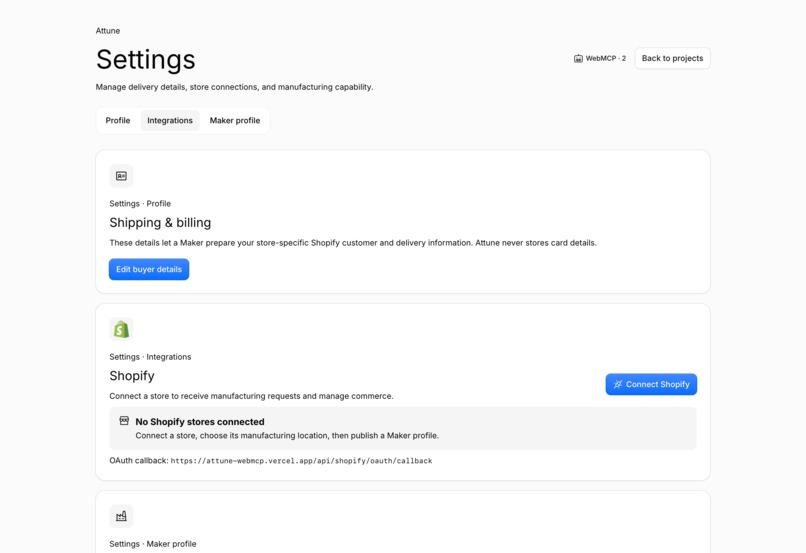
| Settings | inspect_account_setup |
Checks Buyer setup and connected Maker stores without returning private contact data. |
| Settings | start_shopify_connection |
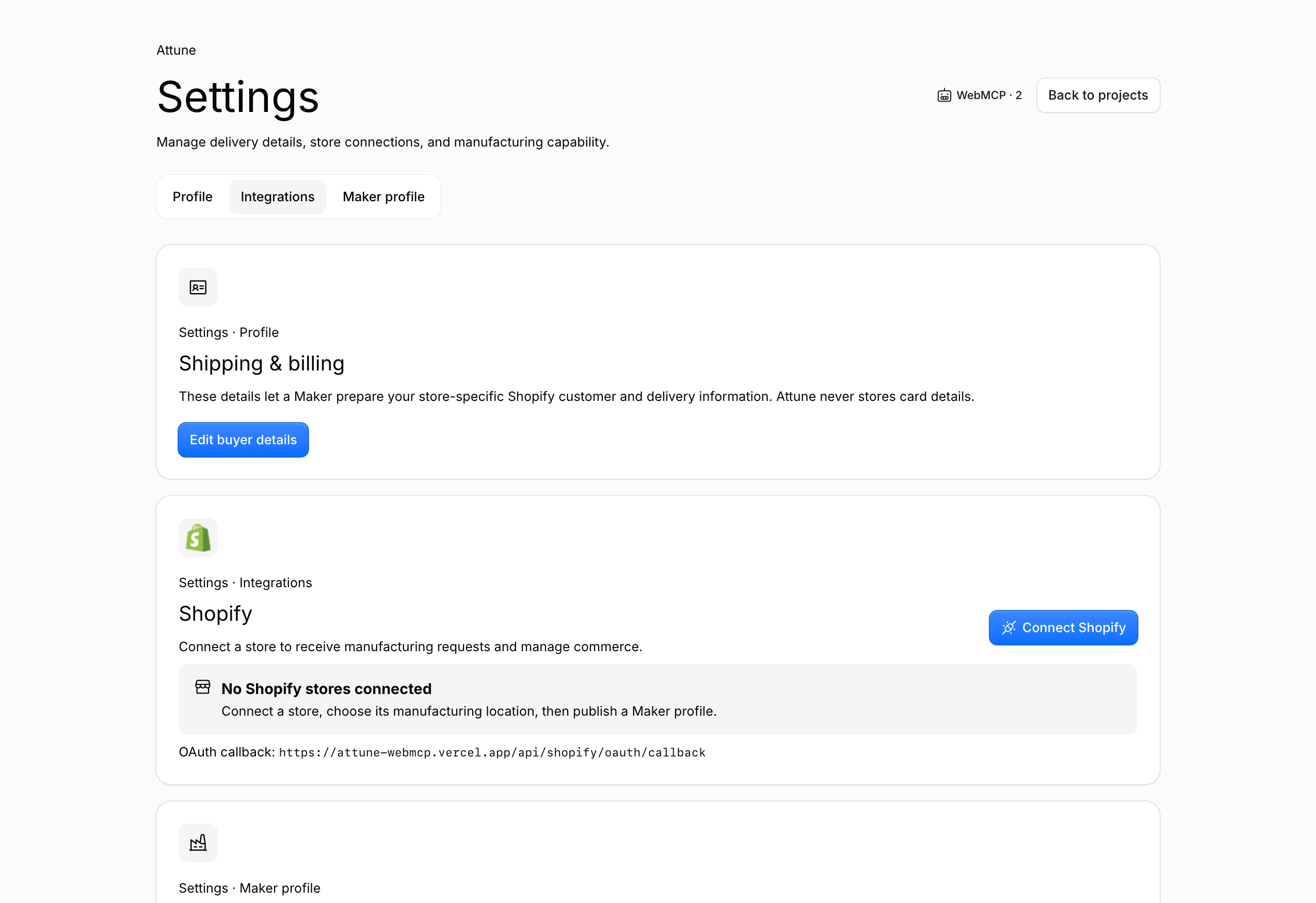
Starts Shopify OAuth while the merchant still approves permissions themselves. |
| Settings | select_shopify_location |
Selects a real active Shopify location for the connected Maker. |
| Settings | inspect_shopify_orders |
Reads recent Draft Orders and their Attune version bindings without customer PII or checkout URLs. |
| Settings | open_shopify_admin |
Opens a previously inspected Draft Order in the Maker's Shopify Admin. |
| Settings | open_maker_workspace |
Opens Maker profile, incoming requests, or accepted jobs. |
| Judge review | inspect_review_flow |
Explains the seeded review path and why later stages are locked or available. |
| Judge review | open_review_control_center |
Opens the judge control center without changing workflow state. |
| Judge review | reset_judge_workspace |
Resets only the seeded judge workspace after explicit confirmation. |
The important part is not the number of tools. The tools follow the work.
Co-creation, not autopilot
Building the design side taught me that precise design is not really a one-prompt problem. Even a simple request can depend on what should stay fixed when something else moves. Recent Autodesk research on AI CAD editing points to the same problem: current models are improving, but matching the designer's exact intent is still difficult.
That helped clarify the roles:
- The person provides intent and judgement.
- The agent helps interpret and carry out the request.
- The application owns the exact result.
Attune works with real 2D geometry and constraints rather than treating the canvas as only a picture.
Why manufacturing?
Manufacturing made this interaction more meaningful because a design action can have consequences outside the screen. Moving one feature can affect a constraint. It can affect whether a Maker can make the part. A later design edit can also make an older quote belong to the wrong version. So I started thinking about WebMCP actions as steps on a path:
see the work → understand the change → check the result → know what can happen next
The model can help understand what I want. It should not invent whether something is actually manufacturable.
The design becomes the query
Once the design is ready, another problem appears: Who can make this?
Today that often becomes another translation step: “CNC shop”, “aluminium fabrication”, “laser cutting”. But the design already contains more useful information than those words: geometry, dimensions, material, quantity, and requirements.
The longer-term idea behind Attune is:
Let the design itself become the query.
The person can then add what matters: prefer somebody nearby, need it quickly, preserve these mounting points, or show a specialist if nobody local fits.
And Makers are not always sellers. A shop that machines one part may buy finishing, electronics, packaging, or another process from somebody else.
Today's Maker can be tomorrow's customer.
That is why I see the future as a network of Makers, with local opportunity and global reach, rather than only a one-way marketplace.
From design to a real order
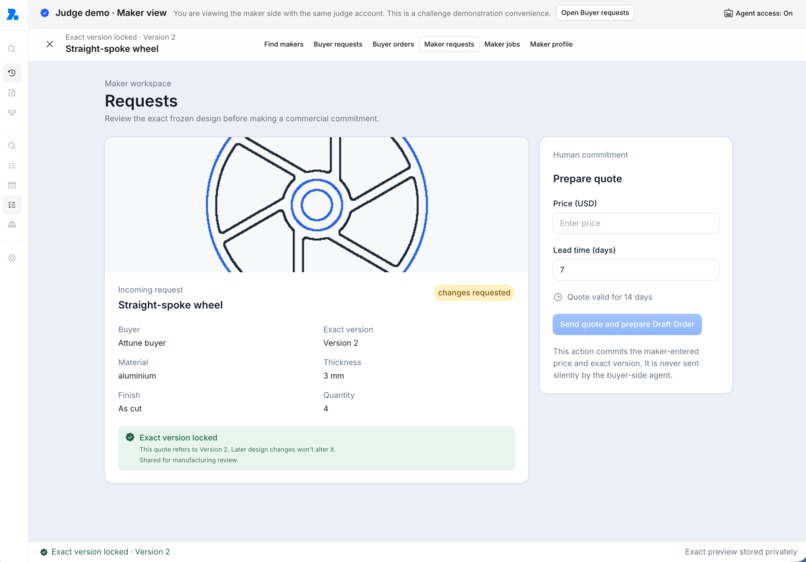
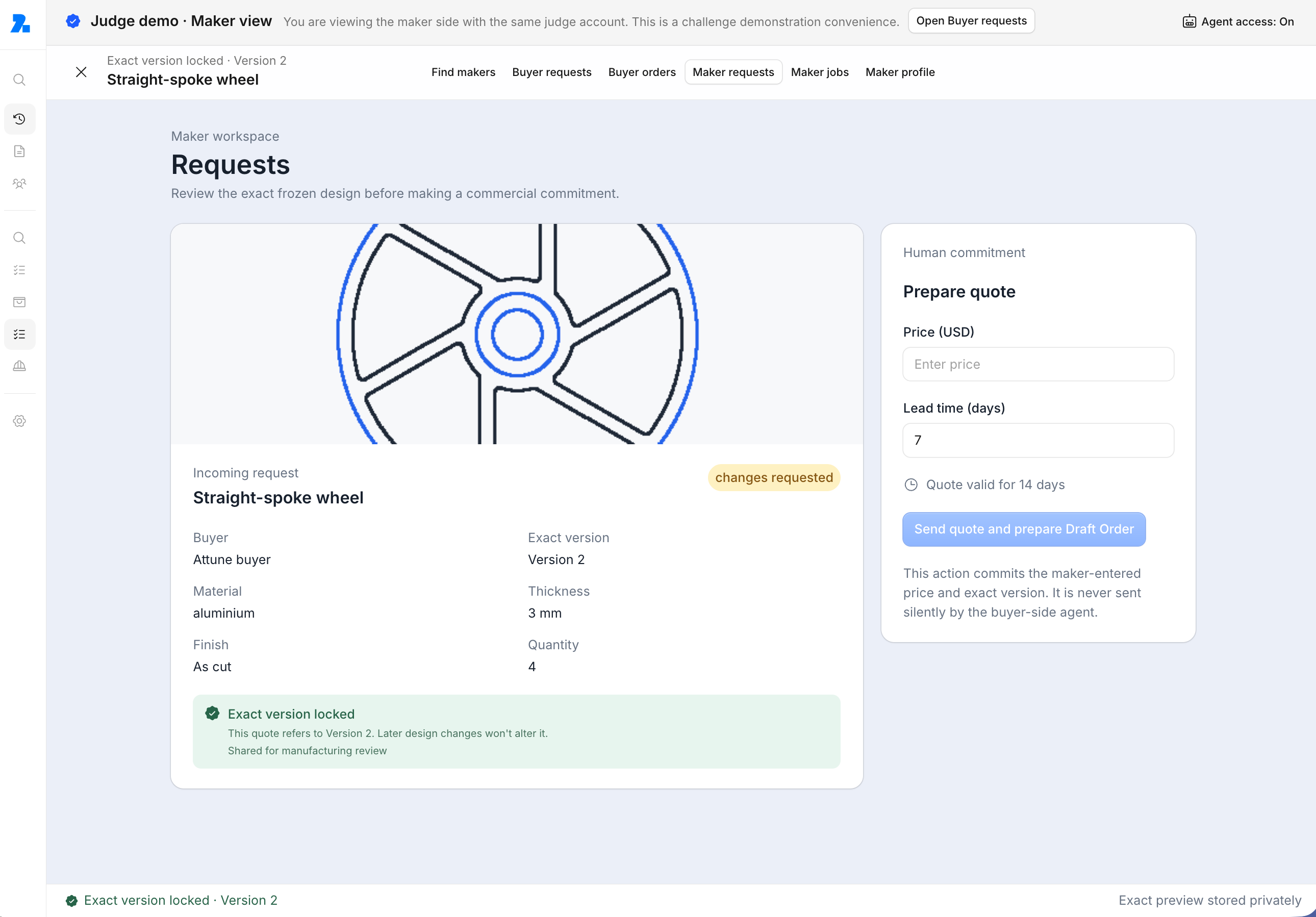
I did not want the demo to end at a fake Buy button. Attune keeps an exact saved version attached to the manufacturing request. The Maker reviews that version. The quote belongs to that version. The Buyer accepts that version.
If the design changes later, the old quote should not quietly become approval for something different. The challenge path is:
Design → Buyer Request → Maker Review → Buyer Order → Maker Job / Shopify
How I built it
Attune uses Next.js, React, TypeScript, CanvasKit/Skia, Maker.js, PlaneGCS, Liveblocks, Yjs, Neon/PostgreSQL, Shopify, Cloudflare R2, Kumo, and WebMCP.
The human interface and the WebMCP path use the same underlying design and workflow rules. They are not two separate versions of the product.
Challenges I ran into
This was more ambitious than I understood at the start. I was learning CAD-style interaction, geometric constraints, realtime collaboration, WebMCP, permissions, Shopify, and backend state at the same time.
The 2D sketch workspace was the hardest part. Drawing geometry that looks right is much easier than building interaction where selections, dimensions, constraints, and later edits still mean what the person intended.
I also learned how to work better with coding agents. Long runs could sometimes carry an older architectural assumption forward after the product had changed. I moved toward smaller tasks, checking the current code, running tests, and committing between milestones. Limited agent usage made that discipline even more important.
The build became narrower than the product I first imagined, but kept the path: design → consequence → Maker → quote → commerce.**
What I learned
The biggest lesson was that a good agent experience can mean asking the person to explain less.
- If I already selected something, do not make me describe it again.
- If the site knows a measurement, do not guess it.
- If the design changed, do not continue from an old picture.
The question stopped being: “How many things can the agent do?” and became: “How much of the work can the website help the agent understand?”
What's next
I want to improve direct editing, constraint feedback, and the way the agent understands the purpose of parts, not only their geometry. Beyond that is the Maker network: more Makers publishing what they can actually do, designs that search that network, Makers buying from other Makers, and the same agreed design staying connected through production and delivery.
Built With
- api
- canvaskit
- graphql
- kumo
- liveblocks
- maker.js
- neon
- next.js
- phosphor
- planegcs
- postgresql
- r2
- react
- skia
- typescript
- vercel
- vite-plus
- vitest
- webmcp
- yjs
